Inspiration
It started with a real problem on a municipal election campaign here in Canada. Candidates and canvassers talk to dozens of people a day at the door, at events and on the street. Each conversation carries details that matter later: a name, an address, who referred them, a phone number, what they care about. In practice those details end up as scribbles, half-remembered notes, or voice memos nobody ever listens to again.
Our first fix was a laptop pipeline. Voice memos were uploaded to Google Drive, transcribed by a cloud speech API, parsed by an LLM and dropped into a Google Sheet. It worked, but only once you got home to a laptop, and every conversation went through three third-party clouds. We wanted the whole thing on the phone in your pocket, with nothing leaving the device.
What it does
EmmaNotes turns a 15–60 second voice note about a person into a clean, structured row of data:
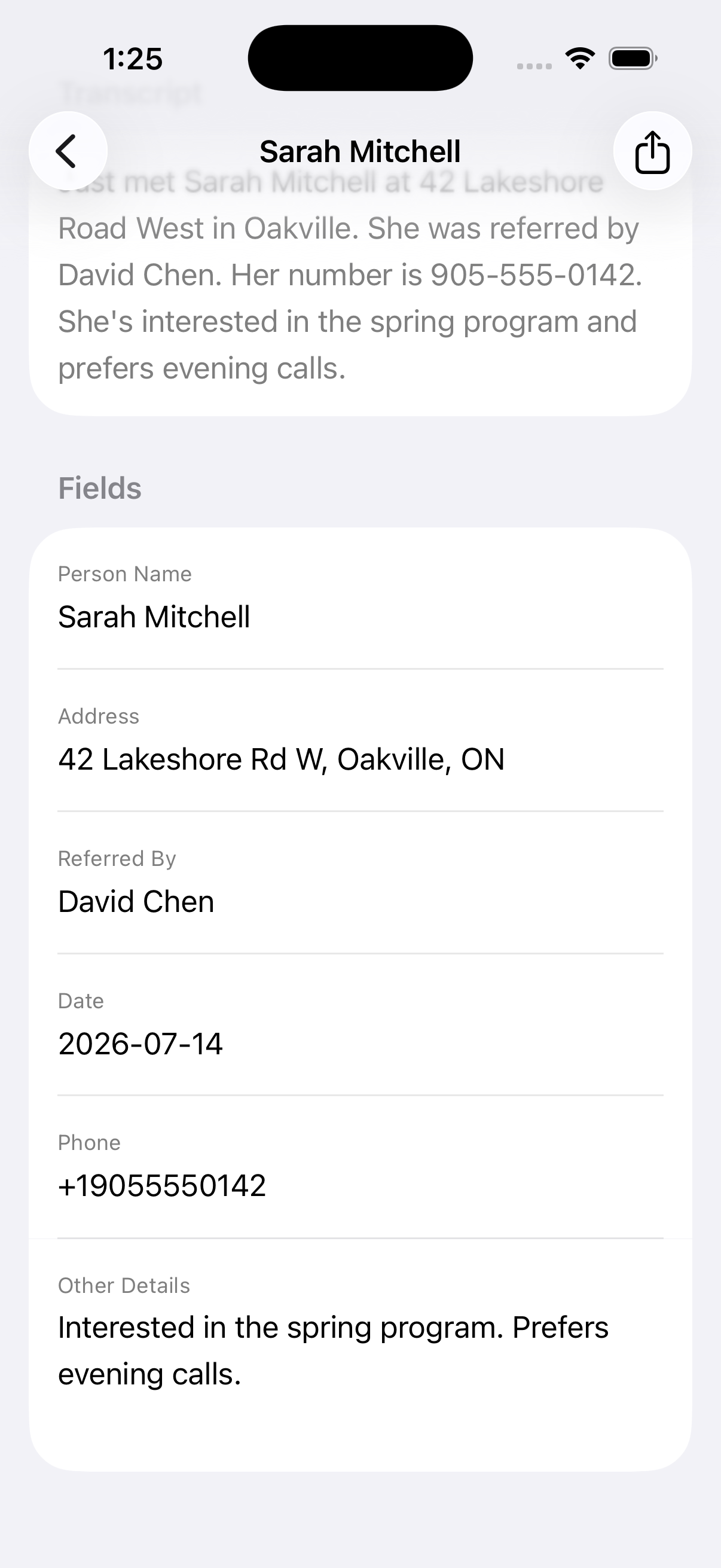
- Record. Tap one big button and talk naturally: "Just met Priya Sharma at 412 Cedar Street, Sarah referred her, number is 604-555-0199, wants info on the transit plan."
- Transcribe. Apple's on-device
SpeechTranscriberturns the audio into text. - Extract. Apple's on-device Foundation Models pull out name, address, referred by, date, phone and other details.
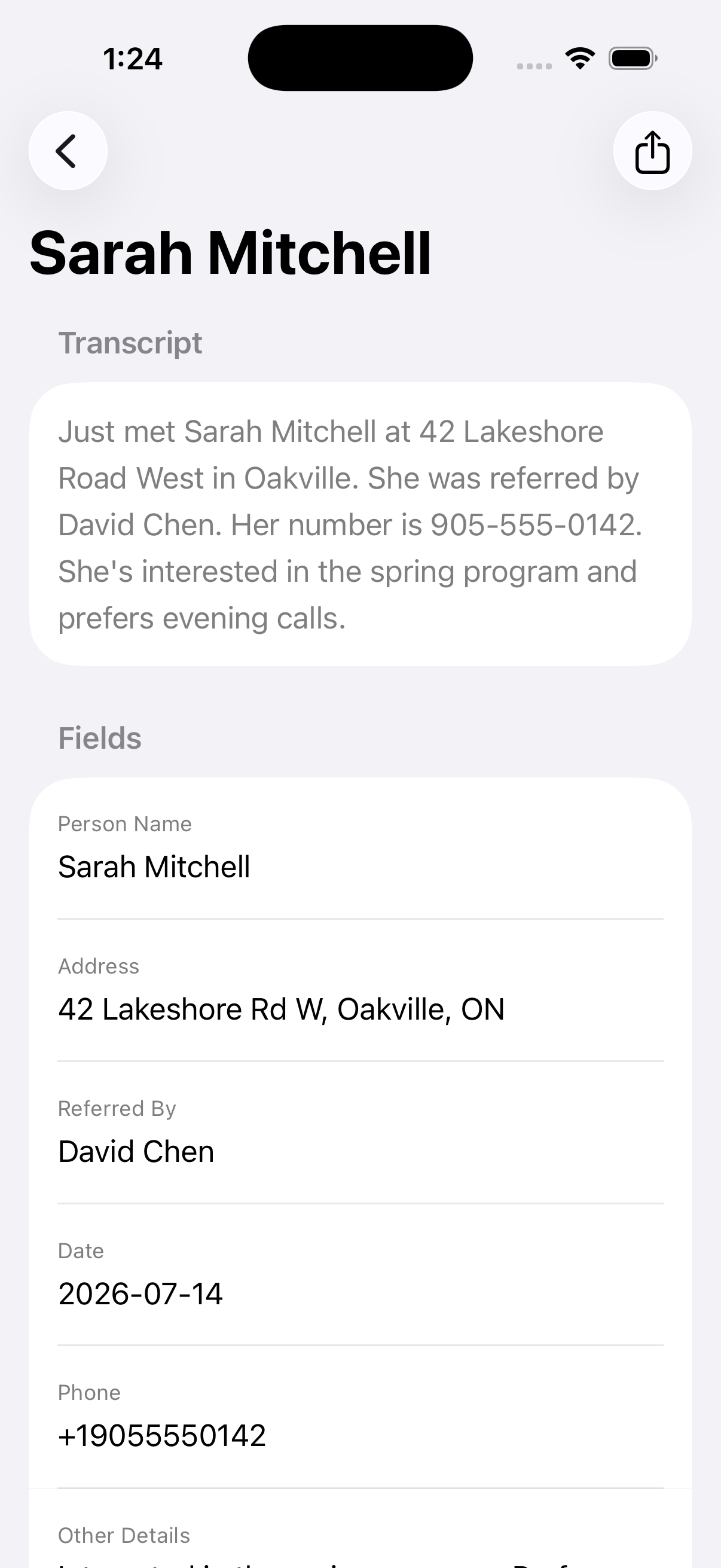
- Review. A card shows the extracted fields so you can fix a misspelled name in five seconds.
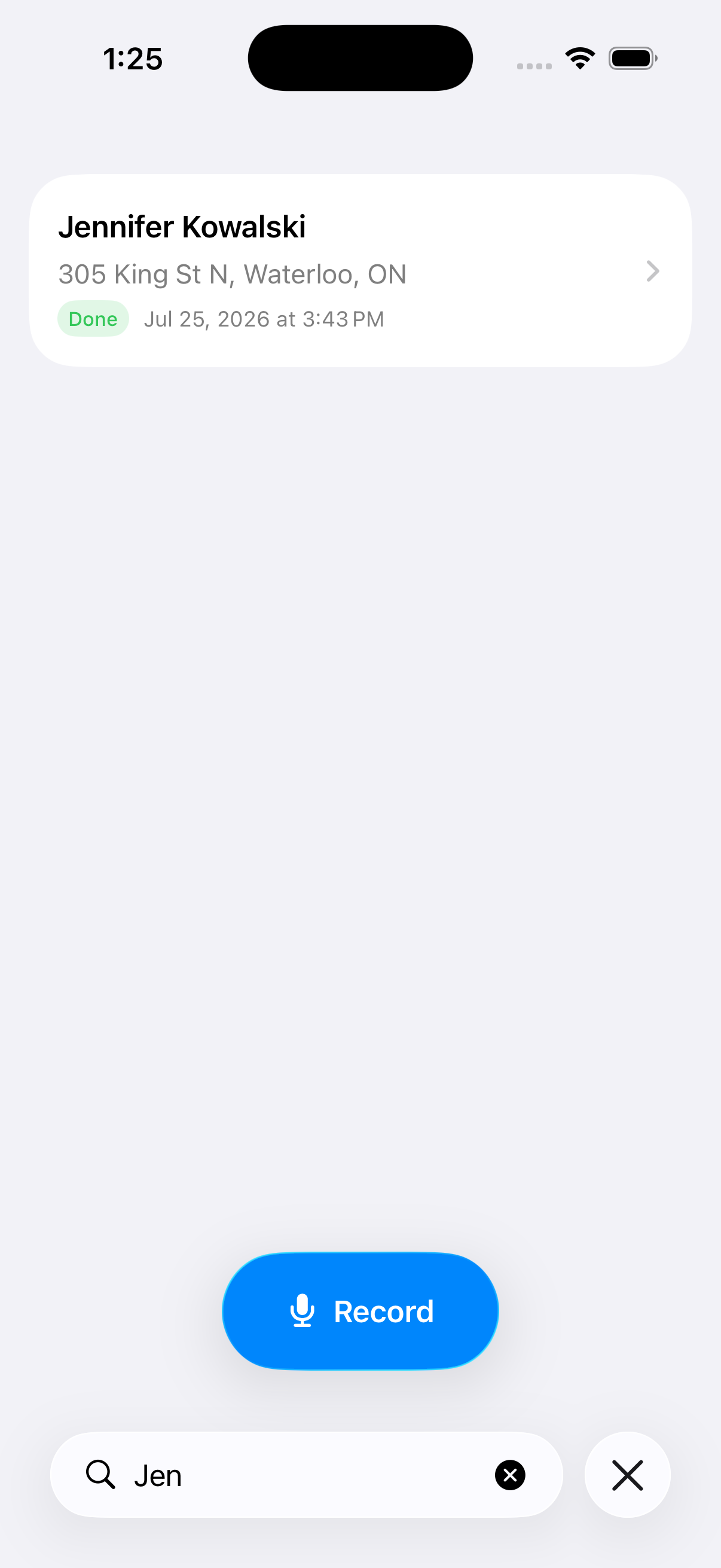
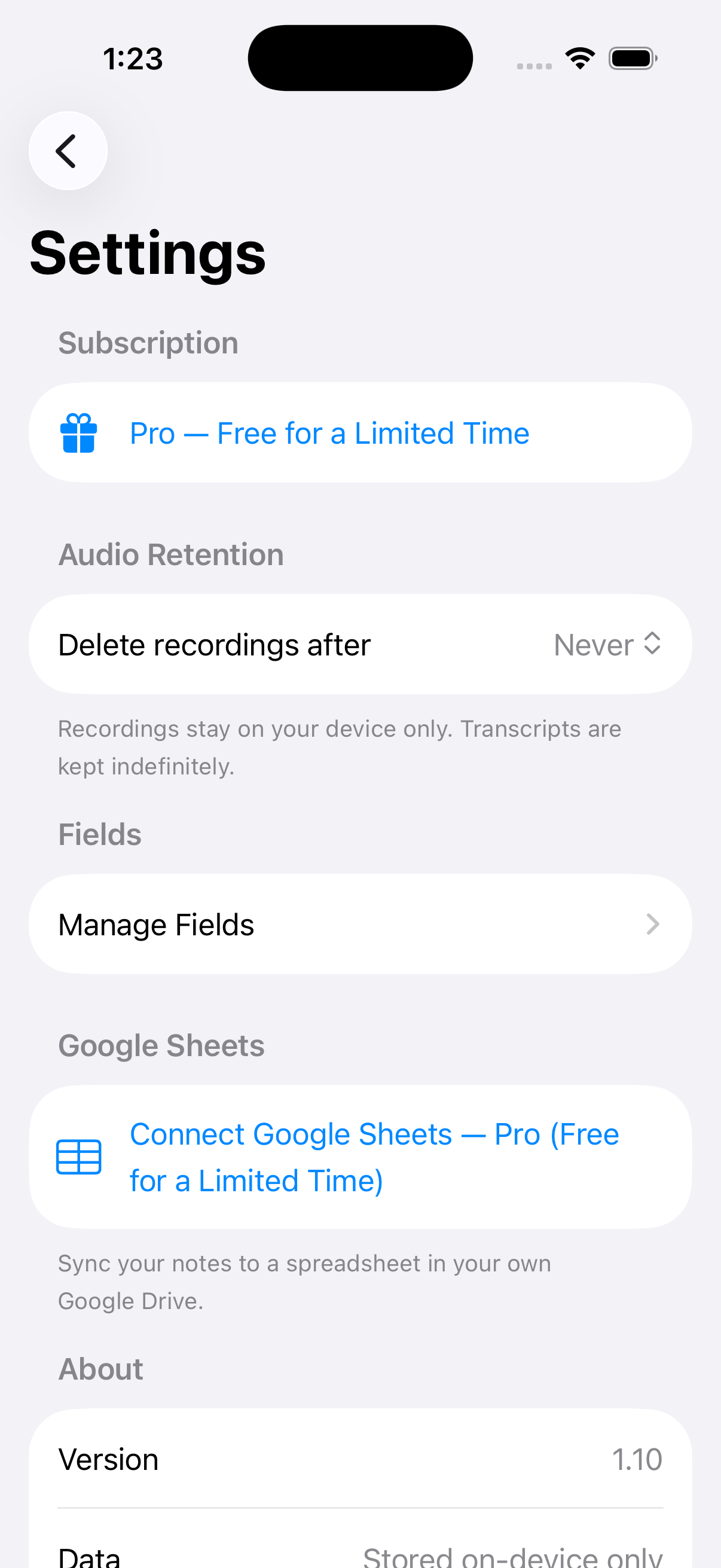
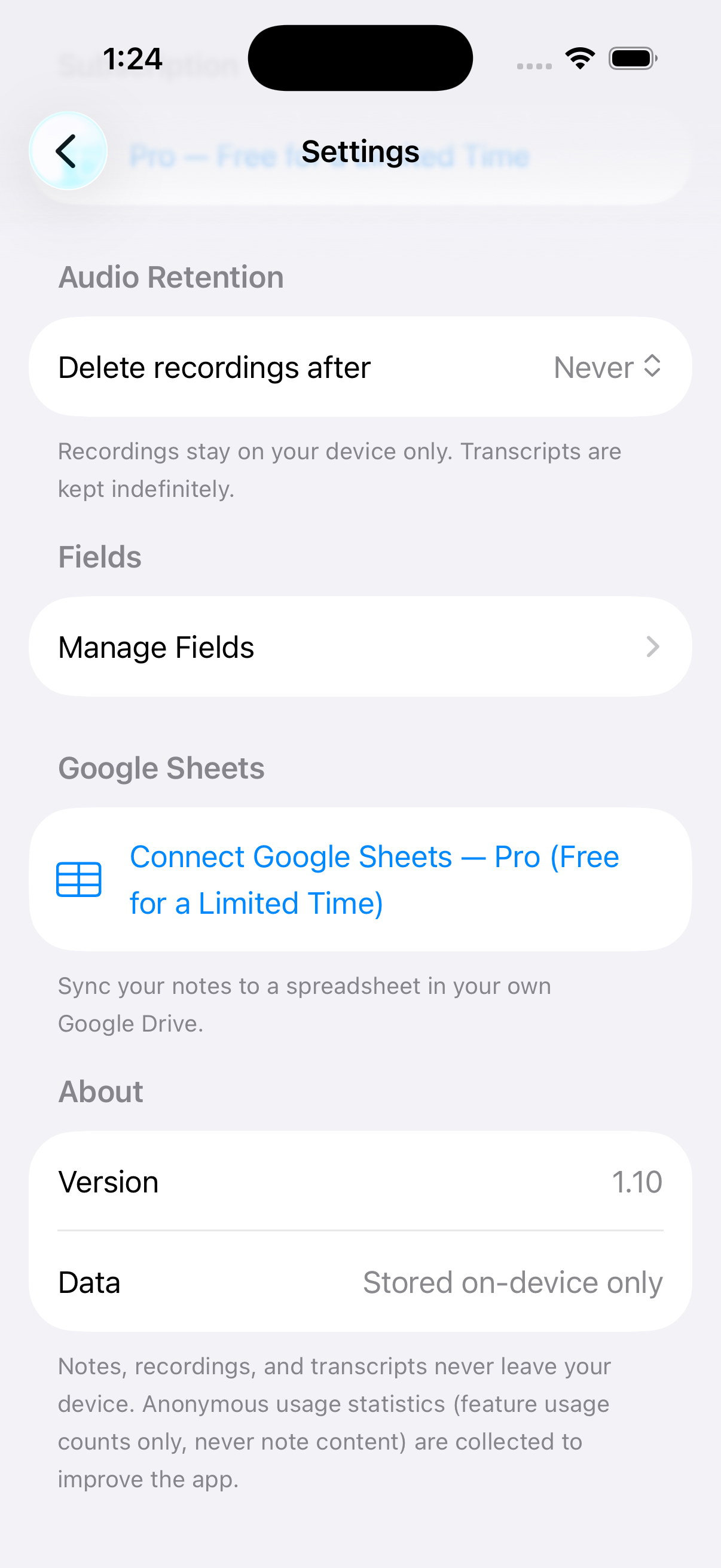
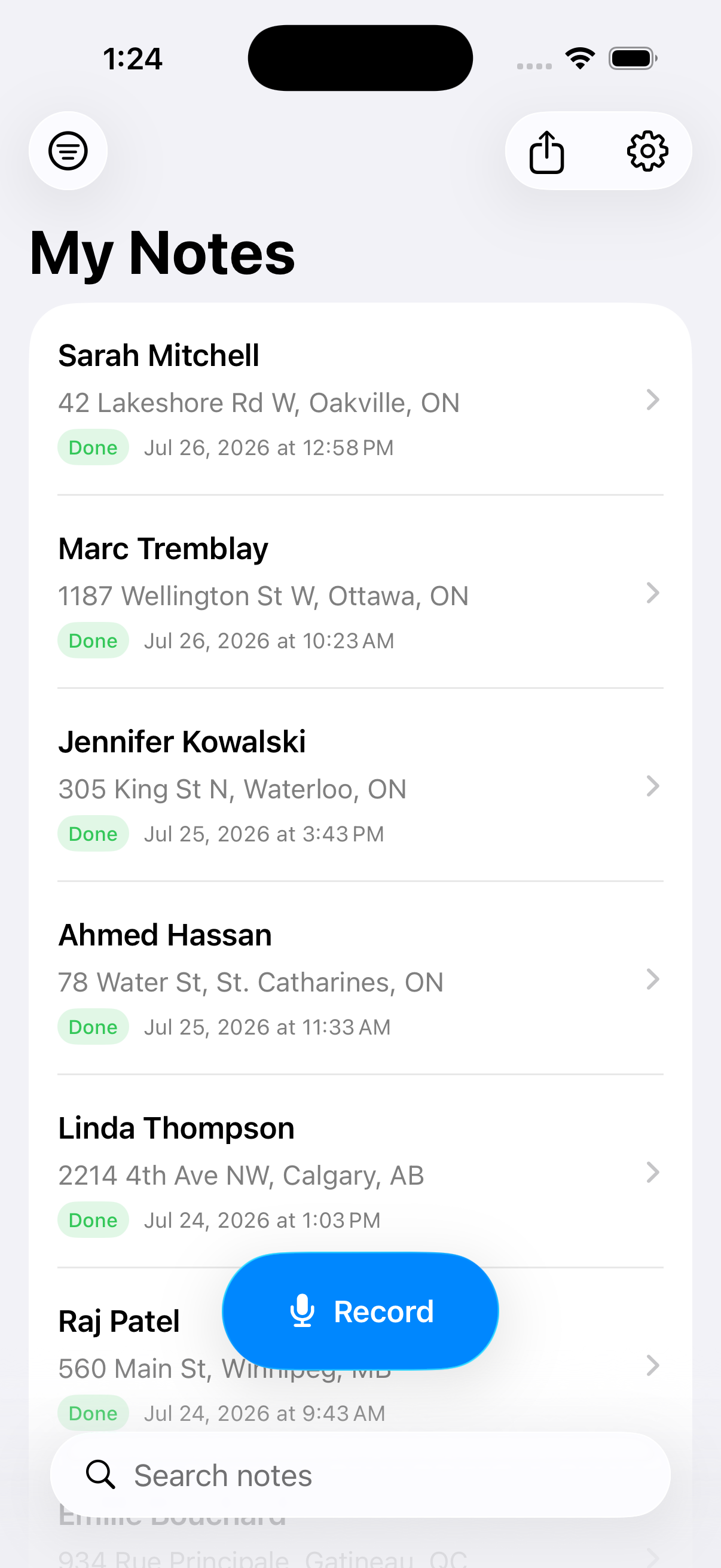
- Search, filter and export. Find anyone later and export everything to CSV. Pro users can also sync rows to a Google Sheet in their own Drive.
Fields are fully customizable. Add "Lawn sign?", "Voter?", "Donation interest", or anything else. The AI extraction schema is built on the fly from your fields, so EmmaNotes works for sales reps, realtors, recruiters, field researchers and anyone else who meets a lot of people.
There's no account and no login. Transcription, extraction and storage all happen on the device.
How we built it
- Native SwiftUI on iOS 26, one app target and no cross-platform layers.
AVAudioEnginerecords audio to m4a. Each note is saved locally before any processing starts, so nothing is lost if the app is interrupted.SpeechAnalyzer/SpeechTranscriberhandle on-device transcription, with a one-time download of each language's speech model.- Foundation Models with
DynamicGenerationSchemado the extraction. Fields are user-defined, so we can't use a hardcoded@Generablestruct. We build the schema at runtime from the user'sFieldDefinitionrows every time a note is processed. - SwiftData handles storage, with models kept CloudKit-compatible and versioned through a
SchemaMigrationPlan. Dates are stored as ISO-8601, phone numbers as E.164 and times in UTC, so a future cloud version can upload existing data without a migration. - A processing queue moves each note through recorded → processing → done/failed. If extraction fails, the note keeps its transcript and the user fills the fields by hand, so no note is ever lost.
- Google Sheets sync uses GoogleSignIn and the Sheets REST API with the narrow
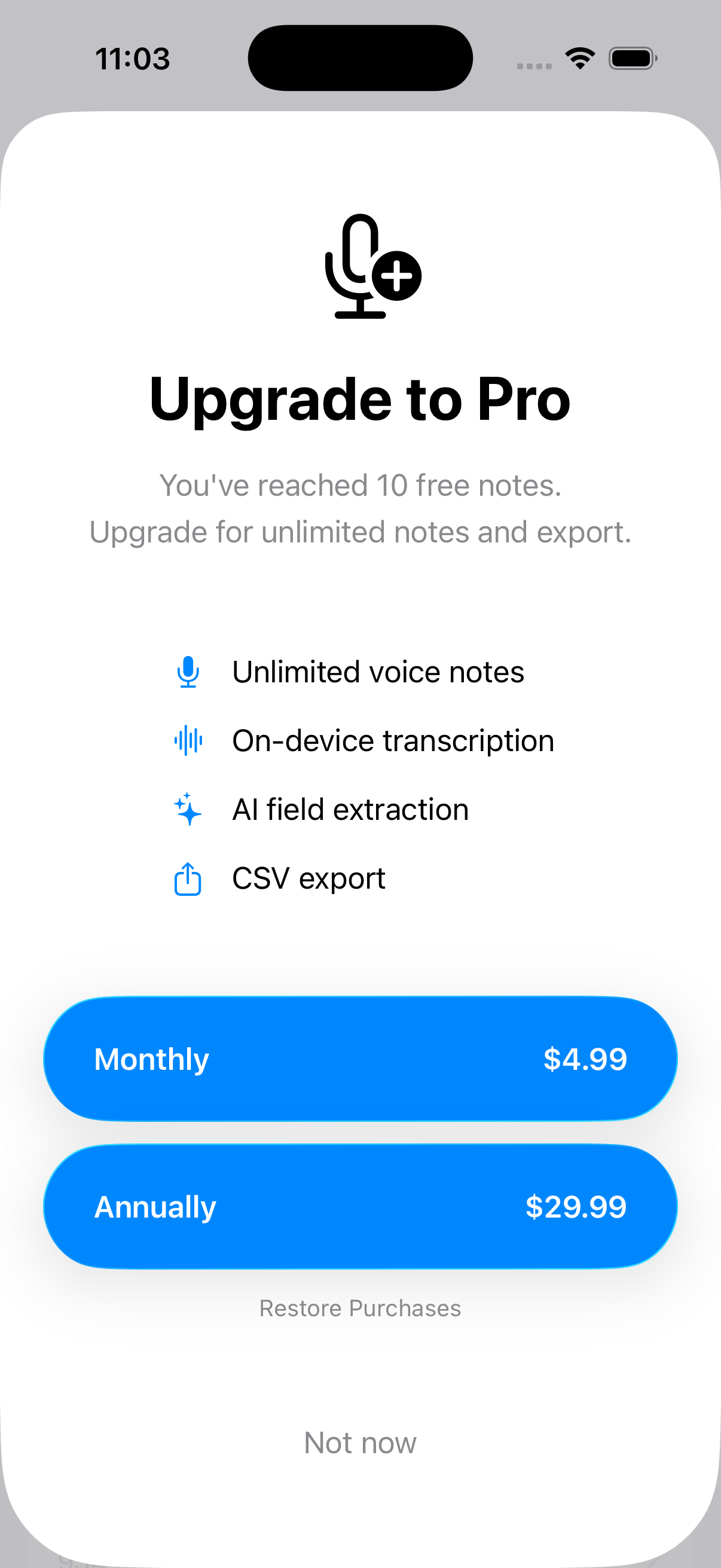
drive.filescope. A pure, unit-testedSheetSyncPlannercompares local changes with the sheet and decides whether to update, append, delete or fully resync. The service around it handles debouncing, retries with backoff and resyncing when the network comes back. - StoreKit 2 powers the subscriptions: monthly, yearly and a 3-month "Campaign Pass" sized to an election cycle.
- Privacy-safe analytics go through a typed facade. It only accepts fixed event names, counts and durations, and turns any error into a short fixed reason string, so note content can never reach analytics.
- Swift Testing unit tests run in GitHub Actions CI.
Challenges we ran into
- Brand-new APIs.
SpeechTranscriberand Foundation Models only arrived with iOS 26. The documentation was thin, and several signatures didn't match early examples, so a lot of time went into reading headers and testing on real hardware. The Simulator can't run these models without an Apple Intelligence-capable Mac. - Dynamic schemas for a small model. The on-device model sometimes writes "null", "N/A" or "unknown" instead of leaving a field blank. We added a filter for these placeholders and tuned the field descriptions until the output was reliable.
- Graceful degradation. Not every iPhone supports Apple Intelligence, and it can be turned off or still downloading. The app falls back to transcript-only mode with manual field entry instead of failing.
- A data-loss scare. During development a schema change made SwiftData fail to open the store, and our fallback quietly deleted and recreated it, wiping every note. We added versioned schemas with a migration plan and made a project rule: no schema change ships without a migration.
- Two-way sync without a backend. Keeping a Google Sheet in sync using only the phone and the user's own Drive, with offline edits, deletes, renamed columns and retries, took far more edge-case handling than we expected.
Accomplishments that we're proud of
- All the AI runs on the phone. Speech-to-text and structured extraction both happen locally, with zero backend and zero API bills.
- User-defined fields drive the AI schema directly. Add a column and the model immediately starts filling it in.
- A privacy stance we can say in one sentence: your notes never touch our servers, because we don't have any.
- A sync engine whose planning logic is pure and fully unit-tested.
- Pricing built around how campaigns actually work. The 3-month Campaign Pass matches the length of an election.
What we learned
- On-device LLMs are now good enough for real structured extraction, if you give them a clear schema and clean up what they produce.
- For this audience, correct names matter more than a low overall word-error rate. The 5-second review card isn't an afterthought. It's what makes the data trustworthy.
- Design the data model for the version after next. Storing ISO dates, E.164 phone numbers and CloudKit-safe models from the first commit costs almost nothing and saves a painful migration later.
- Never let a fallback path delete user data without a loud alarm.
What's next for EmmaNotes
- XLSX export alongside CSV
- Onboarding, plus audio playback so you can listen back to a note
- Canadian French UI and transcription, with more languages after that
- Quick capture from a widget, a Shortcut or the Action Button
- iCloud backup so a lost phone doesn't mean lost notes
- Teams, where a candidate and field volunteers feed one shared dataset. This is the most requested feature and the start of the future "Cloud" version.
Built With
- apple-intelligence
- avfoundation
- claude-code
- cloudkit
- firebase-analytics
- foundation-models
- github-actions
- google-drive-api
- google-sheets-api
- google-sign-in
- ios
- oauth
- speechanalyzer
- speechtranscriber
- storekit
- swift
- swift-testing
- swiftdata
- swiftui
- xcode


Log in or sign up for Devpost to join the conversation.