-
-
App icon (1024×1024, uncropped) — the frame is the product: only what's inside is saved.
-
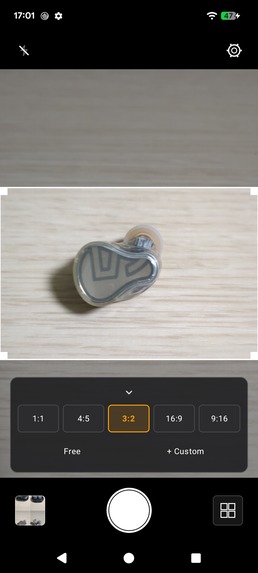
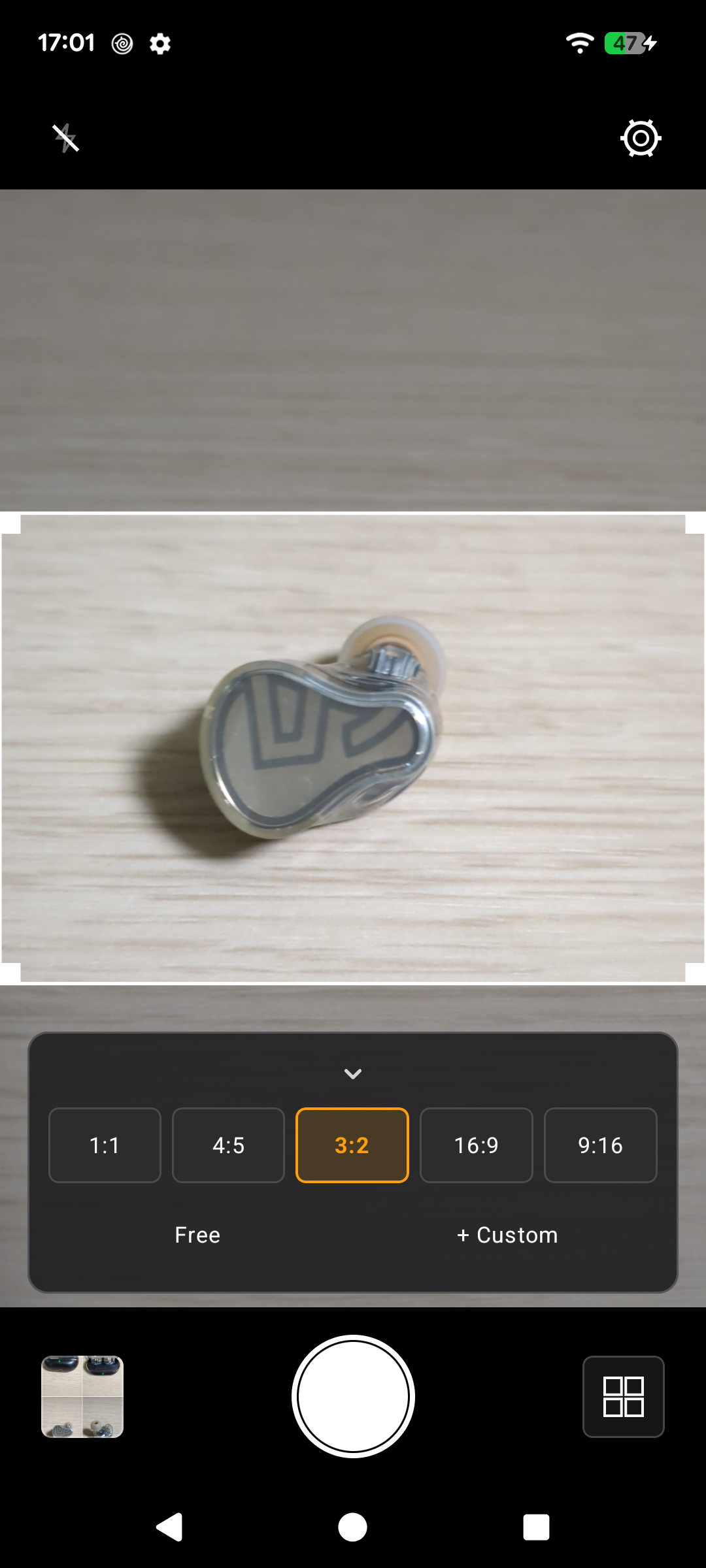
The white frame is exactly what gets saved — shoot 3:2 while holding your phone upright.
-
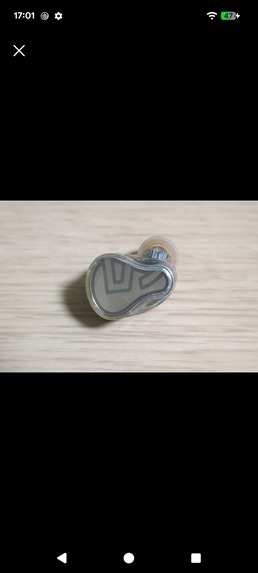
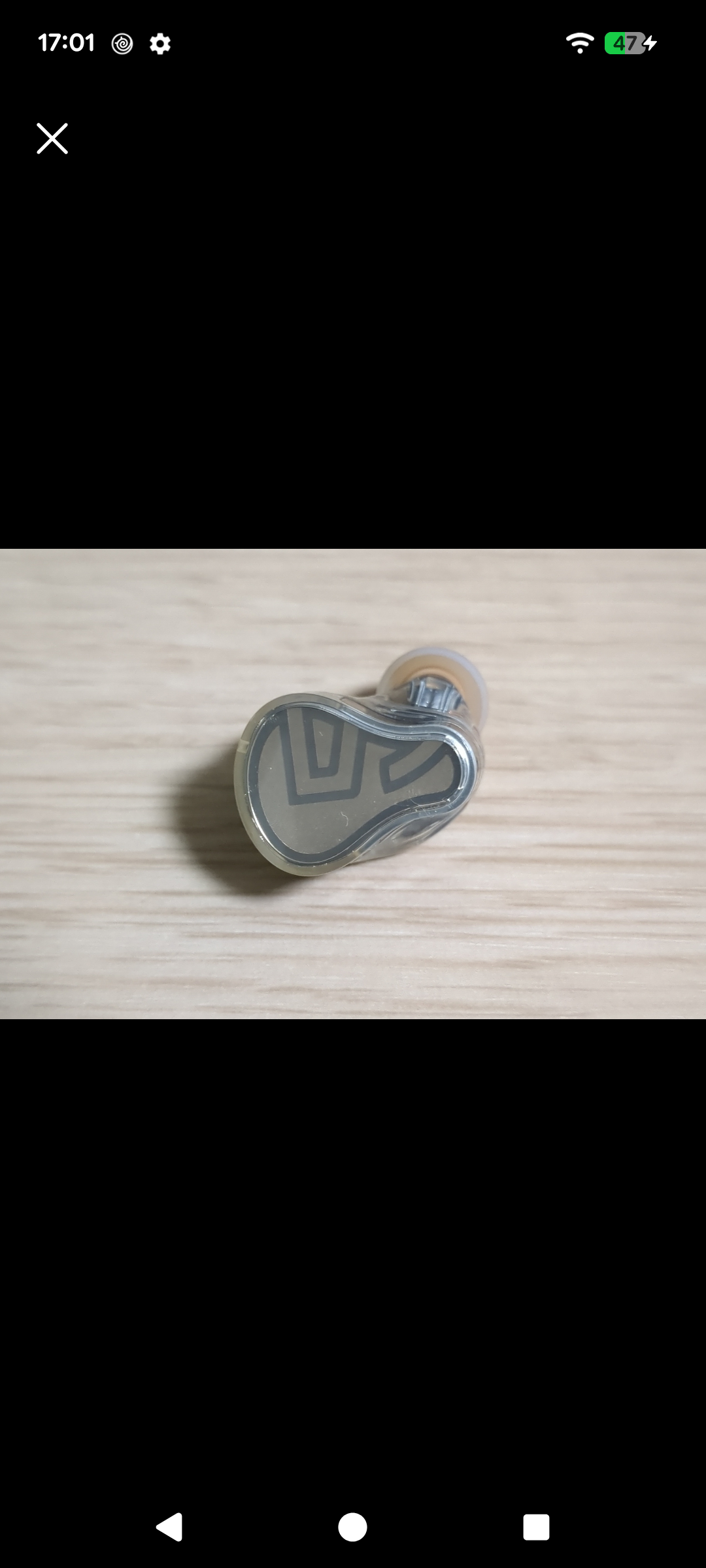
Shutter pressed — only the area inside the frame was saved, exactly as previewed.
-
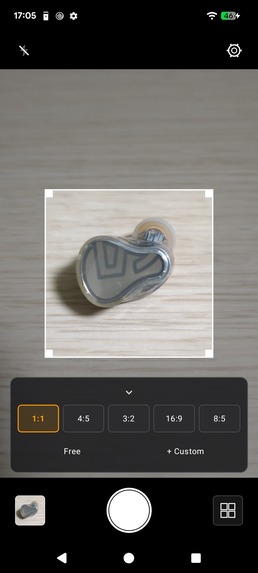
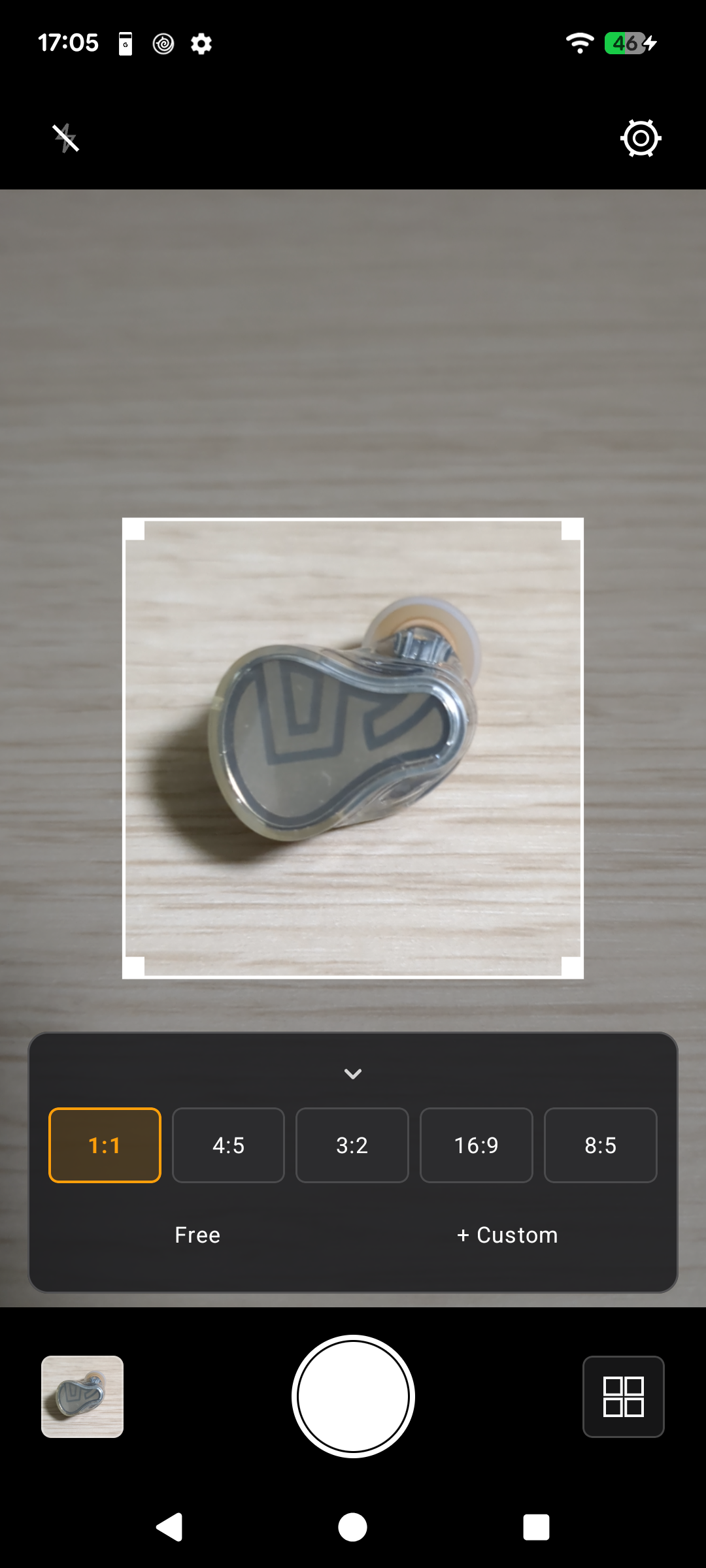
Drag the corners to resize the frame — the ratio stays locked, here 1:1.
-
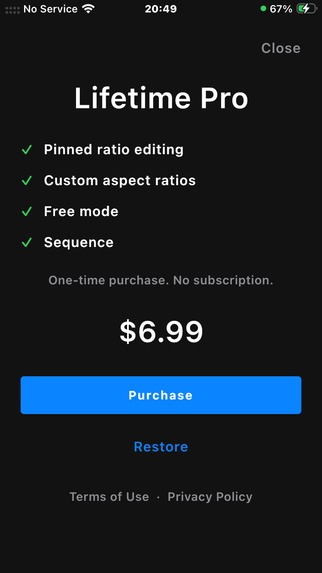
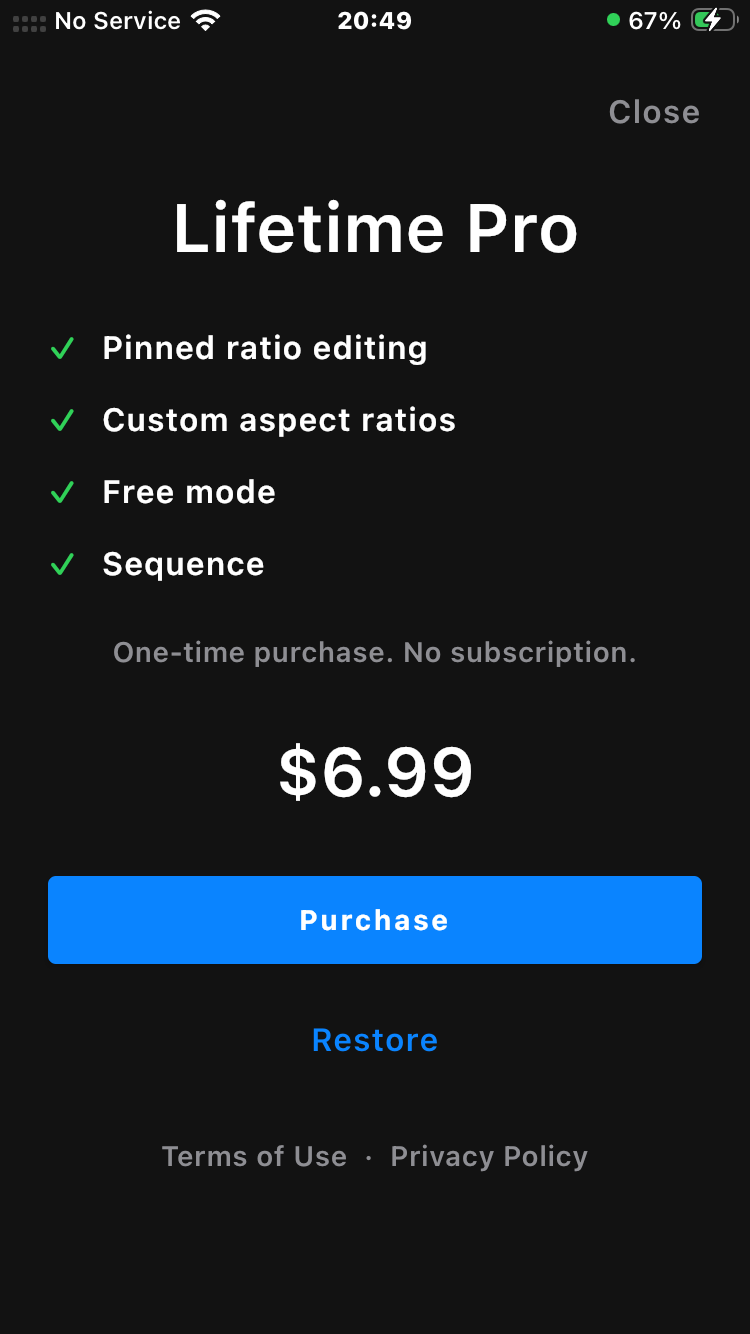
Lifetime Pro — one-time $6.99, no subscription. Purchases and entitlements handled by RevenueCat.
-
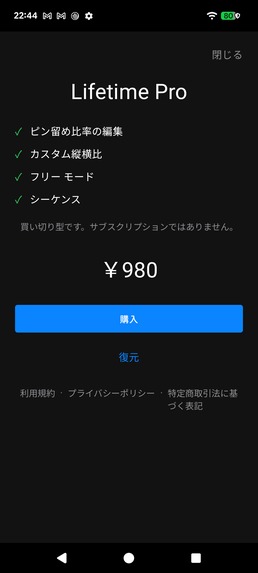
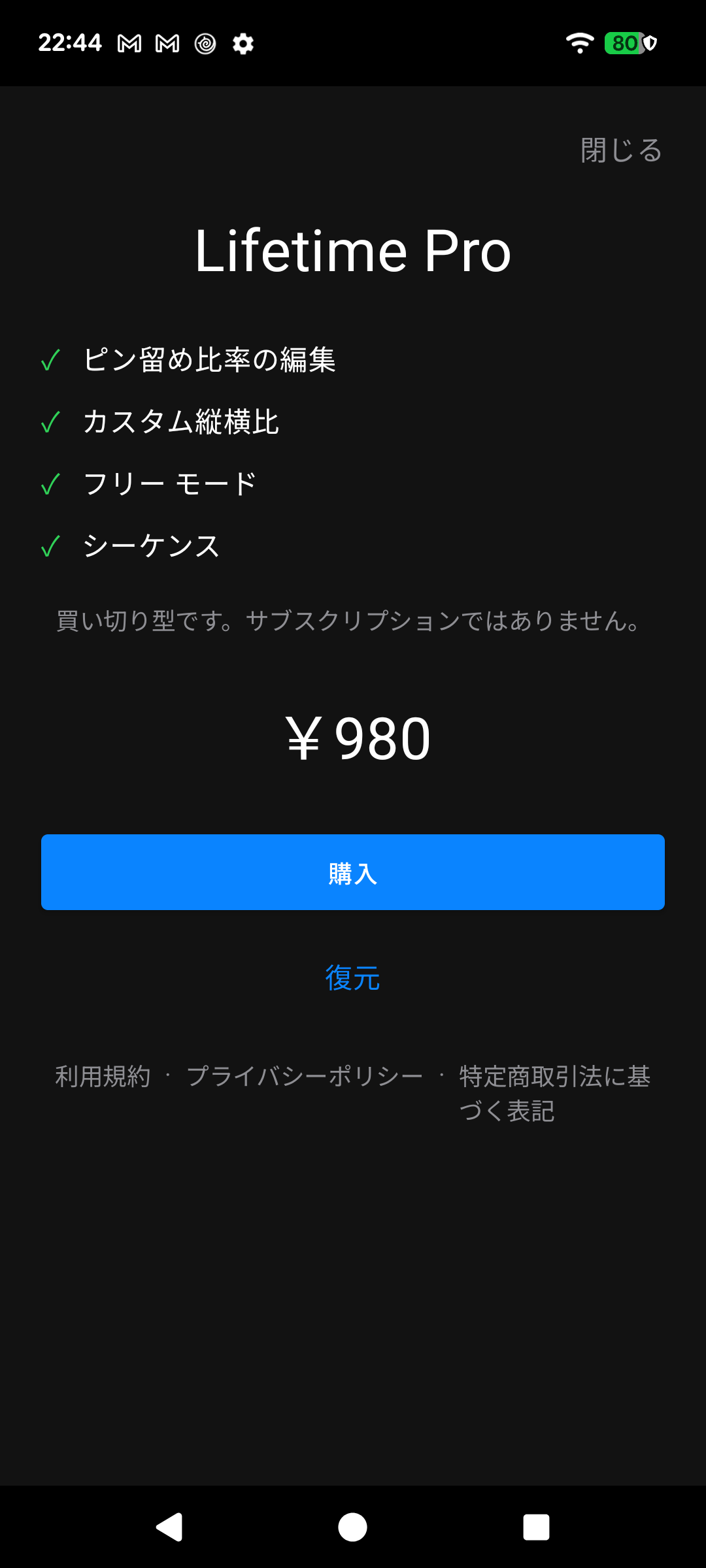
Fully localized: RevenueCat delivers local pricing (¥980) and Japanese copy automatically.
-
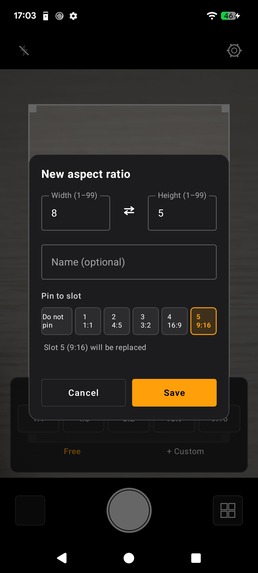
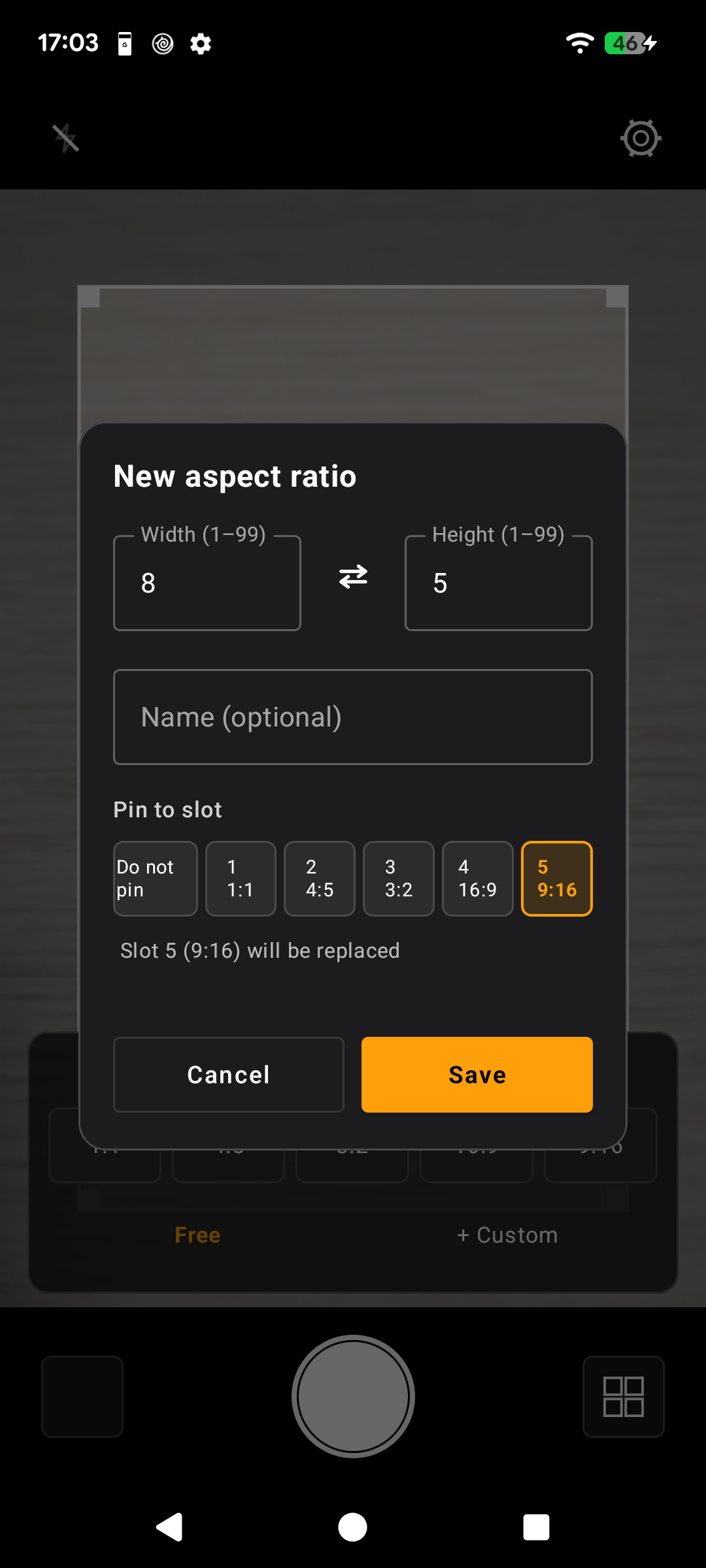
Custom ratios: any width × height from 1 to 99, pinned into the quick picker — 8:5 replaces slot 5.
-
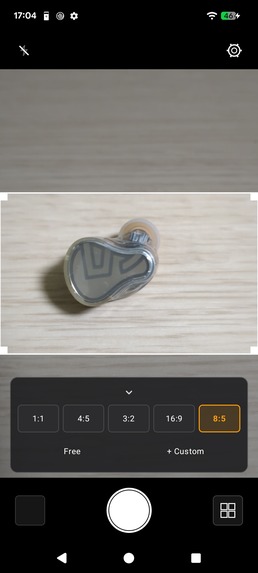
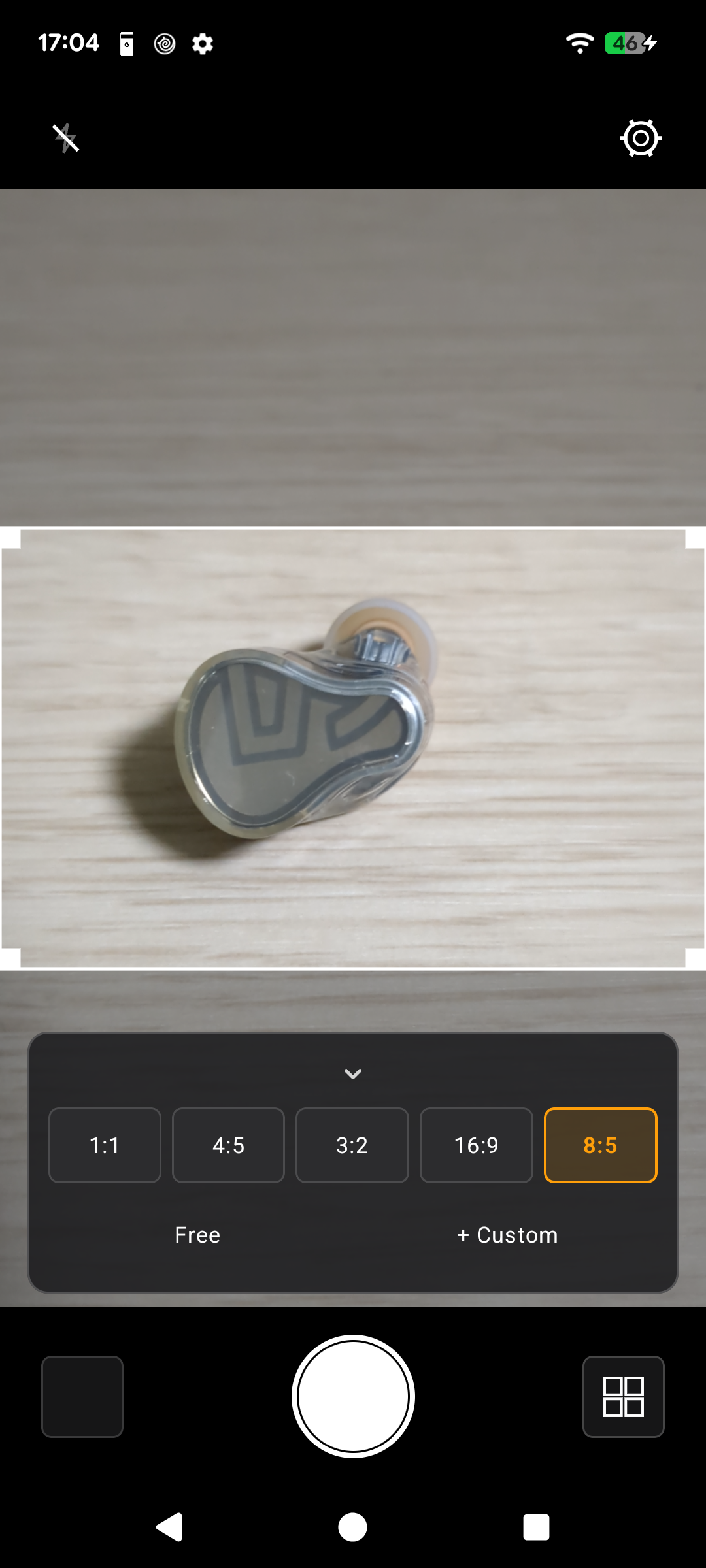
Saved and pinned — 8:5 now sits in slot 5, ready to shoot with one tap.
-
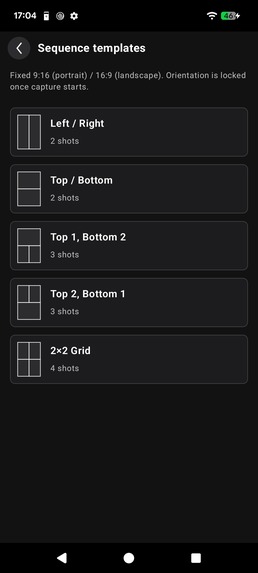
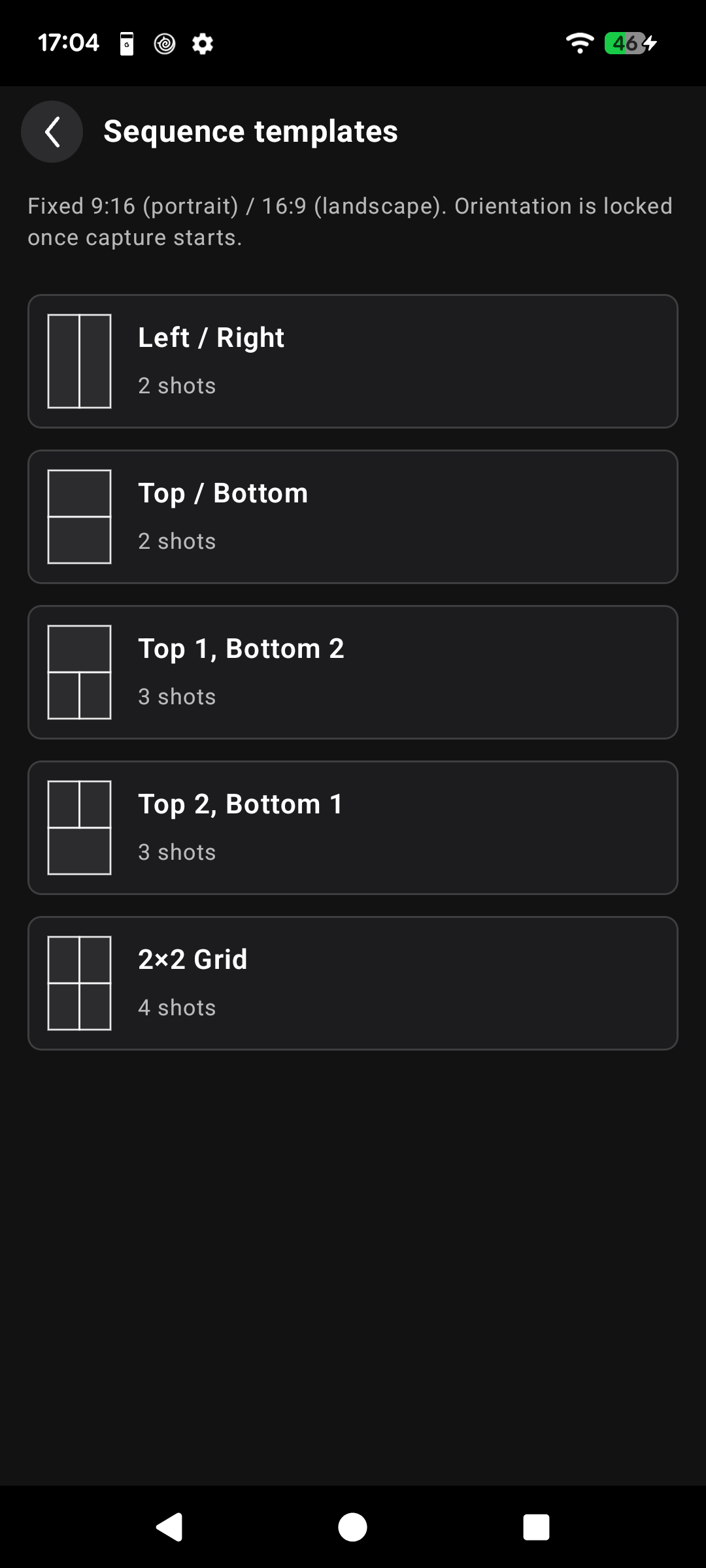
Sequence: five fixed layouts to combine 2–4 shots into a single image.
-
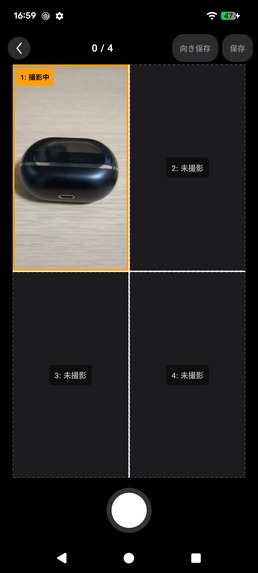
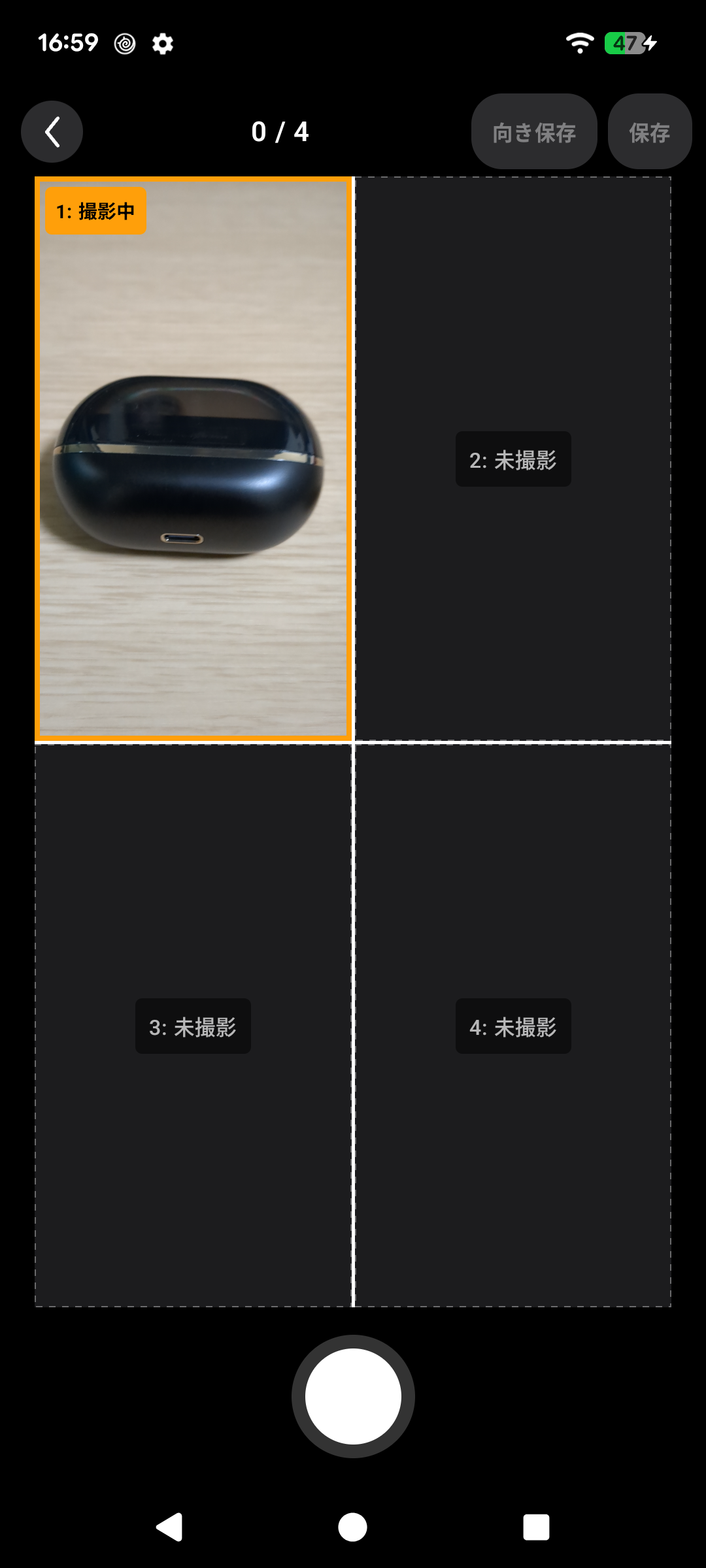
Shoot slot by slot — the active slot is highlighted, and a live preview fills it as you go.
-
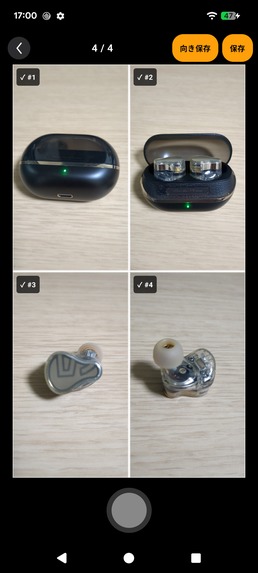
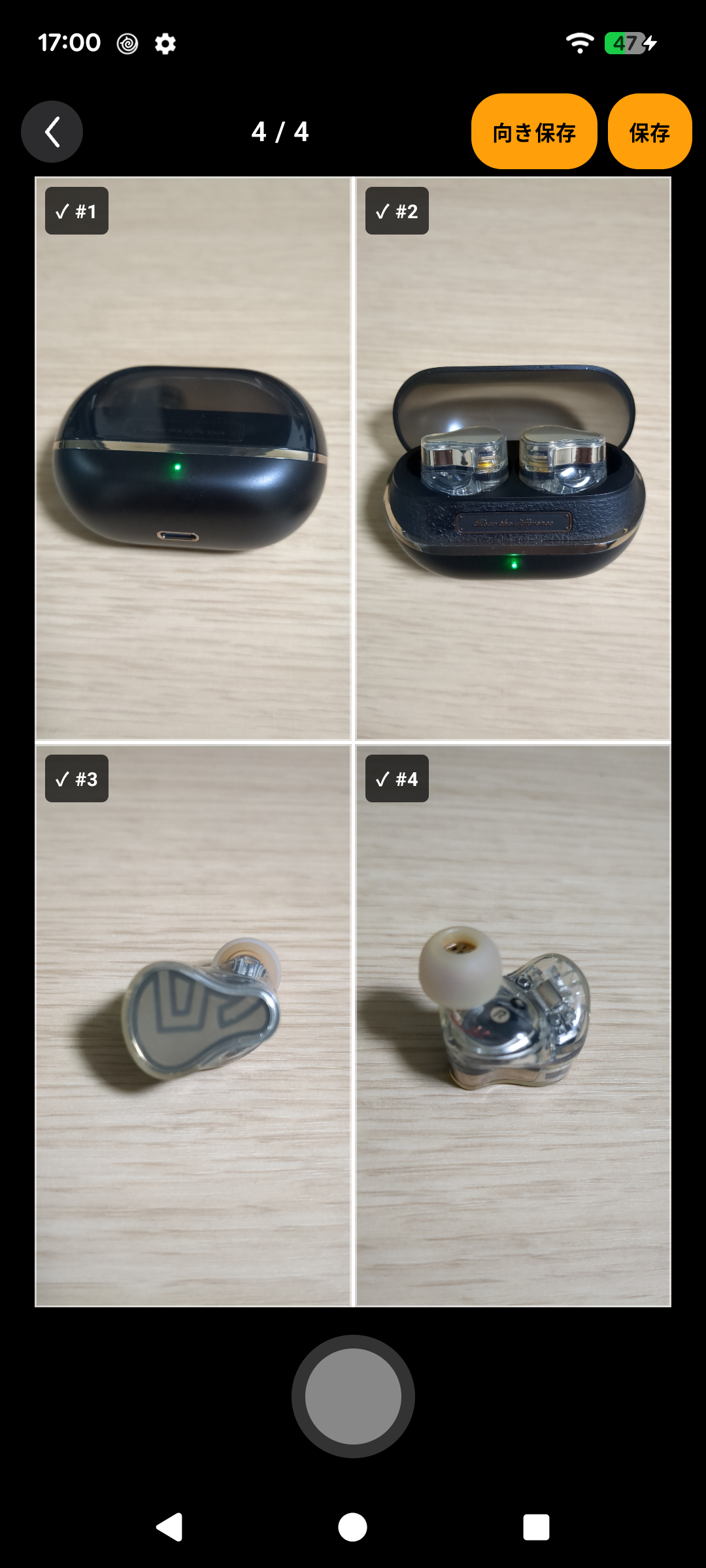
4/4 complete — review all slots, then save the composed image in one tap.
-
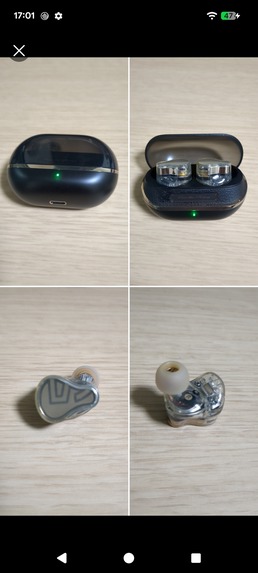
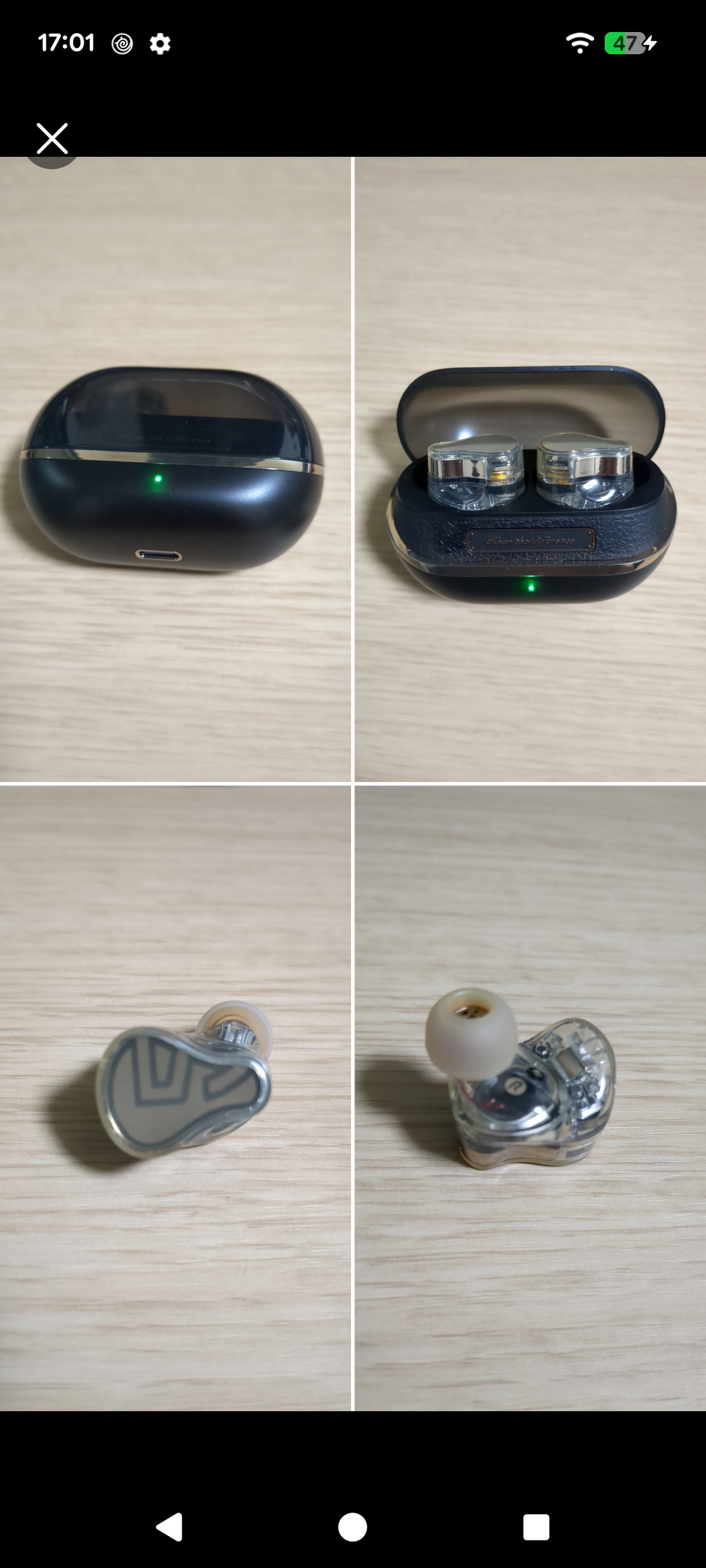
The result: four shots in one image, saved straight from the camera.
Inspiration
I needed an 8:5 photo. Not 16:9, not 4:3, not square. 8:5, because that was the shape of the space it had to fit.
No camera offers that. So the workflow is always the same: shoot wider than you need, open the gallery, crop, and discover that the thing you cared about is now sitting awkwardly against the edge. Shoot again. Crop again. The framing decision gets made twice, and the second time you are making it on a photo that has already been taken, with whatever margin you happened to leave.
The odd part is that I knew the ratio before I raised the camera. The information existed. The viewfinder just refused to show it to me.
So I built a viewfinder that draws the finished frame on screen while you compose. Whatever sits inside the white frame is what gets saved, at the exact ratio you asked for. And since the frame no longer has to match the shape of the screen, there is no reason to rotate the phone to get a wide shot. You keep holding it the way you were already holding it.
That split is also how the app is priced. Everyone gets the white frame and the ratios a camera should have had in the first place. The ratio you invent yourself, the one that sent me here in the first place, is what Lifetime Pro unlocks with a single purchase.
What it does
Encadra is a camera app that shows the final crop area as a white frame while you compose. What you see inside the frame is exactly what gets saved.
- Shoot in standard ratios: 1:1, 4:5, 3:2, 16:9, 9:16, plus normal capture.
- Because the frame is independent of the screen shape, you can hold the phone upright and still save a wide, landscape photo. The app reads the physical tilt of the device and writes the correct orientation into the saved file.
- Save high quality JPEG straight to the photo library.
Lifetime Pro is a single one-time purchase, with no subscription and no recurring charge. It adds:
- Custom: build any ratio from integers between 1 and 99, including the ones no camera app ships with.
- Pinned: keep up to five frequently used ratios in your own order.
- Free: drag the frame width and height without locking the ratio.
- Sequence: take two to four shots and composite them into one image using fixed templates.
Everything runs on the device. There is no account, no cloud sync, no advertising SDK, no behavioral analytics SDK, and no location permission.
How I built it
The whole app is Kotlin Multiplatform with Compose Multiplatform for the UI. Ratio math, frame geometry, session state, the Sequence compositor logic, and the purchase state machine all live in commonMain. Each platform only supplies the parts that genuinely cannot be shared.
Camera capture is behind a single CameraAdapter interface, implemented with CameraX on Android and AVFoundation on iOS. Device tilt is behind a DeviceTiltMonitor interface, backed by the accelerometer on Android and CoreMotion gravity vectors on iOS. Persistence goes through one store interface with DataStore on Android and NSUserDefaults on iOS. Purchases go through RevenueCat, so a single entitlement check drives the Pro state on both platforms.
The result is that a new ratio feature or a Sequence template change is written once and appears on both stores at the same time.
Challenges I ran into
Tilt that does not jitter. Raw sensor angles wobble constantly, so a naive implementation flipped orientation while the user was still framing the shot. I quantized the angle into discrete steps with hysteresis, which made the behavior predictable enough to trust.
The two platforms disagree about which way is positive. Android reports a clockwise rotation, while the CoreMotion gravity vector runs through atan2 the other way, so left and right landscape came out swapped on iOS. Normalizing both into one shared convention in common code was the only way to keep the compositor from having to know which OS it was running on.
Sequence state has to survive death. A Sequence session spans several separate captures, and iOS is happy to terminate the app between them. The session store had to serialize partial sessions and restore them on launch, which meant treating the session as persisted data rather than in-memory UI state.
Store metadata is its own project. Export compliance keys, data safety declarations, privacy labels, Pub/Sub notification topics for real-time purchase events. None of it is code, and all of it blocks release.
Accomplishments that I'm proud of
Two production apps from one codebase, shipped to both stores, with a working one-time purchase and restore flow on each. The platform-specific code is a thin shell around shared logic rather than two parallel implementations pretending to be one app.
What I learned
Kotlin Multiplatform pays off most when you push the awkward parts down into shared code instead of leaving them at the edges. Every time I let a platform difference leak upward, such as the tilt sign, I paid for it twice. Defining the shared contract first and forcing each platform to conform to it was consistently the cheaper path.
What's next for Encadra
More Sequence templates, a level indicator for the horizon line, and RAW capture for the standard ratios.
Built With
- android
- android-studio
- avfoundation
- camerax
- compose-multiplatform
- coremotion
- datastore
- google-play-billing
- gradle
- ios
- jetpack-compose
- kotlin
- kotlin-coroutines
- kotlin-multiplatform
- revenuecat
- storekit
- xcode