-
Make learning how to speak fun. Make it elefun!
-
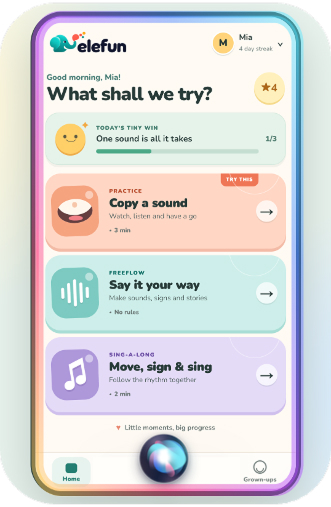
Elefun Consumer app for young children finding trouble with learning how to speak.
-
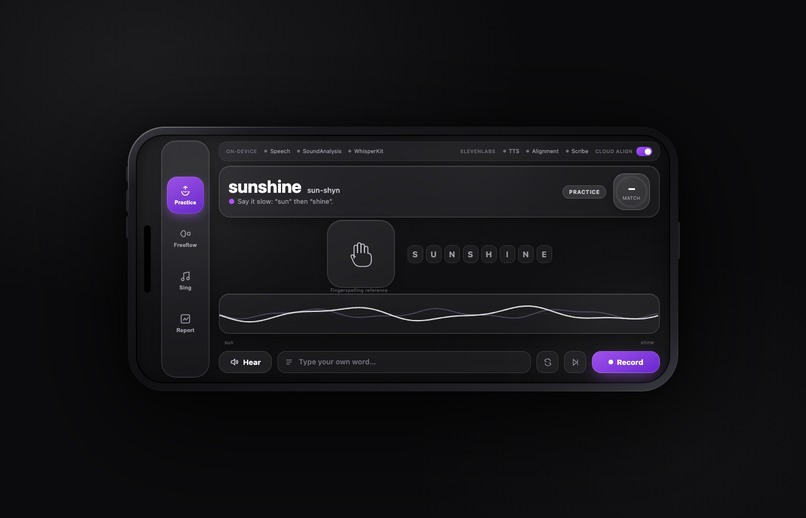
Specialist AUSLAN enabled app
-
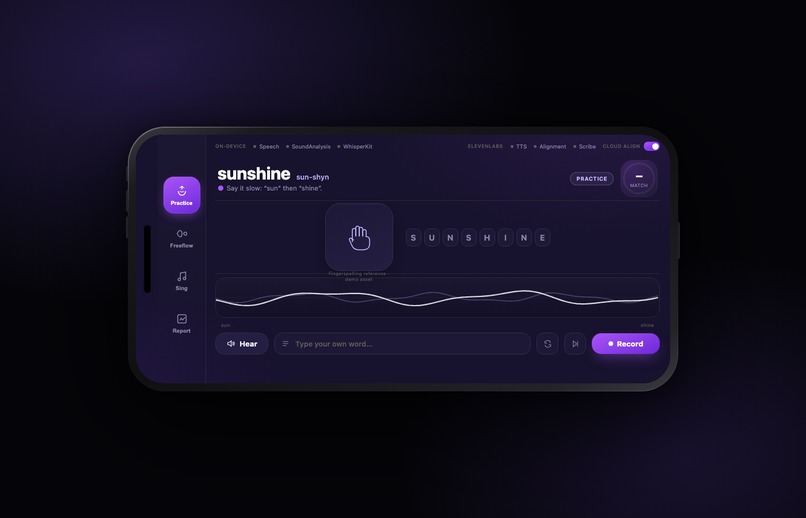
Specialist AUSLAN enabled app
-
Specialist AUSLAN enabled app reporting
-
Specialist AUSLAN enabled app
Inspiration
If people can't understand you, they ask you to repeat yourself. Then they ask again. For a kid with hearing loss that happens all day, and everytime it costs a bit of confidence, until it feels safer to just not talk. What makes it worse, many people with hearing loss can lip-read , but most normal people never learn sign language. So a child with hearing loss who can speak confidently has a way to reach basically everyone.
Speech therapy helps, but it's maybe 30 minutes a week. The rest is a parent with a worksheet trying to keep a six-year-old interested. We wanted the home half to be something a kid actually asks to do, and something that gives real evidence back to the therapist. That's Elefun.
What it does
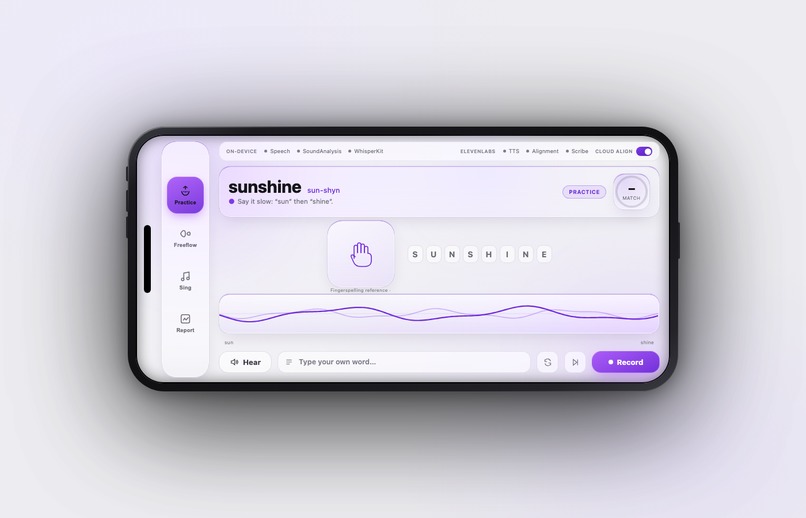
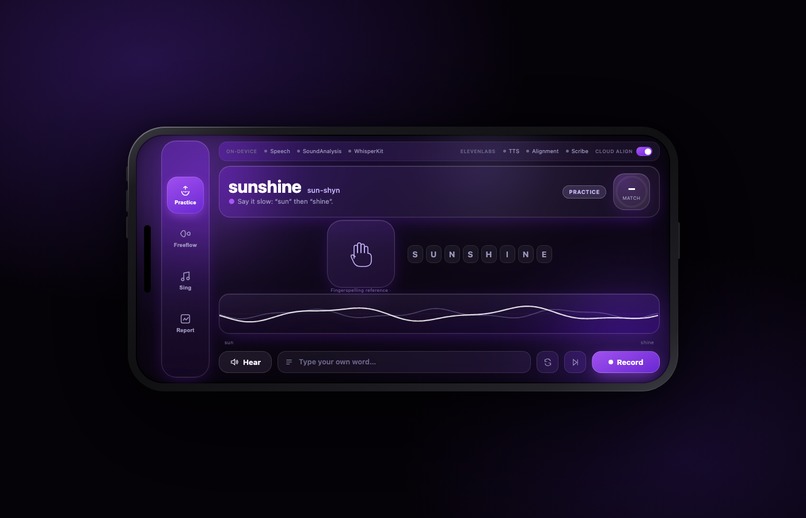
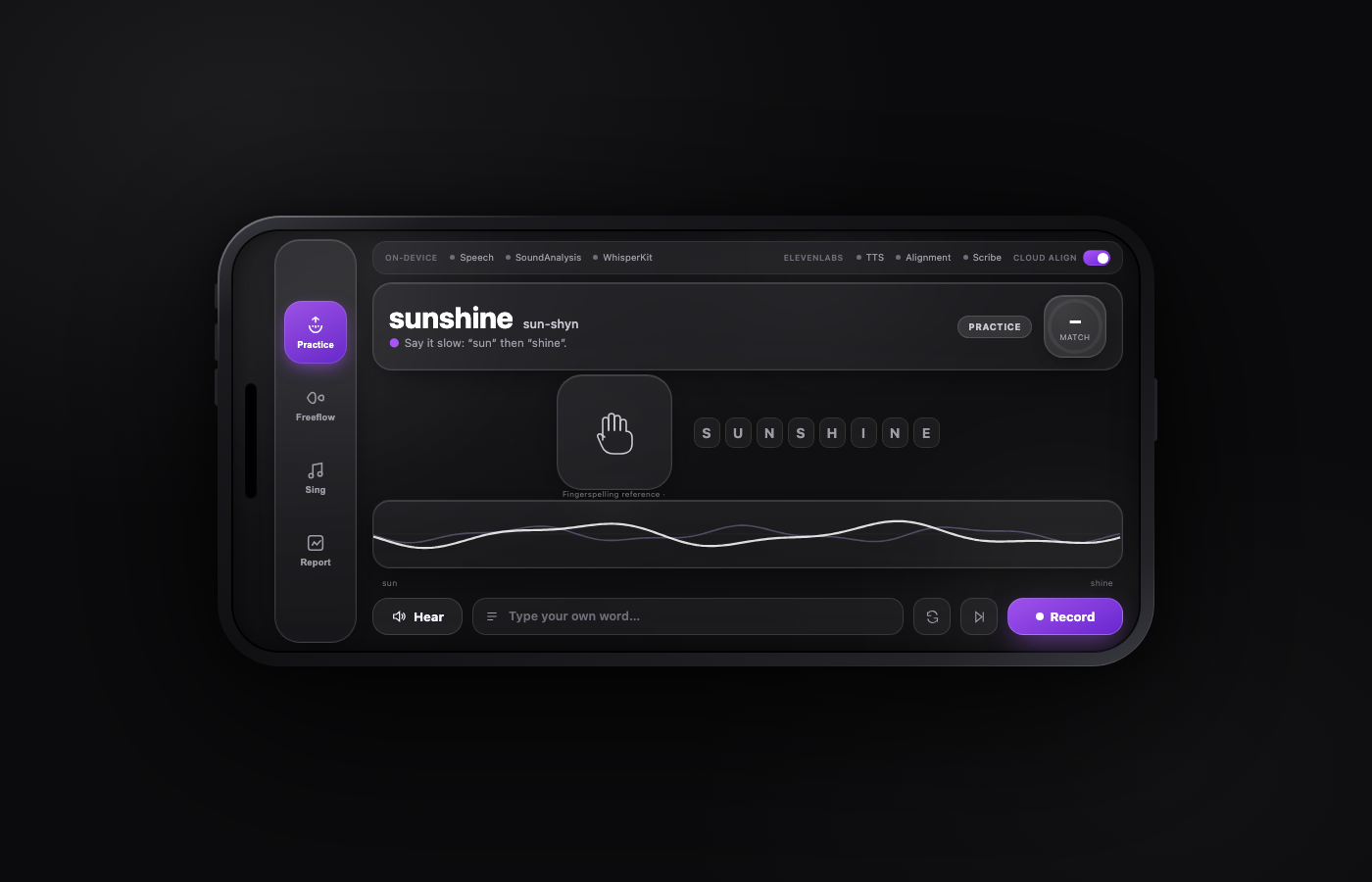
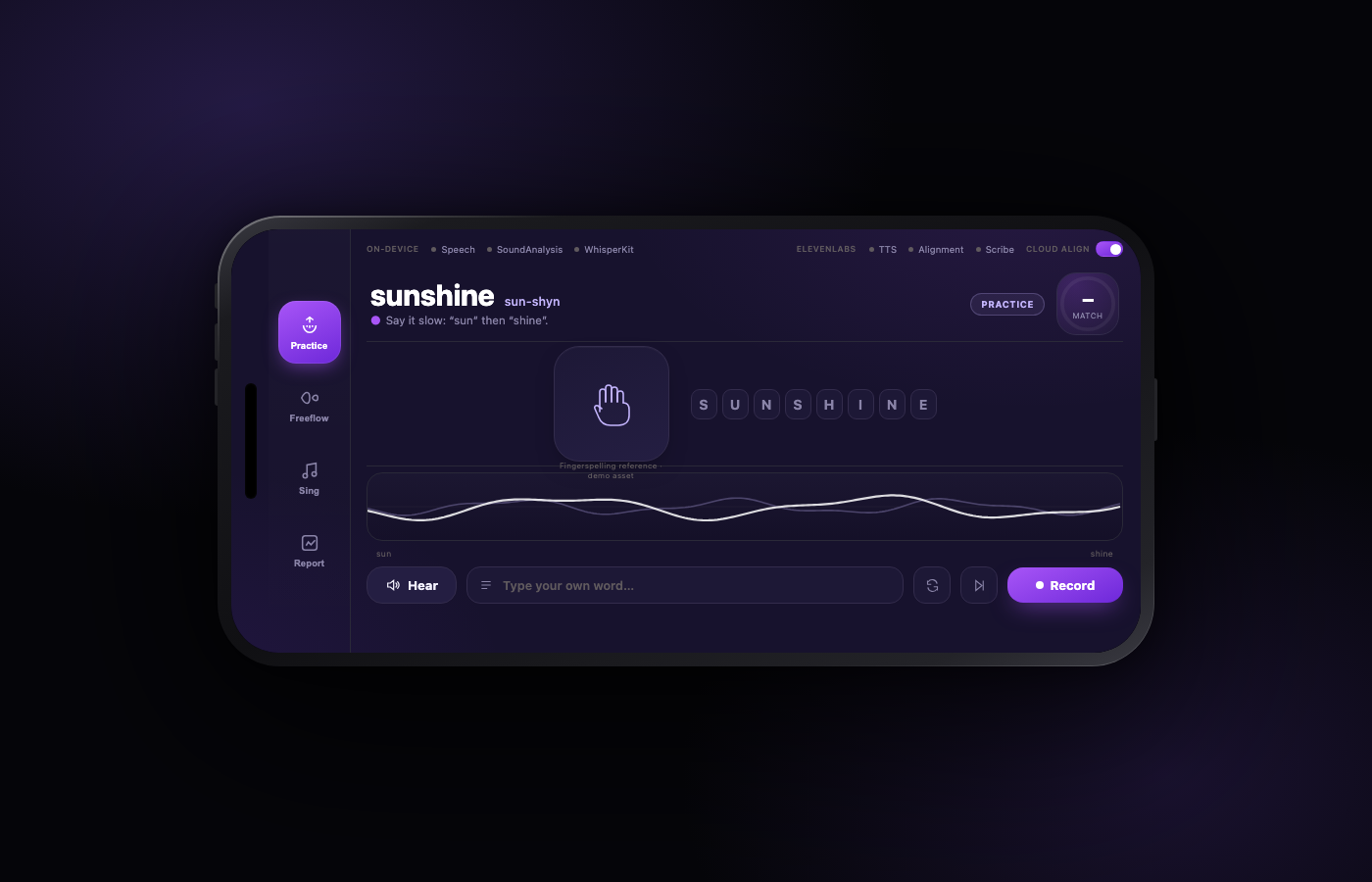
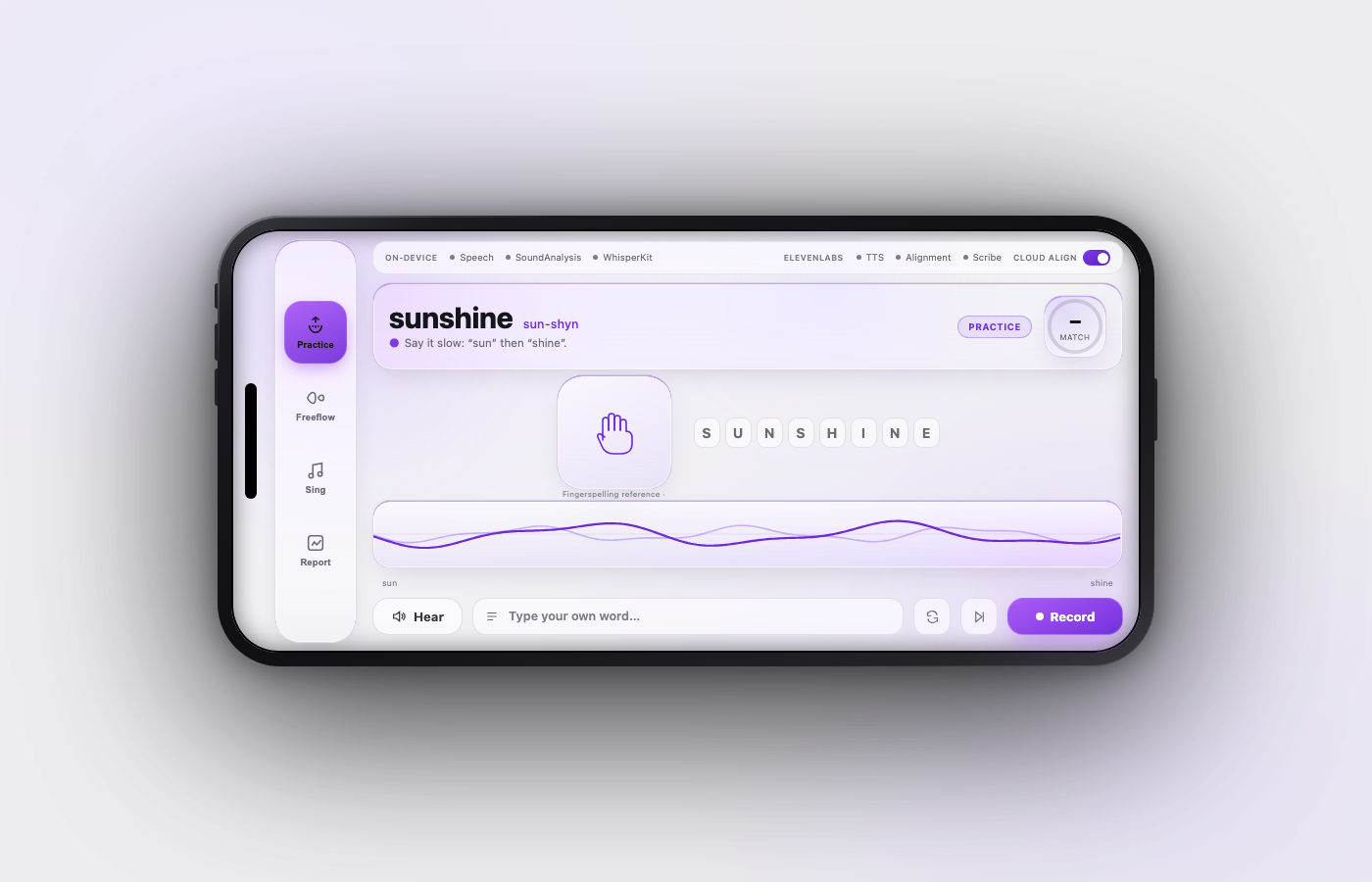
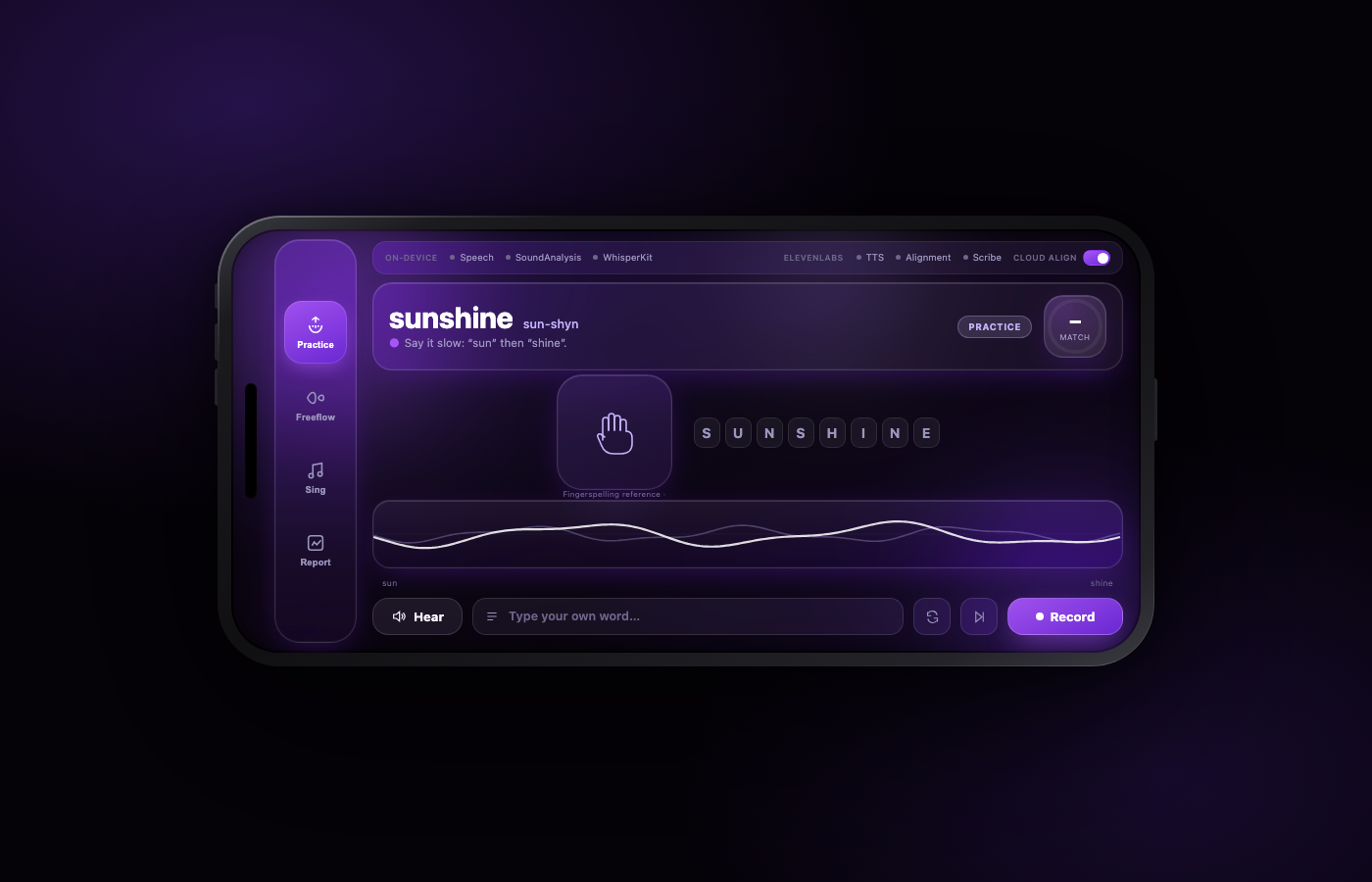
Elefun is a landscape app for iOS and macOS. A kid picks a word from a lesson (sequenced the way speech pathologists order targets). The app says the word in a warm voice, splits it into syllable tiles with the phonetics, and shows the Auslan fingerspelling next to it, so signing and speaking get practised side by side. The kid taps to speak. Their voice draws a yellow wave in real time over the blue reference wave, and the yellow turns green wherever the two match. Each word gets a green, amber or red rating from acoustic similarity, plus a match percentage and real time tips as well.
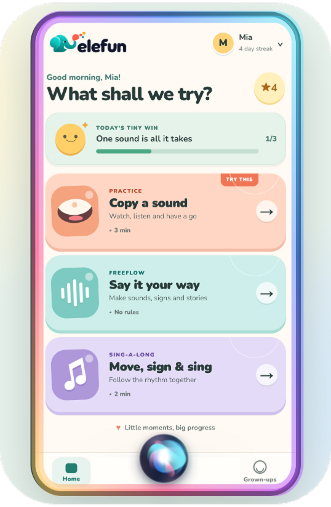
There are three more modes. Freeflow has no target word at all: the kid just talks, sees their own wave and a live transcript, and words light up by clarity. Sing-along has ten public-domain nursery rhymes with beat timing, and it's better with a parent or sibling joining in. Report is for the adults: every attempt stored on the device with consent, per-word scores, a plain-English summary, and CSV export you can hand to a speech pathologist, so the clinician gets a week of actual practice data on that specific child instead of a parent's rough impression.
How we built it
Native Swift and SwiftUI, built during the event, one shared engine package so iOS and macOS run the same code. The mic feeds several consumers off one tap: an RMS envelope at 50Hz drives the live wave (that's raw audio maths, about 20ms behind your mouth, no transcription involved), the full recording goes to the acoustic scorer, and speech-to-text only runs in Freeflow where a transcript is actually useful. Practice never waits on recognition. Reference audio comes from ElevenLabs TTS with forced alignment for word boundaries, cached on disk so repeat words cost nothing. 183 unit tests, green on both platforms.
On-device AI
This is the core of the build and it works with the network off.
- WhisperKit: Whisper base.en compiled to Core ML, running on Apple Silicon. We verified it locally end to end, real transcript with per-word timings, no network.
- Our own scoring pipeline: MFCC feature extraction and dynamic time warping written on Apple's Accelerate framework. It compares the child's audio directly against the reference audio. We made a hard rule and enforce it in code: the transcript never colours anything. Kid's voices score badly in speech recognition, so ratings come from acoustics only.
- The live wave is pure DSP off the raw mic buffer.
- If cloud alignment fails mid-attempt, the same clip gets rescored locally and the kid still sees colours and a score, with a small note that it was scored on device. Apple's SFSpeechRecognizer (on-device mode) sits underneath as the STT fallback while the Whisper model downloads.
How we used ElevenLabs
Every reference the child hears is ElevenLabs. When a lesson word loads, we generate the model pronunciation with ElevenLabs TTSon eleven_flash_v2_5, in a voice picked to sound warm rather than robotic. The Slow x0.6 button replays that same clip at 0.6 speed, because slowed modelling is a real speech-therapy technique and a fast TTS voice is useless to a five-year-old.
Scoring leans on ElevenLabs forced alignment twice. The reference clip gets aligned once to give us per-word timing boundaries, which is what lets us score and colour each word separately instead of the whole phrase. Then, when the cloud toggle is on, the child's own recording goes through forced alignment too, and the per-word similarity comes from that. If the call fails mid-attempt, we rescore the same clip locally with our MFCC/DTW pipeline, so a bad connection degrades the scoring source, not the experience.
Freeflow uses Scribe STT: after a free-talk take, the recording goes to Scribe and we compare its transcript against the on-device one to generate the coaching tip.
Everything is cached on disk keyed by (text, voice, model). The second time any child practises "butterfly," the reference costs zero API characters, which makes daily repeated practice affordable. A status row in Settings shows each ElevenLabs tool lighting up as it's called, and a demo mode with locally synthesized stand-ins keeps the app usable with no key at all.
Pedagogy
The coaching style comes from the Hanen strategies that speech-language therapists teach parents (hanen.org): model the word, wait for the child to be ready (they tap when they want to speak, there's no timer), and respond with one gentle correction rather than a pile of them. The Slow x0.6 replay button exists because modelling slower is a real therapy technique, not a gimmick. We're inspired by Hanen, not affiliated with them.
Impact
The thing we're actually aiming at is confidence. A kid who can see their attempt land on the target is playing a game they can win, instead of failing a test in front of someone. Practising speech alongside Auslan means neither gets treated as the lesser option, and the kid ends up with more ways to interact and more choice about which to use. The clinician link matters too, attempt data goes from the living room to the speech pathologist as CSV, with consent, so scarce therapy time gets spent on what the data shows rather than on guessing. And everything runs and stays on the device, which we think is the only acceptable default for recordings of a child's voice. Long term, that's the bet: a kid who isn't afraid of their own voice at six grows up more sociable, with more options open, at sixteen.
What's next
The big one is making practice social. A shared mode where several people practise together with live scoring, parents and kids on the couch, or friends online, so speaking in front of others becomes part of the game instead of the scary part. A Story mode built on storyboards, done with a parent at home or with friends remotely, where the kid speaks their character's lines. And an Apple TV app, because the living-room screen is where family practice actually happens. On the therapy side: a family voice as the reference model using ElevenLabs voice cloning, so the kid practises matching mum or dad instead of a stranger. ElevenLabs audio isolation to clean up noisy home recordings before scoring. Report bundles formatted for clinicians and NDIS. Richer Auslan support beyond fingerspelling, and a lesson editor so speech pathologists can assign their own word lists.
Built With
- accelerate
- avfoundation
- core-ml
- elevenlabs
- speech
- swift
- swiftui
- whisperkit


Log in or sign up for Devpost to join the conversation.