🏆 Built Exclusively for AI Content Engine Hackathon
🎬 EditOS
Say it. See it. Ship it.
Describe a video in plain language. Walk away. Come back for the finished MP4.
🌍 English & Chinese Supported
English is the default interface language — you can also interact with EditOS naturally in Chinese.
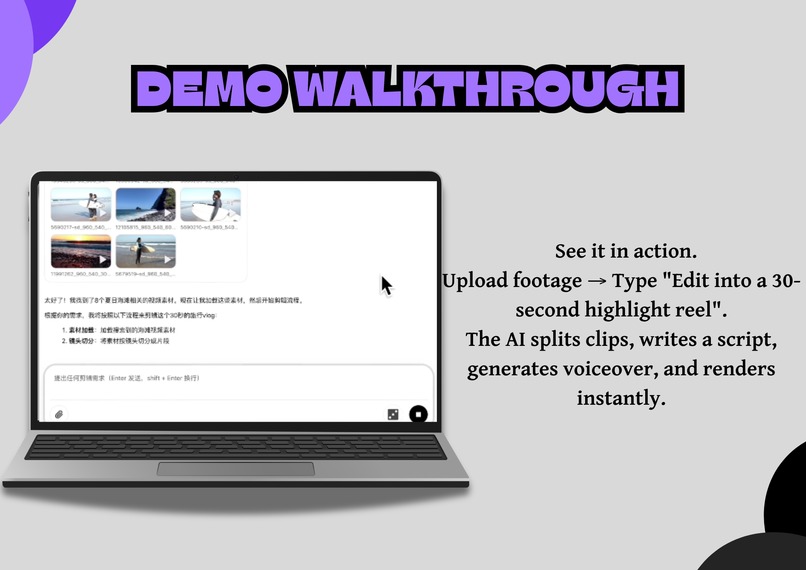
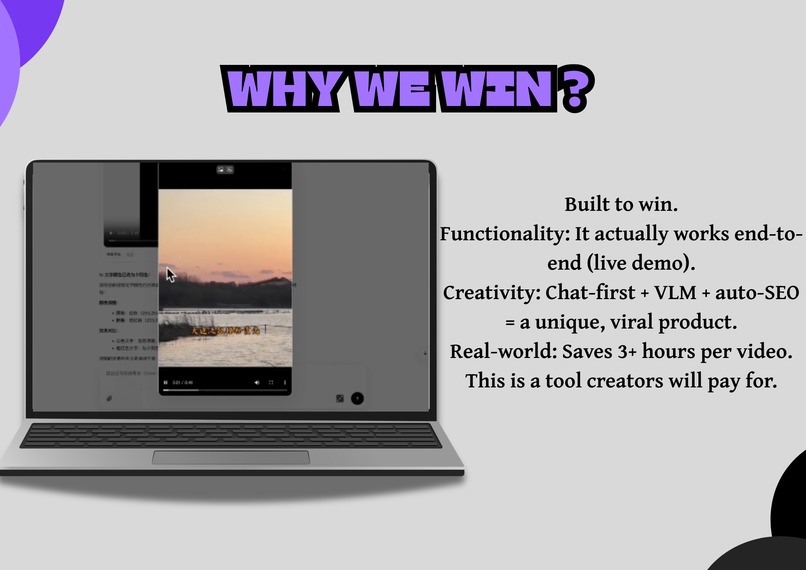
▶️ The 2-minute demo is embedded at the top of this page — raw footage in, real MP4 out, no cuts. No mockup. No slides. A working editor.
🔗 Connect & Follow
📸 Instagram: @editos.ai – behind-the-scenes, updates, and demos
💼 LinkedIn: Post Link – share your feedback and thoughts
🐙 GitHub: github.com/robloxsagax-web/EditOS
🧱 The Bottleneck Nobody Fixes
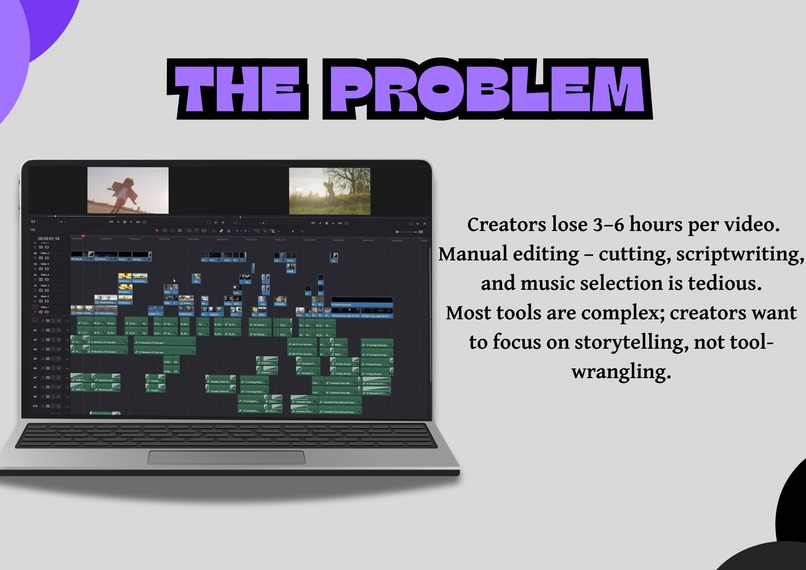
Every creator hits the same wall: the idea takes five minutes. The edit takes a weekend.
| Pain Point | Today's Reality |
|---|---|
| ⏰ Time | 3–6 hours of manual editing per video |
| 🧩 Tool soup | Transcription, stock footage, voiceover, music, timeline, render — 6–12 separate apps |
| 💸 Cost | $500–$2,000/month per creator for a human editor |
| 😤 Iteration | Client says "change the music" → restart the whole edit |
| 🚫 The hidden tax | Great videos never get made because editing is a full-time job |
And here's what bothers us most: most "AI video" tools don't edit at all. They are one-shot prompt-to-video toys — type, generate, done. No revisions. No control. No workflow. Real editing is iterative, and every existing tool pretends that isn't true.
💡 The Idea: An Operating System, Not a Generator
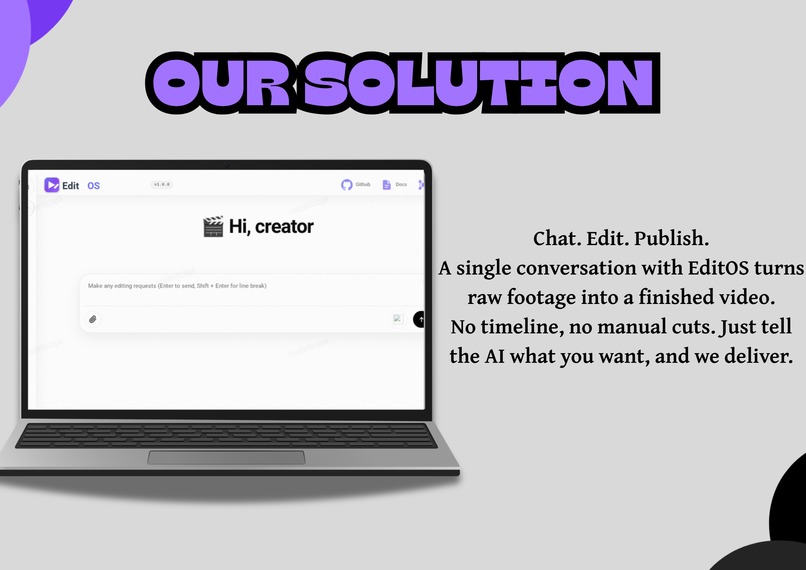
EditOS is a conversational video-editing operating system. You don't write FFmpeg commands. You don't scrub a timeline. You just type what you want — and an autonomous agent runs an entire professional editing pipeline for you.
"Make a 60-second travel vlog from the clips in my folder. Cut the boring parts, add an upbeat voiceover, pick BGM that fits a travel vlog, and smooth transitions between scenes."
The agent decides what to run, in what order, and what to reuse — across 18 specialized editing tools — and streams every step live in a chat interface. Then it renders the final video and drops the MP4 right into the conversation.
Critically, you can interrupt it mid-run, redirect it, and redo just one stage — without ever starting over.
✨ Key Features
| Feature | What it does |
|---|---|
| 🌐 Smart Media Search | Automatically searches & downloads relevant stock images and video clips (Pexels / Pixabay) |
| ✍️ AI Script Generation | Writes storylines and narration in your chosen style and tone |
| 🎵 Intelligent Audio | Recommends background music by mood/genre and generates voiceovers with TTS |
| 🎬 AI Transitions | Creates smooth, AI-powered transition effects between clips |
| 💬 Conversational Editing | Edit via natural language — no technical skill required |
| ⚡ Skill Archiving | Save and replay entire editing workflows for batch processing |
| 🔁 Partial Redo | Re-run a single pipeline stage (e.g. "change the music") without restarting |
| 🛑 Interrupt & Resume | Stop the agent mid-run, give a new instruction, continue from current state |
🔁 The Party Trick: Edit Without Restarting
This is what makes EditOS an editor, not a generator:
| Capability | What happens |
|---|---|
| 🛑 Interrupt & Resume | Stop the agent mid-run, type a new instruction, it continues from current state — prior work kept |
| 🔁 Partial Redo | Re-run one stage ("make the BGM happier") — the agent locates exactly the nodes affected and reuses everything else |
| 🧠 Skill Archiving | Loved how a video turned out? Ask the agent to save the editing logic as a reusable Skill — replay that style on the next 100 videos |
Concretely, a partial redo walks only the affected subgraph:
You: "make the BGM happier"
│
▼
┌───────────────┐
│ SelectBGM │ ← re-run ONLY this node
└───────┬────────┘
▼
┌────────────────────┐
│ PlanTimeline │ ← and its direct dependents
└───────┬────────────┘
▼
┌────────────────────┐
│ RenderVideo │ ← re-render just the final cut
└────────────────────┘

Everything else — ASR, script, voiceover — is untouched. No restart. No wasted work.
🏗️ Architecture
📸 Proof — Real Pixels, Real MP4s
Not renders. Not concepts. The app, running, mid-edit:
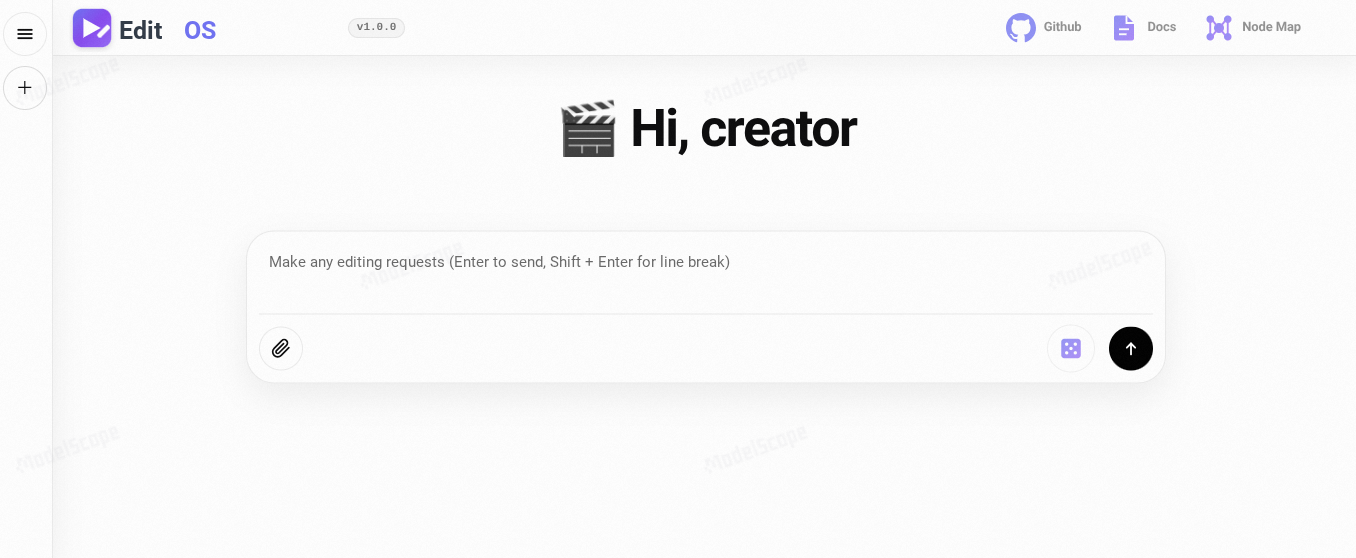
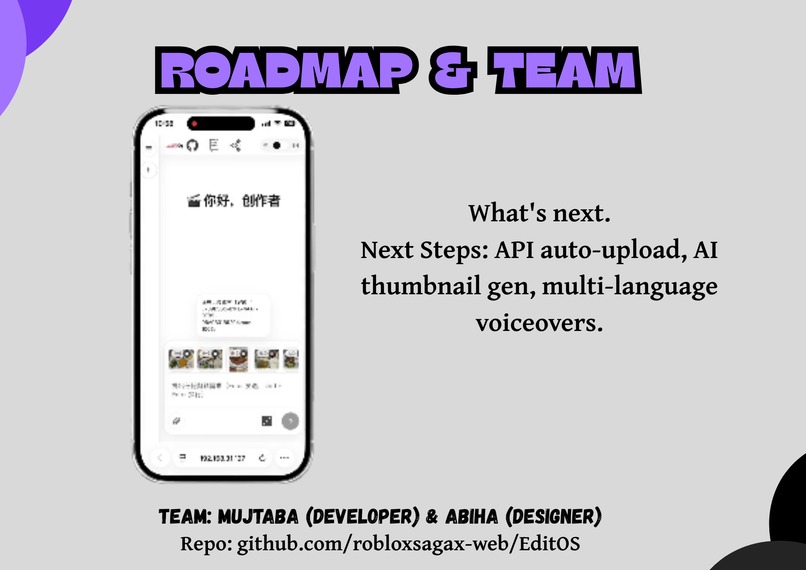
The chat studio — every tool call streams in real time; the finished MP4 lands in the same thread.
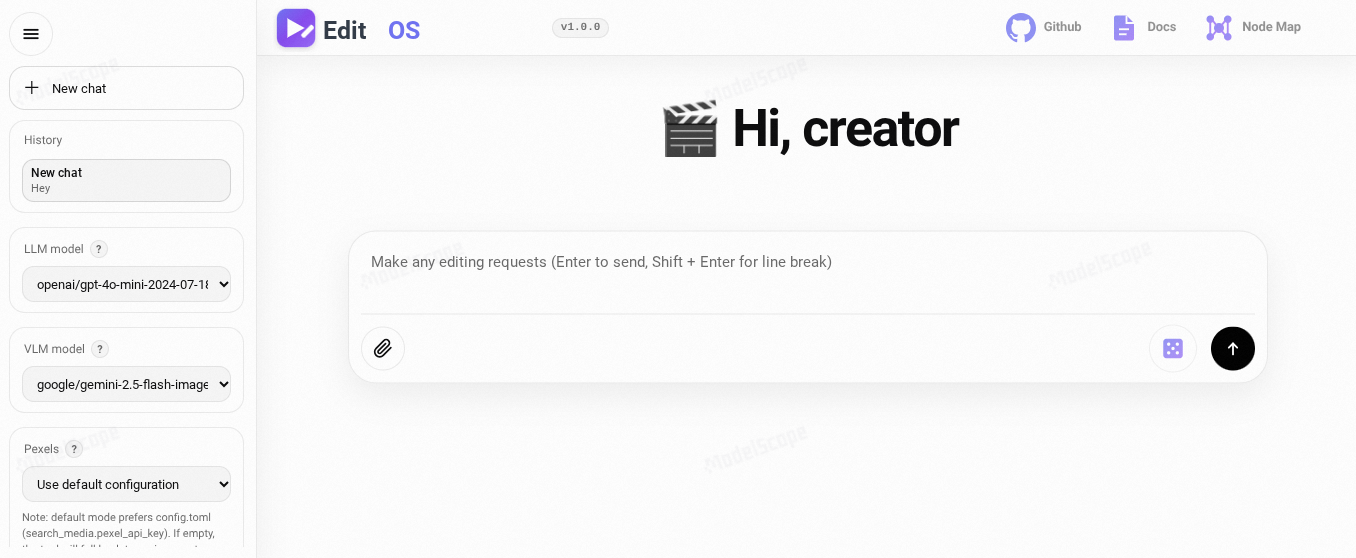
The deliverable — a downloadable, rendered video with per-step artifact previews. Four real rendered MP4s ship on therepo:
- 547464911…mp4 · 547464913…mp4 · 547464917…mp4 · 547464918…mp4 — sizes 6–12 MB, all with mdat + moov (playable, seekable, real):
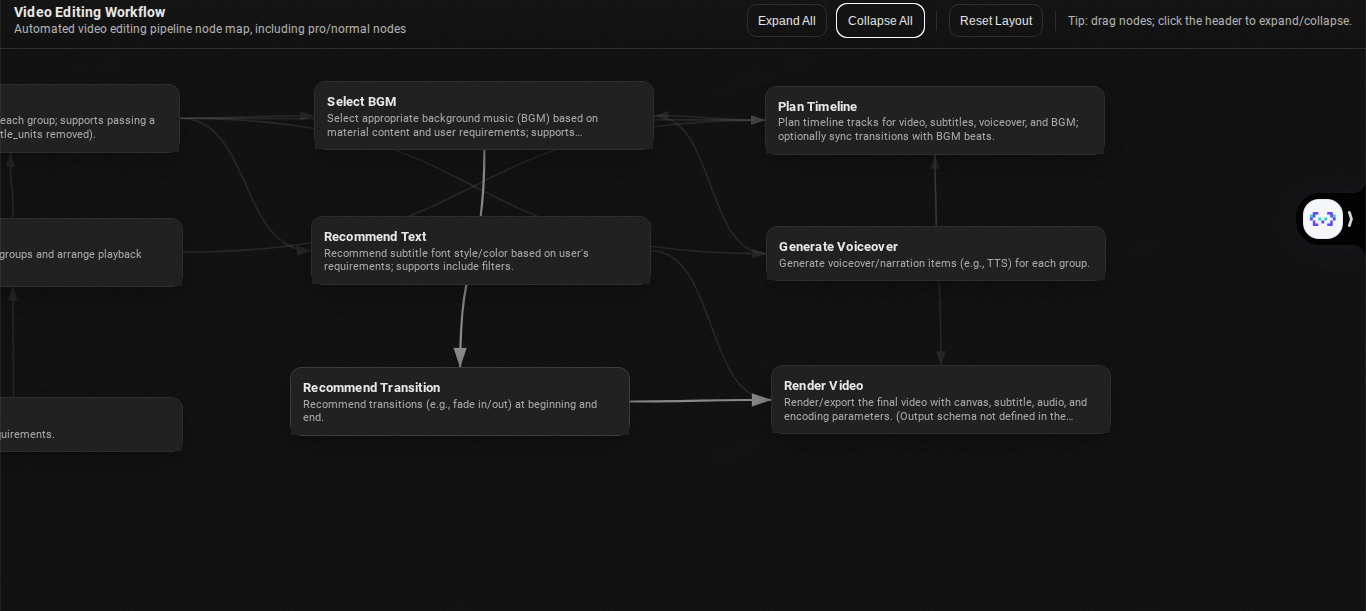
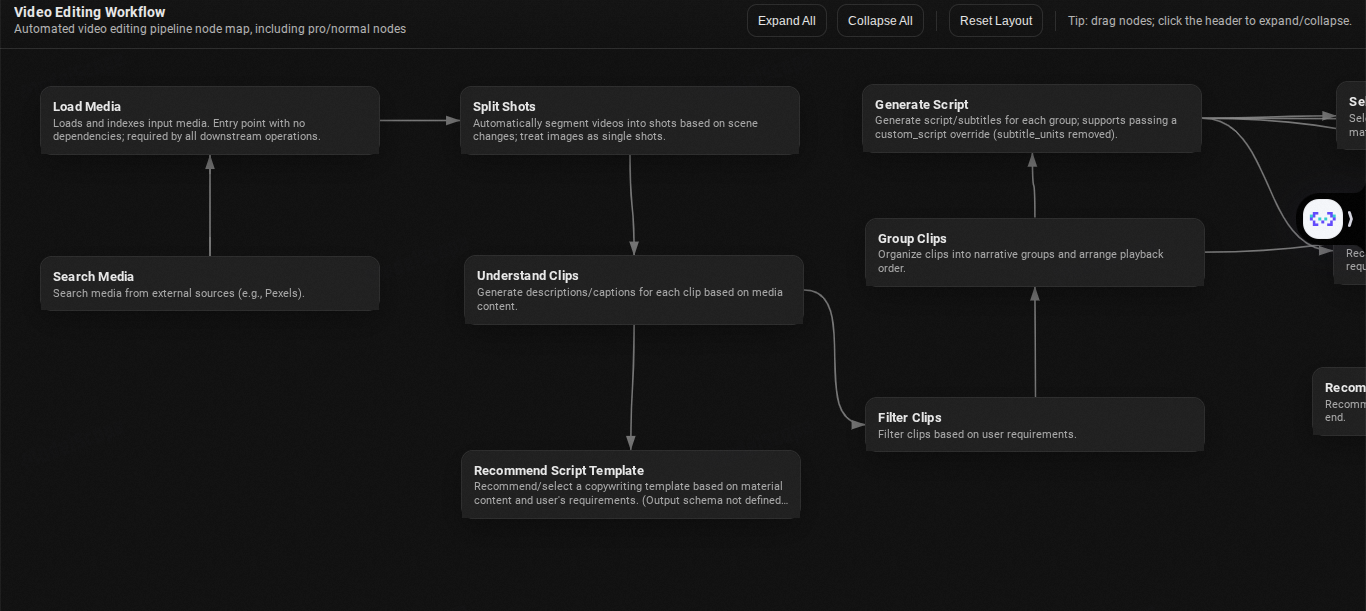
Full transparency — click any message to inspect the editing DAG: what ran, what's queued, what's next. No black box. No "the AI did it." A visual graph of every cut, script, and render decision:
Real project ergonomics — drag-and-drop media with per-file progress, sessions that remember you, history you can resume:
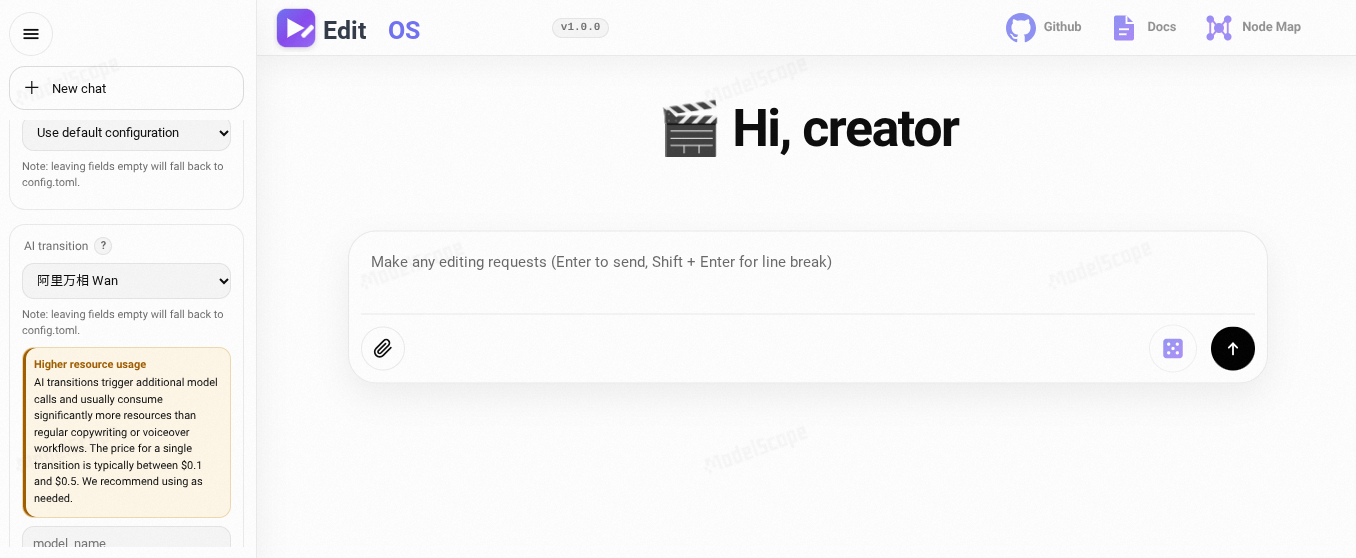
Built for a global creator — bilingual prompt library (EN/中文), model picker in the same panel. You bring the models you already pay for.
"🎬 Real Outputs (Click to Watch) Here are 7 finished videos generated by EditOS from raw footage. No mockups. No slides. Just real MP4s produced by the agent pipeline.
🧠 How It Works — The Autonomous Pipeline
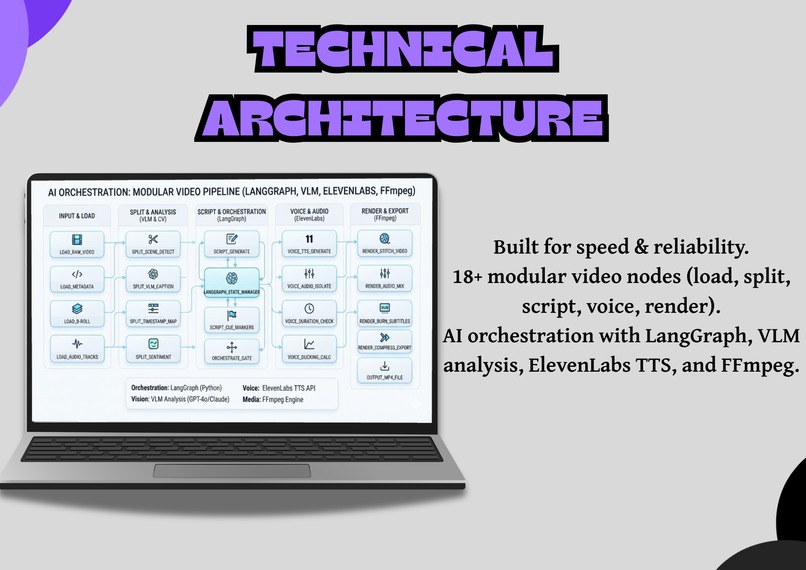
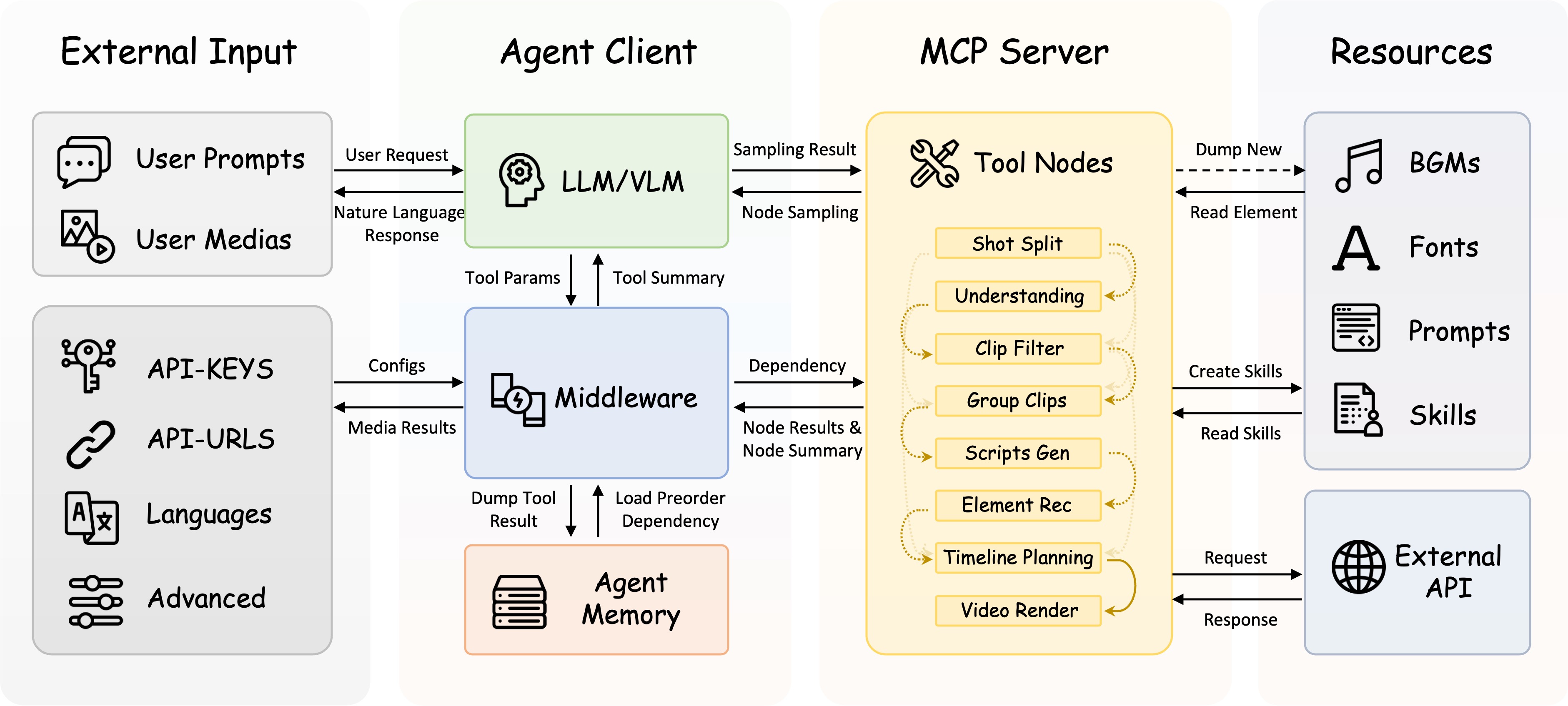
EditOS is not a single API call. It is a LangGraph/LangChain agent that drives a graph of 18 specialized video-processing nodes, each exposed as a tool through a local MCP (Model Context Protocol) server. The agent decides which node to run, in what order, based on your intent — and can replan on the fly.
You (chat / CLI)
│ "Make a travel vlog from my clips, upbeat, 60s"
▼
LangChain Agent ───► LLM (reasoning) + VLM (vision)
│ tools = nodes + skills
▼
MCP Server (Model Context Protocol)
│
▼
18 Editing Nodes (a dependency-aware DAG)
│
▼
FFmpeg · MoviePy · FunASR · TransNetV2 · TTS · Pexels
│
▼
outputs/ → final rendered video
The 18-Node Editing Pipeline
| # | Node | Role |
|---|---|---|
| 1 | LoadMedia |
Load & validate input media (video/image/audio) |
| 2 | SearchMedia |
Search & download stock media (Pexels/Pixabay) |
| 3 | SplitShots |
Shot detection & segmentation (TransNetV2) |
| 4 | LocalASR |
Speech-to-text transcription (FunASR) |
| 5 | SpeechRoughCut |
ASR-based rough cut for speech/talking videos |
| 6 | UnderstandClips |
VLM-powered clip content analysis |
| 7 | FilterClips |
Filter clips by criteria ("remove the sky shots") |
| 8 | GroupClips |
Group related clips into scenes |
| 9 | GenerateScript |
LLM narration/script generation |
| 10 | ScriptTemplateRec |
Recommend copywriting templates |
| 11 | GenerateVoiceover |
Text-to-speech voiceover |
| 12 | SelectBGM |
Background music selection (spectral feature matching) |
| 13 | RecommendTransition |
Recommend visual transitions |
| 14 | RecommendText |
Font/typography recommendation |
| 15 | PlanTimelinePro |
Timeline planning (pro) |
| 16 | PlanTimelineAITransition |
Timeline planning with AI transitions |
| 17 | GenerateAITransition |
AI transition effects (optional) |
| 18 | RenderVideo |
Final video render (MoviePy / FFmpeg) |
🏗️ Architecture
┌─────────────────────────────────────────────────────────────────┐
│ EditOS ARCHITECTURE │
└─────────────────────────────────────────────────────────────────┘
┌────────┐
│ USER │ (Web UI / CLI)
└───┬────┘
│ natural language
▼
┌─────────────────────────────────────────────────────────────────┐
│ AGENT LAYER — LangChain / LangGraph │
│ create_agent(model=LLM, tools=nodes+skills, middleware) │
│ • Multi-turn tool-calling loop • Streaming WebSocket replies │
│ • Context schema (ClientContext) • API-key validation │
└───────────────────────────────┬─────────────────────────────────┘
│ streamable-http
▼
┌─────────────────────────────────────────────────────────────────┐
│ MCP SERVER — Model Context Protocol │
│ FastMCP · session lifespan · sampling handler │
│ Registers 18 nodes as tools + loads Skills (SkillKit) │
└───────────────────────────────┬─────────────────────────────────┘
│
▼
┌─────────────────────────────────────────────────────────────────┐
│ NODES — 18 video-processing stages │
│ Load → Search → SplitShots → ASR → Understand → Filter → │
│ Group → Script → Voiceover → BGM → Timeline → Render │
│ (NodeManager DAG: partial redo, dependency-aware execution) │
└───────────────────────────────┬─────────────────────────────────┘
│
▼
┌─────────────────────────────────────────────────────────────────┐
│ MEDIA / AI ENGINE LAYER │
│ FFmpeg · MoviePy · TransNetV2 · FunASR · ElevenLabs · Pexels │
│ + LLM (OpenRouter…) + VLM (Gemini / Qwen-VL…) │
└───────────────────────────────┬─────────────────────────────────┘
│
▼
outputs/ → rendered video
ArtifactStore (per-session persistence)
Why MCP?
We expose every editing node as a Model Context Protocol tool. This is the modern, standard way to give LLMs access to external capabilities — it means the agent's tools are decoupled from the agent runtime, individually testable, and reusable across any MCP-compatible client. The sampling handler even lets the MCP server delegate LLM/VLM calls back to the agent's configured models, so there's a single source of truth for AI credentials.
⚖️ The Before / After
| Manual Editing | EditOS | |
|---|---|---|
| Time per video | ~3–6 hours | ~5–10 minutes of chatting |
| Editor cost | $500–$2,000/month | API costs only (~cents/video, you own keys) |
| Subscriptions | 6–12 tools | 1 app |
| Skill required | Professional editor | Describe what you want |
| Feedback iteration | Restart from scratch | Re-run one stage |
| Batch & rebrand | Not feasible | Save a Skill → replay the style |
Who this is for: YouTubers, small businesses, educators, indie marketers, hackathon builders — anyone with a story to tell and no time to learn Premiere Pro.
🎯 What Makes EditOS Different
| Prompt-to-Video Toys | EditOS | |
|---|---|---|
| Editing model | Single shot, generate-and-done | Iterative, multi-turn conversation |
| Control | None — take what you get | Full pipeline, every stage inspectable & re-runnable |
| Revision | Start over from scratch | Partial redo of any single node |
| Architecture | One API call | Autonomous agent over an 18-node DAG |
| Tool access | Hardcoded | Standard MCP tools — reusable & decoupled |
| Reuse | None | Save & replay editing Skills for batch work |
| Models | Locked to one vendor | Bring any OpenAI-compatible LLM/VLM/TTS |
🛠️ Tech Stack
| Layer | Technology |
|---|---|
| Agent runtime | LangChain 1.2 + LangGraph 1.1 |
| Tool protocol | MCP 1.26 (FastMCP) + langchain_mcp_adapters |
| LLM / VLM | OpenAI-compatible (OpenRouter, OpenAI, DeepSeek, Gemini, Anthropic, Groq, Together, Azure) |
| Backend / API | FastAPI + Uvicorn (WebSocket streaming) |
| Shot detection | TransNetV2 (PyTorch) |
| Speech-to-text | FunASR |
| Video render | MoviePy 2.2 + FFmpeg + PyAV |
| Audio analysis | librosa + FAISS (music feature matching) |
| TTS | ElevenLabs / MiniMax / Fish Audio |
| Stock media | Pexels / Pixabay |
| Skills | SkillKit 0.4 |
| Config | TOML + Pydantic (env-var substitution) |
| Frontend | Vanilla JS + HTML + CSS (WebSocket chat UI) |
| Deployment | Docker · ModelScope · HuggingFace Space · Local |
| Language | Python ≥ 3.11 |
🤖 Multi-Provider AI — Bring Your Own Models
EditOS is model-agnostic by design. Every intelligence layer can run on the provider you already pay for.
Large Language Models (reasoning & scripts)
| Provider | Example Models |
|---|---|
| OpenRouter (default) | gpt-4o-mini, claude-3-haiku, gemini-2.0-flash |
| OpenAI | GPT-4o, GPT-4o-mini, GPT-4 |
| DeepSeek | deepseek-chat, deepseek-coder |
| Gemini | gemini-2.0-flash, gemini-1.5-pro |
| Anthropic | claude-3-5-sonnet, claude-3-opus |
| Groq | llama-3.1-70b, mixtral-8x7b |
| Together AI | llama-3.1-405b, qwen-2.5 |
| Azure OpenAI | GPT-4o, GPT-4 |
Vision Language Models (clip understanding)
| Provider | Example Models |
|---|---|
| Gemini | gemini-2.0-flash, gemini-1.5-pro |
| Qwen VL | qwen2-vl-72b, qwen2.5-vl-72b |
| GLM-4V | glm-4v-plus |
| DeepSeek VL | deepseek-vl2 |
| Llama Vision | llama-3.2-90b-vision |
Text-to-Speech (voiceover)
| Provider | Notes |
|---|---|
| ElevenLabs (default) | High-quality neural voices (free-tier "Sarah" supported) |
| MiniMax | Fast & affordable |
| Fish Audio | Open-source option |
Stock Media
| Provider | Notes |
|---|---|
| Pexels | Free stock photos & videos |
| Pixabay | Free stock media |
Everything is OpenAI-compatible, so swapping a model is a one-line config change.
🔒 Why Self-Host?
| Benefit | What It Means |
|---|---|
| Your footage stays yours | No SaaS vendor lock-in – media never leaves your machine |
| Zero monthly fees | Pay only for API usage (most have free tiers) |
| Full control | Customize any part of the pipeline |
| Privacy | Your footage never touches a third-party server |
🚀 Run It Yourself — 3 API Keys, ~10 Minutes
Self-hosted, no SaaS, no monthly fee. Your footage stays on your machine; you only pay for the AI API calls you make (most have generous free tiers).
Prerequisites
- Python ≥ 3.11
ffmpeg/ffprobeinstalled on your system (for media processing)- Git LFS (for pulling model assets, if needed)
Step 1: Clone & Install
# 1. Clone the repository
git clone https://github.com/robloxsagax-web/EditOS.git && cd EditOS

# 2. Create a Python environment
conda create -n editos python=3.11 -y && conda activate editos

# 3. Download required resources (fonts, models, sample BGM — runs automatically)
chmod +x download.sh && ./download.sh

# 4. Install Python dependencies
pip install -r requirements.txt
Step 2: Drop in Your API Keys (Free Tiers Work!)
EditOS is model-agnostic. Grab keys from your preferred providers and set them as environment variables:
export OPENSTORYLINE_LLM_API_KEY="your-key"        # OpenRouter (free $1 credit) / Gemini / Groq
export OPENSTORYLINE_VLM_API_KEY="your-key"        # Gemini Flash / Qwen VL (for clip understanding)
export OPENSTORYLINE_GENERATE_VOICEOVER__PROVIDERS__ELEVENLABS__API_KEY="your-key"  # TTS (10k chars/mo free)
export OPENSTORYLINE_PEXELS_API_KEY="your-key"     # Stock b-roll (completely free)
💡 Pro Tip: OpenRouter gives you $1 in free credits to test any LLM. ElevenLabs and Pexels both have reliable free tiers — you can render your first video for pennies (or free).
Step 3: Start the Studio
# One-command launcher — sets up config and boots both MCP server + Web UI
./run.sh
Then open http://127.0.0.1:7860 in your browser.
Prefer the terminal? Use the CLI mode instead:
python cli.py
🐳 Prefer Docker? Two Commands:
# Build the image
docker build -t editos .

# Run it — mount your config and outputs, pass your keys
docker run -v $(pwd)/config.toml:/app/config.toml \
           -v $(pwd)/outputs:/app/outputs \
           -e OPENSTORYLINE_LLM_API_KEY="your-key" \
           -e OPENSTORYLINE_VLM_API_KEY="your-key" \
           -e OPENSTORYLINE_PEXELS_API_KEY="your-key" \
           -p 7860:7860 editos
🎬 Your First Edit
Once the UI loads, drag and drop a folder of raw clips into the chat, then type:
“Make a 45-second product reel. Remove dead air. Keep every mention of the product. Use the product shots, not the talking-head shots. Add captions. Use energetic music.”
Once the edit is underway, try changing your mind:
“Actually, replace the energetic music with a calm track.”
Then:
“Keep everything else exactly the same.”
EditOS will stop, replan, and reuse the existing analysis and timeline state instead of rebuilding the entire edit. Only the affected downstream stages need to run again.
First render: minutes, not hours. That's the whole point and whole project is built during timeline of AI Content Engine Hackathon.
Talk to your footage. It handles the rest.
🎬 EditOS — the operating system for AI video editing.
Built With
- ai-video-editing
- aivideoediting
- asyncpython
- automatedvideo
- contentautomation
- css
- docker
- elevenlabs
- fastapi
- ffmpeg
- google-gemini
- html
- javascript
- langchain
- langgraph
- moviepy
- openrouter
- pexels
- pythonfastapi
- pythonprogramming
- transnetv2
- videopipeline
- youtube-automation
- youtubeautomation


Log in or sign up for Devpost to join the conversation.