Inspiration
43 million people are blind and 295 million more have moderate to severe vision loss (The Lancet Global Health, 2021). For them, finding everyday things is a constant, urgent problem: in 40,000+ questions blind people sent to the VizWiz app, 76% of photos were of objects and 68% needed an answer within 10 minutes (Brady et al., CHI 2013).
Most assistive apps answer with words ("mug, left, about two feet away"), leaving the user to turn language into movement. Research says sound works better: for blind users, a spatial "virtual sound" beat spoken directions in both performance and preference (Loomis et al., 1998).
Think of Apple's Find My: tap "Play Sound" and you follow the noise to your AirPods. But that only works for things with a speaker or an AirTag attached. Echora makes the sound virtual: it places a sound on any object the camera can see, your mug, your keys, a door, with no tag and nothing to charge.
What it does
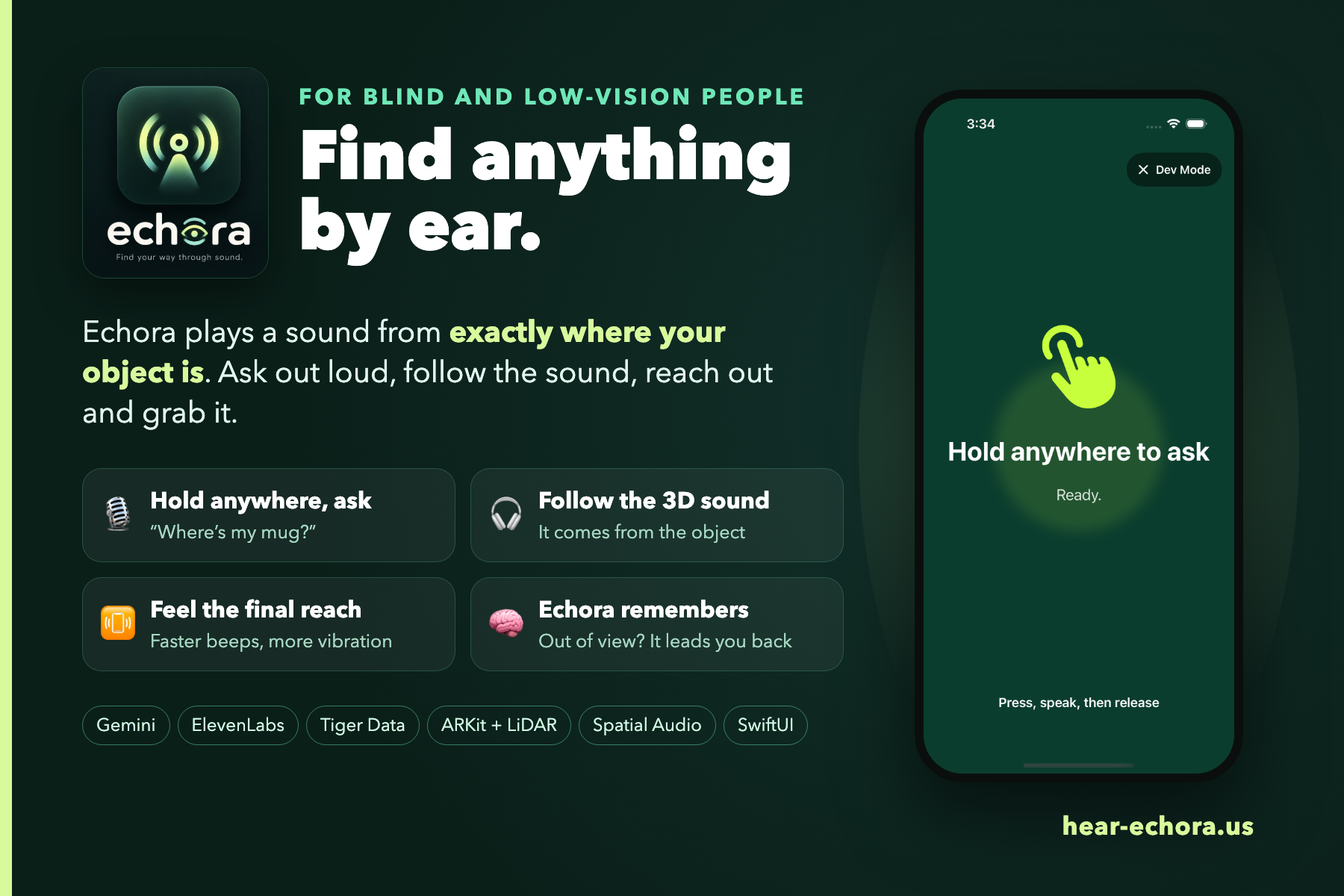
Users ask, "Where's my mug?" Echora detects the object through the camera, maps its position in the room, and plays a pulsing 3D sound through earphones. The sound stays anchored as users turn their heads, guided by AirPods head tracking. Pulses speed up as users face the object, and within arm's reach the phone works like a metal detector: faster beeps and stronger vibration as it closes in.
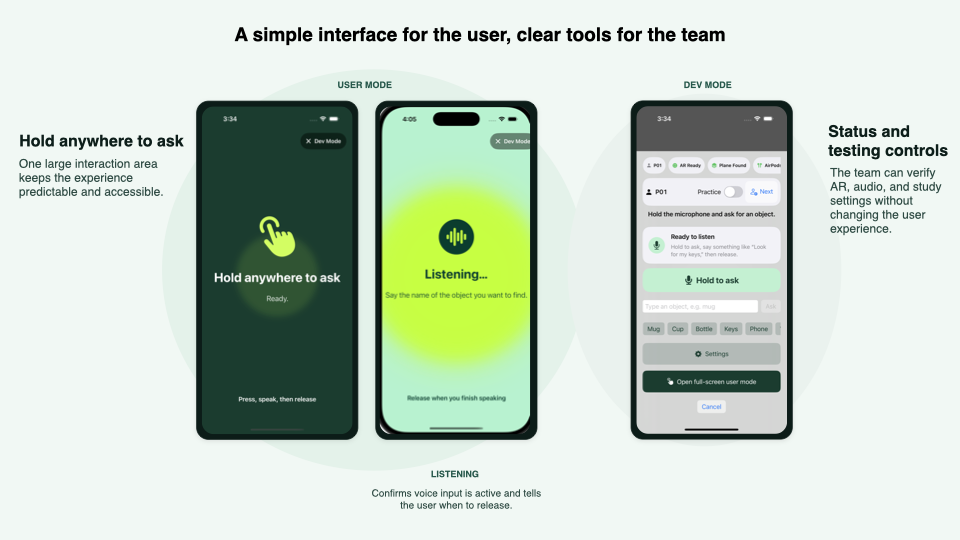
Voice commands, prerecorded status messages, VoiceOver support, and automatic calibration make the experience accessible without visual interaction. Echora remembers: if an object is out of view, it offers where it last saw it ("Item was previously found 3 minutes ago. Want to navigate?") and guides you back, without another AI request.
Results
We timed every round while testing this weekend: [N] blindfolded teammates wearing earphones, finding everyday objects with Echora. Across 12 tabletop rounds (cups, a bottle, headphones, a phone), the median time from the first guidance sound to touching the object was 30 seconds. Four longer-range rounds (walking to a door) had a median of 41 seconds. Echora also logged 30 object sightings for its memory feature. These are informal team tests while we were still tuning the cues, not a clinical study.
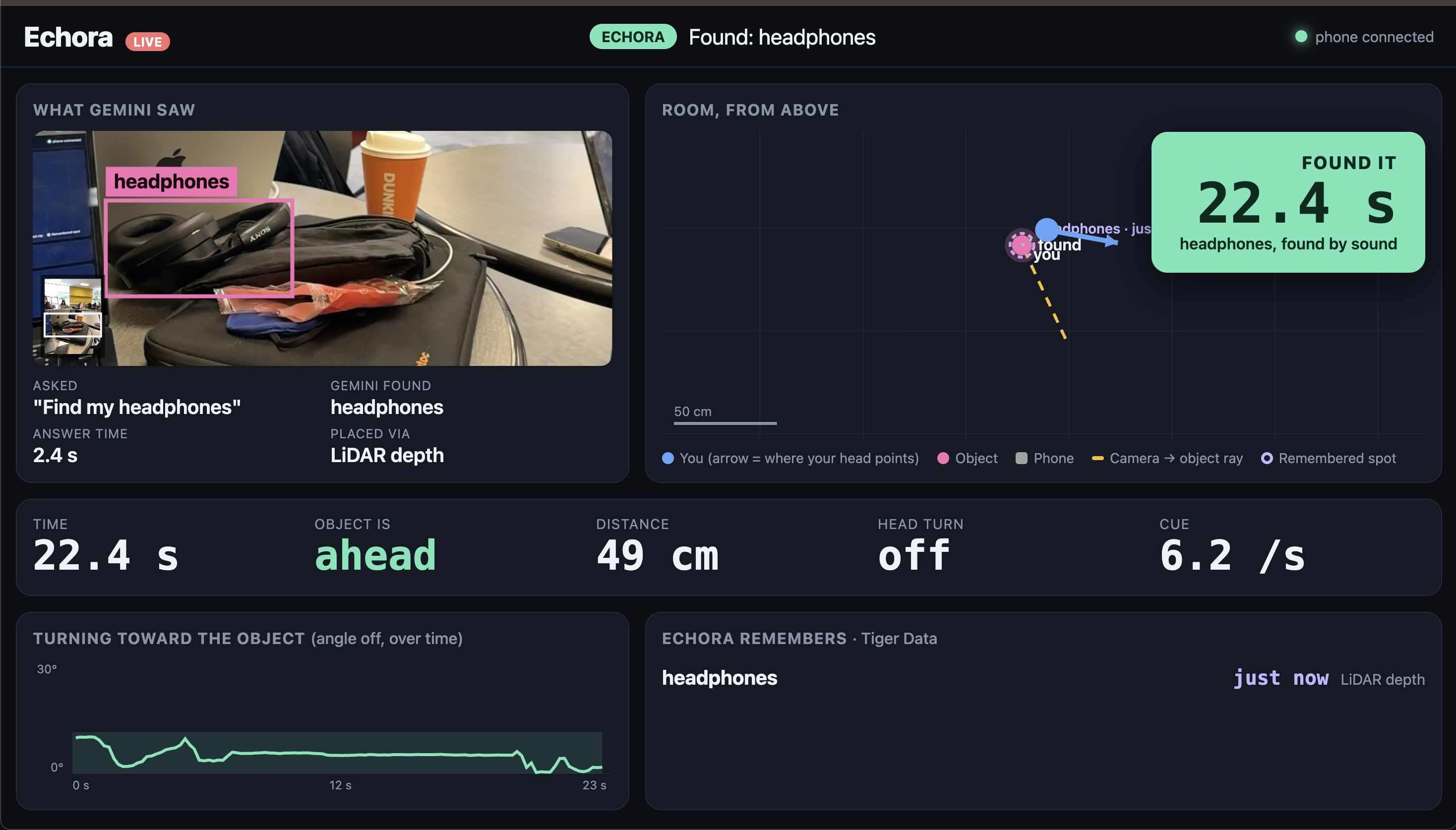
Our live dashboard at hear-echora.us shows a search as it happens: the photo Gemini saw with its box, a top-down map of the tester turning toward the object, how far off they're facing over time, the final time, and everything Echora remembers. The results page shows the median find time and recent rounds, straight from Tiger Data.
How we used sponsor tools
- Gemini: One Gemini call per request both interprets what the user asked for and returns a bounding box for the object. We convert that box from the upright photo into ARKit's camera coordinates and use LiDAR depth (or a raycast onto the table) to get a 3D position in the room. To keep latency predictable, a backup Gemini model starts automatically if the first is slow or overloaded, and the first answer wins.
- Tiger Data: Every round, every search trajectory (angle, distance and head turn, sampled 10 times a second) and every object sighting goes to Tiger Data (TimescaleDB), keyed by time. The dashboard's "Echora remembers" panel reads the sightings back, and the results page computes the median find time in SQL.
- ElevenLabs: Echora's guidance voice lines ("Item found, navigating," "Item was previously found five minutes ago, want to navigate?") are ElevenLabs voices generated ahead of time and shipped in the app, so they play instantly and work offline.
How we built it
- iOS: Swift, SwiftUI, ARKit, RealityKit, and LiDAR or plane raycasts for object positioning.
- AI: Gemini interprets voice queries and returns object bounding boxes.
- Spatial audio: AVAudioEngine with HRTF rendering and AirPods head tracking.
- Accessibility: On-device speech recognition, offline voice prompts, and haptic guidance.
- Backend: FastAPI on Render, with Tiger Data (PostgreSQL + TimescaleDB) for search histories, object sightings, and analytics. The same server hosts the live dashboard at hear-echora.us.
We established shared interfaces, coordinate conventions, and mock services before implementation, enabling four teammates to work in parallel. The project includes approximately 200 unit tests.
Challenges we ran into
- Aligning Gemini's portrait images with ARKit's landscape camera coordinates.
- Keeping AI response times predictable by starting a backup model when the first is slow.
- Preserving spatial audio quality while using the phone's microphone for voice input.
- Correcting listener positioning and improving depth estimates for thin objects.
- Testing audio separation programmatically to ensure cues remain distinguishable.
- Coordinating merges across a shared codebase.
Accomplishments
- Spatial sound stays anchored to the object as the user turns their head and walks, with no spoken directions.
- Object placement works on phones with and without LiDAR, and the AR camera recovers on its own if it fails.
- About 200 unit tests, including automated tests that render the spatial audio and check each sound lands in the correct ear.
What we learned
Broadband sounds are easier to localize than pure tones. Adjusting pulse speed helps resolve front-back confusion in headphone audio. We also learned that accessibility requires removing interaction barriers, such as making calibration automatic rather than requiring users to find a button.
What's next
- Testing with blind and low-vision users.
- Expanding from object finding to room-scale navigation.
- Persistent room scans and object memory across sessions.
- Hand tracking for precise final-distance guidance.
- Android support.
Built With
- airpods
- api
- arkit
- avfoundation
- core-motion
- css3
- elevenlabs-api
- fastapi
- gemini-api
- git
- github
- html5
- javascript
- lidar
- postgresql
- python
- swift
- tiger-data
- xcode


Log in or sign up for Devpost to join the conversation.