ECHO — AI Time-Travel Debugger
Don't just fix the mistake. Understand the moment it was made.
Inspiration
When I started learning programming, one of the most frustrating experiences was writing code that ran without errors but produced the wrong answer.
Sometimes the mistake wasn't obvious. A variable changed unexpectedly, a loop behaved differently than I imagined, or a calculation silently produced the wrong result.
Traditional debuggers can be difficult for beginners, while AI coding assistants often jump straight to the corrected code.
I wanted to build something that helps students understand why their programs fail, not just how to fix them.
That's how ECHO began.
What if debugging felt like traveling backward through time, allowing you to see exactly what your code did at every moment?
What It Does
ECHO is an AI-powered educational debugging laboratory that turns programming mistakes into interactive learning experiences.
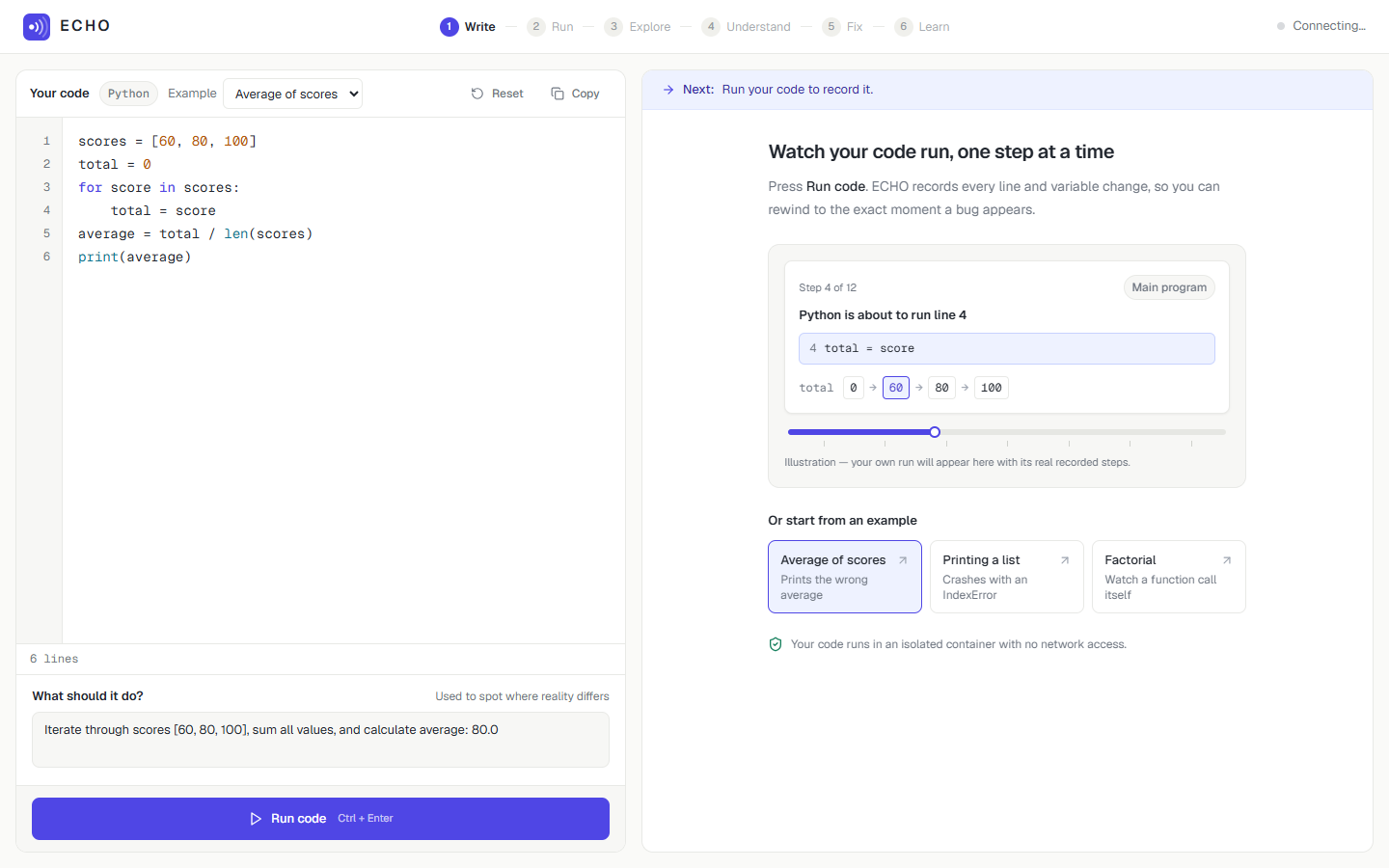
It guides students through six stages:
Write → Run → Explore → Understand → Fix → Learn
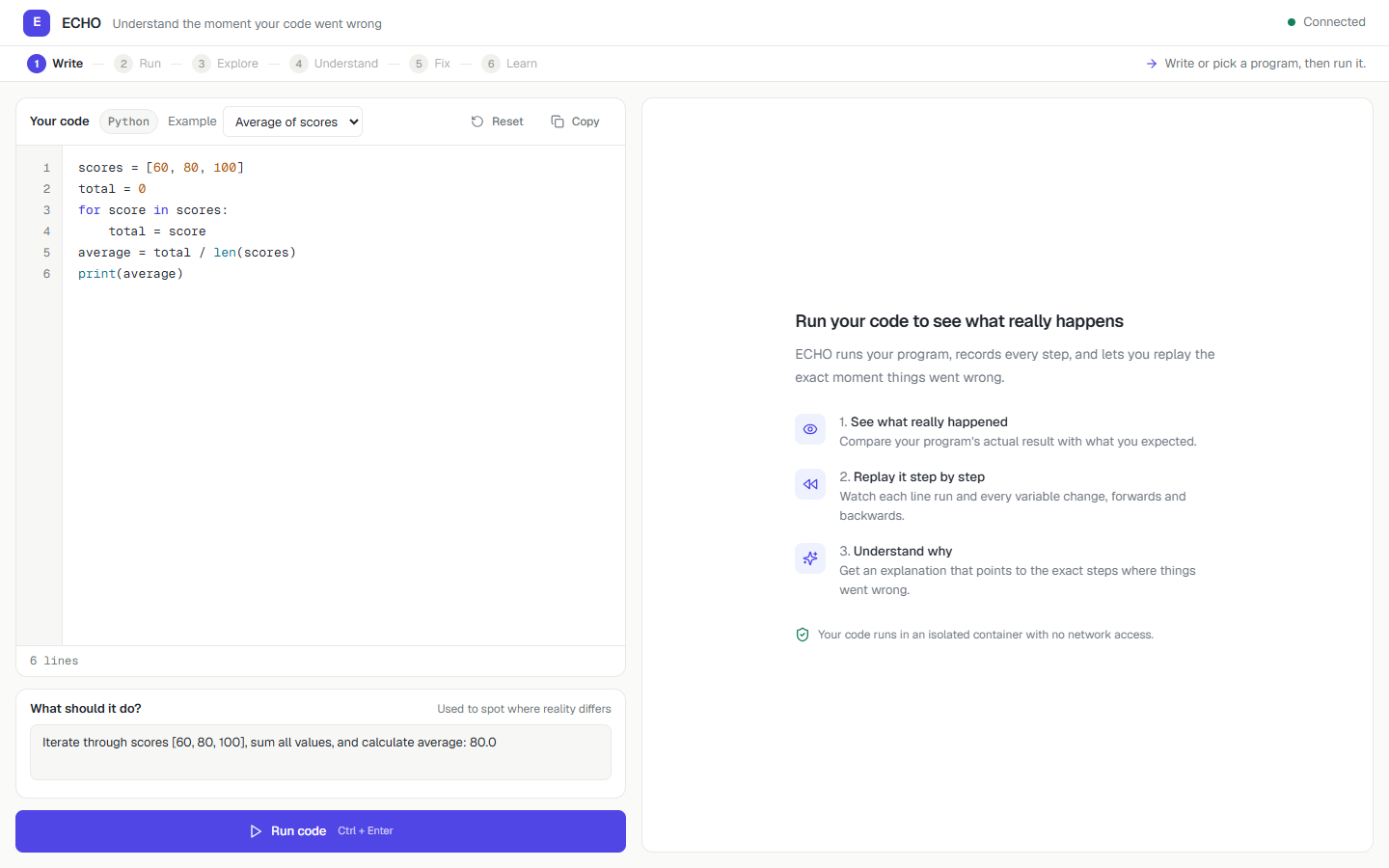
Students can write Python code, describe the expected result, and execute their program inside an isolated Docker container.
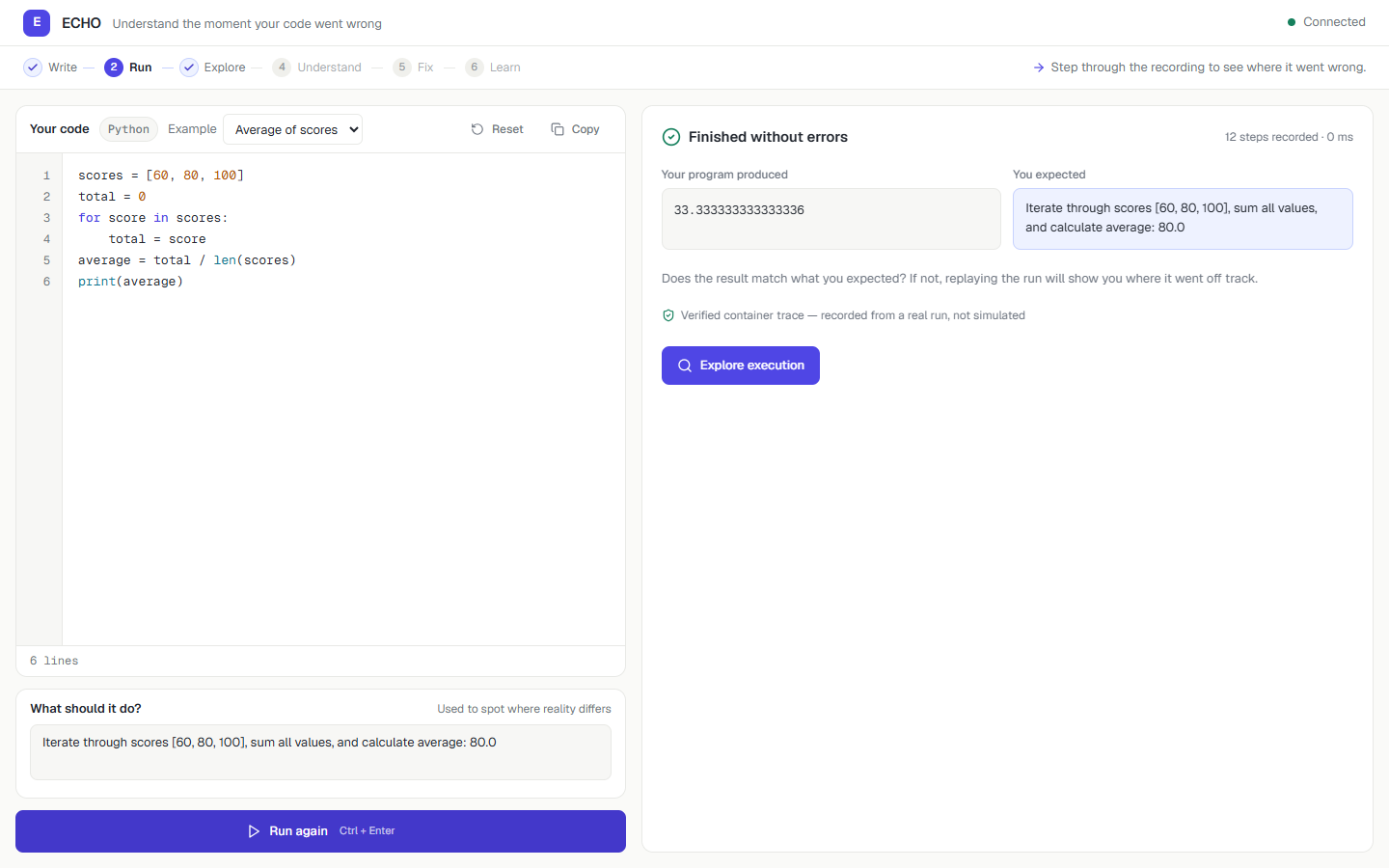
ECHO records actual execution events, allowing students to move backward and forward through the program, inspect variable values, and identify where the behavior diverged from their expectations.
Its main capabilities include:
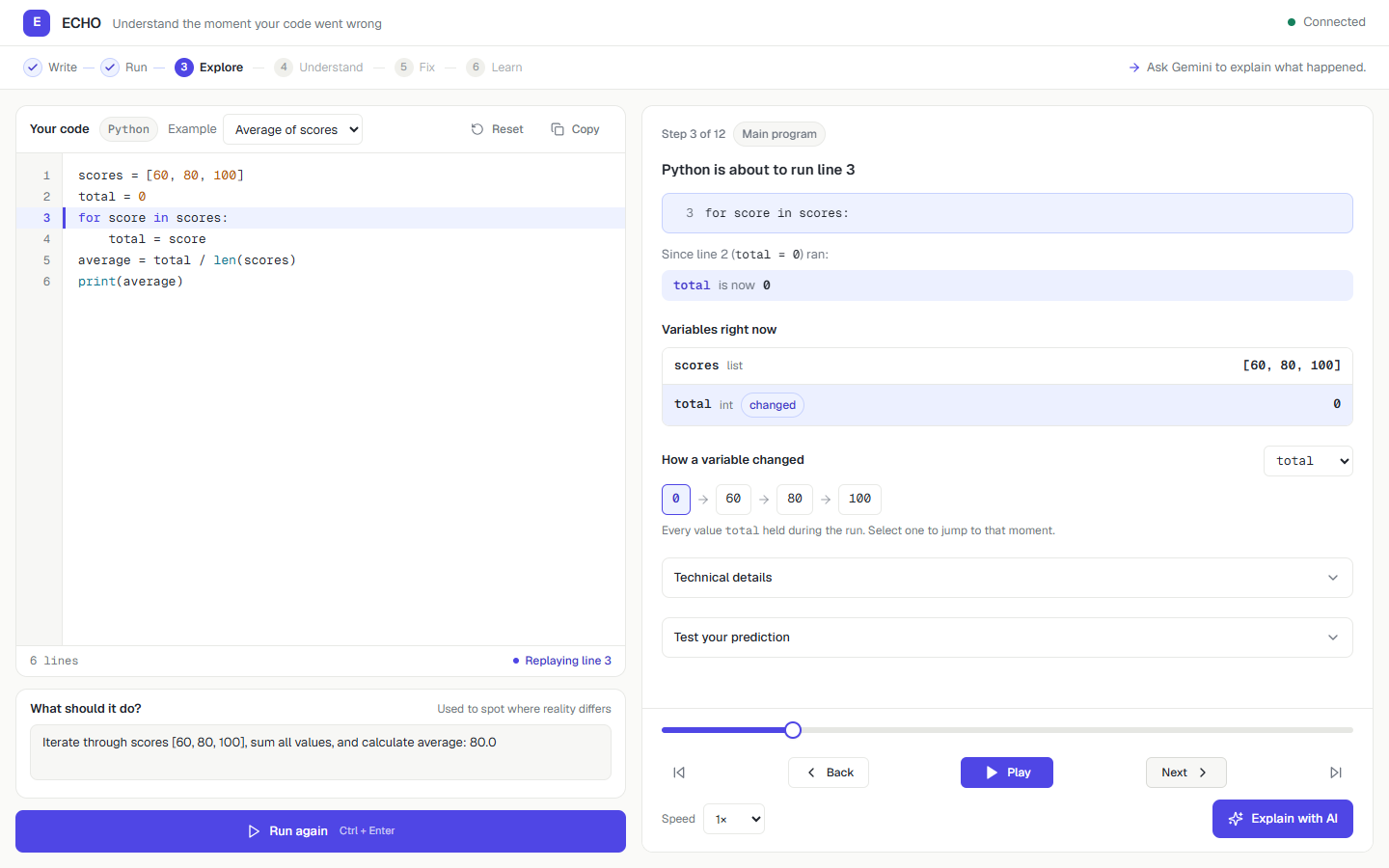
- Time-travel debugging: Replay recorded execution steps with source-line highlighting.
- Variable evolution: Visualize how values change during loops and function calls.
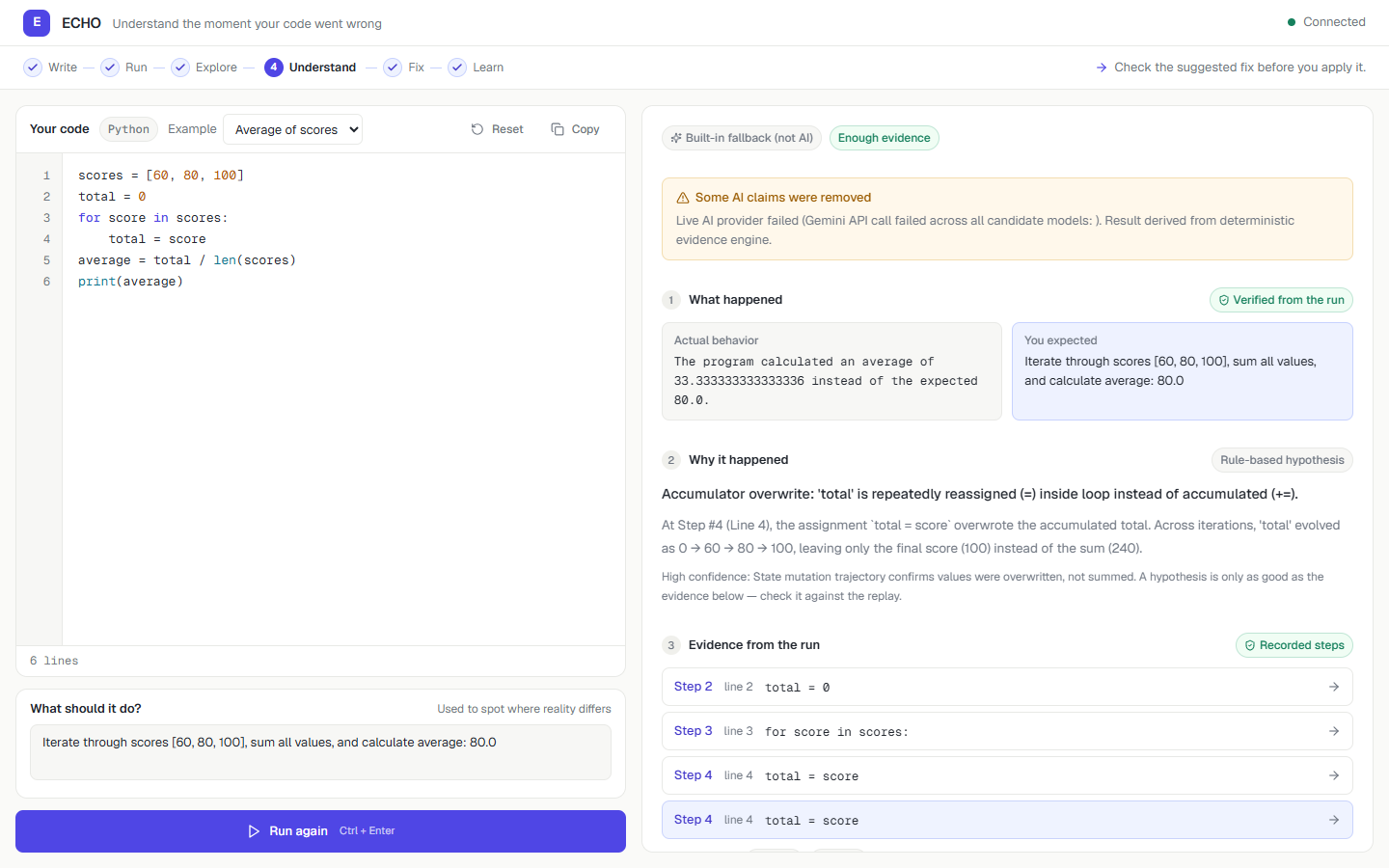
- AI investigation: Google Gemini analyzes real execution evidence to explain potential bugs.
- Evidence-linked explanations: Inspect the recorded steps supporting an AI diagnosis.
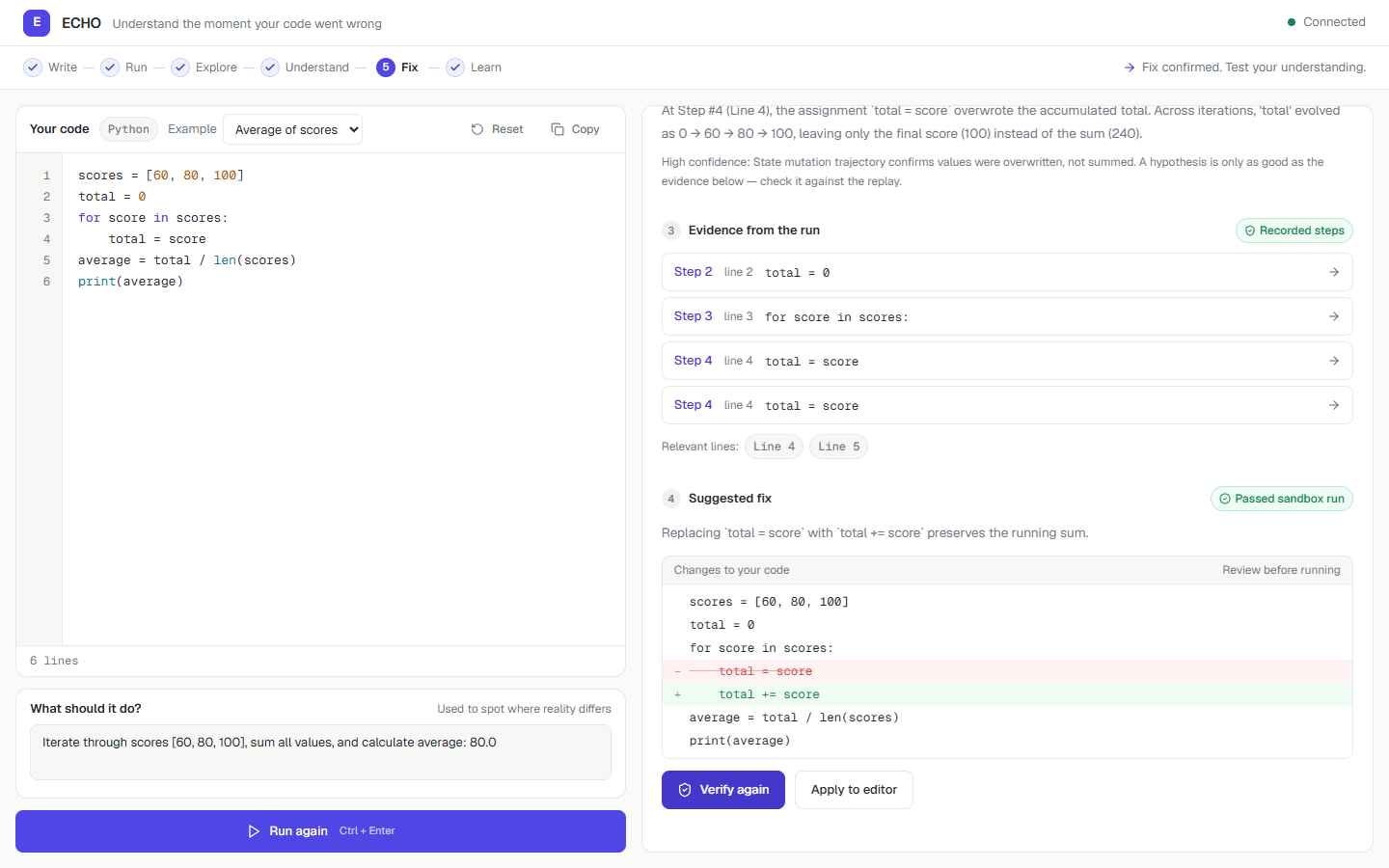
- Fix verification: Test suggested corrections inside a separate sandbox.
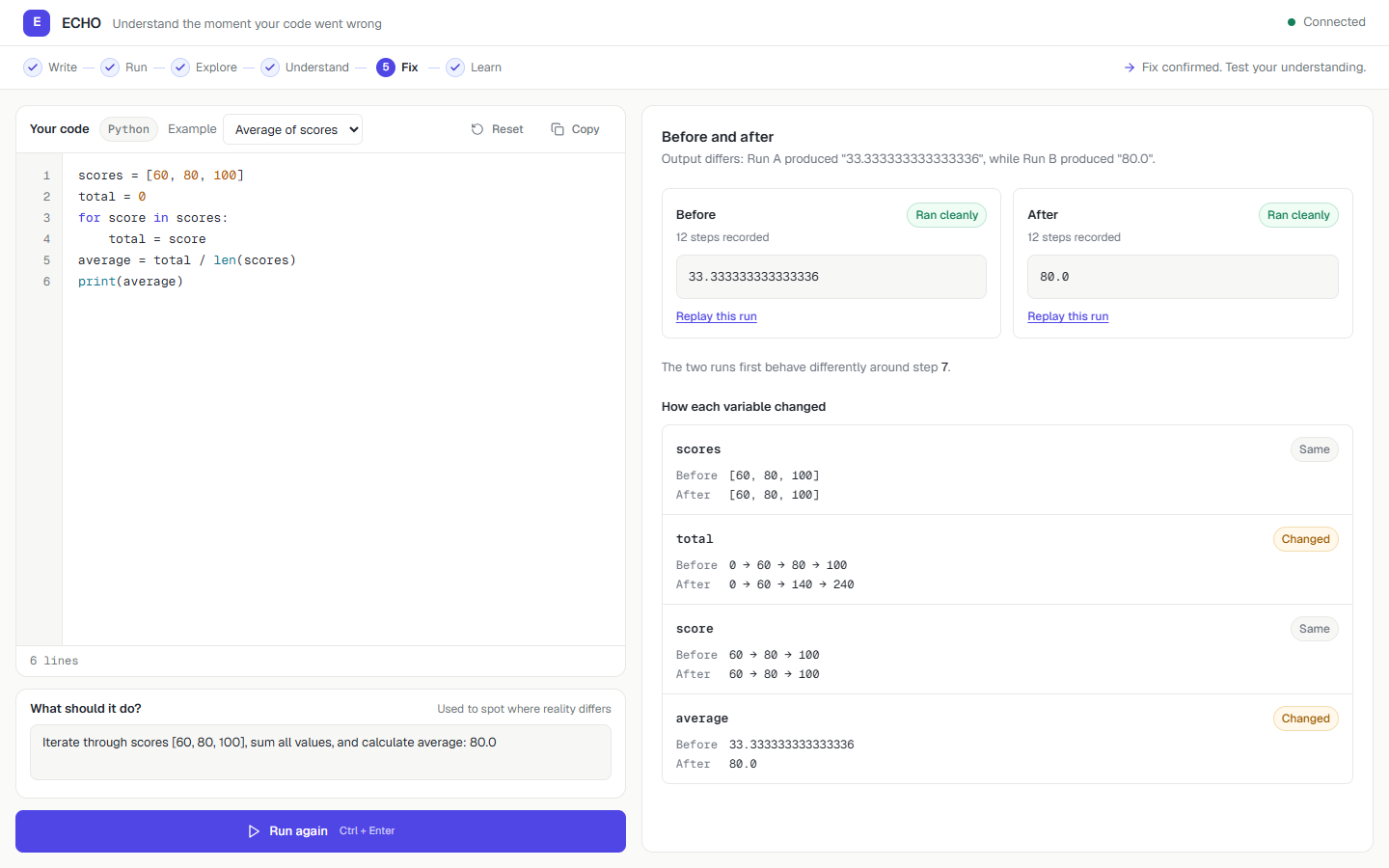
- Before-and-after comparison: Compare outputs and variable histories across executions.
- Interactive learning challenges: Predict program behavior and check answers against recorded execution.
Example: A Silent Logic Error
Consider a program that calculates the average of three scores:
scores = [60, 80, 100]
total = 0

for score in scores:
    total = score

average = total / len(scores)
print(average)
The expected answer is 80.0, but the program prints approximately 33.33.
ECHO's execution replay reveals that total changes as follows:
Buggy execution: 0 → 60 → 80 → 100
The value is being replaced rather than accumulated.
Changing total = score to total += score produces:
Corrected execution: 0 → 60 → 140 → 240
The result becomes 80.0.
Instead of simply displaying the corrected code, ECHO helps students see the reason behind the correction.
How I Built It
Frontend: I used Next.js, React, TypeScript, and Tailwind CSS to create the code editor, interactive execution timeline, variable inspector, comparison views, and guided learning experience.
Backend: Python and FastAPI manage code execution requests, trace processing, AI investigations, and fix verification.
Execution engine: Python's sys.settrace captures execution events and variable snapshots. Submitted code executes inside disposable Docker containers with restricted permissions, network isolation, and resource limits.
AI integration: Google Gemini receives the student's code, expected behavior, and execution evidence. ECHO validates references to recorded execution steps and allows proposed corrections to be tested.
Testing: Pytest, Vitest, and Playwright are used to verify backend behavior, frontend components, and browser workflows.
Throughout development, I followed one important principle:
Execution evidence is authoritative. AI explanations are hypotheses until verified by evidence.
Challenges I Faced
Running untrusted code safely
Executing user-submitted Python code presents security risks. I built an isolated Docker execution workflow rather than running student code directly inside the backend process.
Making AI explanations reliable
An AI model can provide convincing explanations that aren't supported by what actually happened.
To address this, I grounded investigations in recorded execution traces and added validation for references to execution evidence.
Verifying corrections
A suggested fix isn't necessarily correct. ECHO executes proposed corrections separately so students can examine the observed result.
Designing for beginners
The initial interface exposed too many technical controls at once. I redesigned the experience around a guided workflow that progressively introduces debugging tools.
Accomplishments
I'm particularly proud of:
- Building real Python execution tracing and interactive replay.
- Visualizing variable changes across execution steps.
- Integrating Gemini with evidence-linked explanations.
- Implementing sandboxed correction verification.
- Comparing original and corrected program behavior.
- Creating learning challenges based on actual execution.
- Building a responsive frontend supported by automated tests.
What I Learned
ECHO taught me more about Python runtime instrumentation, Docker isolation, AI integration, full-stack development, and automated testing.
But the biggest lesson was about educational software.
Giving students the correct answer isn't the same as helping them understand it.
A useful learning tool should make complex ideas easier to explore while encouraging users to think independently.
What's Next
I plan to explore additional programming languages, multi-file debugging, classroom integrations, more interactive learning challenges, and a publicly hosted version with appropriate authentication and infrastructure safeguards.
Conclusion
ECHO is built around a simple belief:
The best debugging tool doesn't just show you the fix. It helps you understand the mistake.
Built for GLITCHATHON 2026.
Built With
- docker
- fastapi
- google-gemini
- next.js
- playwright
- pydantic
- pytes
- python
- react
- tailwind-css
- typescript
- vitest

Log in or sign up for Devpost to join the conversation.