-
-
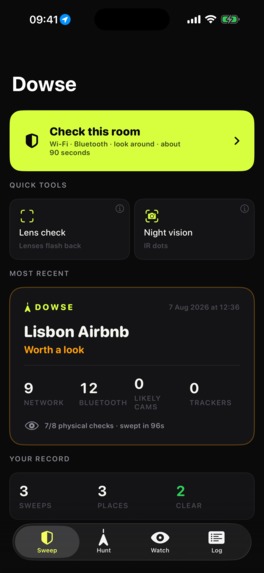
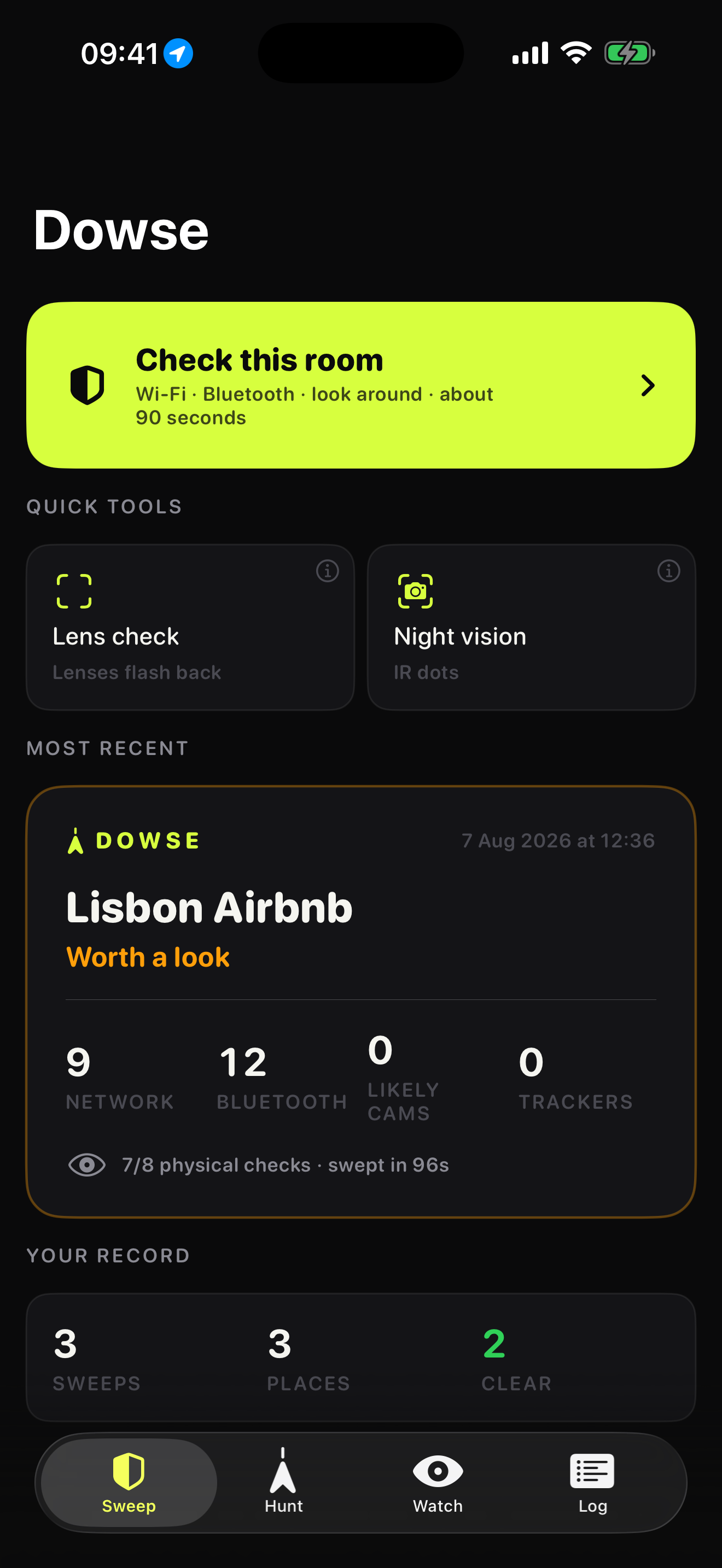
Home. One button starts a 90-second sweep of the room you're in. Quick tools underneath, last report pinned above your record.
-
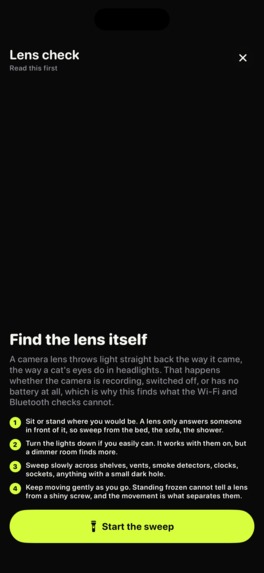
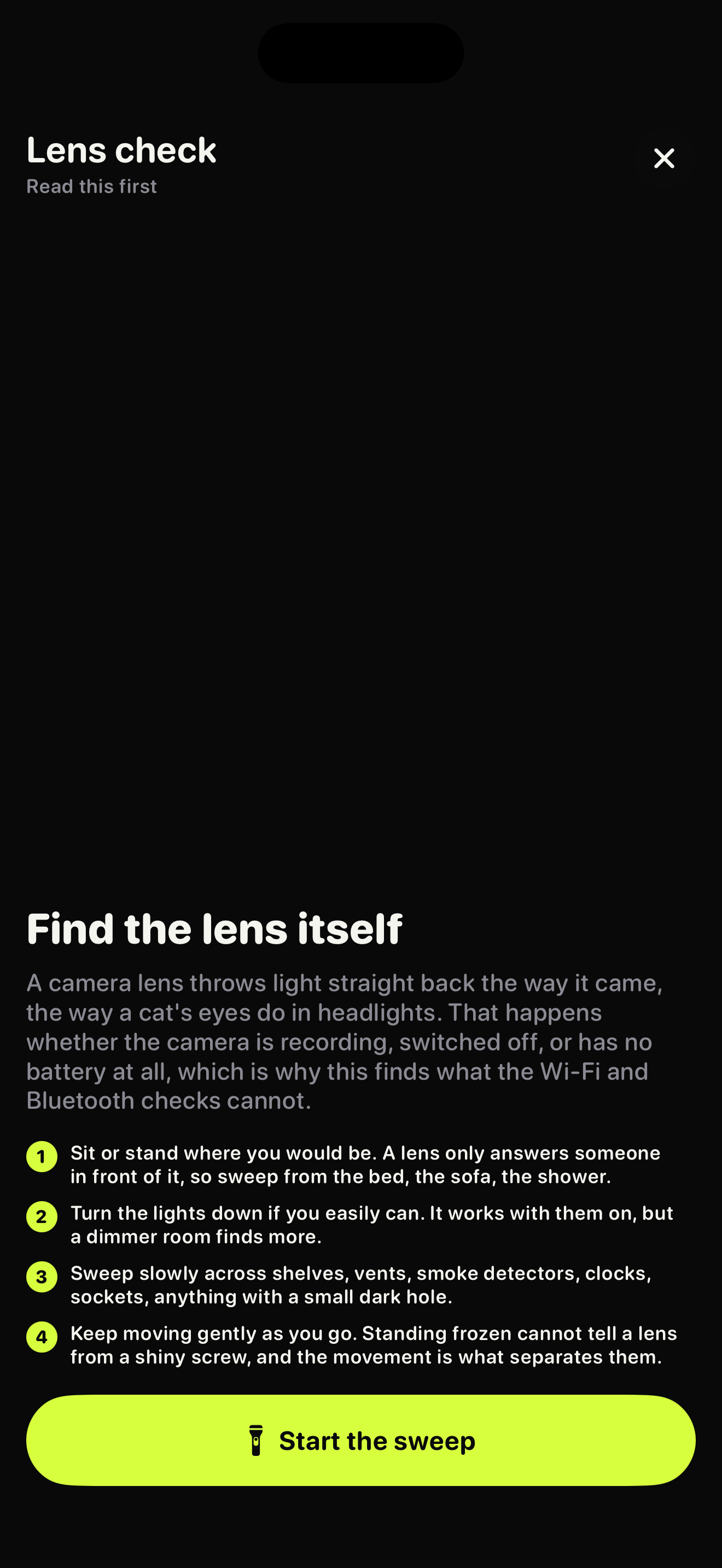
Lens check. The torch strobes across each spot and the phone buzzes when something flashes back the way a lens does.
-
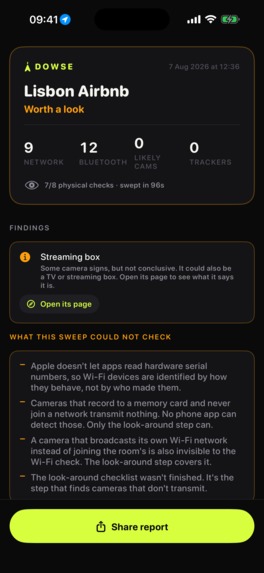
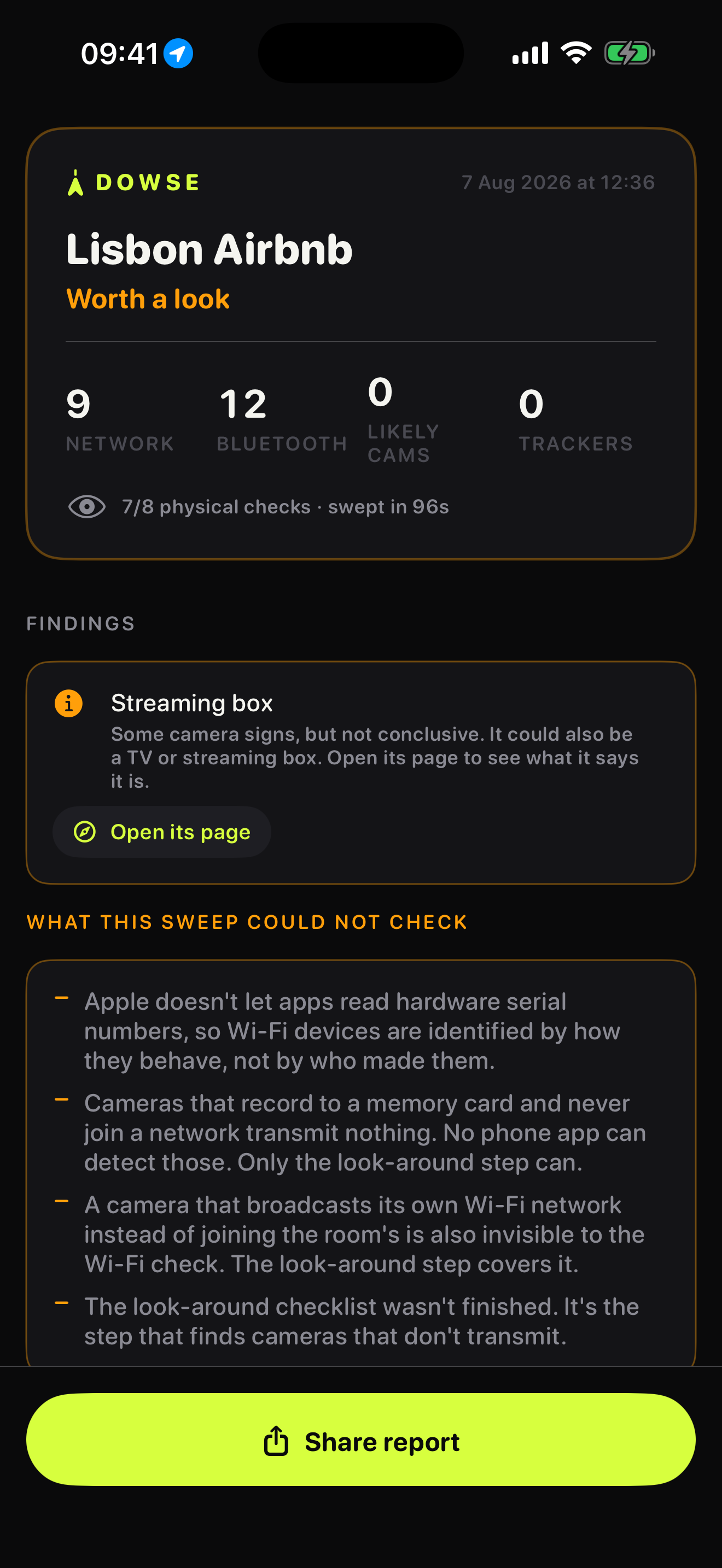
The Room Report. Findings first, then the part competitors leave out: what this sweep could not check, and why it couldn't.
-
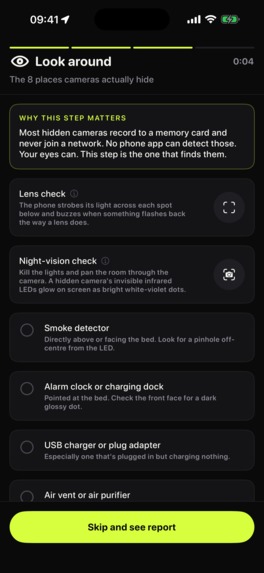
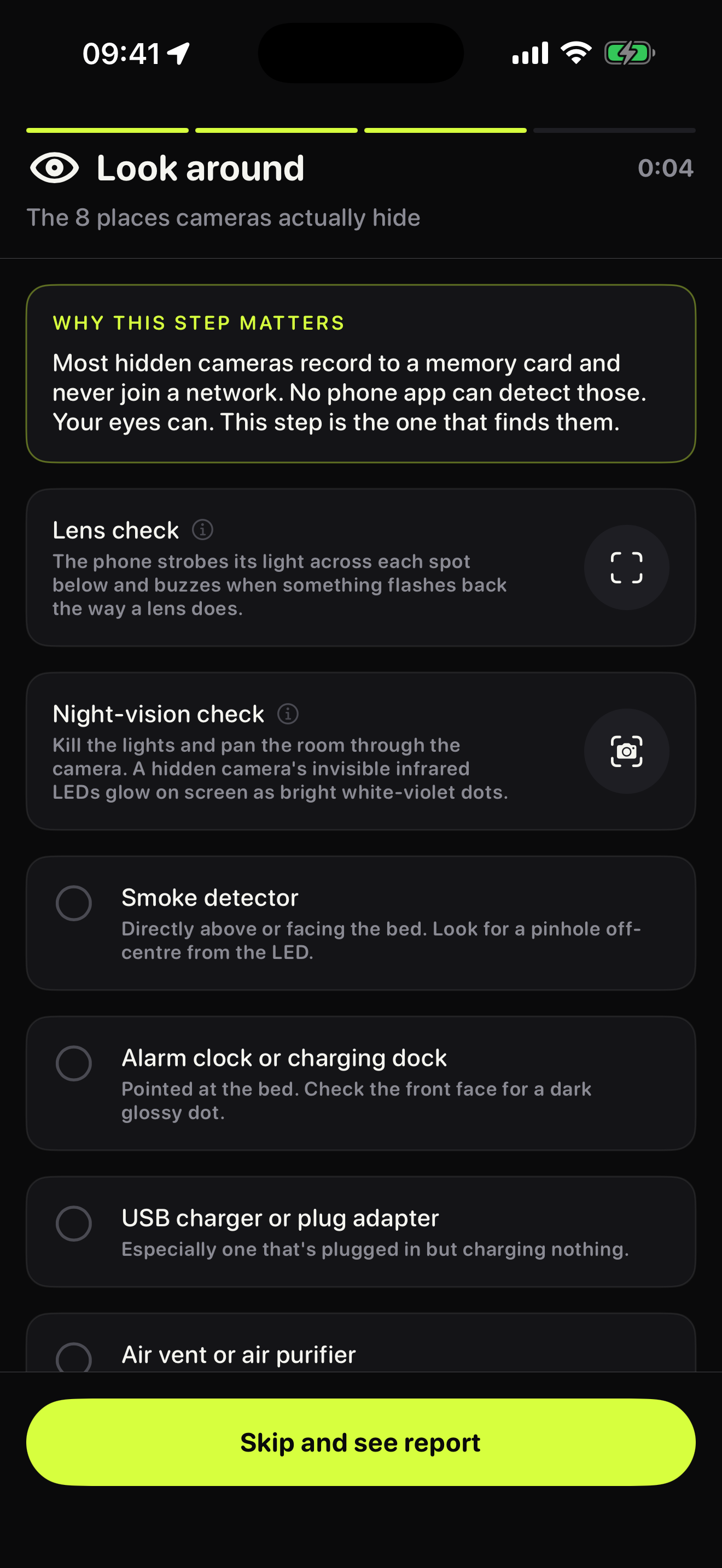
Look around, the third sweep phase. Most hidden cameras record to a memory card and never touch a network, so this step does the finding.
-
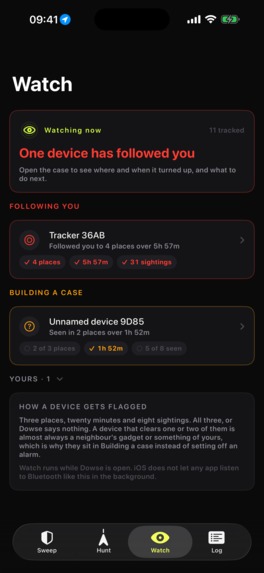
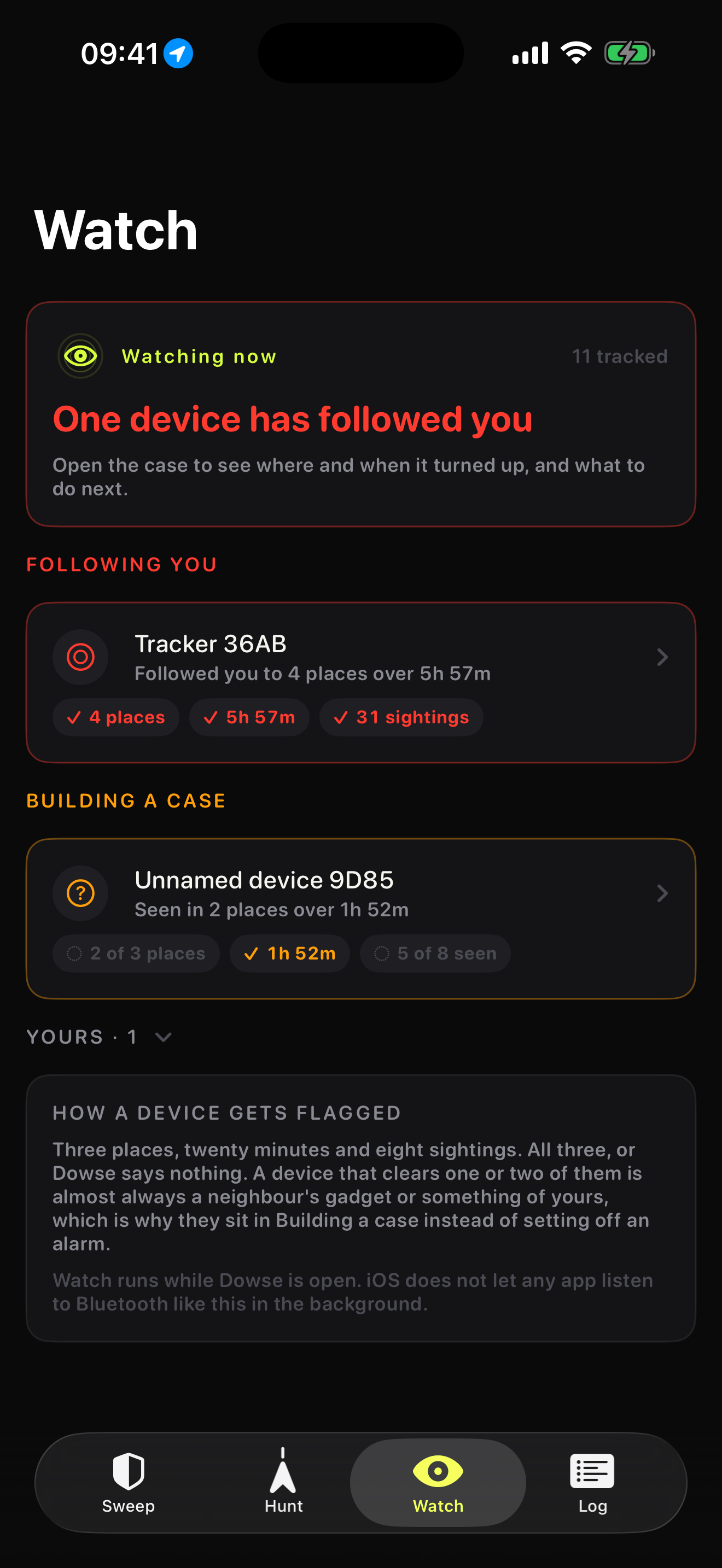
Tracker Watch. A device is flagged only after three places, twenty minutes and eight sightings. Short of that it stays a case, not an alarm.
-
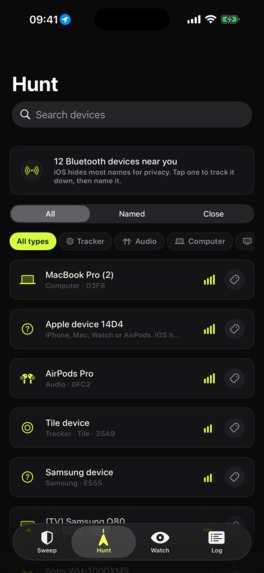
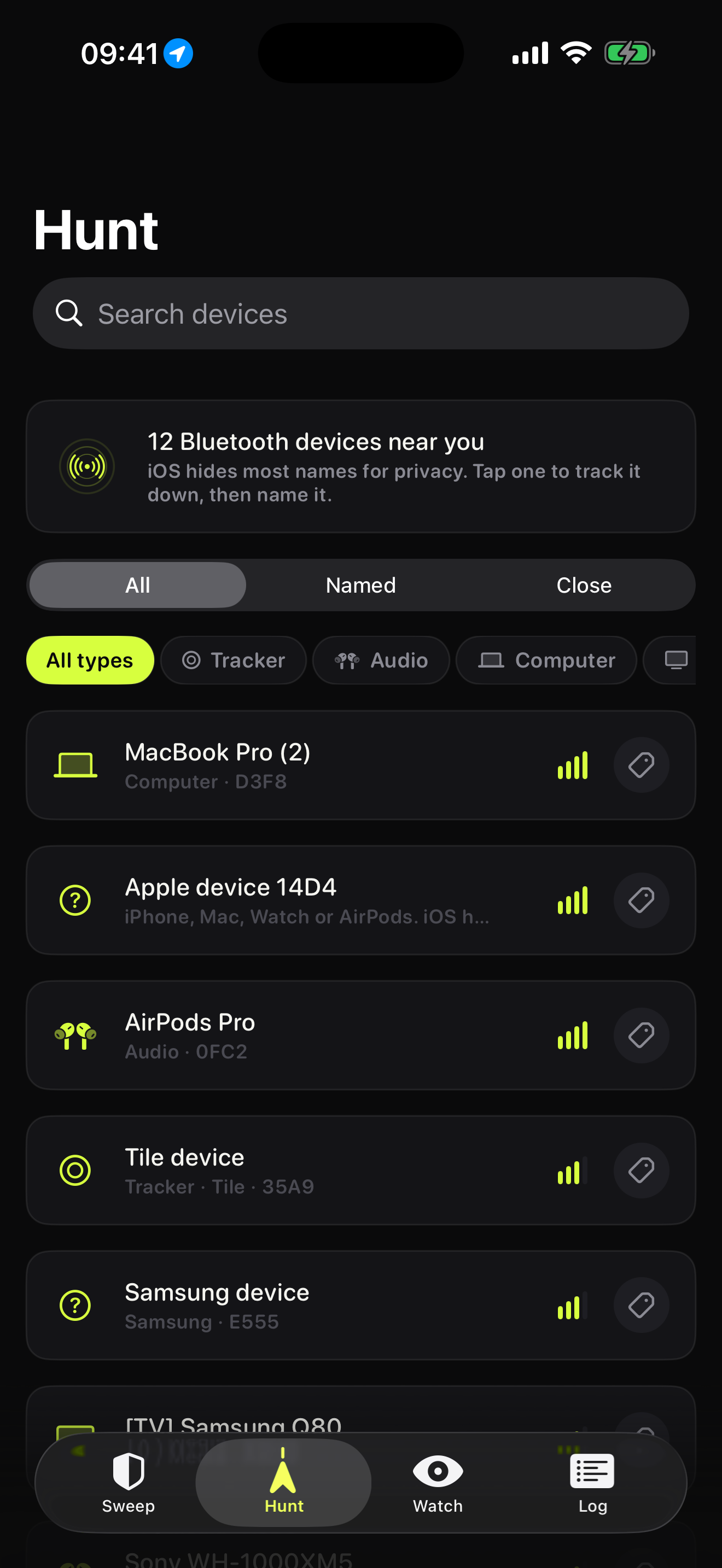
Hunt. Pick the Bluetooth thing you've lost, then walk it down hot and cold. Free forever, no paywall in front of it.
-
Dowse app icon, 1024x1024, uncropped.
Inspiration
I downloaded the top hidden camera detector apps on the App Store expecting to find a solved problem I could improve on. What I found was a category built on lying to frightened people.
Most are Wi-Fi scanners with an "AI lens detection" button that does nothing an ordinary camera preview doesn't. Several are magnetometer apps that will call a door hinge a hidden device. Consumer Reports tested ten of them and two detected even one planted camera. They all end the same way, with a green tick.
That green tick is the actual product being sold, and it is worse than useless. Someone who has been told the room is clear stops looking, so the physical check that would have found the camera never happens.
I wanted to build the one that refuses to give you a green tick it hasn't earned.
What it does
You name the room you're staying in and Dowse sweeps it in about 90 seconds.
It maps the Wi-Fi and works out what is actually on it, using read-only probes that speak the camera vendors' own discovery protocols, so a networked camera answers as a camera instead of sitting there as an unnamed IP address. It listens to Bluetooth and classifies what is advertising. Then it walks you through the eight places cameras are actually found, each with the specific thing to look for.
The lens check is the part that finds what nothing else can. A camera lens throws light straight back at its source, the same cat-eye effect that lights up animal eyes in headlights. It's a property of the optics, so it needs no power at all: an unplugged camera recording to a memory card gives itself away exactly as well as a live one. Dowse strobes the torch and watches for that return.
Seeing the glint was never the hard part. Throwing away everything that isn't a lens is the hard part, because a hotel room is full of mirrors, screens, chrome and gloss that all flash back at you. That rejection work is most of the engineering in this app, and it's the reason a result means something.
Hunt finds a lost Bluetooth thing and is free forever. A warmth dial, a Geiger click that speeds up as you close in, and a notch marking your best reading this session.
Watch asks whether the same tracker keeps turning up across places you've been. Nothing is flagged until it clears three places, twenty minutes and eight sightings, because a neighbour's speaker clears one or two of those bars all day long.
Why it's different
Every Room Report ends with a section headed "What this sweep could not check."
It names the offline cameras that record to a memory card and never join a network. It names anything hidden behind client isolation. If you denied a permission, it names that specific check and downgrades the verdict off "clear" rather than passing through as nothing found. Ambiguous devices get reported as ambiguous and never as confirmed.
No competitor ships this, because it undercuts the pitch. That is exactly why it's the moat. It's the honest account of what a phone can and cannot do, it's the refund-rate defence, and it's the only reason a clear result is worth trusting enough to renew on.
How I built it
Native Swift and SwiftUI, Swift 6.3 with strict concurrency, no cross-platform layer, because most of this app is CoreBluetooth, Network.framework and AVFoundation and every one of those is where an abstraction would have leaked.
RevenueCat handles every purchase path through a single object. The thing I underestimated was reinstall-proofing. A sweep app gets opened twice a year, so a free-sweep flag in UserDefaults is a free sweep you hand out again on every reinstall. It lives in the Keychain now and mirrors to iCloud.
Challenges I ran into
Most of the work was finding out what iOS will not let you do.
RF detection is permanently impossible. A real bug detector reads raw spectrum. iOS exposes none of it at any entitlement tier, and Apple's own developer support answer to "can you scan for nearby Wi-Fi networks" is a flat no. The 5G angle a few apps hint at fails twice over: the baseband is a separate certified processor you can't reach, and it's locked to licensed bands anyway while cameras sit on unlicensed 2.4 and 5 GHz.
LiDAR lens detection doesn't survive contact with an iPhone. There's a good academic paper behind it that plenty of apps cite and none implement, and it leans on sensor data Android exposes and Apple doesn't. Two days of reading to arrive at no. What saved the feature was realising the underlying physics never needed a depth sensor in the first place.
What I learned
The interesting engineering in a detector app lives in the negative space. Anyone can list the devices on a network. Working out which claims the hardware can actually support, then building the interface around the honest subset instead of the marketable one, is the whole job.
That includes being straight about my own weak spots. Night vision is the flimsiest tool in the app, because iPhones carry IR-cut filters on both cameras and plenty of hidden cameras use 940 nm illuminators specifically to beat it. It stays because it costs nothing and sometimes works, and the copy around it says exactly that.
What's next for Dowse
Home Guard: sweep your own home as a named baseline and get a monthly diff against it. "Two devices on your network that weren't here last month" is a much better reason to open a utility than a hotel check-in twice a year.
Then background tracker scanning, held out of 1.0 because the platform limits are genuinely ugly and I would rather design around them honestly than ship a promise.
Built With
- avfoundation
- bonjour
- corebluetooth
- corehaptics
- coremotion
- icloud
- ios
- keychain
- network.framework
- onvif
- revenuecat
- rtsp
- storekit
- swift
- swiftui
- xcode

Log in or sign up for Devpost to join the conversation.