-
-

App Icon
-
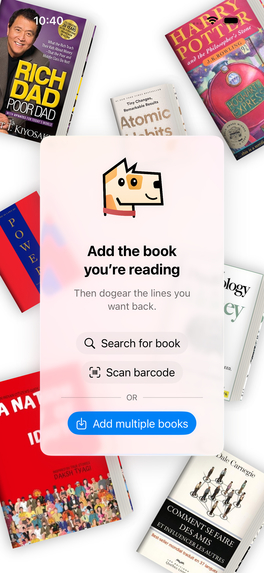
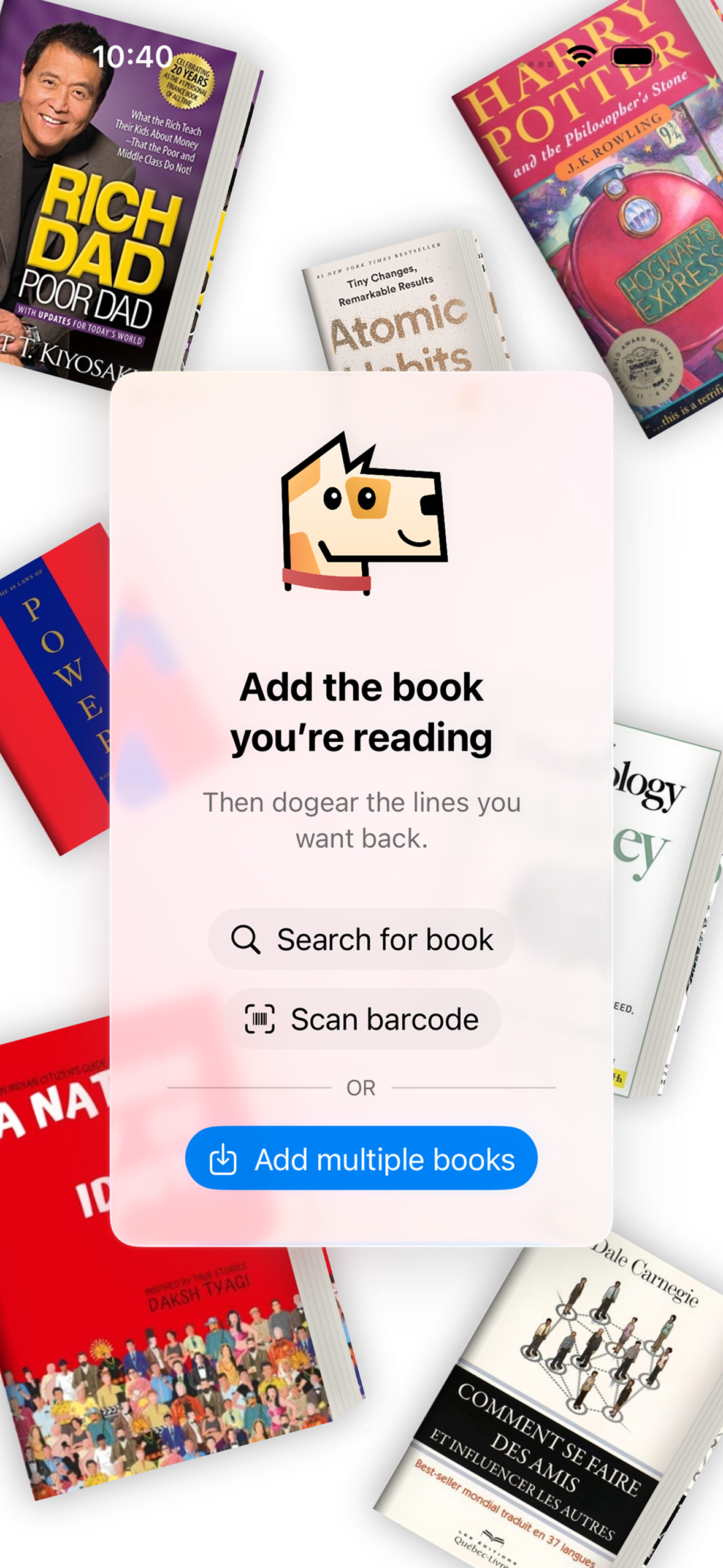
Empty view: shown at launch with options to get started and 7 books recommendation
-
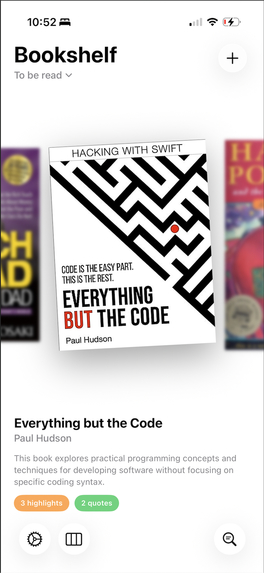
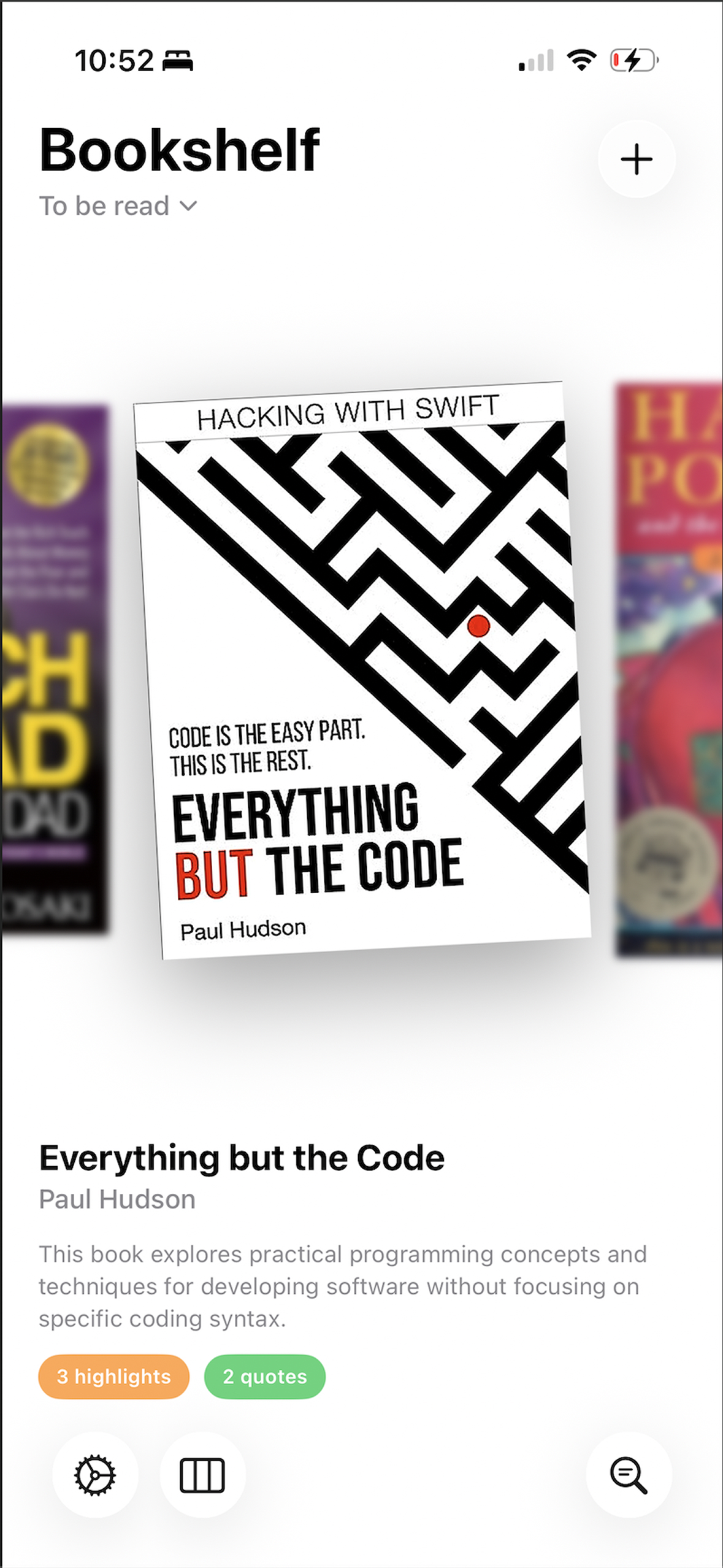
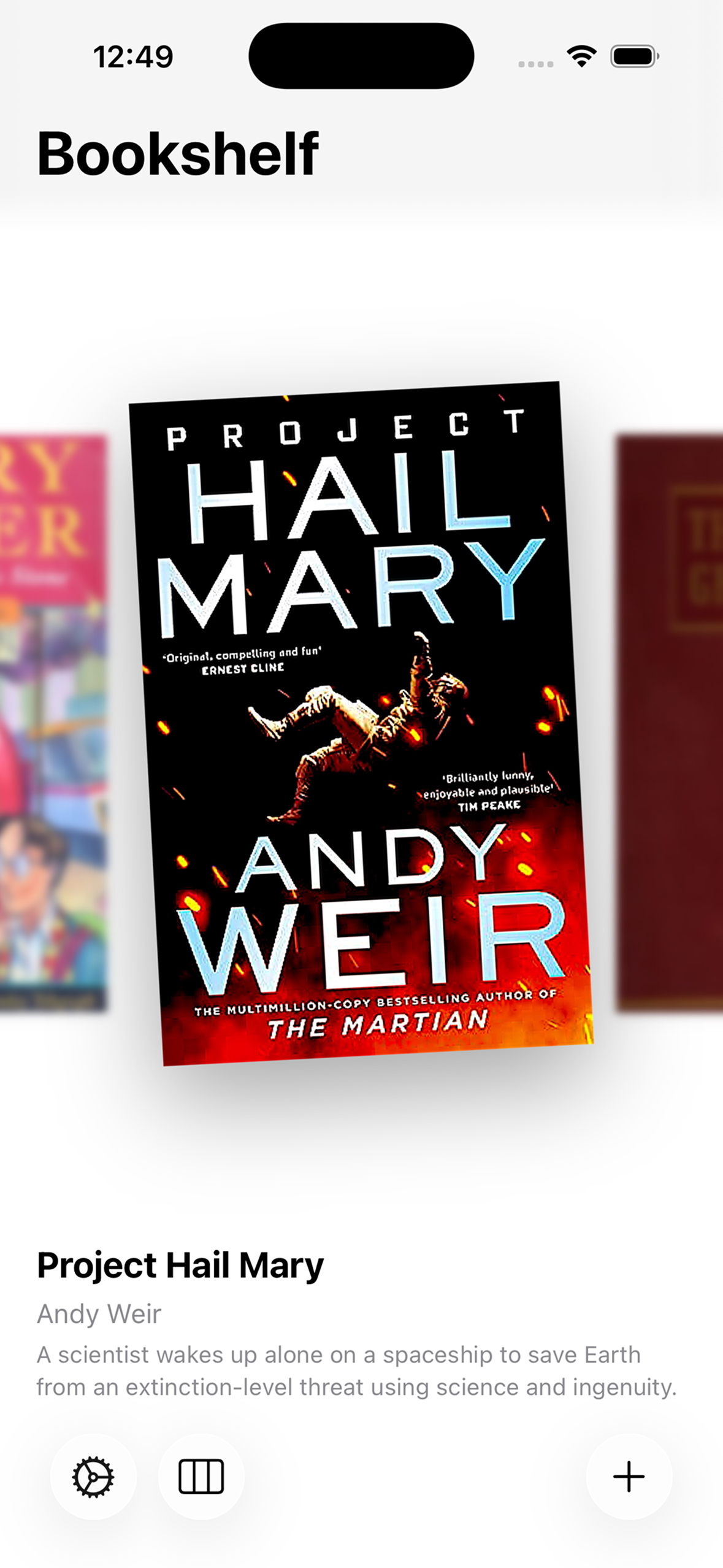
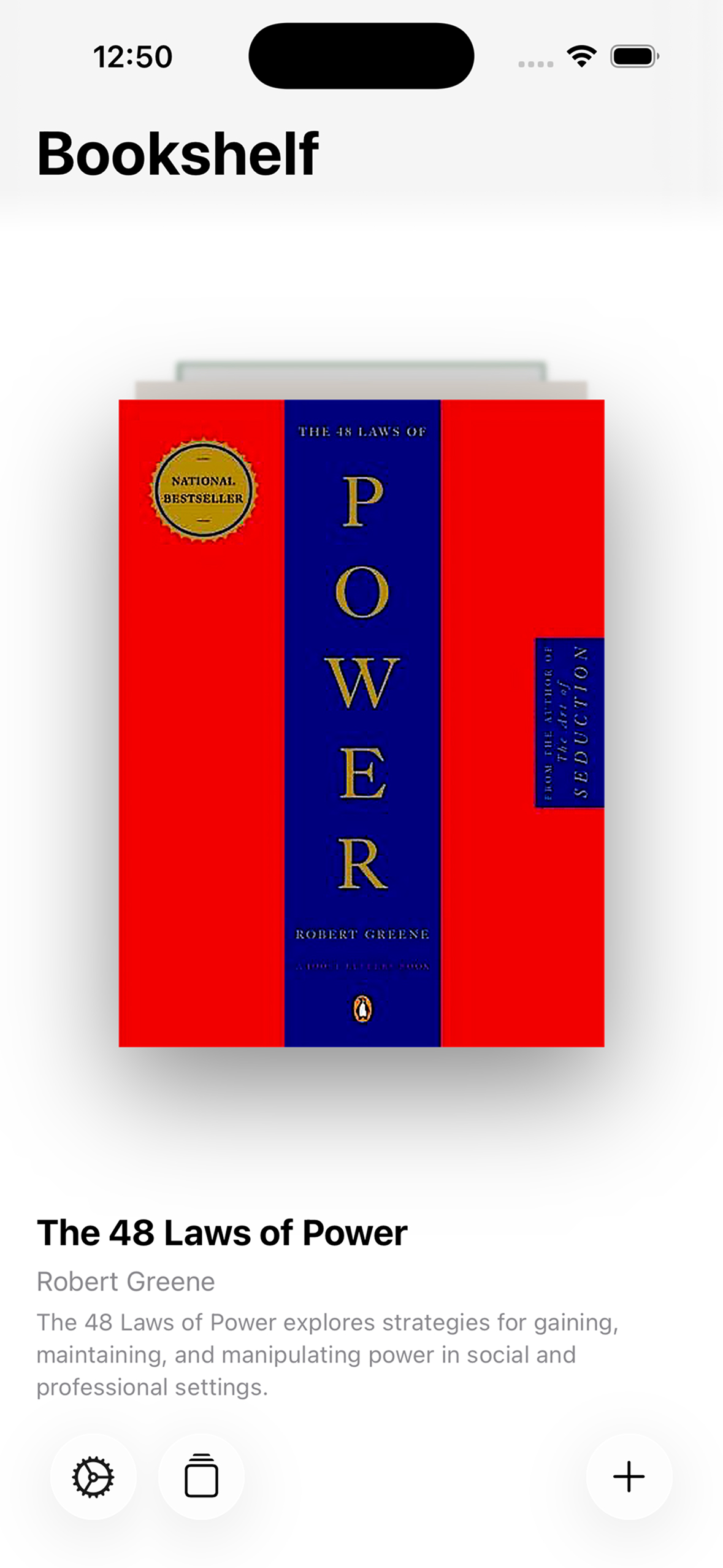
Bookshelf View
-
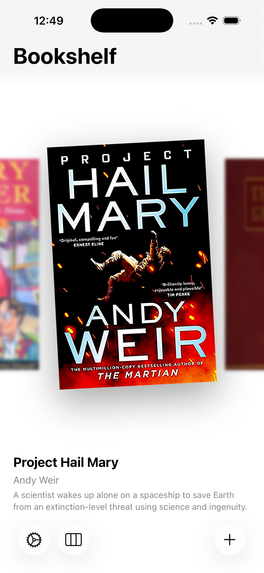
Carousel style card arrangement
-
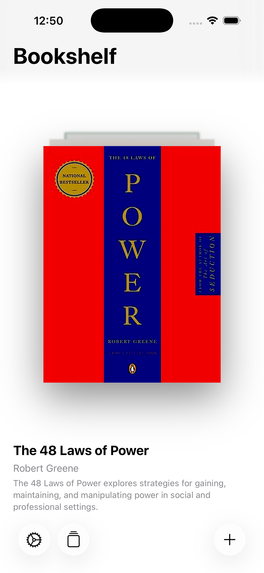
Stack style card arrangement
-
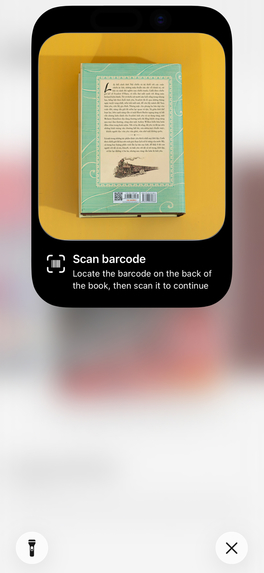
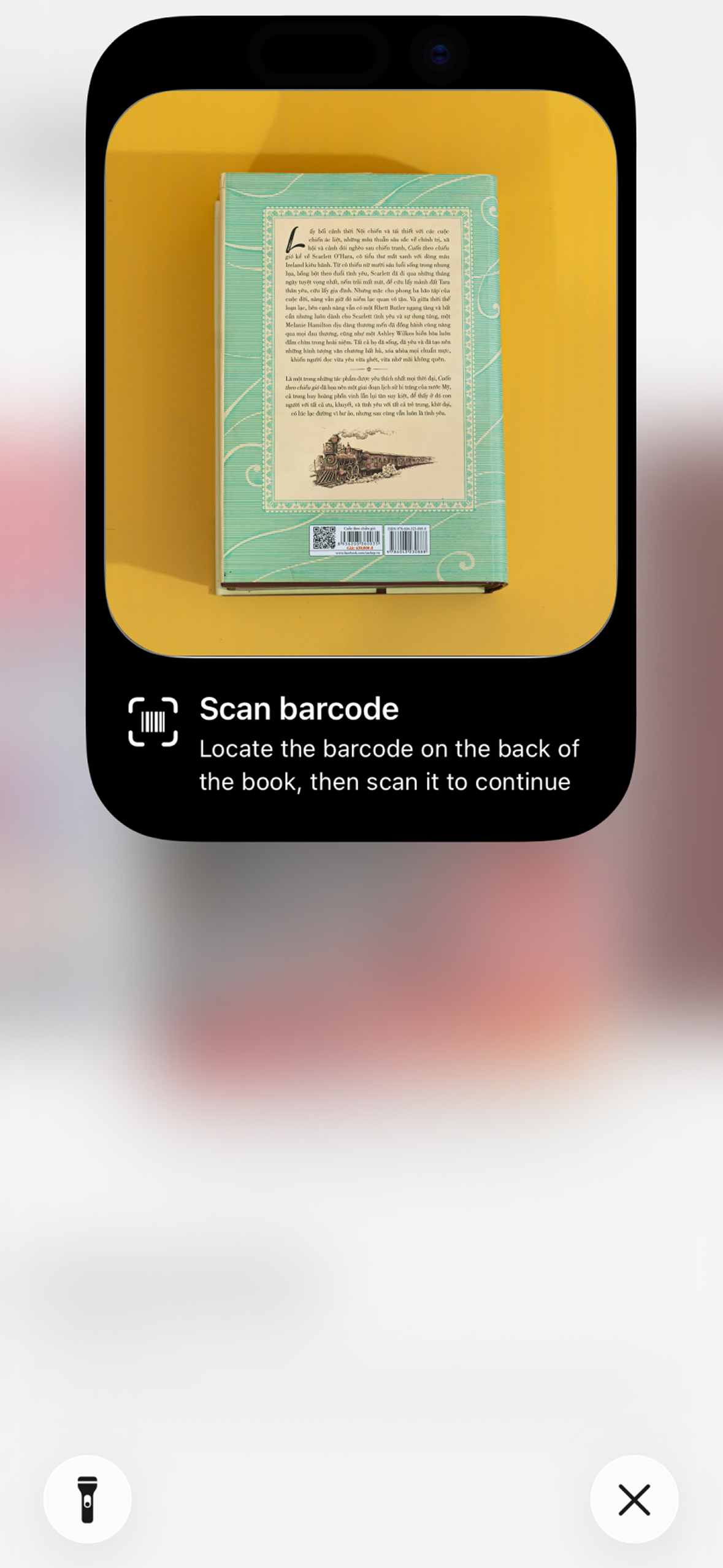
Book barcode scanner
-
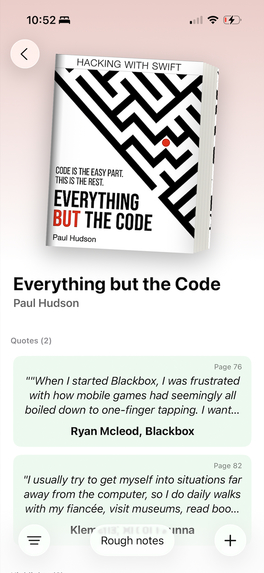
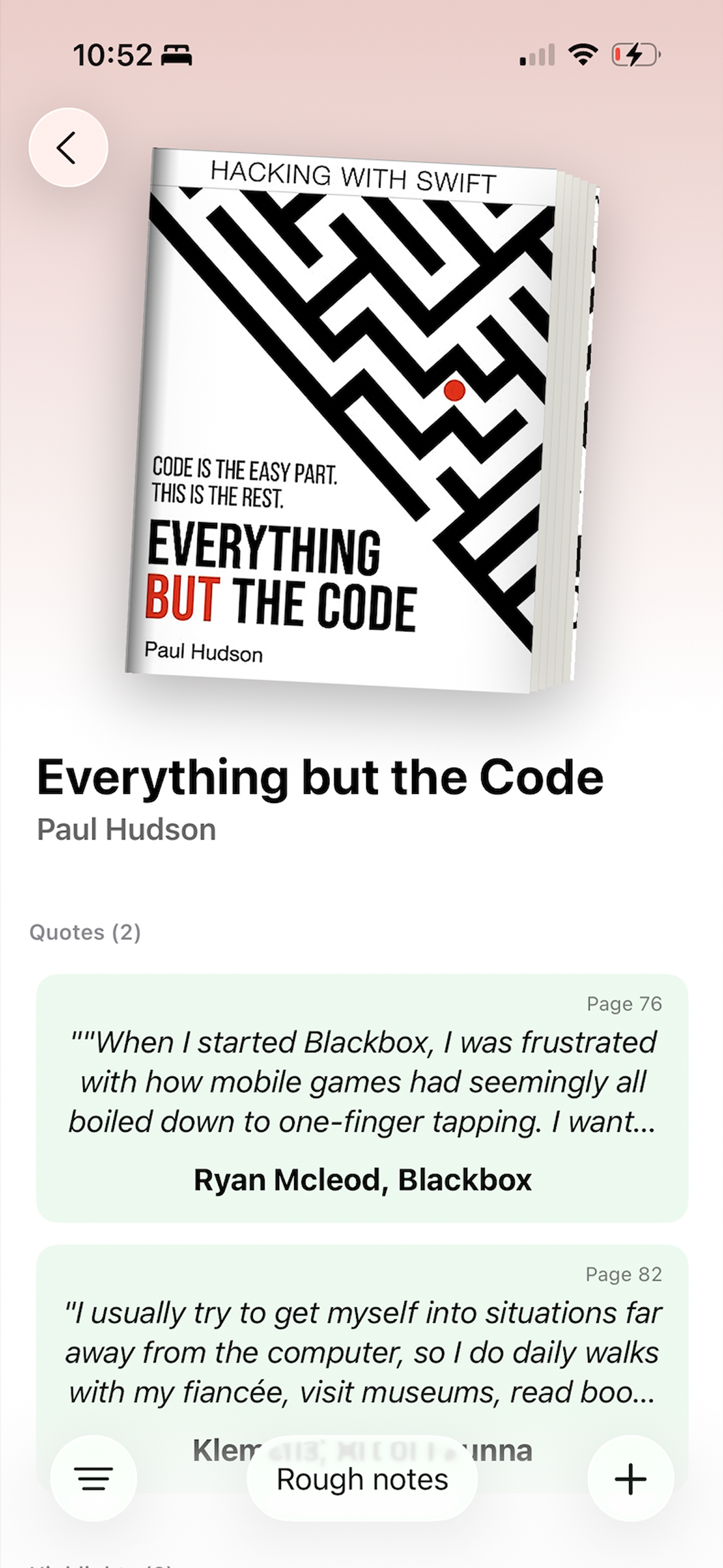
Saved book detail view
-
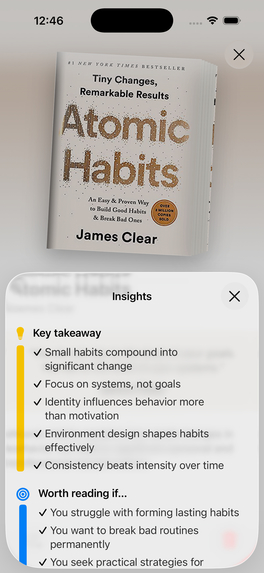
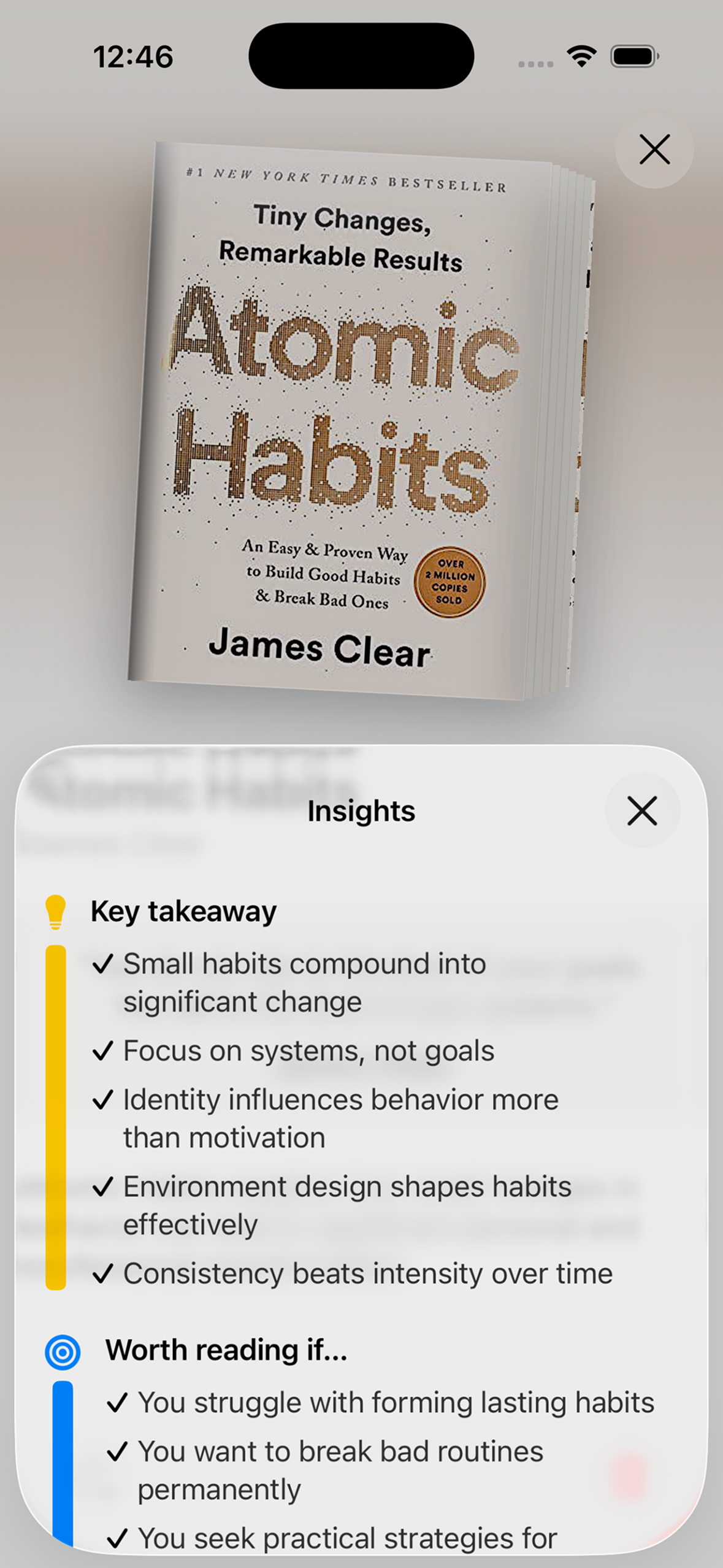
Insights on book details view
-
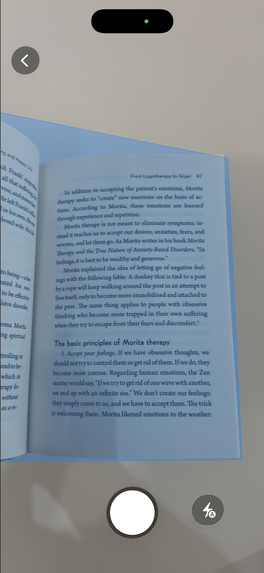
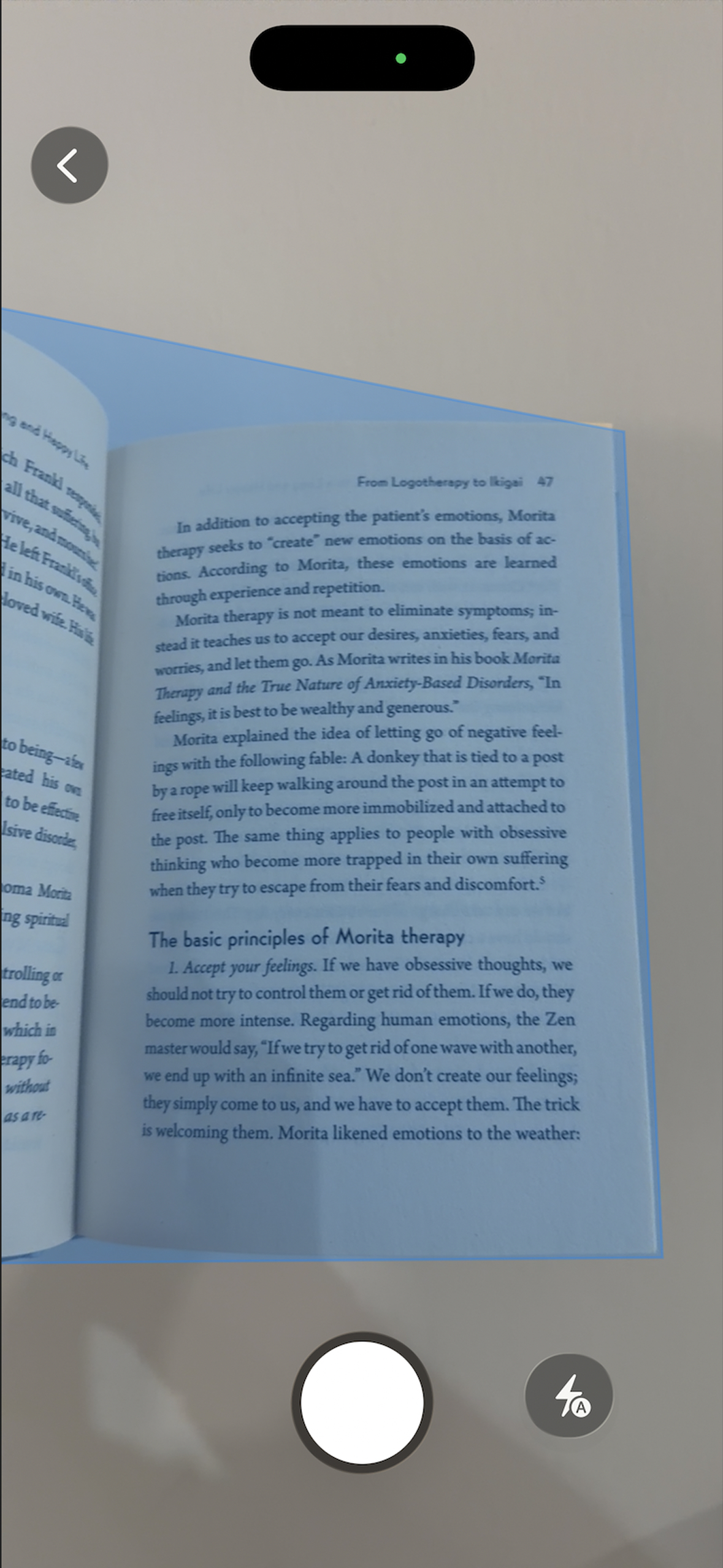
Page scanner
-
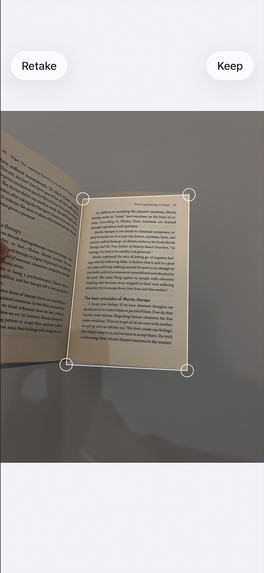
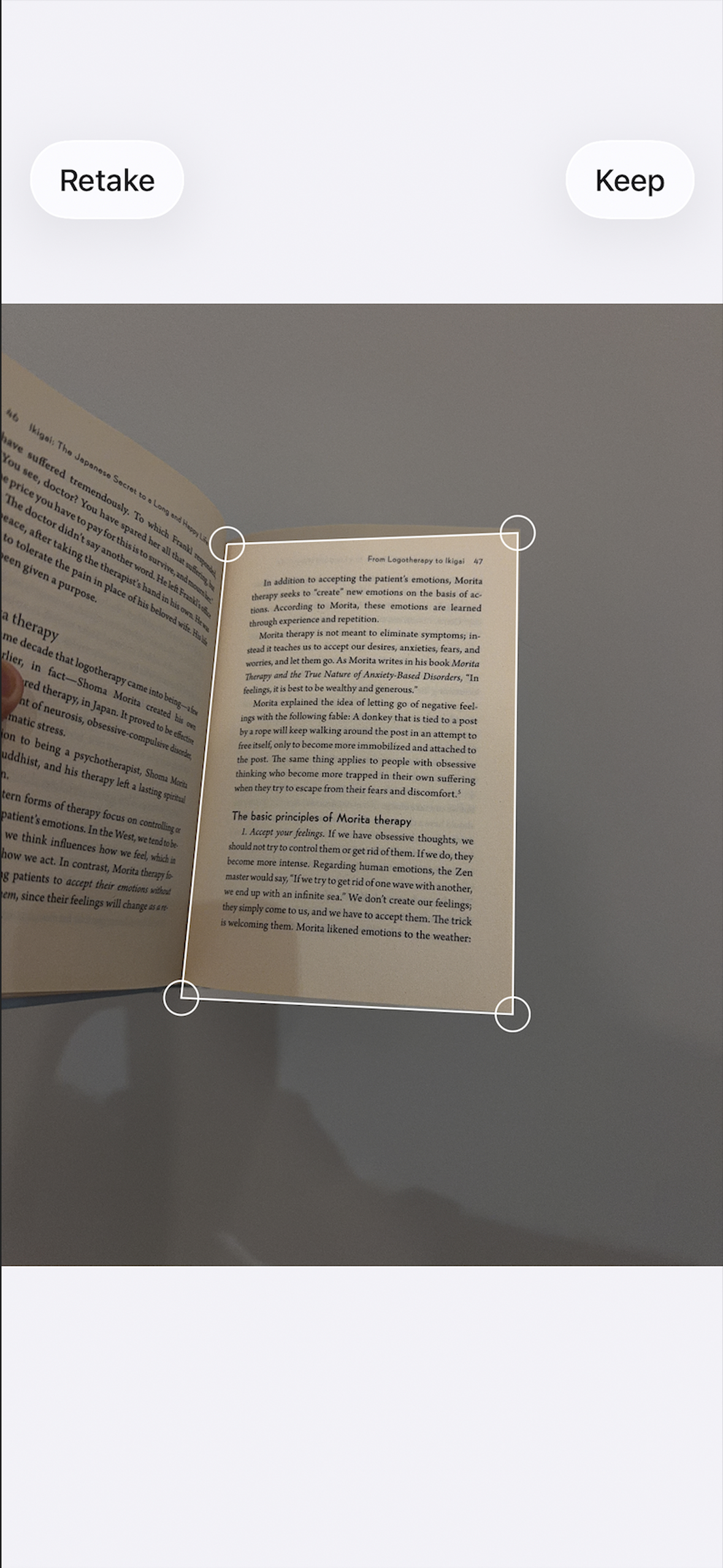
Page detection in action
-
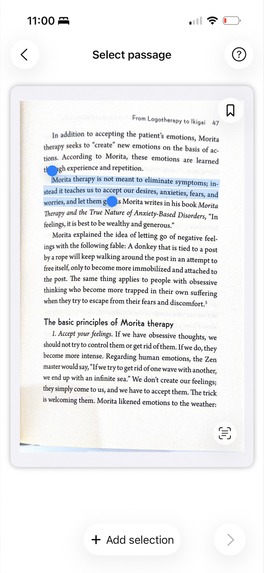
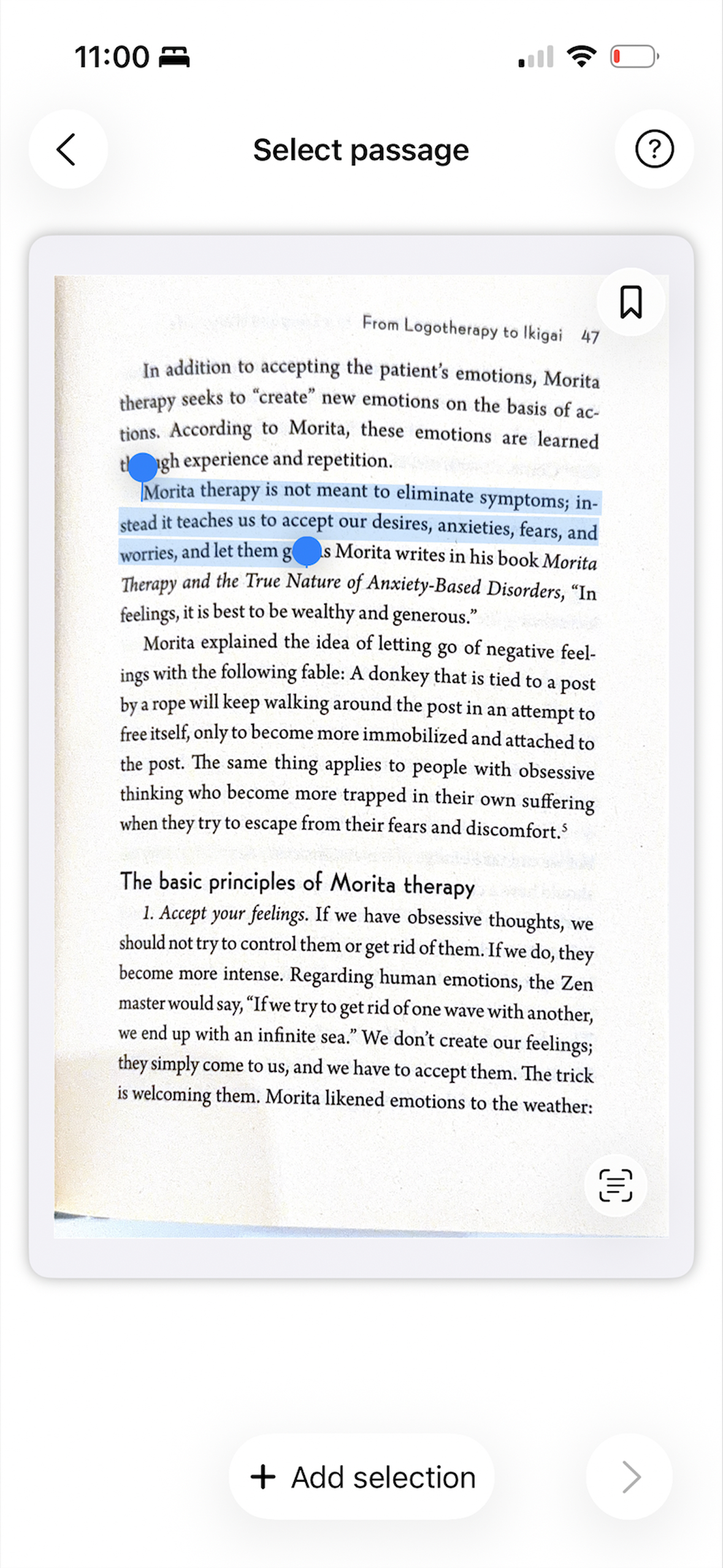
Highlight passage view
-
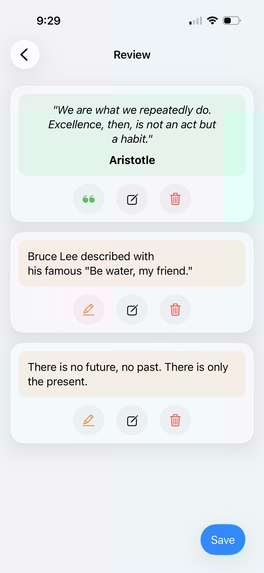
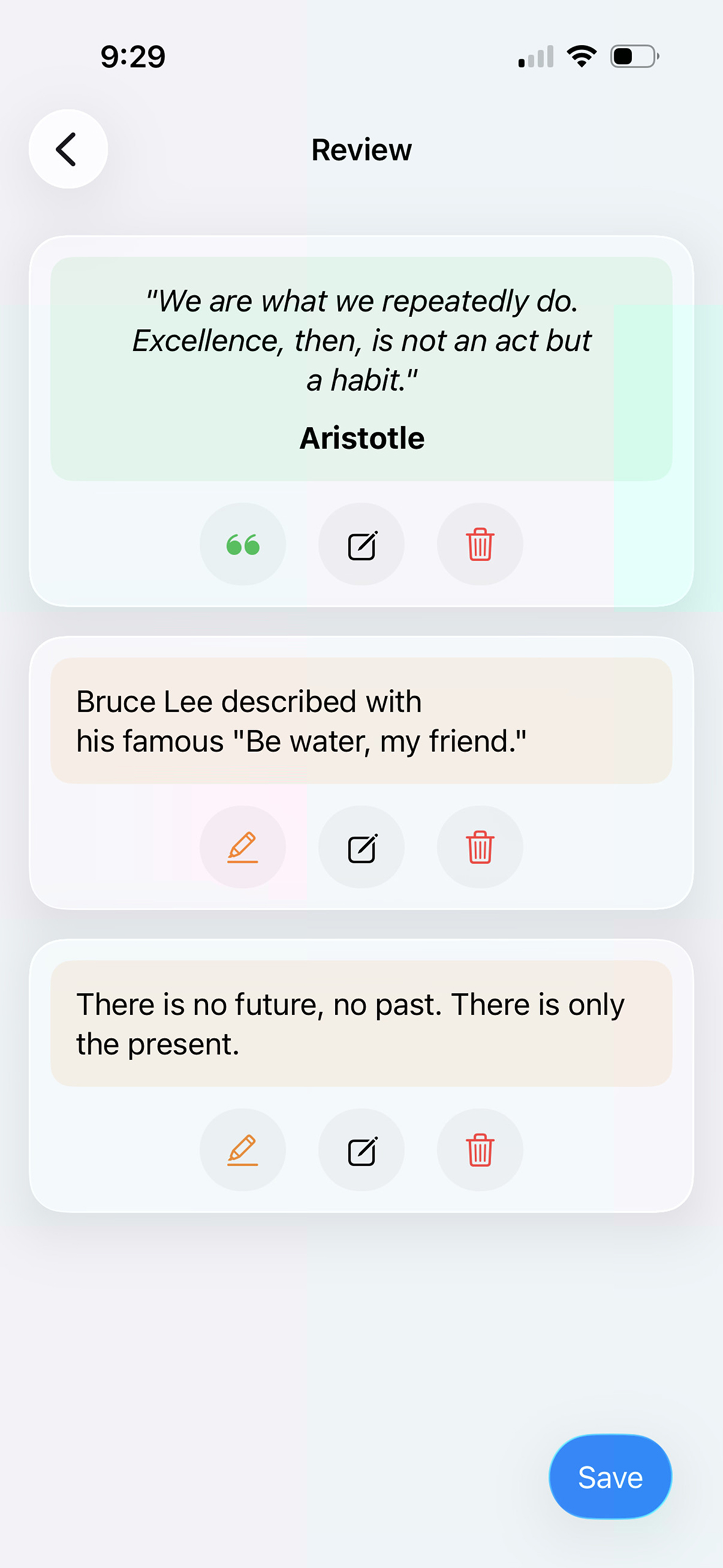
Review and edit passage view
-
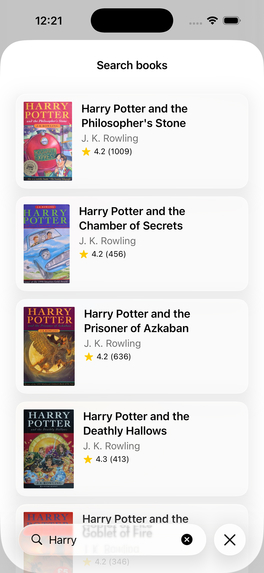
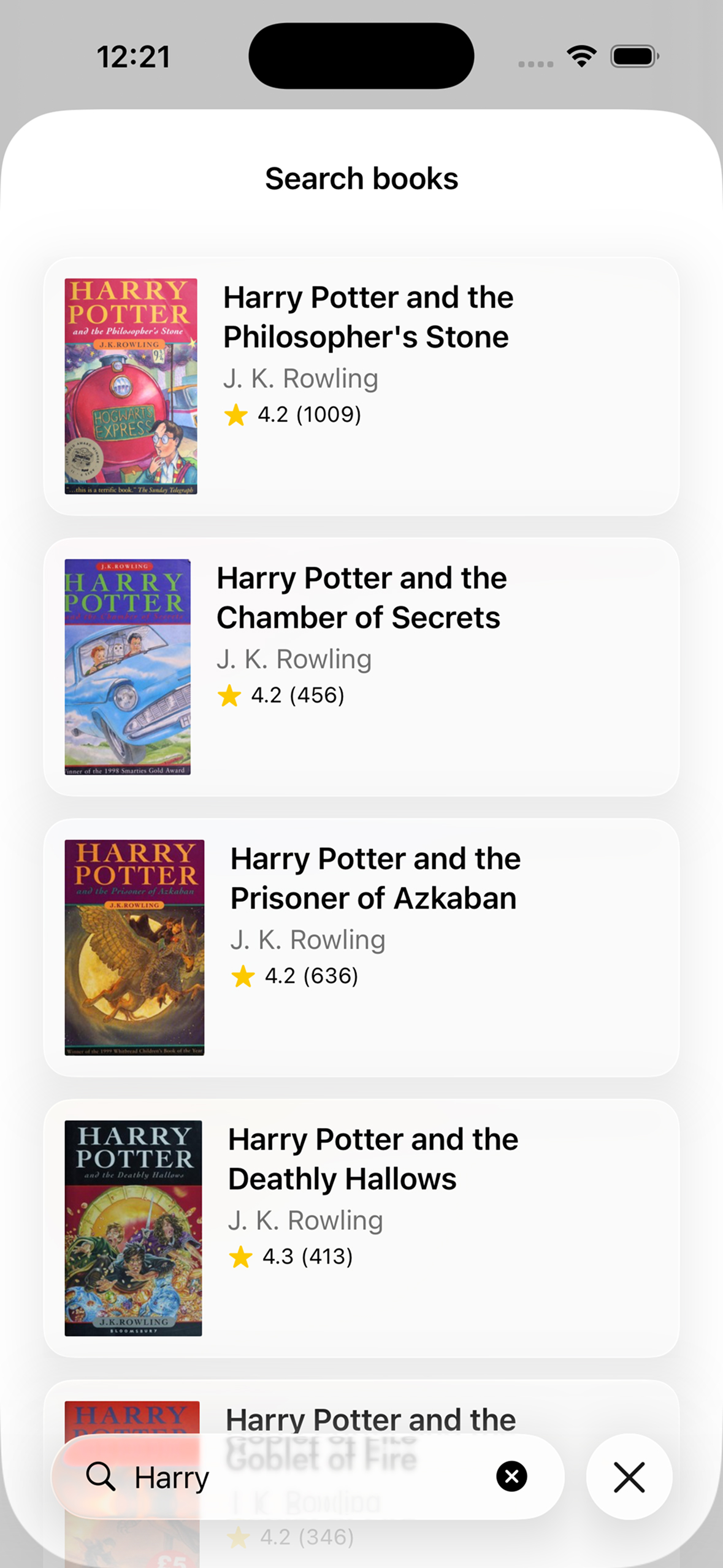
Search view to find and add new books
-
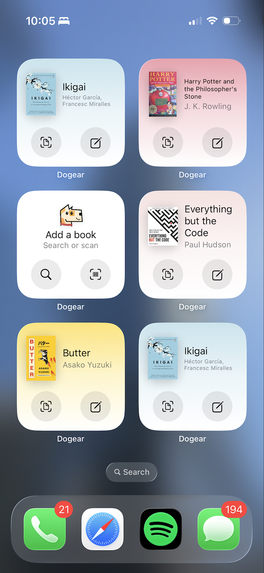
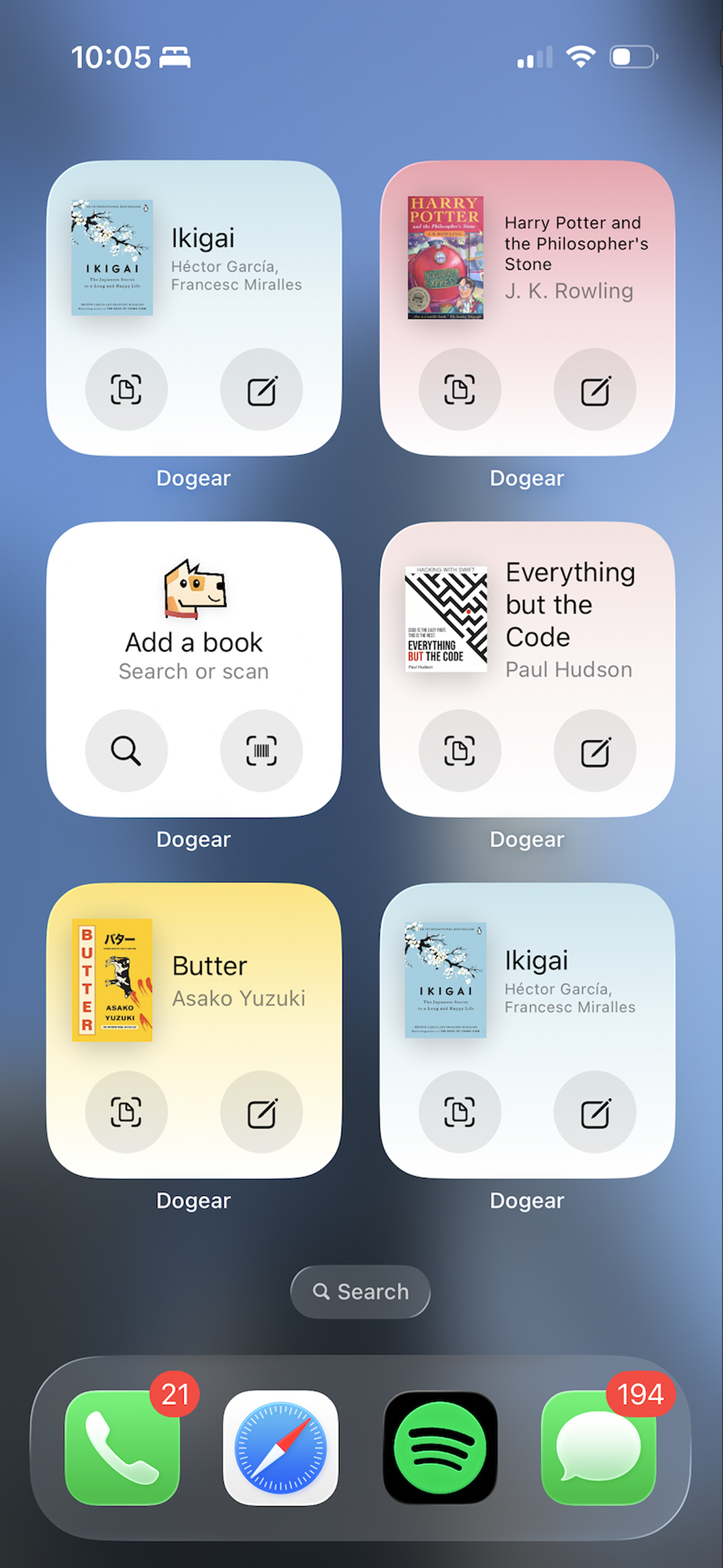
Shortcut widgets on Home Screen
-
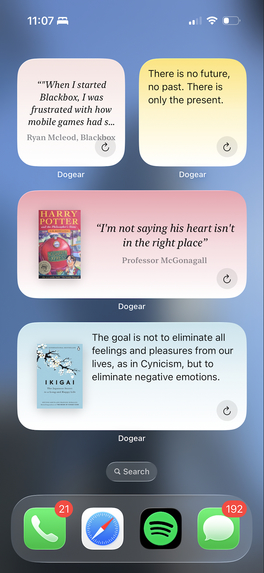
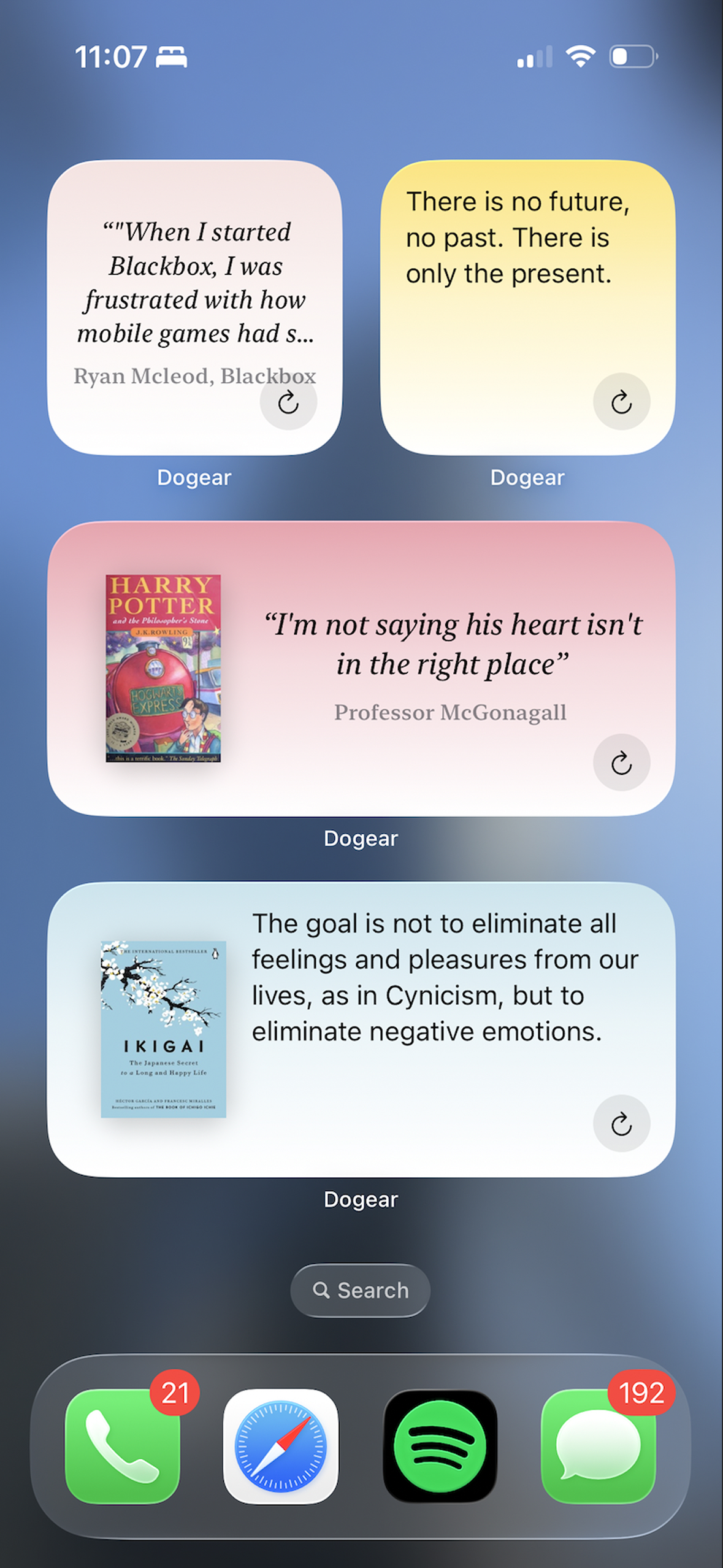
Resurface passage widgets on Home Screen

Dogear is a reading companion. It was made to save books, quotes, highlights and bookmarks while you read. It is available on the App Store for iOS.
Inspiration
I love reading books but the issue is that, because of information overload and whatnot, it's hard to retain the information especially from the books I read last year. Being an iOS developer, I did the obvious thing. I created an app for that.
Also, there's an interesting story behind the name itself. Dogear means a folded corner of a page in a book, marking a passage worth returning to. And I wasn't aware of this before I did the research to find a perfect name for the app that reflects what the app actually does. Even the app icon communicates that.
What it does
It saves books digitally in a beautiful bookshelf. With its minimalistic design and well-thought-out flow, it helps users focus on what's important: books and their content.
The app provides many options to add a new book: search, scan a barcode or bulk import via CSV (supports Goodreads export).
Within a saved book, users can save passages and the app provides various options to achieve that: manual entry or highlighting the passages from the scanned page itself via the OCR flow. Once the book and passages are saved users can resurface them on the bookshelf itself, via home screen widgets or through push notifications.
Dogear offers 2 payment options to make sure everyone's purchase needs are met.
- Dogear++ is $1.99 a month or $19.99 a year subscription.
- Dogear Slot is $2.99 for one title.
The subscription gives Pro-level access to the entire app with unlimited bookshelf space and passage saves. Whereas Slot unlocks unlimited passage saves and resurfacing for one particular book. Dogear Slot option was tricky to set up since it has multiple moving parts. To achieve that, the book is stamped onto the purchase, RevenueCat records it, and Restore can bring that title back after the app is deleted.
I also used OneSignal journey to bring users back to the app. If reminders are on, a Journey sends once five days have passed since a passage was saved, or opened from the widget or a notification. The notification is the saved line which cycles over the saved list. Tapping it opens that passage through deeplink.
How we built it
Dogear is a native app built using SwiftUI framework. Books live in SwiftData. Passages, notes, and page images live in files on the device.
A new book can be added via search, barcode scanner or bulk CSV import (compatible with Goodreads export).
- Search
- Search uses Open Library, Apple Books, and Google Books.
- Barcode scanner
- The barcode scanner reads an ISBN with the camera and looks that ISBN up on Open Library.
The app further offers 3 different options to add a passage to the saved book:
- Manual entry: the user types the required fields on a form to be saved manually
- OCR scanner: text can be highlighted from a scanned page with Apple’s VisionKit and Live Text
- Gallery upload: use the same flow as the OCR flow, just add the option to upload the scanned pages from the gallery.
Optional summaries on book details are written with OpenAI API.
For monetization, Dogear++ and Dogear Slot are StoreKit purchases through RevenueCat. For a slot, the book is stamped onto the purchase and RevenueCat records the transaction, so Restore can recover that title after the app is deleted.
Once a passage is saved, the app offers mutiple option to resurface them. Some of the options are:
- Widget: Home Screen widgets are built with WidgetKit.
- Reminder notifications: Reminders the reader turns on are scheduled on the device. The quiet return is a separate OneSignal Journey, built from the last line they saved.
Challenges we ran into
Dogear initially did not start as a reading companion. First version was actually a book discovery app that helps readers find books by providing them with summaries. I announced the project on X and no one showed up.
It was a bit disappointing but after a bunch of research it turns out users don't want an app that they can do themselves with one prompt in a free AI tool. So I pivoted and Dogear ended up being an app whose strength lies in user generated content rather than AI-generated content.
I have also written a bunch of articles documenting the journey, pivot and the app itself on Hacker Noon:
Introducing Dogear: Never Lose a Book Worth Reading: Link
Building Dogear Taught Me to Validate Before I Ship: Link
Building Dogear’s On-Device Scan-to-Save Pipeline With Apple Vision and Live Text: Link
Inside Dogear’s SwiftUI Architecture: Link
Accomplishments that we're proud of
For starters, Dogear is on the App Store.
It is not the app I started with since the first version helped people find books by summarizing them. I announced it on X, and no one showed up. After looking into it, I learned that readers prefer doing that themselves with a free AI tool and a single prompt. Starting over and making Dogear a home for the highlights, quotes, and bookmarks a reader chooses to keep, is the accomplishment I care about most.
I am proud of how a passage is saved. The page is scanned on the phone with Apple’s document scanner and Live Text. The reader picks the lines, and they stay on the device. After that, the same passage can come back on the bookshelf, on a Home Screen widget, or from a notification that opens it directly.
The way it is paid for, took the same kind of care. Dogear++ is $1.99 a month or $19.99 a year, and it unlocks unlimited shelf space, passage saves, and longer briefs. Dogear Slot is $2.99 for one title and it unlocks unlimited passages for that book. The book is stamped onto the purchase, RevenueCat records the transaction, and Restore can recover the title after the app is deleted. The OneSignal Journey is built from the last line saved. If reminders are on, it sends once five days have passed since a passage was saved, or opened from the widget or a notification. Tapping it opens that passage.
Along the way, I also practised writing since I posted a couple of articles on Hacker Noon these last 2 months.
What we learned
First and foremost, is to always validate the idea and do your research before you write a single line of code. While developing Dogear, I also started reading Everything but the Code by Paul Hudson so I did try to apply as many learnings as possible during its development process.
What's next for Dogear: Digital book library
There are a lot of features that are in the pipeline for Dogear:
- Adapt the app for iPhone Duo.
- Add a flashcards section that lets users just swipe through the saved passages in a Tinder-like swipe fashion.
- I am researching a way to upload a finished book with highlights (for eReaders like Kindle) to scan and save the book in one go.
- Expand support to other platforms: iPadOS and macOS
- Work on iCloud sync so the saves can sync and be saved over multiple devices
Built With
- appintents
- avfoundation
- combine
- coreimage
- coremotion
- cursor
- googlebooksapi
- icloud
- ios
- itunessearchapi
- onesignal
- openai
- openlibrary
- revenuecat
- revenuecatui
- storekit
- swift
- swiftdata
- swiftui
- telemetrydeck
- uikit
- usernotifications
- visionkit
- widgetkit
- xcode


Log in or sign up for Devpost to join the conversation.