
Inspiration
This is my grandmother. She raised me.
A while back Facebook's On This Day threw up this photo. It's ten years old — the two of us in Japan, her carrying her own bag, walking down some street. She out-walked all of us that whole trip. We were the ones falling behind.
These days she can't walk on her own. She's losing her words, and she isn't always sure who I am.
I've been around for all of it, so none of that was news to me. What got me was the gap between those two versions of her, and the fact that I'd never once gone looking for it. That photo had been sitting in my own camera roll the entire time. I only saw it because another app decided to put it in front of me one day, in a feed, in between other things.
That felt backwards to me. The most complete record any of us keeps of the people we love is the camera roll on our own phone, and it's the one place we never open.
So I made deja. It hands me photos from a random day in my past, every day, whether or not anything reminds me to go look. It's not really a nostalgia thing. Seeing what ten years actually does to someone is what gets me to put the phone down and go sit with her, and that's the part I wanted to keep.
What it does
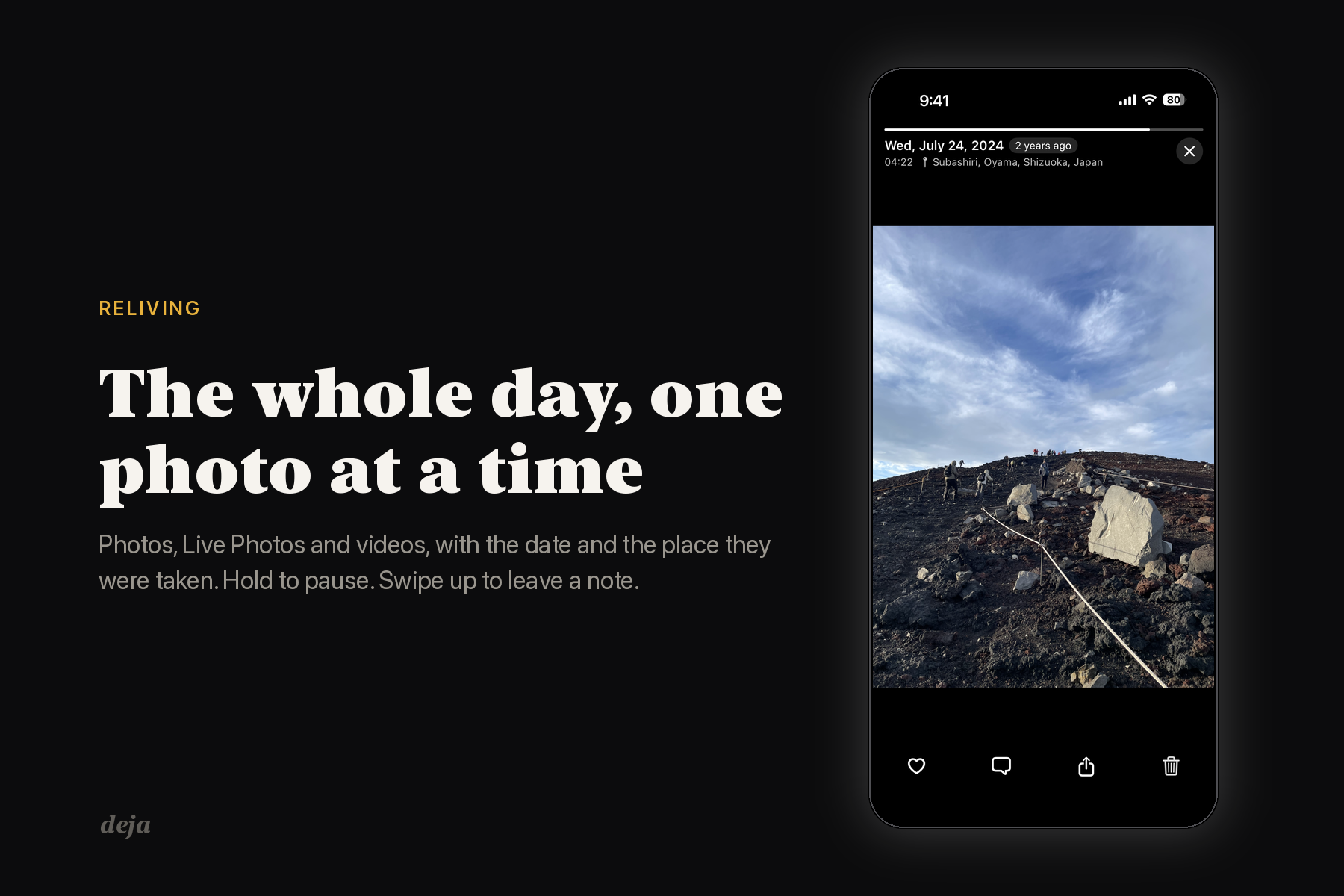
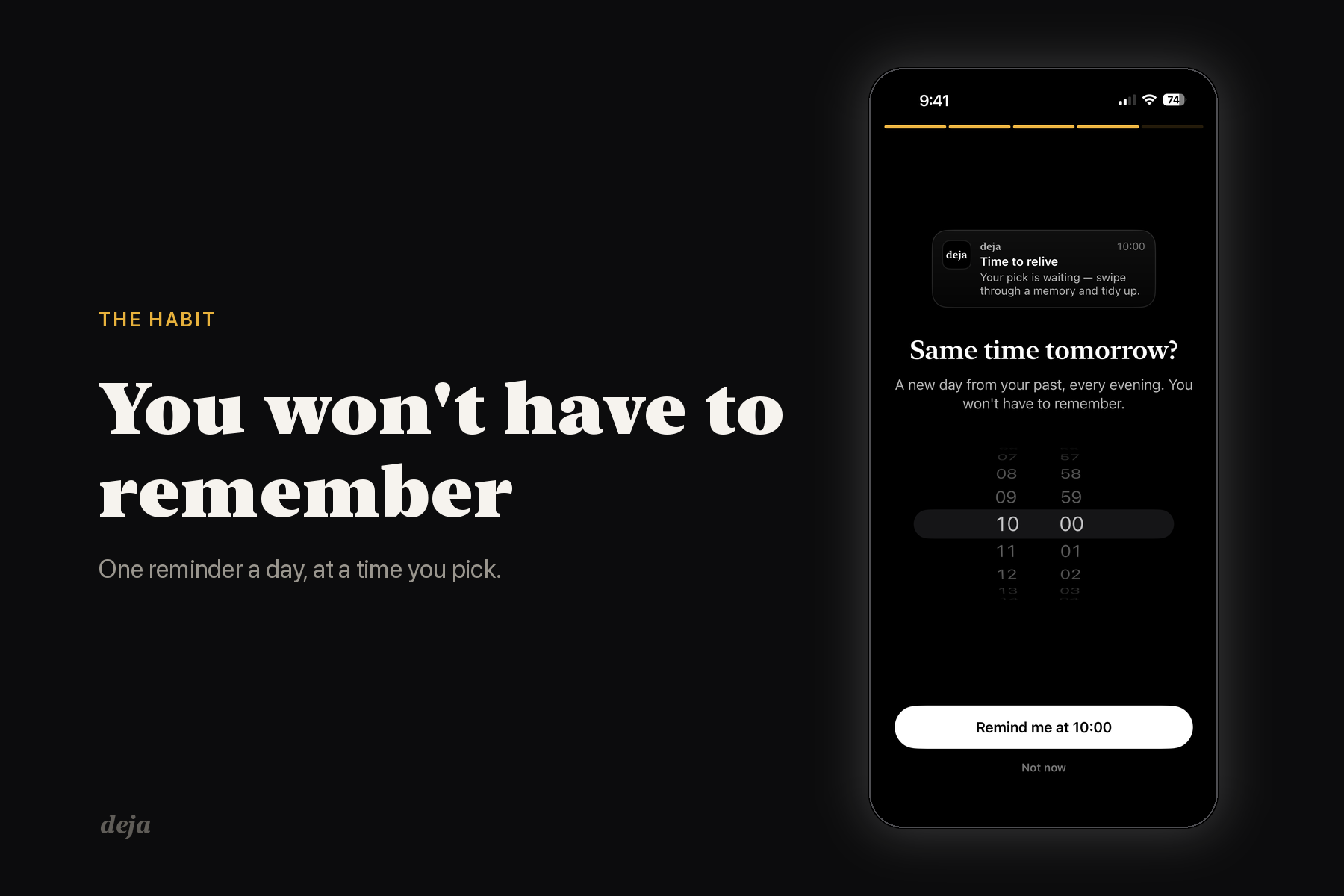
Every day deja picks a stretch of your past — a week last spring, a night three years ago — and gives you the photos from it one at a time, full screen. Photos, Live Photos and videos, with the date and the place they were taken. Hold to pause. Swipe up if you want to leave a note.
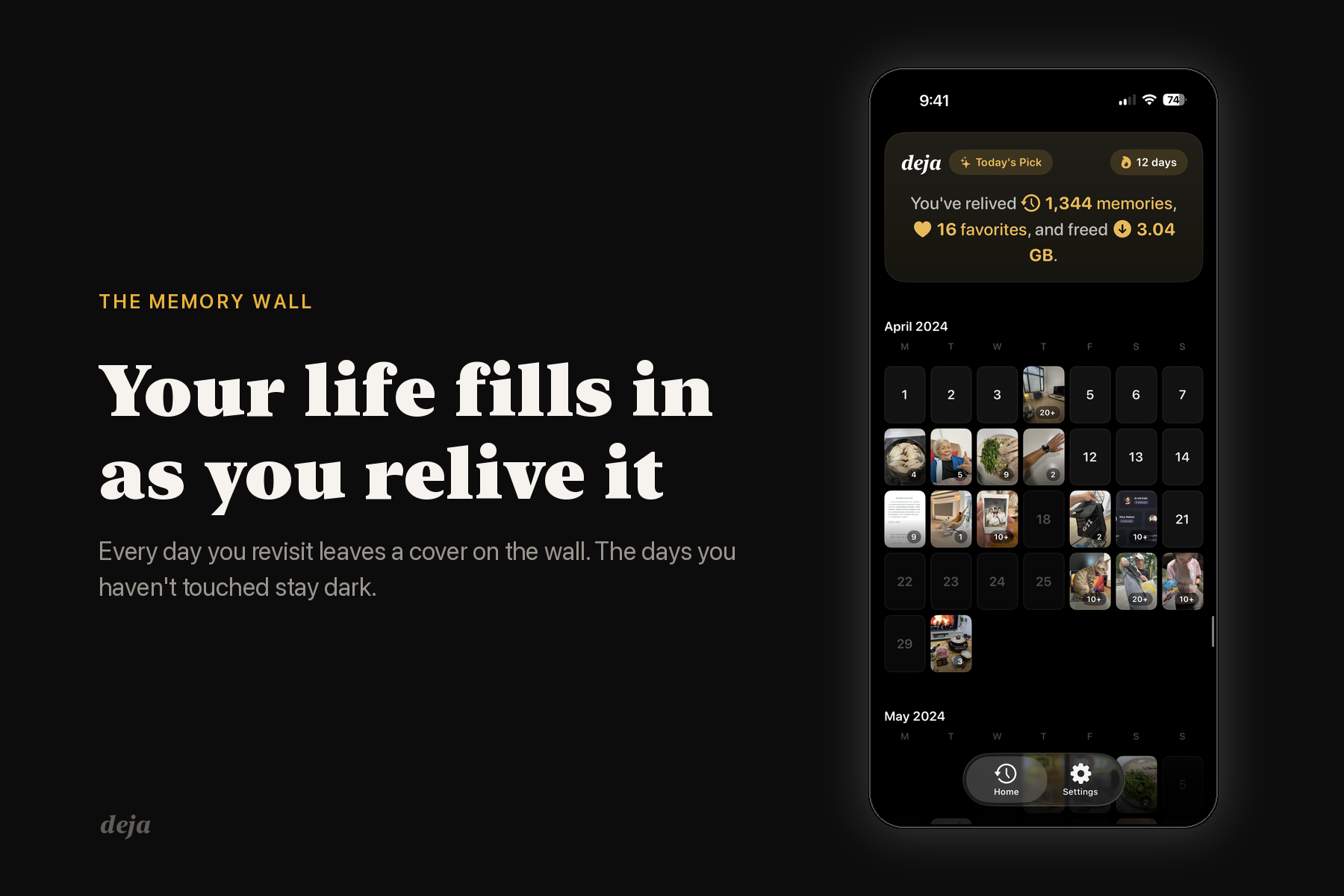
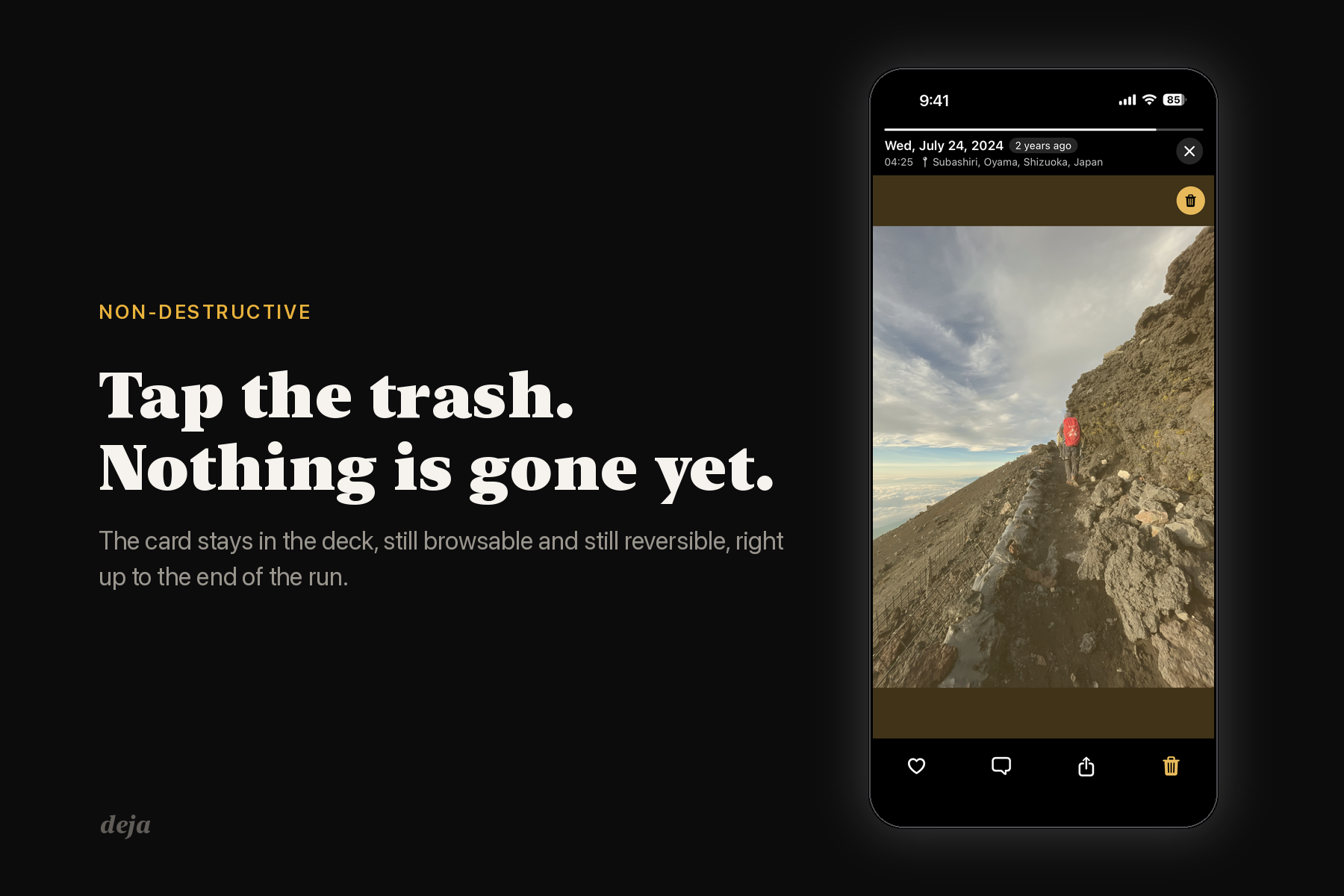
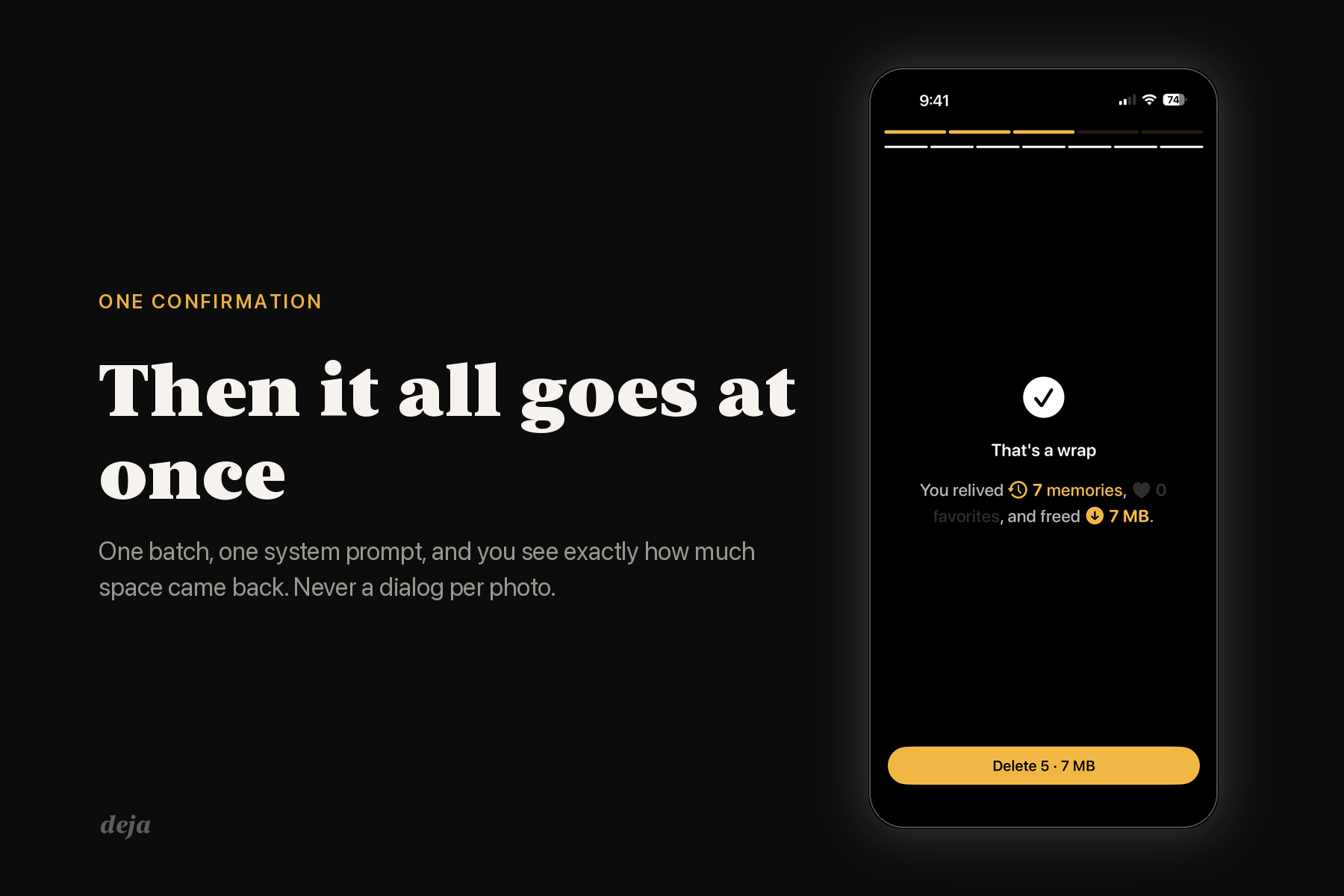
While you're going through them you can heart the ones you like, and those become the covers on your calendar wall, which fills in as you relive more of your life. You can also tap the trash on the blurry ones, the duplicates and the accidental screenshots, but nothing actually gets deleted at that point. It just gets marked, and you can change your mind about any of it right up until the end. When you finish, it clears the whole batch in one go with a single system confirmation and tells you how much space came back.
That's the part I care about. Cleaning up your camera roll stops being a chore you haveens while you're remembering. No grid to grind through, nothing to decide twice.
None of your photos leave the phone. deja reads your library on-device and stores nothing in the cloud, and there's no account and no upload. What it keeps is your decisions and your notes, never the pictures.
How I built it
Native iOS, one person, Swift 6 with strict concurrency turned on.
- The review state machine, the period maths and the summary logic all live in a framewch is allowed to import Foundation and nothing else. No UIKit, no SwiftUI, no Photos, no SwiftData — one line of
rgproves it. Every state transition has a unit test, and since the kernel has never seen a PHAsset those tests run in milliseconds. - The photos themselves stay in PHPhotoLibrary. SwiftData only holds metadata: what you decided about an asset, your notes, how far you got in a period. If you delete deja it doesn't touch a single photo.
- Cards prefetch ahead of where you are and upgrade from a low-res thumbnail to the full image in place, so a card never goes blank and never spins. Progress is written continuously, so if you close the app halfway through a run you come back to the exact card you left.
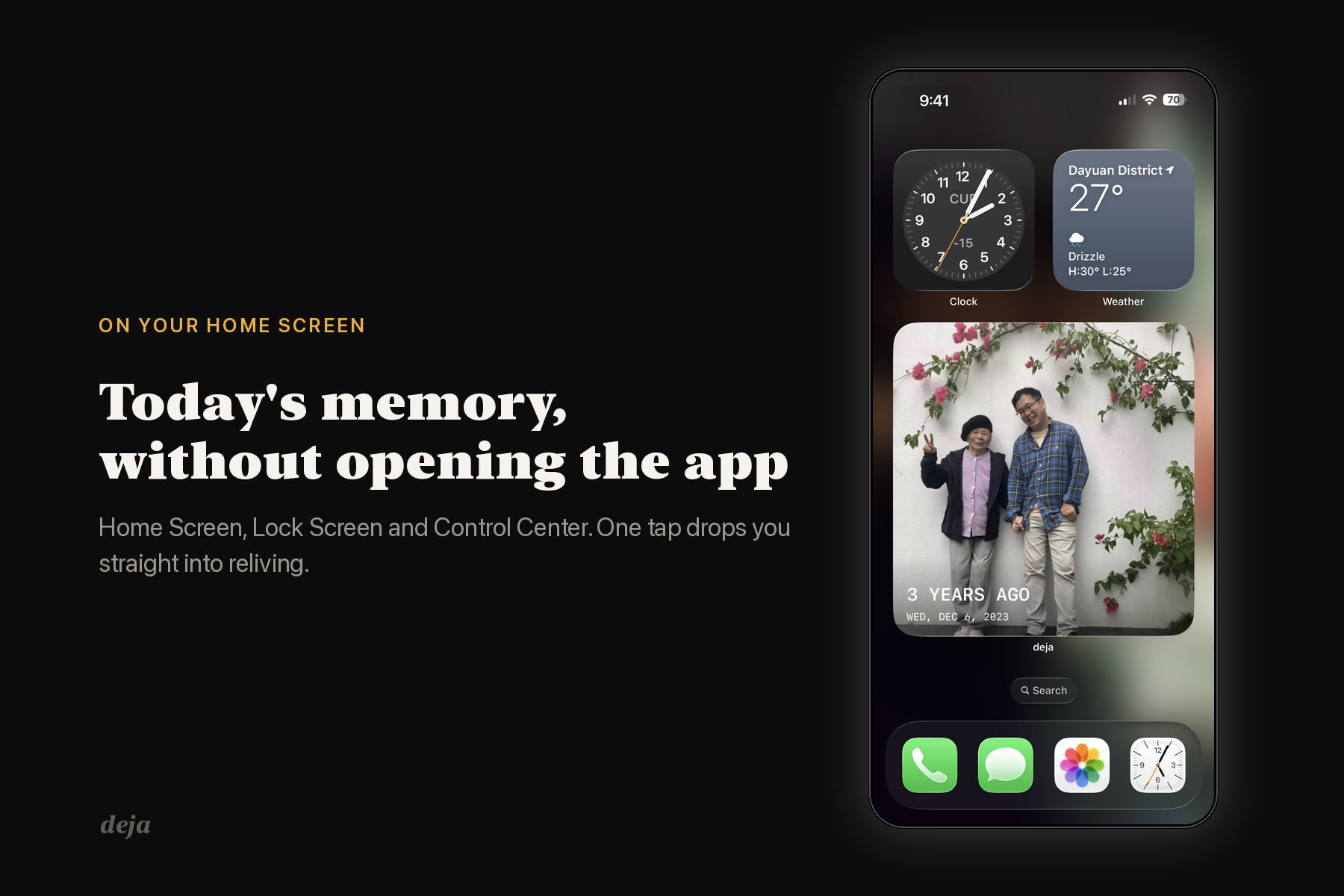
- Today's memory also shows up as a Home Screen, Lock Screen and Control Center widget through an App Group, so you can tap straight into reliving without opening the app first.
- 33 languages using String Catalogs, in from the first release.
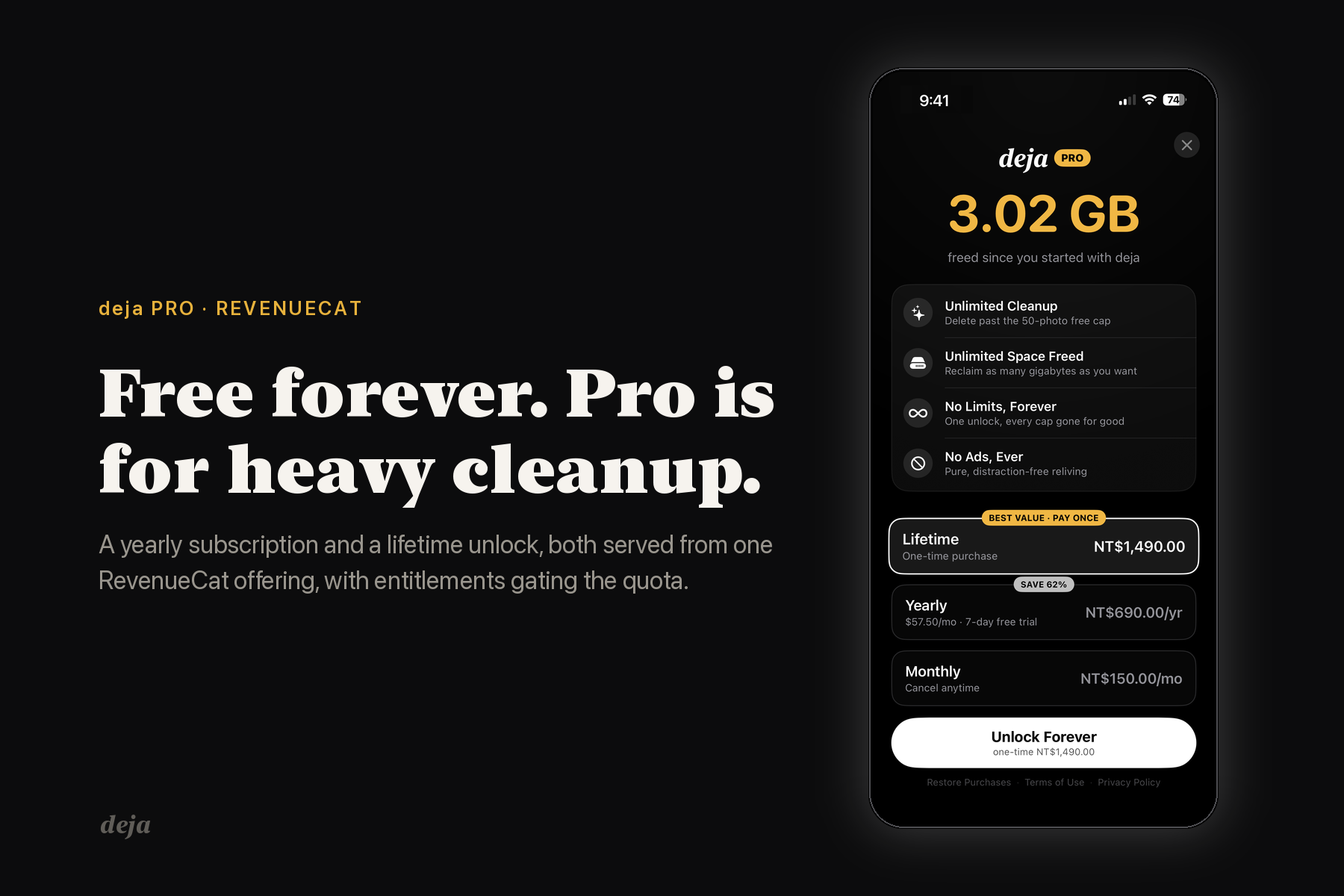
- RevenueCat runs the subscription and the lifetime purchase, Amplitude covers the funnel, Tuist generates the project and fastlane ships it.
Challenges I ran into
The worst one was photos that stayed blurry until you swiped away and came back. The media sits inside a UIScrollView wrapped in a SwiftUI representable, and SwiftUI only calls updateUIViewController when the representable's own inputs look like they changed. So when the full-resolution image finally arrived, or a video became ready, and that change lived purely in @State captured by the content
closure, SwiftUI just skipped the update and the card sat there on the old frame until st days to that one. The fix was passing in a contentVersion bitmask as a plain input so SwiftUI had something concrete to diff, and I only got there by going and reading how updates are actually triggered instead of guessing at it.
The second one was deleting without a dialog on every photo. iOS asks for confirmation on every delete request, so the obvious design would fire a system alert per swipe, which is unusable. What I ended up doing was making the trash button non-destructive — it marks, it never deletesthe whole run — and then sending one batch request at the summary. The constraint endedup making the product better than what I'd originally drawn.
The third was making sure a card never shows a spinner. A loading indicator sitting on top of someone's memory kills the whole feeling. So cards seed synchronously from cache and upgrade in place, and the only spinner in the viewer is a small overlay that waits 100ms before it appears, which means a prefetched card never flashes one at all.
Accomplishments that I'm proud of
I got it on the App Store on day five of the window, on my own, in 33 languages.
The behaviour held up too. 70% of the people who installed it finished a full relive, and 29% came back and did three or more. For a utility, getting a third of your users to repeat the core action three times over is the number I watch, because it means the daily deal turned into a habit rather than a novelty.
What I learned
Monetization turned out to be a layout problem as much as a pricing one. I reordered the cards on my paywall — 19 lines, no visual redesign — and the one-time purchase lost its default selection and dropped below the fold at the same time. It didn't sell less, it sold nothing at all, fle installs kept coming in. An option you have to scroll to find is an option that isn't there.
I also learned the hard way that a started free trial is not a purchase. My analytics was counting them as completed purchases, so my revenue estimate was running about three times higher than reality until I wired in RevenueCat's actual numbers and looked at what had genuinely been charged.
And the paywall works best where the friction is, not where the user arrives. Almost all of my paywall views were happening during onboarding, before anyone has felt the problem, while the one trigger with real intent behind it — hitting the cleanup limit — was barely firing at all.
Built With
- amplitude
- appintents
- avfoundation
- backgroundtasks
- core-location
- coreimage
- fastlane
- ios
- photokit
- revenuecat
- storekit
- string-catalogs
- swift
- swift-concurrency
- swift-testing
- swiftdata
- swiftui
- tuist
- usernotifications
- widgetkit
- xcode
- xctest


Log in or sign up for Devpost to join the conversation.