-
-
Dashi Dance: your pocket practice studio
-
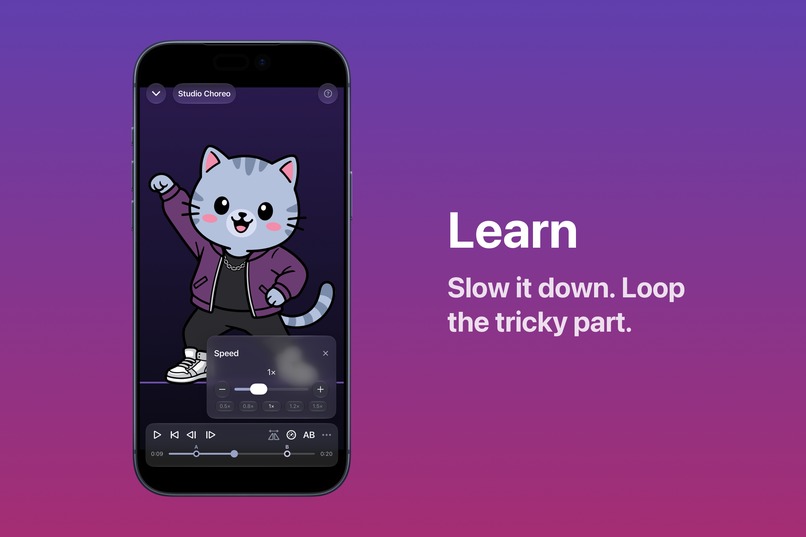
Loop and slow down
-
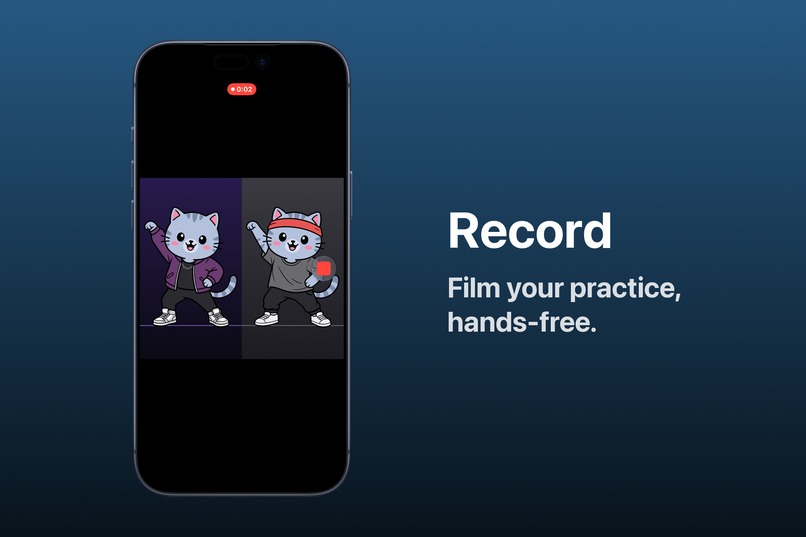
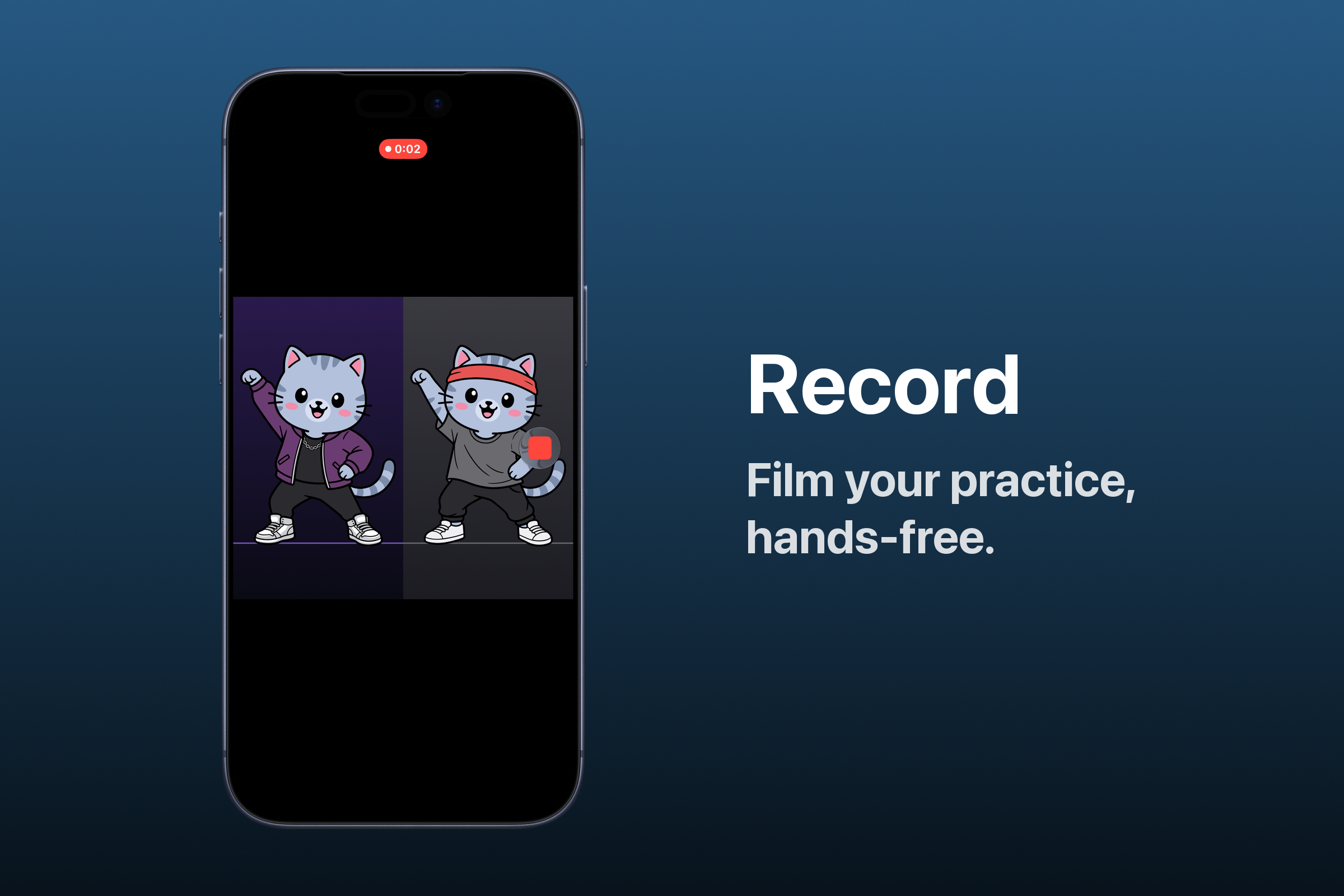
Hands-free recording
-
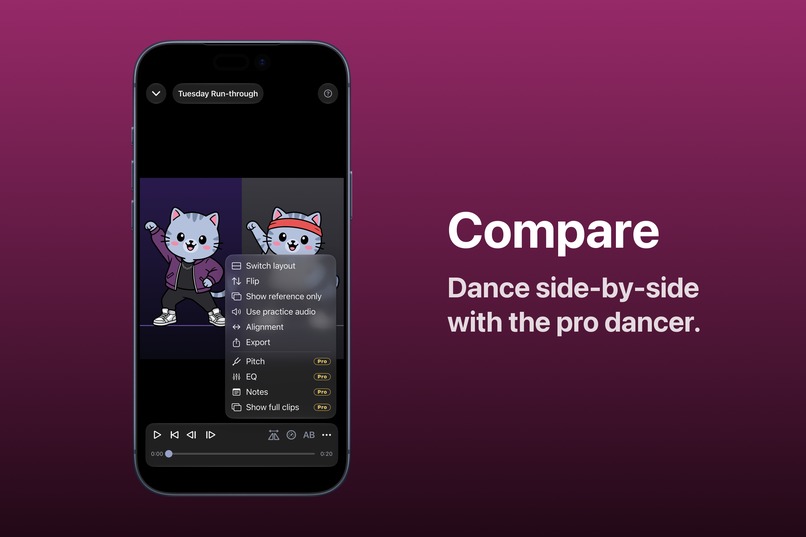
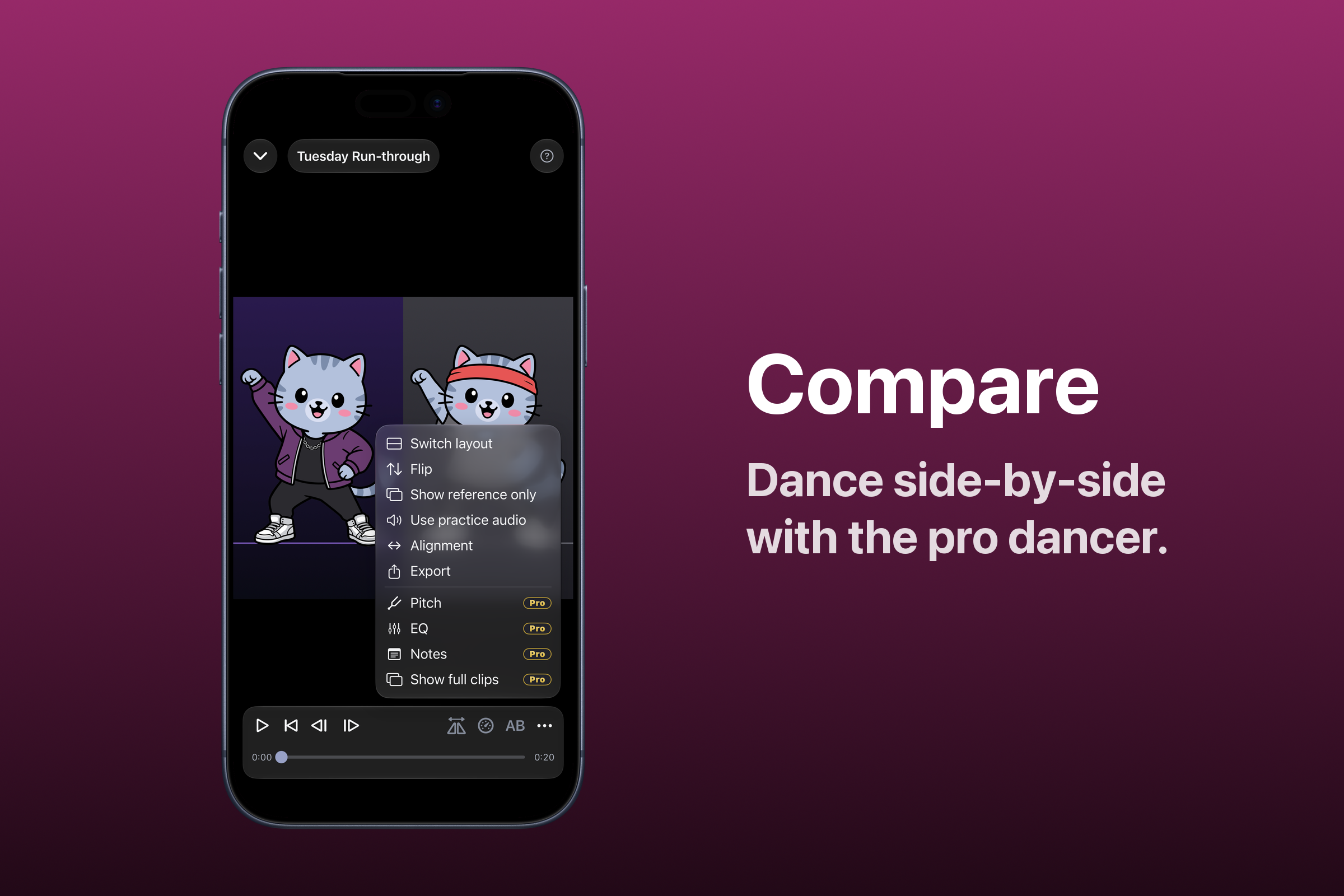
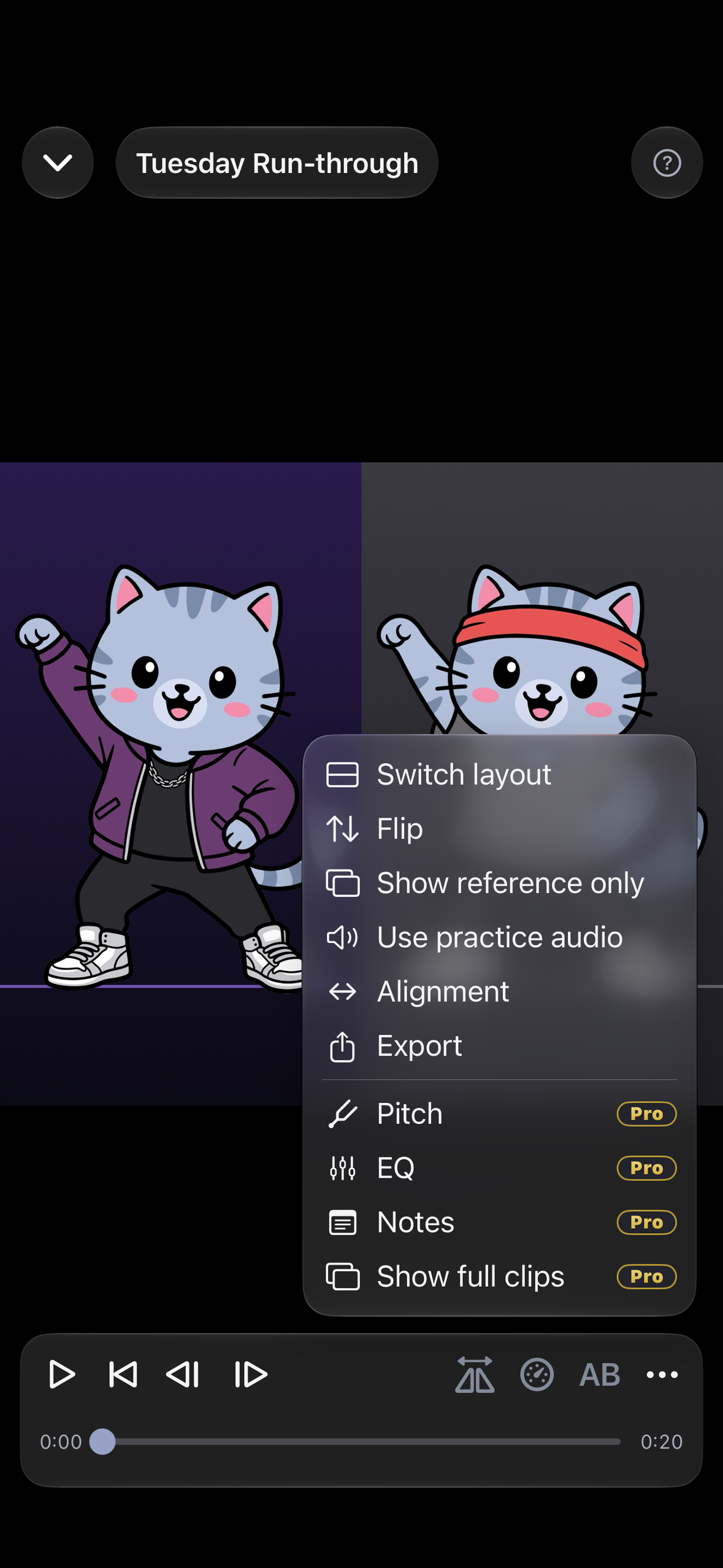
Side-by-side comparison
-
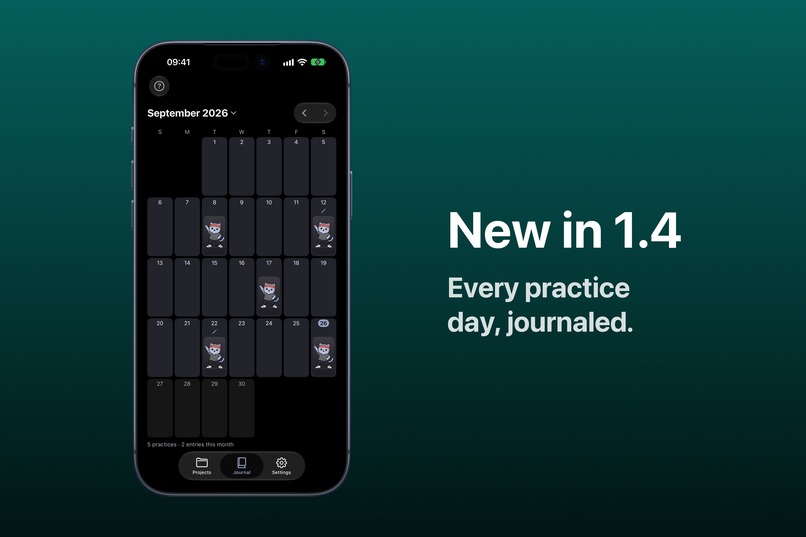
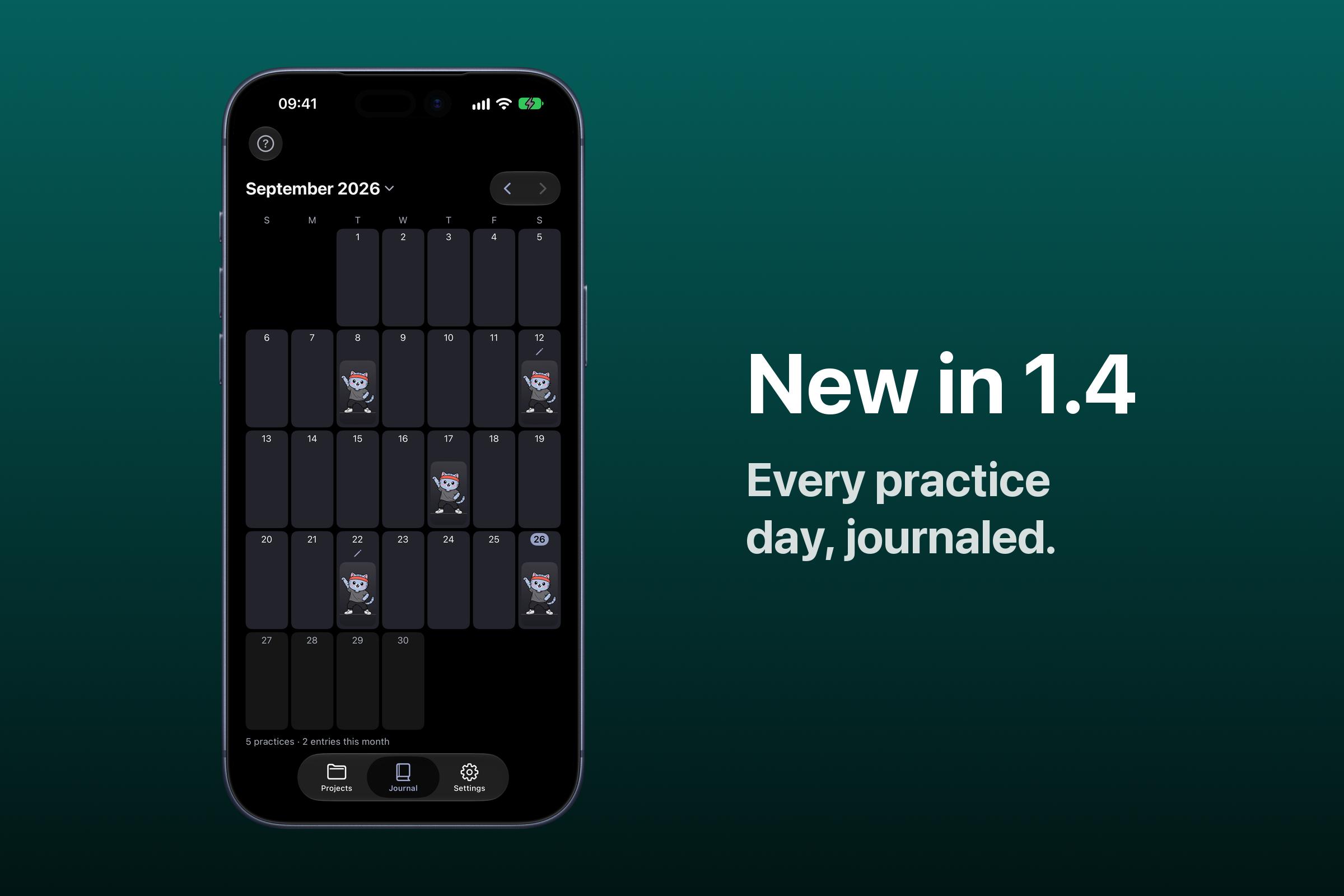
Dance Journal, new in 1.4
-
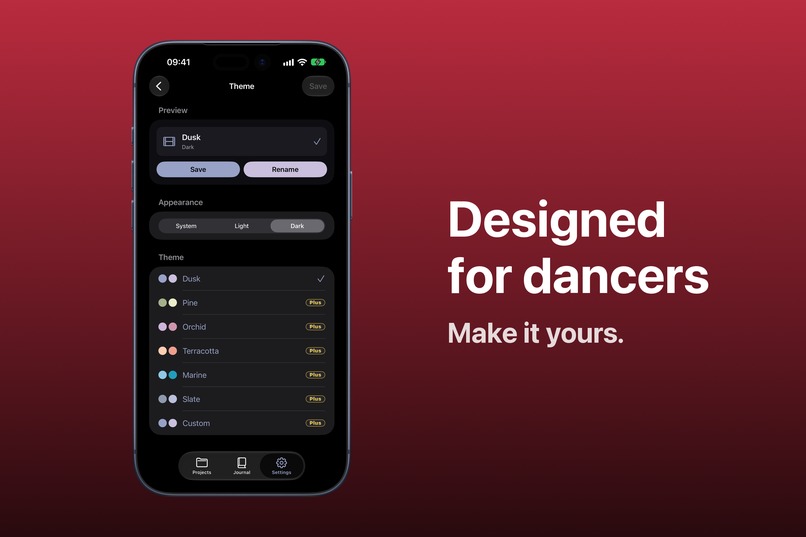
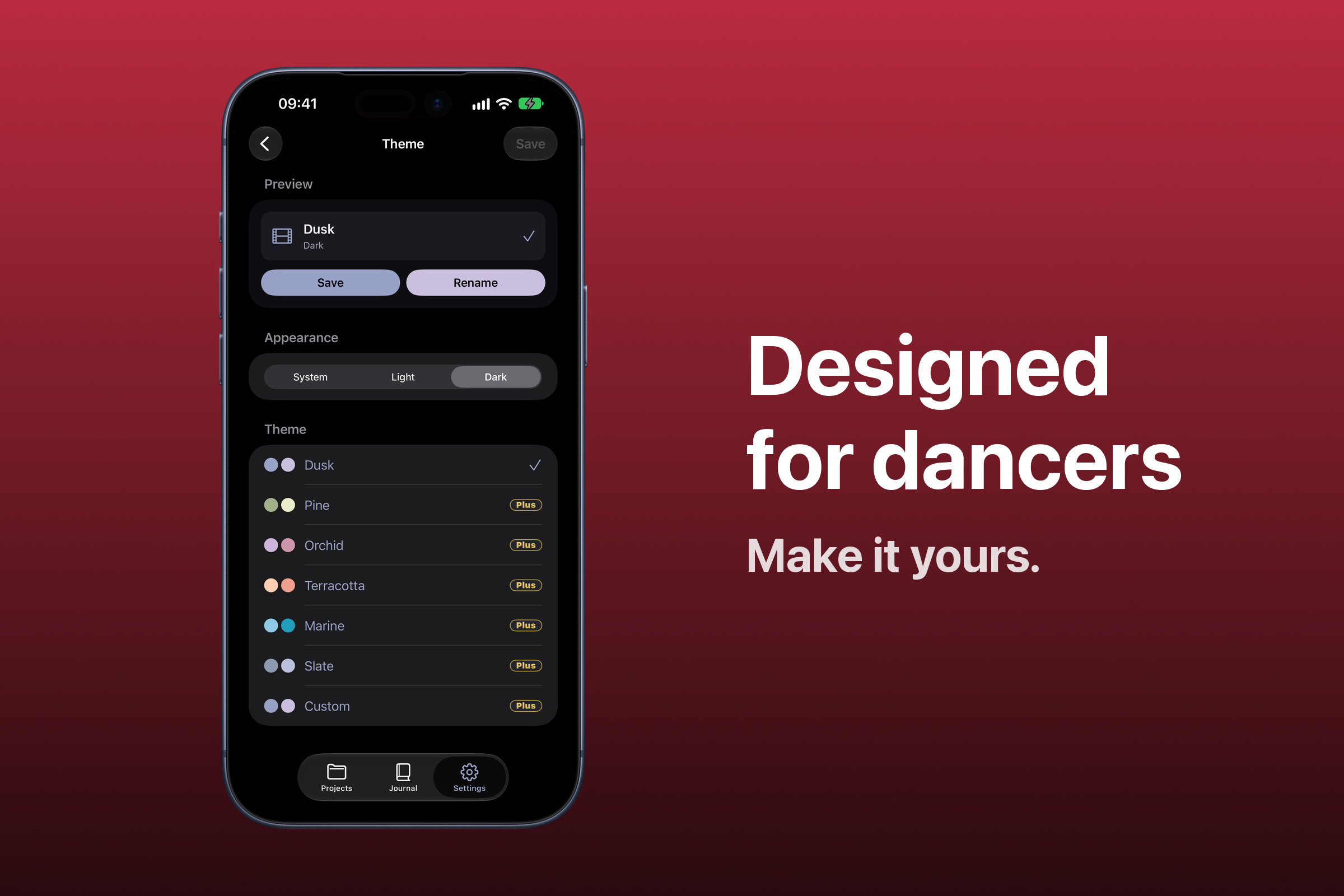
Color themes
-
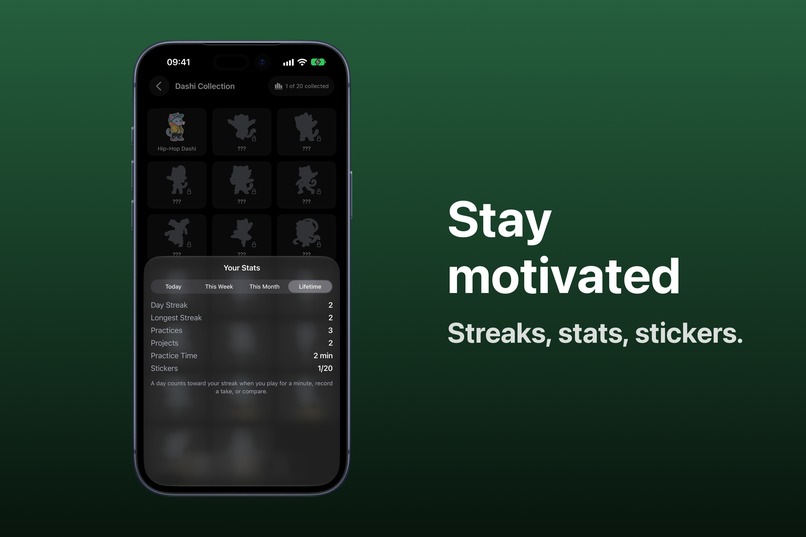
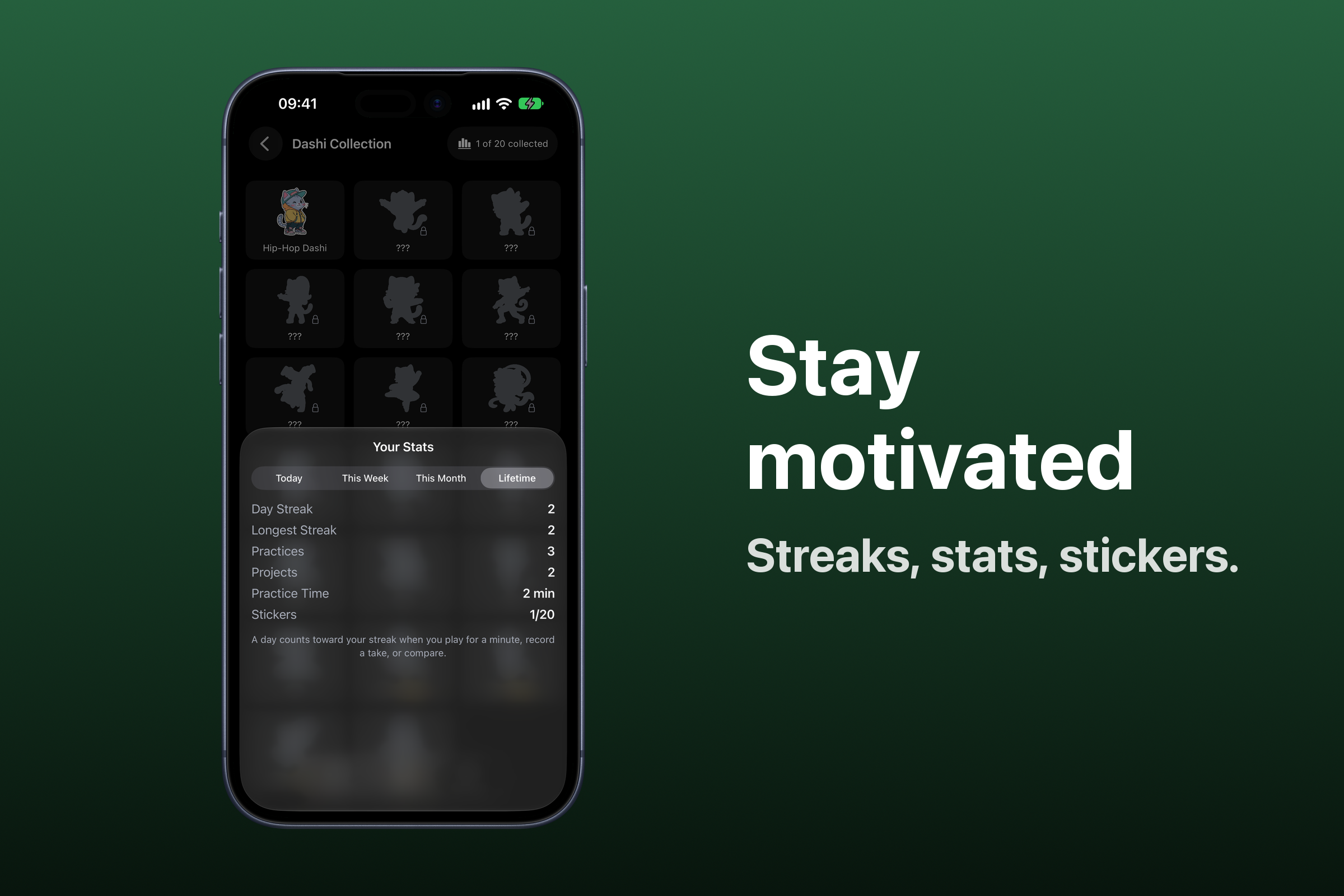
Dashi Collection
-
App icon, 1024×1024
-
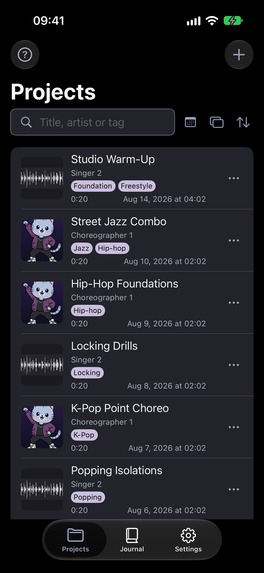
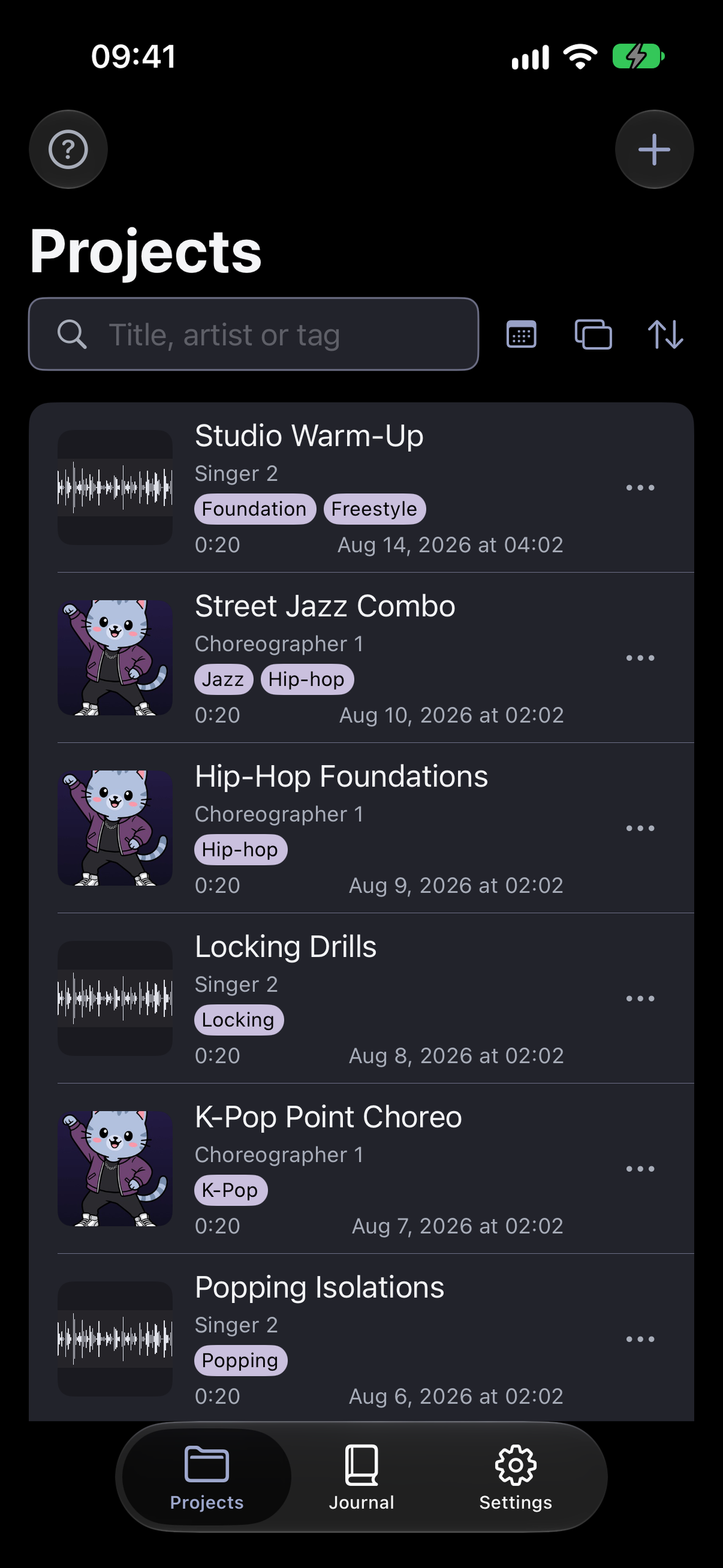
Projects list, frameless 1179×2556
-
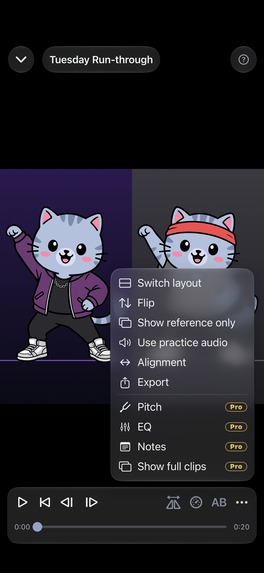
Comparison, frameless 1179×2556

Inspiration
My wife is a dancer, and for years I watched her fight her tools instead of practicing. Learning a routine from a video means drilling one eight-count over and over, but a normal video player has no A/B loop, its speed jumps from 0.5x straight to 1x, and comparing your run with the original means opening a video editor. Recording yourself while the reference plays takes two devices.
So I built the app she wished existed.
What it does
Dashi Dance is one loop, and a dancer runs it hundreds of times on a single routine:
- Import a dance video or song into a project.
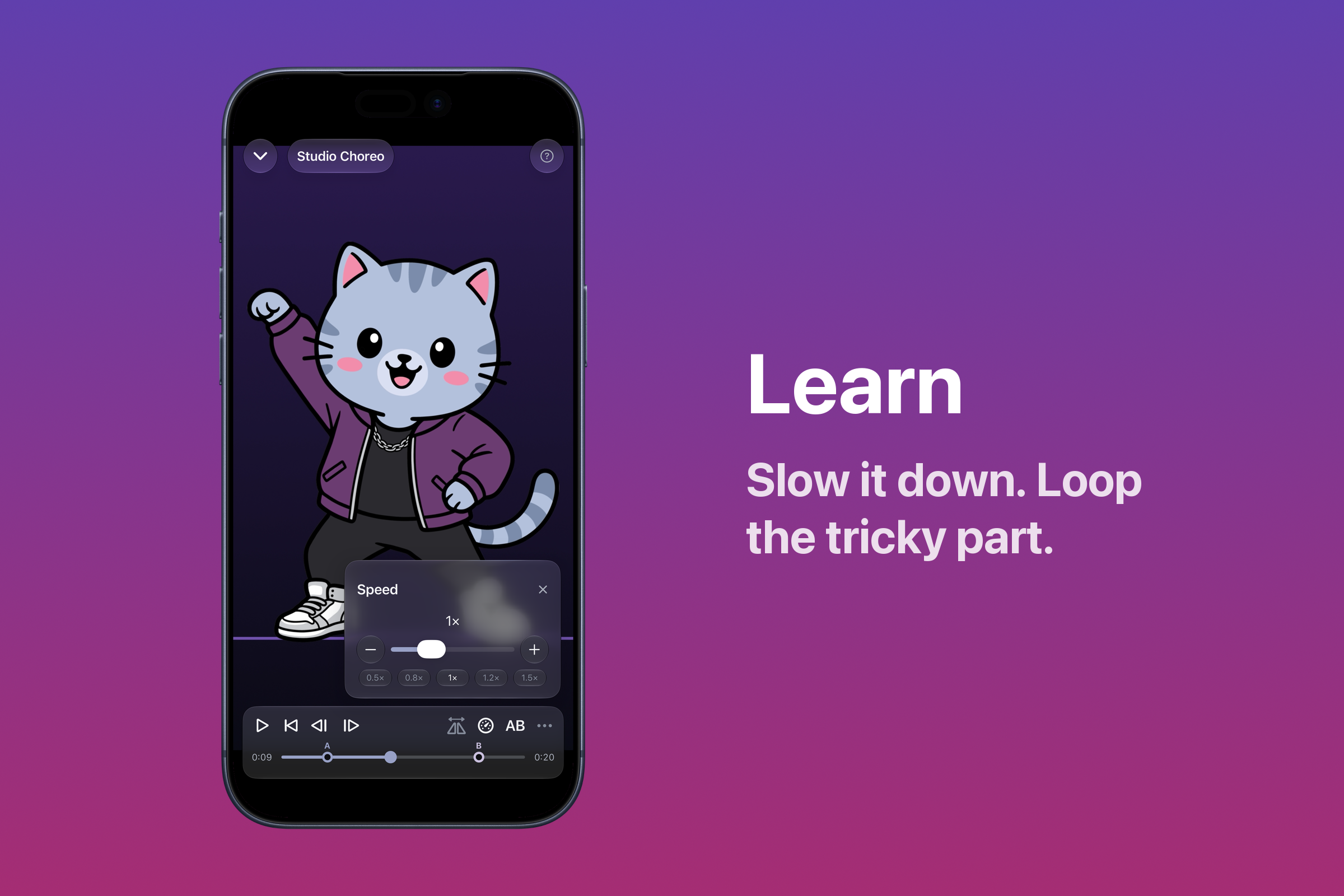
- Learn it in the player: A/B-loop the section that keeps falling apart, slow it down with the music still on pitch, mirror it so left is your left.
- Record yourself with the reference playing beside the camera, with a countdown so you never touch the phone.
- Compare your take with the reference side by side, on one shared clock.
Around that loop: Dance Notes pinned onto the video ("arm up on 8"), a Dance Journal calendar of your practice days, streaks and stats, collectible Dashi stickers, six color themes, and iCloud sync. It's on iPhone and iPad, in 15 languages.
The whole practice loop is free. Plus removes ads and unlocks themes and custom covers. Pro adds auto-align, Dance Notes, Pitch & EQ, full-clip comparisons and iCloud sync.
How we built it
Swift and SwiftUI on iOS 26, with AVFoundation for playback, recording and export, SwiftData with CloudKit for sync, StoreKit 2 through RevenueCat for subscriptions, and AdMob with RevenueCat's ad tracking for the free tier.
I had never written Swift. I built it with Claude Code, Anthropic's AI coding agent, and the part that made it work was process, not prompts: every feature started as a spec, became a plan, and was reviewed against that plan. The repo holds 95+ specs, 120+ plans and 4,700+ commits, with CI, unit and UI tests, and a localization pipeline. When the agent repeated a mistake, we built a lint, a test gate or a shell hook that made the mistake impossible, instead of adding another rule it might forget.
Challenges we ran into
- One clock for two videos. Two players drift apart, so comparison drives both from one host-time clock. A recording also can't start at the exact instant playback does, so the app measures that gap when recording starts and seeds it into the alignment.
- The 420 ms ghost. The first tap on Play took 0.44 s on a real iPhone, the second 0.03 s. Five wrong theories later, a clip with its audio track removed started in 60–234 ms: it was iOS spinning up its audio output. We now account for it in the alignment.
- The simulator lies by omission. Five bugs only ever showed up on a device, one of which we reported to Apple.
Accomplishments that we're proud of
- Shipped on August 25, ten weeks after the first commit, then four updates in the month after, the latest adding the Dance Journal.
- 15 languages with no translation agency: an LLM pipeline with a termbase, automated checks, and a second model that flags translations whose meaning drifted.
- Seven App Store accessibility claims, backed by an audit that found (and fixed) twelve low-contrast buttons and an unlabeled text field before anyone reported them.
- No account and no server of ours. Photos access is Limited with zero photos selected, which is enough to file exports into the app's albums without seeing your library.
What we learned
The agent is faster than I'll ever be; the discipline has to come from the process. A claim about layout needs numbers, a fix needs a test that fails without it, and color contrast (WCAG) and "do these two colors look alike" (CIEDE2000) are different questions.
What's next
Next (v1.5.0): iOS 27 support, plus section markers so you can mark and save the parts of a song you're drilling. Support for the foldable iPhone Duo follows once Apple's tools for it ship in late October. We're also looking at a streak indicator that shows what's left to keep your streak, starting a recording from Apple Watch, and importing from Apple Music.
Then (v1.6.0): Apple's new MusicUnderstanding framework lets the app hear the music, with beat detection, visual and audio beat cues, an instrument visualizer, and section markers placed automatically.
Further out, the app gets smarter about the music and the dancer: separating a song into drums, vocals and instruments so you can drill to just the beat; an AI practice coach running on Apple's Private Cloud Compute; and Fancam, which follows one dancer through a group video and blurs everyone else.
On the growth side: the studio program, where an instructor teaches with Dashi Dance in class (free Pro) and their students keep practicing with it at home.
Built With
- admob
- avfoundation
- claude-code
- cloudkit
- python
- revenuecat
- storekit
- swift
- swiftdata
- swiftui
- xcodegen


Log in or sign up for Devpost to join the conversation.