-
-
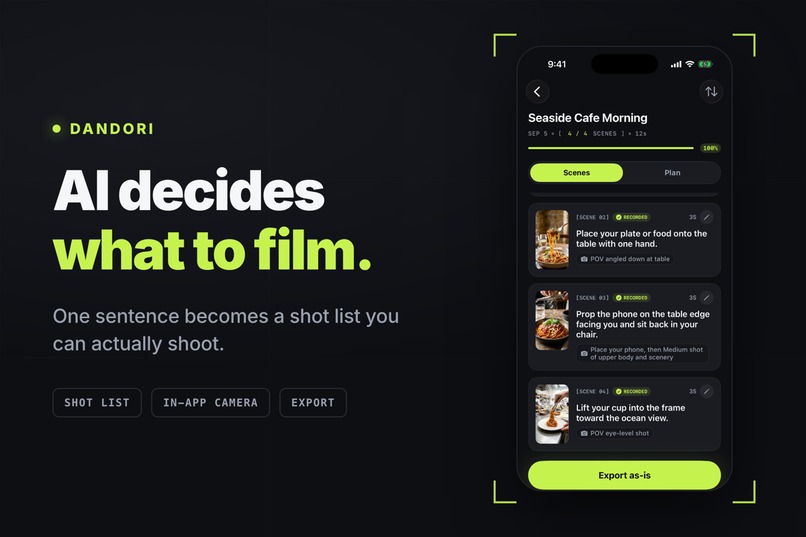
Not an editor. The step before one.
-
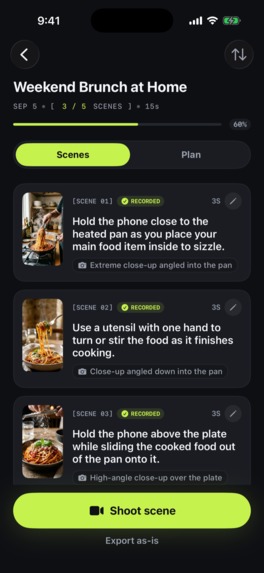
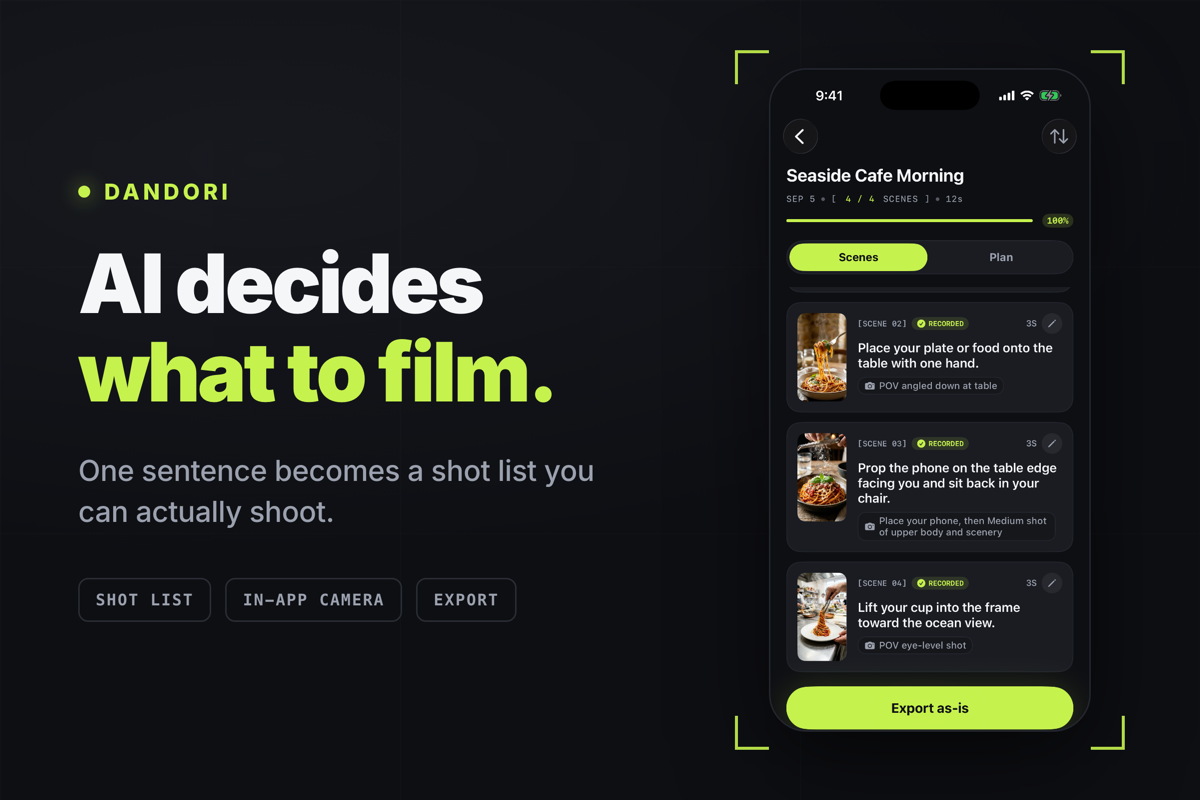
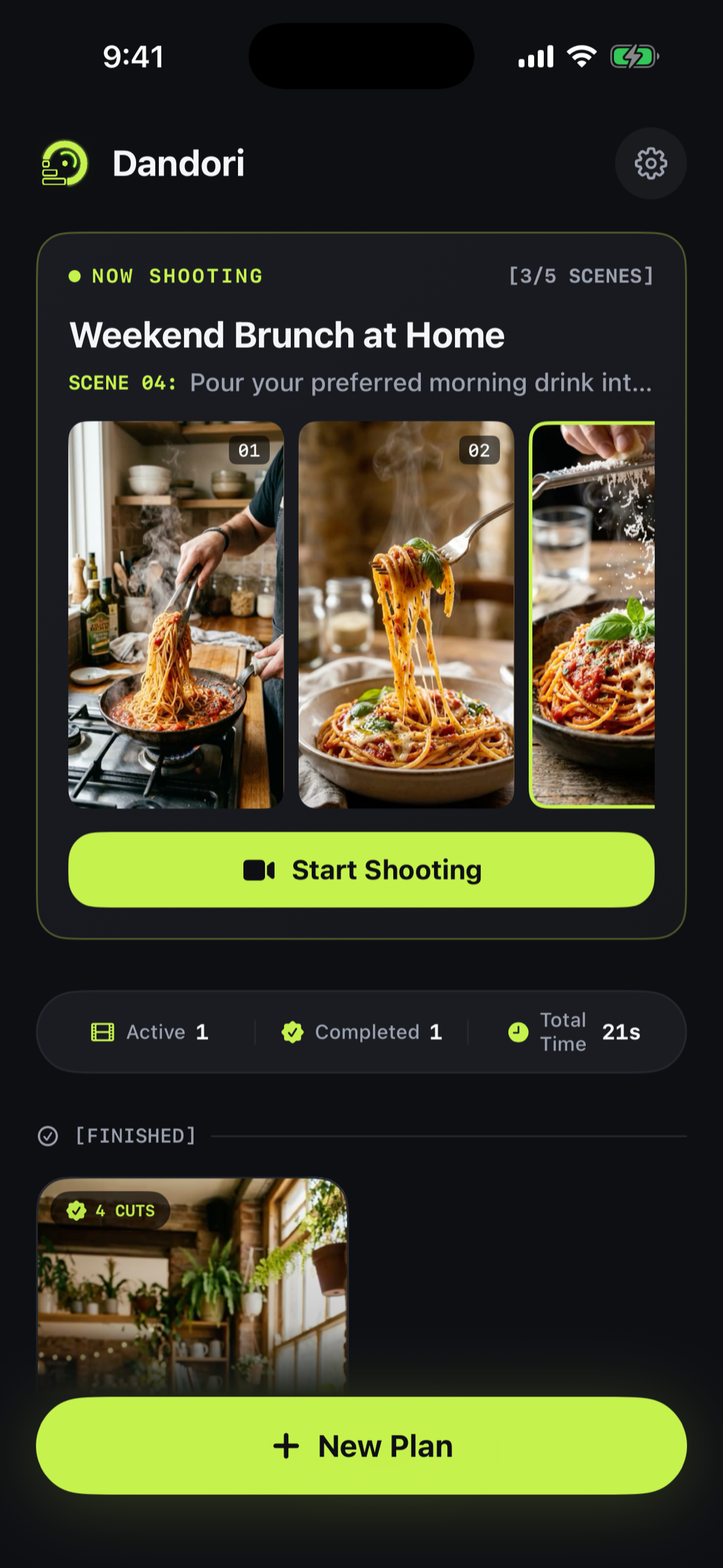
Each clip binds to its scene as you shoot. Re-shooting one never loses the direction or the caption attached to it.
-
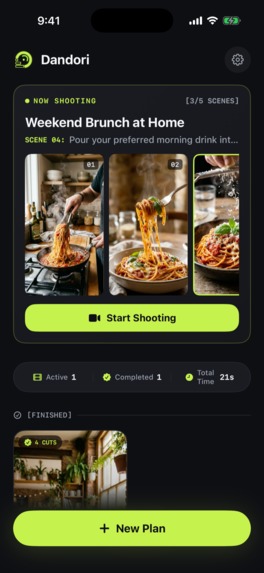
Home opens on the shot you have not taken yet, not on a feed.
-
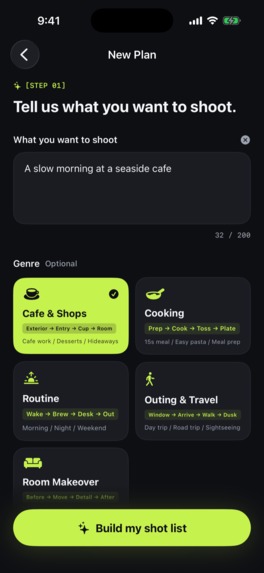
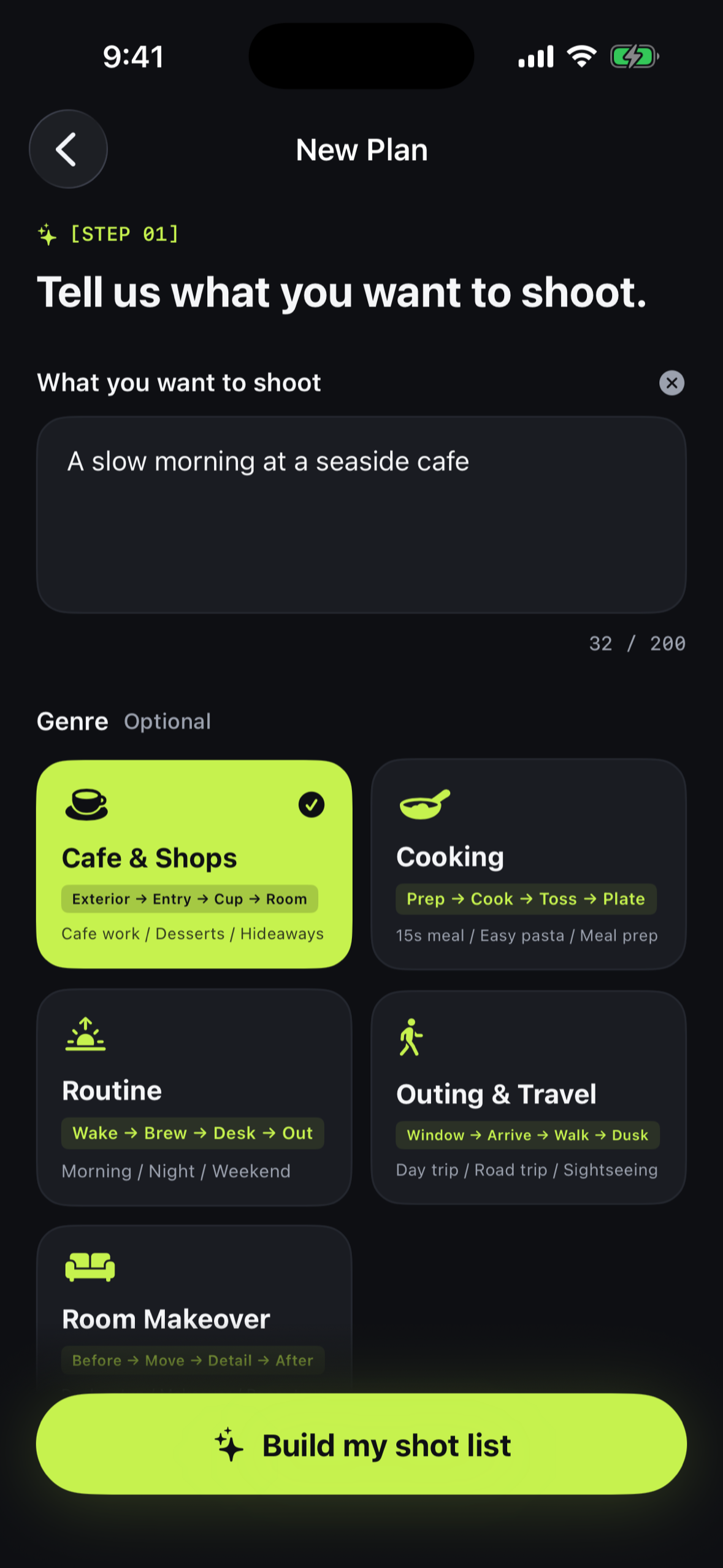
The entire input is one sentence. Picking a genre is optional — a shortcut, never a requirement.
-
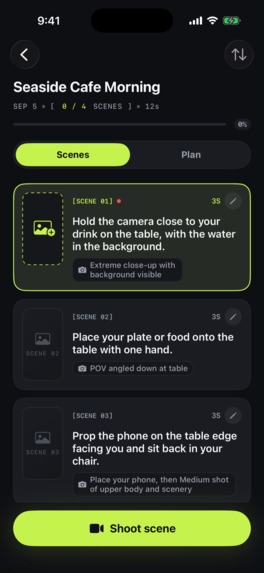
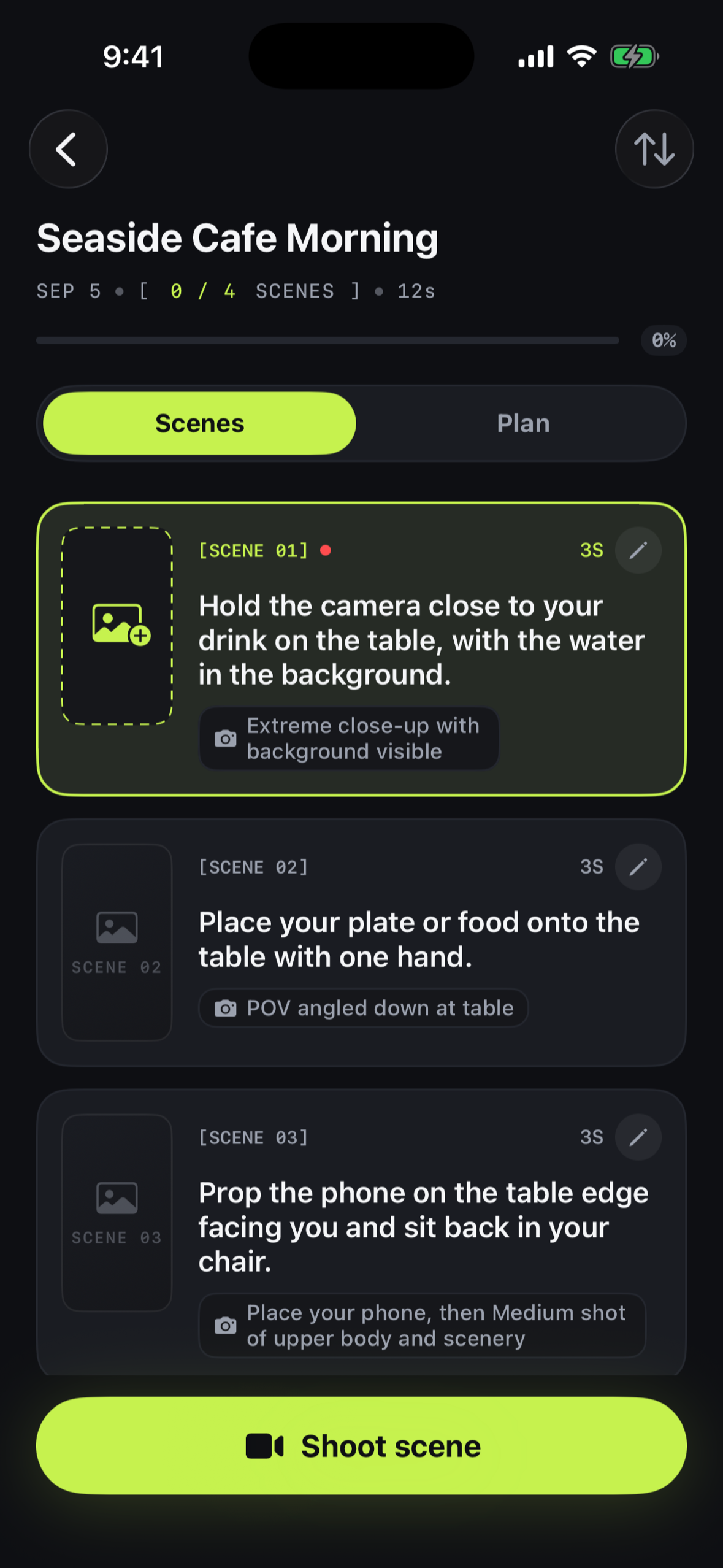
The same sentence, five seconds later: four scenes, each with a subject, a framing and a duration. Nothing filmed yet.
-
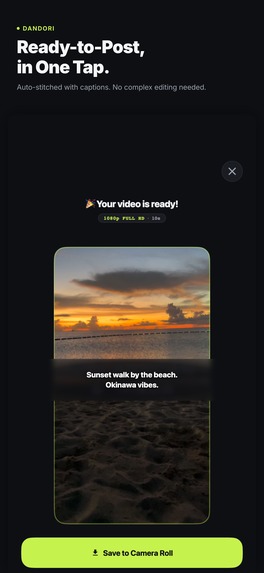
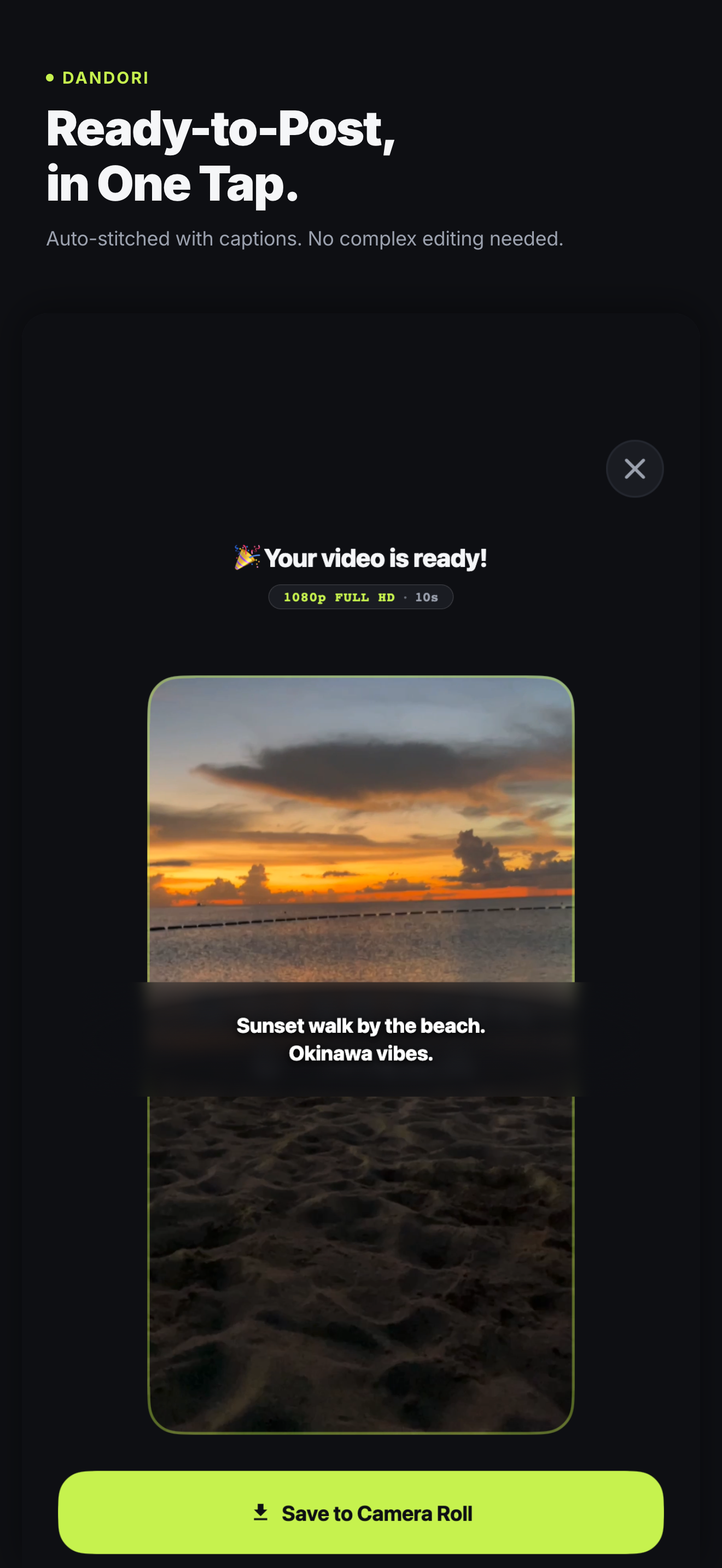
One sentence in, one finished video out — and nothing but that sentence ever left the phone.
Inspiration
Every video app assumes you already have footage. Editors start at the moment the material exists.
But the people who never post are not stuck at editing. They are stuck earlier — standing in a kitchen or on a street with the phone in their hand, not knowing what to point it at. They shoot a few disconnected clips, get home, realize nothing cuts together, and quietly give up.
The bottleneck is not editing skill. It is that nobody decided what to shoot.
This started with me. I wanted to make videos, and I had no idea what to shoot.
So I decided to work out the structure first — figure out the shape of the video, then go film it. Coming up with that structure turned out to be its own job. And getting from a finished structure to actually standing somewhere with the camera rolling was another one. The step I added to make filming easier was the step that stopped me.
Dandori is not an editor. It is the step before one.
What it does
You type one sentence — "a slow morning at a seaside cafe" — and the AI writes a structure for the video, then converts that structure into a shot list: scene by scene, what to film, from which angle, and for how long.
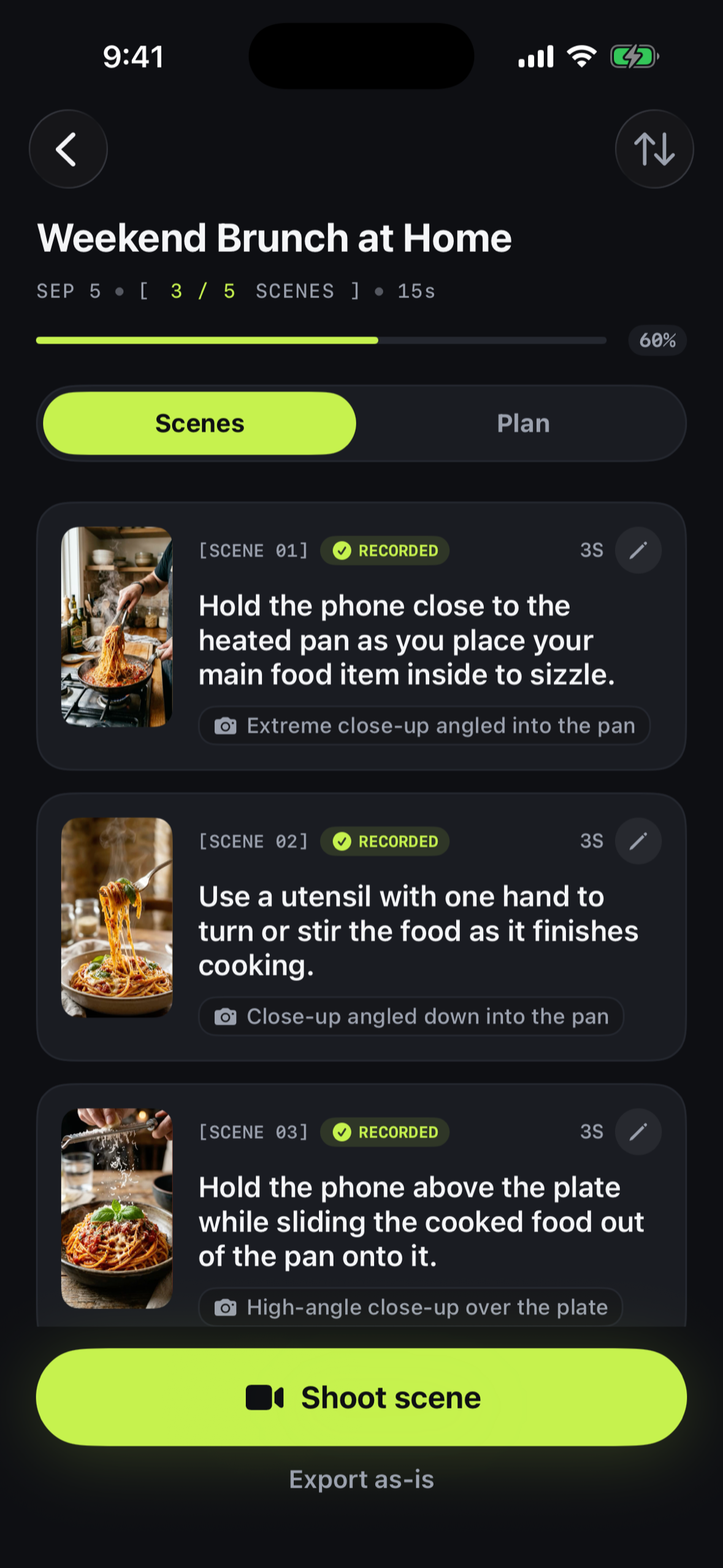
The list is not advice you read and forget. It is a checklist you shoot against. The in-app camera shows the current scene's direction while you record, binds each clip to its scene, and fills in the checkmark. When the list reaches 100%, you have every cut you need — and Dandori merges them, burns in the captions, and exports one video to your camera roll.
The principle behind the product: the plan and the task list are the same object. Suggesting a structure and leaving the user to act on it is where every other AI video tool stops, and it is exactly where our user was already stuck.
- One sentence becomes a full video structure and shot list
- Each scene carries its own direction: subject, framing, duration, and the caption to burn in
- Clips bind to their scene automatically — re-shooting a clip never destroys the direction or caption attached to that scene
- Non-destructive trim, reorder, delete, and caption editing
- Merge, caption burn-in and export happen entirely on the device
- Japanese and English, in the interface and in what the AI writes
Your footage never leaves the phone. Video is processed on-device with AVFoundation; the only thing that reaches a server is the sentence you type. There is no account and no login.
How we built it
iOS app — Swift / SwiftUI, no cross-platform layer. All video work is
AVFoundation: AVMutableComposition for trim and merge,
AVMutableVideoComposition + AVVideoCompositionCoreAnimationTool to burn
captions in as CALayers, AVAssetExportSession to write the file, and
AVCaptureSession for the in-app camera that displays the current scene's
direction while recording. The Xcode project is generated from a single
Project.json with XcodeGen, so it is never a merge-conflict surface.
AI — a Cloudflare Worker, not the app. The app never holds a model key. A
Hono Worker takes the sentence, calls Gemini 3.7 Flash through Cloudflare AI
Gateway with a structured responseSchema, validates the result mechanically,
and falls back to Workers AI when Gemini fails. Generation quota lives in
Workers KV and is checked before the model is called, and counted only when
generation actually succeeds — a failed generation is never billed to the user.
Monetization — RevenueCat, enforced server-side. The client's subscription state only decides which UI to show. The entitlement that actually gates generation is resolved on the Worker against RevenueCat's REST API, so a tampered client cannot grant itself generations. The paywall itself is RevenueCatUI, managed from the dashboard, which means copy and layout can be changed without shipping a build or waiting for review.
Also in the stack: OneSignal for re-engagement, Firebase Analytics and Crashlytics, and no accounts anywhere — RevenueCat's anonymous ID doubles as the server-side identity.
Challenges we ran into
1. The video library we planned on was discontinued, and its binaries deleted.
The original plan was React Native. The standard way to merge clips and burn in captions there was ffmpeg-kit — which was discontinued on 2025-01-06, with its prebuilt binaries pulled from the public repositories, so CocoaPods and Gradle simply fail to fetch it. The surviving alternatives stop at trimming. The remaining option was to write an Expo module wrapping AVFoundation ourselves — which means writing Swift plus a bridge. We dropped cross-platform and went native on day one. Android is out of scope, deliberately.
2. The model failed often enough that fallback was not optional.
In pre-integration testing, 2 out of 5 calls came back 503 UNAVAILABLE — this
model is currently experiencing high demand. Retry alone did not recover it. So
retry and the Workers AI fallback shipped together rather than as separate
milestones. After deliberately exhausting quota to force failures, six
consecutive requests all returned 200 — five of them served by the fallback.
The honest part: the fallback is measurably worse. Its output satisfies the numeric constraints but drifts into generic openings and adds exclamation marks our brand voice forbids. It is "better than an error", not an equal.
3. A one-word mismatch silently downgraded every paying customer.
RevenueCat's REST v2 returns the internal entitlement ID (entl…) in
active_entitlements — not the lookup key you typed in the dashboard (pro).
Comparing against "pro" returns 200, logs nothing, throws nothing, and quietly
resolves every subscriber to the free tier. There is no failure signal at all;
you find out when someone complains. It is now a documented constant with a
warning comment attached.
4. The most important purchase in the app was the one that stayed locked.
Entitlement lookups were cached for an hour. So the exact path that matters most —
run out of free generations → hit the paywall → subscribe → try again — meant
the user had just paid and was still blocked, for up to an hour, because a
free verdict was sitting fresh in the cache.
The fix was to stop treating both verdicts the same. paid still caches for an
hour, because it saves subscribers a round trip. free caches for 60 seconds,
because caching it buys nothing — a user out of quota gets rejected either way.
Purchase and restore also call an endpoint that expires the cache's freshness
without deleting its value, so the 24-hour stale fallback that protects
subscribers during a RevenueCat outage survives the invalidation.
This bug is invisible if you test it wrong: wait an hour between purchasing and generating, and it passes.
5. The standard advice for short video is illegal in this app.
Every guide says open with the finished result — the plated dish, the finished room. We had to explicitly forbid it in the prompt, because in Dandori the shot list is the shooting order. Telling someone to film the finished dish first means asking them to clean up and then make the mess again. A perfectly good video structure can be physically impossible to execute, and only this product makes that distinction visible.
6. The first dialog an English user saw was in Japanese.
The UI was bilingual from the first sprint via String Catalogs. But the
NS*UsageDescription strings live in Info.plist, which we generate from
Project.json — and those three strings were hardcoded Japanese with no
per-locale override. So an English-locale user got a Japanese camera-permission
dialog the first time they tried to shoot anything. Fixed with per-locale
InfoPlist.strings.
Accomplishments that we're proud of
The whole thing was built on weekends — roughly 18 working days end to end, alongside four other products.
What we are most pleased with is not a feature, it is a line we did not cross: filming, editing, captions and export are free and unlimited, forever. The paywall meters exactly one thing, and it is the only thing that costs us money to run.
What we learned
Cache the expensive answer, not the cheap one. Symmetrical TTLs looked
sensible and produced our worst bug. Asymmetry — one hour for paid, sixty
seconds for free — is what actually matched the cost of being wrong in each
direction.
Enforce on the server, decorate on the client. Keeping isSubscribed
strictly for UI, and never for authorization, meant the entitlement bug above
was a bug in one file rather than a hole in the product.
A prompt is a product constraint, not a string. The "don't open with the finished result" rule is not prompt tuning. It is the product's core insight expressed in the only place it could be enforced.
What's next for Dandori
Two gaps we know about and have not closed: there is no screen explaining what happens when a paying user hits the 20-generations-per-day ceiling, and none explaining that a subscriber who cancels does not get the free tier back. Both are places where the app goes quiet on someone who paid, which is exactly where refunds and one-star reviews come from.
After that: multi-step notification journeys rather than single sends, and letting the shot list adapt to what you have actually filmed instead of assuming you shot the plan as written.
Built With
- avfoundation
- cloudflare-ai-gateway
- cloudflare-kv
- cloudflare-workers
- firebase
- firebase-analytics
- google-gemini
- hono
- ios
- onesignal
- revenuecat
- storekit
- swift
- swiftui
- typescript
- workers-ai
- xcodegen

Log in or sign up for Devpost to join the conversation.