-
-
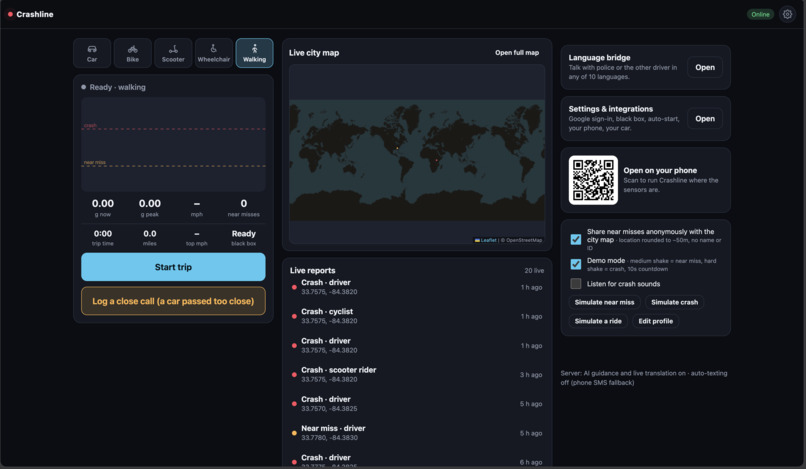
Homepage
-
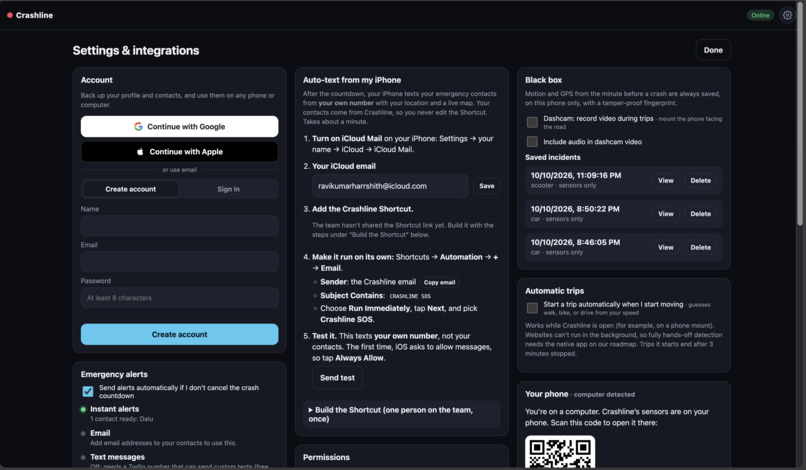
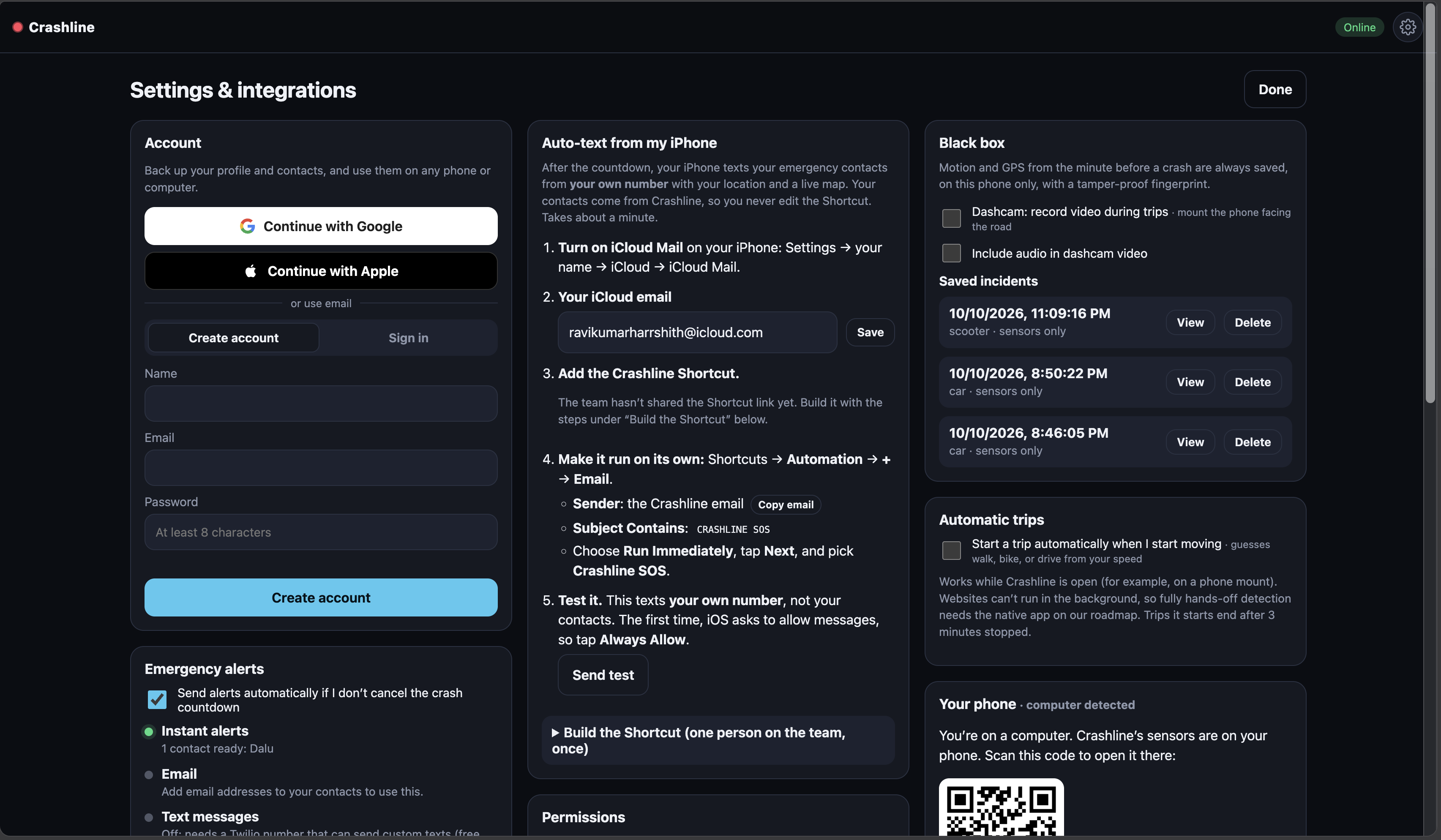
Settings 1/2
-
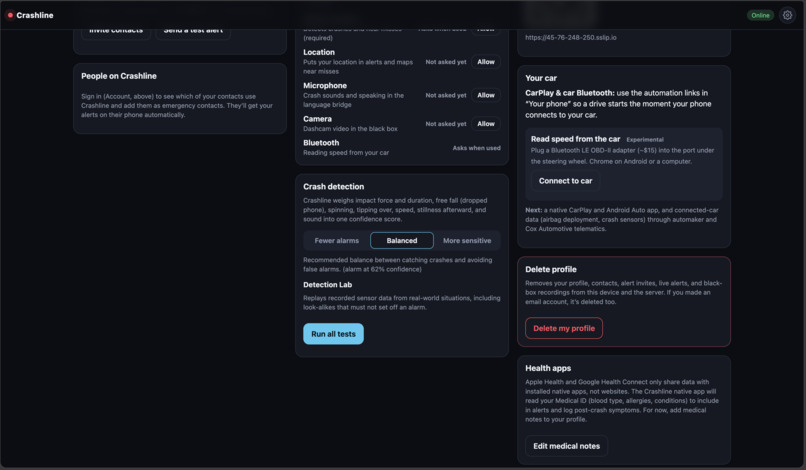
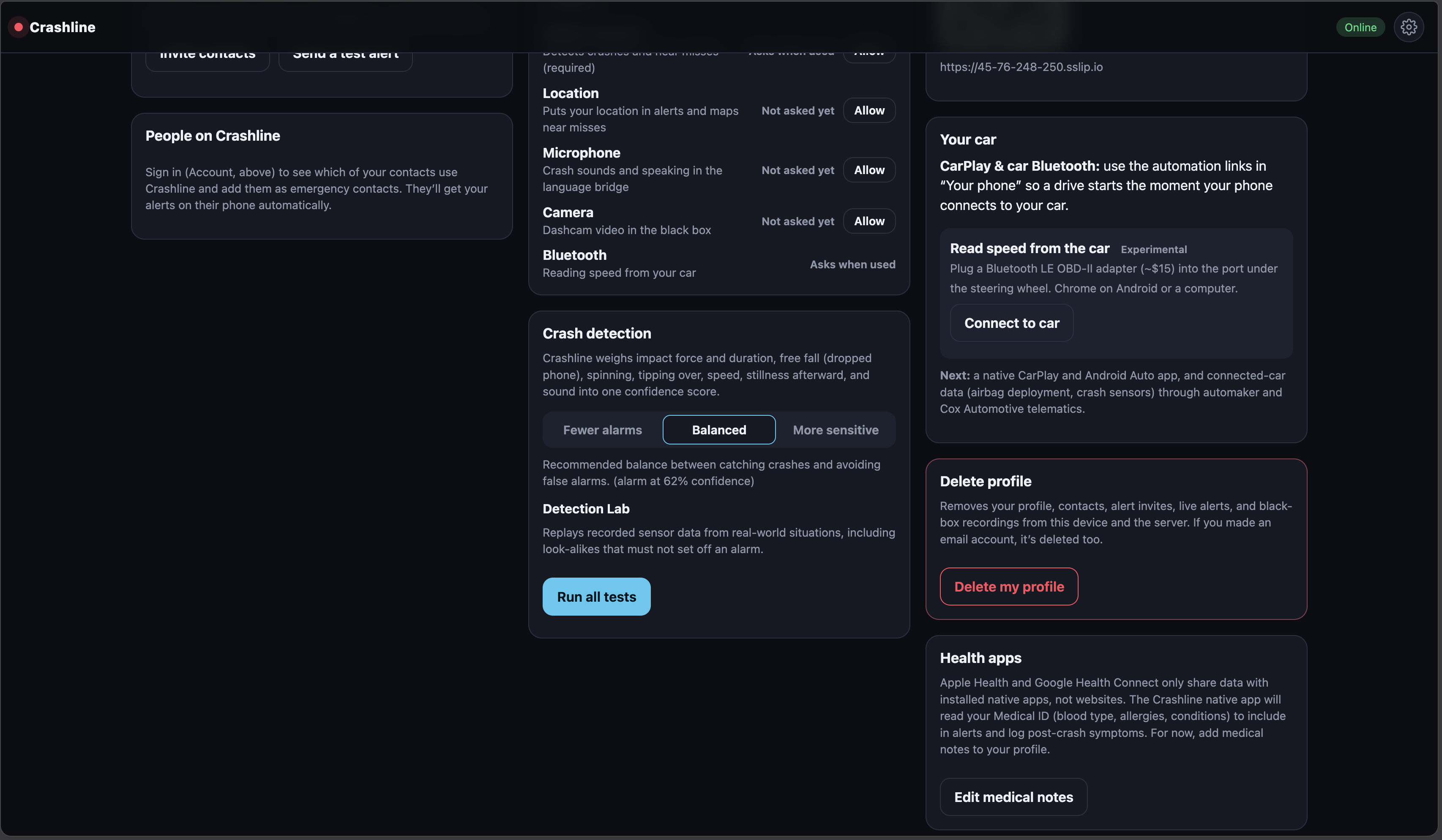
Settings 2/2
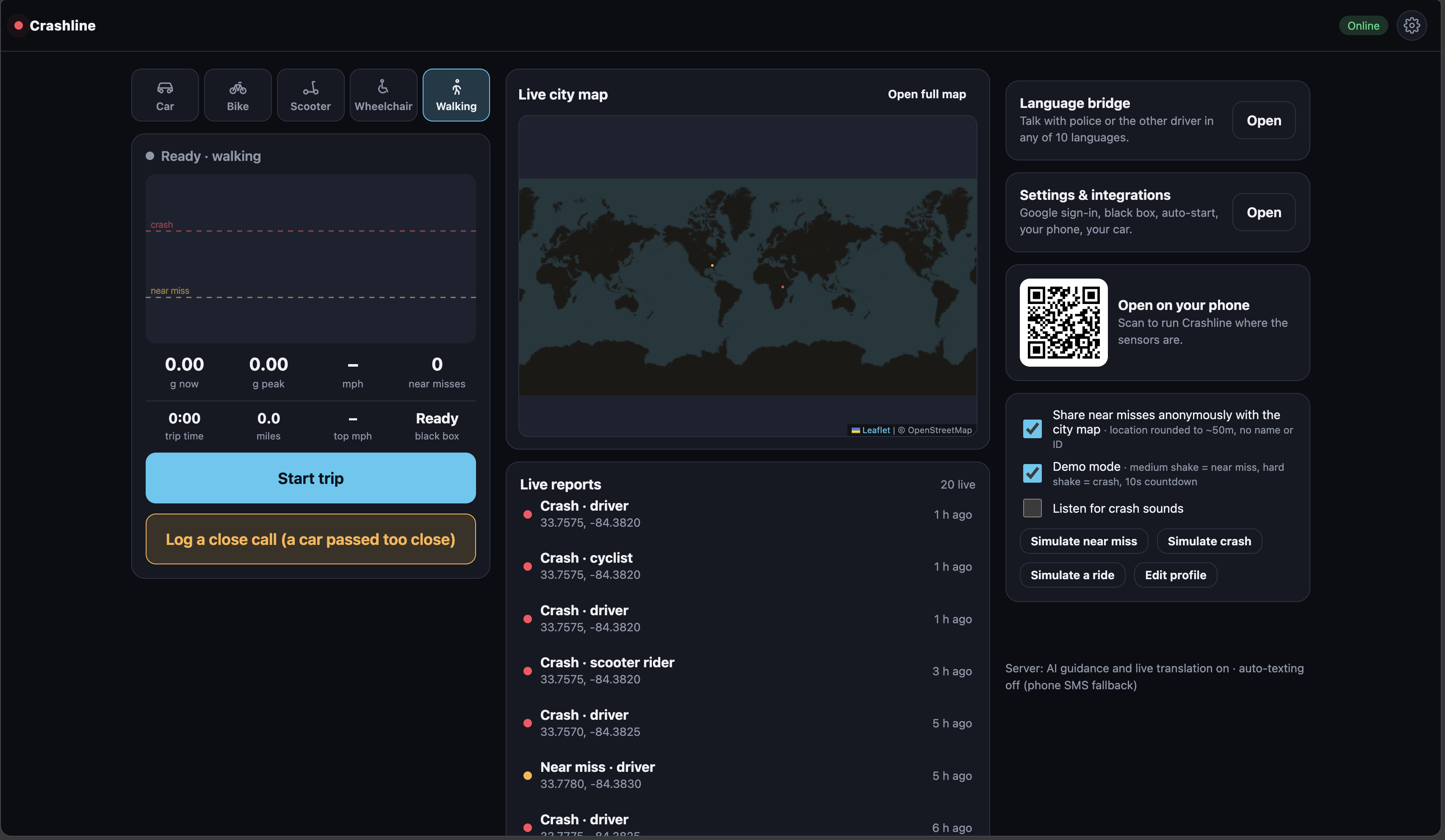
Inspiration
Phone crash detection exists, but it was built for one person: an English-speaking driver in a newer car. The people most likely to be badly hurt when a car hits them are left out: people on scooters, bikes, wheelchairs, and on foot. And if you're unconscious after a crash, you can't press a button to call for help.
We wanted crash safety that works for everyone, on the phone they already have, and that doesn't need you awake to work.
What it does
Crashline detects crashes and near misses for five ways of getting around: Car, Bike, Scooter, Wheelchair, and Walking.
- Smart crash detection. Instead of one g-force threshold, every jolt is scored over 3 seconds on impact force and duration, free fall (a dropped phone), rotation and tip-over, speed from GPS, and whether you stay still afterward.
- A countdown, then automatic help. If it detects a crash, you get a countdown with a big I'm OK button. If you don't cancel, your contacts are alerted, with no tap needed.
- Urgent alerts with real details. Contacts get a push notification with an SOS vibration that shows who crashed, how they were traveling, where it happened, and their medical notes.
- Texts from your own number. Your iPhone automatically texts your emergency contacts through an iOS Shortcut, so the alert comes from someone they trust, not an unknown number.
- Live alert page. A live map that follows the phone, Call them and Call 911 buttons, and replies like "I'm on my way" that are read aloud on the crashed phone. If nobody responds in 2 minutes, everyone is alerted again.
- Language bridge. A split-screen translator for talking to police, plus offline phrase cards in 9 languages.
- City safety map. Near misses are shared anonymously (rounded to ~50 m, no identity) to a map that ranks dangerous intersections and exports a CSV for city planners.
- Black box. The last minute of motion and GPS before a crash is saved on the phone.
How we built it
- Frontend: a vanilla JavaScript Progressive Web App with no build step, installable on any phone and working offline. It uses the DeviceMotion, Geolocation, Web Audio, MediaRecorder, Wake Lock, and Web Bluetooth (OBD-II) APIs.
- Detection engine: a feature-based scoring model with separate weights for drivers, riders, and pedestrians. For example, it estimates the change in speed during an impact as
$$\Delta v \approx \int_{t_0}^{t_1} a(t)\,dt$$
and combines it with the other signals into one confidence score. We built a Detection Lab that replays 11 recorded situations (crashes and look-alikes such as potholes, curb bumps, and dropped phones) through the real engine, and an automated test suite that runs them at three sensitivity levels.
- Backend: Node.js + Express, with Web Push (VAPID) for alerts, Nodemailer for email, live incident pages, and accounts.
- Auth: email and password (scrypt), plus Google and Apple sign-in through Auth0.
- AI: Google Gemini for live translation and crash guidance in the user's language.
- Maps: Leaflet with OpenStreetMap and reverse geocoding.
- Hosting: a Vultr Ubuntu server with Caddy for automatic HTTPS, deployed with a one-command script.
Challenges we ran into
- Telling a crash apart from a dropped phone. A single threshold either missed real crashes or went off when you dropped your phone. We moved to multi-signal scoring with free-fall detection and "did you stop moving?" checks, and tested it against look-alike scenarios.
- Sending a text with no tap. iPhones don't let any app send texts silently, and US carriers block unverified texting numbers. Our solution: the server sends a trigger email, and an iOS Shortcut automation sends a real text from the user's own number.
- iCloud blocked our trigger emails as spam (
554 5.7.1). We made the trigger plain and link-free, and the Shortcut now fetches the message from our server. - Auth0 callback mismatches. A trailing slash in a URL broke sign-in.
- Web vs. native limits. Browsers can't run detection fully in the background, so we designed around that and noted what a native app would add.
Accomplishments that we're proud of
- A crash goes from detection to an automatic text and live map with zero taps from the person who crashed.
- It works for scooters, bikes, wheelchairs, and people walking, not just cars.
- The detection engine passes all 11 recorded scenarios at every sensitivity level.
- It's live and installable on any phone, with no app store needed.
What we learned
- Sensor data is noisy. The aftermath of an impact tells you more than the peak.
- How Web Push, service workers, and iOS Shortcuts automations work.
- The real-world rules around automated SMS (carrier verification, A2P registration) and email spam filtering.
- Deploying and securing a real server with HTTPS.
What's next for Crashline
- A verified Crashline texting number, so alerts need no setup at all
- Native apps for background detection, Apple Health / Health Connect, and CarPlay / Android Auto
- Android auto-texting
- Partnering with cities to turn near-miss data into safer streets
Built With
- auth0
- caddy
- css3
- devicemotion-api
- express.js
- geolocation-api
- google-gemini
- html5
- indexeddb
- ios-shortcuts
- javascript
- leaflet.js
- linux
- node.js
- nodemailer
- openstreetmap
- progressive-web-app
- service-workers
- ubuntu
- vultr
- web-bluetooth
- web-push

Log in or sign up for Devpost to join the conversation.