-
-
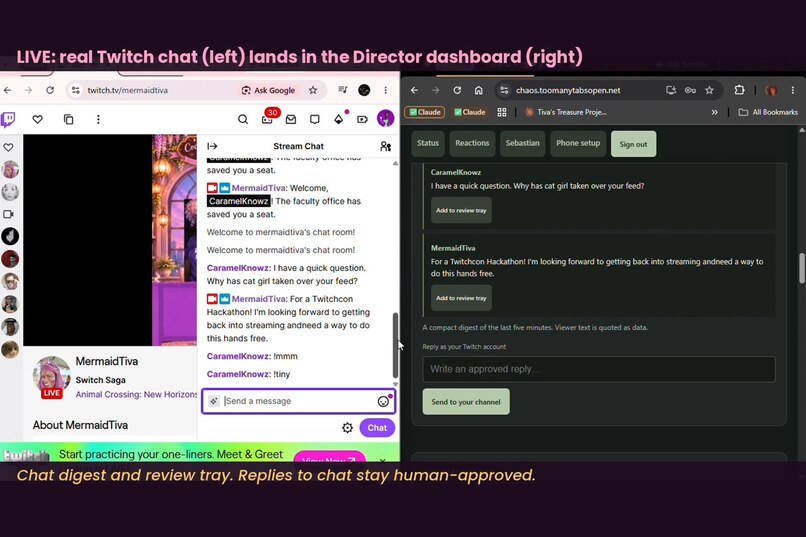
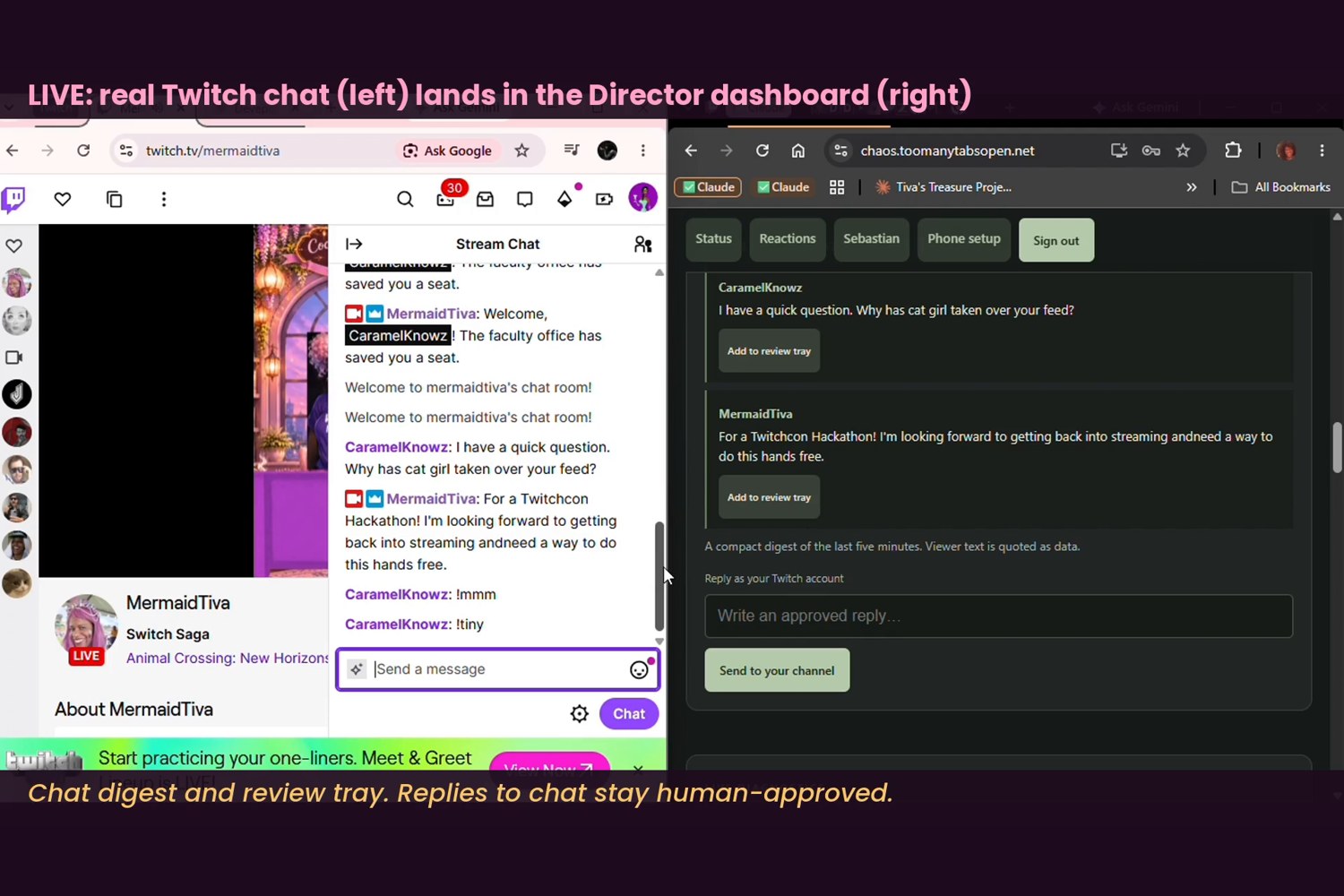
Live: real Twitch chat (left) arriving in the Director dashboard (right), with the review tray.
-
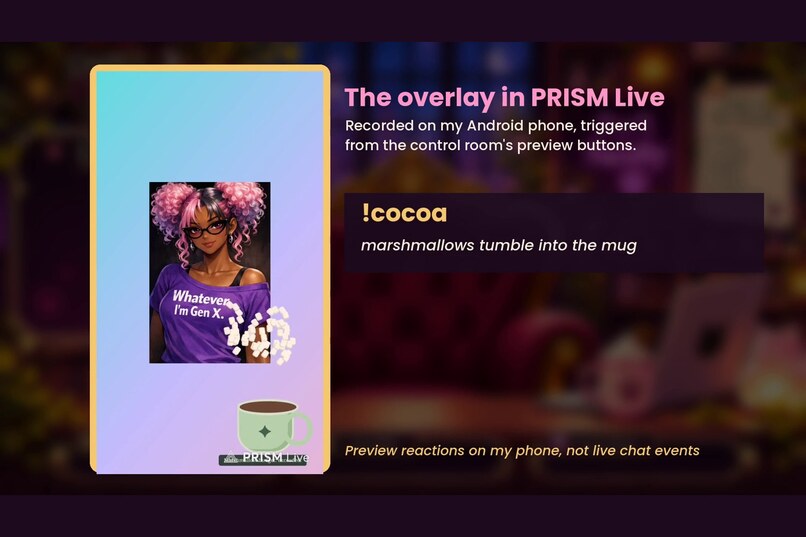
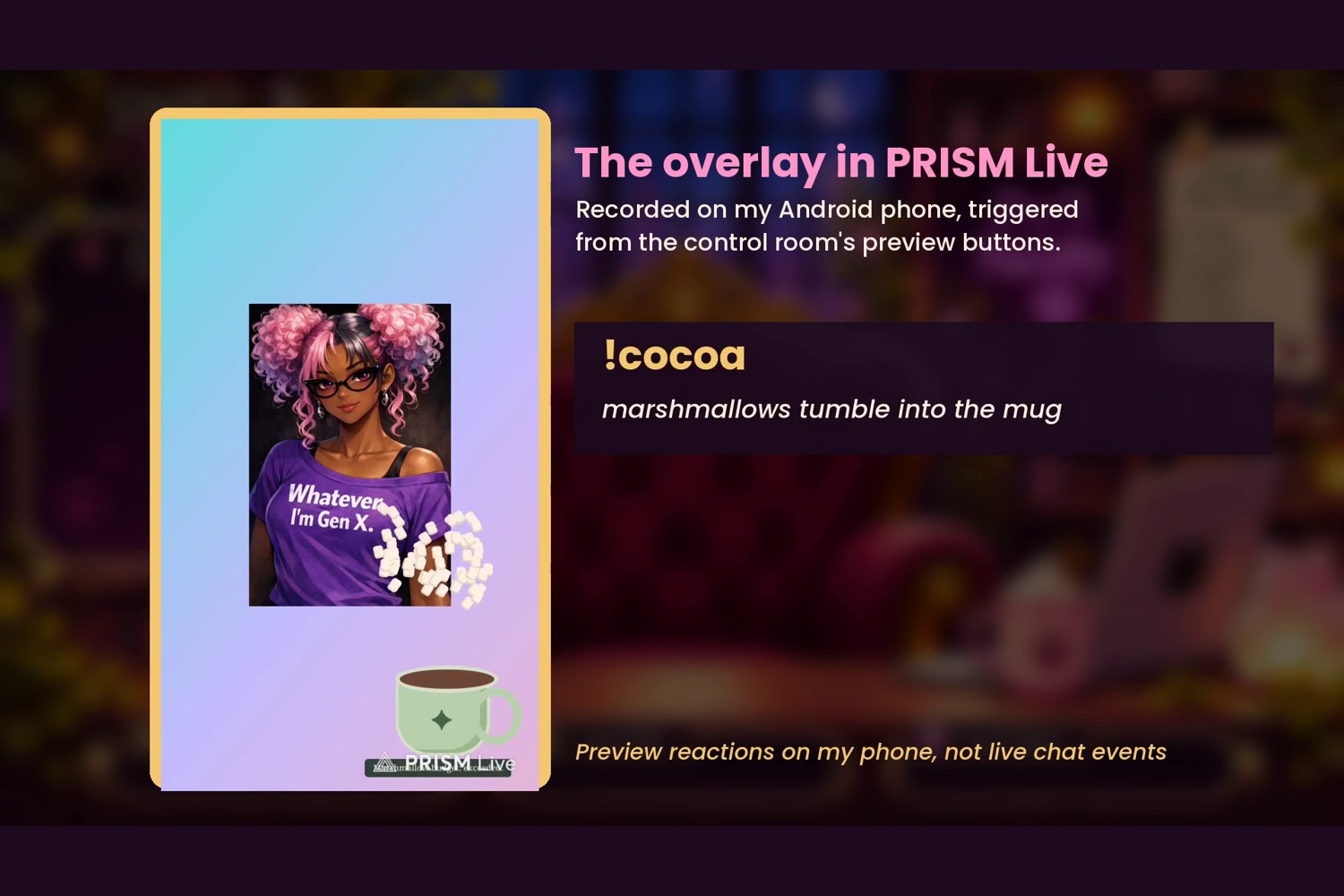
The overlay in PRISM Live on Android: a !cocoa preview reaction with tumbling marshmallows.
-
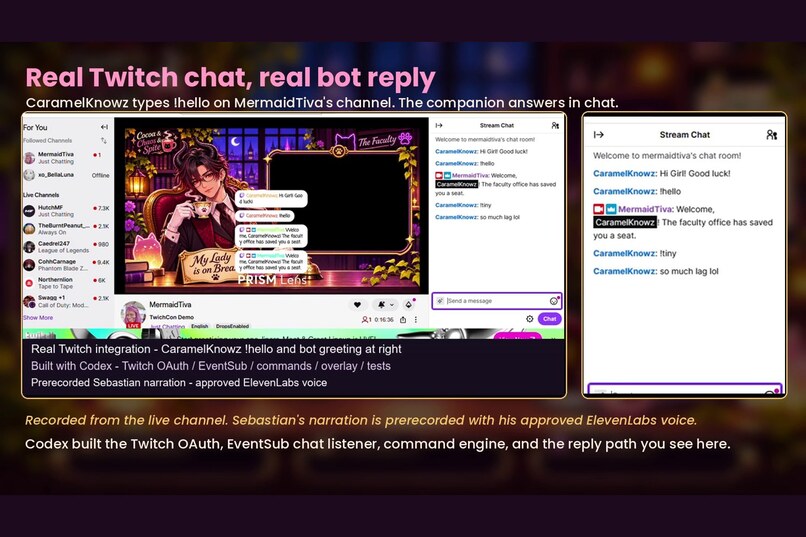
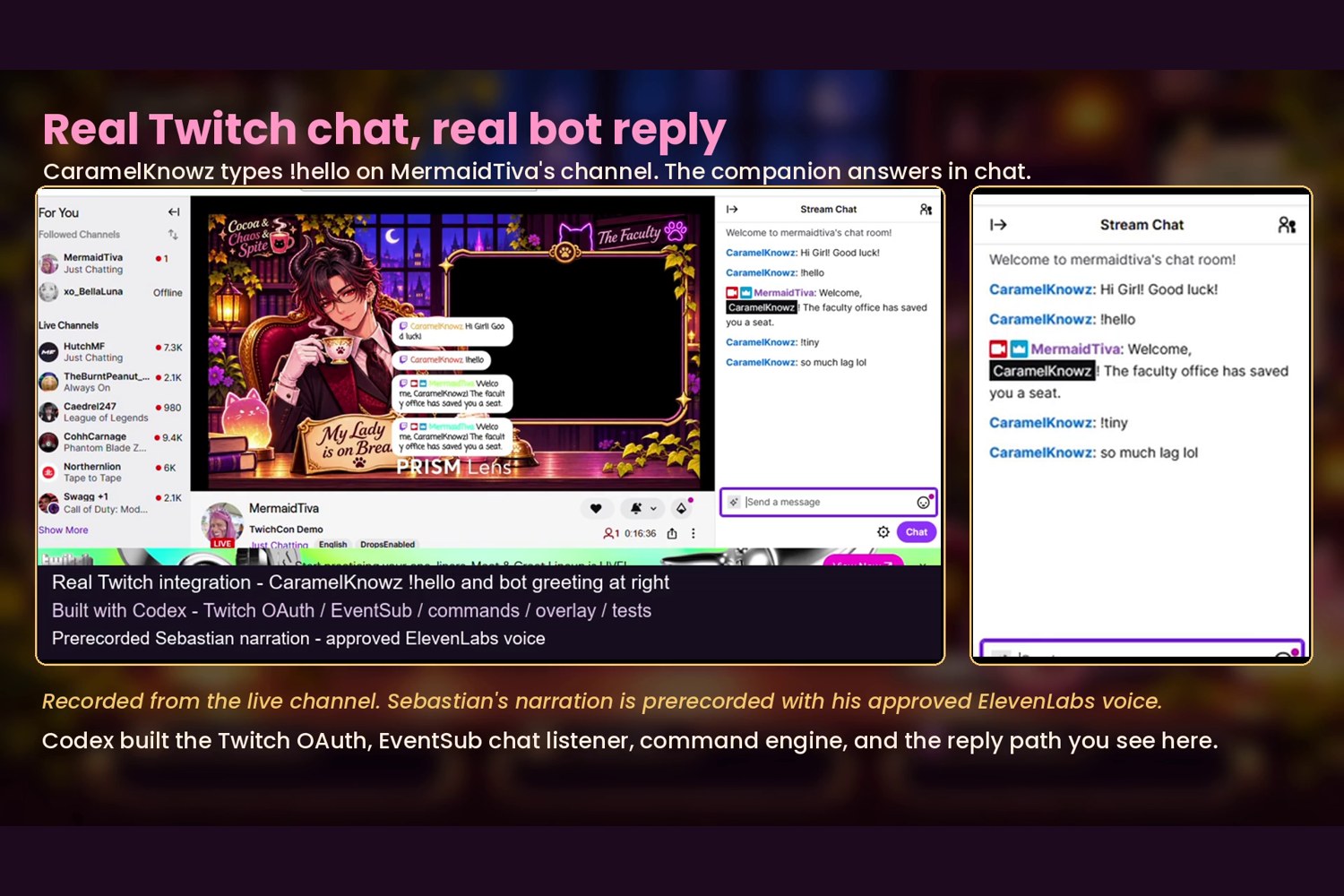
A real !hello from CaramelKnowz and the bot's welcome reply on MermaidTiva's live channel.
-
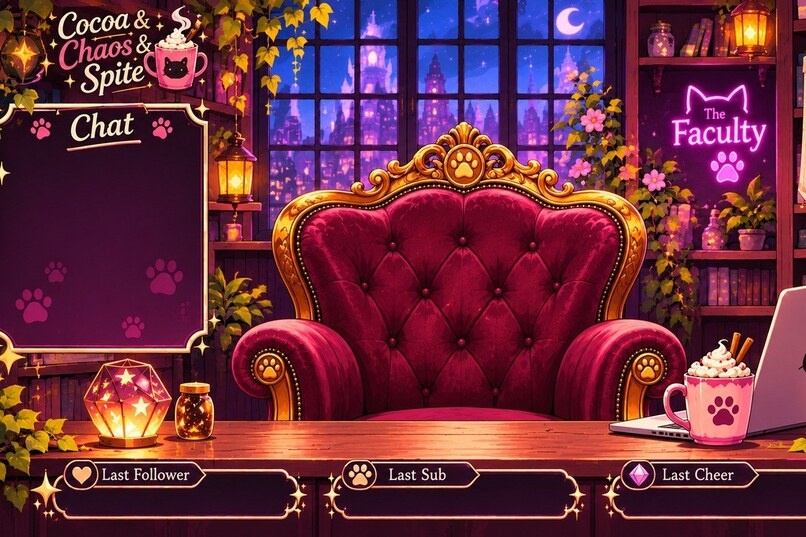
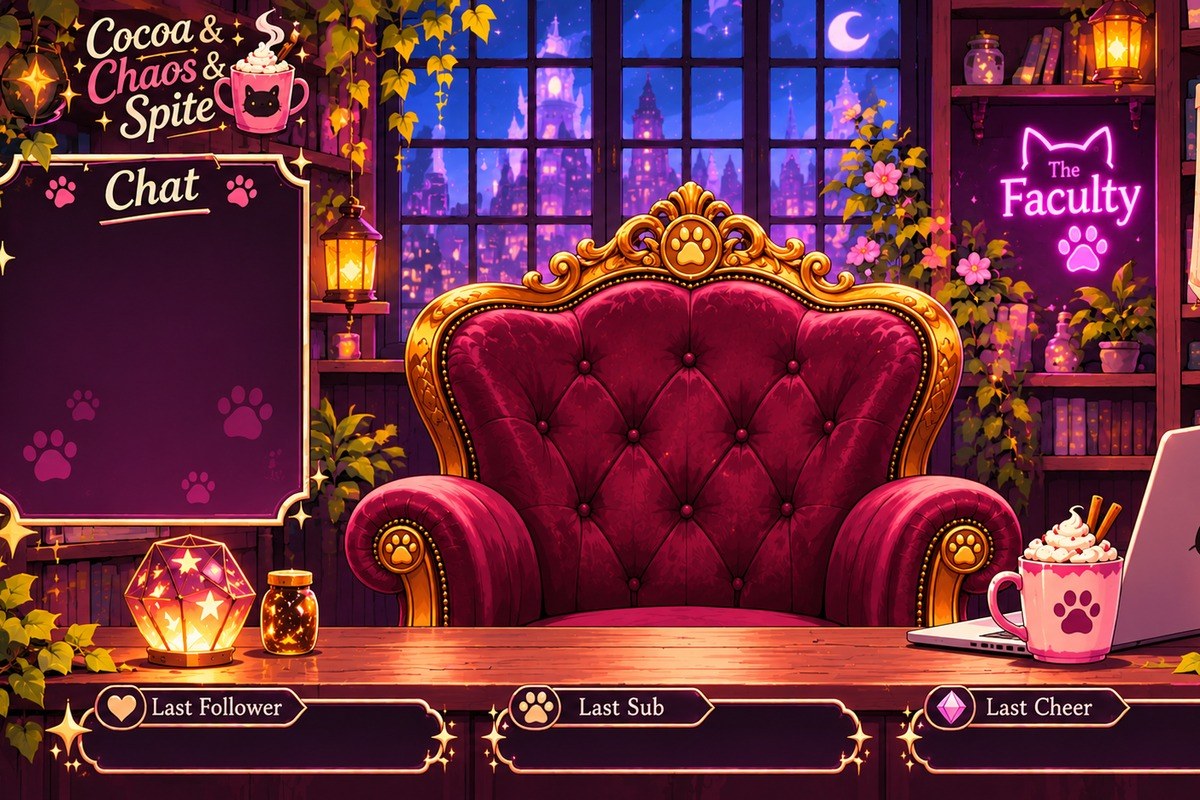
Cat Girl's Faculty Office, the cozy stream scene where chat makes the chaos.
-
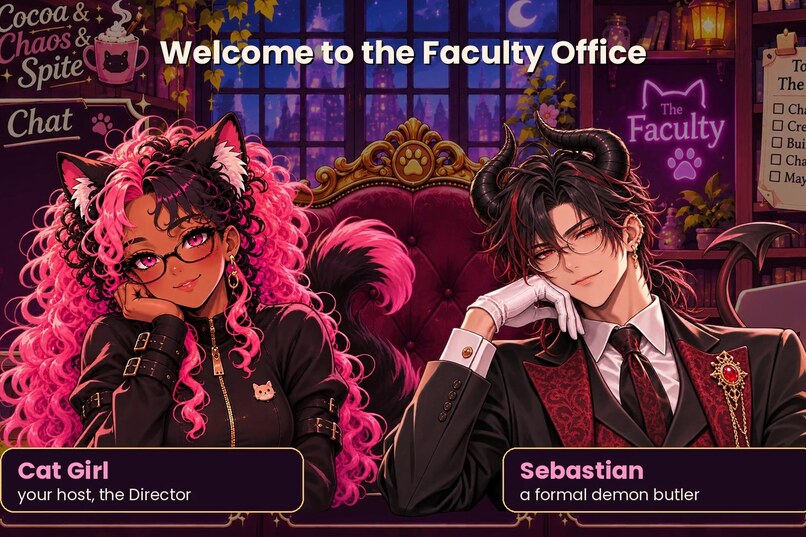
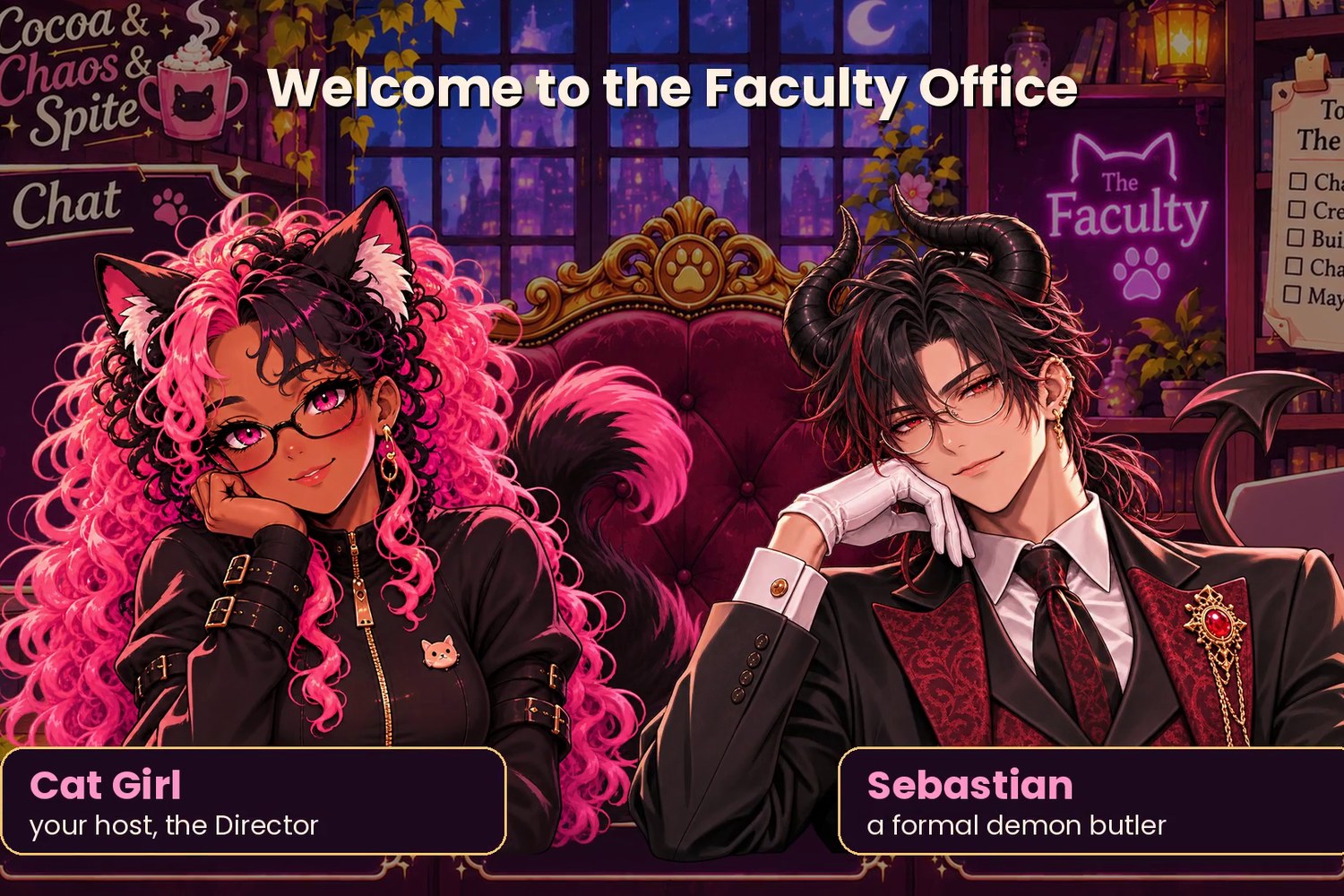
Meet the cast: Cat Girl, your host and Director, and Sebastian, a formal demon butler.
Inspiration
When you stream, you're doing two jobs at once: the thing you came to do, and keeping up with chat. Every time I looked away to greet someone or answer a command, I lost the thread of what I was making.
So I asked a different question: what if the stream had staff? Cocoa & Chaos & Spite is set in Cat Girl's Faculty Office, a custom illustrated space with its own cast. Sebastian, a formal demon butler, keeps things dignified. A crew of plush marshmallow kittens handles the chaos. The idea is simple: let the companion take care of the small, repeatable chat moments so the streamer can stay in the moment.
What it does
Cocoa & Chaos & Spite is a Twitch-connected stream companion with a Director dashboard and a transparent browser overlay.
Verified on real Twitch:
- It connects to the broadcaster's channel through Twitch OAuth and listens to live chat over EventSub WebSockets.
- In a real chat test, viewer CaramelKnowz typed
!helloon my channel and the bot replied with a greeting through Twitch chat. Logs record the command arriving, executing, and the reply returning within about half a second. - Earlier live tests also recorded
!cocoa,!cat, and!chaosexecuting with replies, and a live!flailcorrectly denied by the per-viewer cooldown.
Built and tested in previews and automated tests:
- Chat commands trigger illustrated overlay reactions: a hello kitten, a cocoa mug with a shower of paw-print marshmallows, a black kitten charging into a stack of paperwork, a hydration reminder, a joyful Cat Girl flail, subscriber-only marshmallow-kitten rain, and the Dean's calculator explosion for new subscriptions.
- Permissions are role-aware: greetings and cocoa are open to everyone, chaos and flail are limited to the broadcaster and moderators, and
!mmm/!tinyrequire a real subscriber or founder badge. - Cooldowns and a small queue keep spam from flooding the screen. One effect plays at a time and every effect clears itself.
- The Director dashboard shows connection health, a compact chat digest that surfaces recent questions, and a moderation tray. Moderation stays human: the app never bans, times out, or deletes anything on its own.
- An authenticated, phone-friendly preview runs over HTTPS, and I confirmed the dashboard layout and audio test on my Android phone.
Sebastian: his existing ElevenLabs agent and approved voice are wired into the dashboard, and I heard his real voice there on desktop. The narration in the demo video is prerecorded and labeled as such. Live voice on stream is not part of the verified claims.
How we built it
OpenAI Codex built the application code. I acted as Director: I set the goals, supplied and approved the artwork, tested on my own channel and devices, and approved every step that touched real accounts.
Codex implemented the Twitch OAuth and token refresh flow, the EventSub WebSocket lifecycle (keepalive, reconnects, session migration, duplicate suppression), the command engine with permissions and cooldowns, the Server-Sent Events feed to the overlay, the dashboard, the hosted preview safeguards, the integration of the approved artwork, and the automated test suite. It's plain Node.js ES modules with no npm runtime dependencies. All 47 automated tests pass.
The overlay is a transparent browser source, so it works in PRISM Live Studio or any streaming app that supports browser sources. The artwork came from my approved illustrations; Codex removed backgrounds and split the sprite sheets into animation frames without regenerating the art.
Challenges we ran into
- PRISM Lens vs. PRISM Live Studio. Early on I was working in the wrong PRISM app. Lens is the camera-effects tool; Live Studio is the one that takes a browser source. Once we sorted that out, the overlay had a home.
- Twitch authentication. The first version threw away saved tokens on any validation error, including a brief network hiccup, which kept forcing me to reconnect. Codex narrowed that so only truly invalid authorization ends the session, and added retry with backoff. Chat replies also failed at first because of a parameter Twitch doesn't allow with a user token; that was fixed and checked against a live reply.
- Overlay integration. Getting the artwork right meant real transparency, consistent frame alignment, and fighting browser caching that kept serving old files. One command,
!tiny, worked on the server but never appeared because the overlay's allowlist didn't include it. Each fix got its own regression test. - Recording recovery. Capturing a clean demo took several tries. We recovered and kept a 10-minute raw take that shows the real
!helloexchange, and built the submission video from that evidence.
Accomplishments that we're proud of
- A real Twitch chat command and bot reply, verified end to end on a live channel.
- A companion with real personality, from Sebastian's formality to the kittens' chaos, without giving up careful permissions and human-controlled moderation.
- Honest status tracking. Every checkpoint separates what was verified live from what was only previewed.
What we learned
A working demo and a verified claim aren't the same thing. Separating "proven on Twitch," "proven in preview," and "planned" kept the project honest and made every decision easier. I also learned that I'm happiest as Director: I bring the world and the characters, and Codex brings the engineering discipline.
What's next for Cocoa & Chaos & Spite
- Live Sebastian voice on stream, with explicit controls and captions.
- Verifying the remaining reactions with ordinary viewers and real subscriber events.
- Sebastian as acting stream host during breaks: short, pre-approved lines, a countdown, and optional moderated trivia.
- Moving from the preview deployment to a fully hosted, phone-only streaming setup.
Built With
- css3
- elevenlabs
- eventsub
- greengeeks
- html5
- javascript
- node.js
- oauth
- openai-codex
- prism-live-studio
- server-sent-events
- twitch
- websockets

