Inspiration
Many people living with ALS keep a sharp mind long after they lose their hands and voice, and different people keep different movements: for some it's the jaw, for others only the eyes. Phones, computers, and now driverless cars are built around touch and voice, and most assistive tools are built around a single input. So as the disease advances, people switch devices and start over, right when learning something new is hardest. We wanted one system that adapts to whatever movement a person still has and keeps working as that changes.
What it does
Clench lets someone communicate and control their surroundings with whatever reliable movement they have left. It has three parts that share the same inputs.
The main application: communicating
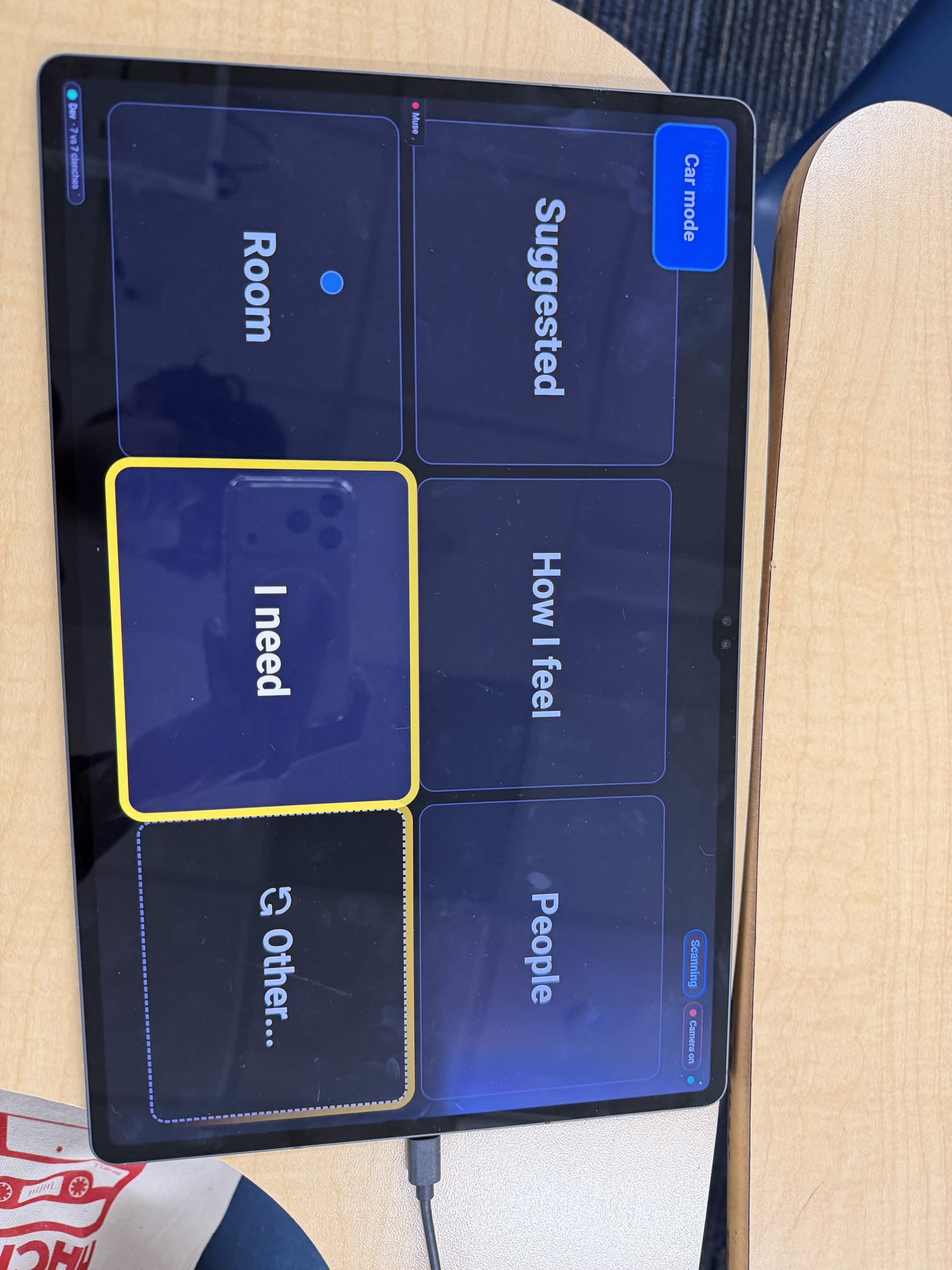
- Look: eye tracking (Eyedid SDK) highlights one of up to six large tiles, just by looking at it. Webcam head tracking and automatic scanning are backups, so it still works if eye control fades.
- Clench and blink: a Muse 2 headband senses the jaw muscle's electrical signal, even small clenches, to select a tile. A double blink, also read by the headband, goes back one step, and a clench confirms it so an accidental blink never costs anything.
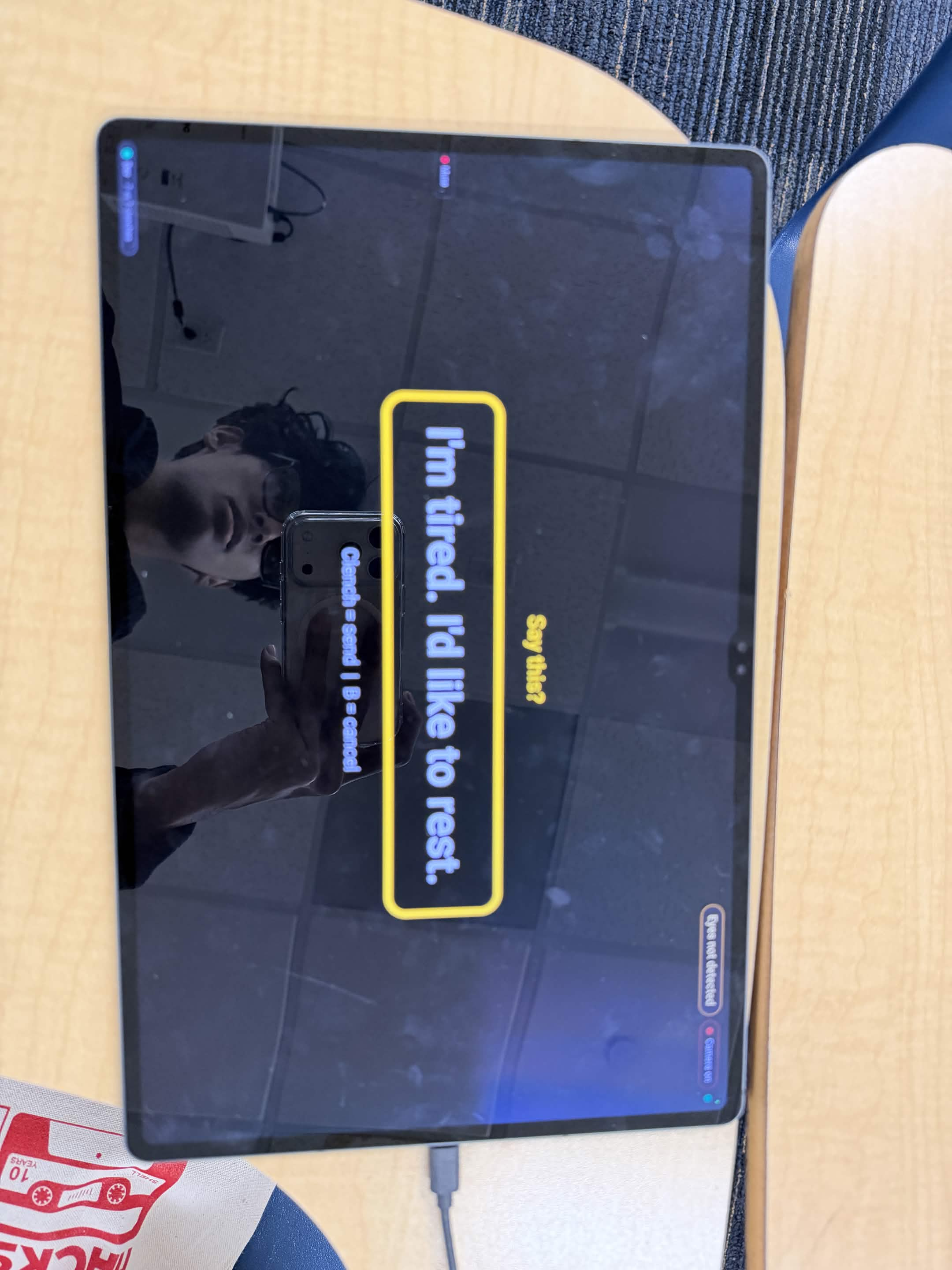
- Build a message: the user builds what they want to say level by level, picking a category, then a detail, then a specific (for example I need → Pain → Back → A lot). Gemini turns that path of words and phrases into complete sentences in English or Spanish, written the way the user usually talks.
- Hear every pick: each word is spoken aloud the moment it's picked, so a caregiver in the room hears "Pain... Back..." before the message is even finished.
- Confirm and act: one more clench confirms the message, which is spoken in a natural ElevenLabs voice. Clench then uses tool calls to carry out the task, like texting a family member on Telegram or placing a real phone call through Twilio that reads the message aloud. Nothing is ever said or sent without that confirmation.
- Urgency: a long clench triggers an urgency alert from any screen. After a short countdown that can be cancelled, it calls and messages family, with no AI involved and no dependence on the network.
Clench also learns. It ranks options by what the user says, when they say it, and a structured AI prior, so a message that took 5 clenches on Day 1 takes 2 after a week of use. The ranking score combines normalized parts:
$$s = w_u U + w_t T + w_b B + w_a A - w_r R$$
where \(U\) is recency-weighted use, \(T\) is time-of-day fit, \(B\) is body state, \(A\) is the AI prior from TypeSafe Jev, and \(R\) penalizes recently cancelled messages. Menus only reorder when an option clearly beats its neighbor, because motor memory matters for people who communicate this way.
Computer mode: using the real web
With the same look-and-clench input, the user controls a real Chromium browser. They can open YouTube, Spotify or Google, pick anything on the page, and fill search boxes in two or three clenches: Gemini suggests searches based on their history and the time of day, with a scanning keyboard with word completion as a last resort. Searches they repeat rise to the top. An experimental desktop control mode extends this beyond the browser, with eye-controlled scrolling, dragging, and a gaze keyboard that types into any app.
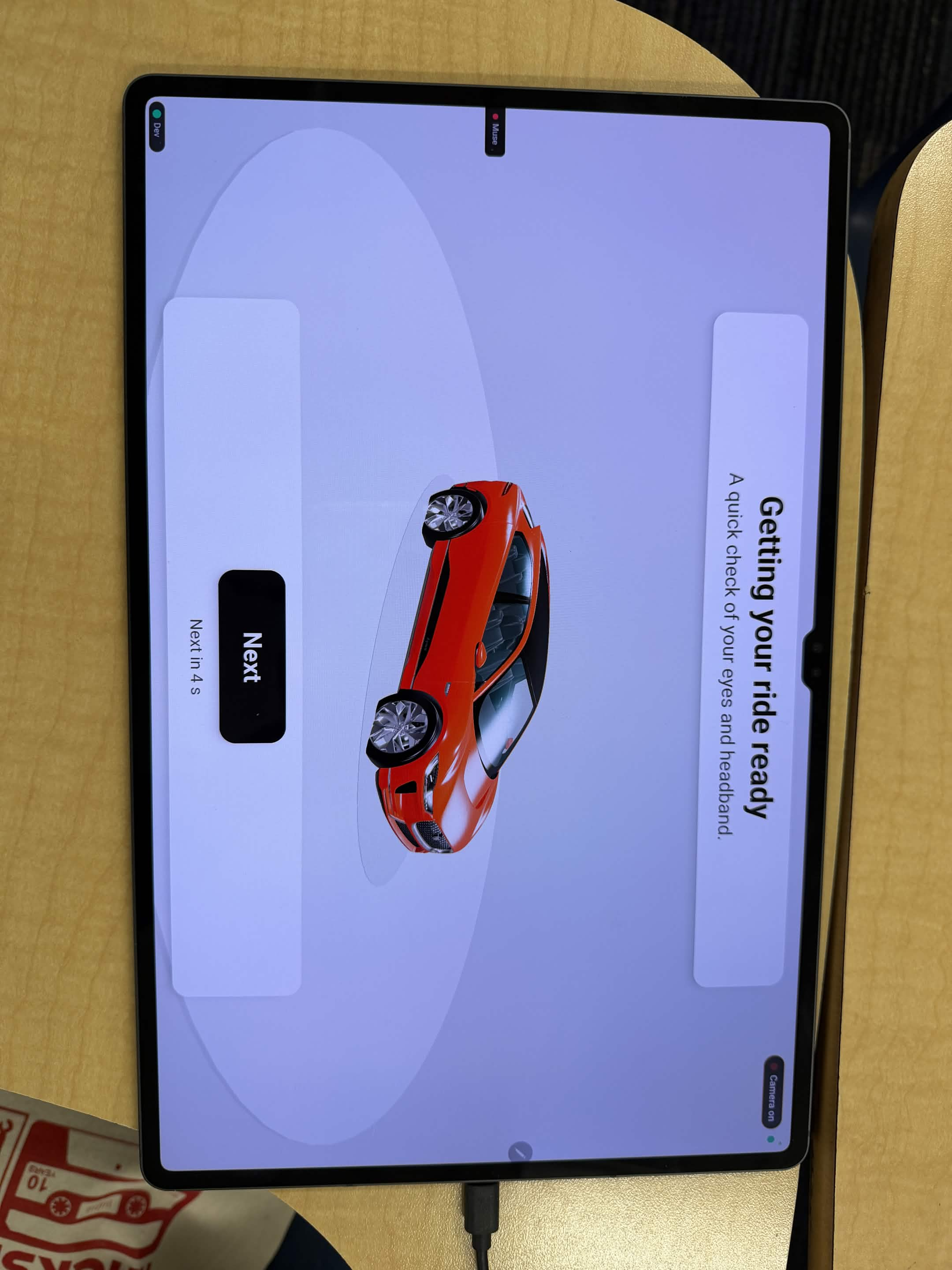
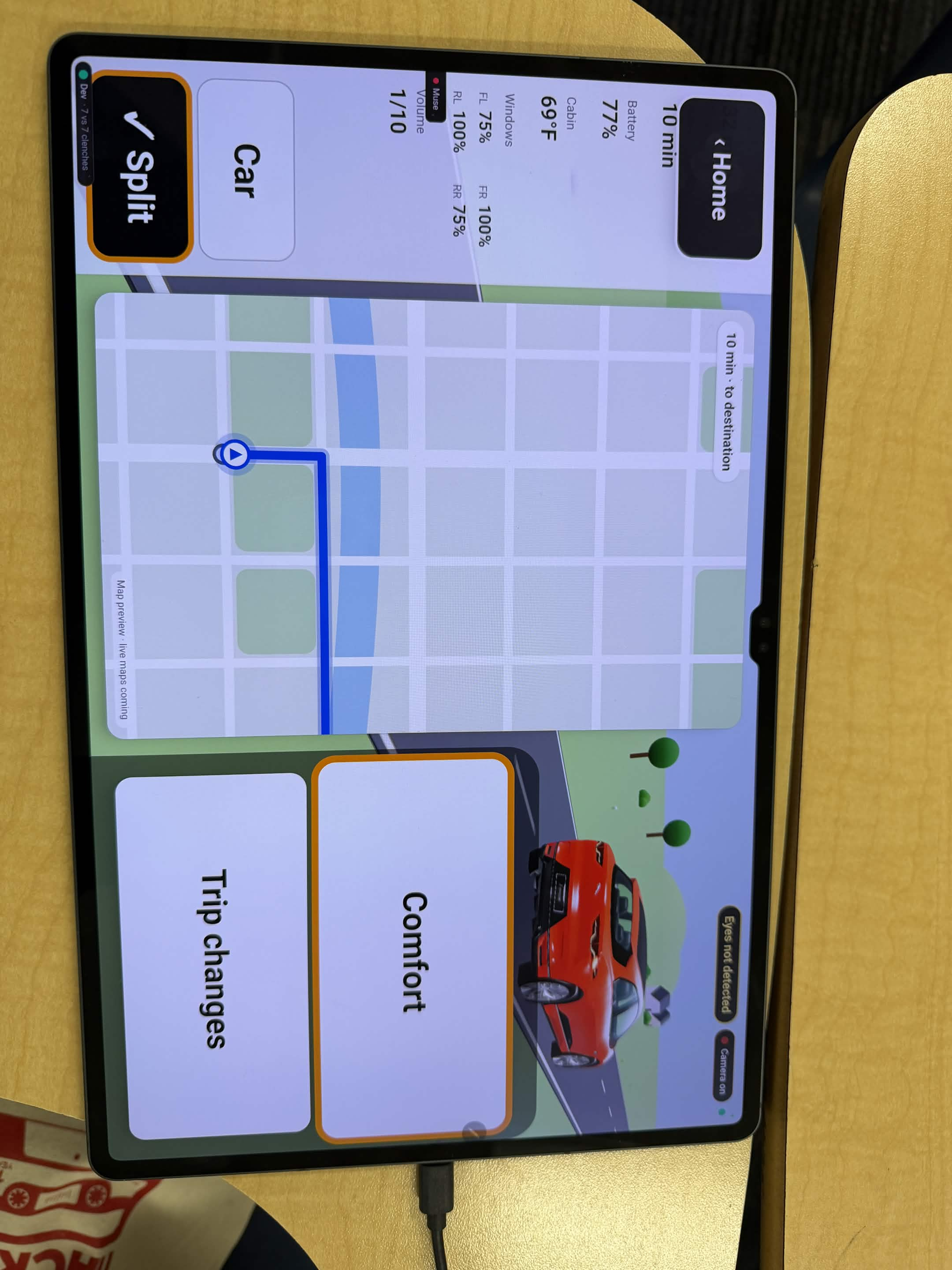
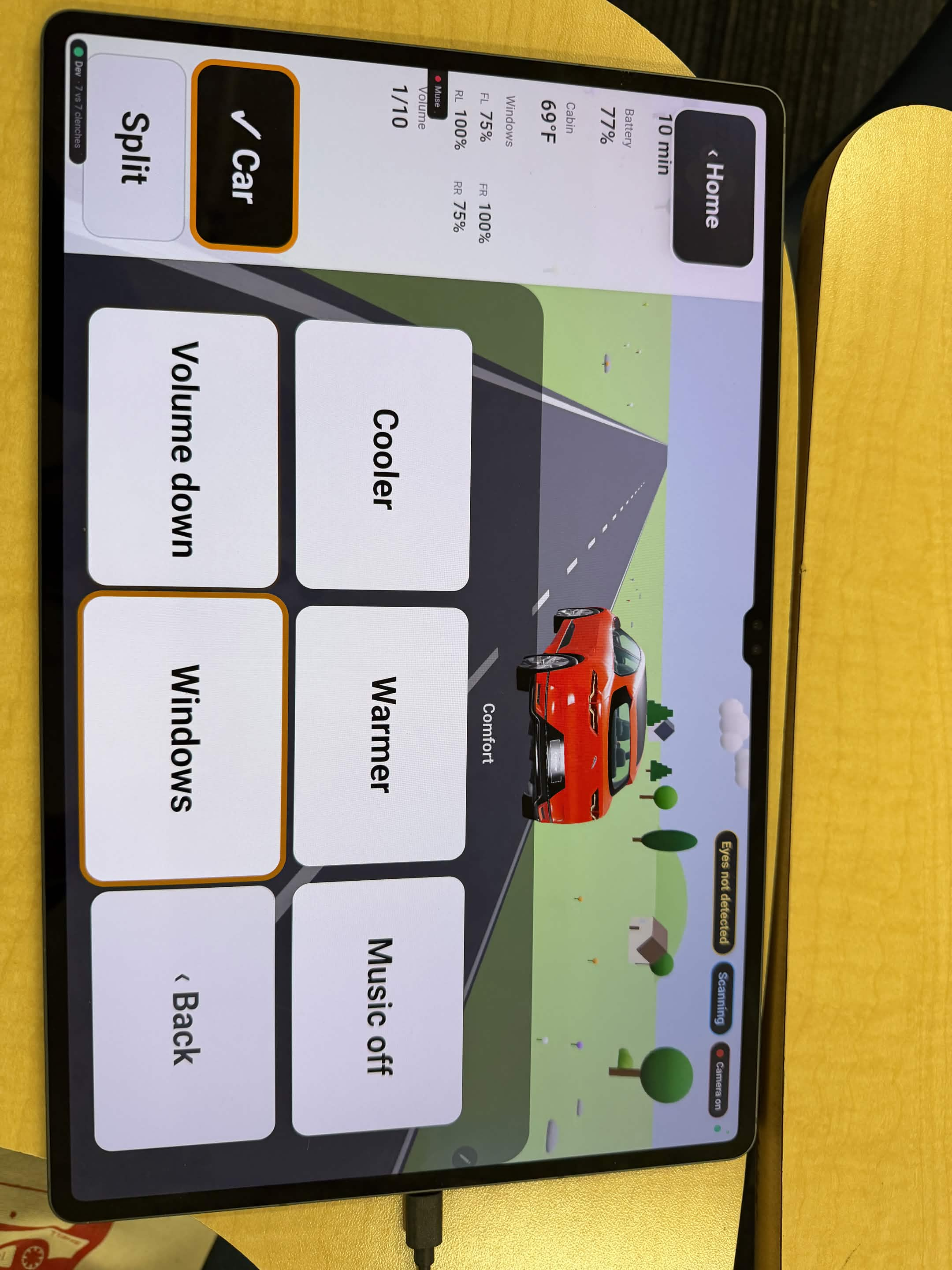
Car mode: riding in a driverless car
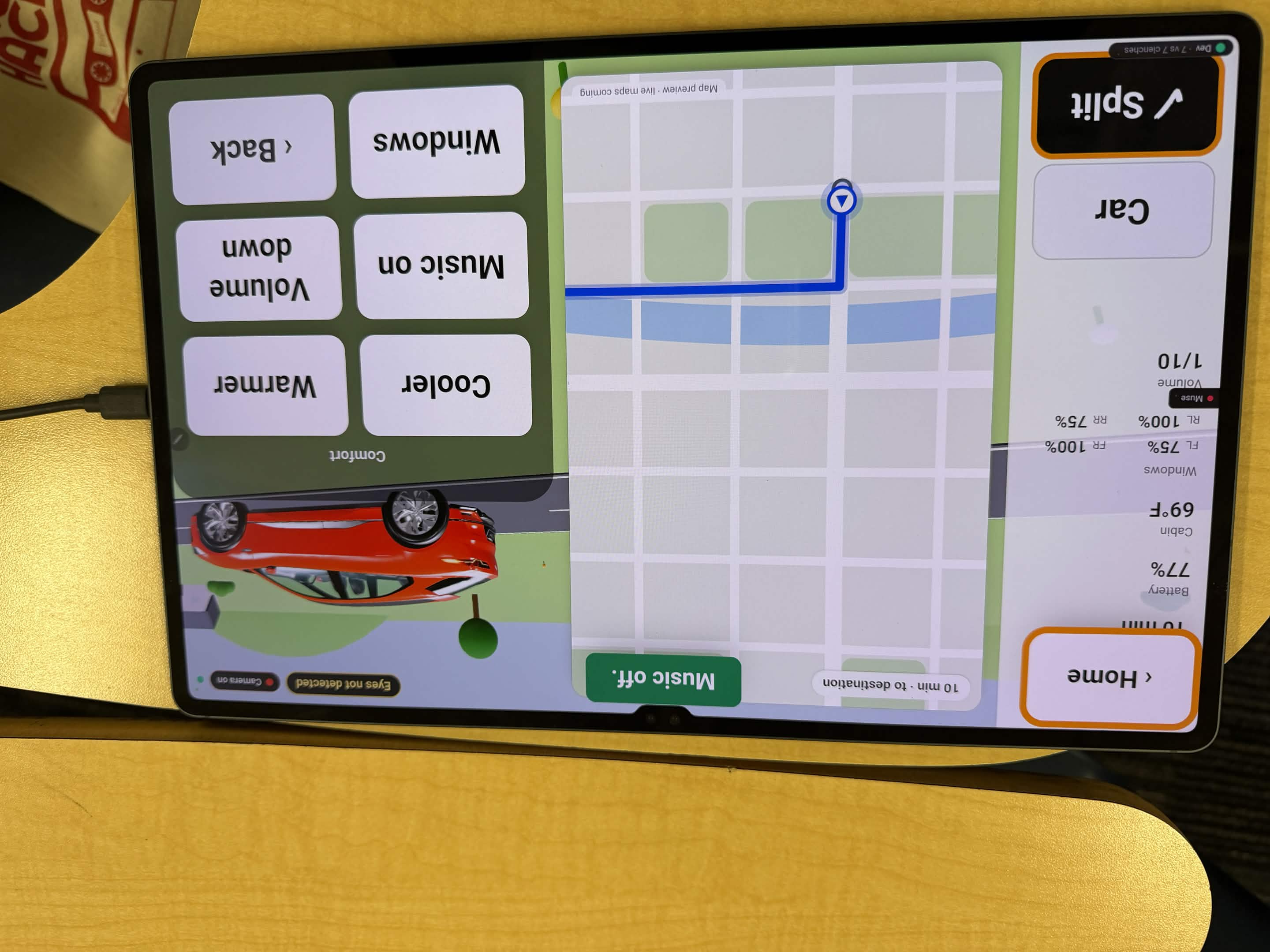
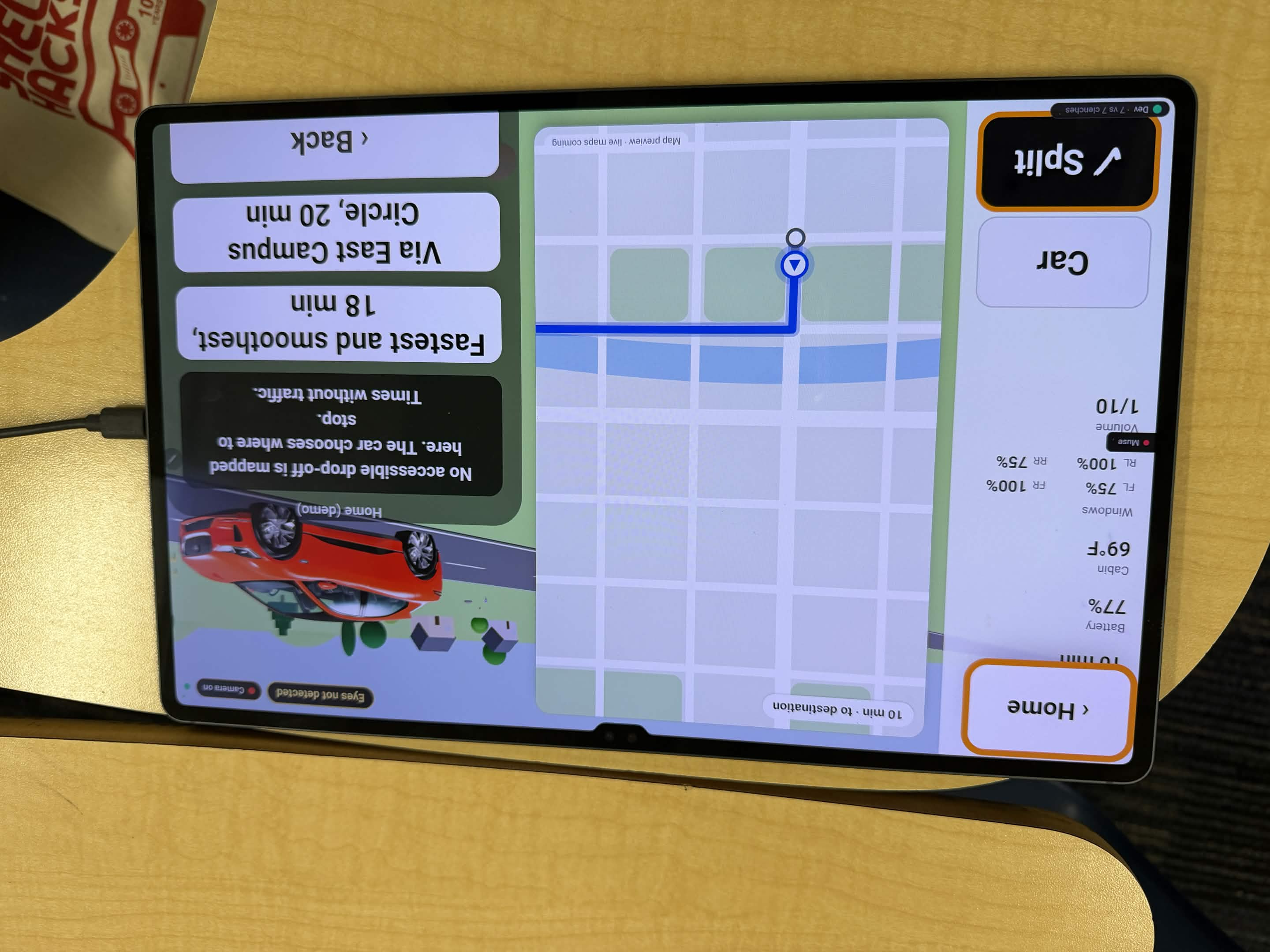
Car mode runs on an Android tablet that acts as the rider's in-car controls, using eye tracking to look and jaw clenches to select. The user plans a trip by picking a saved place (Home, Hospital, Pharmacy) and confirming it. During the ride, the screen becomes their controls: windows, temperature, music, slow down, pull over (which needs a confirm), and support. The car answers every request as accepted or delayed, and the answer is spoken back to the rider. Routes are planned from real open map data (OpenStreetMap and elevation) to find accessible entrances, curbs and ramps, and to avoid steps and steep slopes. The car itself is simulated behind a vehicle interface we designed so a real autonomous car could plug in later.
For caregivers
A caregiver console shows a live signal panel, an input log of every gesture and why it was accepted or refused, and a trends page for how the user is doing over time, like clench strength through the day, which can signal fatigue.
How we built it
- Sensor service (Python): BrainFlow streams the Muse 2. Each person gets their own calibration profile for jaw clenches, MNE detects double blinks from the forehead channels, and the headband also streams heart rate. The service sends clean events over a WebSocket.
- Eye tracking: the Eyedid SDK tracks where the user is looking and feeds that gaze point into the interface, which turns it into a highlighted option with smoothing and sticky borders. Only one component ever owns the camera, and a light shows whenever it's on.
- Core (Python, FastAPI): a state machine that owns menus, confirmation, urgency alerts, learning, and a registry of tools (speak, message, call). It talks to every client over WebSockets and keeps the user's history in SQLite on the device.
- Main application and caregiver console (React, TypeScript, Vite, Tailwind): the scanning board, the live signal panel, the input log, and a trends page backed by Tiger Data (time-series PostgreSQL) that stores sensor metrics only, never message text.
- AI: Gemini 3.8 Flash turns selected words and phrases into sentences and writes search suggestions, as validated structured JSON batched into one request per menu level. TypeSafe Jev ranks options in under half a second and can only choose from the list it's given. ElevenLabs Flash v2.5 gives the user a natural bilingual voice, with every menu word and phrase generated ahead and cached.
- Tools: a Telegram bot delivers messages and Twilio places voice calls.
- Computer mode: Python Playwright drives a real Chromium browser with a persistent profile, an injected overlay that finds clickable elements, a domain allowlist, and a block on purchase and delete actions.
- Car mode (Kotlin, Android): a tablet app with gaze and clench input and a 3D view of the trip, connected to a simulated vehicle behind our own interface, with route planning on OpenStreetMap data (addresses, entrances, curbs, ramps, steps) plus elevation.
- Reliability: 400+ automated tests, and every outside service has an offline fallback: fixed phrases if the AI is down, the browser voice if ElevenLabs is, and the urgency alert never depends on the network.
Challenges we ran into
- The headband only worked for one teammate. Hair behind the ears, fit, and calibration math tuned to one person made it fail for everyone else. We added named calibration profiles, refused weak calibrations instead of saving them, and fixed a detector bug where the signal could stay "latched" and fire false urgency alerts.
- Accidental blinks. Real double blinks turned out to be far too easy to make by accident, and they raced people back through the menus. Now a double blink opens a "Go back?" prompt that needs a clench to confirm, and doing nothing costs nothing.
- Eye tracking accuracy. Our first webcam-based gaze wasn't reliable enough, so we moved to a dedicated eye-tracking SDK (Eyedid) and built a
/gaze-testbench to measure hit rate instead of trusting how it felt. - Android is strict about sound and cameras. On the car tablet, the WebView blocked audio that wasn't started by a tap and has no built-in speech voice, two components fighting over the front camera broke tracking, and blink detection wasn't supported, so Car mode runs on gaze and clench only.
- Real websites fight automation. Sites like YouTube block injected scripts and outside connections, so our overlay had to be built entirely within the page's own rules and talk to our app through the browser controller instead.
- SMS was a dead end. US carriers block text messages from unregistered app numbers, and registration takes weeks, so we switched to a Telegram bot for messages and Twilio for calls.
- Integration. Four people and many parallel branches meant a lot of careful merging near the end.
Accomplishments that we're proud of
- A full loop from a real jaw clench to a spoken message, a delivered text, and a ringing phone.
- Learning that cuts a common message from 5 clenches to 2.
- The same look-and-clench input works for talking, on the web, and in the car.
- Fully bilingual in English and Spanish, and usable offline.
- Safety rules that never bend: nothing sent without confirmation, and urgency alerts that never depend on AI or the network.
What we learned
- Assistive technology has to be designed for failure first: a missed input is annoying, but a false one can send a message the person never meant.
- The people who depend on AI most are often least able to check what it's doing, so AI should suggest and the person should decide, with privacy and control usable through the same single movement as everything else.
- Measuring beats guessing. Hit rates, selection counts, and an input log that shows refused gestures saved us hours of debugging by feel.
What's next for Clench
- Connecting the car interface to a real autonomous vehicle partner.
- Running the headband directly on the tablet with the official Muse SDK, so Car mode can use blinks too.
- A gaze-only way to confirm, for people who have lost even the jaw.
- Full desktop control as a default mode, not just an experimental one.
- Voice banking, so Clench speaks in the user's own recorded voice.
- Testing with people living with ALS, their caregivers, and speech-language pathologists.
Built With
- android
- brainflow
- elevenlabs
- eyedid-sdk
- fastapi
- gemini
- google-maps-platform
- grpc
- kotlin
- mediapipe
- mne-python
- muse-2
- openstreetmap
- protobuf
- python
- react
- sqlite
- tailwindcss
- telegram
- tiger-data
- twilio
- typesafe-jev
- typescript
- vite
- websockets


Log in or sign up for Devpost to join the conversation.