-
-

UiPath Maestro Case: 5-stage agentic reimbursement pipeline — from email intake to payout, with human-in-the-loop approval.
-
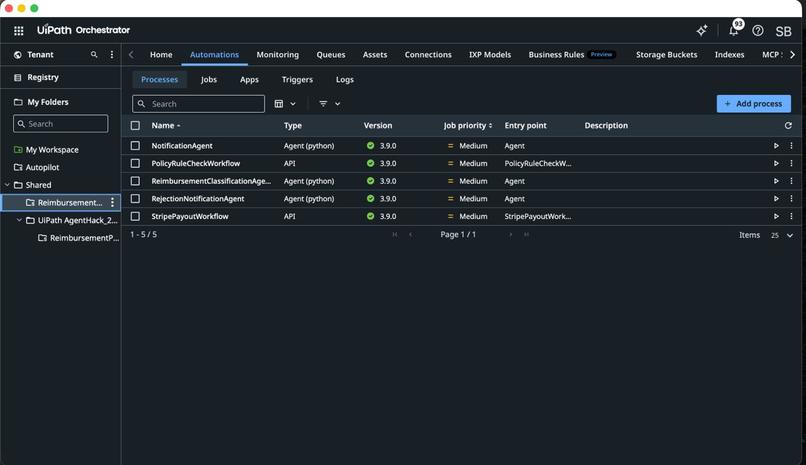
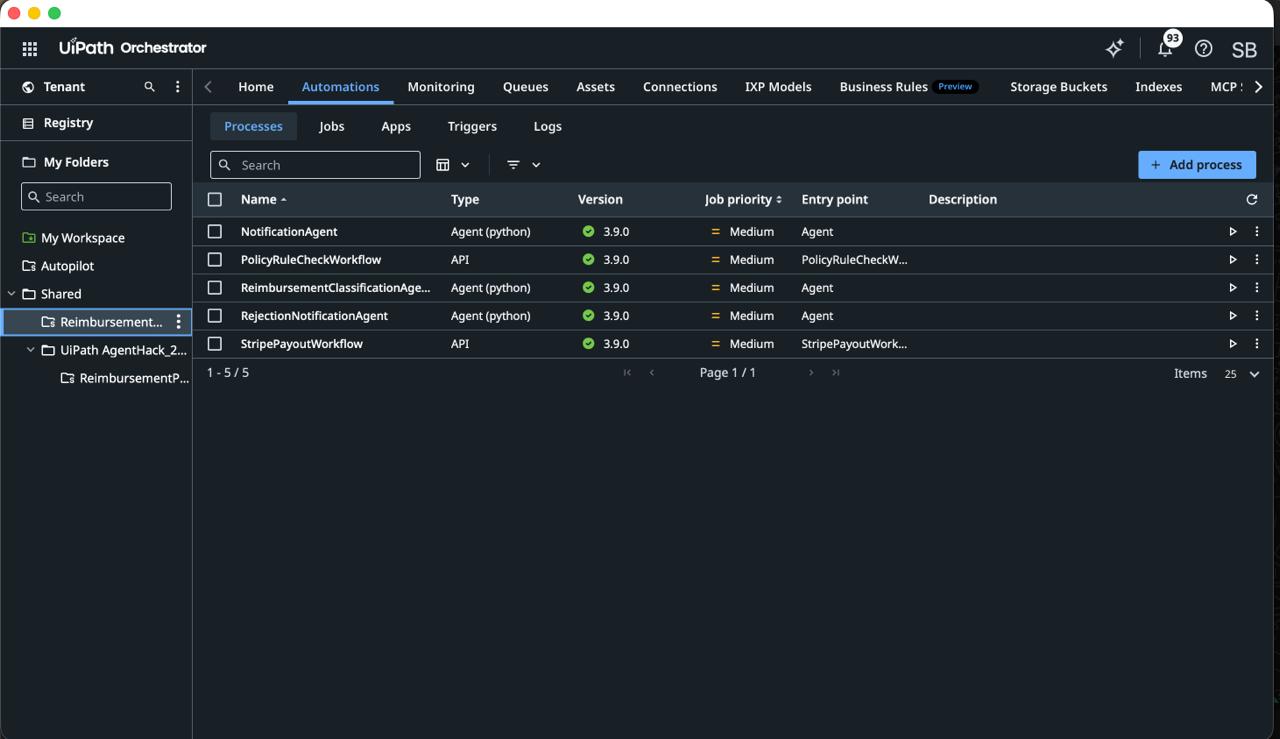
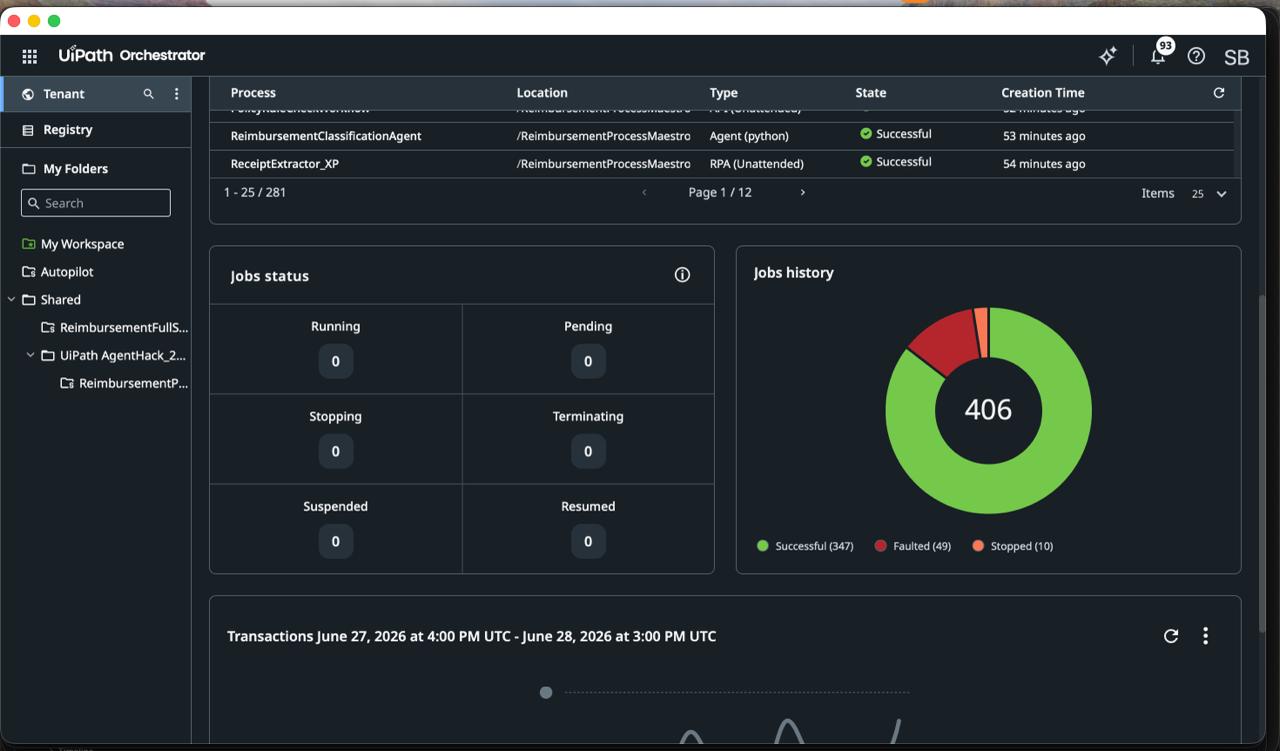
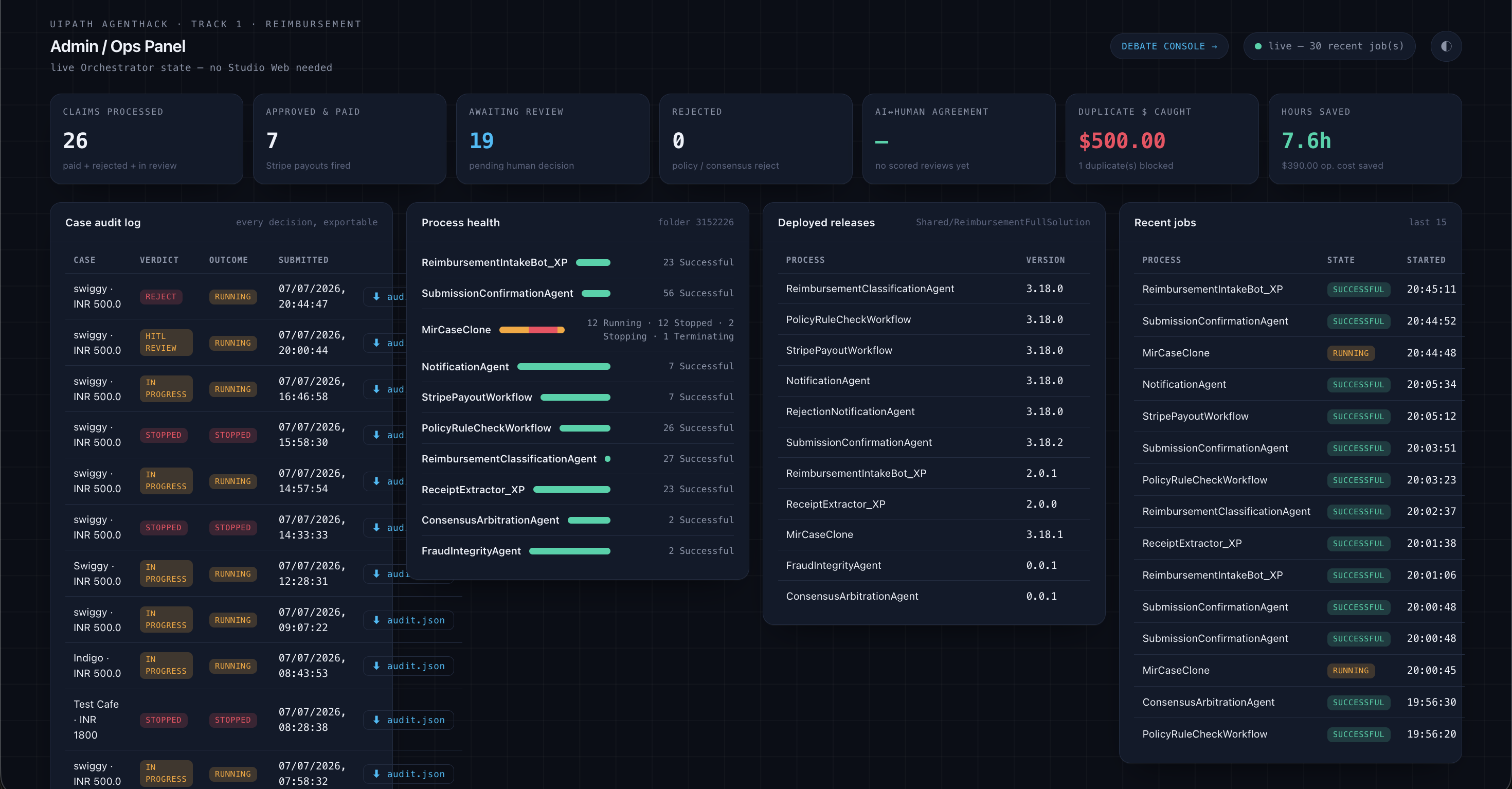
UiPath Orchestrator managing the full agent fleet — Python agents and API workflows working together to automate reimbursement end-to-end.
-
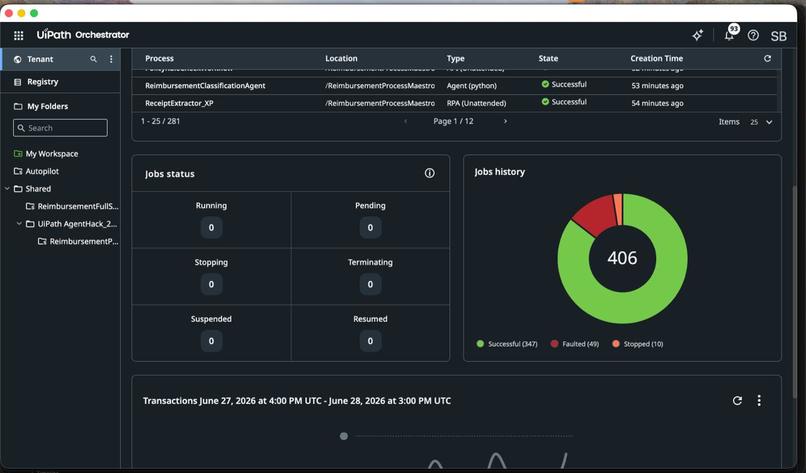
Orchestrator job history confirms it — agents and RPA bots executing real reimbursement cases across the UiPath Automation Cloud platform.
-
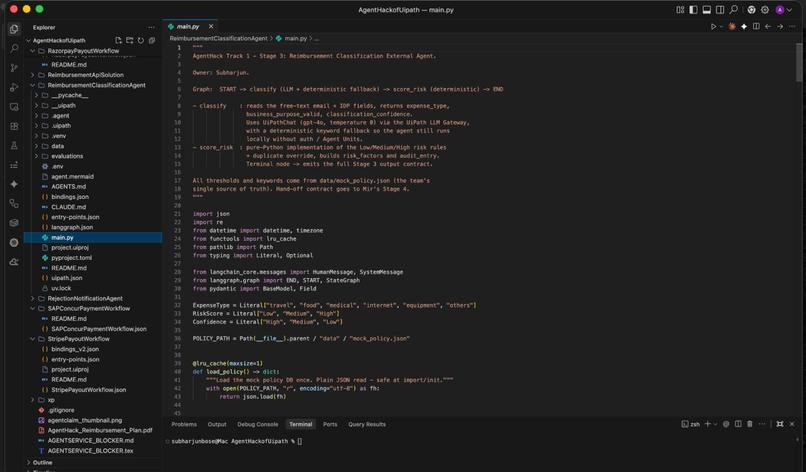
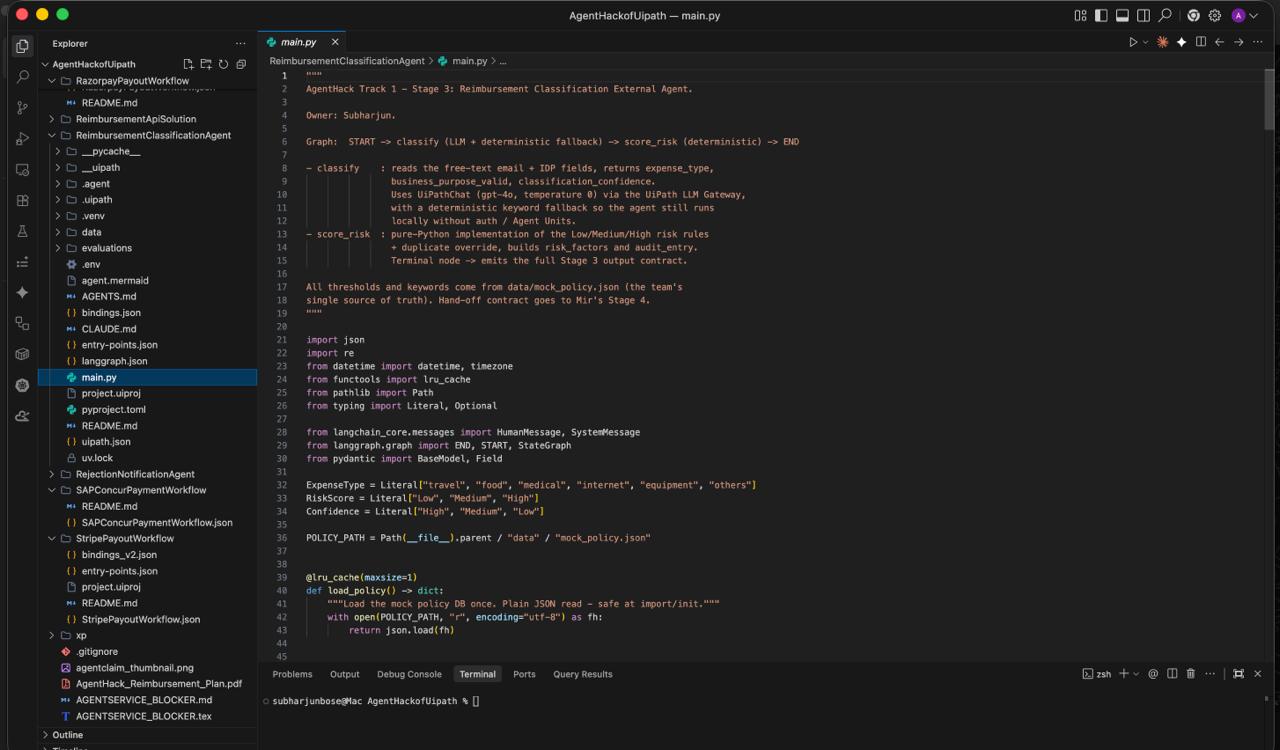
Built with Claude Code + LangGraph: Stage 3 Classification Agent — LLM + deterministic fallback, policy-driven, zero hallucination
-
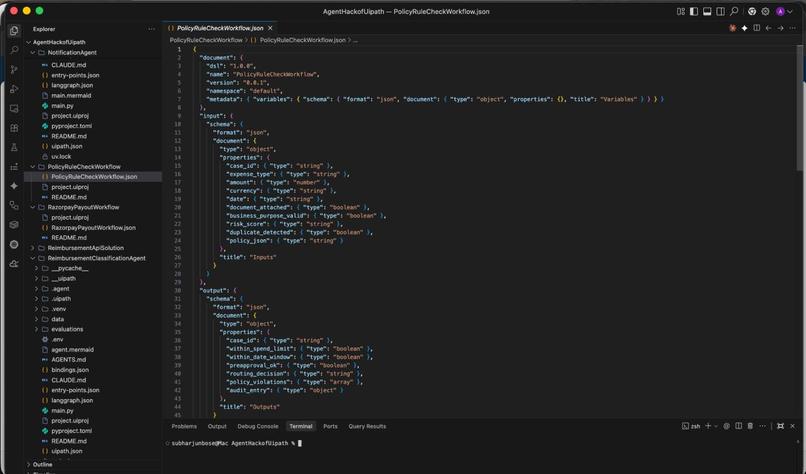
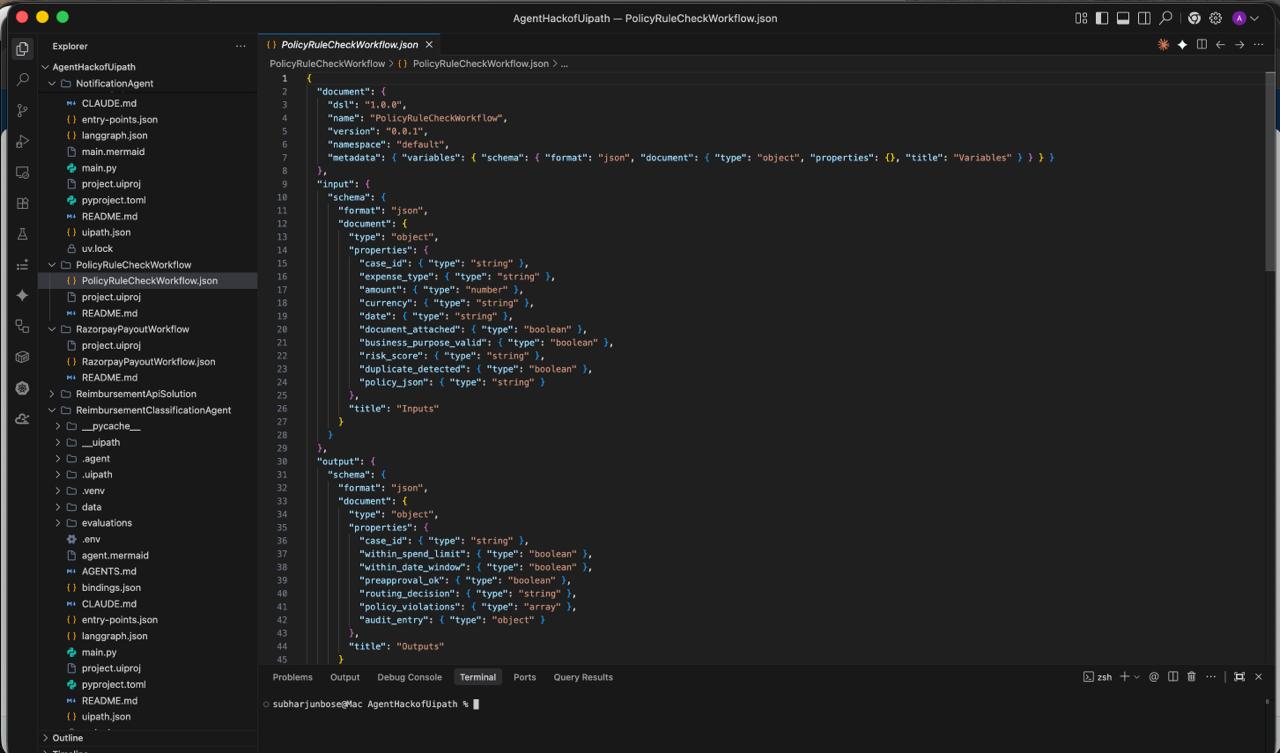
Governance by design: PolicyRuleCheckWorkflow enforces typed contracts — inputs validated, violations logged, audit_entry generated.
-
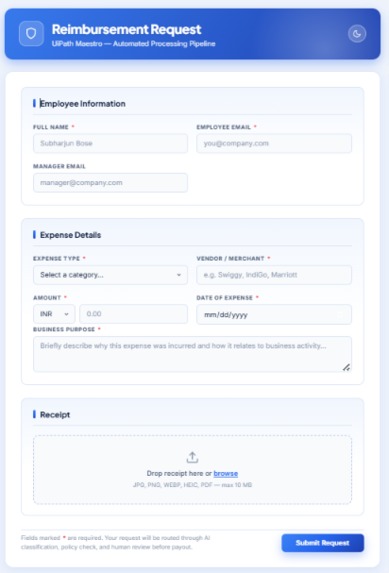
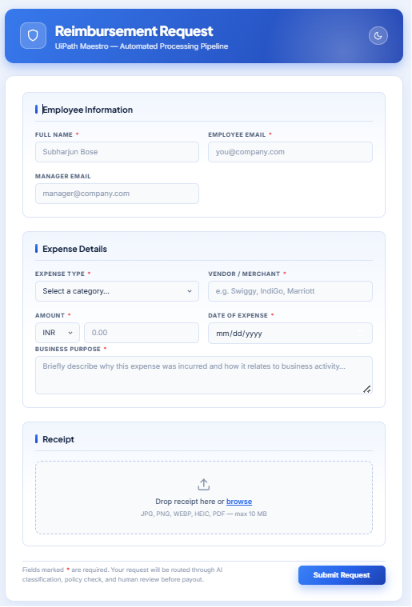
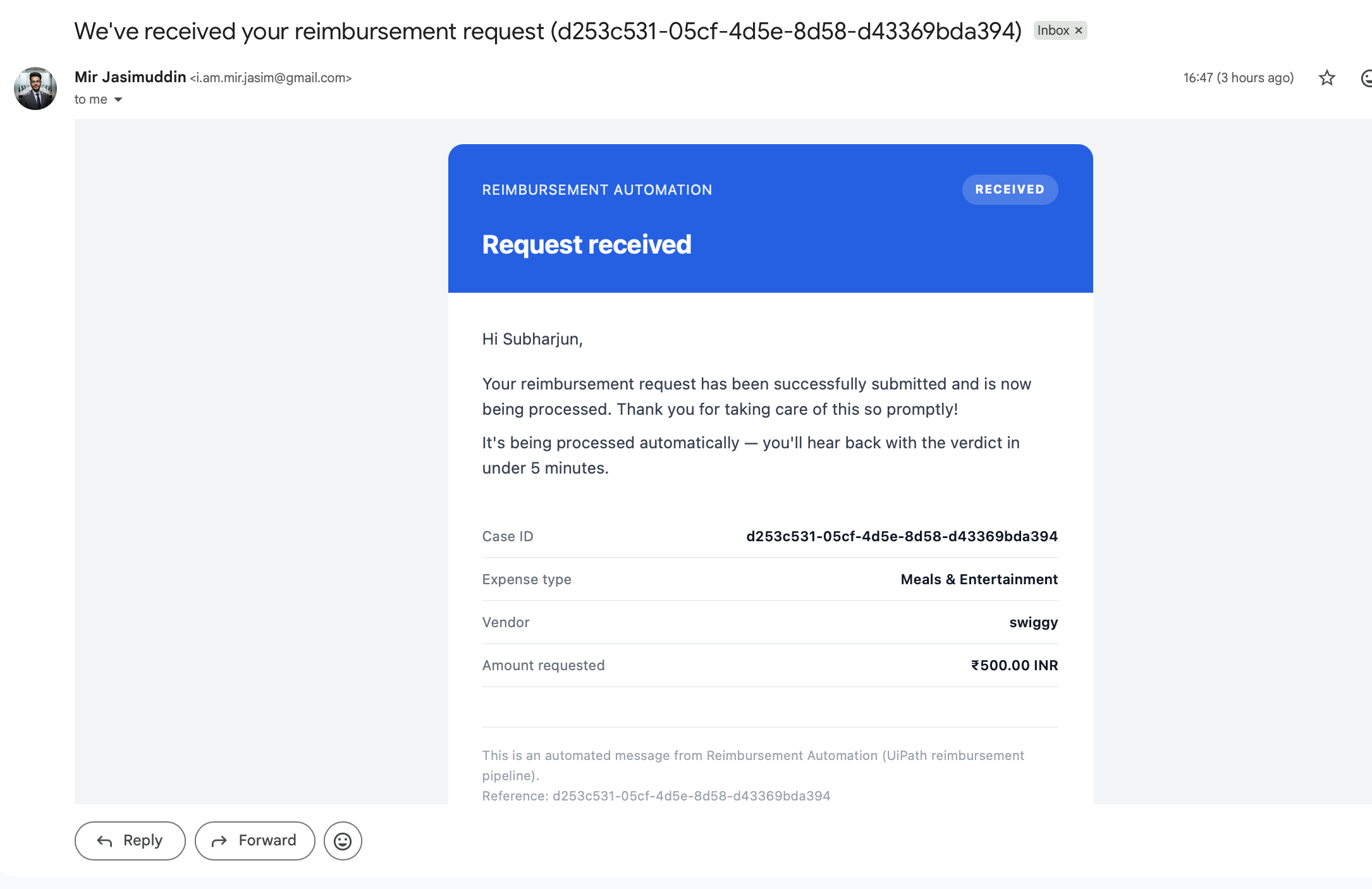
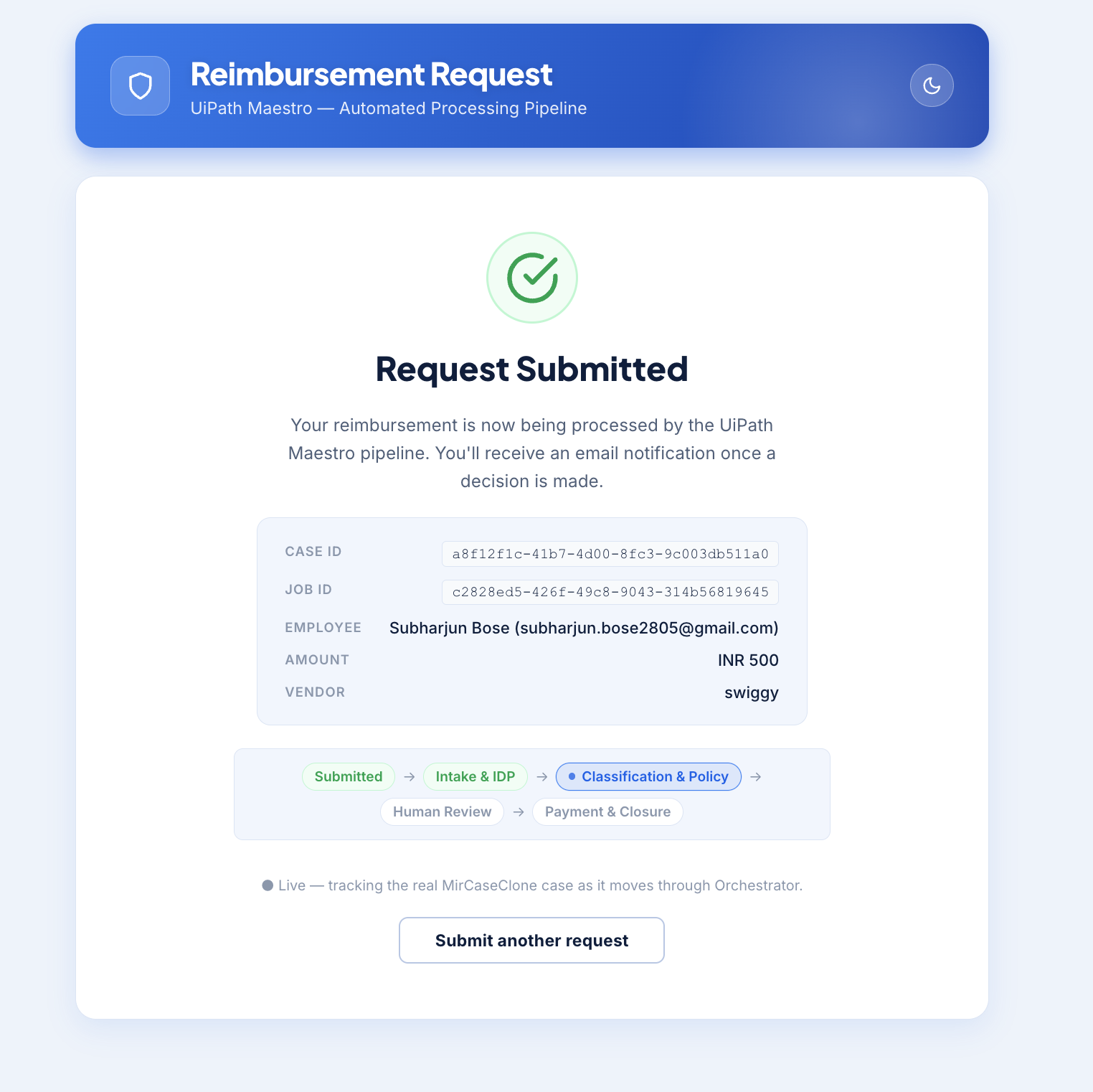
ClaimAgent intake form — employees submit expense details and upload receipts, triggering the full AI-powered Maestro pipeline automatically
-
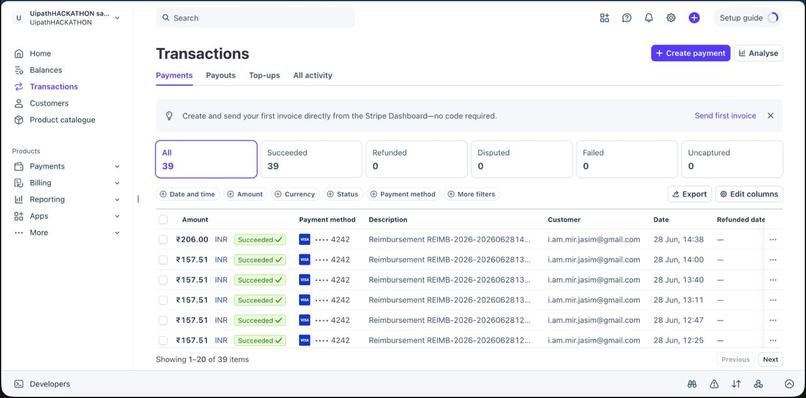
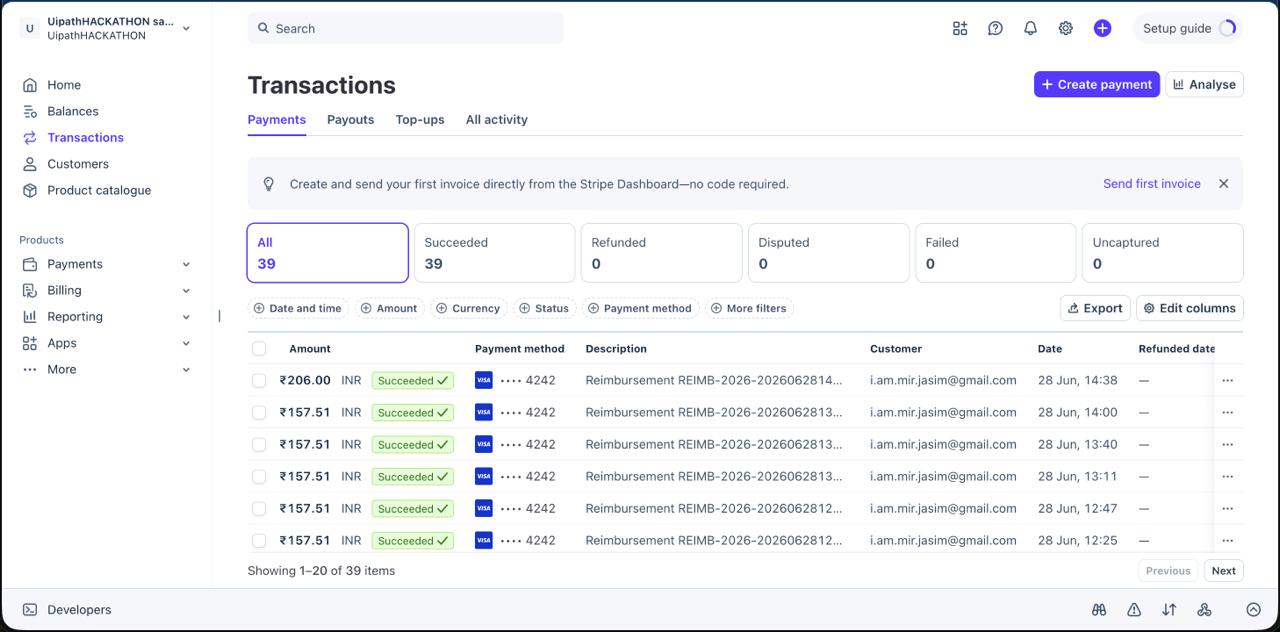
Not a prototype — live Stripe transactions, all succeeded. UiPath Maestro Case orchestrating real payment execution end-to-end.
-
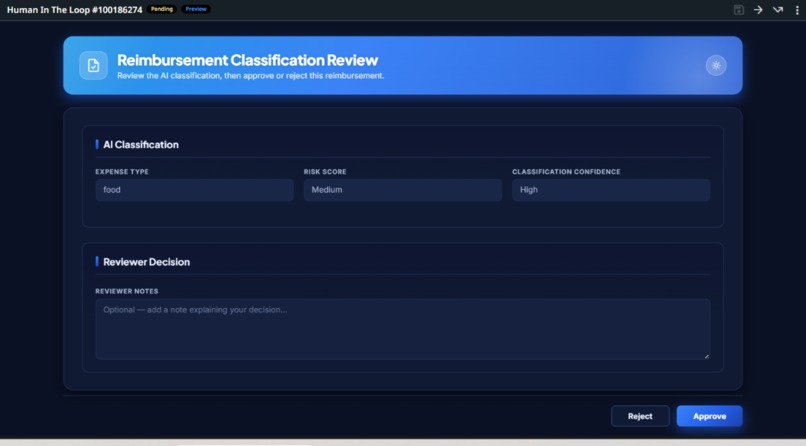
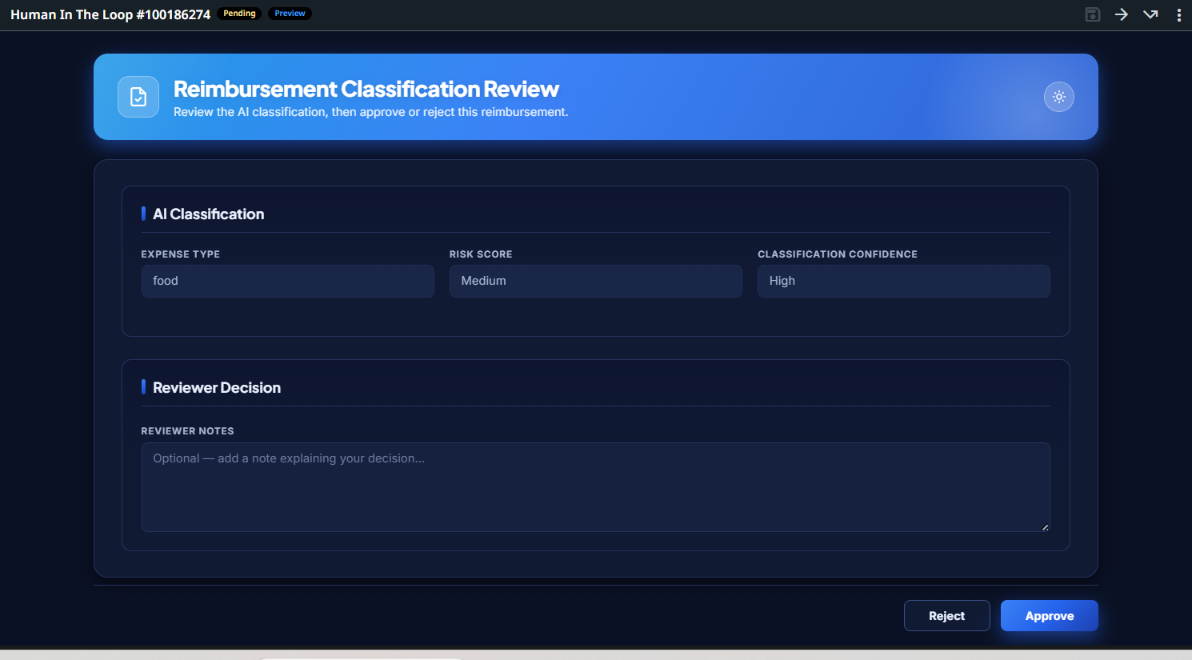
Expense type, risk score, classification confidence — all surfaced by AI, reviewed by humans. Human-in-the-loop built into every case flow.
-
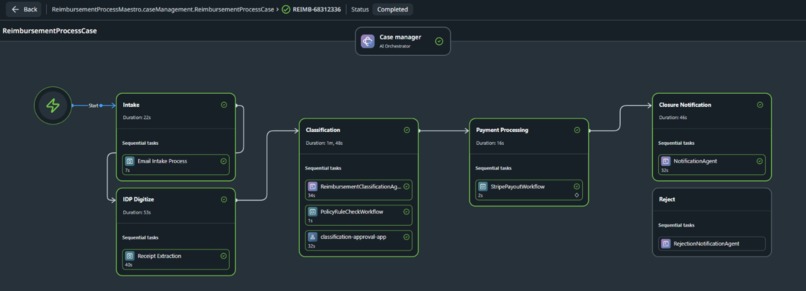
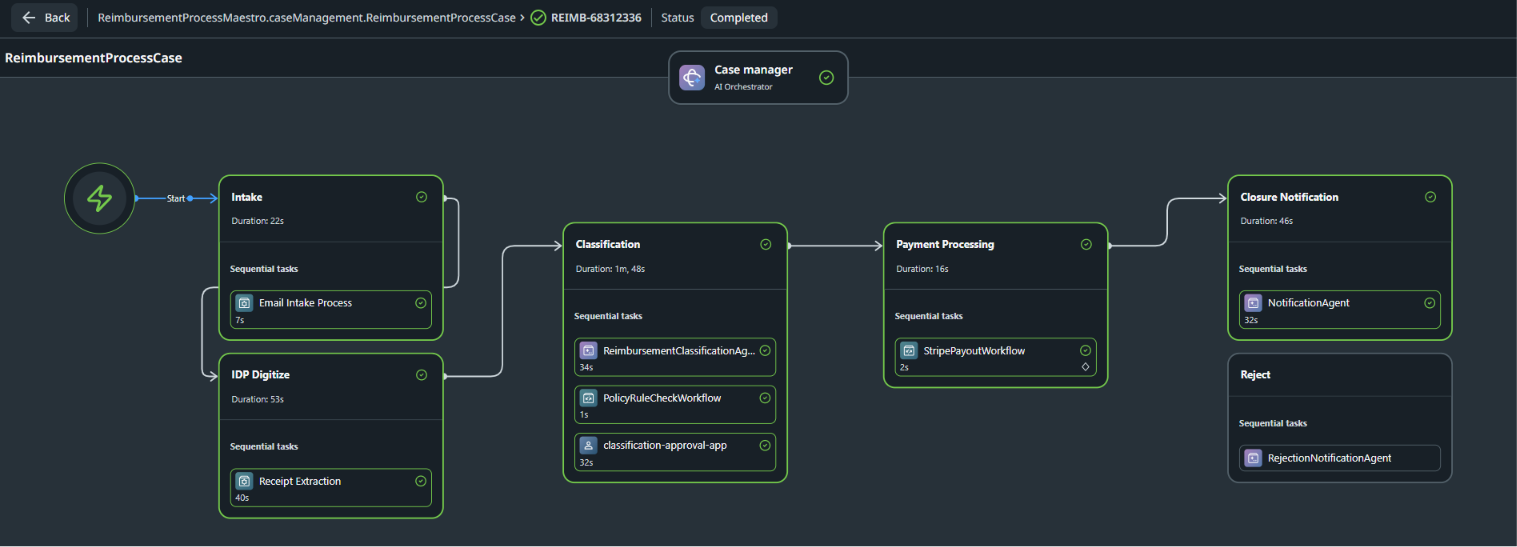
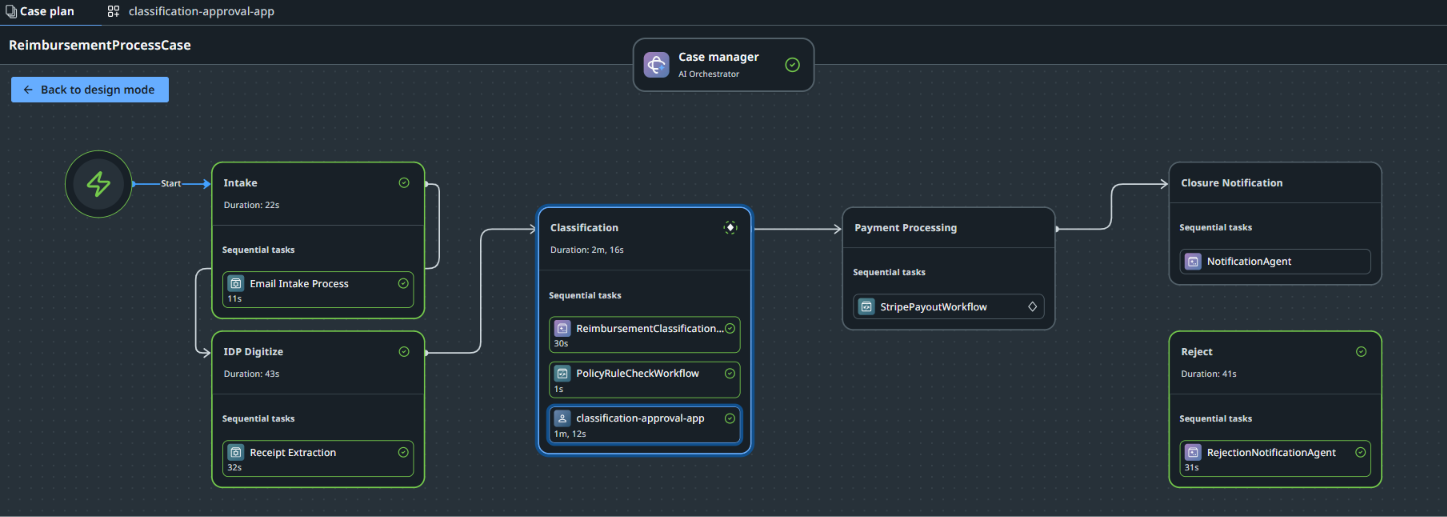
Real case. Real durations. Real completion. Maestro Case managing the full reimbursement journey — from email intake to closure.
-
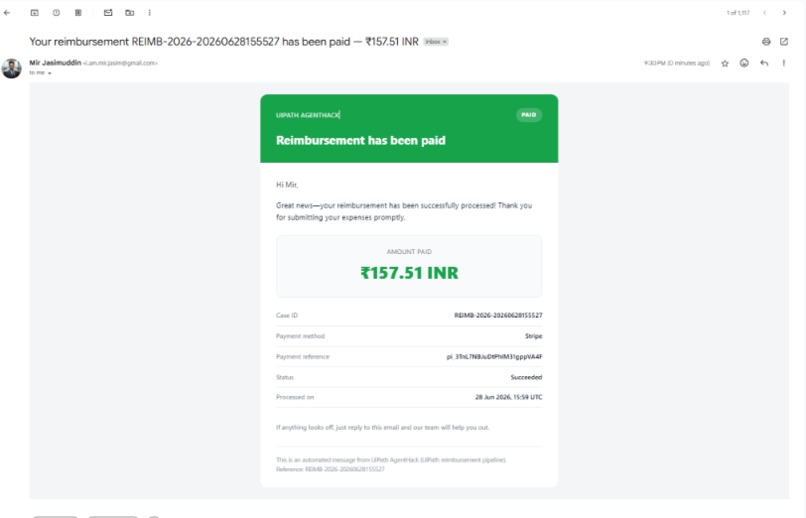
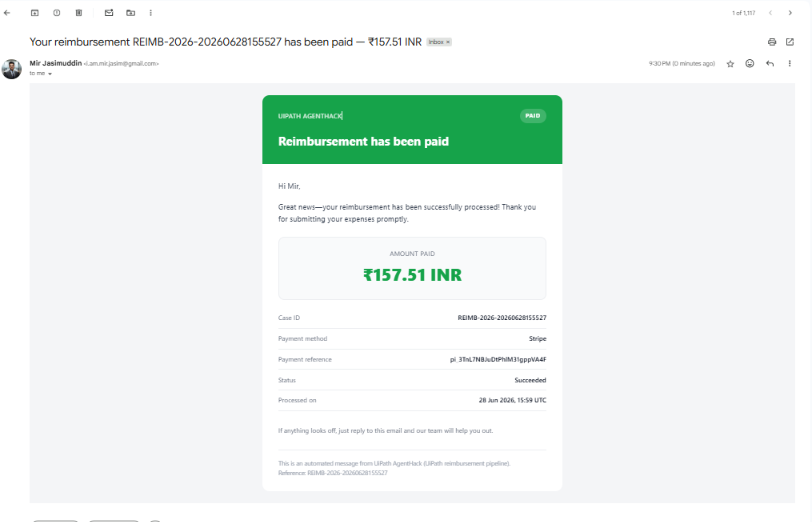
The final mile — Maestro Case agent sending automated payment confirmation directly to the claimant. Case ID, Reference, status: Succeeded
-
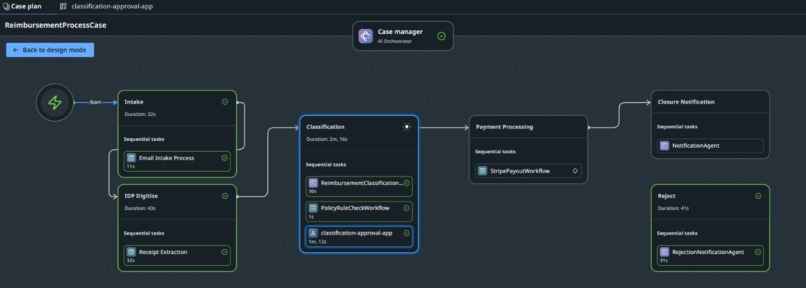
Maestro Case Plan in action — Email Intake, IDP Digitize, Classification, Payment Processing, Closure and Reject paths all live and running.
-
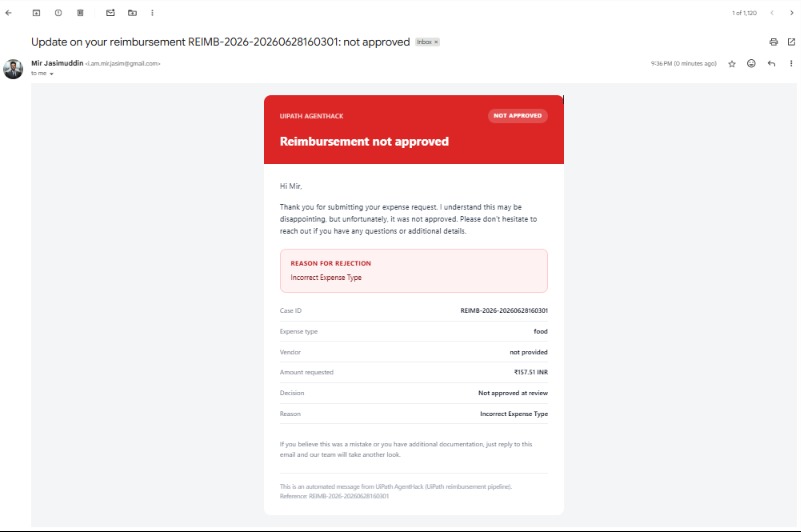
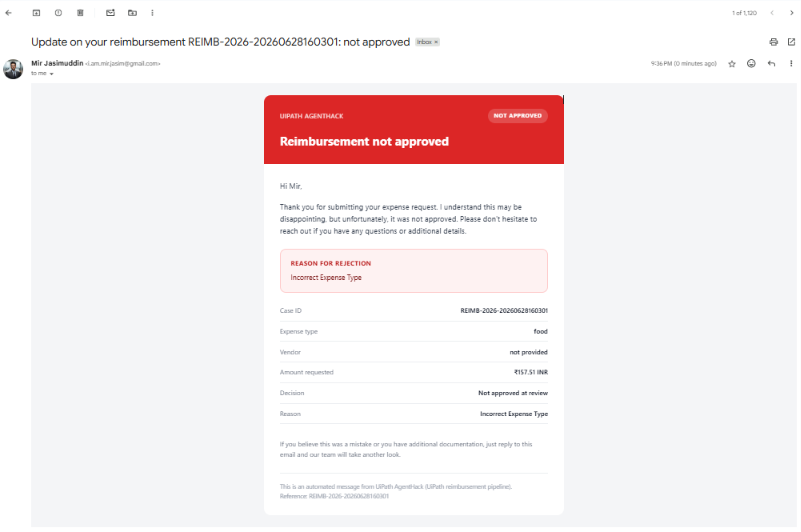
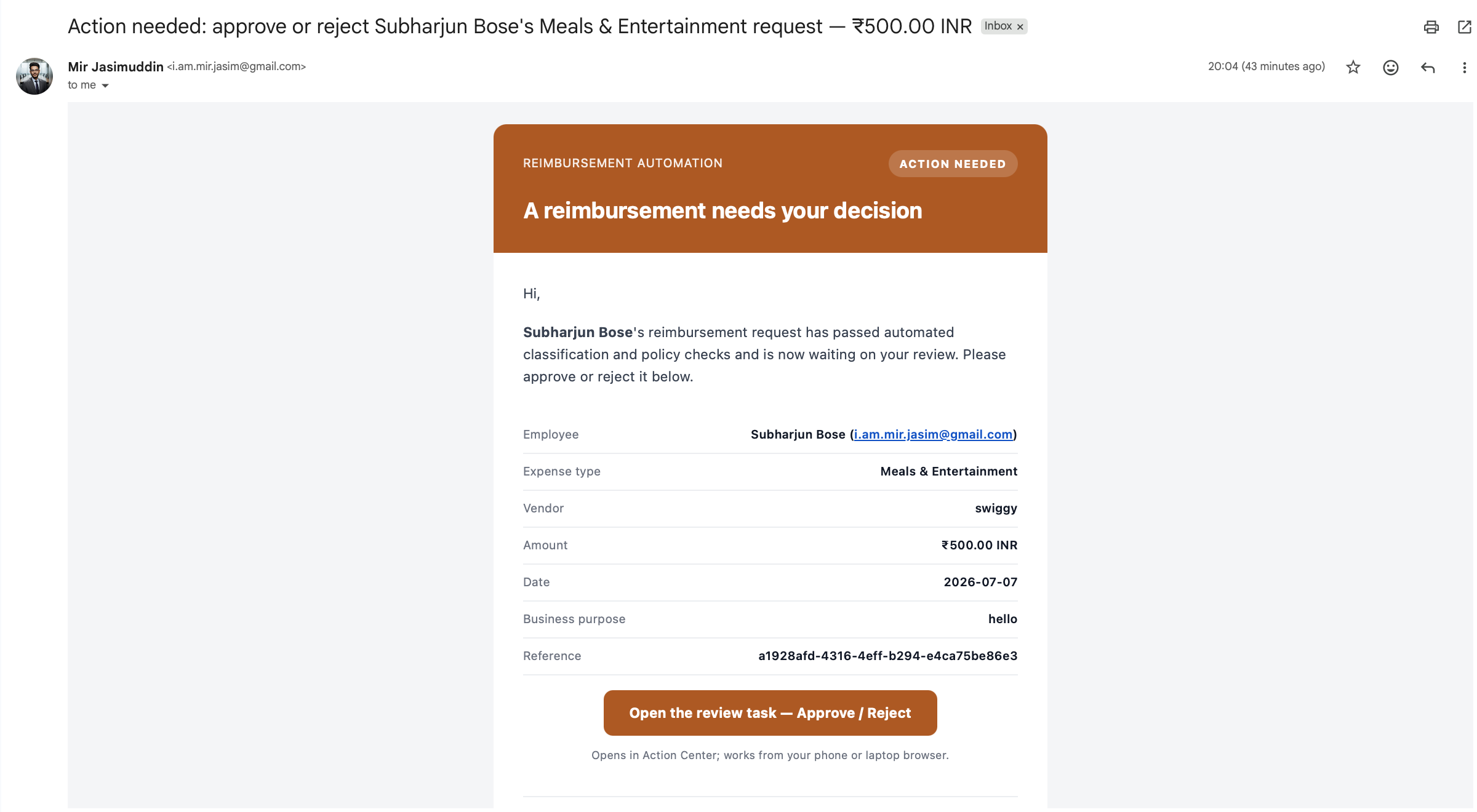
The agent knows when to say no. Automated rejection email with reason, case ID, and decision — every path handled, not just the easy ones.

ClaimAgent: AI-Orchestrated Reimbursements
Inspiration
Anyone who has worked in a mid-size company knows the drill — you go on a business trip, collect a stack of receipts, open a spreadsheet, manually type in every line item, email it to your manager, wait two weeks, and then follow up three times before the money shows up in your account. Meanwhile on the finance side, someone is manually cross-checking every claim against a policy document, hunting for duplicates, and chasing employees for missing receipts.
We wanted to prove that this entire loop — from receipt to bank transfer — could run autonomously without anyone touching a keyboard. But we also knew that giving an LLM full authority over financial payouts was a bad idea. So the real challenge we set for ourselves was: can we combine the flexibility of AI language understanding with the rigidity of traditional corporate governance rules? That's what ClaimAgent is — a no-touch reimbursement pipeline where AI handles the fuzzy parts and deterministic code enforces the hard rules, with a human always in the loop before money moves.
What It Does
ClaimAgent takes an employee from "I have a receipt" to "money is in my account" with zero manual steps in between.
An employee either emails their receipt to a designated inbox or submits it through our web portal at reimbursement-intake.onrender.com. From that point the system takes over completely:
Ingests and Extracts — the receipt is downloaded and run through UiPath Document Understanding, which pulls out vendor, date, amount, currency, and an OCR confidence score as structured fields. Classifies and Validates — a LangGraph coded agent using gpt-4o via the UiPath LLM Gateway semantically classifies the expense type, validates the business justification in plain English, and flags potential duplicates. If the LLM returns low confidence or is unavailable, a deterministic fallback keeps the case moving. Applies Policy Rules — the claim is evaluated against category-specific spend limits, date windows, receipt requirements, and pre-approval thresholds — all driven by a single configuration file. Routes the Decision — low-risk claims under threshold are auto-approved; clear violations are rejected immediately; borderline cases go to a human reviewer via a React-based Action Center app. Pays and Closes — on approval, a Stripe PaymentIntent is created and confirmed in real time. Both the claimant and the finance team receive a polished HTML email — the approval email includes a personalized note written by the LLM, the rejection email always surfaces the reviewer's exact reason.
How We Built It
We built ClaimAgent on UiPath Maestro Case Management and divided the work into tightly scoped, independently deployable stages so the team could work in parallel without stepping on each other.
RPA and Document Understanding handle the intake side — cross-platform Portable workflows read the Gmail inbox, download attachments, upload them to an Azure Blob Storage bucket, and pass the blob path downstream. We had to refactor these from Windows-only workflows because the staging tenant runs serverless with no VM capacity.
Coded Agents in Python and LangGraph power the intelligence — Stage 3 classification uses a two-node graph: an LLM node for semantic understanding and a deterministic node that enforces the final routing decision. Stage 6 notification uses the same pattern: LLM writes a warm personalised note, deterministic code composes the full HTML email and calls Gmail via Integration Service.
API Workflows in JavaScript handle the policy evaluation and Stripe payout. These are stateless, fast, and fully testable with uip api-workflow run --no-auth locally.
A Coded Action App in React/Vite renders the HITL approval form inside UiPath Action Center — it shows expense type, risk score, and classification confidence, accepts optional reviewer notes, and emits Approve or Reject as the case outcome.
The routing decision is enforced by a deterministic policy matrix — not the LLM. Given claim amount A, category limit L_c, auto-approval threshold T_c, risk score R, duplicate flag U, and business purpose validity B:
Reject if A > L_c or duplicate detected Auto-Approve if risk is Low and A ≤ T_c and business purpose is valid and receipt is attached Manager-Review otherwise
The LLM never touches this logic. It only interprets free-text fields.
Challenges We Ran Into
Cloud licensing hit us on day one. Our Python coded agents were blocked from running serverless because the tenant showed zero AgentService capacity. We built a full offline evaluation harness using uip codedagent eval so we could validate all classification and notification logic locally while we waited to confirm the cloud license was actually active (it was — the readout was wrong).
Cross-platform RPA migration was more involved than expected. The staging tenant has no Robot Units — only Serverless Platform Units. That means every Windows RPA workflow had to be converted to Portable. We rewrote file I/O operations, replaced Windows-only activities, extracted and repackaged the compiled Document Understanding DLL as a standalone NuGet feed package, and verified everything ran clean on the Linux serverless runtime.
Upstream data was messier than the schema implied. The IDP extractor sometimes returned an empty amount field — the figure was buried in the email body as plain text. We wrote a regex backfiller that extracts amount and currency from the body when the structured field is blank. Stripe also threw 400s when metadata[reason] exceeded 500 characters and when amount was zero — we added a clip helper and a per-currency minimum charge floor to handle both gracefully.
Deploying everything as one solution surfaced a packaging gap. The uip CLI doesn't auto-generate entry-points.json or bindings_v2.json for API workflow projects — without them, Orchestrator throws error 2005 on install. We had to hand-author both files for each API workflow, which wasn't documented anywhere we could find.
Accomplishments We're Proud Of
Getting all five sub-projects — Classification Agent, Policy Check, Stripe Payout, Notification Agent, and Rejection Notifier — bundled into a single ReimbursementApiSolution that deploys and activates in one command was genuinely satisfying. A lot of hackathon projects have pieces that sort of work independently; ours runs as a unified deployed artifact on a real cloud tenant.
We're also proud of the end-to-end live validation. Job 68355379 ran on the actual hackathon tenant and completed Stages 1 through 4 in sequence — IntakeBot, ReceiptExtractor, Classification, and PolicyCheck — all Successful, all serverless. A real Stripe PaymentIntent reached succeeded status against the live Stripe API. These aren't mocked results.
The HITL experience came together better than we expected. The Action Center app renders correctly on mobile, shows risk score and confidence in plain language, and the reviewer's notes flow directly into the rejection email. The whole human approval loop works end-to-end in a browser with no installs.
What We Learned
LLMs are semantics engines, not decision engines. GPT-4o is remarkably good at reading a free-text business justification and deciding if it sounds legitimate. It is not something you want making the final call on whether £800 gets paid out. Every routing decision in ClaimAgent is made by code. The LLM's output is an input to that code, not the output of the system.
Defensive boundary engineering is not optional in distributed pipelines. Every stage had to be hardened against missing values, over-length strings, blank emails, and zero amounts — because every one of those failure modes actually happened during development. If you don't handle it, a live run will find it.
Audit traceability has to be designed in from the start. Every stage in our pipeline emits a structured JSON block that captures the inputs, outputs, and decision rationale. When we needed to debug a routing failure mid-hackathon, we could reconstruct exactly what each agent saw and decided. That would have been impossible without intentional audit design from day one.
What's Next for ClaimAgent
Fraud and anomaly detection. Rule-based duplicate detection catches exact matches. The next layer is behavioural — flagging employees who submit unusually high volumes in short windows, catching split-billing attempts designed to stay under approval thresholds, and identifying cross-department patterns that look like policy gaming.
Broader ERP integrations. Stripe in test mode proved the payout pattern works. The natural next step is wiring the same API workflow pattern into SAP Concur, Workday, and Oracle NetSuite for real enterprise disbursements. The workflow interface is already abstracted enough that swapping the payment backend is a config change, not a rewrite.
Conversational intake. Right now employees submit via web form or email. A Slack or Teams bot that lets you photograph a receipt, paste it into a chat message, and get a case ID back in 30 seconds would remove the last bit of friction. The backend already handles the rest — the intake channel is the only thing that would change.
Built With
- claude
- css3
- gmail-api
- html5
- javascript
- json
- langchain
- langgraph
- node.js
- npm
- openai-gpt-4o
- python
- react
- sap-concur-api
- stripe
- typescript
- uipath
- uipath-action-center
- uipath-document-understanding
- uipath-integration-service
- uipath-llm-gateway
- uipath-maestro
- uipath-orchestrator
- uipath-storage-buckets
- uv
- visual-basic
- vite



Log in or sign up for Devpost to join the conversation.