-
-
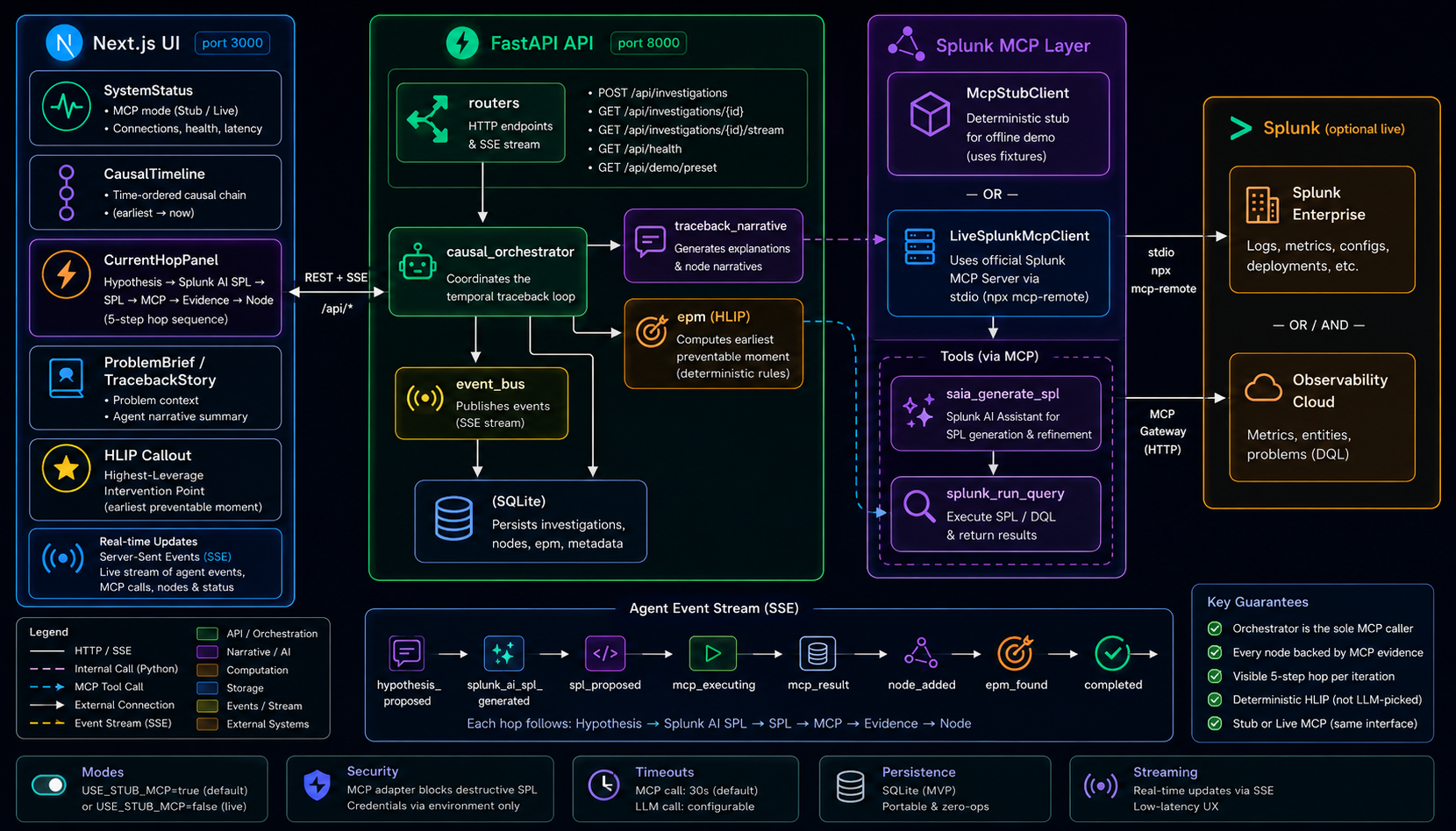
Architecture
-
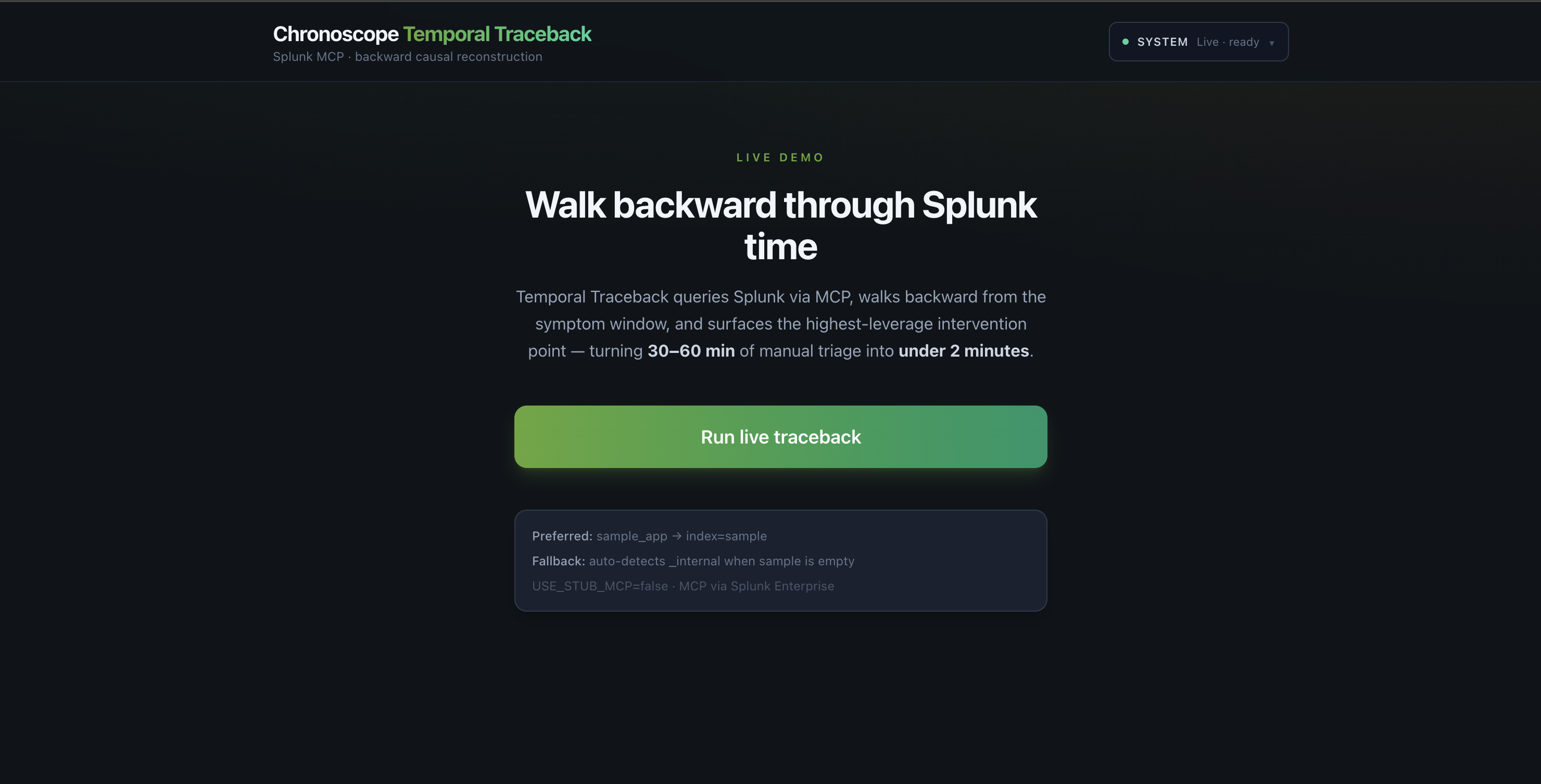
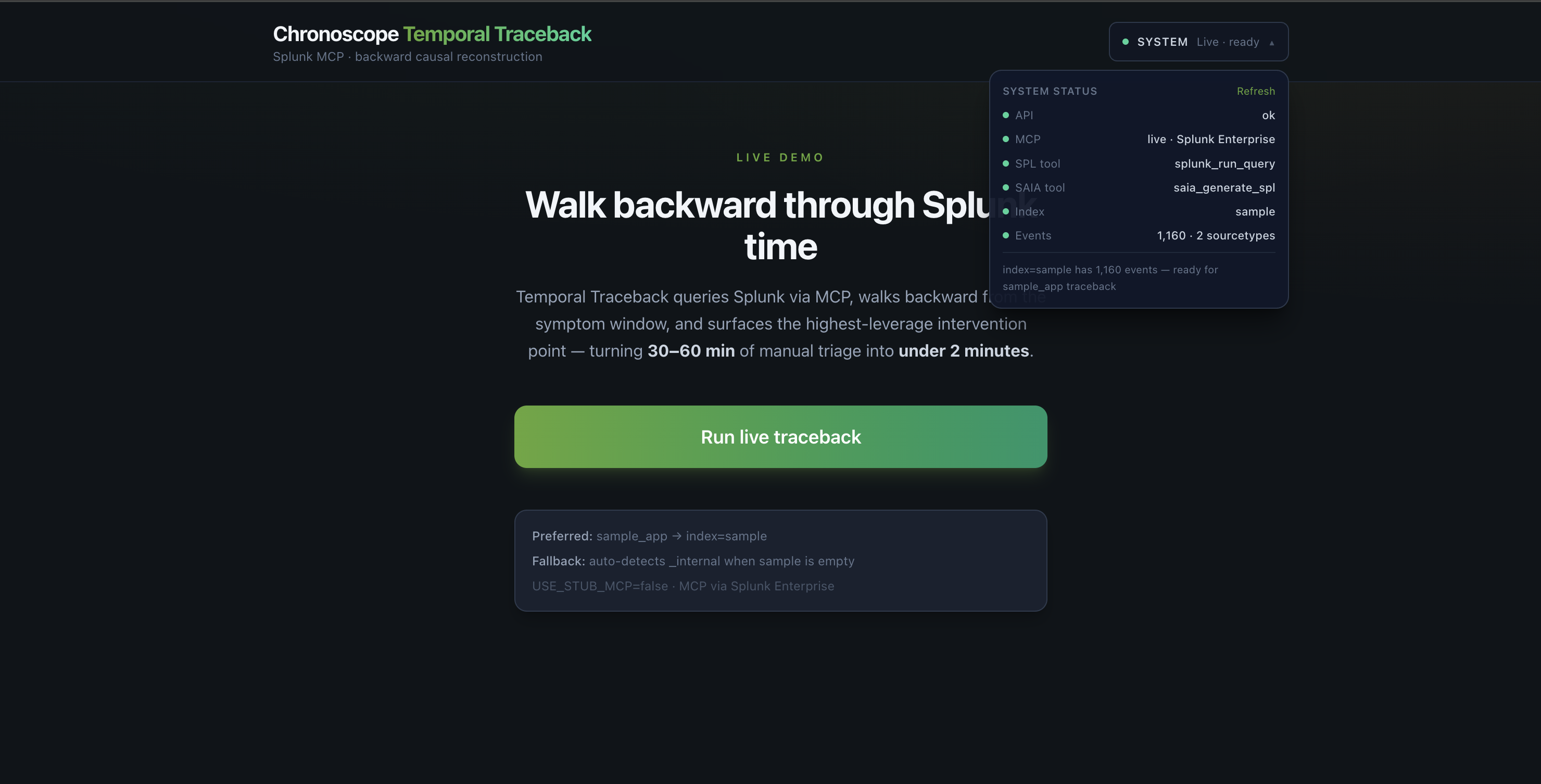
1. Home
-
2. System Status
-
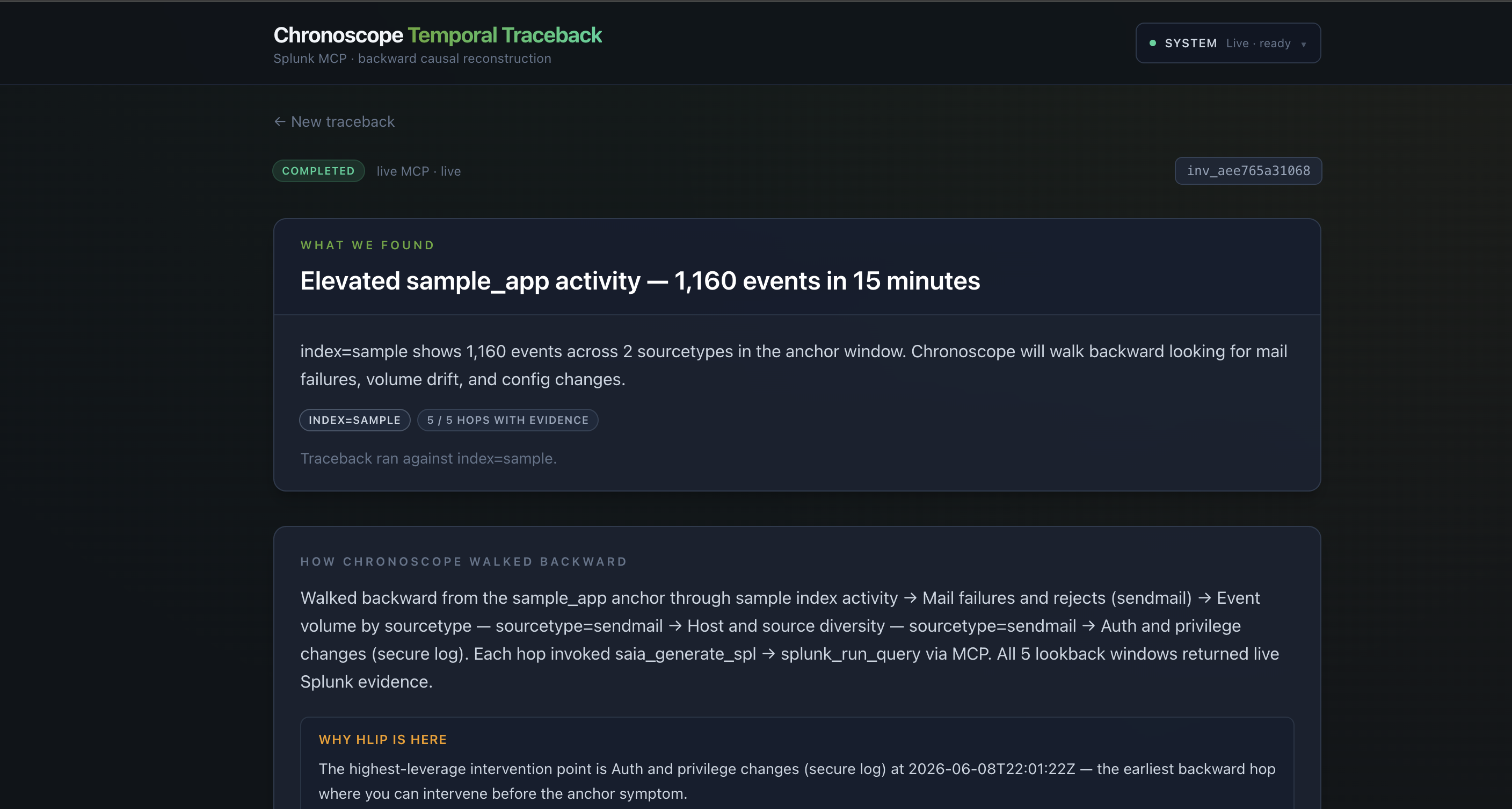
3. Problem
-
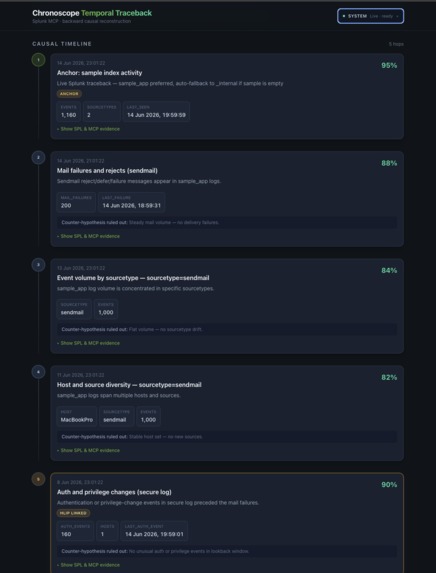
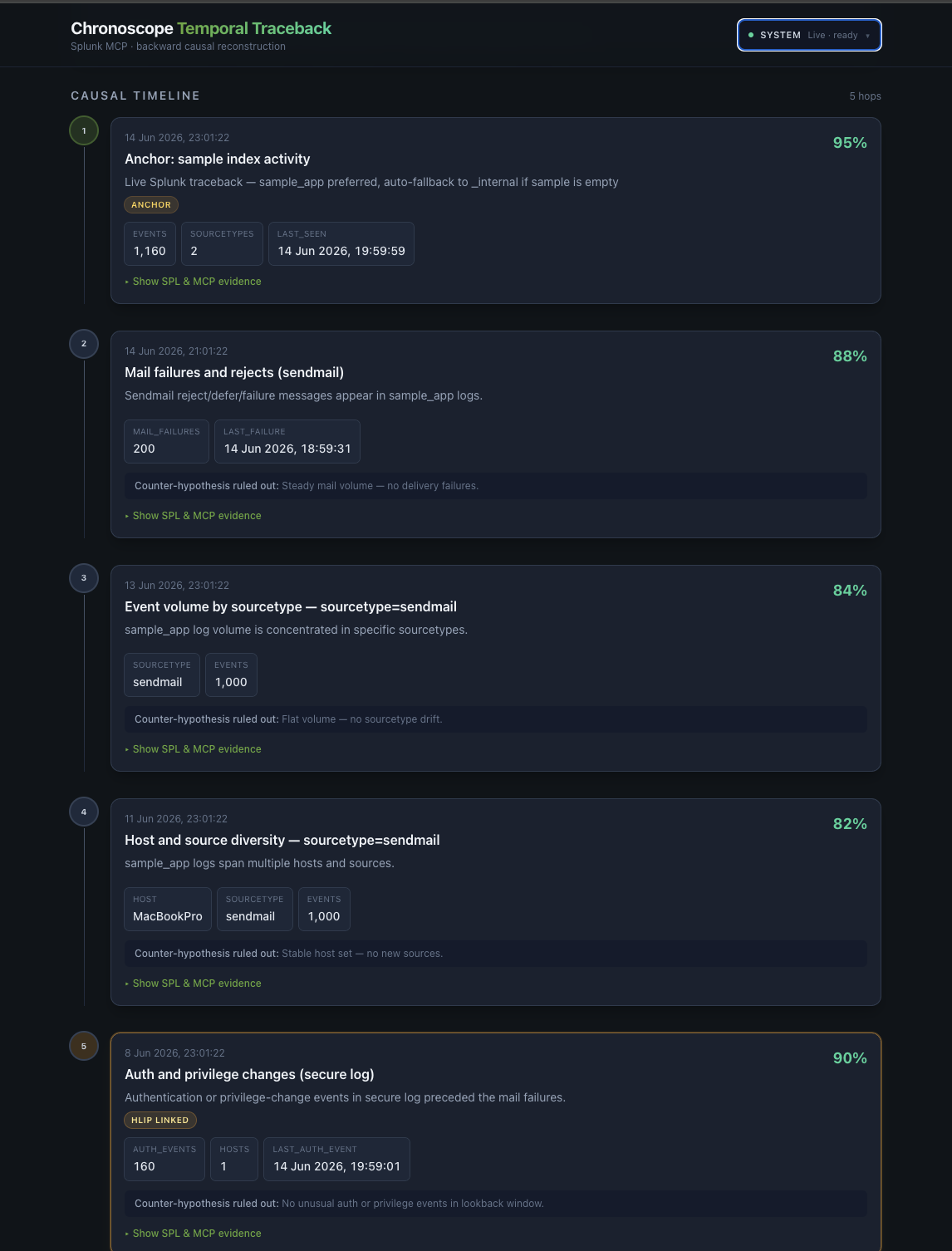
4. Casual Timeline
-
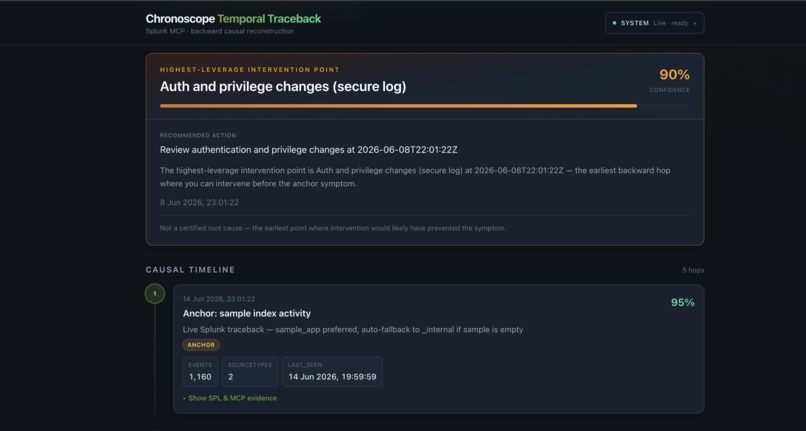
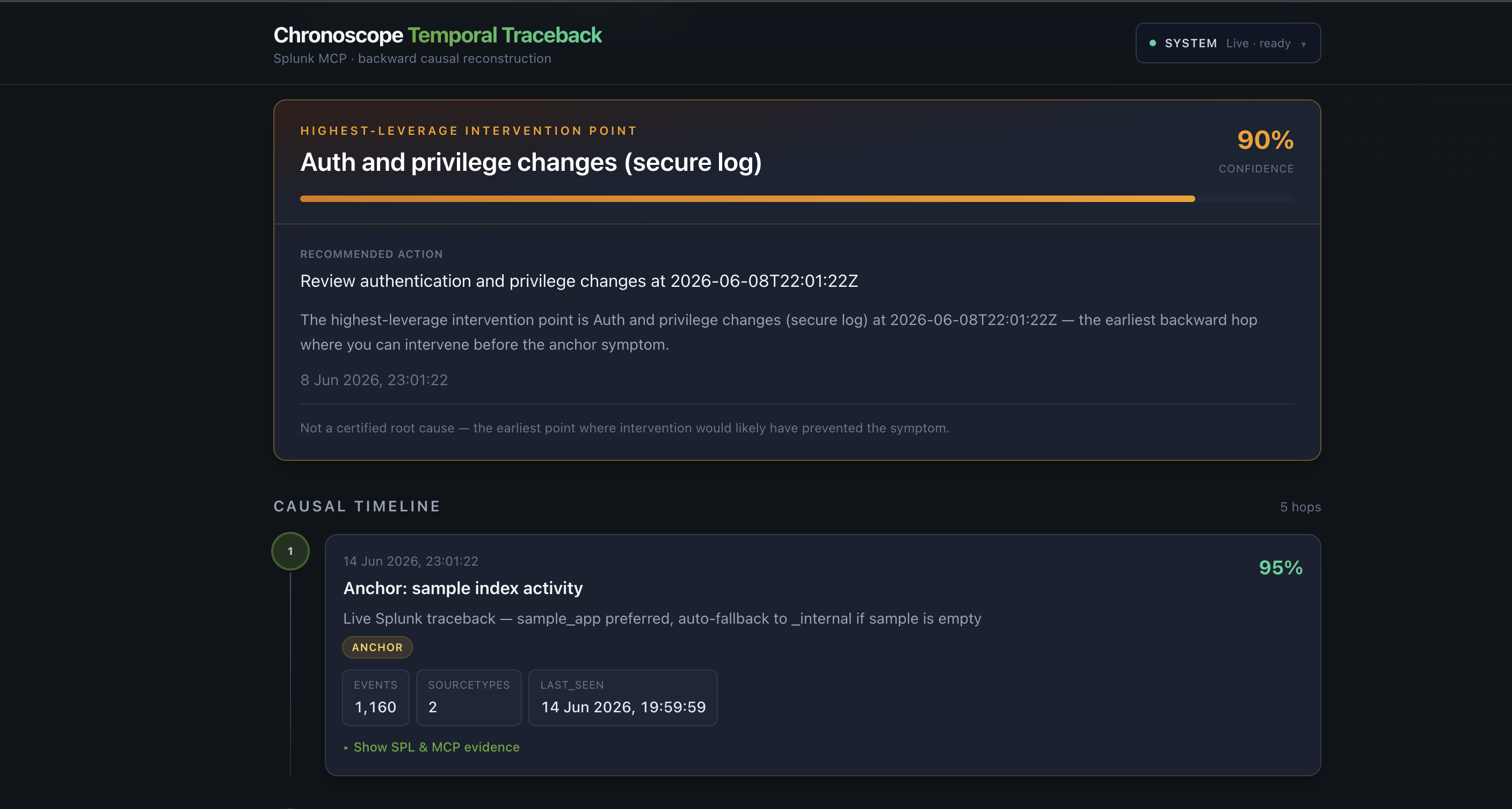
5. Intervention Point
Inspiration
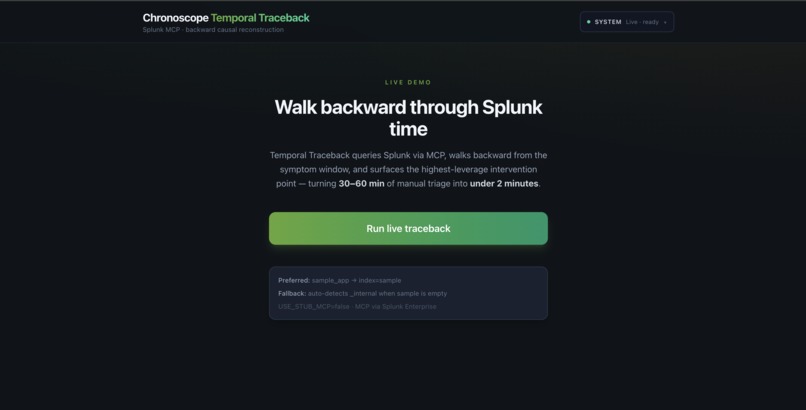
Ops teams don't fail because they lack dashboards — they fail because correlation shows symptoms, not temporal causality. We wanted an agent that walks backward from the blast radius to the earliest lever you could have pulled, with Splunk MCP evidence at every step so the chain is auditable, not hallucinated.
What it does
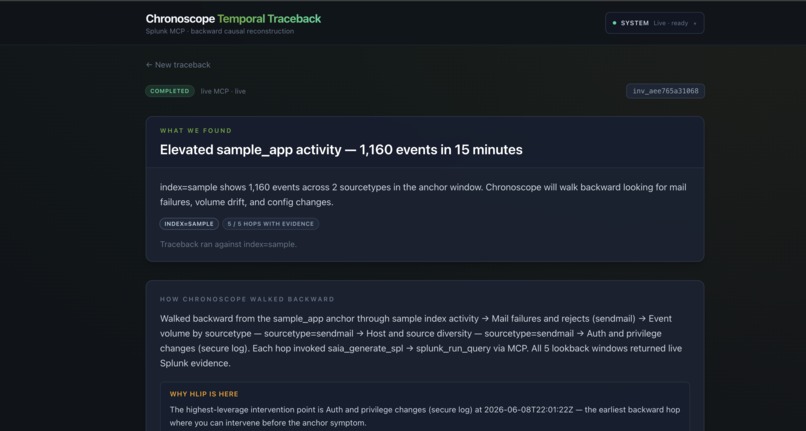
Given a symptom anchor (e.g. elevated sendmail activity on index=sample), Chronoscope:
- Anchors the symptom window with live SPL via MCP.
- Walks backward through five time windows (15 minutes → 2 hours → 24 hours → 3 days → 6 days).
- At each Causal Hop: states a hypothesis → calls Splunk AI (
saia_generate_spl) → executes SPL viasplunk_run_query→ persists an Evidence Node with real Splunk JSON. - Surfaces the highest-leverage intervention point — the earliest backward hop where you can act (e.g. auth and privilege changes in the secure log, six days before the anchor).
No evidence node is created without MCP proof. Counter-hypotheses are rejected explicitly when a window has no signal.
How we built it
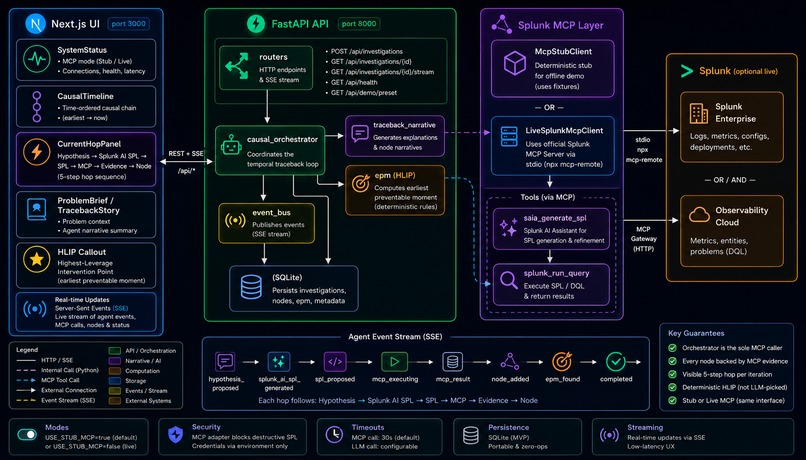
Backend: FastAPI orchestrates the causal loop (causal_orchestrator.py). Pydantic schemas validate every hop. SQLite persists investigations, nodes, and EPM. SPL safety blocks destructive commands.
Splunk MCP: Official Splunk MCP Server over npx mcp-remote → Splunk Enterprise :8089/services/mcp. Auto-detects splunk_run_query and saia_generate_spl. Stub mode replays golden fixtures for CI and public demo URL.
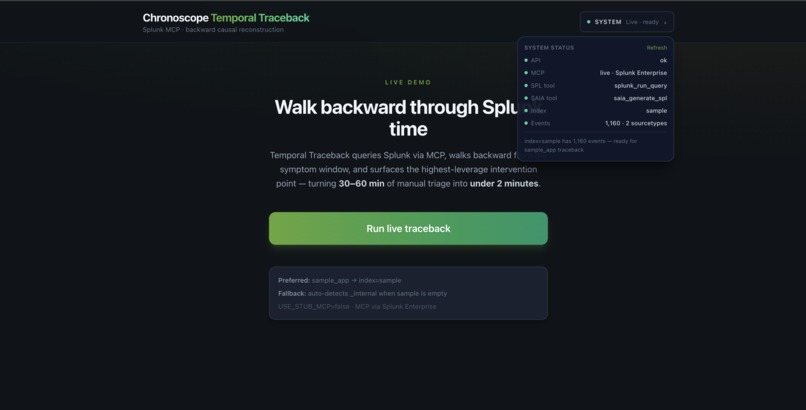
Frontend: Next.js 14 + TypeScript + Tailwind. Three layers — Causal Timeline (L1), Current Hop Panel with live SSE streaming (L2), EPM Callout in gold (L3). Header System Status shows MCP mode, tools, and index readiness before you run.
Streaming: Seven SSE events per hop — hypothesis_proposed → saia_generating → saia_spl_generated → spl_proposed → mcp_executing → mcp_result → node_added.
Challenges we ran into
- Splunk MCP argument shapes —
splunk_run_queryexpectsquery; we built schema-driven argument variants and error detection from MCP payloads. - SAIA on Enterprise —
saia_generate_splis invoked correctly but Splunk AI Assistant backend returns a server-side config error on our instance; we surface a graceful UI fallback and still execute planned SPL live. - sample_app empty by default — added CLI ingest script and index discovery fallback so live demos work on real Splunk installs.
- Serverless vs live MCP — live MCP requires subprocess + Splunk credentials; public URL uses stub mode while the demo video shows live Splunk.
Accomplishments that we're proud of
- End-to-end live 5-hop traceback with EPM on auth events 6 days before the anchor.
- Enforced double-MCP hop sequence (Splunk AI → Splunk execute) visible in the streaming panel.
- Scenario-specific narrative: "Walked backward from the sample_app anchor through … Mail failures … Auth and privilege changes."
- System status panel so judges see live · ready before clicking Run.
What we learned
- MCP tool schemas from
tools/listare essential — guessing parameter names fails silently through proxy layers. - Backward temporal reconstruction is a stronger differentiator than another "chat with my logs" interface.
- Judges need both a clickable public URL (stub) and a video showing live Splunk proof.
What's next for Chronoscope
- Forkline counterfactual branches ("what if we reverted at Day -6?").
- Full Splunk AI Assistant configuration on Enterprise for non-fallback SAIA SPL.
- Splunk Observability Cloud DQL tools and
list_problemsintegration. - Persistent investigation export and Slack/Jira EPM actions.
Built With
- docker
- fastapi
- mcp
- mcp-remote
- next.js
- pydantic
- python
- saia-generate-spl
- splunk
- splunk-run-query
- tailwind
- typescript

Log in or sign up for Devpost to join the conversation.