-
-
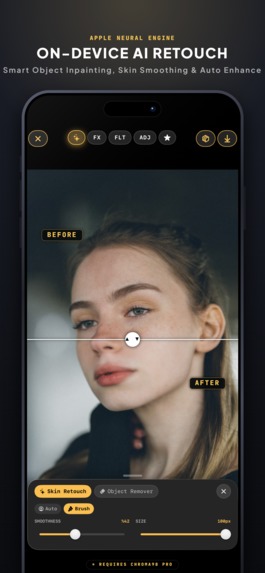
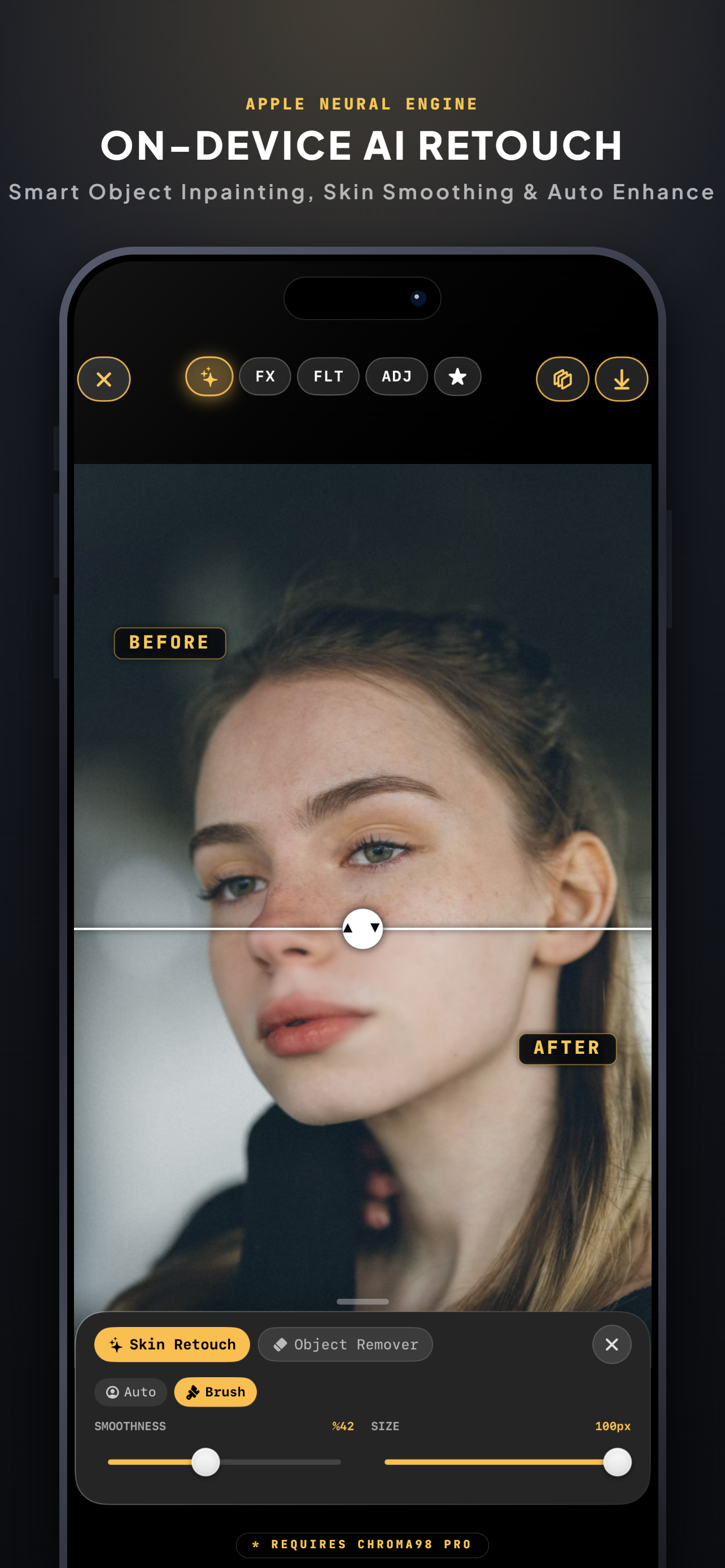
On device AI
-
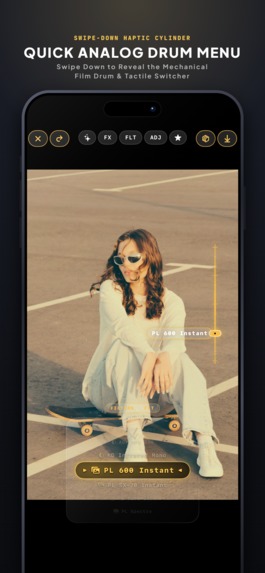
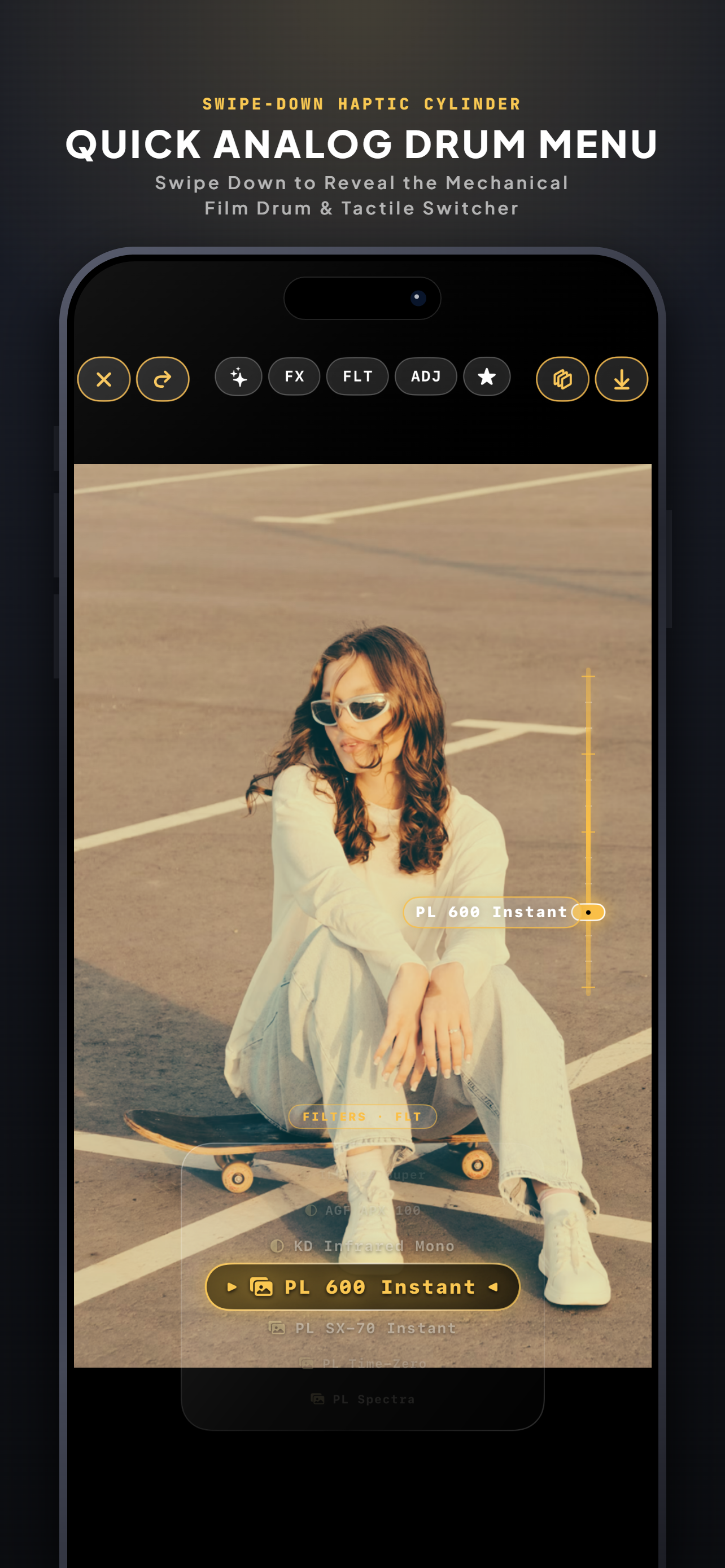
Drum Menu
-
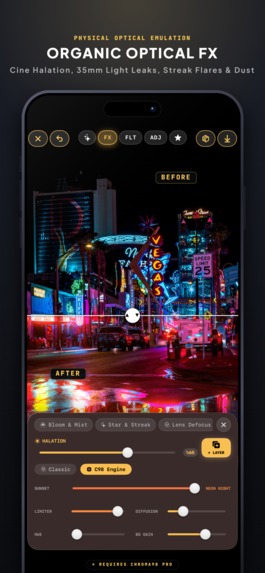
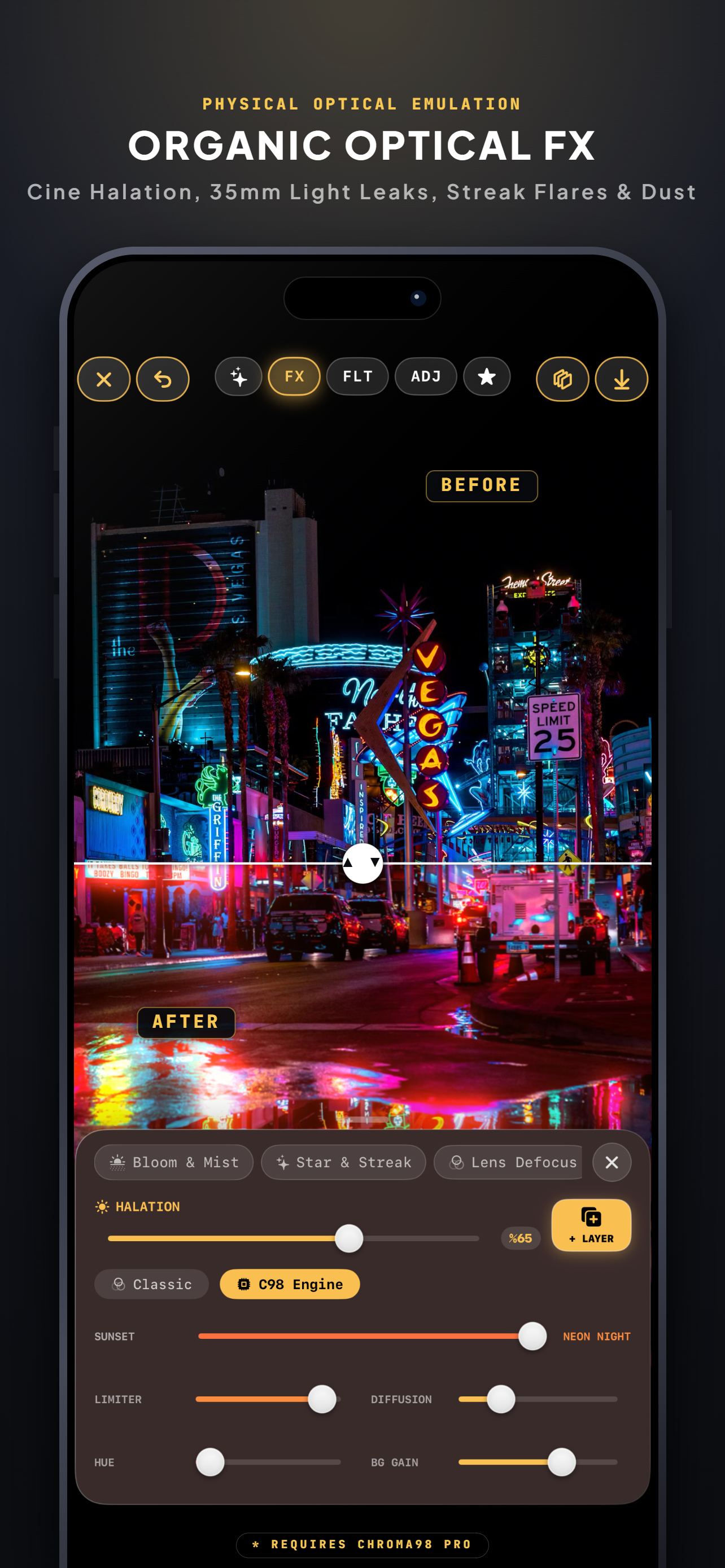
Real Optical Pipeline
-
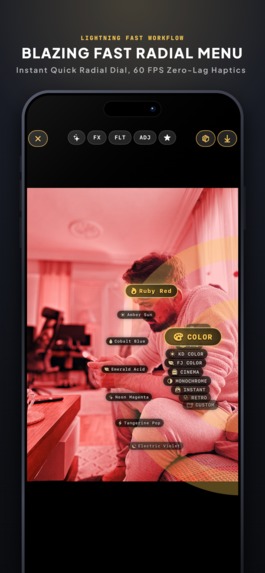
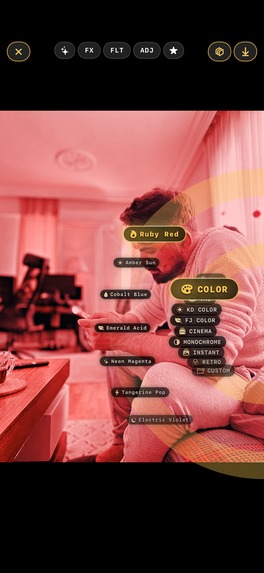
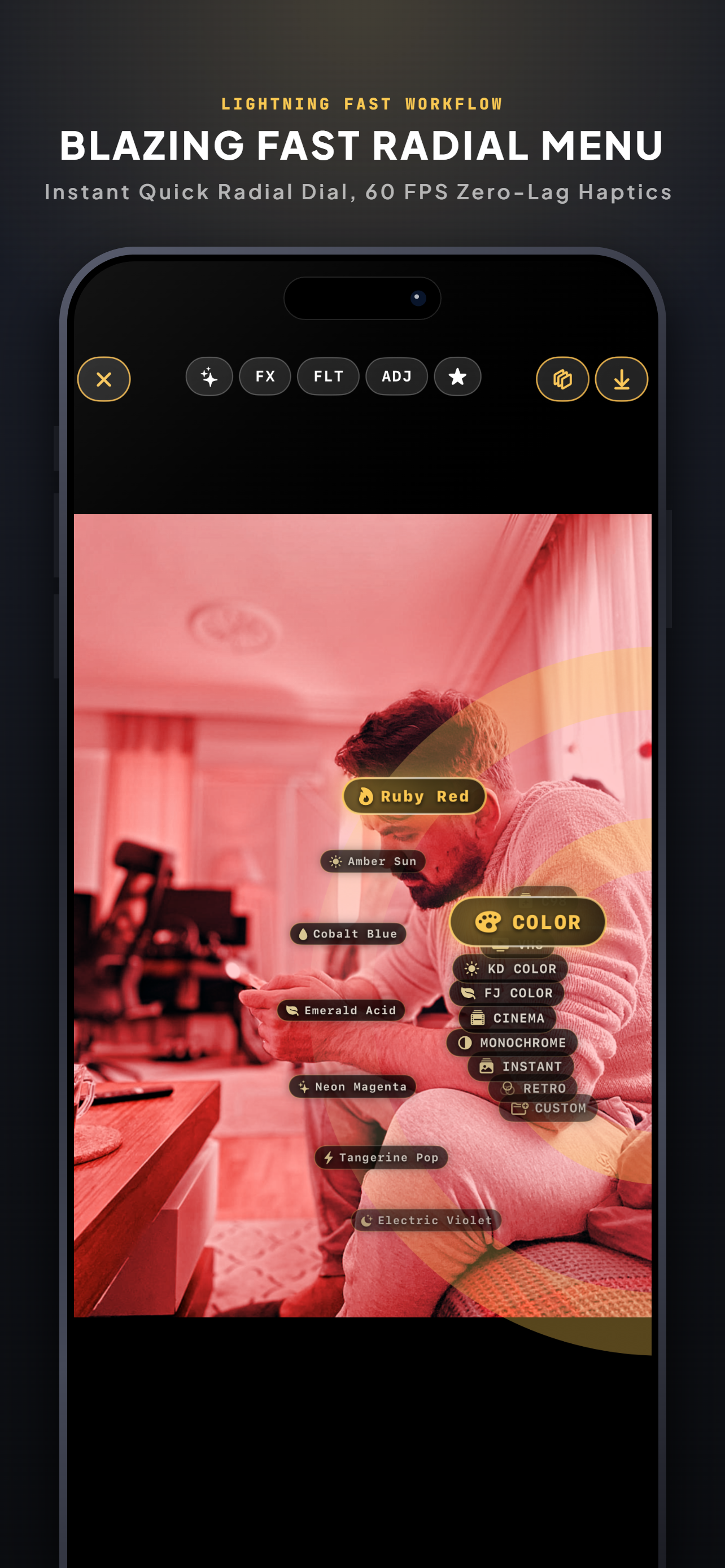
Radial Menu
-
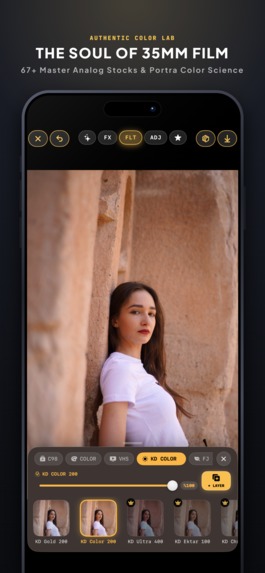
Perfect UI
-
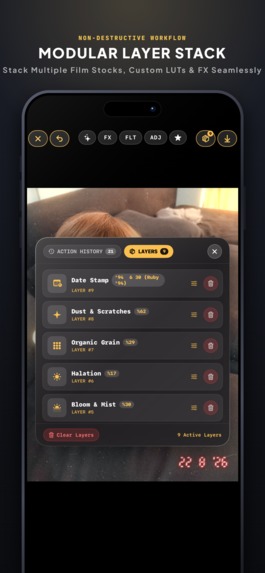
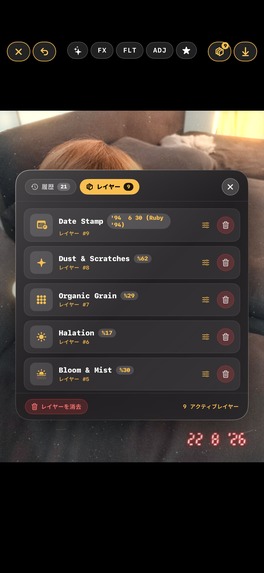
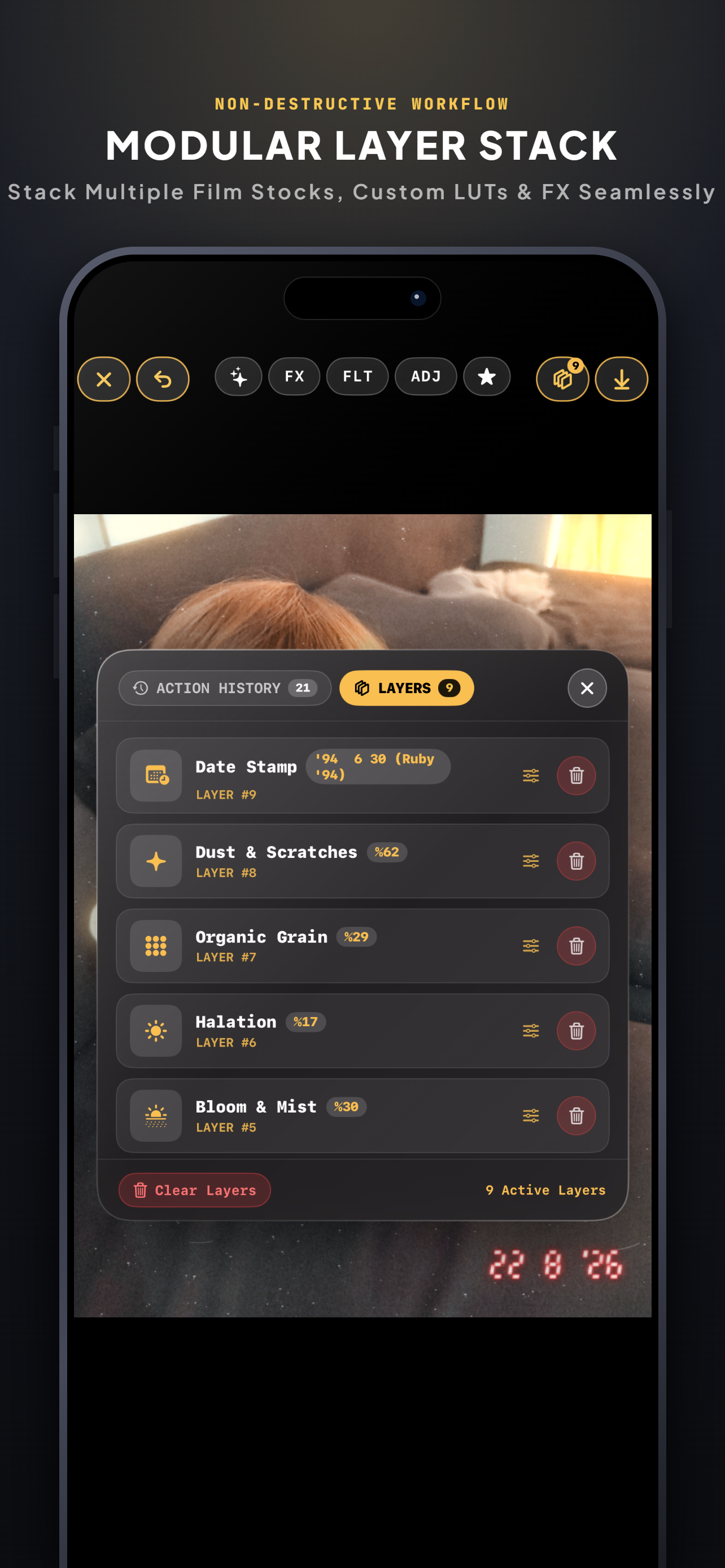
Non-destructive Layer
-
Chroma 98 Icon 1024x1024
-
-
-
Inspiration
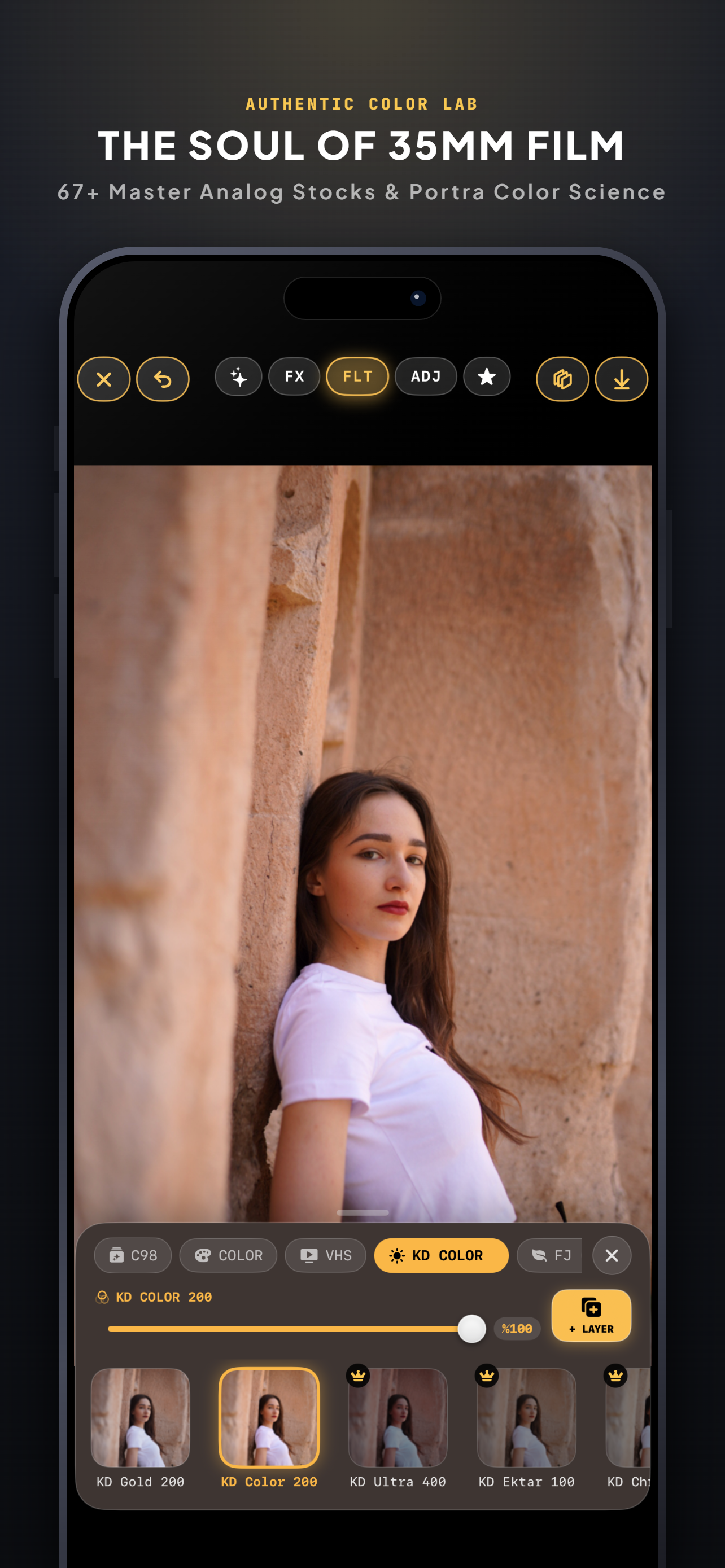
Growing up as a kid in the 1990s, the photos from that era always carried an unmistakable soul, warmth, and nostalgic charm. Even today, I catch myself looking back at physical analog prints, longing for that unique visual memory.
Over my 8 years as an active photographer shooting with professional camera bodies, I learned a fundamental truth: modern mobile sensors capture sterile, over-sharpened perfection, while analog film captured emotional presence. Bringing that authentic 35mm aesthetic to the iPhone became my personal mission as an independent developer.
I also noticed major friction points in existing mobile editing apps:
- Photographers and creators often spend half an hour tweaking a single shot.
- A filter that looks stunning on Photo A often fails completely on Photo B due to shifts in ambient light and exposure.
- Modern AI photo tools routinely upload private user photo libraries to remote cloud servers, sacrificing fundamental digital privacy.
I built Chroma 98 as a solo developer to bring back the timeless look of 35mm film through an efficient, tactile workflow that never compromises user data.
What it does
- Layer-Based Recipe System (
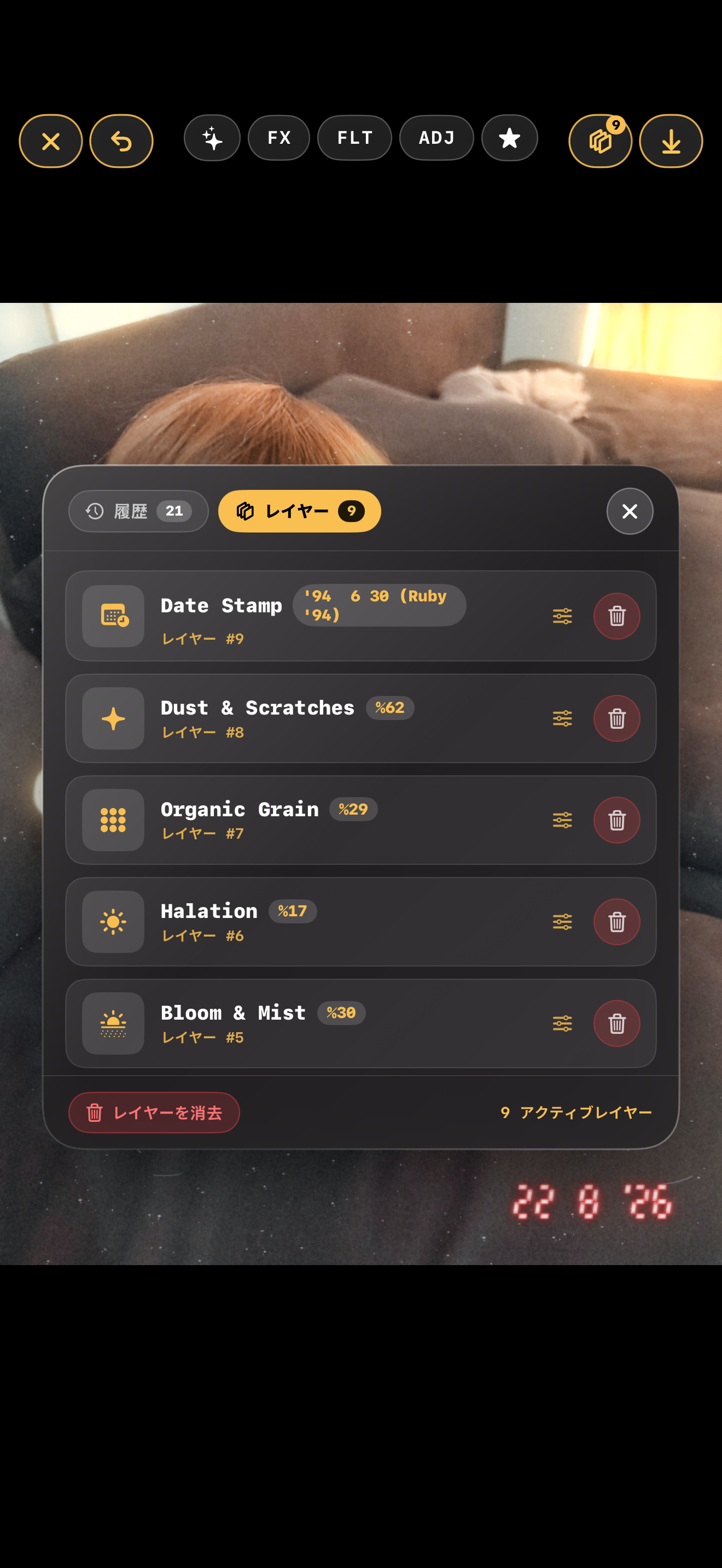
.c98): Solves the rigid preset problem. When a recipe is applied, every underlying adjustment, filter, and optical effect unpacks into discrete layers. Users can tweak the master intensity with a single slider or dive into individual layers to fine-tune exposure, halation, or grain specifically for each photo, then share.c98files directly with other creators. - Pro Calibration & LUT Import: Full native support for importing custom
.cubeand 3D LUT profiles directly into the layer stack for professional color grading workflows. - 100% Offline Data Portability (
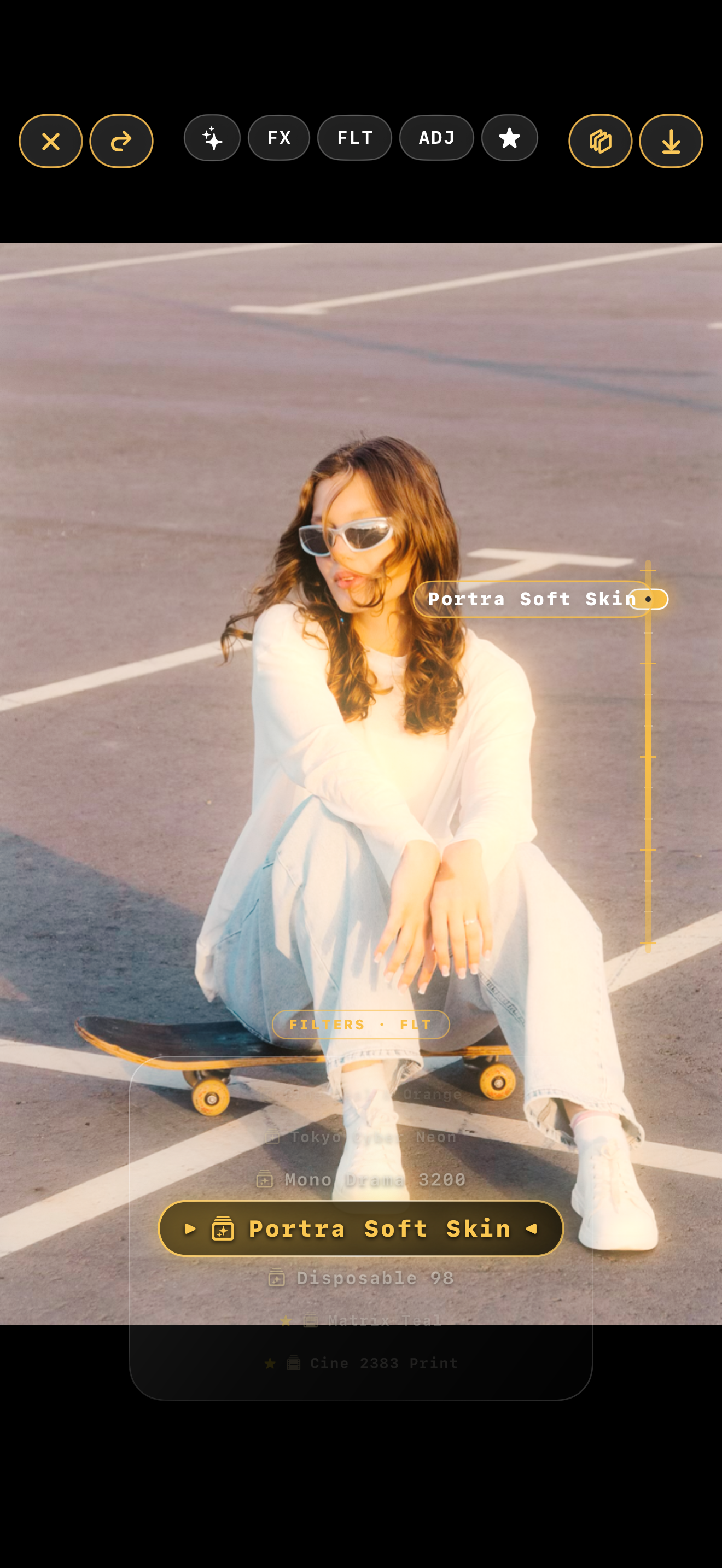
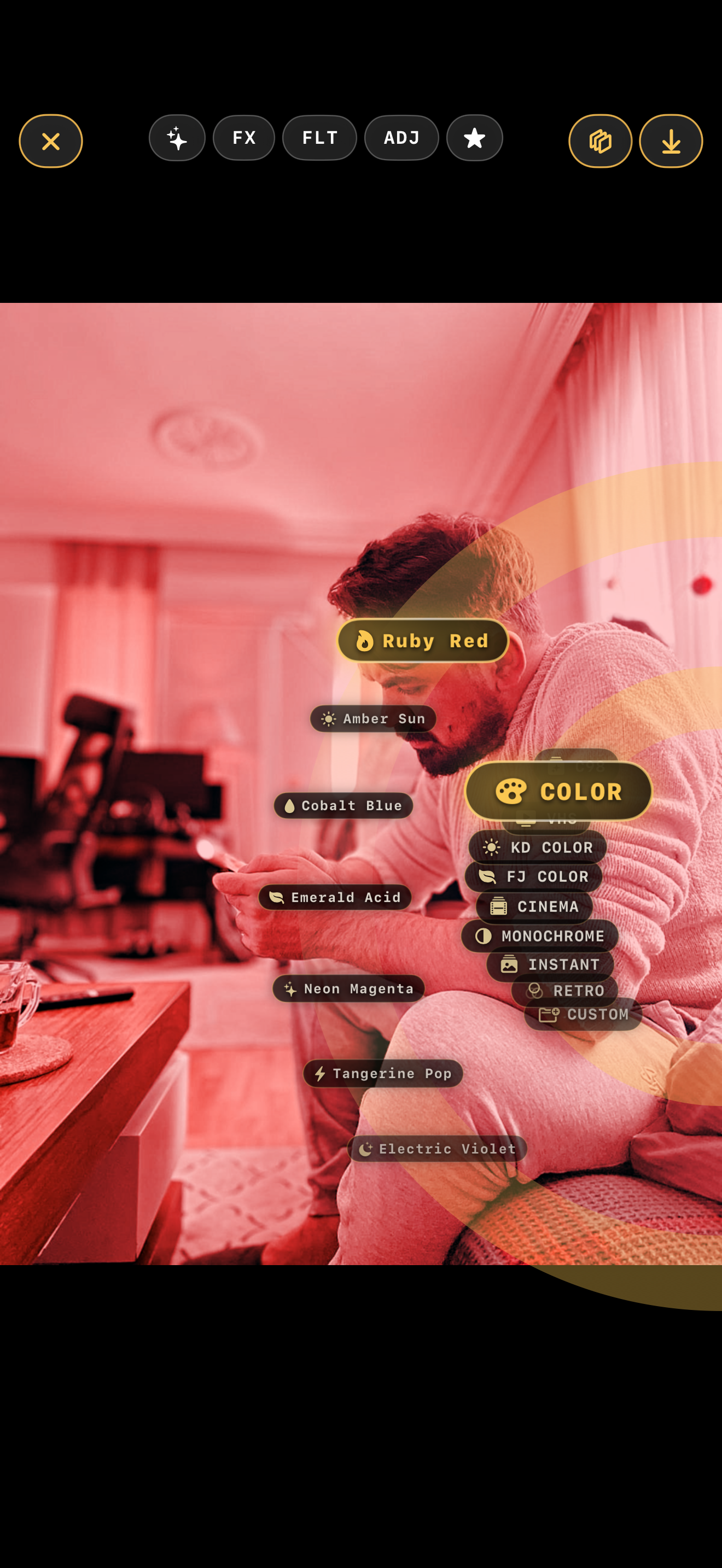
.c98backup): Eliminates centralized cloud databases while preserving user setup across devices. Users can export their entire library of custom recipes, favorite configurations, and presets offline into a.c98backupcontainer and restore it on a new iPhone with zero cloud tracking. - Tactile Retro Workflow: Replaces conventional flat menus with custom-built Radial and Drum reels designed for single-thumb precision editing.
- "How I Made" Dynamic Exporter: Turns the editing process into a shareable asset. Users can export an automated 9:16 vertical before-and-after breakdown video featuring animated transition sliders and sleek outro cards.
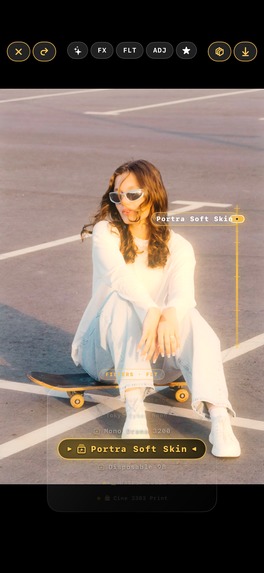
- Privacy-First On-Device AI Retouching: Local inpainting for smart blemish/object removal and natural skin smoothing that retains authentic skin pores and fine textures without sending a single byte to external servers.
- Cross-Device Ready: Full iPadOS support with adaptive layouts, paired with an interactive step-by-step spotlight onboarding tutorial.
How we built it
Chroma 98 was engineered natively from the ground up using Swift and SwiftUI, targeting raw performance on Apple Silicon and the Apple Neural Engine:
- Real Optical Pipeline via Metal: Instead of applying flat static overlays, custom Metal compute shaders decompose incoming images into distinct luminance bands and spatial frequency segments. Halation is computed by isolating red-channel optical spill, applying multi-pass Gaussian diffusions, and physically re-compositing optical warmth directly on the GPU in real time.
- On-Device CoreML Inpainting: Tuned lightweight neural networks to run locally on the Apple Neural Engine (ANE) via CoreML and the Vision Framework, achieving near-instant object removal and inpainting latencies without external network calls.
- Non-Destructive Layer Compositor: Built an in-memory rendering engine that recalculates multi-layer blend modes and live parametric adjustments at fluid 60 FPS slider response rates.
- Custom Binary Serialization: Used Swift's
Codableand compact binary packing to package complex multi-layer graph structures and custom presets into lightweight.c98and.c98backupfile formats. - AVFoundation Render Pipeline: Dynamic video export pipeline reading layer transform deltas to render animated 9:16 video breakdowns directly on the device.
Challenges we ran into
- The On-Device AI Performance Wall: Achieving smooth, zero-latency inpainting directly on mobile hardware without triggering memory warnings was an immense technical hurdle. At one point, the complexity almost led me to drop the feature. Staying committed to user privacy kept me going; I restructured memory buffers, optimized model weights, and fine-tuned ANE execution paths until it performed smoothly.
- Simulating Optical Physics on a Mobile GPU: Mimicking the behavior of physical camera lenses, light scatter, and emulsion layer bleeding (especially halation bloom and optical streaks) without overheating the device required extensive profiling. I wrote specialized Metal compute shaders to segment light values, process diffusion, and recombine channels in highly optimized single-pass renders.
- Balancing Deep Controls with Mobile Ergonomics: Packing discrete layer adjustments, custom LUT imports, AI retouching, optical FX, and film presets into a mobile screen risked clutter. Iterating through multiple UI concepts led to the custom radial menu and drum reel system, reinforced by an interactive spotlight tutorial to make pro-grade editing intuitive.
Accomplishments that we're proud of
- Complete Solo Execution: Designed, architected, and shipped the entire native iOS and iPadOS application, custom Metal rendering engine, and UI components as a solo developer.
- Zero-Cloud Privacy Standard: Proved that advanced AI retouching and robust preset backup systems do not require remote servers or account registrations. Everything runs 100% locally on the device.
- Solving the "Rigid Preset" Problem: Creating the
.c98layer recipe system, allowing photographers to deconstruct, adjust, and share looks rather than being locked into static one-click filters. - Silky Real-Time Metal Performance: Achieving steady high frame rates on complex multi-layer optical simulations and 3D LUT transforms on high-resolution mobile photos.
What we learned
- Authentic analog emulation cannot be achieved with simple 2D color lookup tables; it requires simulating physical optical phenomena such as light scatter, crystal grain structures, and emulsion halation.
- Designing for privacy-first workflows requires significantly more low-level optimization upfront, but local processing provides massive gains in speed, reliability, and user trust.
- Tactile, hardware-inspired UI controls like radial wheels and drum reels make complex multi-parameter adjustments substantially faster on mobile than standard flat menus.
What's next for Chroma 98 - Pro Photo Editor
- QR-Integrated "How I Made" Sharing: Embedding scannable QR codes directly into exported "How I Made" breakdown videos, allowing viewers to scan the reel and instantly load that exact recipe into their own Chroma 98 app.
- Community Recipe Platform: Building a dedicated creator hub where photographers can discover, preview, and exchange
.c98recipes seamlessly via QR codes and community showcases. - Live In-App Film Camera Mode: Implementing a native real-time camera capture interface that renders your custom recipes, optical halation, and 35mm film emulations live through the camera viewfinder before you even hit the shutter.
Built With
- 35mm
- ai-inpainting
- analog-film
- apple-neural-engine
- avfoundation
- color-grading
- compute-shaders
- computer-vision
- core-image
- coreml
- gpu-acceleration
- image-processing
- ios
- ipados
- layer-based
- lut
- machine-learning
- metal
- offline-first
- on-device-ai
- photo-editing
- privacy-first
- video-rendering
- vision-framework


Log in or sign up for Devpost to join the conversation.