
Inspiration
Getting all your work done during a busy week can be really difficult! It can be really easy to procrastinate, or even just forget about a certain assignment until it's too late. This happens to the best of us, and the simple solution seems to be simply writing down your tasks somewhere to remember them. This may seem obvious, yet many students haven't cultivated these organizational habits or just haven't found a suitable medium to do as such. Although there are already numerous apps that help keep track of events and assignments, not a lot seem to provide any motivation to do so. Cheerio tries to add a little bit of fun to students' mundane daily tasks by giving them a virtual pet dog that they can care for by simply keeping track of and finishing their work. We hope that this added element will give students some more motivation to stay organized and complete their tasks on time.
What it does
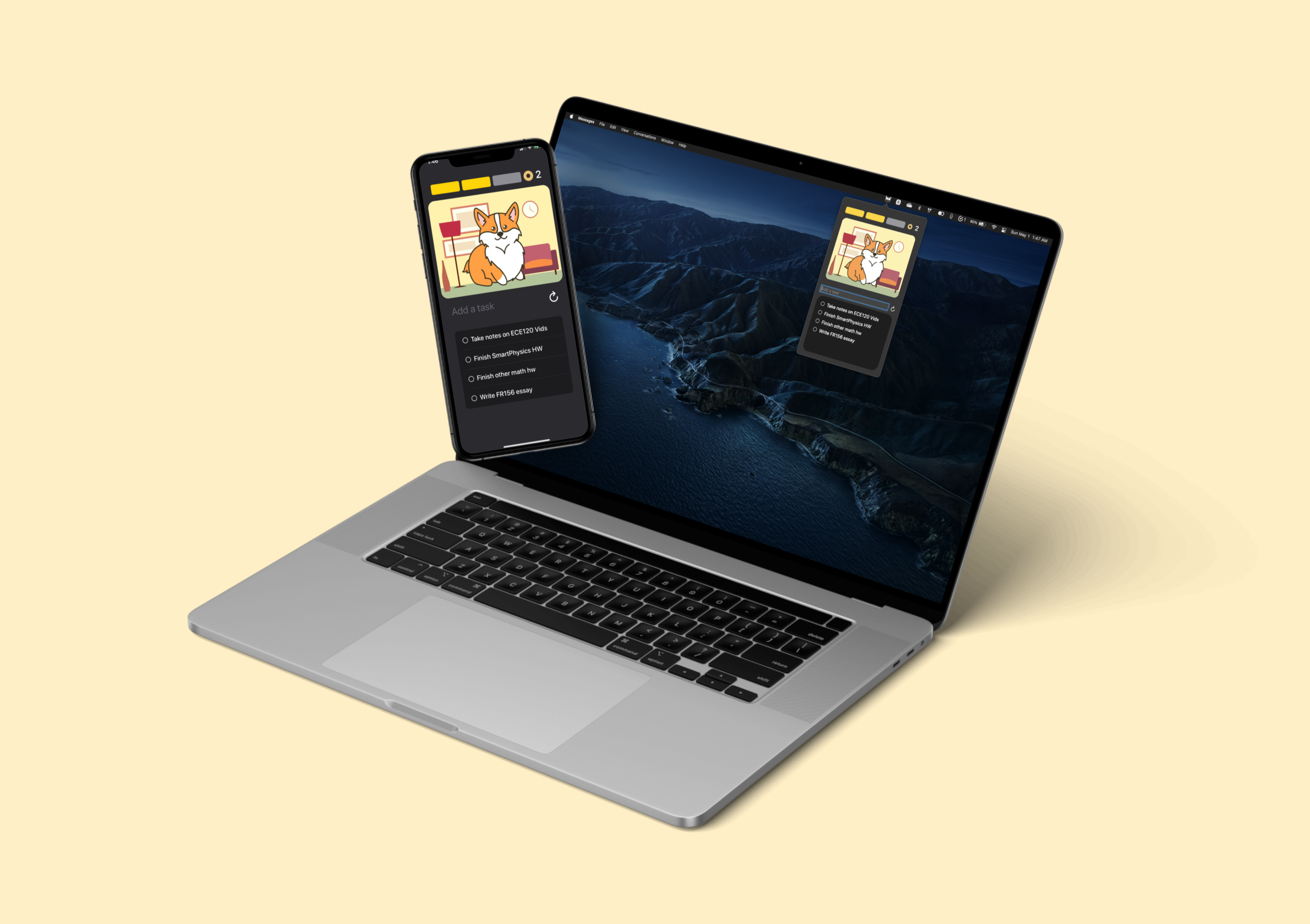
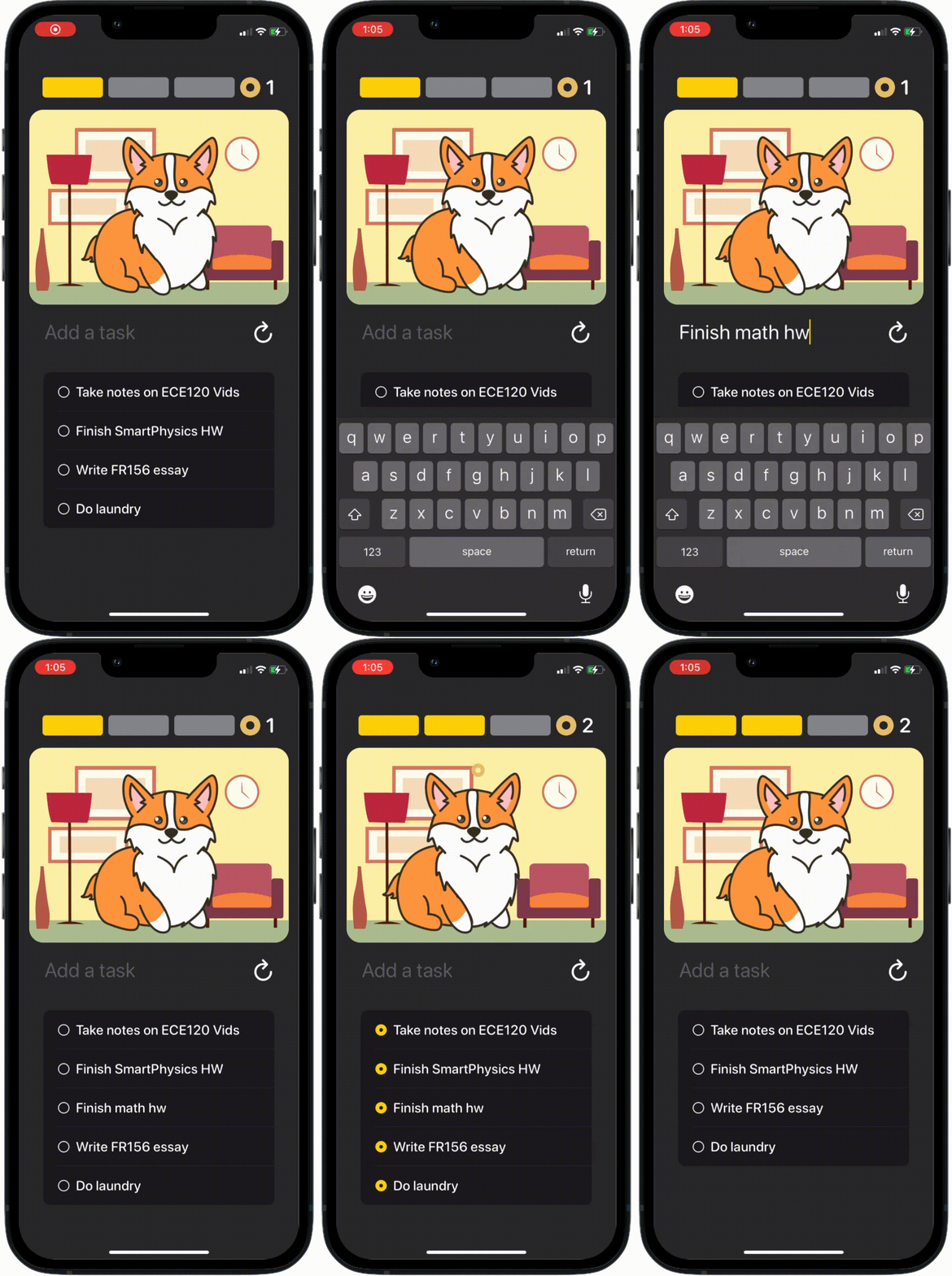
The purpose of Cheerio is to aid college students' quality of life by keeping track of their assignments and having a chunky corgi to help keep them accountable. The user can type their tasks into the input field, and it gets added to a database synced with iCloud. When a task is completed, they can click the checkbox and watch their virtual pet get fed a cheerio as a reward. There is a progress bar each day which fills up gradually as the user completes their tasks. When they reach their task goal for today, their pet will do a trick! There is also a total count of how many tasks the user has completed, or more importantly, how many cheerios were fed to their pet. They can also tap/click on their dog to pet them. This app is available on both iOS and macOS, and can seamlessly sync the user's tasks between devices. The macOS app also has a widget that is always accessible at the top of the screen.
How we built it
We used SwiftUI for the user interface layout and functionality, and CloudKit to sync user data. Adobe Illustrator was used for any 2D vector graphics while Adobe After Effects was used to create the pet animations. We used GitHub version control to help recover and store important data.
Challenges we ran into
We originally planned to use Firebase as our database but it didn’t work with macOS the way we wanted, and we were almost ready to scrap the cross-device syncing idea, but we managed to find a different database manager called CloudKit that worked really well for our purposes. We also wanted to create a web app in conjunction with what we had, but the time constraint caused us to pass on that idea. We also had an idea to add an augmented reality corgi but the 3D model and animations for that would take way too long given our time constraints. We also almost lost all of our code because we forgot to commit and push often, but thankfully we were able to find our lost code in Git somehow.
What we learned
Creating Cheerio was a great experience where we learned how to create a macOS and iOS that synced data between two devices. It also taught us how to better design and implement ideas while properly managing our own time when working on such a project with limited time and personal. We also learned a lot of useful things through the various workshops that WECE hosted such as gitignores, how Python code is interpreted, and that an ostrich is the world’s largest bird.
What's next for Cheerio: The Motivational Daily Planner
We hope to add some of the functionality we couldn't get to, such as displaying an inspirational quote every day. We would also like to increase the variety of pets to choose from so each user can find the animal that speaks to them the most to hopefully motivate them to stay organized and complete more tasks each day.
Built With
- adobe-after-effects
- adobe-illustrator
- cloudkit
- swiftui


Log in or sign up for Devpost to join the conversation.