-
-
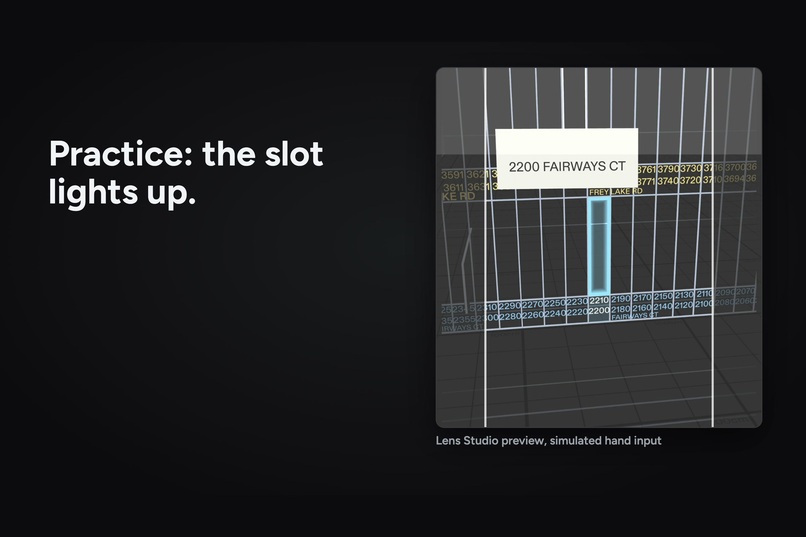
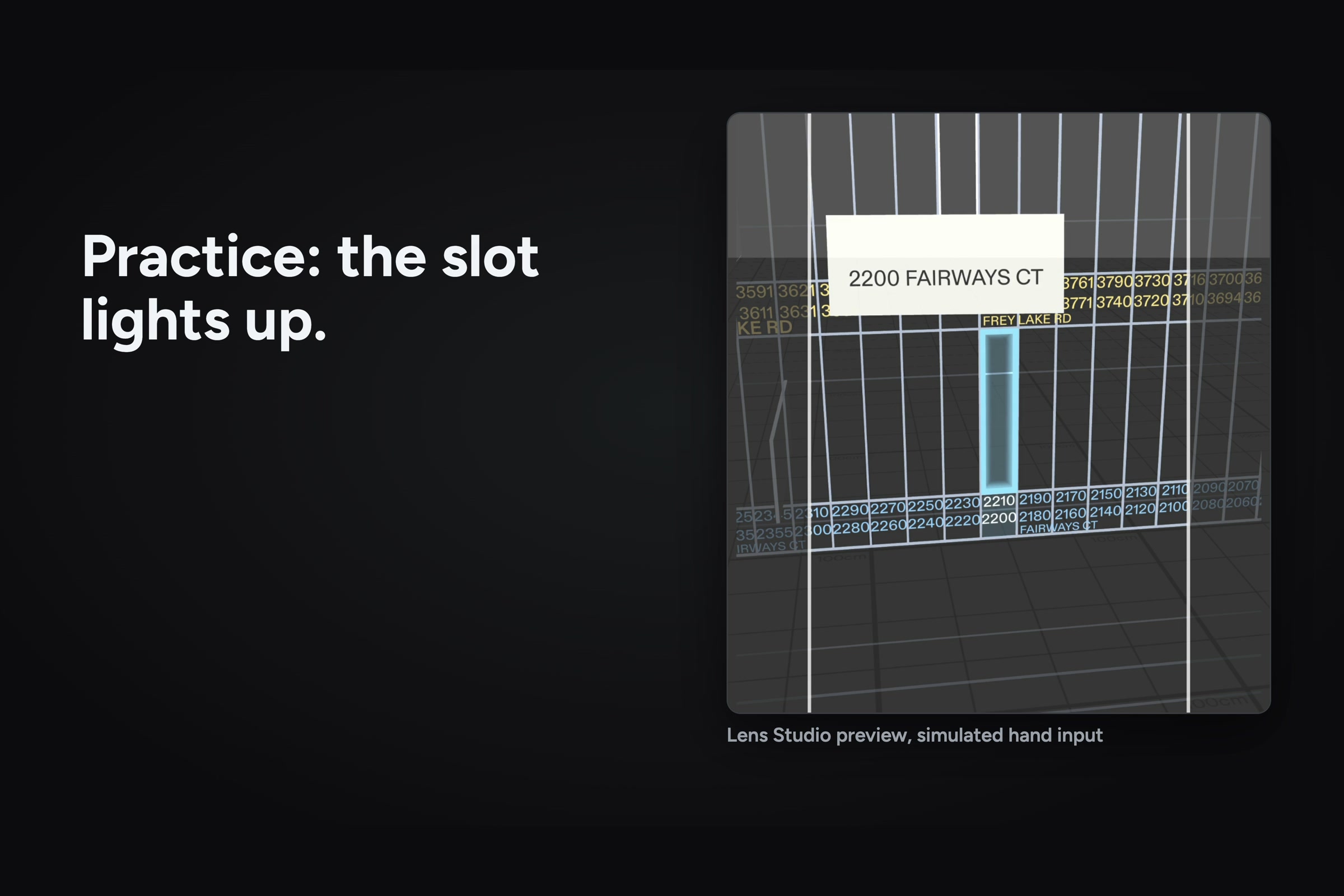
Practice: pinch a letter and its slot lights up (Lens Studio preview, simulated hand input).
-
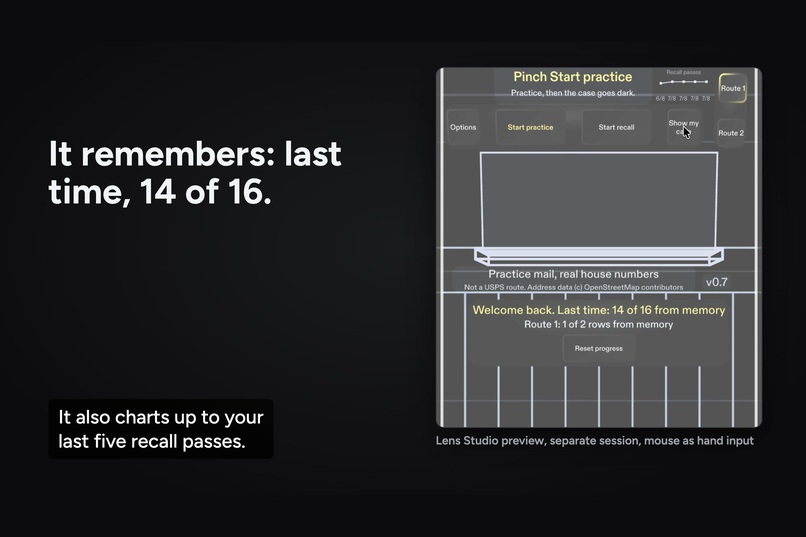
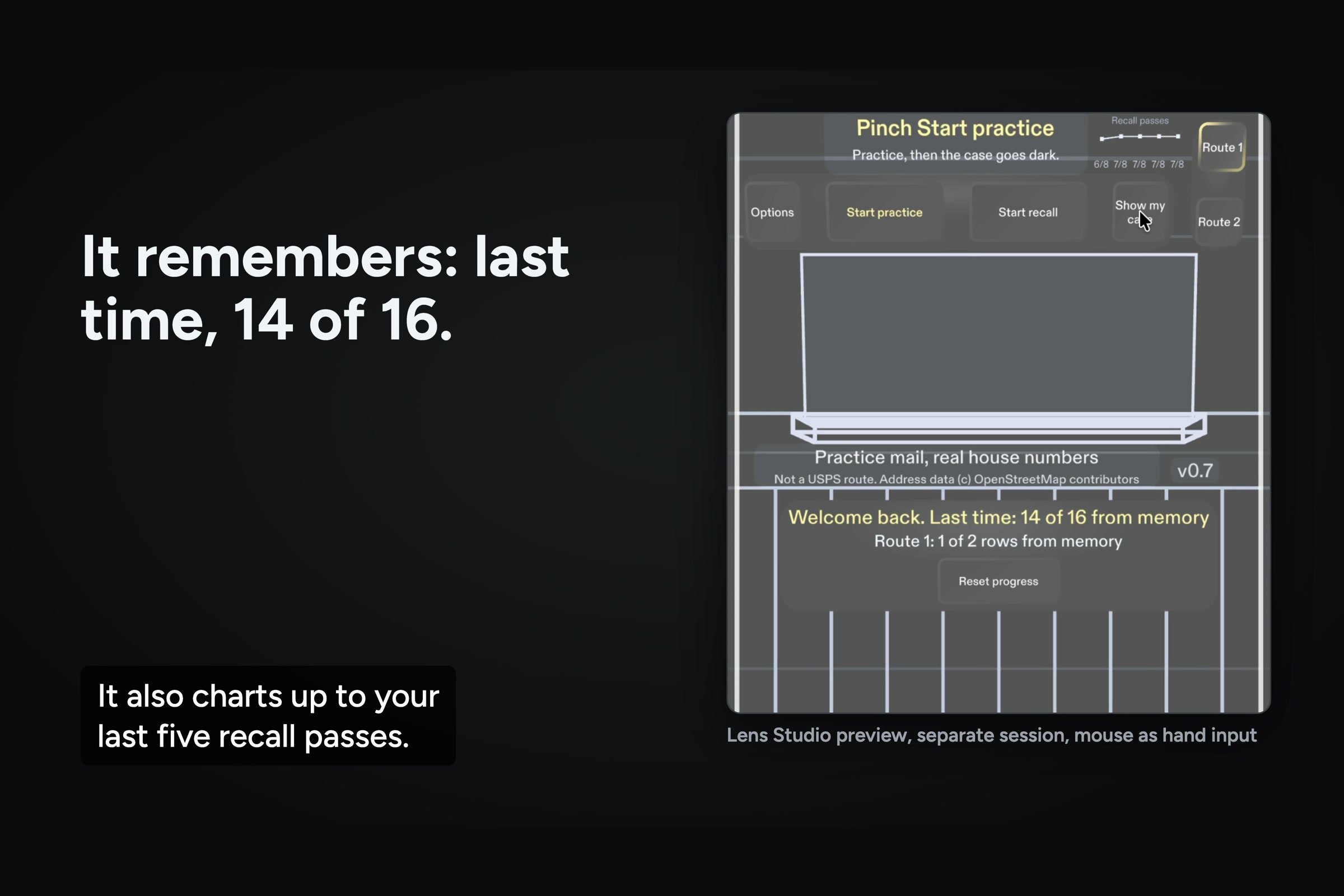
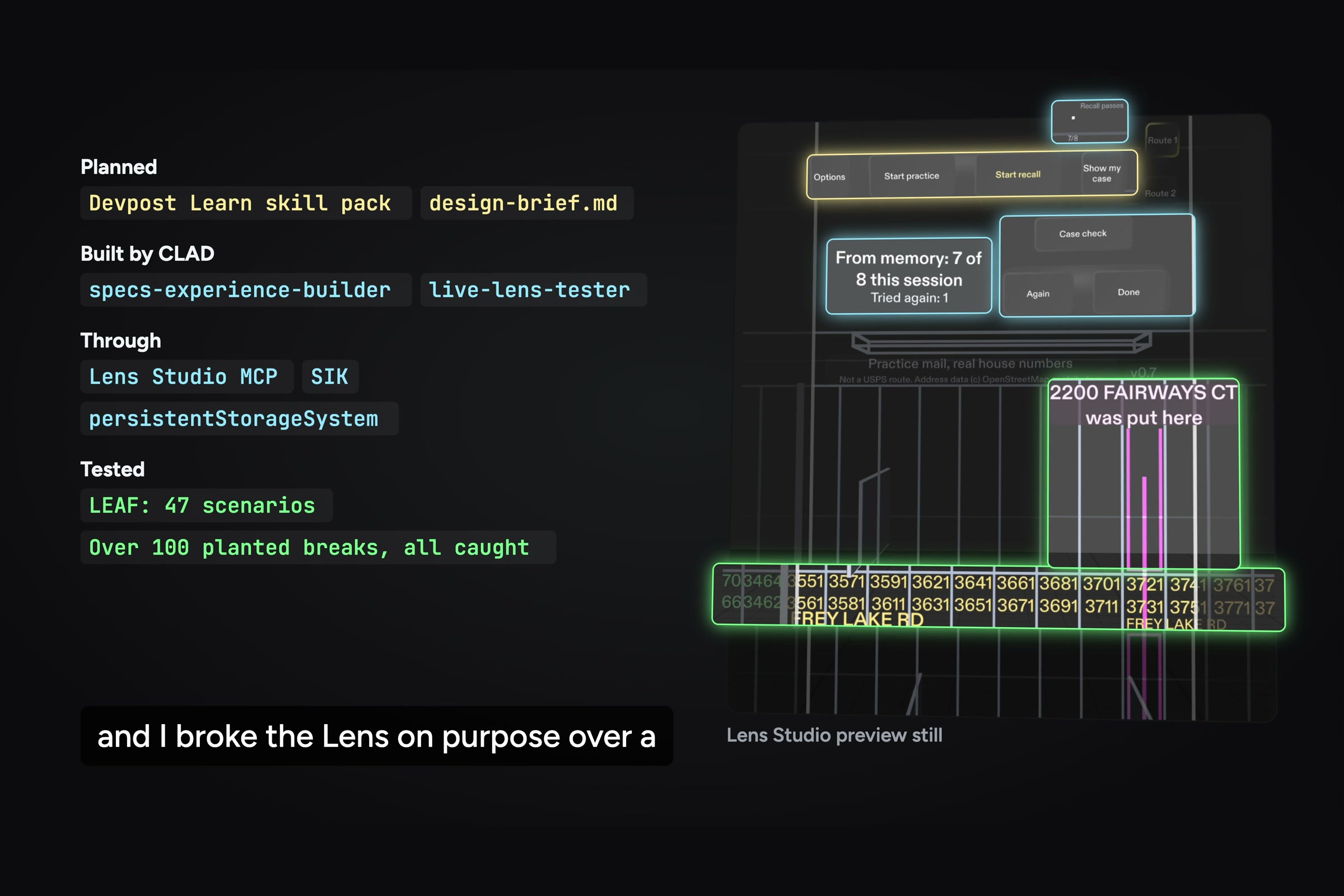
Reopen it and it shows your last score (14 of 16, from a separate session) and charts recent passes.
-
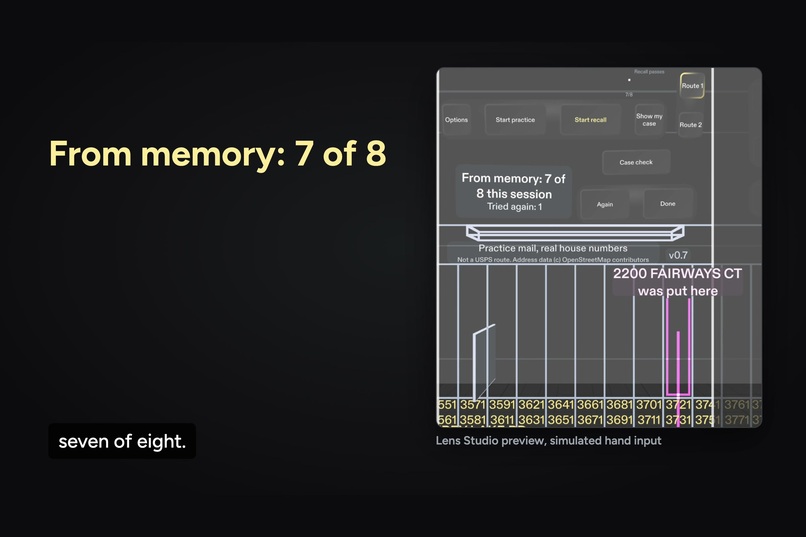
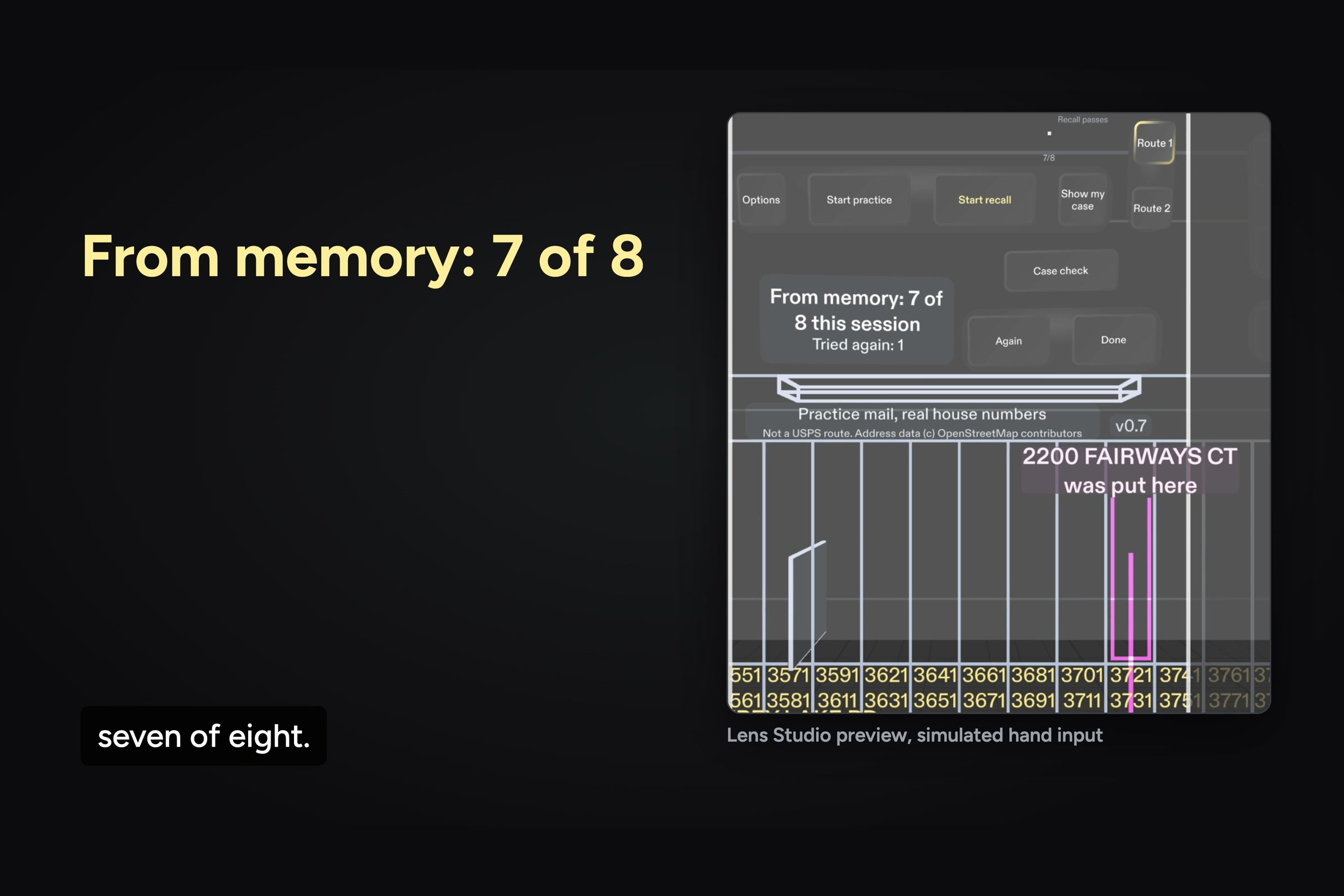
From memory: 7 of 8 in the filmed pass, with the missed letter marked where it was put.
-
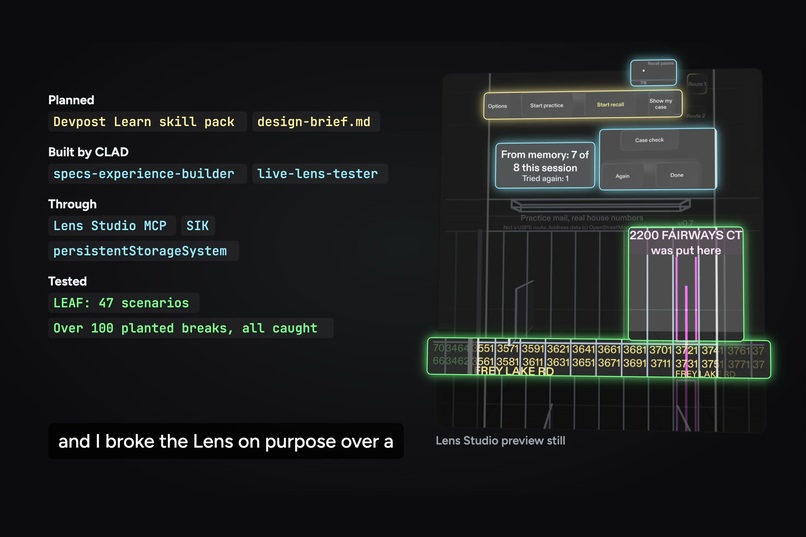
Planned with the Devpost Learn skill pack, built by CLAD through the Lens Studio MCP, tested with 47 LEAF scenarios.
-
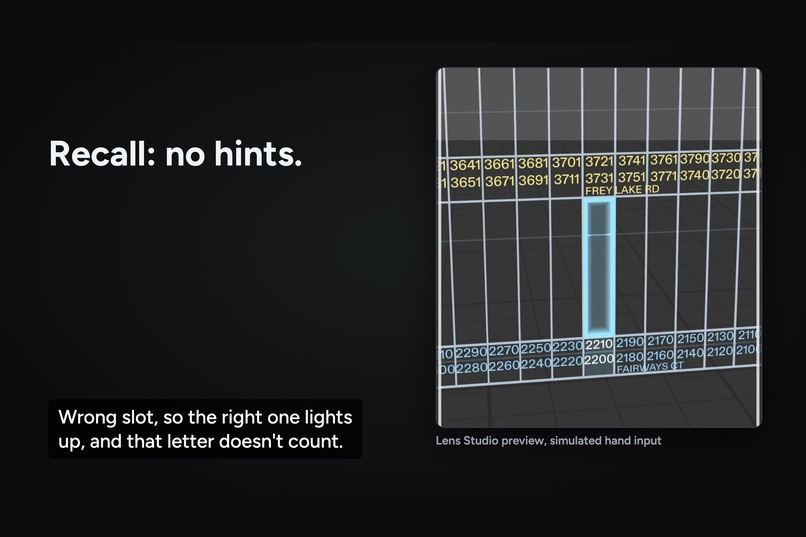
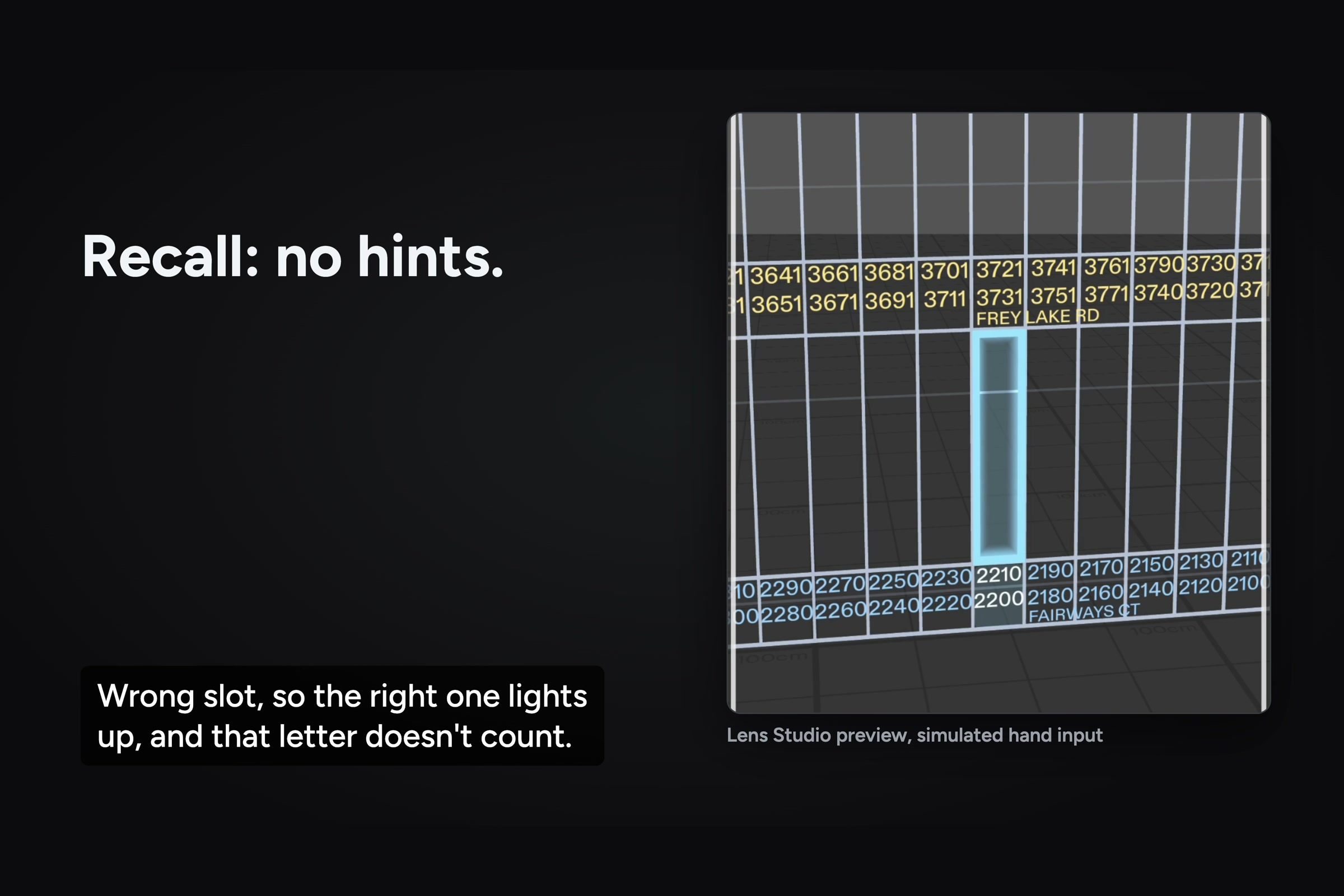
Recall: the case goes dark. A miss lights the right slot, and that letter doesn't count.
Inspiration
My mom has worked at the post office for over 30 years, so I wanted to build something for new carriers. Every route has its own case, a wall of one-inch slots that each hold one or two addresses, and the carrier handbook says to start by memorizing the first two rows, then keep going row by row. In fiscal 2024, only 40.8% of new city carrier assistants were still on the job after a year (USPS Inspector General, preliminary), so there's always someone new standing at a case they've never seen. The official on-the-job training guide sets a minimum of two and a half hours of casing practice.
In her own words, on camera: "If you don't have a permanent route then they get moved to another route and have to learn all over again." She speaks for herself, not for USPS.
What it does
Case Light puts a real-size practice case in front of you, labelled with real house numbers from streets near Kennesaw State.
First you practice. You pick up a letter with a pinch and the right slot glows. If it's off to the side, an arrow at the edge of your view points to it.
Then you do the same letters again, but the case stays dark. You read the address and put it where you think it goes. If you miss, the right slot lights up and that letter doesn't count. You end with "From memory: X of 8 this session." A letter you miss comes back a little later for another try, and a case check puts two letters in the wrong slots for you to find.
"Show my case" marks each practice row by what you've actually placed from memory: From memory, Review or Not tried, with a word and a shape on each, not just a color. Your progress is saved, so the next time you open it, it says "Welcome back" with your last score and charts your last few recall passes, up to five. You can reset it whenever you want.
When I told my mom about it, she asked how the case would read the addresses. It doesn't. The whole point is that you learn them.
Who it's for
New city carriers, and the people who train them. The Postal Service has about 200,000 city letter carriers (178,026 career carriers and 23,921 city carrier assistants at the end of fiscal 2025) on 141,365 city routes, and each route has its own case to learn. A carrier who gets moved to another route starts over on a new case.
How it's different
Sorting systems that light up the right bin already exist. Even a patent titled "Mail carrier training method" works by showing the carrier, on a mobile screen, where an address on a piece of mail is located in the sorting area. Case Light goes the other way on purpose, because the carrier handbook says to keep memorizing until the entire case is learned. The case stays dark, so you find out what you actually remember, and the light only comes on when you miss.
Why glasses
It draws the case in the room at real size, so the slots are where your hands expect them. On the real job your hands are full of mail. In this version you pinch practice letters, but the idea is that the guide lives in your view, not on a phone you'd have to pick up. A real case is also wider than what you can see at arm's length, so when the right slot is off to the side, the arrow shows up at the edge and goes away when you turn. It only uses where the glasses are and where they point, your hands, and the depth view if you put the case on a wall.
How I built it
- Before any code, the Devpost Learn skill pack's plan-lens interview turned my decisions into a brief with five done criteria, and those became the first tests. The brief and a log of every build prompt are in the repo's devpost folder.
- CLAD did the building and testing: specs-experience-builder built it, and live-lens-tester checked it in the preview, across 47 sessions. They worked through the Lens Studio MCP, 2,860 calls in all, mostly running LEAF tests and recompiling.
- The agent pushed back on my print size, and it was right. A full-size printed address is wider than the display at arm's length, so it shrank the letters until a whole address fits.
- CLAD's skills did a lot of the work: mesh-builder-scripting for the case, specs-build-ui for the buttons, shader-graph for the glow, and the LEAF skills for testing.
- LEAF tests it in the preview with 47 scenarios, all in LEAF's fail-fast mode, so a test can't pass by faking input. I also broke the Lens on purpose more than 150 times to make sure each test actually catches its bug, and 124 unit tests run on every push.
- The slots are real size: 1 inch wide, which the handbook allows for letters, and 40 to a shelf. A test measures them in the running Lens.
- The two practice routes come from real house numbers in OpenStreetMap, in the order the handbook teaches. Neither is a USPS route, and there's no resident information. One practice letter carries a hold note, so it goes in the case's HOLD cells instead of its own slot, and that one uses a house number that doesn't exist.
What I learned
"Done" has to be something you can check. Writing the five criteria first meant every change had something real to check against. I also learned the glasses can't show a whole case at once, which is why the arrow had to be there from day one. And we found a bug where one pinch pressed two buttons at once, so it got its own test.
What's next
Getting real carriers to try it. I've emailed the Atlanta letter carriers' branch, and my mom is asking carriers she knows. After that: loading a carrier's own route, notes a veteran carrier can share with a trainee (the session starts in this version, but I haven't shown a note reaching a second person yet), more shelves, and testing on real Specs.
Limits, plainly
Every Lens shot in the video runs in the Lens Studio preview with simulated hand input. It hasn't run on Specs hardware yet, and working carriers haven't tried it yet. The mail is practice mail on real house numbers, not a real route, and the hold letter's address is made up on purpose. How it feels to reach with a real arm, on real glasses, still needs the hardware.
Video and code
- Demo video: https://youtu.be/lymPgfFXAZ4
- Code, with the Lens Studio project and the devpost folder: https://github.com/StephenSook/case-light
Built With
- clad
- claude-code
- github-actions
- leaf
- lens-studio
- lens-studio-mcp
- node.js
- openstreetmap
- python
- spectacles-interaction-kit
- typescript


Log in or sign up for Devpost to join the conversation.