-
-

CaloriBank app icon — Omochi, the piggy bank who lives in your phone.
-
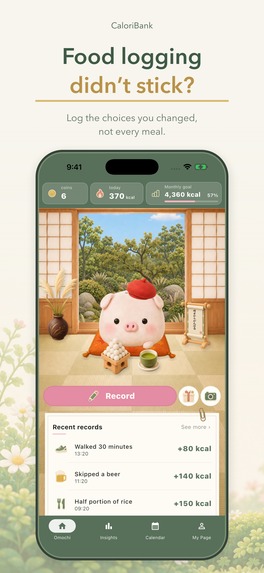
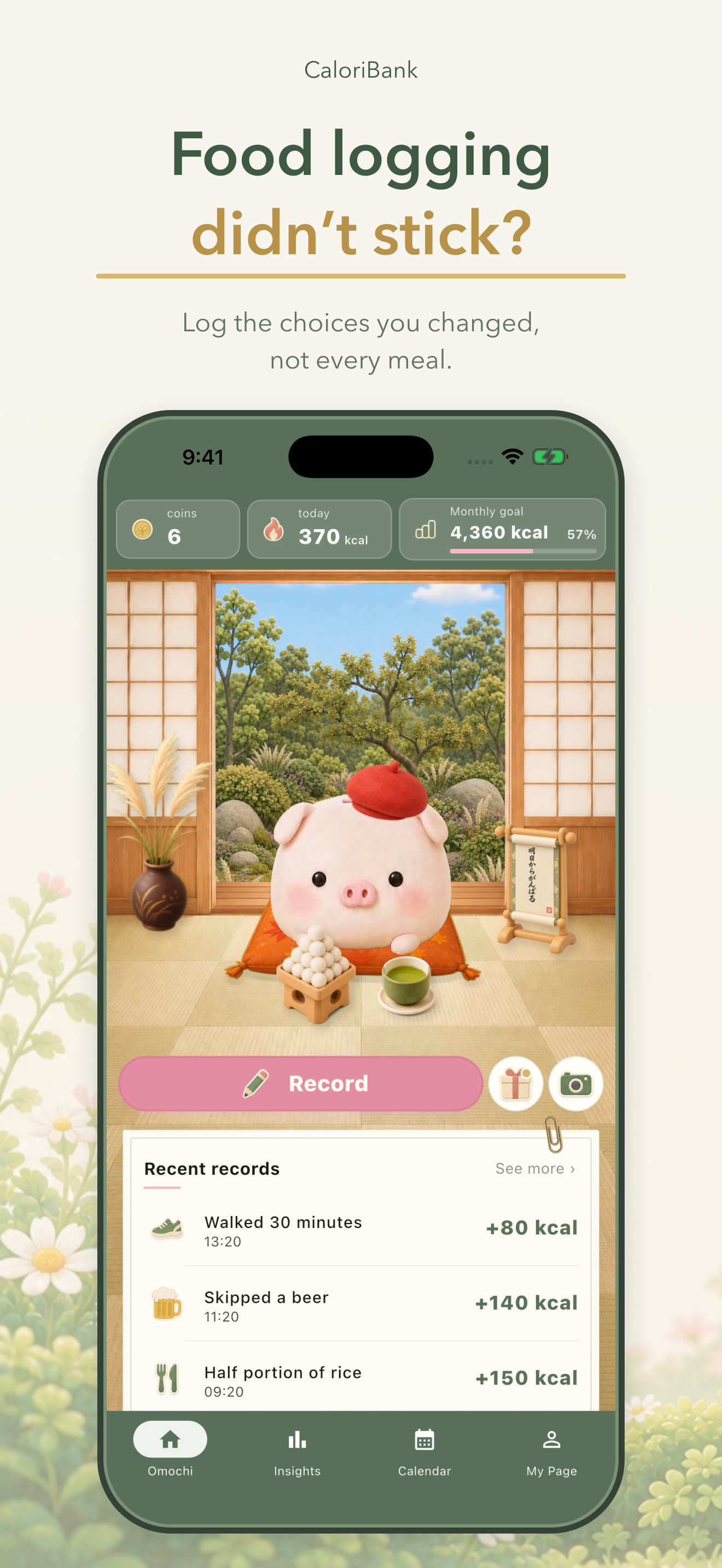
Food logging didn't stick? Log only the choices you changed, not every meal.
-
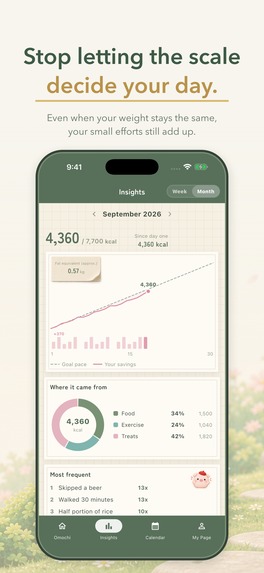
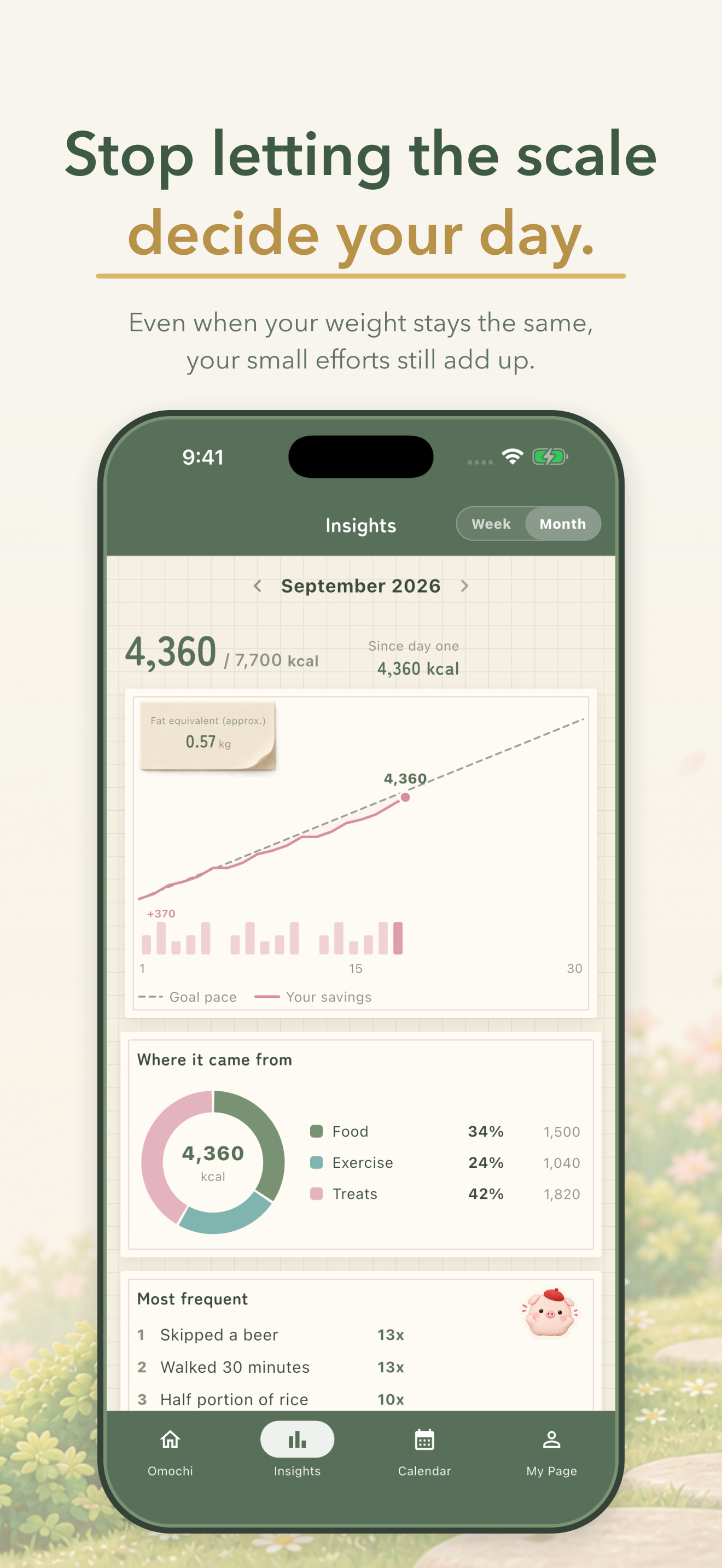
Even on days the scale doesn't move, the choices you changed still add up.
-
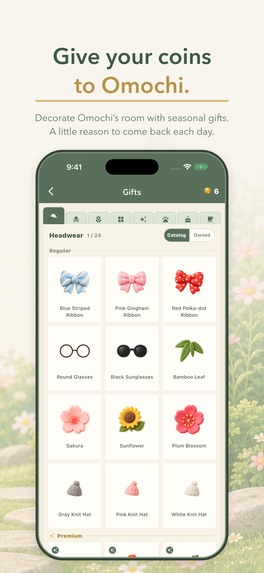
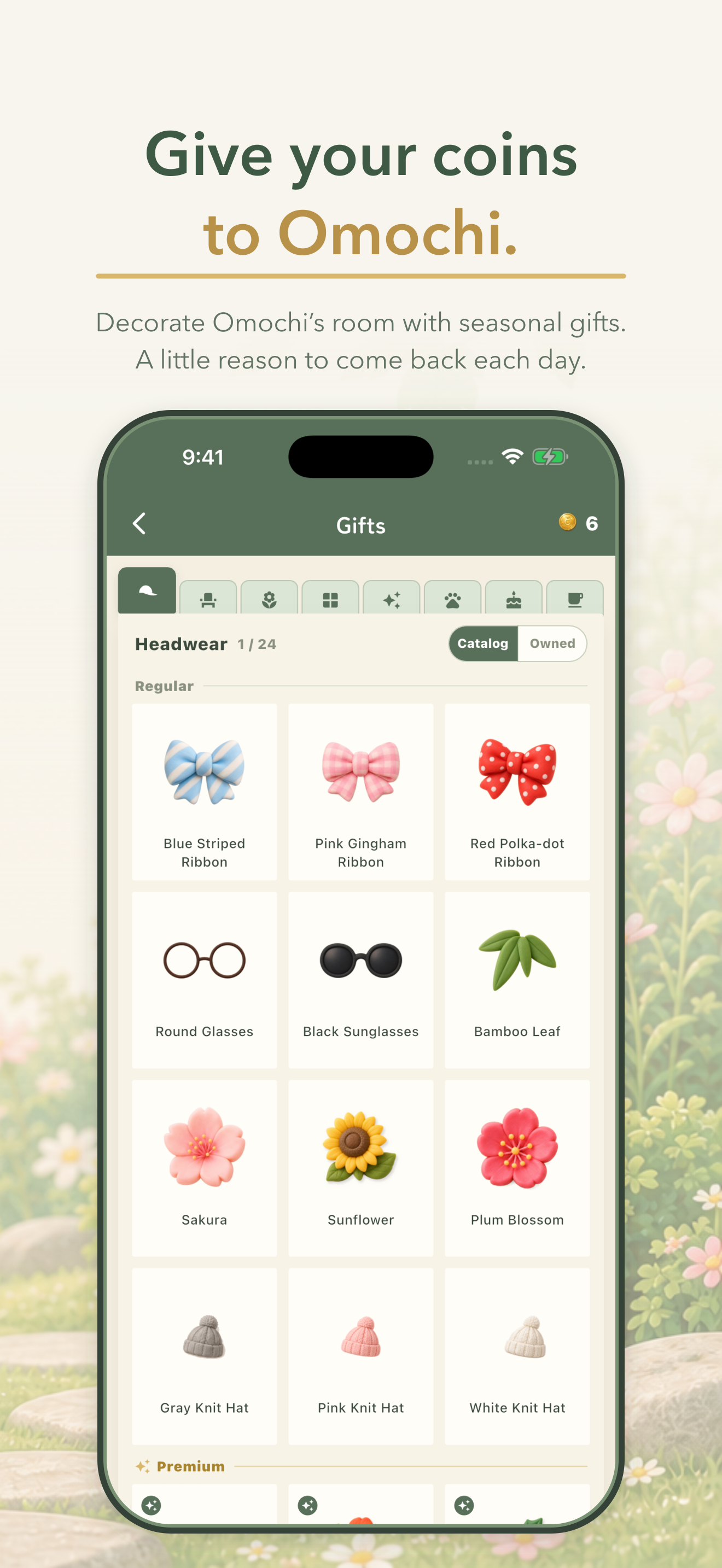
Coins become gifts for Omochi — 165 items, with a new limited edition every month.
-
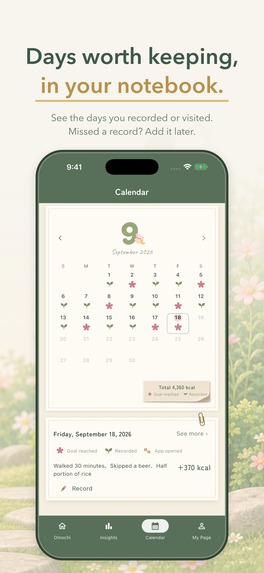
Flowers for goals reached, leaves for days recorded. Blank days are just days.
-
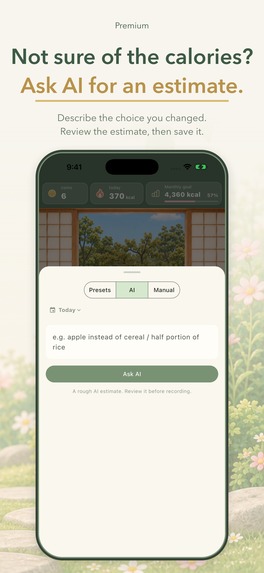
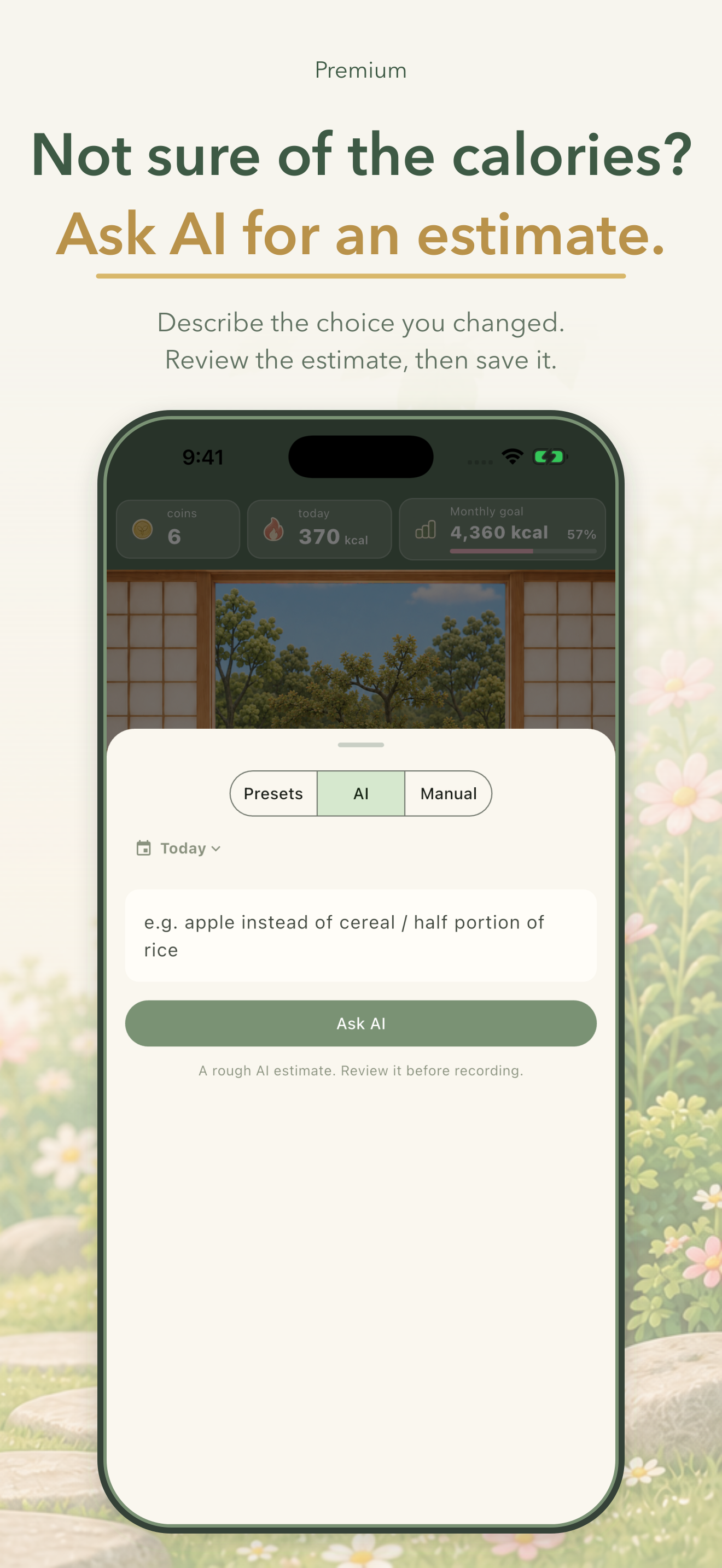
Describe what you changed and AI estimates it — or compare two foods to see the difference. (Premium)
-
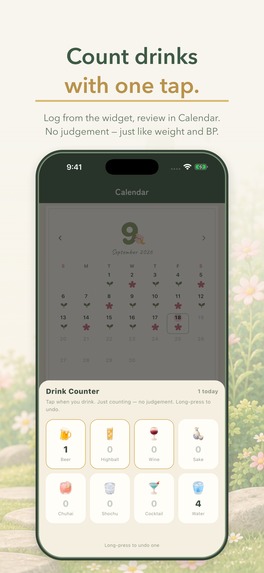
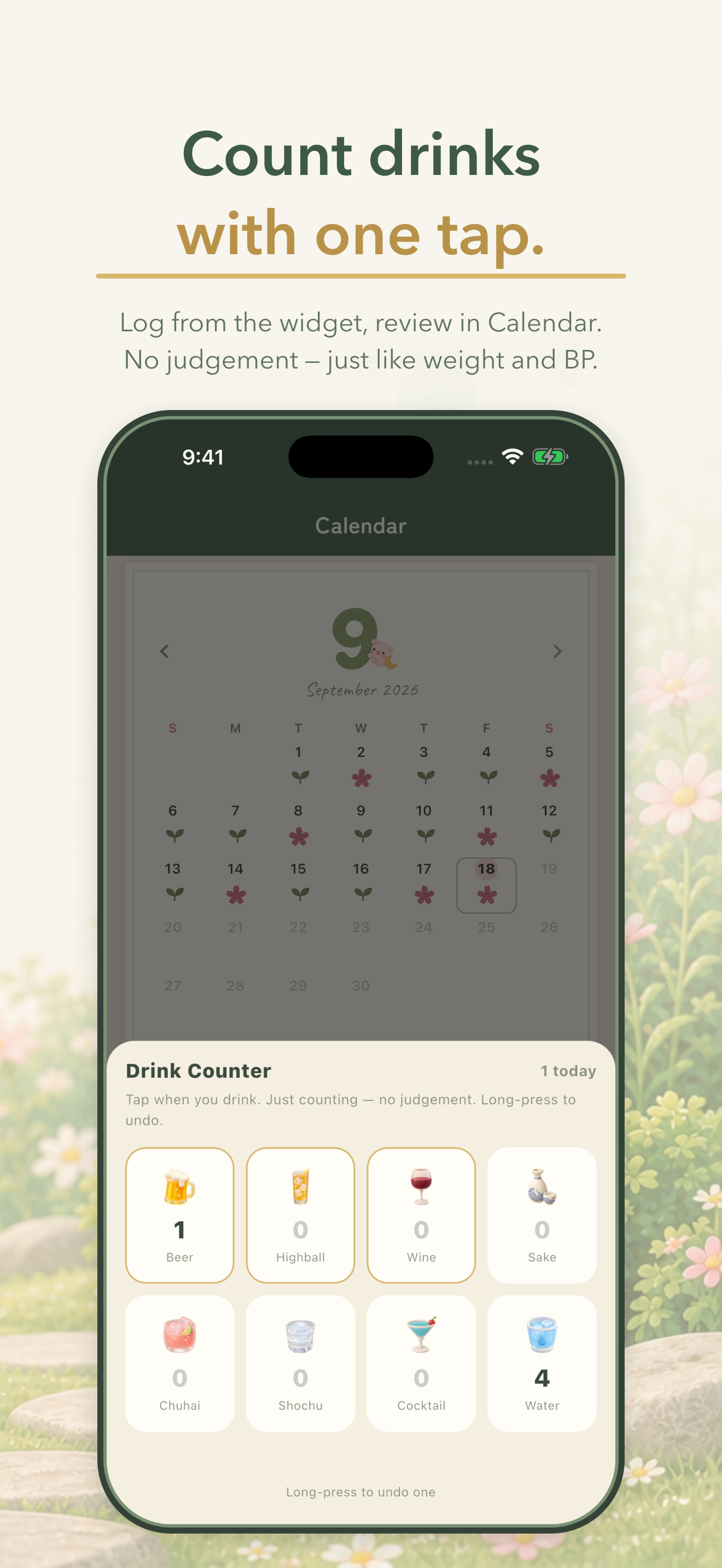
Count drinks with one tap from the widget. Counting, not scoring — just like weight and blood pressure.
-
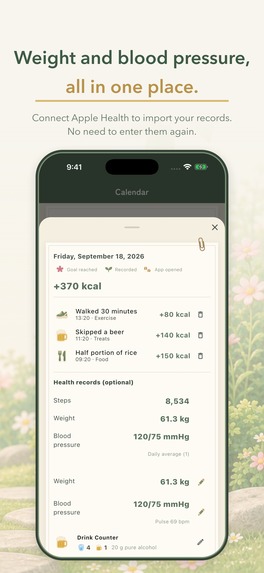
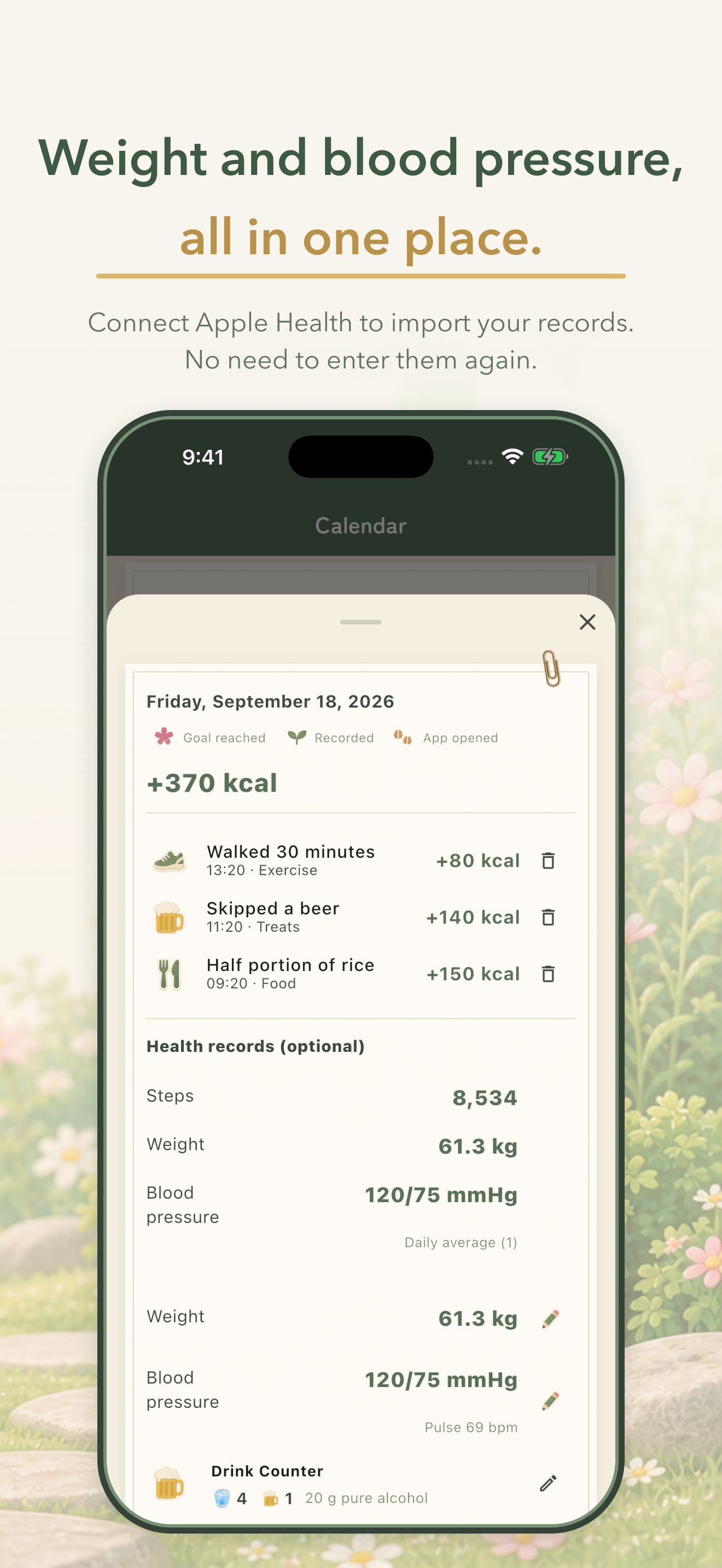
Steps, weight and blood pressure arrive from Apple Health. Everything in, nothing out.
-
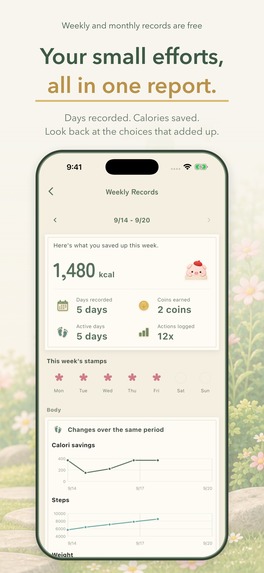
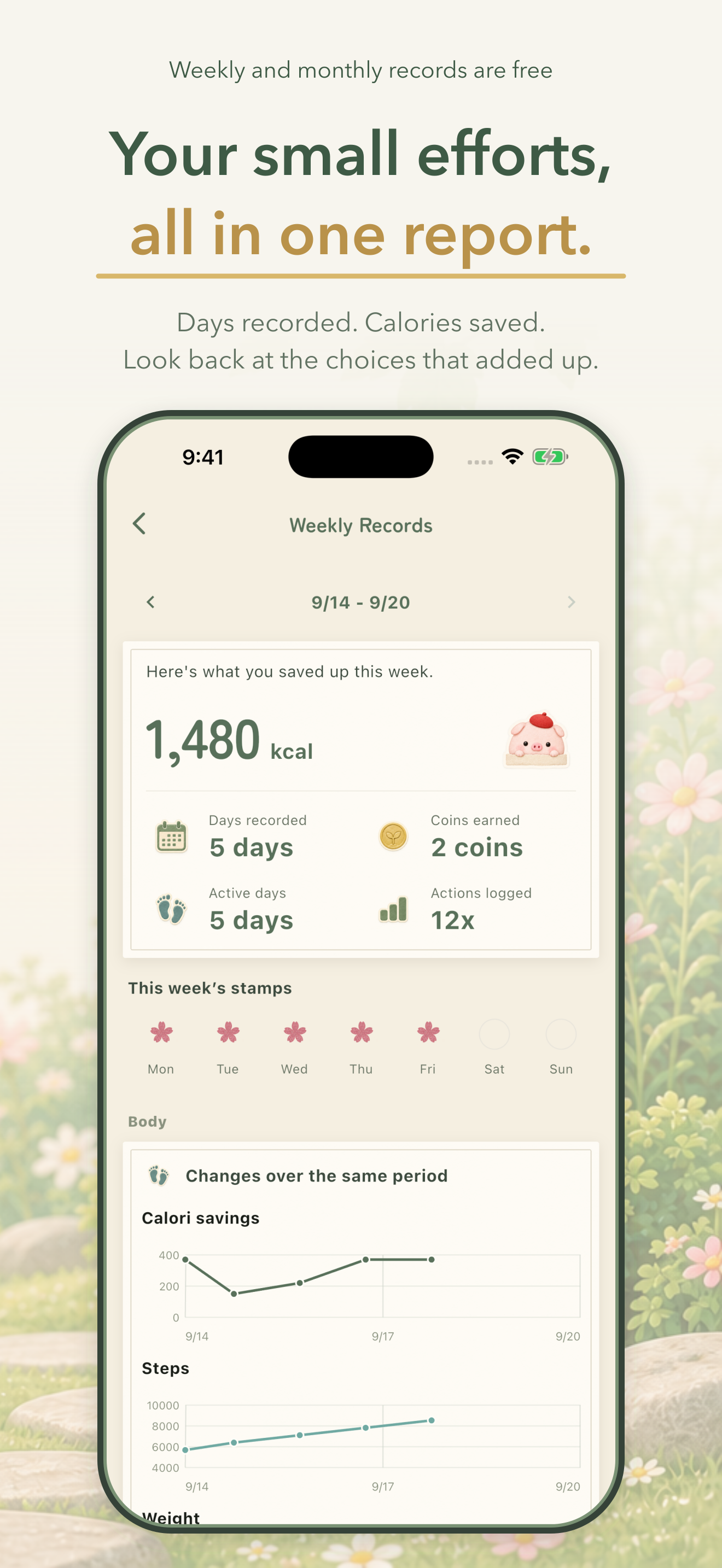
Weekly and monthly reports — days recorded, calories saved, coins earned. Free.
-
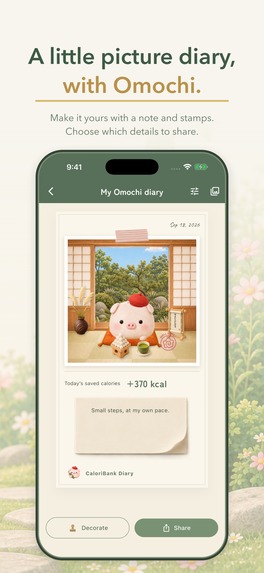
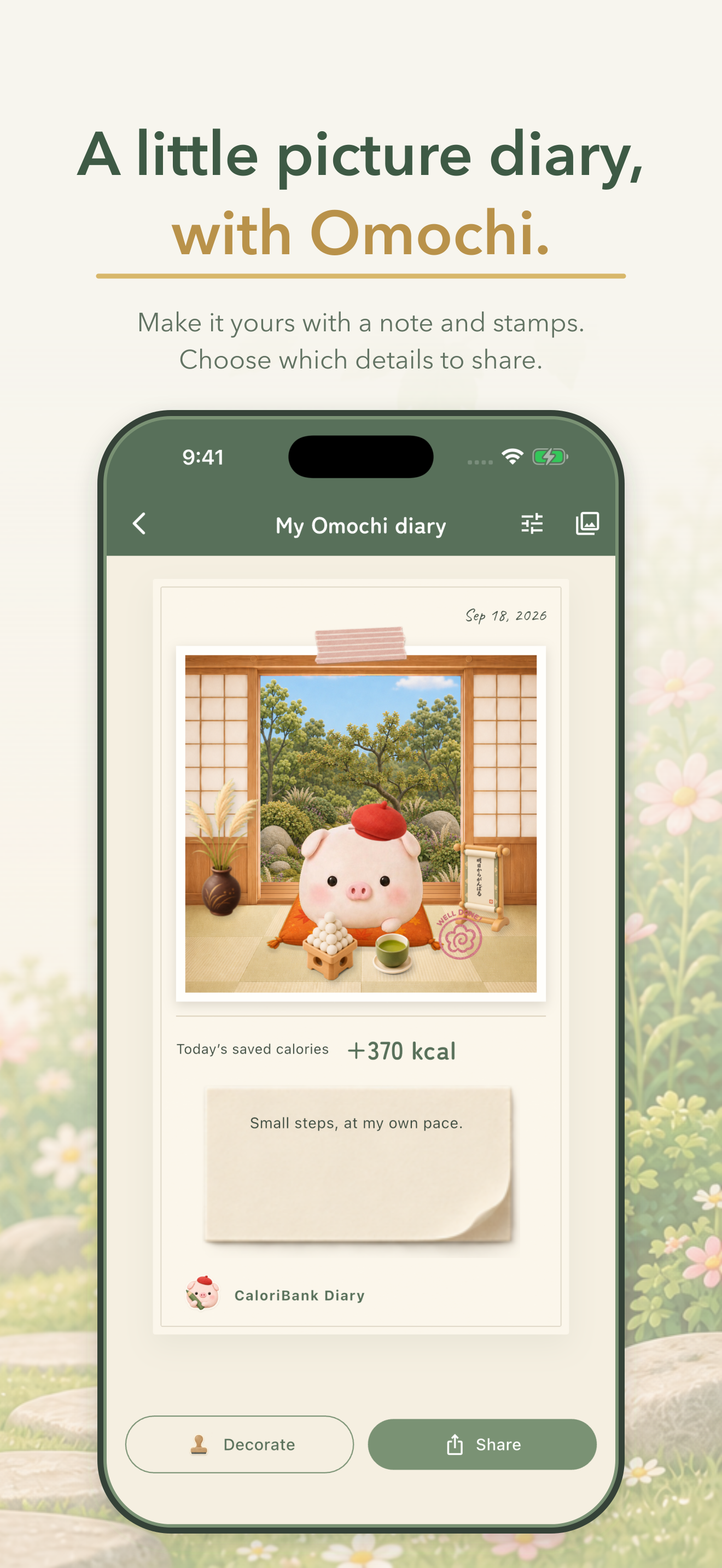
Turn a day into a picture diary with Omochi, and choose what to share.
-

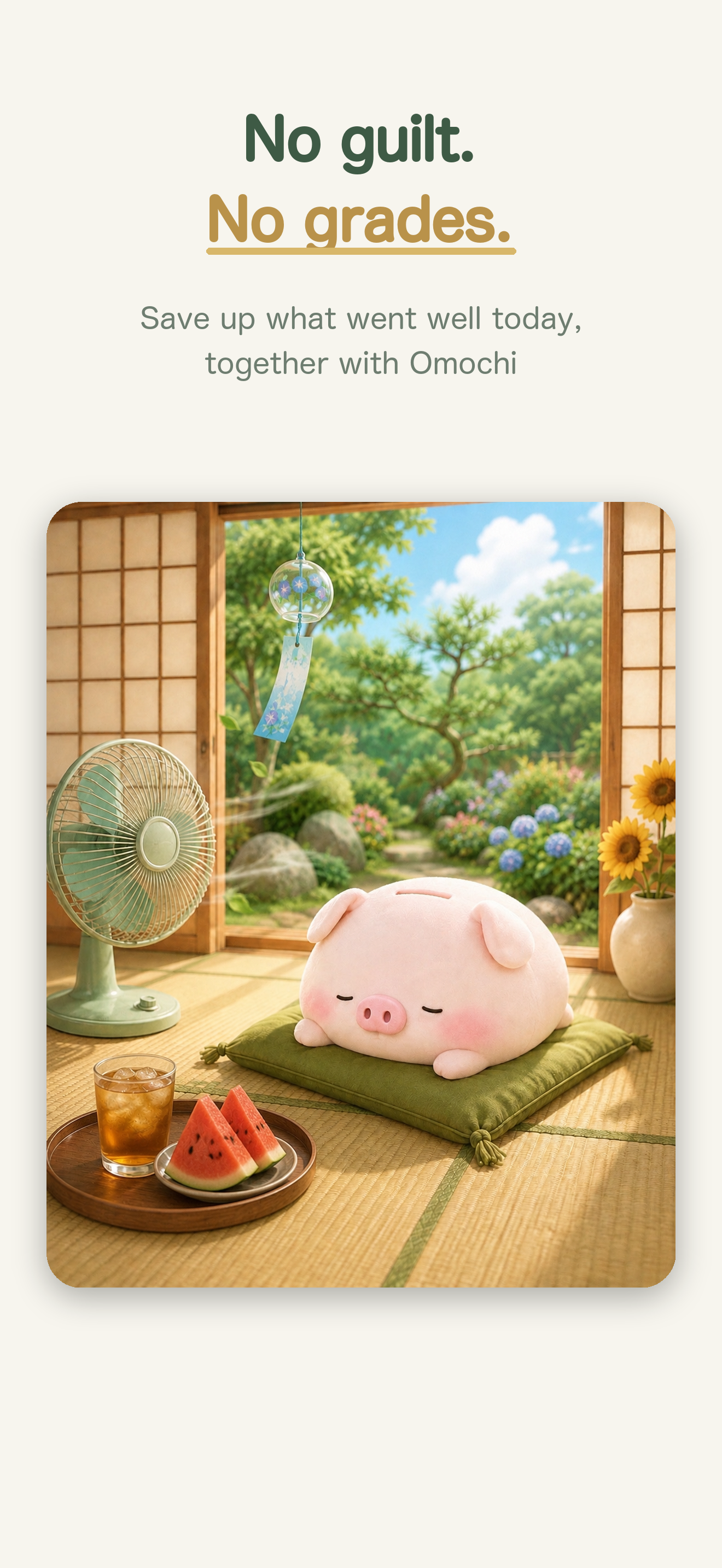
No grades. No scolding. Just what you managed to do today.

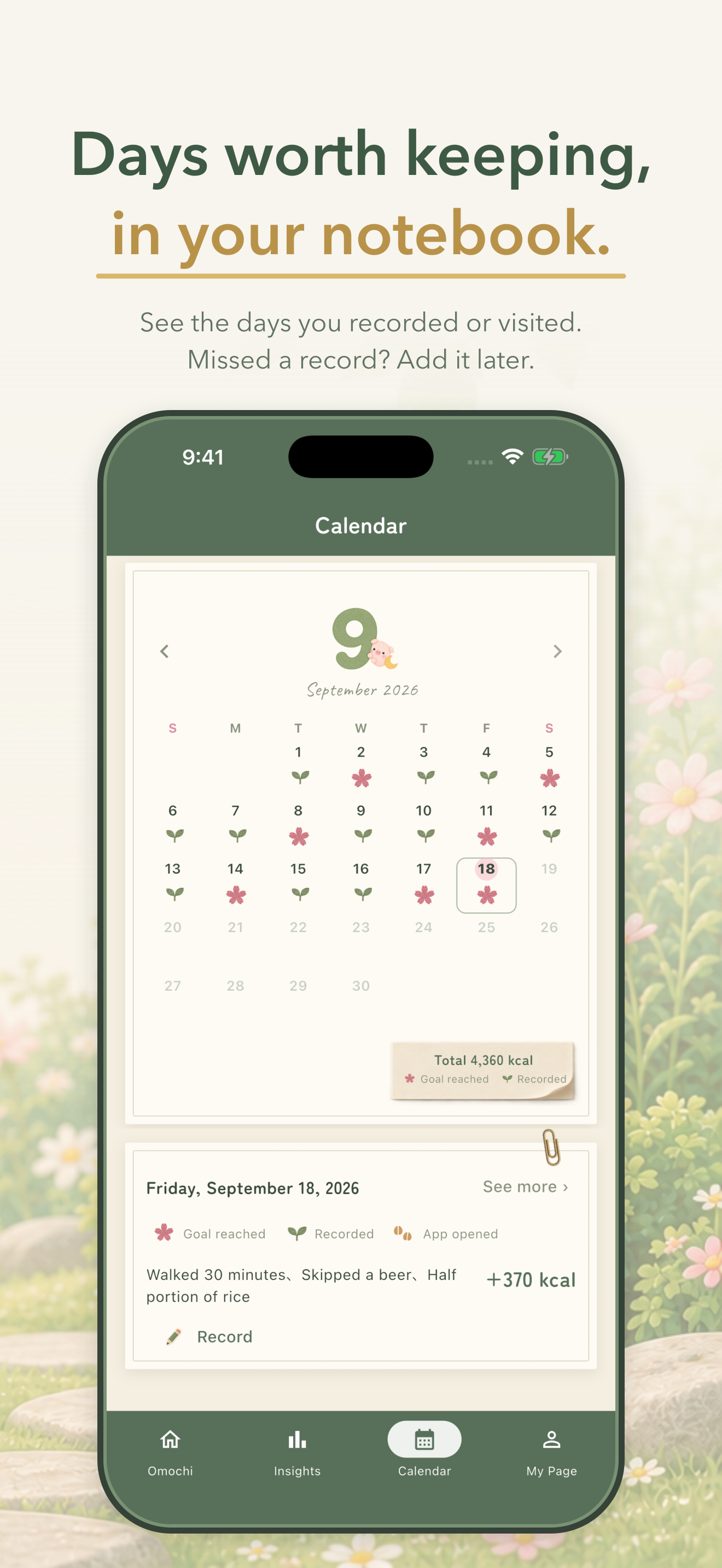
Entering RevenueCat Shipaton 2026 for four awards
- Influencer Award – Nutrition & Healthy Eating (Abbey's Kitchen) — Better choices, not calorie policing. No food is forbidden. Video 0:10 (three everyday swaps) and 0:41 (compare two treats with AI, then choose for yourself).
- Peace Prize — For 15 years our occupational health team has sat with employees facing metabolic syndrome, obesity and alcohol problems. Both obesity and drinking are bound up with poverty, so money must not be the reason someone goes without help: the essentials are free, nothing is graded, and your health data never leaves your phone. The AI comparison is built to teach rather than to be needed — anyone can start a free 7-day run, and comparing two foods often enough leaves you with an instinct you keep. Video 0:51 (blank days are just days) and 0:55 (free essentials, no account, everything in one place).
- Build in Public — CaloriBank is not built to go viral, and we have not tried to make it so. The public health nurses on our team keep it among the tools they reach for during Specific Health Guidance — Japan's national programme for adults 40–74 with metabolic risk. It is not procured or endorsed by anyone; they use it because it is useful in the room. Those are the professionals we built in the open for, and we changed the app on what they said. One asked for a drink counter; it shipped in a day. The reports and CSV export exist because a nurse has to use them in a counseling session. Four major updates in five weeks, every one out of that loop. Video 1:02 (what shipped since launch) and 1:18 (four major updates, and the six groups we listen to).
Also submitted for the Design Award. Design highlights: a notebook-style UI, Omochi's tatami room that changes with the seasons (0:34), and a flower-and-leaf calendar that never marks a blank day as failure (0:48).
Inspiration
Before building CaloriBank, I tried the major diet apps myself. More importantly, I spent time understanding why people stopped using them — through app reviews, social media, and conversations in real health-guidance sessions.
The pattern was not that people lacked information. Most already knew what they were supposed to do.
The problem was that knowing the right thing and doing it every day are different problems.
After fifteen years in occupational health, I came to a simple conclusion: if we want behaviour to change, we have to lower the effort required to act and create a reason to keep going. More advice alone is not enough.
That is why CaloriBank does not try to replace every successful diet app. If someone enjoys detailed food logging, macro tracking or structured meal plans, there are already excellent products for them, and I am happy for them to use those instead.
I built CaloriBank for the person who tried those approaches and stopped.
Someone who does not want to photograph every meal. Someone who does not want another score telling them they failed. Someone who knows what a healthier choice looks like but needs the smallest possible step to make that choice today — and a way to see that those small choices are adding up.
The goal is not to give people more correct answers. It is to make the better choice easier to do again tomorrow.
There is a timing reason underneath this. A behaviour repeats when something good comes back quickly, and weight is the slowest and noisiest signal a person could be asked to rely on: it takes weeks to move, and in the meantime it wobbles with water, salt and sleep. A tracker that scores you on the scale is asking you to keep going on feedback that is late, unreliable and usually discouraging. CaloriBank scores the choice instead. You changed something at lunch; the result is on the screen at lunch, and it is the only number the app keeps.
So it records only what you did — a smaller burger, one beer skipped, a 30-minute walk — and turns those into coins for Omochi, the piggy-bank pig who lives in a little tatami room on your phone. No calorie budgets. No red numbers. No judgement. You can log your weight; it just isn't what the app scores you on.
What it does
- Additive-only tracking — you can't fail, you can only save
- 3-second logging with presets or manual entry
- AI calorie estimates and comparisons (Premium) — estimate calories saved from a skipped item or extra activity, or compare two foods or drinks to see the difference and gradually build an intuition for choosing without looking up every calorie
- Omochi's room — spend coins on 165 gift items; a limited-edition seasonal gift arrives every month (Setsubun beans, cherry blossoms, summer-festival lanterns...)
- Drink Counter — tap-to-count drinks from an interactive Home Screen / Lock Screen widget (iOS 17 AppIntents), reviewed in the calendar with pure-alcohol totals. Counting, not scoring — treated exactly like weight and blood-pressure notes
- Weekly / monthly reports & CSV export designed so an occupational health nurse can actually use them in counseling sessions
The story we're most proud of
An occupational health nurse colleague reviewed the app for use in health guidance and asked for one thing: a dead-simple drink counter. We designed and shipped it in one day — in-app counter, interactive widgets, calendar integration — and field-tested it the very next evening at a work dinner with occupational-health professionals. The first user feedback after launch (long-press to edit presets, a weekly chart view) shipped within 24 hours.
How we built it
Flutter + Riverpod + Drift (local-first: your health data stays on your device), Swift WidgetKit + AppIntents for the interactive widgets sharing data via App Group, a Cloudflare Workers proxy for AI calorie estimation (API keys never ship inside the app), and RevenueCat for the gentle premium tier.
Challenges we ran into
Designing "positive-only" mechanics that stay honest: streak bonuses that don't punish breaks, a drink counter that never scolds, and a savings cap so that skipping drinks can't be gamed into absurd numbers.
Since launch (Aug 19 → Sep 26)
Four major updates in five weeks, every one of them from feedback.
- 0.2 · Drink Counter — asked for by a public health nurse. You can't separate dieting from drinking, so we count instead of banning. No scoring, no warnings.
- 0.3 · Apple Health — steps, weight and blood pressure arrive on their own. Everything comes in; nothing goes out. No account, and only the text of an AI question ever leaves the phone.
- 0.4 · Compare with AI — two foods, one clear difference. Ask once, see the gap, and choose for yourself. Three smaller releases followed (0.4.1–0.4.3): a support ID for pilot users, a self-serve 7-day AI experience, and Korean alongside the Google Play production launch. Shipping on Android also exposed a distribution gap — the website, the video description and this submission pointed only to the App Store. Those paths are fixed.
- 0.5 · Notebook UI — the whole app now reads like a paper notebook, with a book-style onboarding.
We listen to six groups: indie devs on X and Discord, people dieting on Threads, our pilot testers, students in Japan, occupational health professionals in Japan and abroad, and academia.
Not for everyone, and we say so. A 25-question check at workwell-ai.com/caloribank/diet-check can send you to someone else's app instead.
Judges can try the AI features without a code — the app offers a self-serve 7-day AI experience, no account required.
What's next
Where it is presented, first. CaloriBank goes to academic meetings as a behaviour-change support tool, not as a diet app. That is what it is, and those are the people who can put it in front of someone who has already given up. It is slower than advertising and it is the distribution that fits.
Then the part we cannot skip. We have deliberately made no claim that this design works — not in this submission, not in the app. In 2027 we will run an intervention study with a university partner to examine whether a flexible, achievement-based approach supports behaviour change better than conventional fixed goals. The only honest way to end that sentence is with data rather than with another paragraph like this one.
On the product: HealthKit steps with a rolling 90-day personal baseline (your own bar — it rises gently, not like a sports watch), a professional mode where a health nurse enters your usual weekly alcohol units after a counseling interview, an optional "instead of what?" prompt so that adding a food can be recorded as the choice it usually was, and an Apple Watch complication for the drink counter.
The developer's own six weeks
CaloriBank's first heavy user was its developer.
Six weeks in, my weight is down 4.1 kg. My home body-composition scale attributes about 2.4 kg of that to body fat. The rest is water and glycogen, which is precisely why this app does not score anyone on the scale.
My CaloriBank balance is now 18,559 kcal. Divided by 7,700 kcal per kilogram of fat, that is 2.41 kg of fat equivalent — almost exactly what the scale says.
I want to be careful about that match. Calorie estimates carry error, home body-composition readings carry more, and the two numbers are not measuring quite the same thing. One person is not evidence that the app works. But it is the first time I have watched a ledger of small choices line up with a body.
The number I care about is not the weight.
In those six weeks I did not stop eating out. I travelled. I had drinks at the weekend. I went to business dinners and to parties. And I was almost never hungry.
I just kept making small choices that felt easy enough to repeat.
Do not put your life on hold to lose weight. Find a way of living you could keep for life.
That is what I wanted CaloriBank to be.



Log in or sign up for Devpost to join the conversation.