Inspiration
We joined a team that runs on Splunk. Day one: 200+ saved searches, alerts firing at 3am referencing macros we'd never seen, lookups pointing at lookups. The senior engineer who built it all had left six months ago. Nobody wrote anything down.
We spent two weeks just figuring out what was connected to what. That's when we thought: an AI agent with access to Splunk's MCP Server could do this in minutes. Not guess from documentation, but actually connect, read every object, trace every dependency chain, and write the guide that person never left behind.
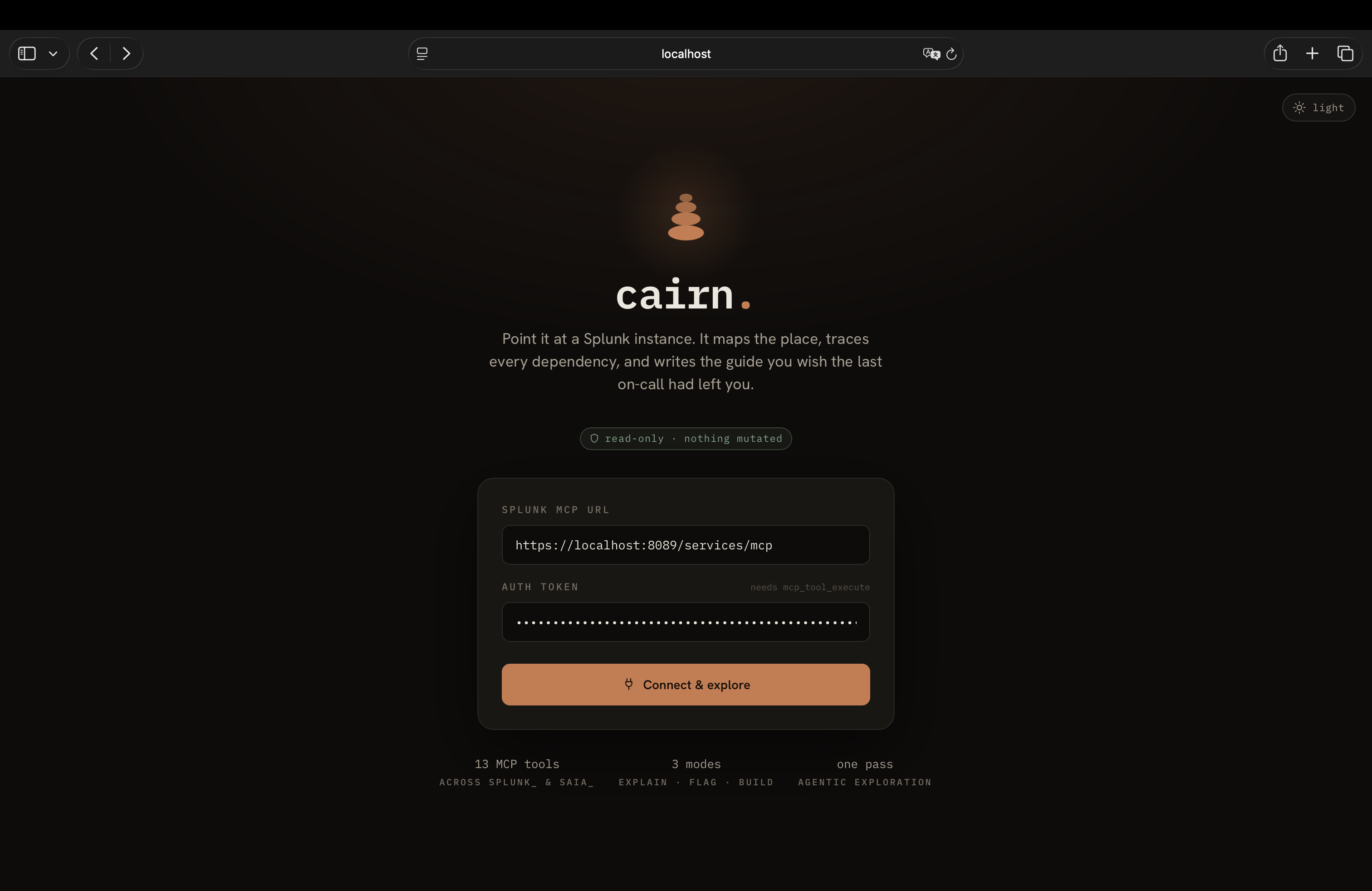
That's cairn. A stack of stones marking the trail for whoever comes next.
What it does
cairn connects to any Splunk deployment through the official MCP Server and runs three modes from a single exploration pass:
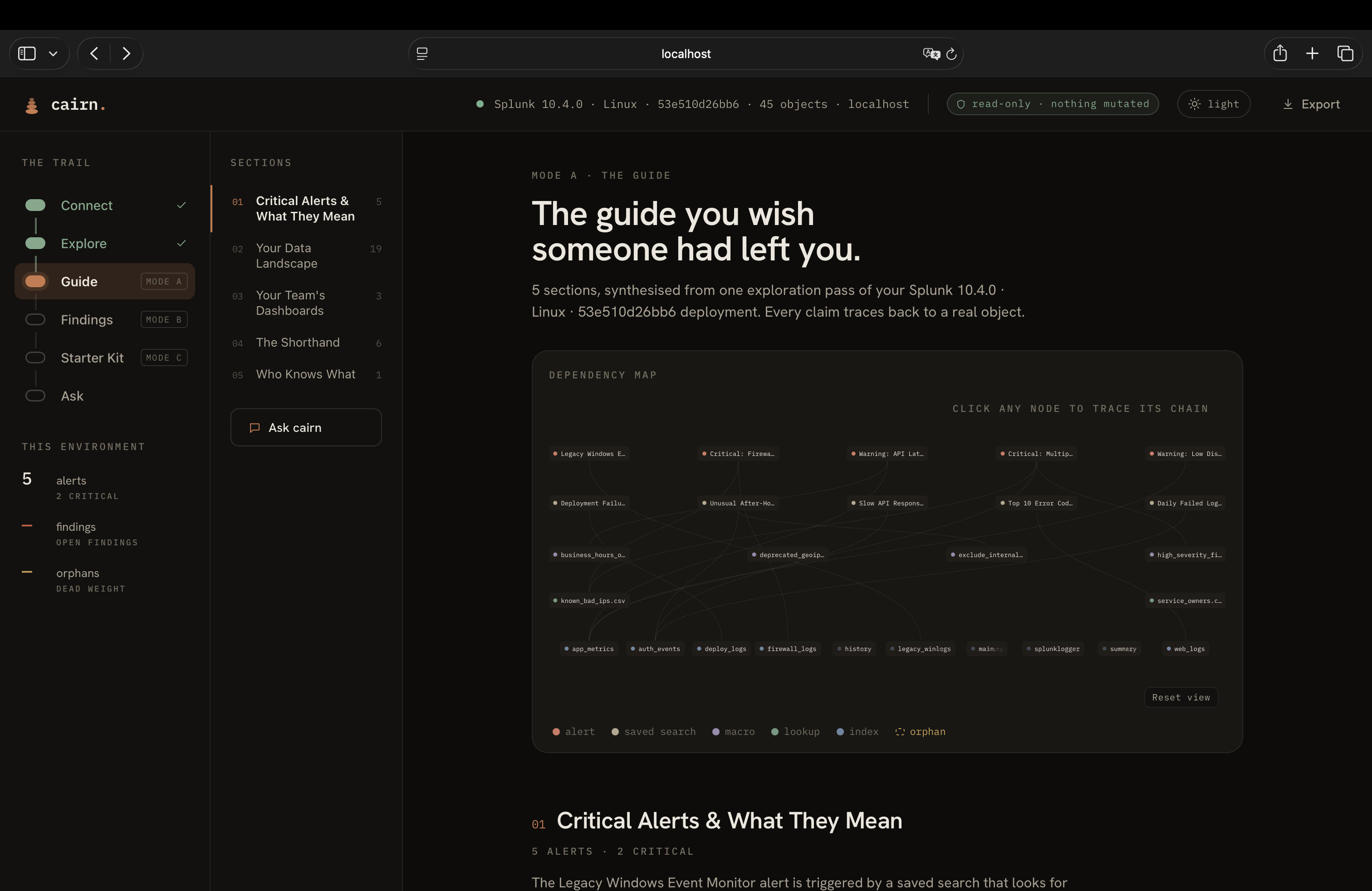
Mode A: Explain. The agent traces dependency chains (alert to saved search to macro to lookup to index), explains every SPL query in plain English, and generates a six-section onboarding guide. It also surfaces the AI Toolkit if installed, reporting which ML algorithms are available and whether any models are trained.
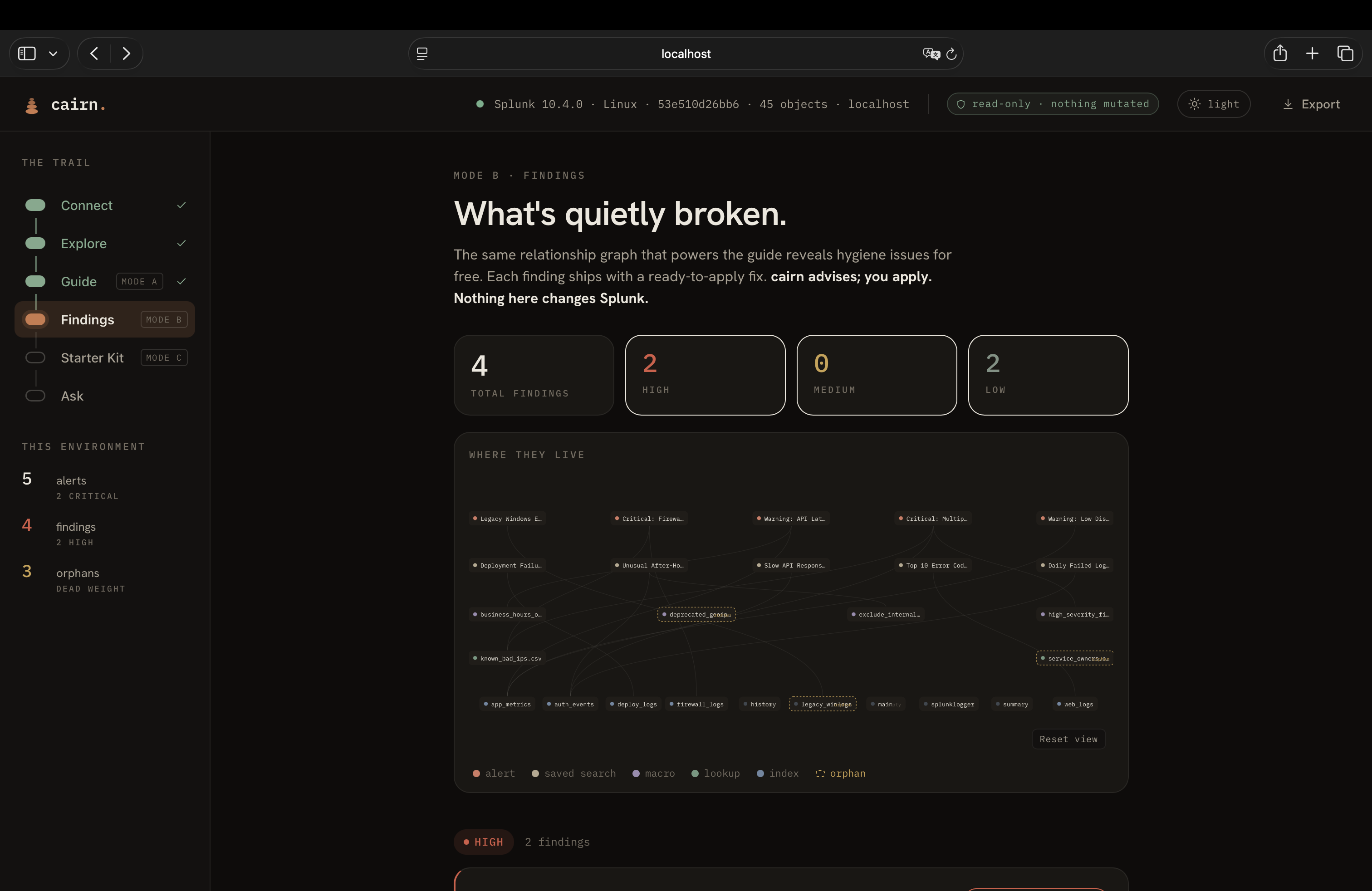
Mode B: Flag. The same relationship graph that powers explanation reveals hygiene issues for free. cairn detects orphaned macros and lookups with zero incoming references, alerts pointed at empty indexes that can never fire, and alerts with no action configured that fire into the void. Each finding ships with a ready-to-apply fix, including optimized SPL generated via saia_optimize_spl.
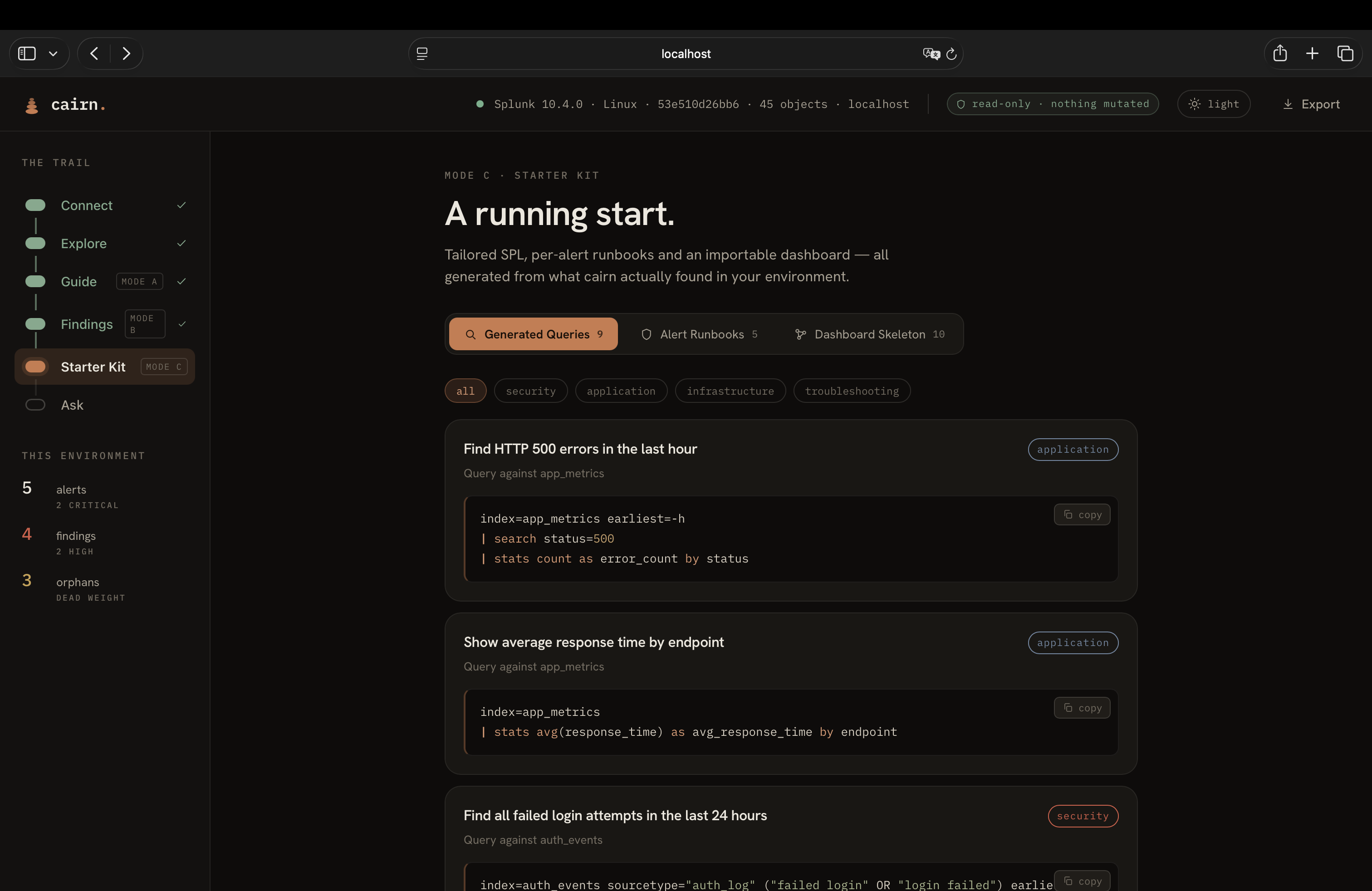
Mode C: Build. After understanding the environment, cairn generates a tailored starter kit: SPL queries for common tasks grouped by category, a runbook for every alert with first-check steps and investigative SPL, and an importable Splunk dashboard skeleton in Simple XML.
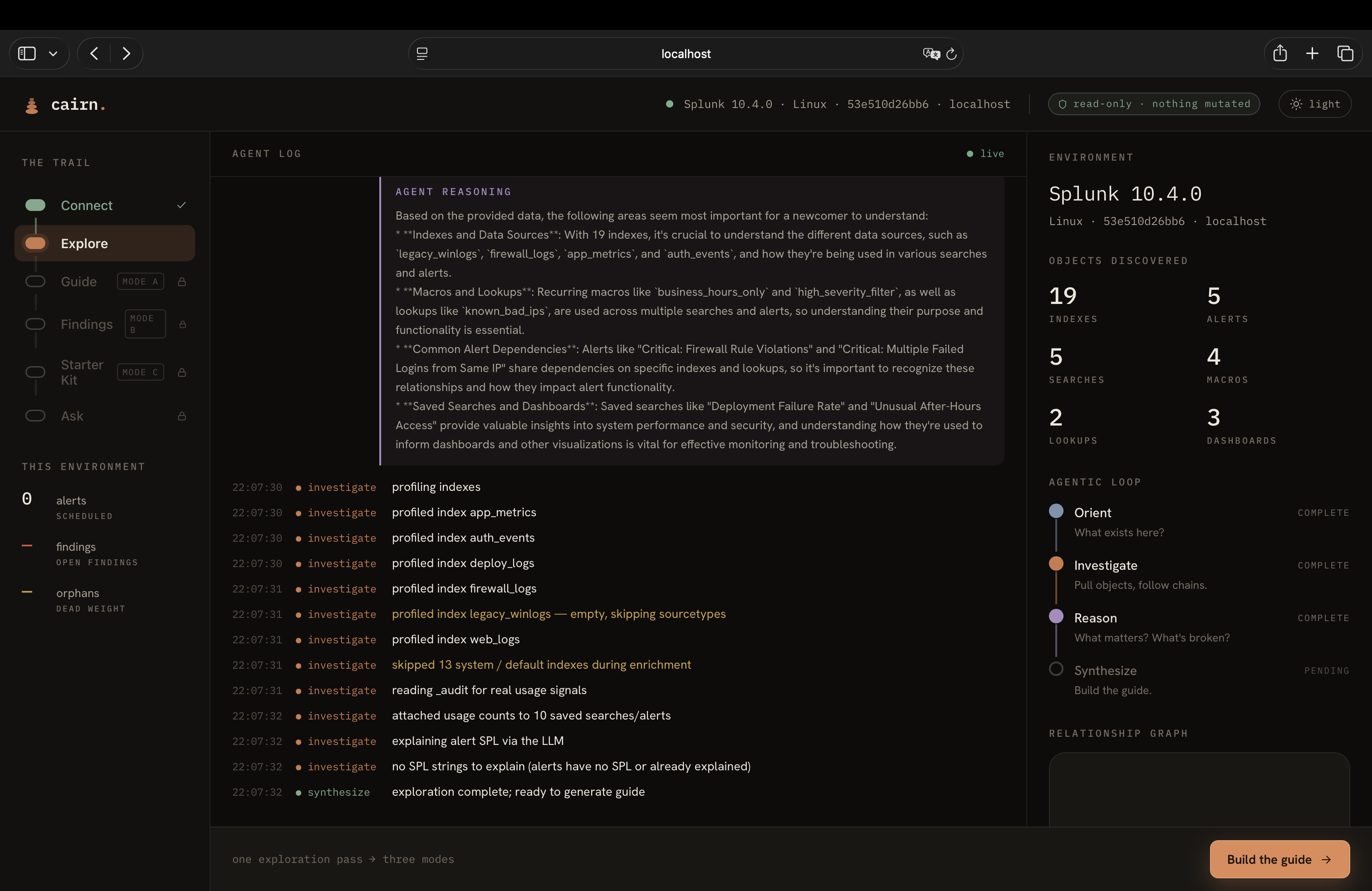
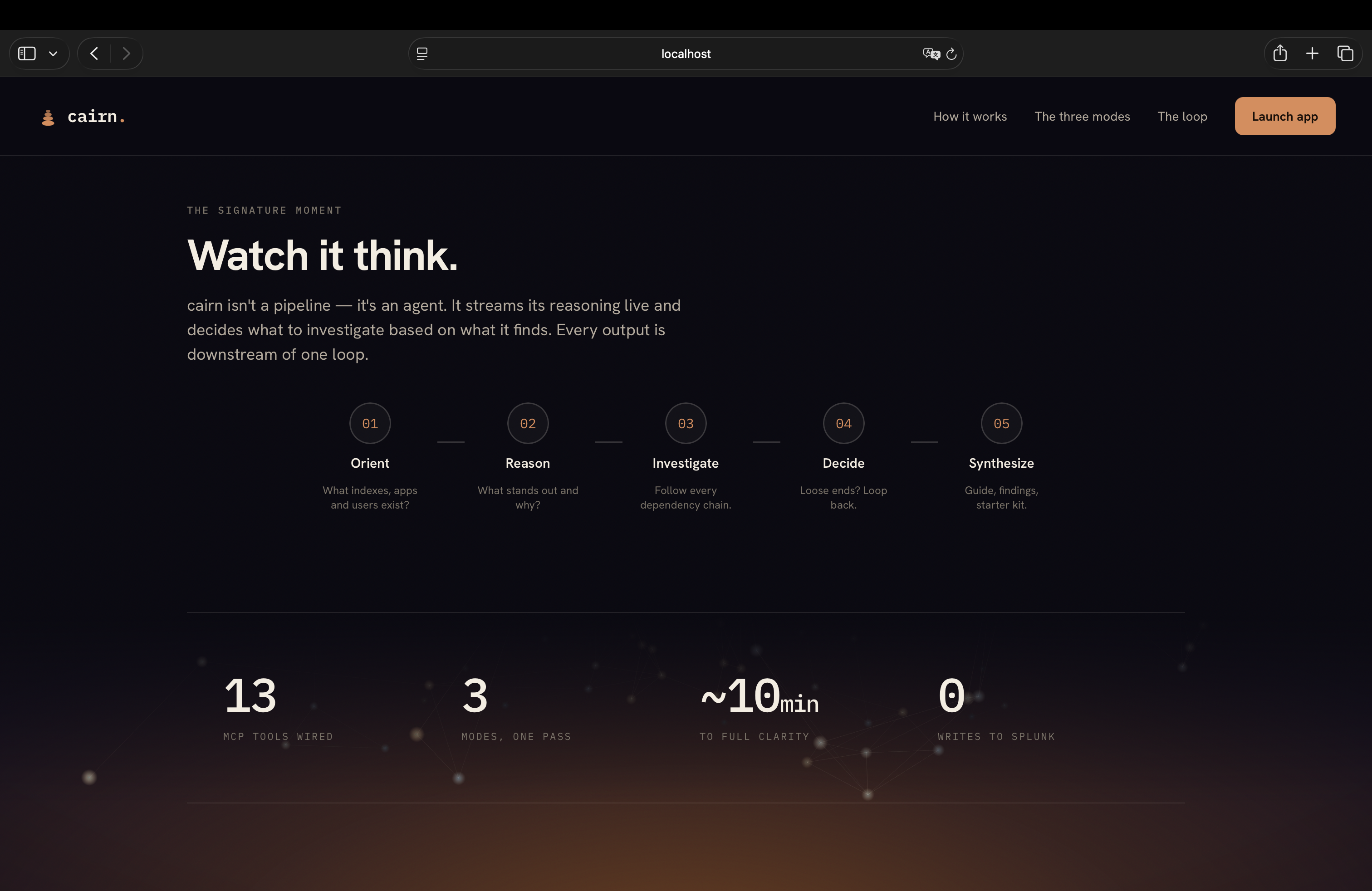
All three modes are downstream of one agentic reasoning loop. The agent decides what to investigate based on what it finds. It streams its reasoning live so you can watch it think. It uses 13 MCP tools across both the splunk_ and saia_ namespaces. It never writes to Splunk.
How we built it
The backend is Python with FastAPI. The agent orchestrator runs an Orient/Reason/Investigate/Decide/Synthesize loop where a Groq-hosted LLM (Llama 3.3 70B) is in the loop at every step, deciding what to explore next based on what it has already found.
The core data structure is a relationship graph. Every SPL string the agent encounters gets parsed for macro references, lookup references, and index references. Each becomes a typed edge. Orphan detection is then just a graph property: any node with zero incoming edges is dead weight.
The MCP client connects via streamable HTTP transport to the Splunk MCP Server app. We use 9 splunk_ tools (get_info, get_indexes, get_index_info, get_metadata, get_knowledge_objects, get_user_list, get_user_info, get_kv_store_collections, run_query) and 4 saia_ tools (explain_spl, generate_spl, optimize_spl, ask_splunk_question). Every saia_ tool is attempted first with an LLM fallback when the AI Assistant app is unavailable.
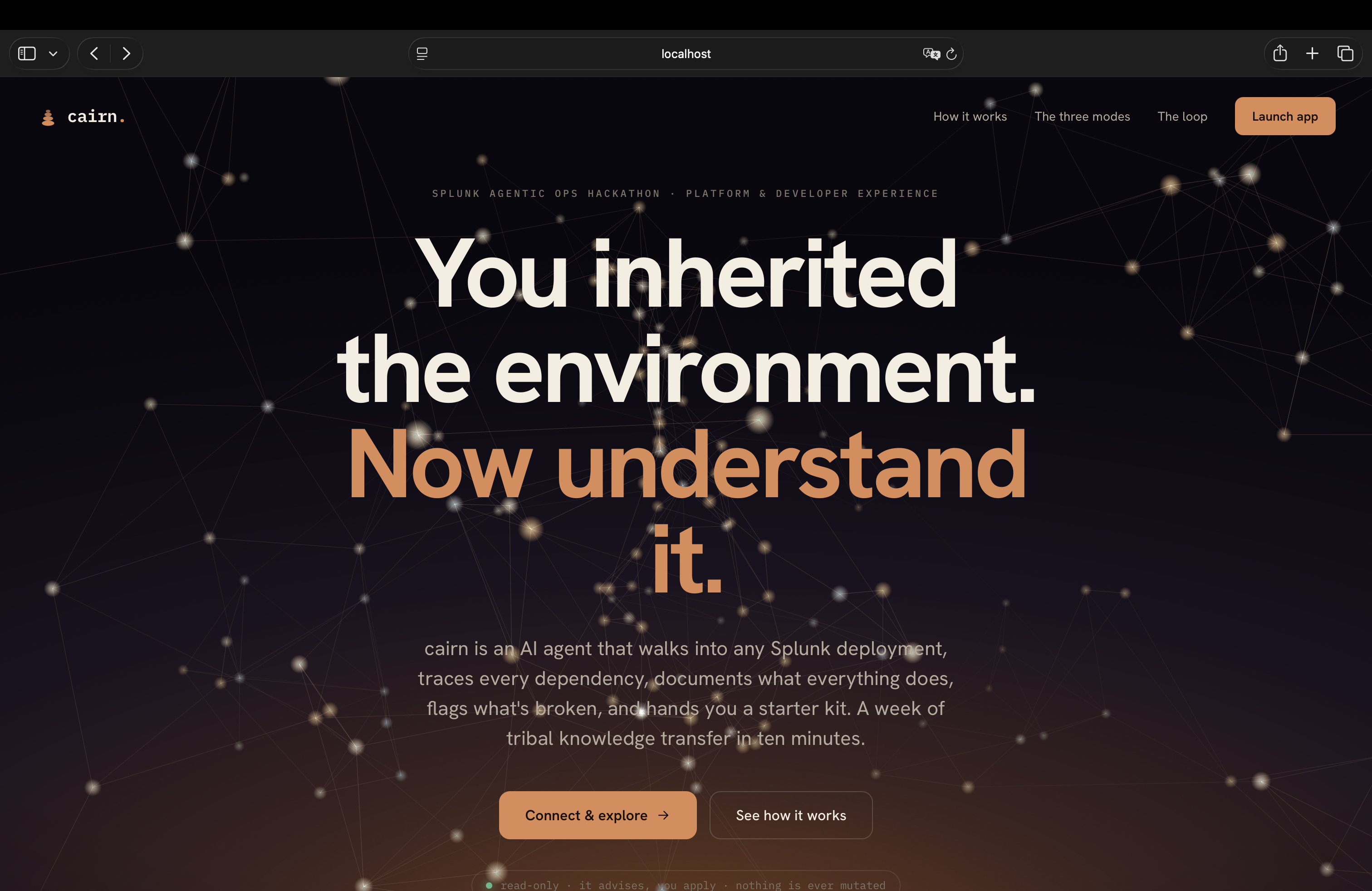
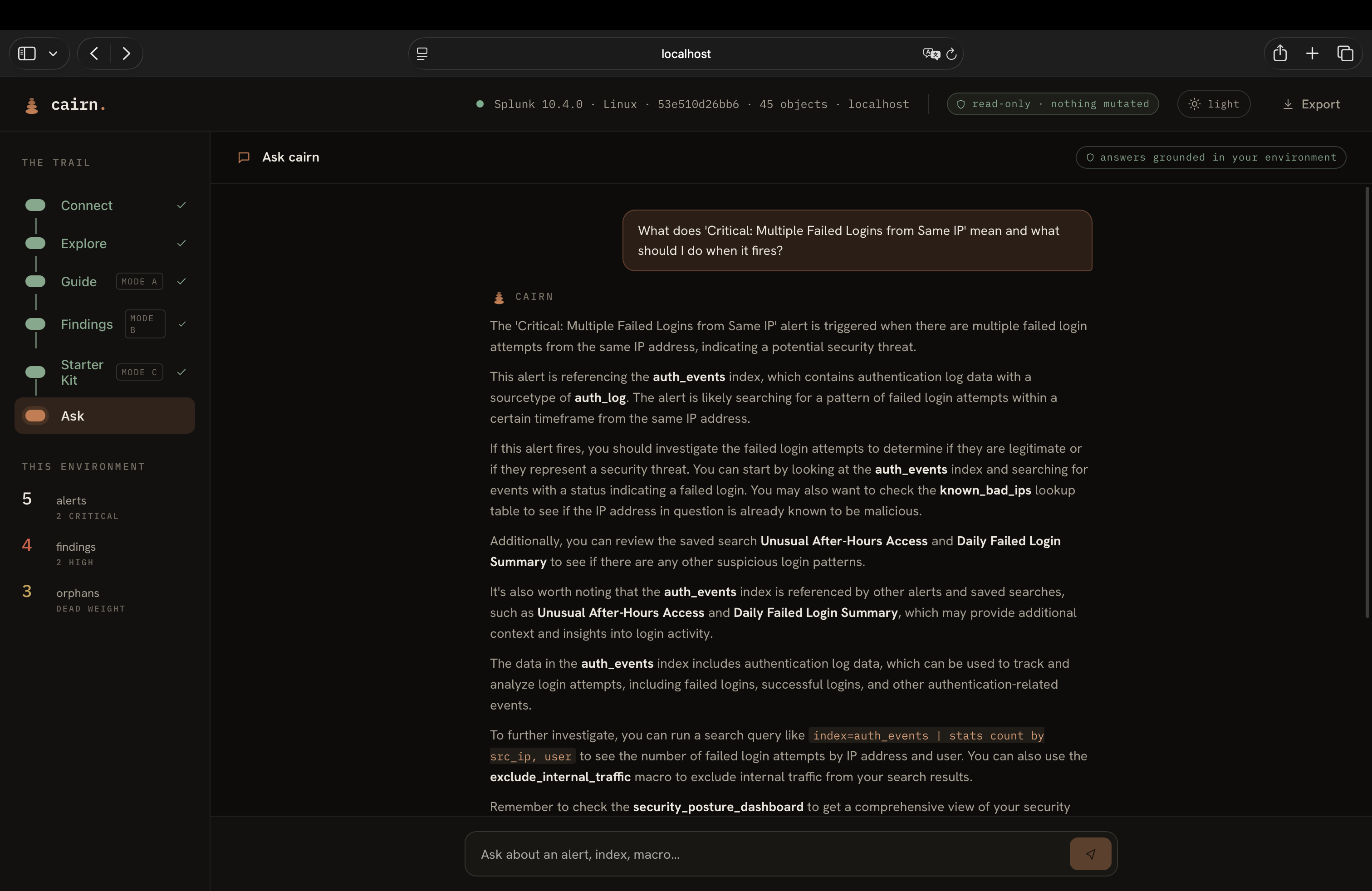
The frontend is React with TypeScript, built with Vite. It has a trail-based navigation (Connect, Explore, Guide, Findings, Starter Kit, Ask) with a landing page that uses Three.js for a 3D constellation background. The explore screen streams SSE events in real time so judges (and users) can watch the agent reason. The relationship graph is pure React + SVG with zoom, pan, and click-to-focus chain highlighting.
We used Groq's free tier for LLM inference, which meant careful rate limiting and token budgets. Every guide section is capped at 1000 tokens, reasoning at 300, and the whole flow stays under the daily limit across multiple test runs.
Challenges we ran into
The MCP 100-item cap. splunk_get_knowledge_objects returns at most 100 saved searches per call. Splunk ships with roughly 100 built-in ones, which pushed our demo objects past the cutoff. We tried a REST fallback via | rest queries through MCP, but it returned zero results. We ended up injecting known stubs for our allowlisted objects that fell past the cutoff, with clear logging so the workaround is visible in the agent feed.
saia_ tools fail on our instance. The AI Assistant for SPL tools (saia_explain_spl, saia_generate_spl, etc.) all fail with a "local variable 'configs' referenced before assignment" error on our Splunk deployment. We built an LLM fallback path for every saia_ call. The code attempts the MCP tool first, falls back to Groq, and logs which path it took. This actually made the architecture more resilient.
Groq rate limits. The free tier has a 100K tokens/day limit. During heavy testing we'd burn through it. We reduced token budgets, added retry logic with exponential backoff, and built graceful degradation so guide sections show a clear message instead of raw error JSON when the limit hits.
LLM wrapping SPL in backticks. The LLM would sometimes wrap generated SPL in inline backticks. Splunk interprets a leading backtick as a macro invocation, causing parse errors. We fixed this with both a prompt instruction ("respond with raw SPL only, no markdown") and a parser that strips inline backticks when the content looks like a query rather than a macro call.
Port conflict. Our Cairn backend and Splunk's web UI both default to port 8000. We had to stop the backend to access Splunk's UI for configuration, and vice versa. Small thing, but it cost us time during development.
Accomplishments that we're proud of
The dependency chain tracing is the real differentiator. When cairn shows you "alert Critical: Multiple Failed Logins from Same IP reads from auth_events, filters through high_severity_filter, enriches with known_bad_ips.csv," that's not the LLM guessing. That's parsed from the actual SPL, traced through the graph, and verified against real objects. The LLM explains it in English, but the structure comes from the data.
The findings engine detecting all four planted landmines (orphaned macro, orphaned lookup, alert on empty index, alert with no action) without any hardcoded rules for those specific objects. It's genuinely finding graph-structural problems.
The live exploration feed. Watching the agent reason in real time, seeing counters tick up and the relationship graph build itself, makes the "is it actually agentic?" question answerable at a glance.
13 MCP tools exercised in a single pass, with graceful fallback when 4 of them fail. The tool usage is real, not decorative.
What we learned
Building on MCP is powerful but the protocol has rough edges in practice. The 100-item pagination cap, the inconsistent error messages from saia_ tools, and the lack of a "list all saved searches without a cap" endpoint all required workarounds. The protocol itself worked well for read-only exploration once we got past the authentication and SSL setup.
LLMs are good at explaining SPL but bad at generating valid SPL. The explanations from saia_explain_spl (and our LLM fallback) are genuinely useful. The generated starter queries from saia_generate_spl needed more guardrails and validation than we expected.
Rate limiting matters more than we thought. With Groq's free tier, every token counts. We learned to cap max_tokens per call, batch where possible, and build graceful degradation for when limits hit.
What's next for cairn
Write-back support. Right now cairn advises but doesn't apply. The natural next step is a "fix it" button that applies the remediation SPL through MCP, with a confirmation step and a dry-run preview.
Multi-environment comparison. Point cairn at staging and production, diff the environments, and flag what's in one but not the other.
Scheduled re-exploration. Run cairn on a cron and diff the guide against last week's version. Surface what changed, what was added, what broke.
Deeper MLTK integration. With trained models in the environment, cairn could report on model staleness, training data drift, and suggest retraining schedules.
Built With
- fastapi
- groq
- python
- react
- splunk
- sse
- typescript
- vite


Log in or sign up for Devpost to join the conversation.