
Inspiration
Before posting a photo to social media or a school group chat, people often want to hide something: a child's face, a stranger in the background, an address on a package. Most "blur" apps only handle still photos, and hiding faces in a video usually means fixing every frame by hand. We wanted it to take one tap, for video too.
What it does
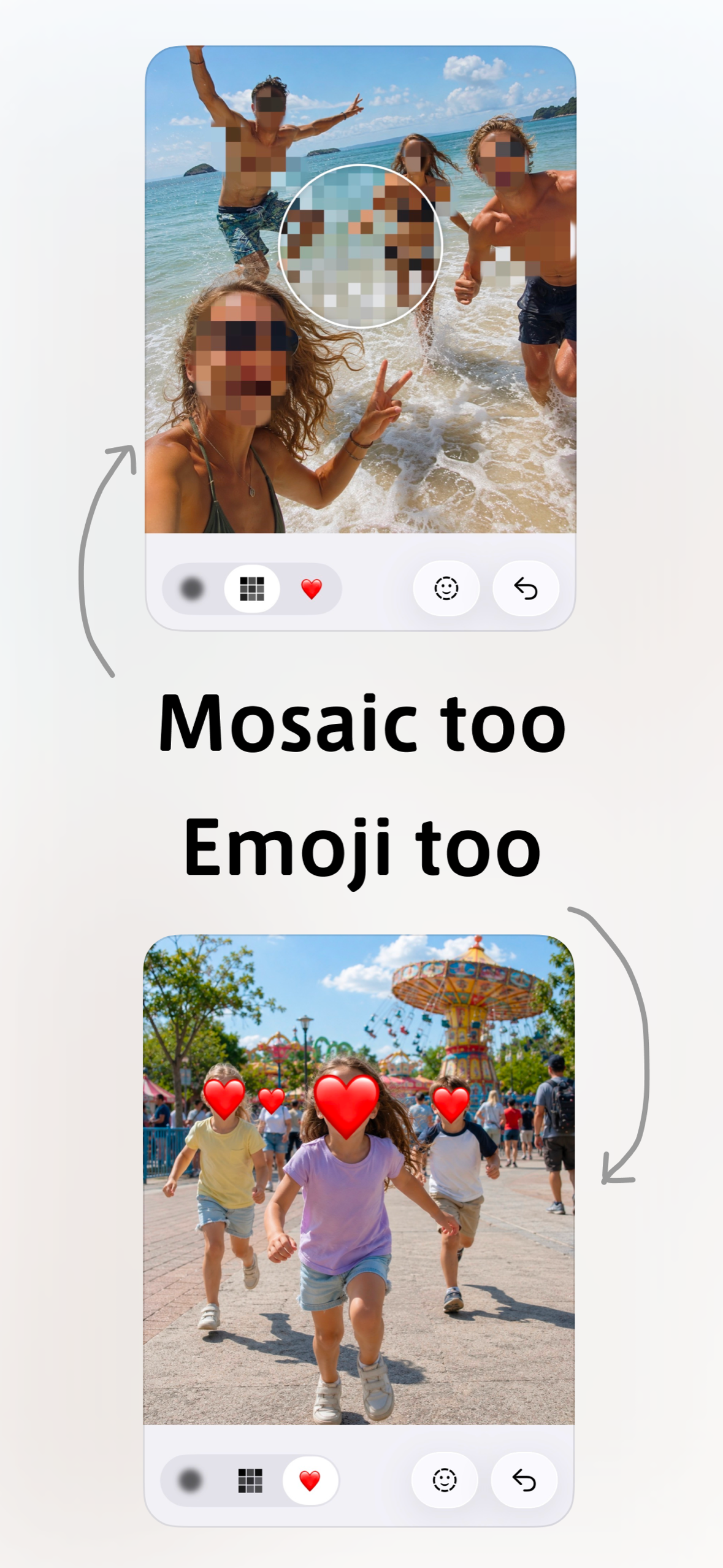
Blur & Mosaic hides faces and anything else you want in photos and videos.
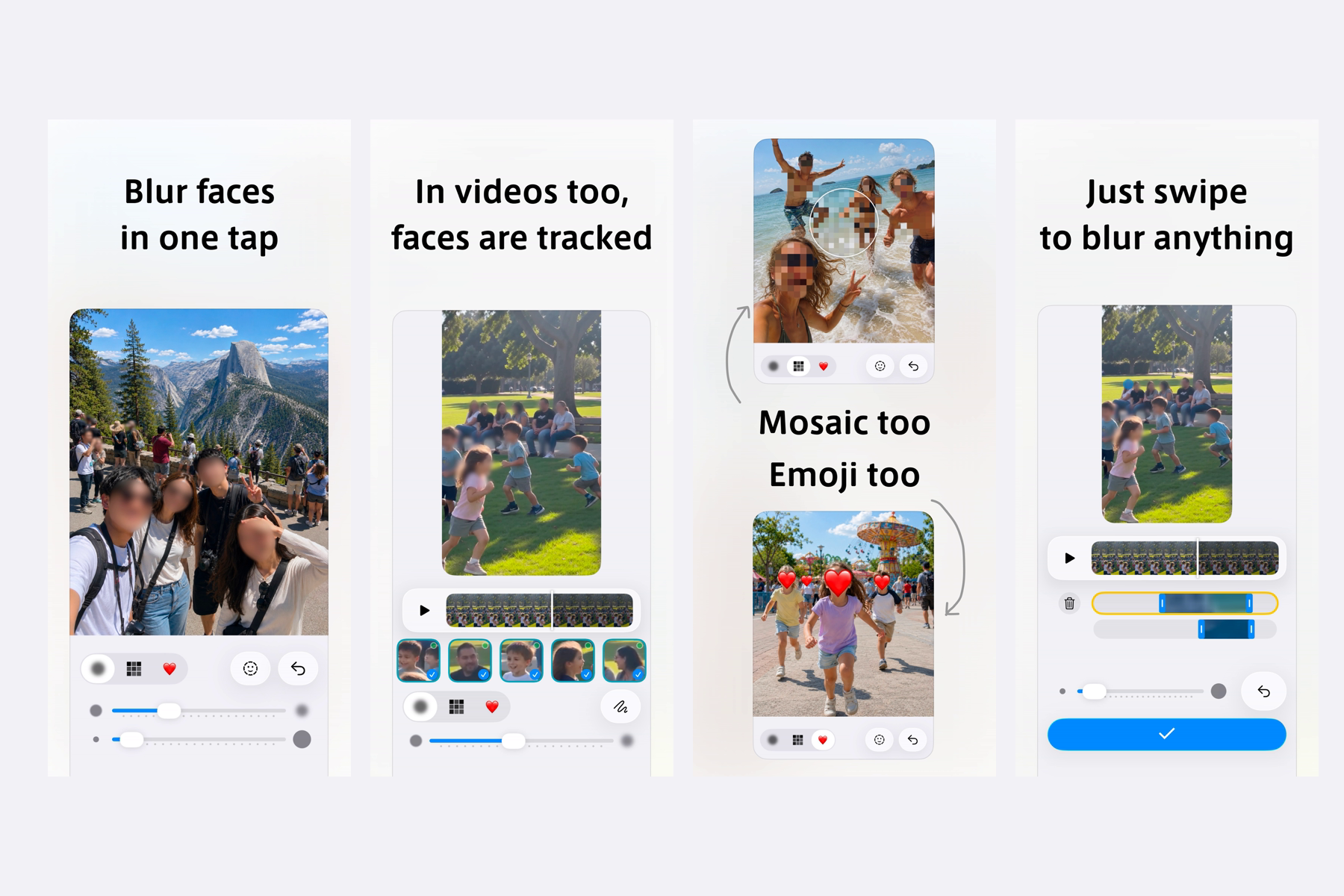
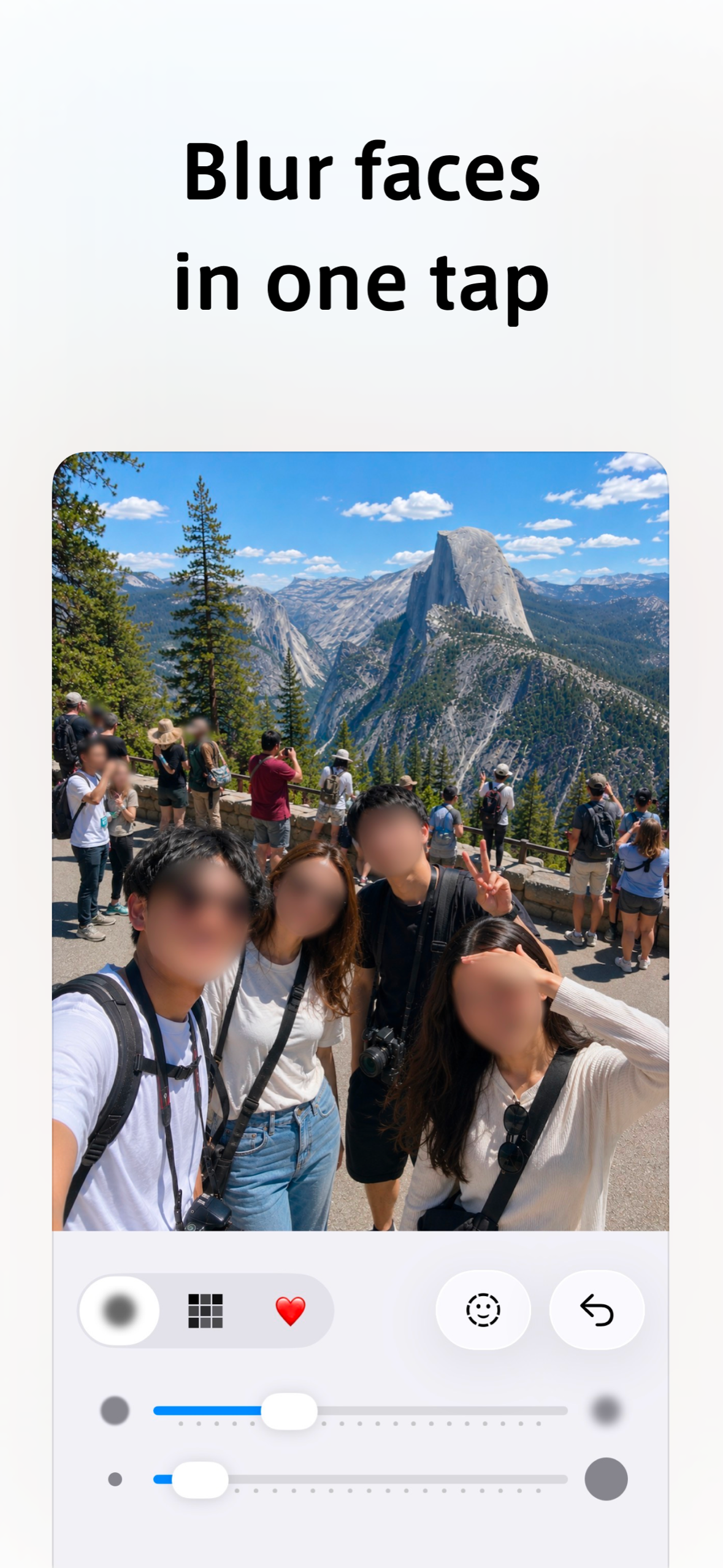
- Photos: tap the face button to blur every face at once, or trace any area with your finger. Switch between blur, mosaic and emoji, change strength and brush size, erase and undo.
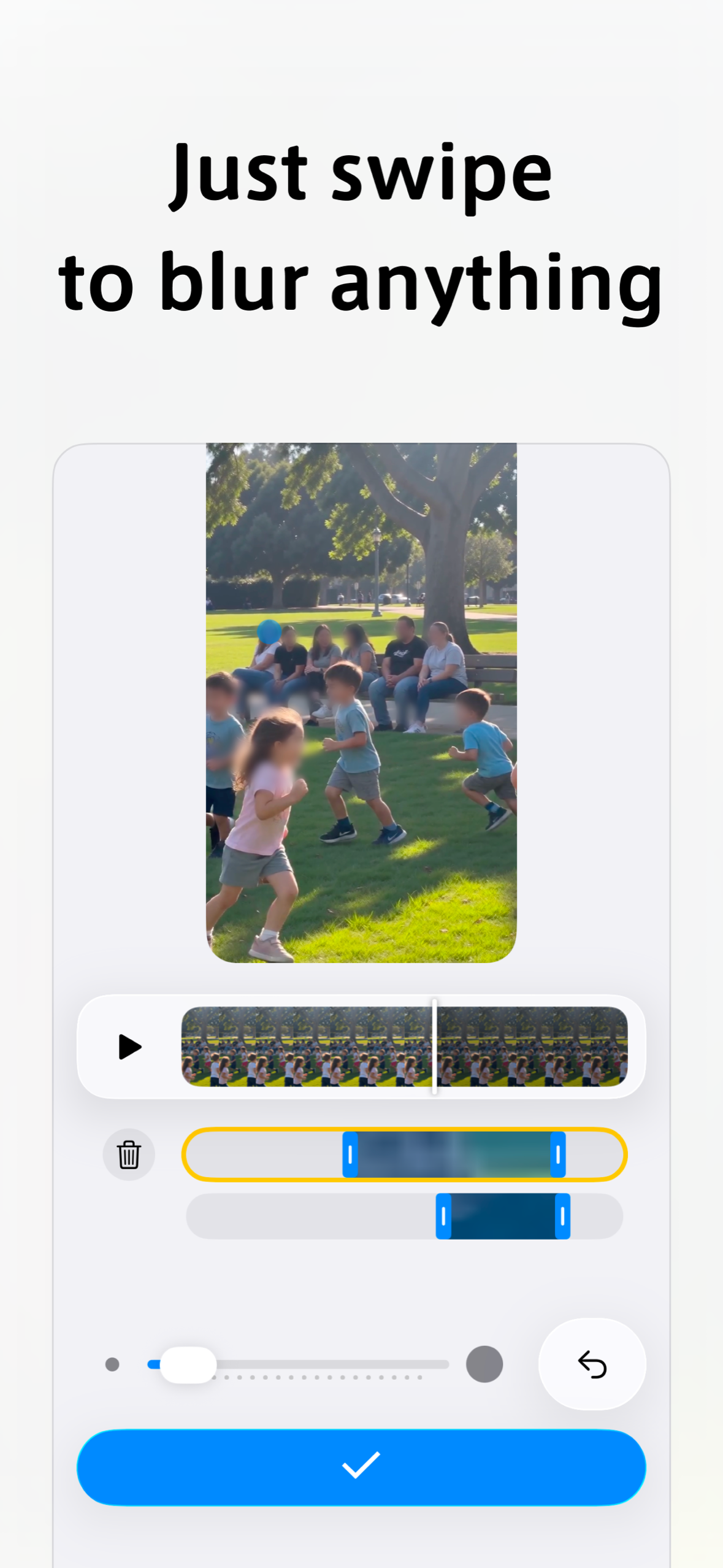
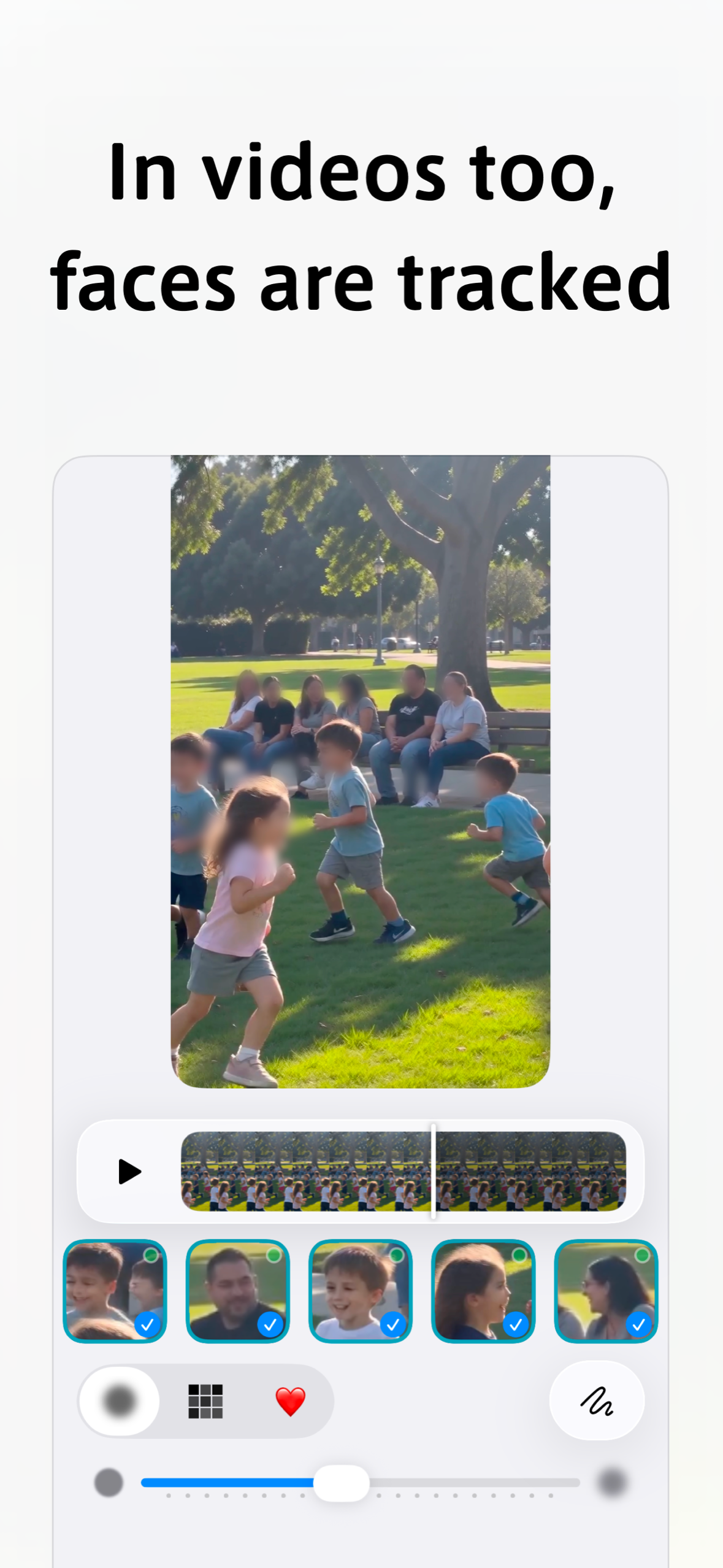
- Videos: faces are detected and followed across frames, so a face stays hidden while people move. You choose which people to hide and which to leave visible. You can also trace any area and limit it to part of the timeline.
- Private by design: everything runs on the device. No account, no upload, no server. Face detection uses Apple's Vision framework.
- HDR videos are exported as HDR, and the app is localized into 34 languages.
Monetization
The app is free. It shows a full-screen ad after saving, and free video editing is limited to 60 seconds per clip.
Premium is a single one-time purchase (non-consumable, ¥500 / local equivalent), not a subscription. It removes ads and lets you hide faces in videos up to 10 minutes without trimming first. We chose one-time over monthly because paying every month just to remove ads feels heavy for a utility like this; "pay once and it gets quiet" is easier to trust.
How we built it
- Swift / SwiftUI (iOS 26, Liquid Glass UI), Vision for face detection and tracking, Core Image and AVFoundation for rendering and HDR export
- RevenueCat (
PurchasesSDK) handles purchase, restore and entitlement checks for Premium, with an Offering (default, lifetime package) and apremiumentitlement - Google AdMob + UMP consent for ads
- Built and shipped from a local fastlane pipeline
Challenges
- Keeping hidden faces hidden in the exported file, not just on screen. HDR videos use a different color pipeline, and our mask was being converted so that 25–40% of the original leaked through in saved videos. We fixed the pipeline and added tests that fail if any pixel leaks.
- Mosaic on very large HDR photos produced thin transparent lines at tile seams on real devices only. We replaced the stock filter with our own averaging so no gaps can appear.
What's next
- Bring RevenueCat to the Android version (already live on Google Play) so both stores share one entitlement
- More ways to hide: text and license plates
Built With
- admob
- avfoundation
- coreimage
- fastlane
- ios
- revenuecat
- swift
- swiftui
- vision

Log in or sign up for Devpost to join the conversation.