Inspiration
Over a million knee and hip replacements happen in the US every year, mostly in people over sixty, and every one is followed by months of home rehab whose primary outcome measure is a joint angle. Today that angle is read with a plastic goniometer, by eye, to about ±5°, once every week or two in a clinic. Between visits the physio can't see whether exercises happened or whether the joint is stiffening — even though US clinics have been reimbursed for remote therapeutic monitoring since 2022. Camera-based apps need good light, a full-body view and a second person holding the phone; they're poor on hands, fingers and anything done lying down.
A rigid phone can only measure its own angle to gravity. The iPhone Duo is two rigid panels whose angle to each other is reported continuously to about a degree. Held against a joint with one panel along each limb segment, the fold angle is the joint angle — read directly, in one placement, with no gravity reference. The phone the patient already holds is the instrument.
What it does
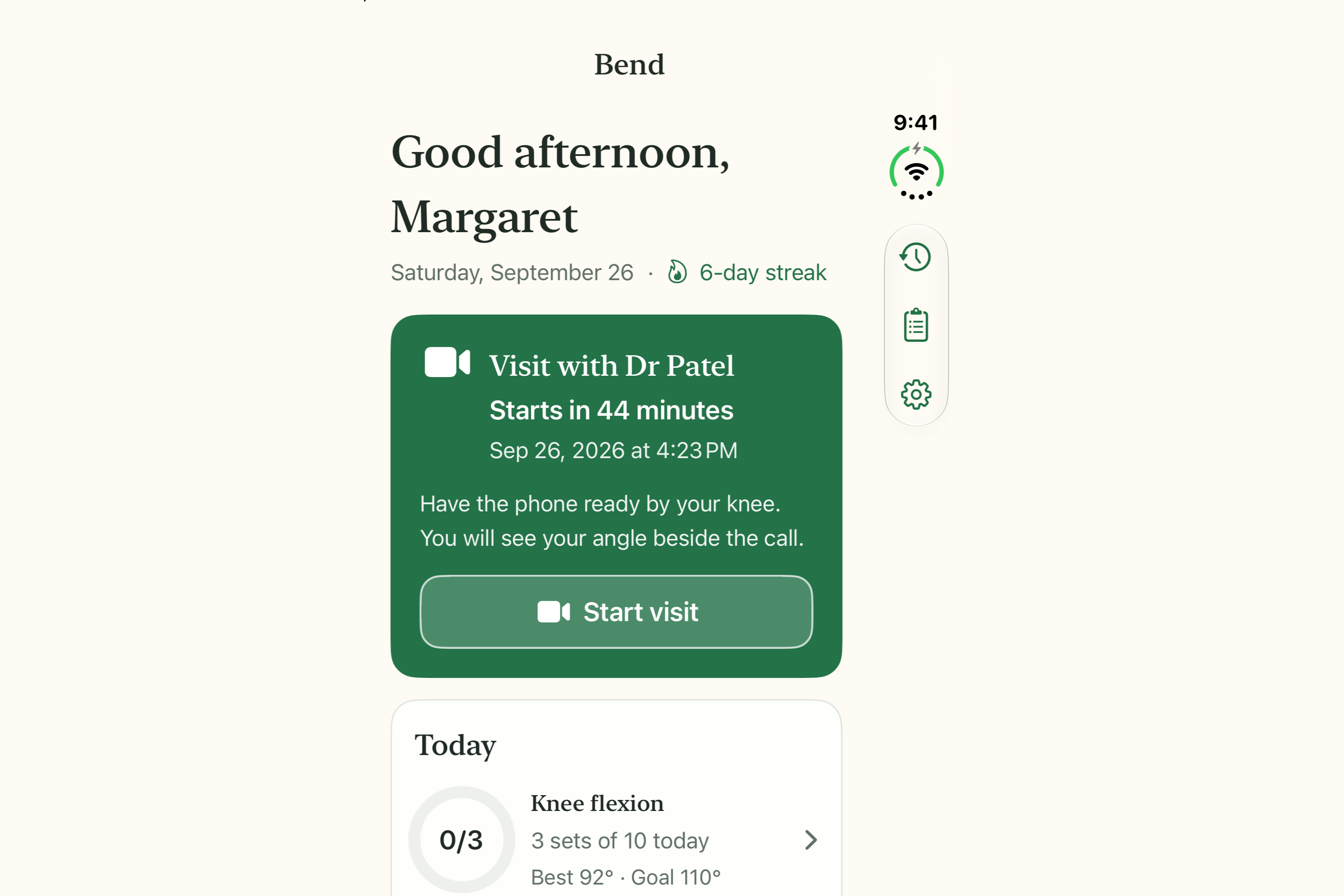
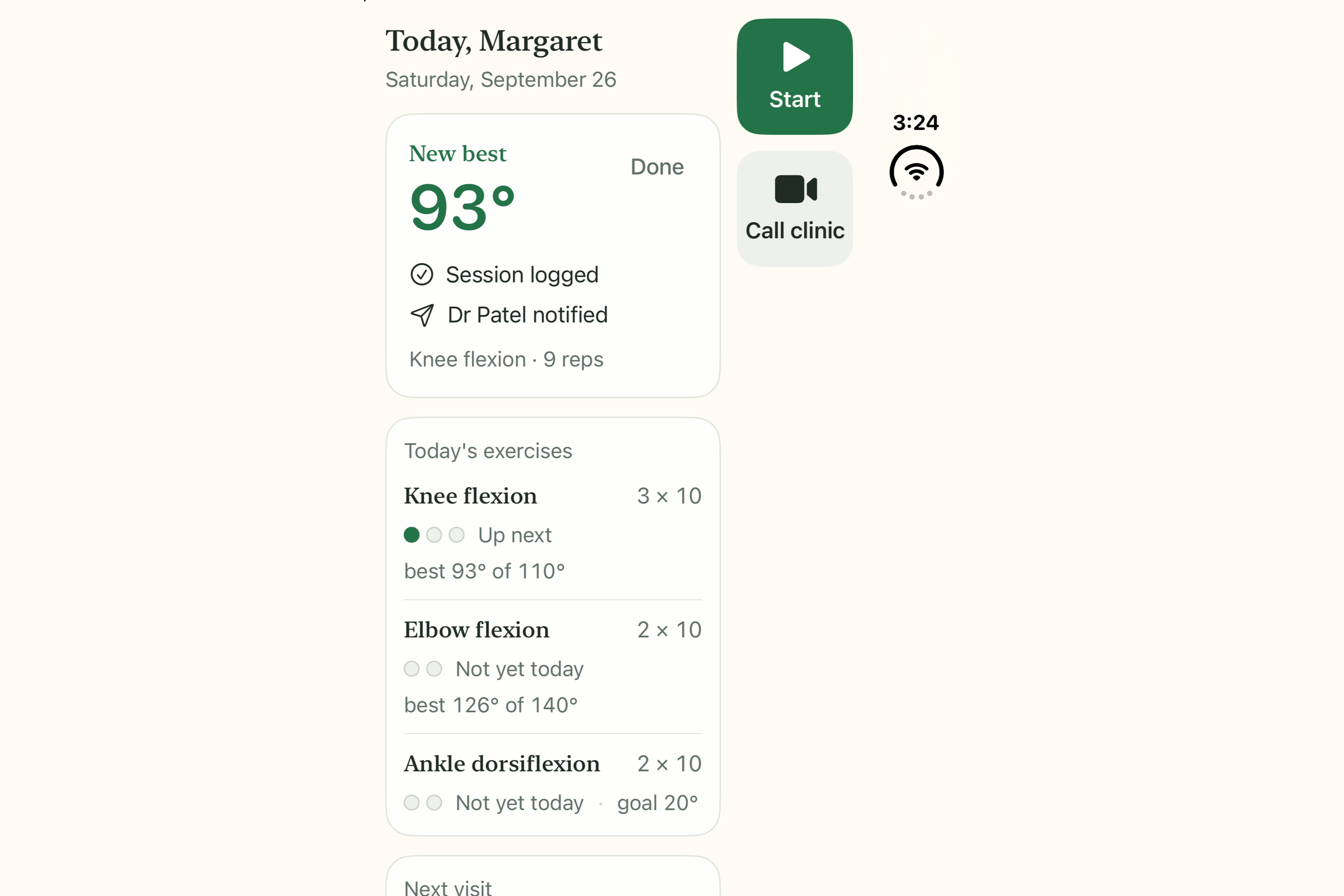
- Closed on the kitchen table, the cover display is the plan: today's exercises, last best per joint, next visit countdown, streak. Two big controls: Start and Call clinic.
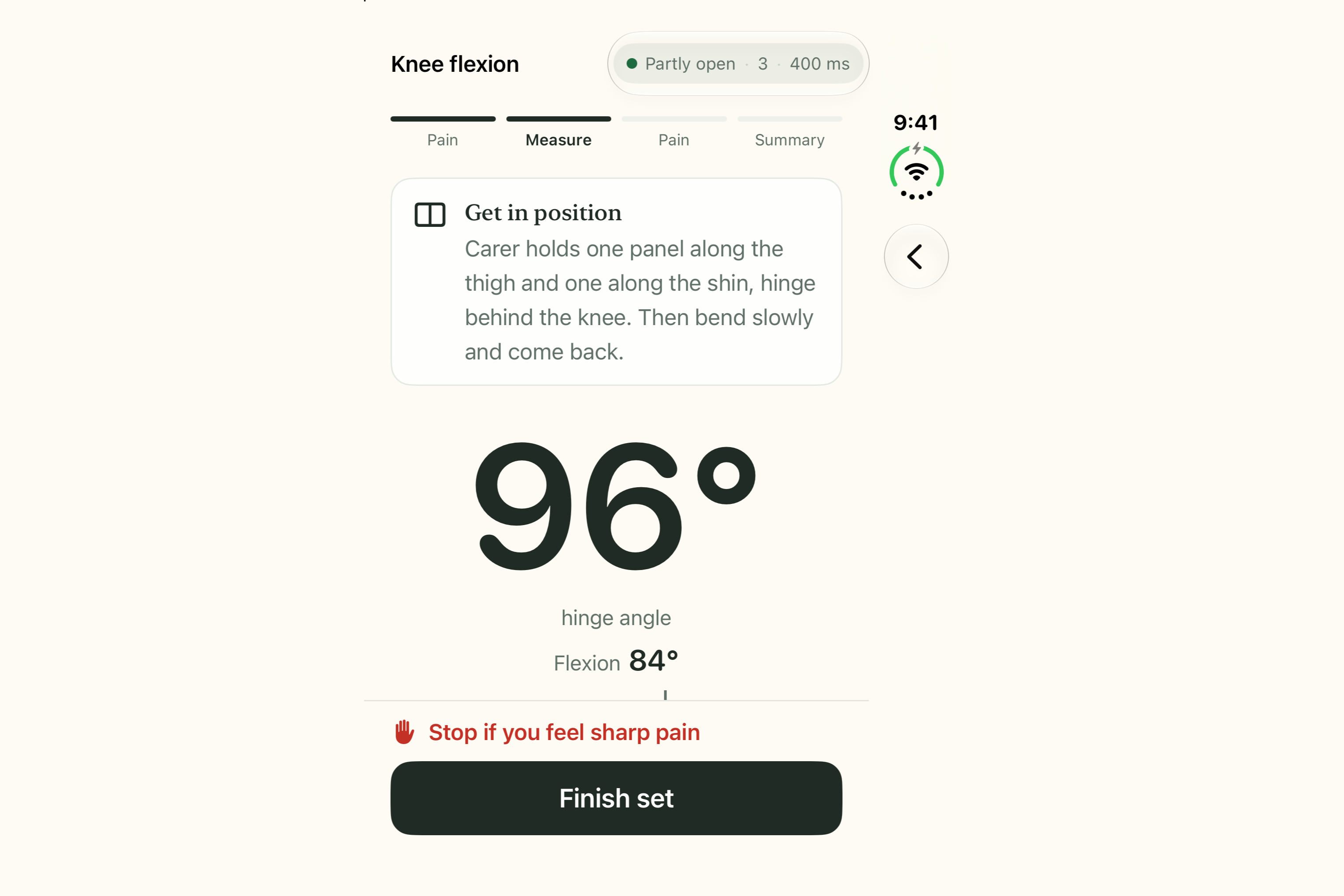
- Opening the phone starts the session — no button to find. The live hinge angle is the screen; clinical flexion (180° − hinge) sits beneath it, with a single guidance line telling you what to do next.
- Set mode detects each repetition as a reversal in the angle stream (6° hysteresis, 0.8 s minimum) and captures the peak flexion; Reading mode captures a single held reading. Every captured angle is spoken aloud — "ninety-four, new best" — because the patient's hands are on her leg and the screens face into the bend.
- Propped at ~120° on the table it goes hands-free: demo pane on one panel, live session on the other.
- Closing the phone logs the set and the cover shows New best · Session logged · Dr Patel notified.
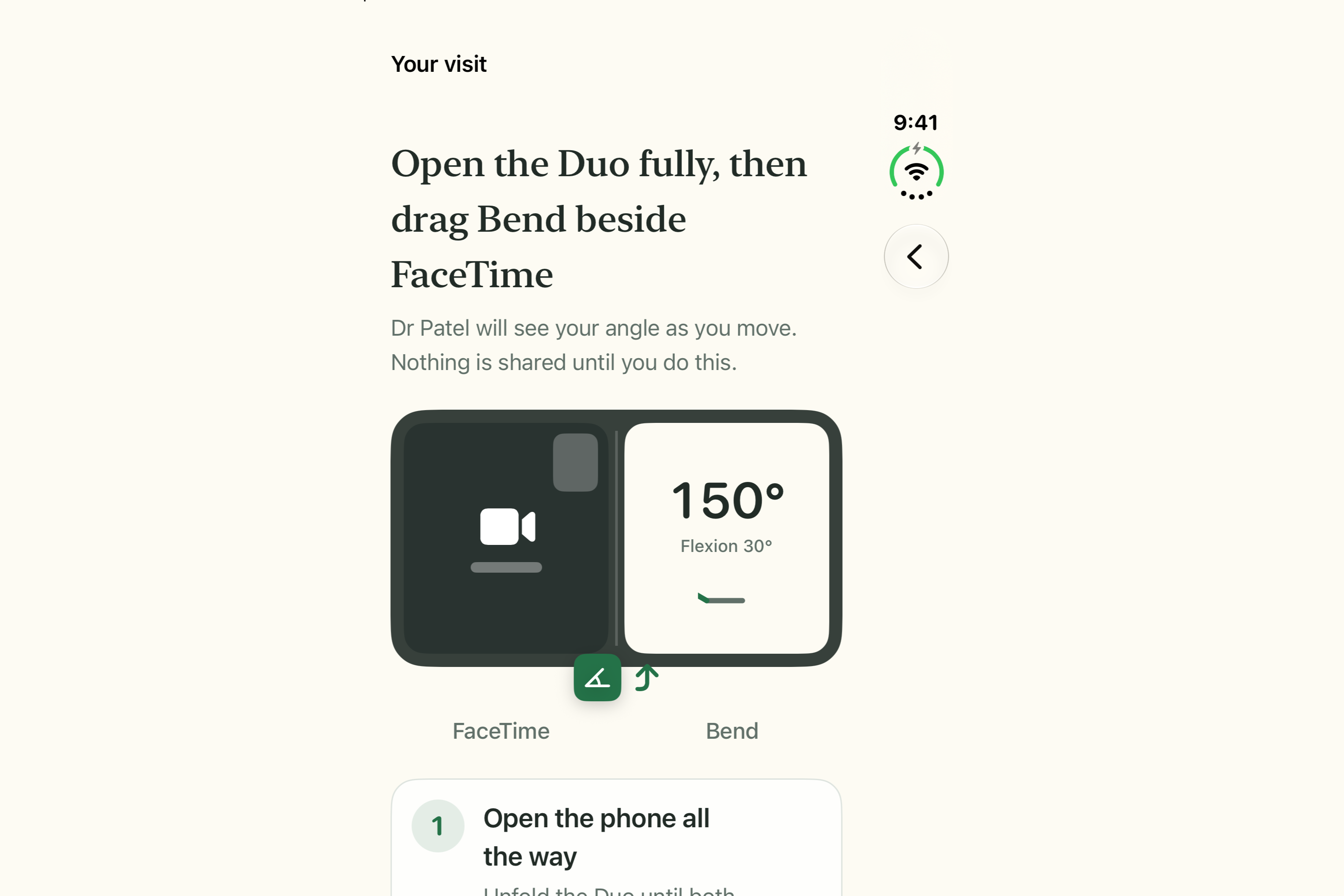
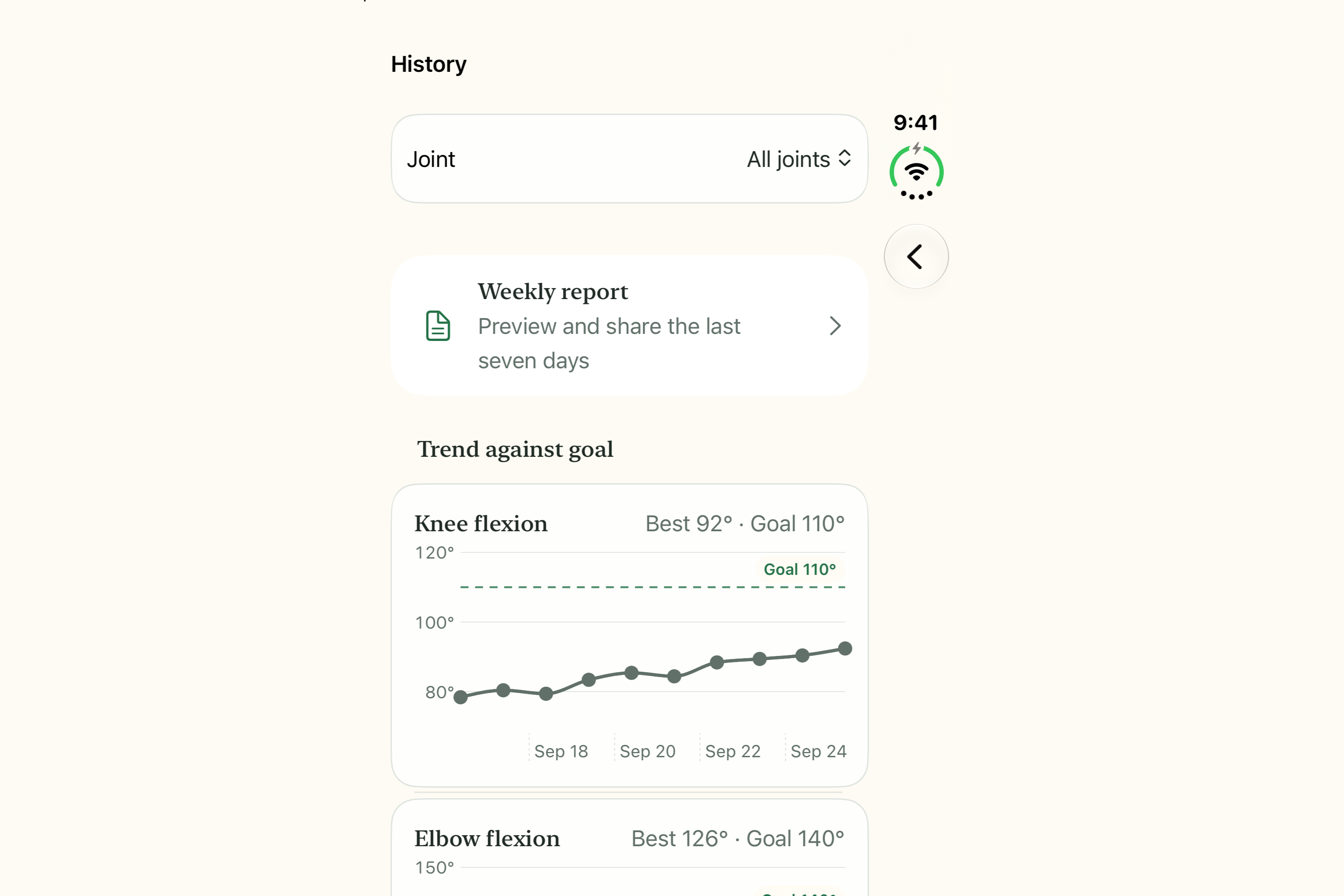
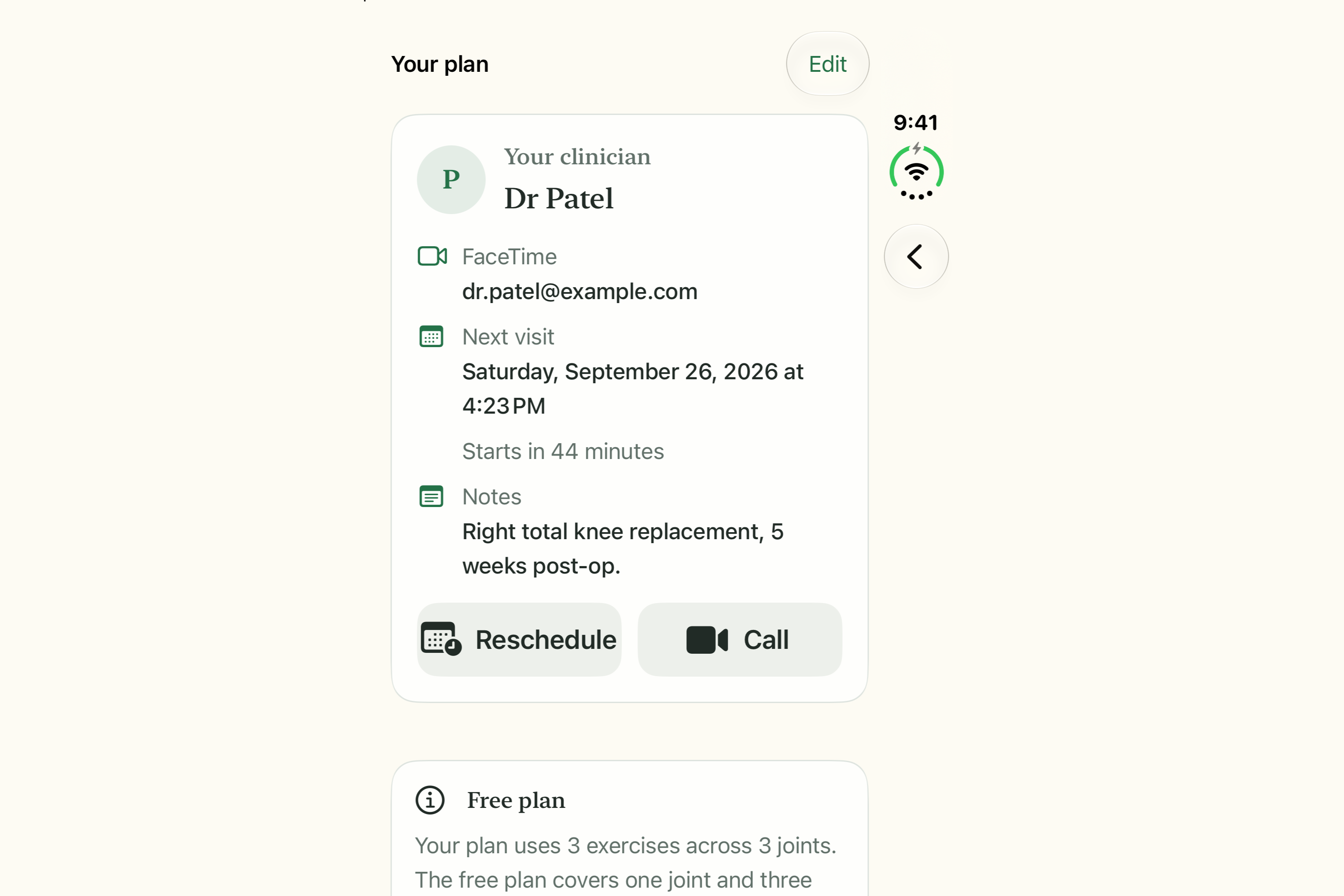
- Home shows progress rings, a trend chart per joint with the clinician's goal as a dashed line, and a Start visit card that becomes prominent within an hour of the appointment. It launches FaceTime and walks the patient through putting Bend beside the call in Split View.
- Share report: a session summary (text), the trend chart (PNG) and a weekly report (PDF) are all
Transferable— drag them into Notes, Messages or the call, or use the share sheet. - Pain check (0–10) before and after every set; "Stop if you feel sharp pain" is always on screen. One plain sentence per session is generated on device with Foundation Models (template fallback when unavailable). Calendar event and reminders via EventKit; Siri shortcuts ("Start my exercises", "When is my next visit"); sessions indexed for Spotlight.
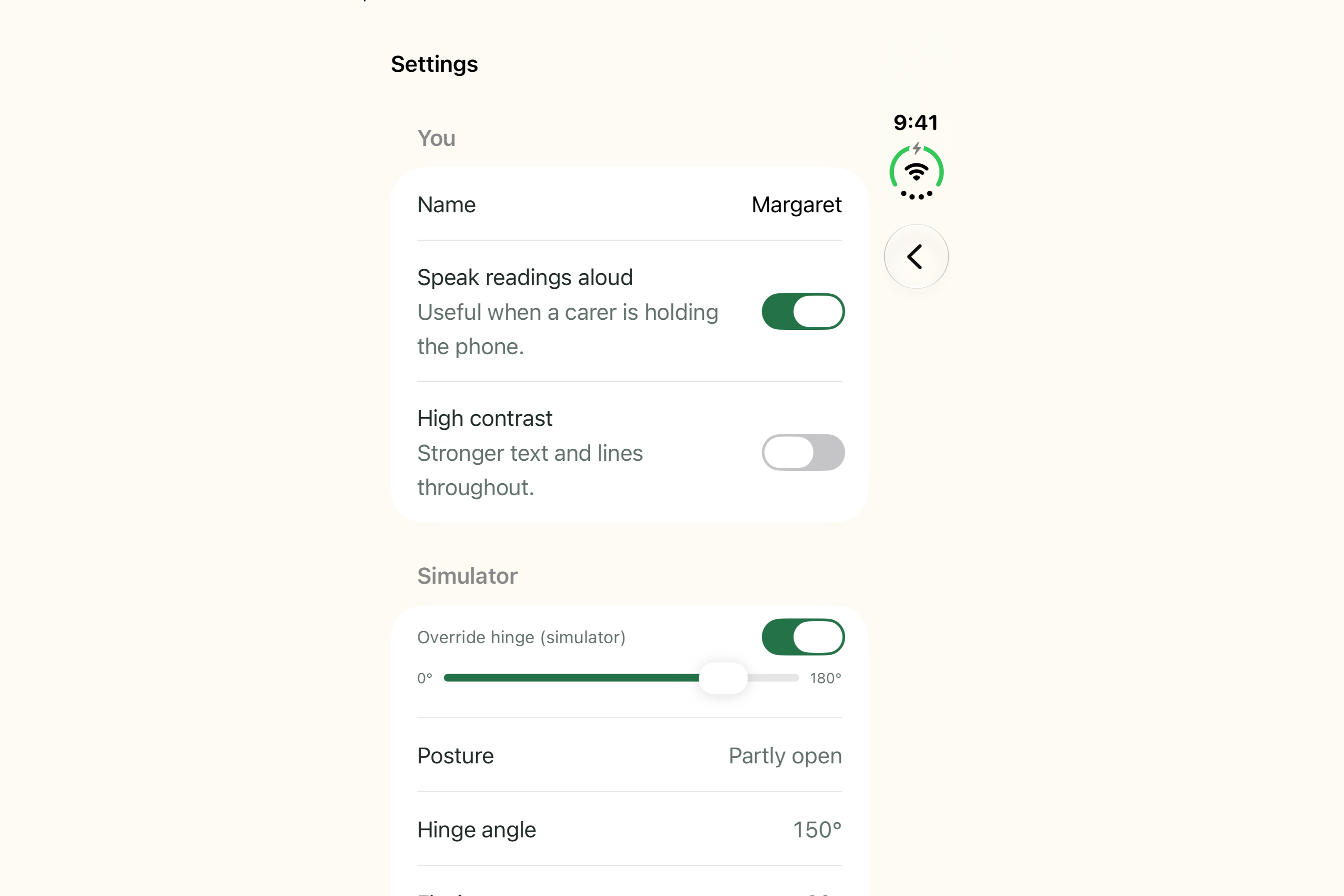
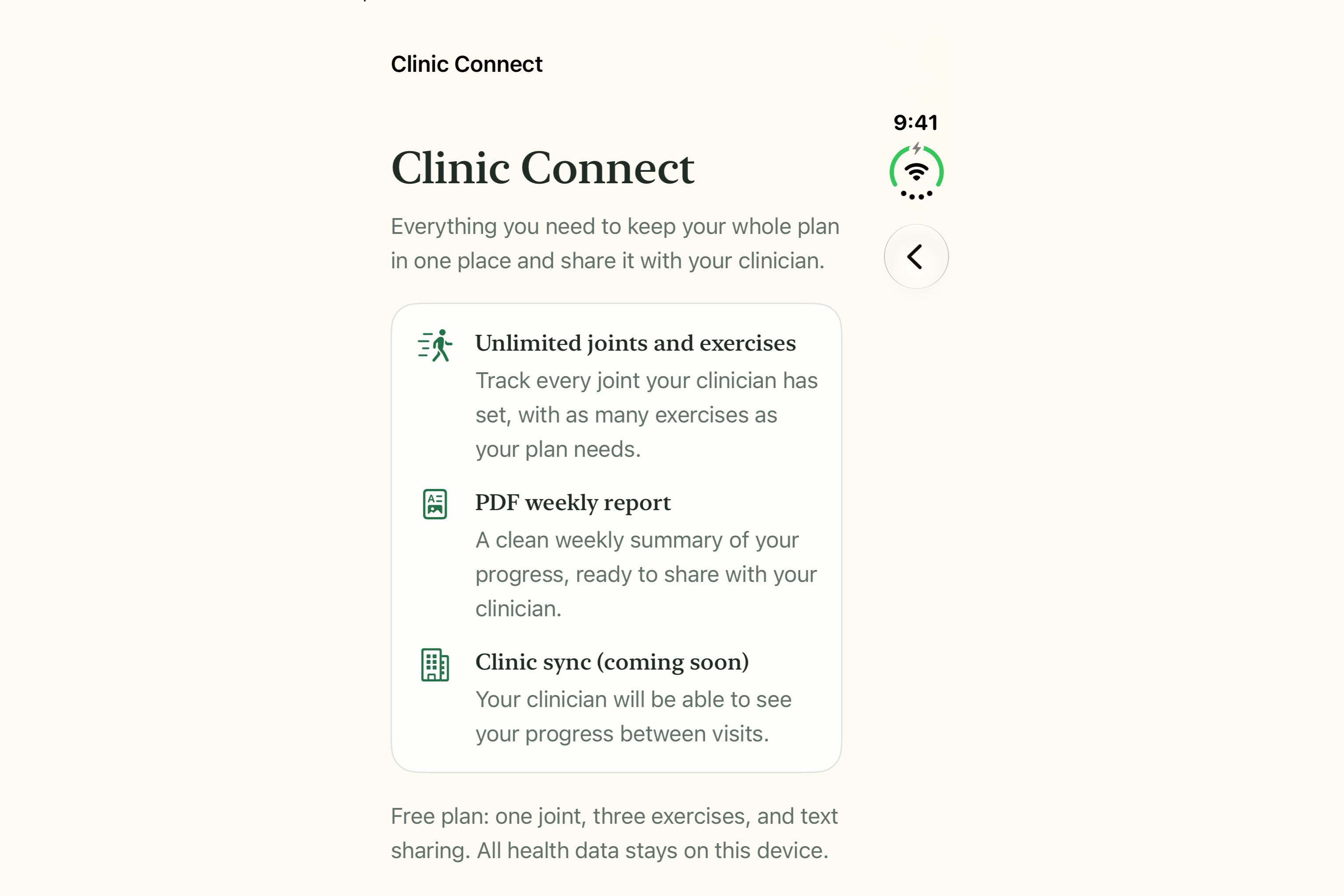
- Clinic Connect (RevenueCat): one entitlement that unlocks unlimited joints and exercises, the weekly PDF report and future clinic sync. The free tier covers one joint, three exercises and text sharing. The paywall lays out correctly closed, partly folded, open and at half width in Split View; StoreKit 2 with a local configuration is the fallback when no RevenueCat offering is configured.
- Everything works offline. No health data leaves the device without an explicit share.
How we built it
SwiftUI + SwiftData, iOS 27.1; the only dependency is the RevenueCat SDK (purchases-ios-spm, RevenueCat + RevenueCatUI). The Duo-specific pieces are onHingeChange / DeviceHinge for the angle and posture, ArrangementView(.split) plus reservedRegions(kind: .division) to lay the live angle and the chart across the two panels without crossing the crease, size classes for the cover ↔ inner move, Transferable + .draggable() for cross-app drag, and the facetime:// URL scheme for the visit.
The measurement core (median smoothing, hysteresis rep detector, settle-and-hold reading capture, flexion maths) is pure Swift with no UI imports, so it is unit-tested with synthetic hinge streams — clean reps at 60 Hz, noisy reps at 10 Hz, ±2° tremor, sub-0.8 s jitter — and it adapts to whatever update rate the hinge actually delivers (the session screen shows the measured interval). Session state lives above the view tree so nothing is lost when the window moves between displays.
Challenges we ran into
- The hinge update rate is undocumented, so thresholds had to be robust to both 10 Hz and 60 Hz streams — hence the median filter plus hysteresis plus minimum-duration gate rather than a simple threshold.
- Screens face into the bend at the knee, so the patient can't read them mid-rep. Voice-first by default, with the elbow as the on-stage example.
- No app can force FaceTime into Split View, so the visit flow became a guided, illustrated hand-off instead.
- Foundation Models availability in the simulator is uncertain, so every summary has a deterministic template fallback and an 8-second timeout.
- The simulator has no fold gesture from the command line, so we added a scripted hinge replay of the whole demo (closed → open → 10 reps → propped → close) to verify the end-to-end flow automatically.
Accomplishments that we're proud of
The whole loop — fold to start, fold to measure, fold to log — works with zero taps, and the closed-to-open state change is the product, not a gimmick. A judge can fold the simulator as a knee and watch reps and peaks capture correctly.
What we learned
The Duo's strongest features for a health product are structural, not decorative: fold states and the two displays carry the core flow; Split View is supporting. Designing for a seventy-year-old (17 pt minimum, huge numerals, voice by default, no time pressure) made the app better for everyone.
What's next for Bend
Bench comparison against a manual goniometer on hardware (from 23 Oct), tuning rep detection on real hinge data, a weekly PDF into one physiotherapy clinic's workflow for remote-monitoring billing, and Clinic Connect sync.
Built With
- accessibility
- app-intents
- avfoundation
- core-spotlight
- eventkit
- facetime
- foundation-models
- ios
- iphone-duo
- on-device-ai
- pdfkit
- revenuecat
- storekit
- swift
- swift-charts
- swiftdata
- swiftui
- transferable
- usernotifications
- xcode

Log in or sign up for Devpost to join the conversation.