-
-
2
-
4
-
6
-
3
-
7
-
5
-
8
-
1
Inspiration
Smartphones were built for sighted people. For someone who is visually impaired or blind, navigating flat glass screens, tiny icons, and endless menus is frustrating and exhausting. At the same time, sighted users are overwhelmed by algorithmic feeds and visual clutter.
I asked a simple question: What if a phone operating system was invisible, spatial, and voice-first?
I built BeaconOS to give visually impaired users full independence through sound and touch, while giving digital minimalists a calm, distraction-free phone experience.
What it does
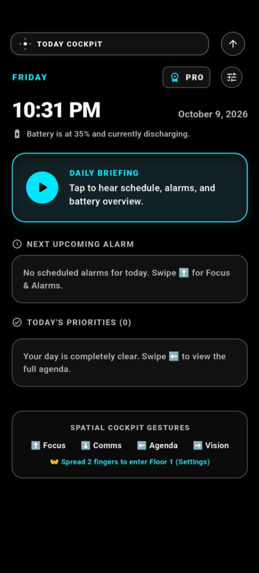
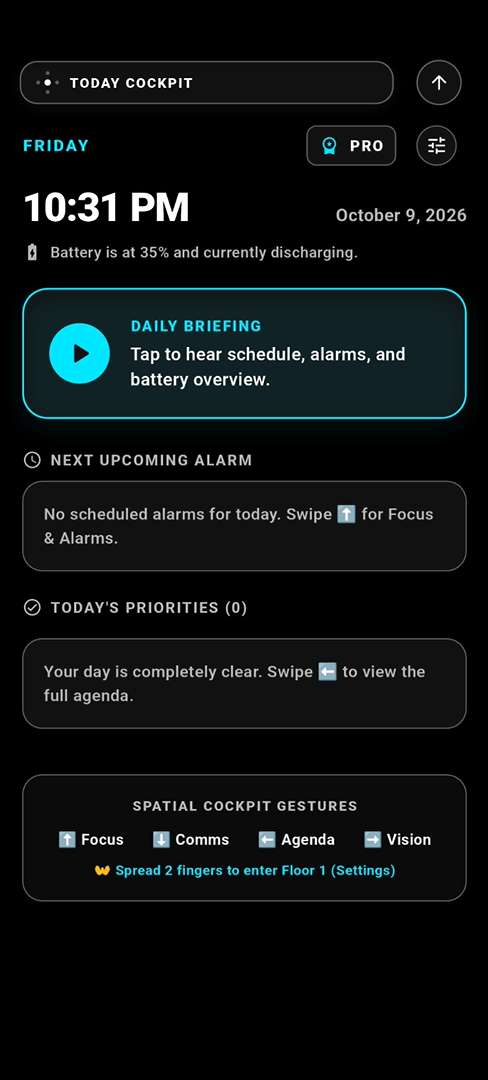
BeaconOS replaces the traditional app-cluttered home screen with an ambient Spatial Cockpit:
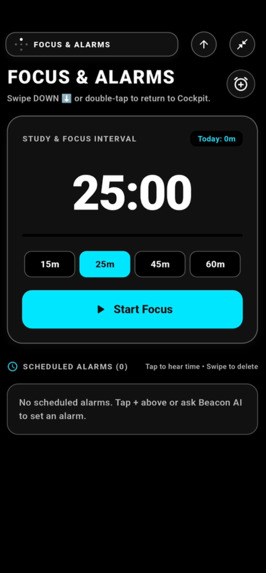
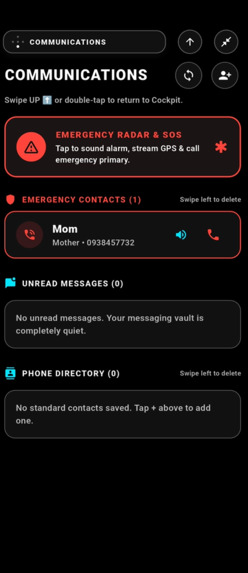
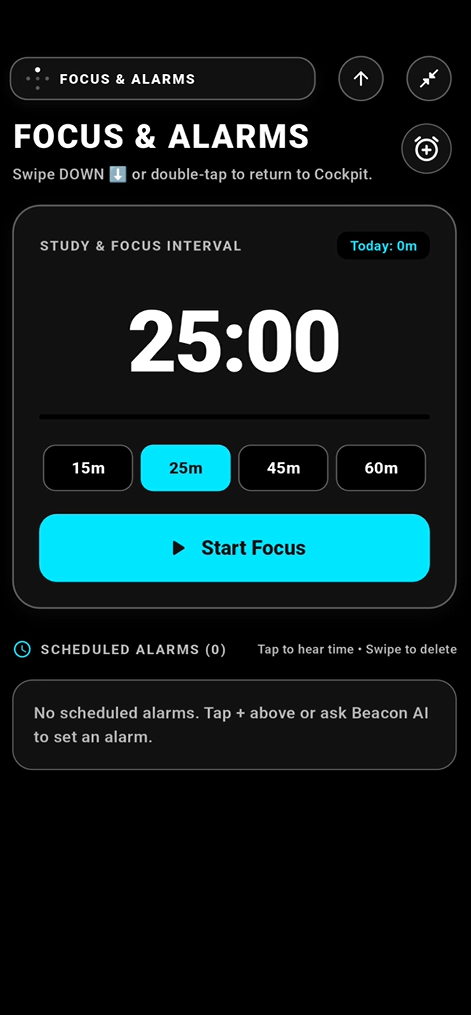
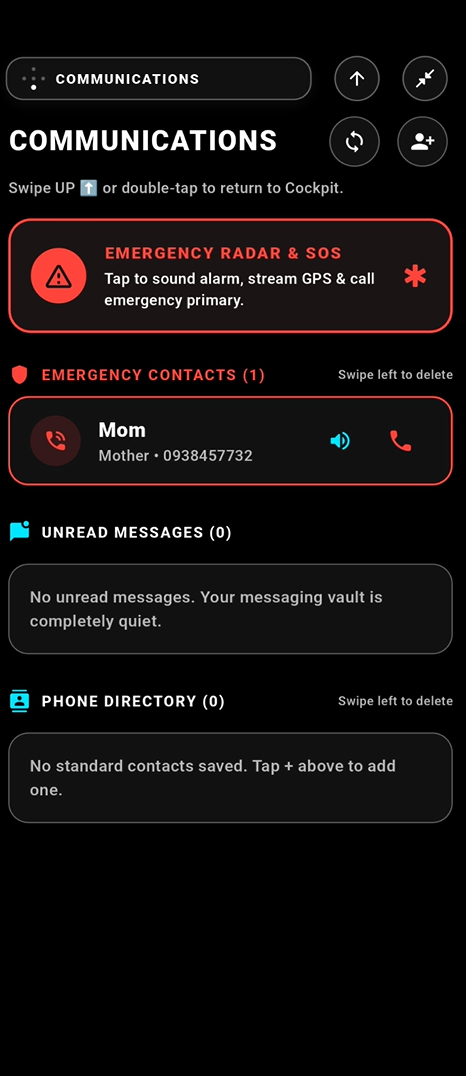
- Spatial Navigation: Instead of searching for apps, the phone is organized like a compass. You swipe North for Focus & Alarms, South for Communications & Safety, West for Tasks & Agenda, and East for AI Vision.
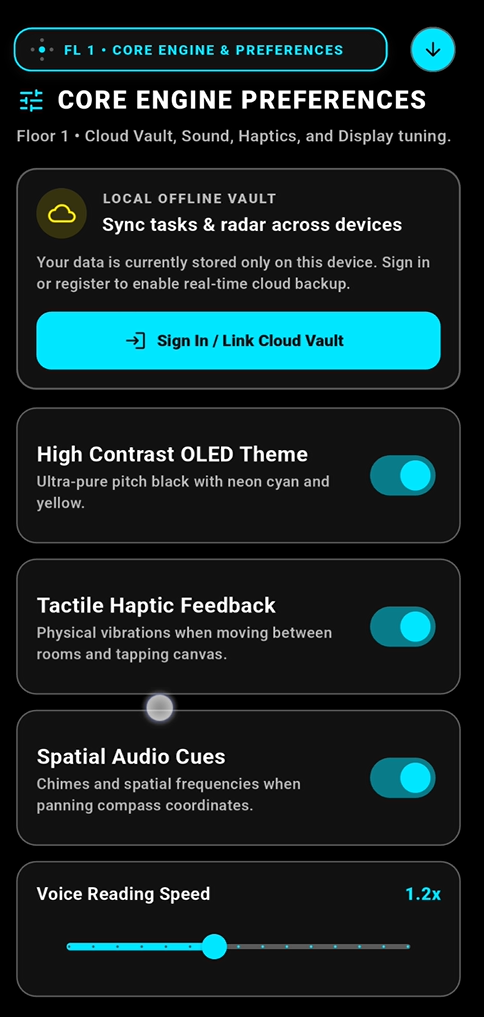
- Eyes-Free Sound & Touch: Every direction plays a unique musical chime and tactile vibration. Users can navigate their entire phone with their eyes closed.
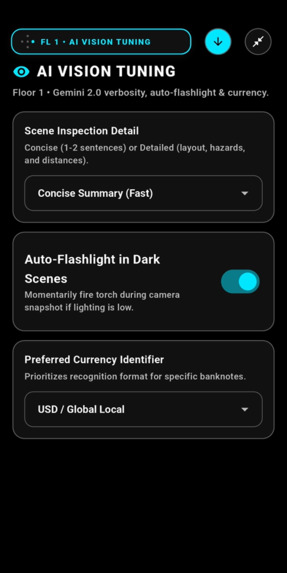
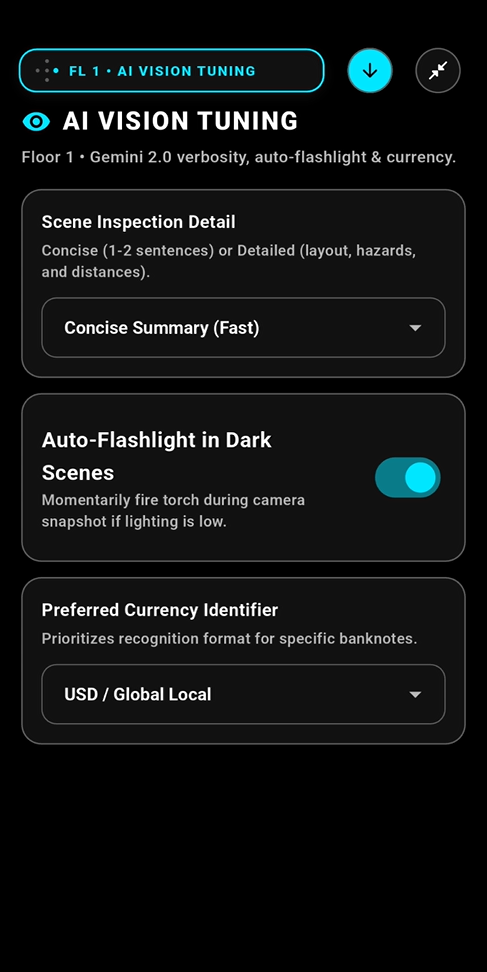
- AI Digital Eyes: Point the camera and tap anywhere. Powered by Google Gemini 2.0 Flash, BeaconOS describes what is in front of you, reads printed text on documents, and identifies currency denominations in 1–2 clear spoken sentences.
- Sub-5ms Voice Controls: Common daily commands (like setting alarms, checking battery, or adding a reminder) execute instantly on the device without needing an internet connection.
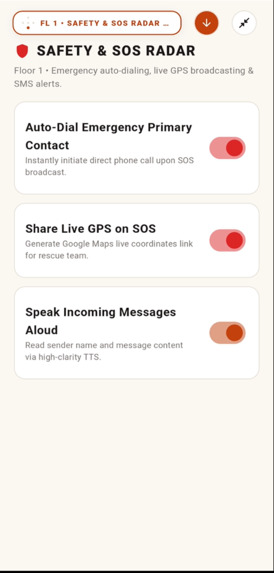
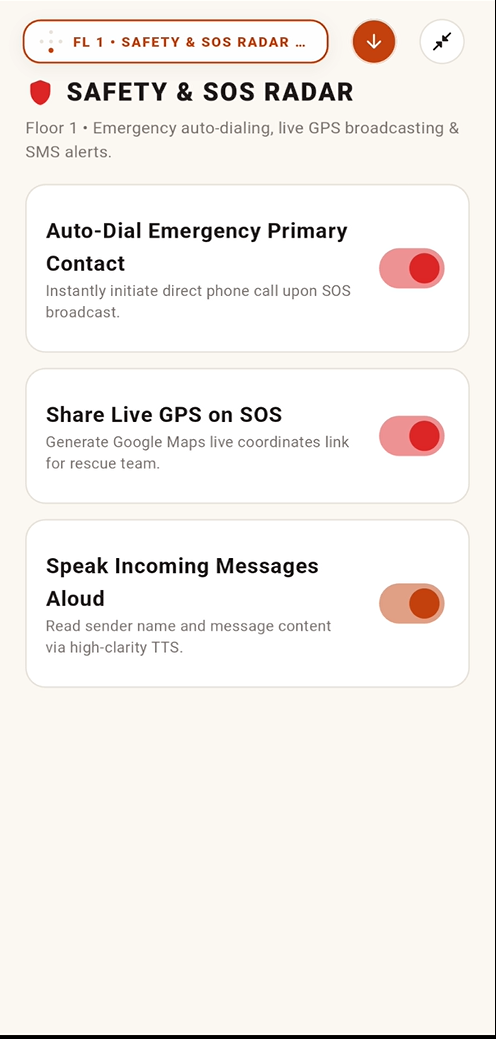
- Emergency SOS Radar: Rapidly tapping the screen 3 times activates a loud alarm and broadcasts the user's live satellite GPS coordinates to their emergency contact.
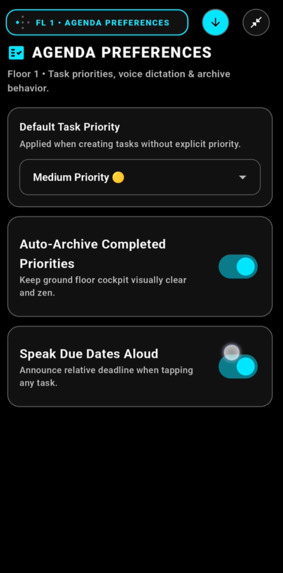
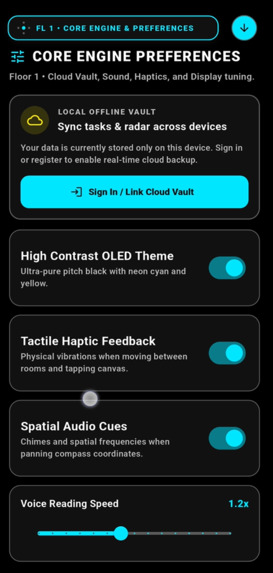
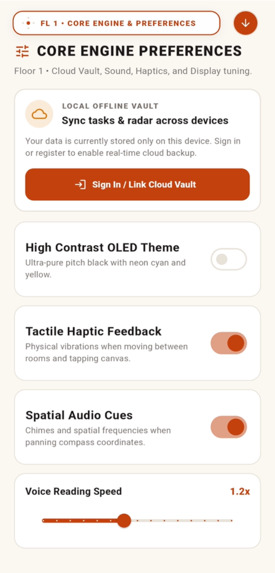
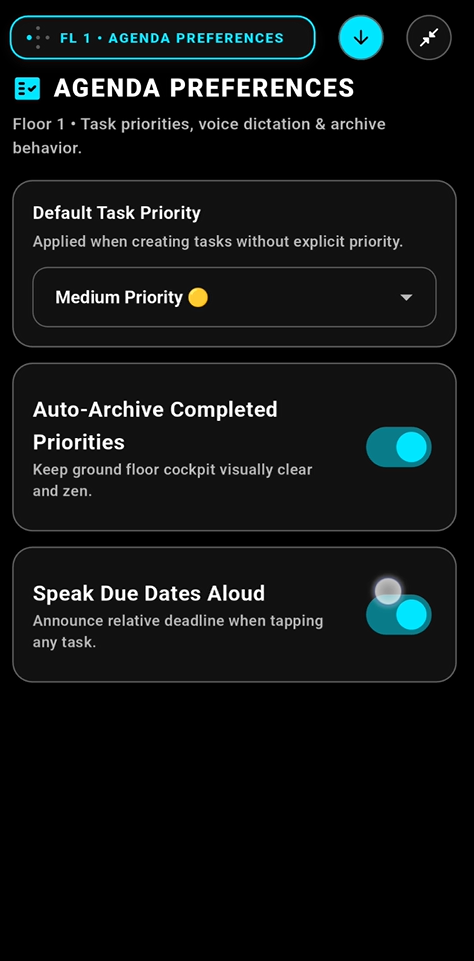
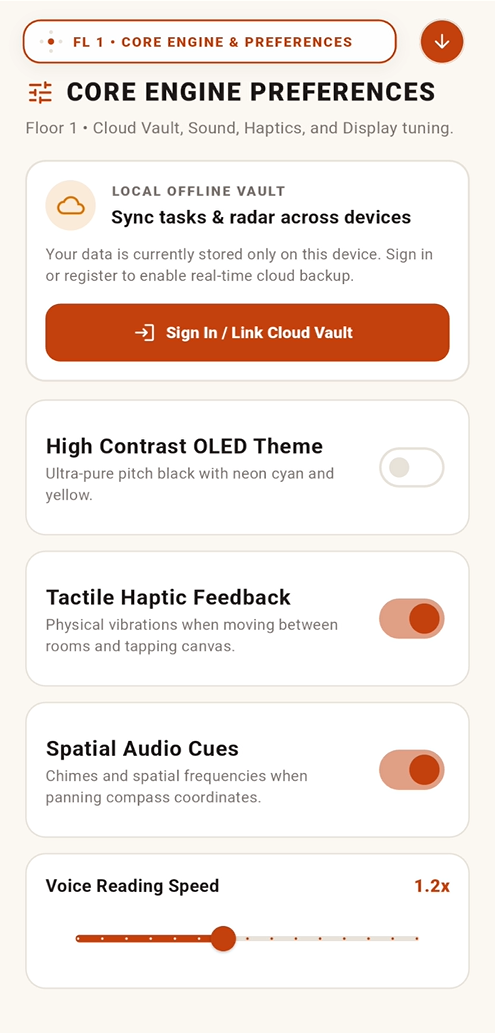
- Dual Design Modes: A pure OLED pitch-black theme with high-contrast neon colors (WCAG AAA compliant) for accessibility, and a calming warm paper theme for digital minimalists.
How I built it
I engineered BeaconOS using a robust, sovereign, offline-first mobile architecture designed to bridge high-performance systems engineering with inclusive AI:
- Frontend & Architecture: Built with Flutter and Dart in a modular monorepo structure, maintaining strict state management through BLoC / Cubit.
- Spatial Micro-Kernel & Physics Engine: Navigation is powered by custom Runge-Kutta spring simulations and continuous 5th-order Hermite curves (Ken Perlin's Smootherstep) across multi-floor coordinates
(x, y, z), delivering zero-jank 120 FPS transitions. - Hybrid Two-Tier Voice Intent Bus:
- Tier 1 (Sub-5ms Local Fast-Path): Instant offline regex intent matcher for sovereign commands (SOS alerts, alarms, battery query, flashlight, app launching).
- Tier 2 (Multimodal AI): Fallback to Gemini 2.0 Flash via OpenRouter, equipped with an automated pipeline that serializes active database records into live system context for deep reasoning and real-time vision guidance.
- Local-First Encrypted Vault: Powered by Drift (SQLite) across 10 encrypted relational tables. Data operates sovereignly offline and synchronizes bidirectionally with Supabase via soft-delete reconciliation when network connectivity is present.
- Hardware Abstraction Layer (HAL): Native Android Kotlin MethodChannels interfacing with device hardware: torch camera lighting, exact background alarms, system app launcher overrides, and GPS satellite tracking.
🚀 What was built, tested, and shipped during the Hackathon sprint
While our early experiments explored a rudimentary single-screen voice prototype, the core operating system, spatial architecture, and AI integrations were built and calibrated during this hackathon session:
- Micro-Kernel Architectural Refactoring: Completely dismantled a monolithic repository anti-pattern into 6 domain-driven vertical slices (
SpatialModulecontract,TaskAgendaRepository,FocusAlarmsRepository,CommsRepository,SystemHardwareRepository,SettingsRepository, andAssistantRepository). - Two-Tier Intent Bus & Dynamic Context Injection: Implemented the pluggable intent architecture (
VoiceCommandDispatcher) and engineered dynamic context serialization that gives Gemini 2.0 real-time situational awareness of the user's alarms, tasks, and notes. - Database Schema v6 Migration: Upgraded local Drift SQLite with schema migration v6 to persist dual interaction personas (
blind_accessiblevsdigital_minimalist). - Dual Interactive Onboarding Gateways: Designed and implemented two full onboarding flows:
- A voice-narrated, haptic-calibrated 4-step tutorial for visually impaired users (audio tuning, compass training, camera vision simulation, and emergency gesture setup).
- An intentional 4-step productivity setup for digital minimalists.
- Acoustic Sound Design & Tactile Physics: Built dynamic sound tokens (
SoundCue) with spatial stereo frequency shifts (stereo left/right panning for directional awareness) and continuous haptic ticking pulses during active listening. - Stress Testing & Real-Device Validation:
- Latency Audits: Validated local fast-path execution times at under 5ms on Android devices.
- Accessibility & Contrast Verification: Verified 21:1 contrast ratios on OLED pure-black themes against WCAG 2.2 AAA guidelines.
- Hardware Synchronization Testing: Validated background SQLite writes, camera resource release cycles, and real-time device contact reconciliation.
Challenges I ran into
- Designing Without Visuals (Zero-UI): It was challenging to make an interface intuitive without relying on buttons. I had to carefully design distinct audio frequencies and vibration patterns for each room.
- Hardware & Camera Conflicts: Accessing the camera quickly while controlling the phone's flashlight required careful resource management to avoid native crashes on low-end devices.
- Voice Latency: Traditional voice assistants feel slow. I solved this with a two-tier system: simple commands run locally in under 5 milliseconds, while complex scene descriptions route to Gemini.
Accomplishments that I'm proud of
- Creating a working spatial prototype where a blind person can pick up the phone, hear directional audio chimes, and navigate completely eyes-free.
- Building a real offline-first SQLite database that safeguards user data without requiring constant internet access.
- Combining extreme high-contrast accessibility (21:1 contrast ratio) with modern digital wellness in a single, cohesive operating system.
What I learned
- Accessibility is not an afterthought or just adding larger text; it requires rethinking how humans interact with technology from scratch.
- Combining tactile haptic ticking with directional audio feedback creates a powerful sense of physical space inside pure software.
- Local-first architecture dramatically improves trust and speed for assistive devices.
What's next for BeaconOS
- Live Hazard Radar: Adding real-time walking guidance to detect curbs, stairs, and obstacles while walking.
- Smarter Message Summaries: Automatic daily audio digests for incoming WhatsApp and SMS messages.
- Community Beta Testing: Partnering with visual impairment organizations and open-sourcing the project to get it into the hands of real users.


