-
-
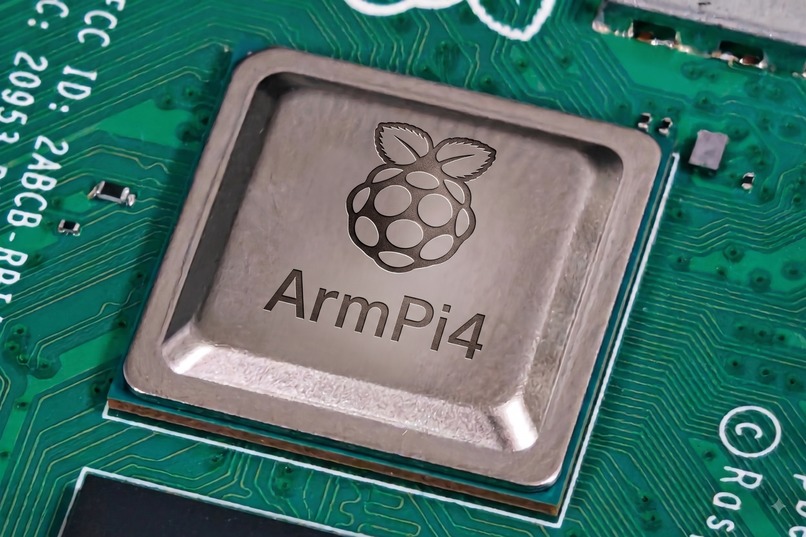
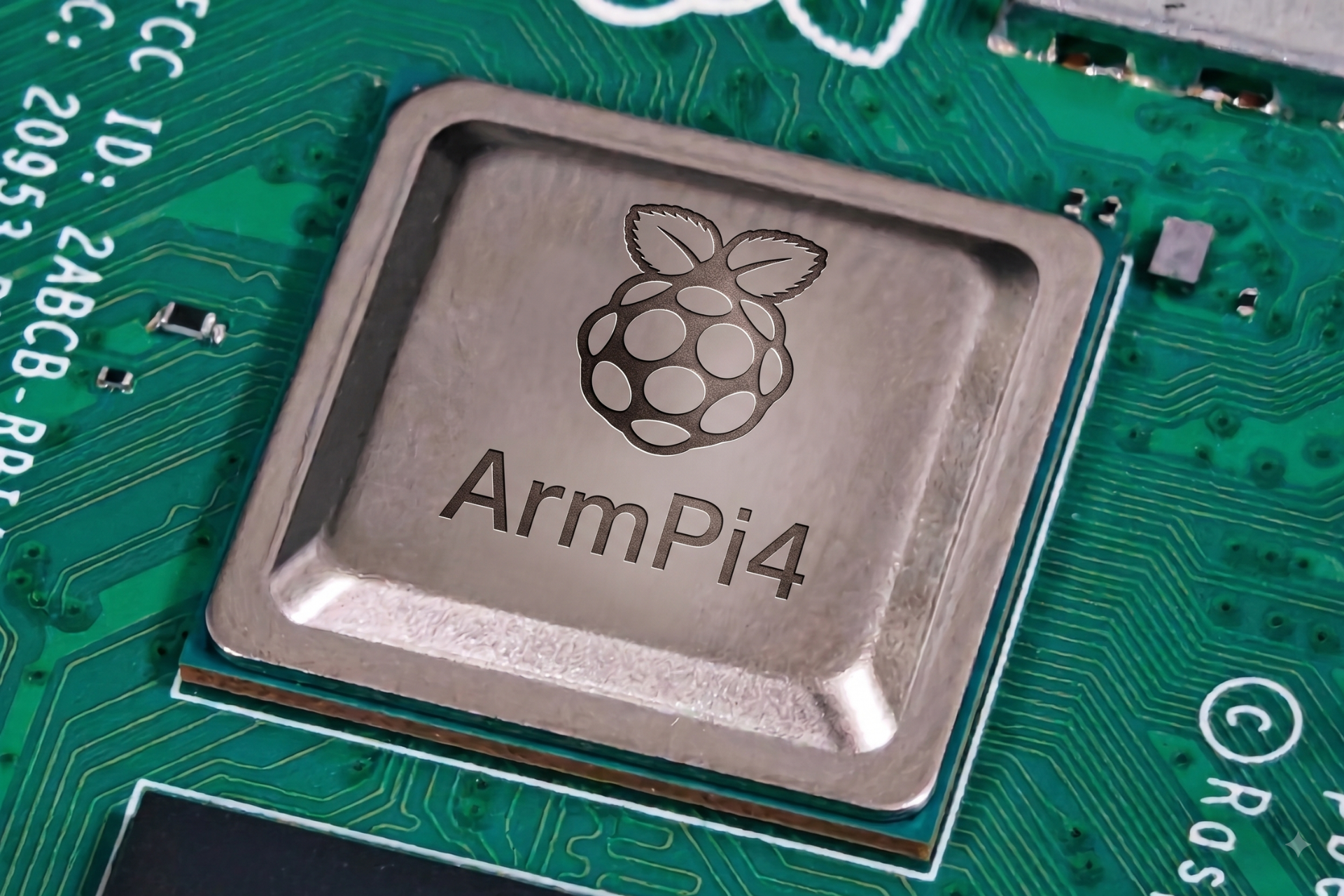
ArmPi4
-
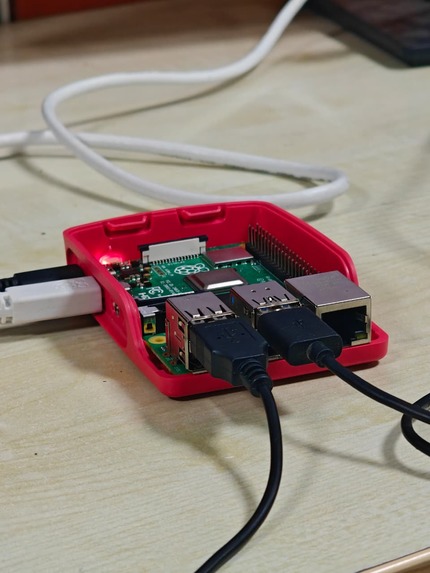
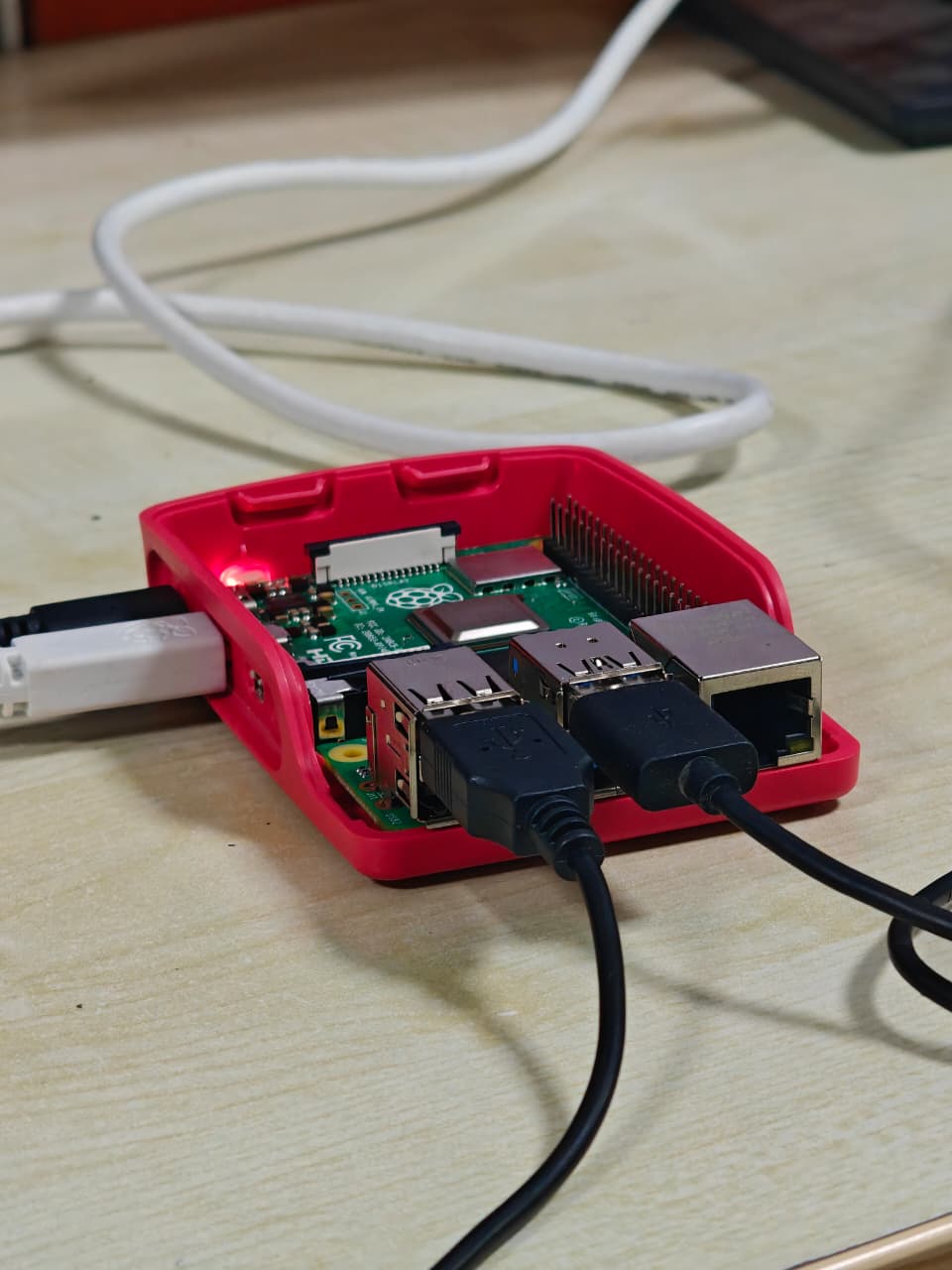
Raspberry Pi 4 with arm cortex A72 processor
-
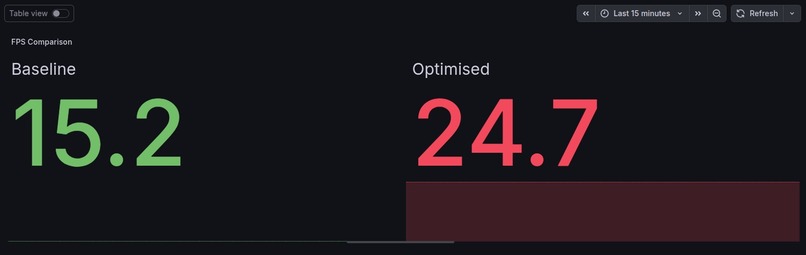
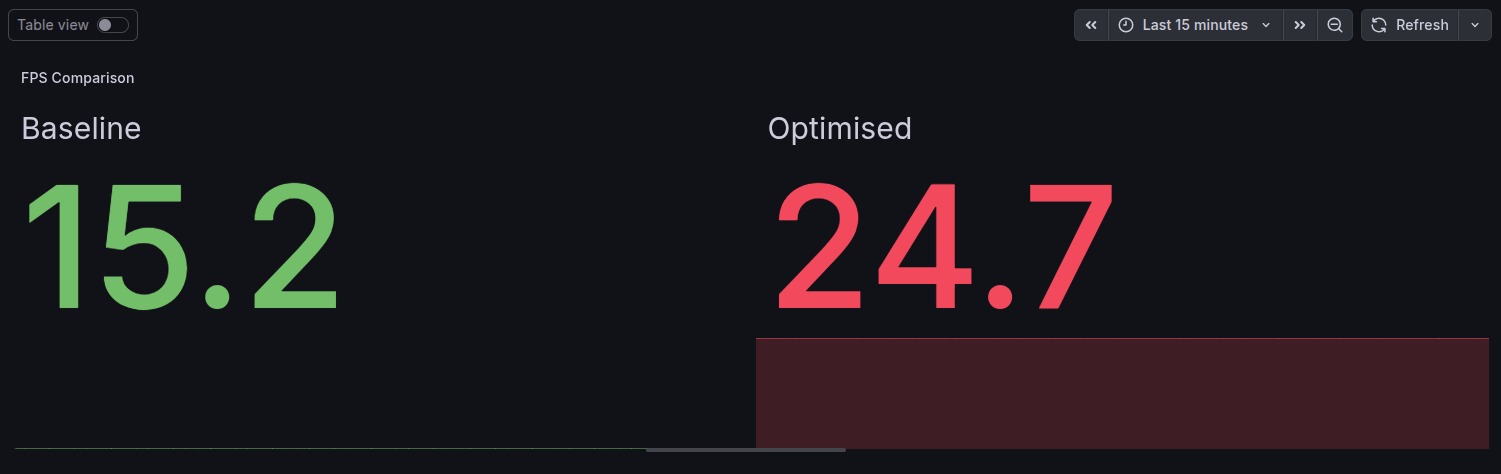
FPS comparison
-
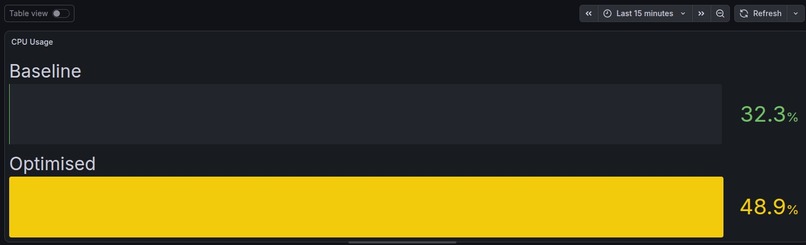
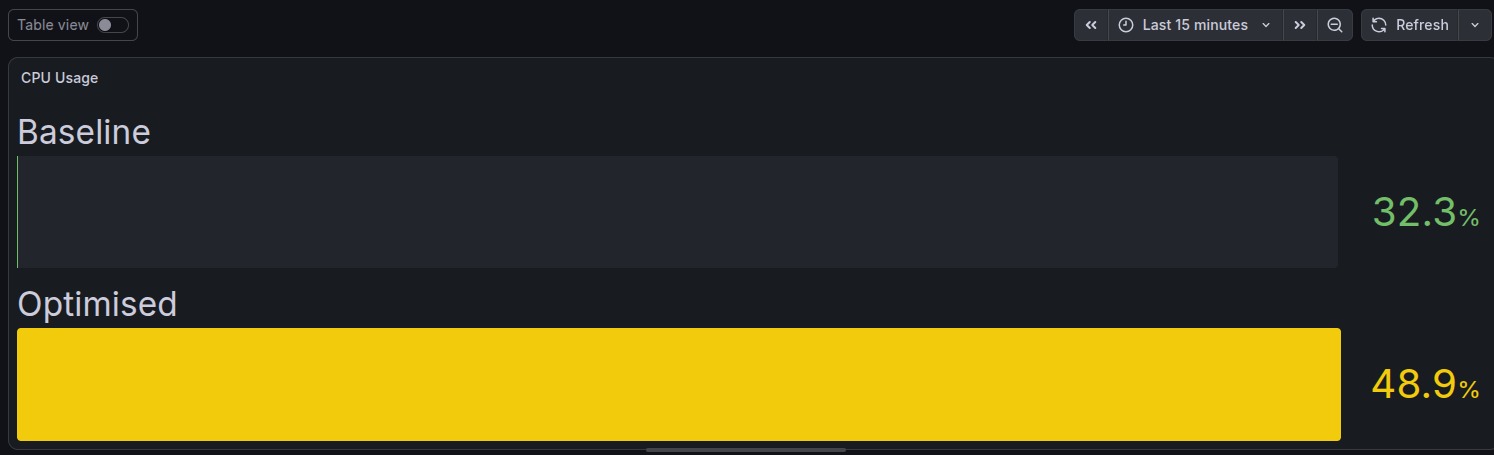
CPU Utilization comparison
-
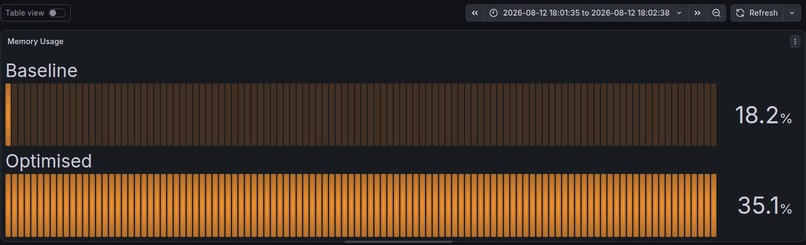
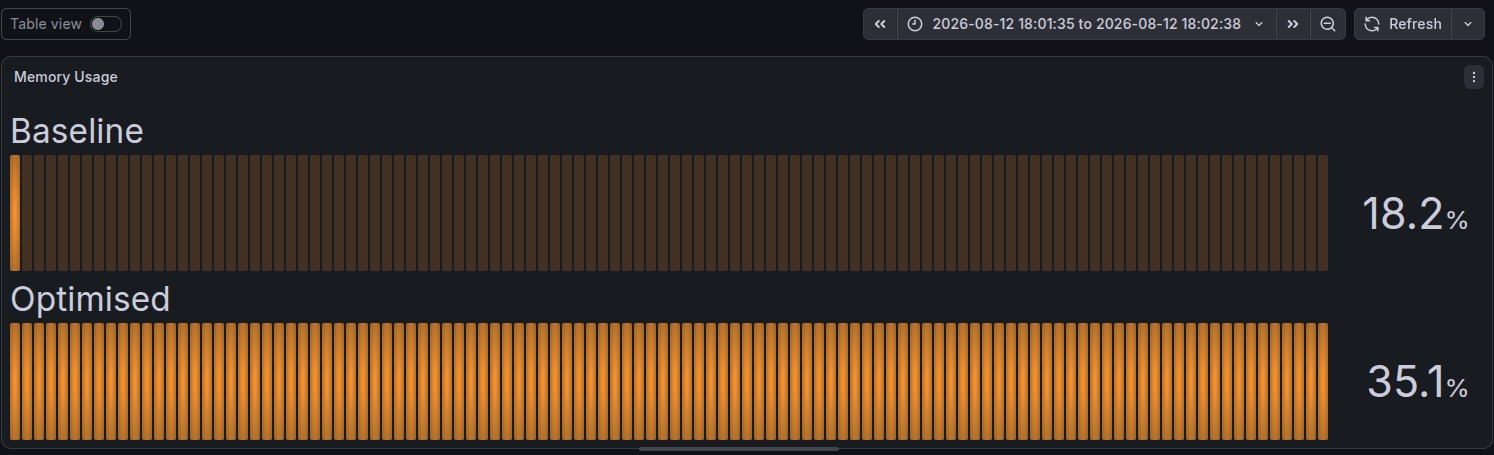
Memory usage comparison
-
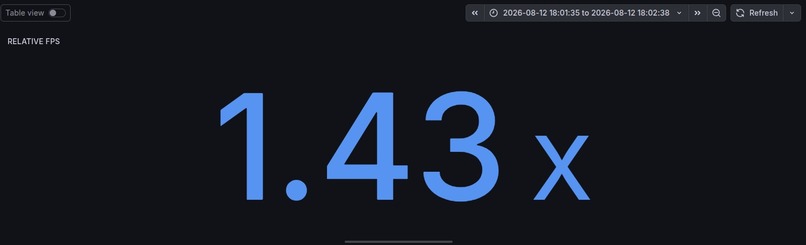
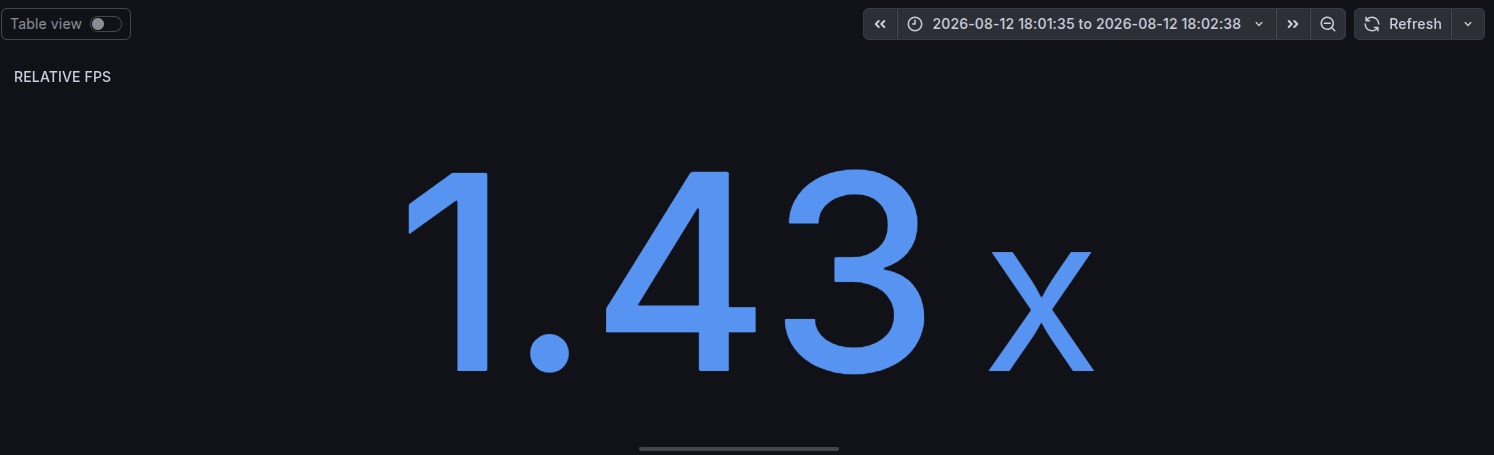
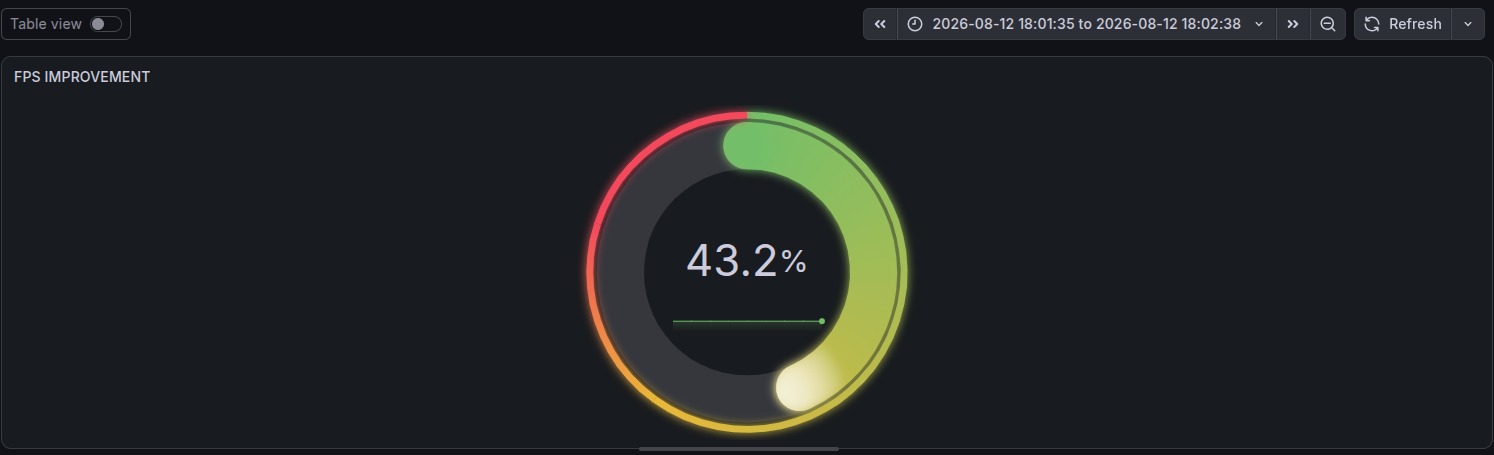
Relative FPS
-
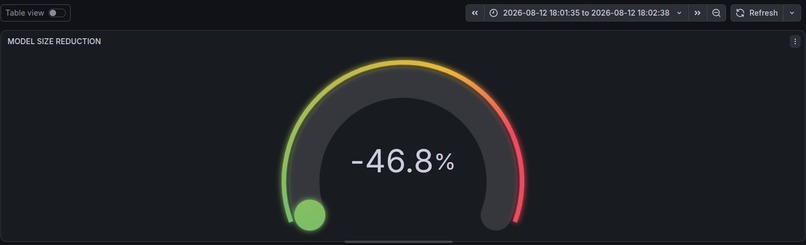
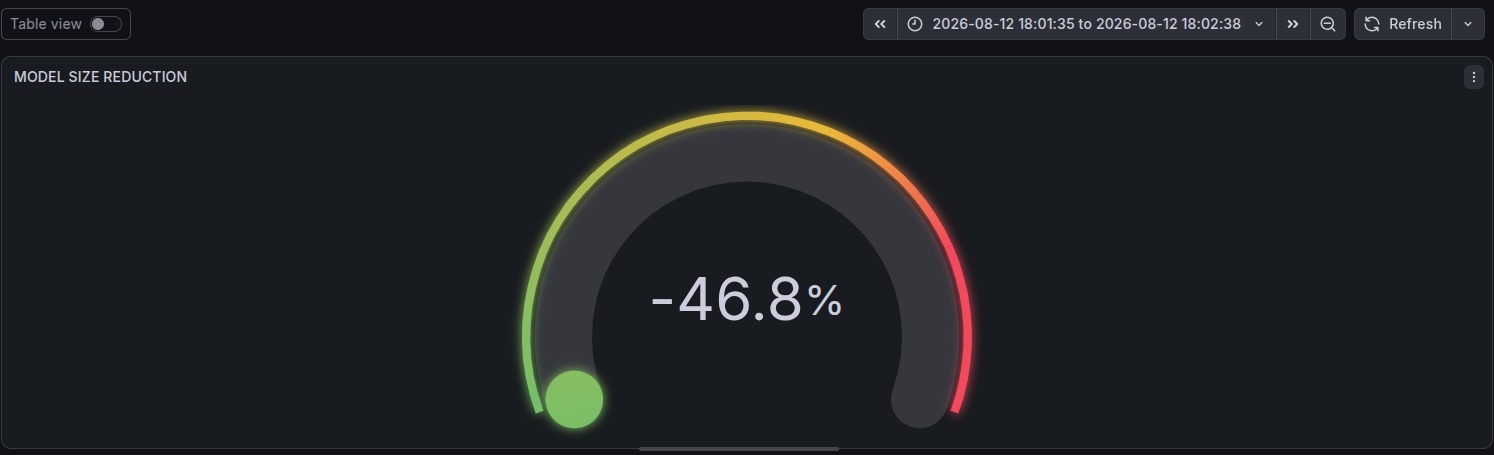
We reduced actual model to 46.8% smaller that the base model
-
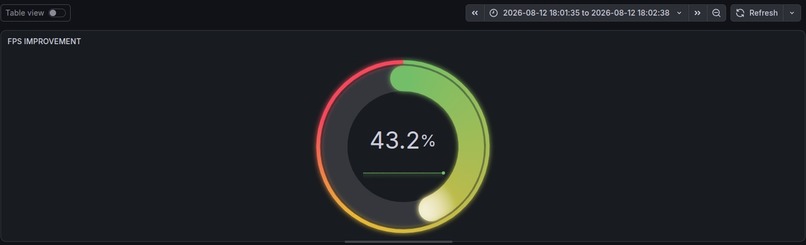
We got 43.2% FPS boost by optimizing the model
-
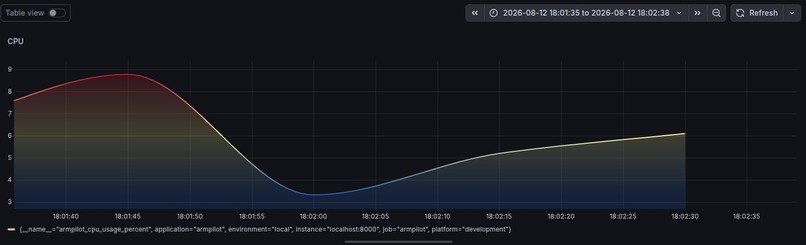
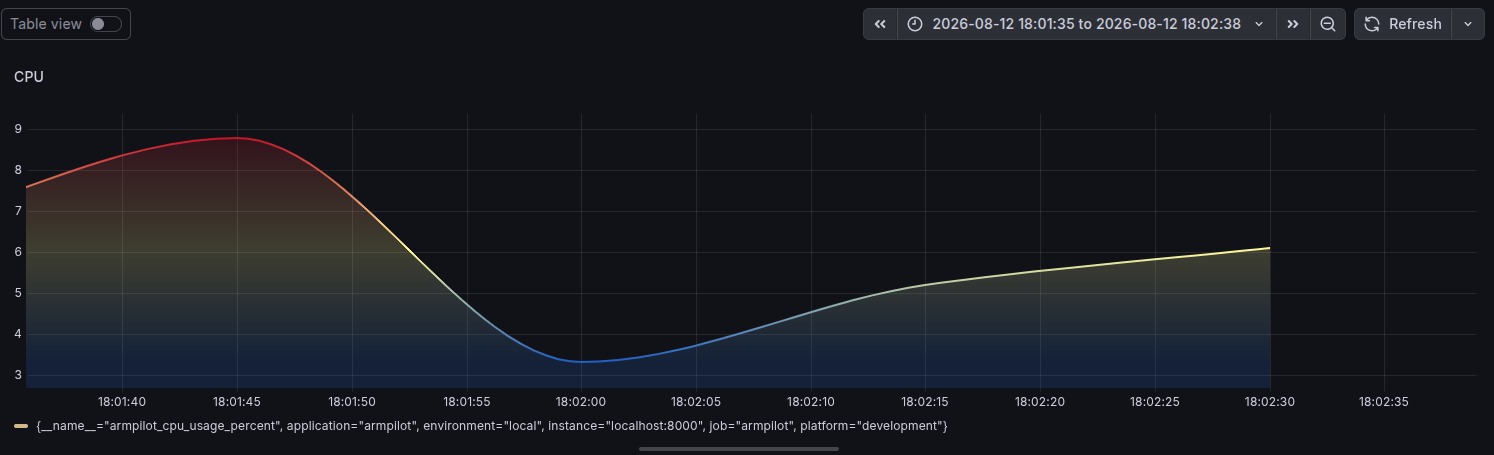
CPU usage graph
-
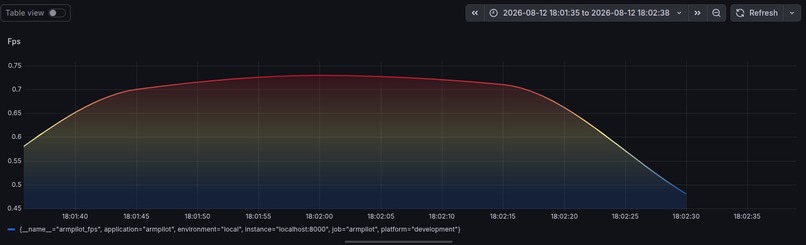
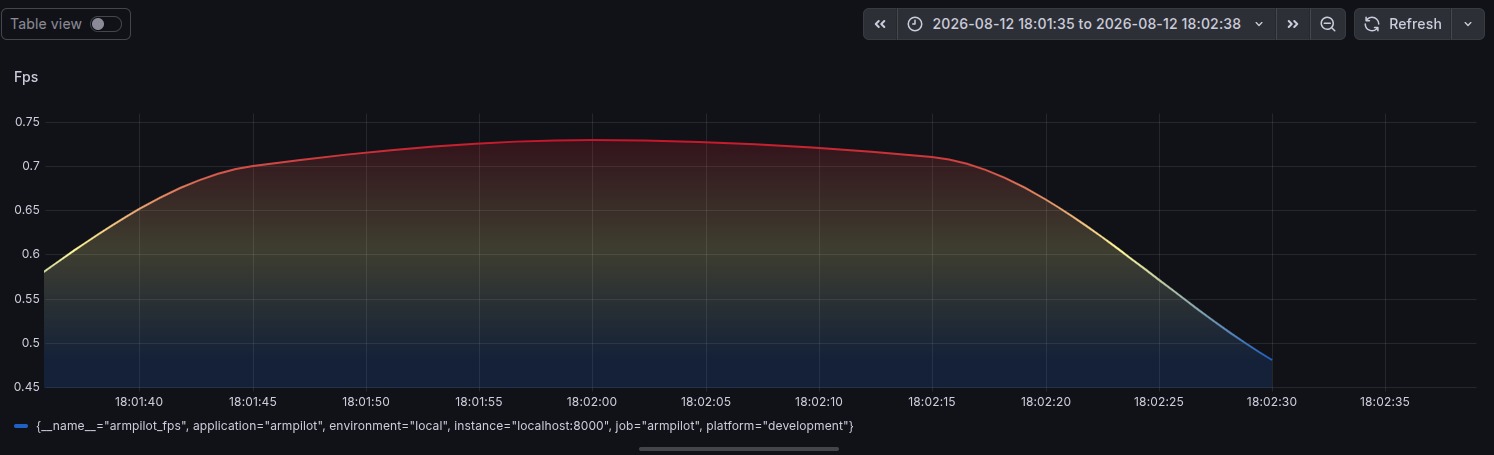
FPS Graph
-
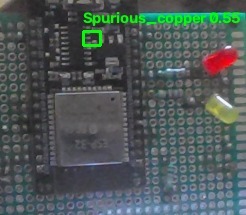
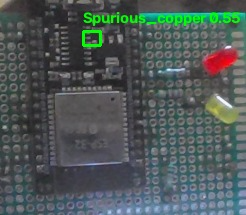
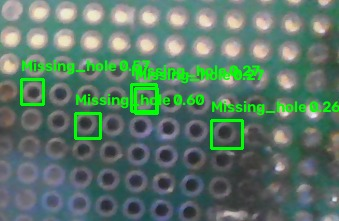
Sample PCB defect run1
-
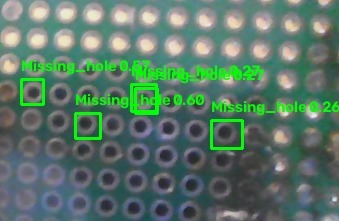
Sample PCB defect run2
-
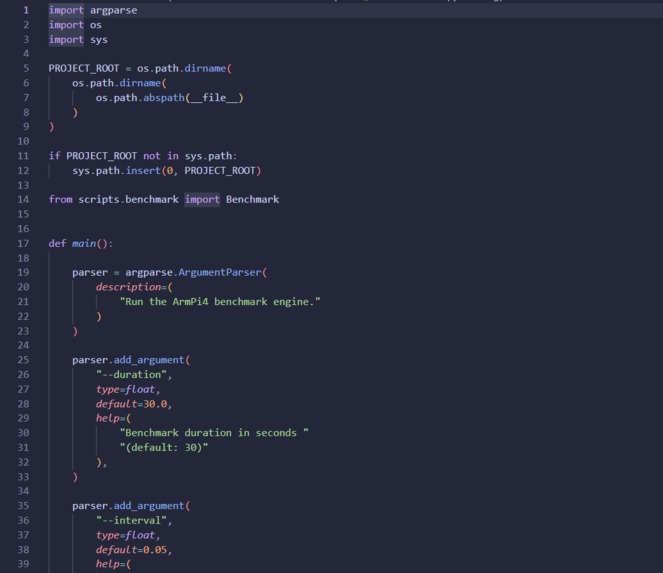
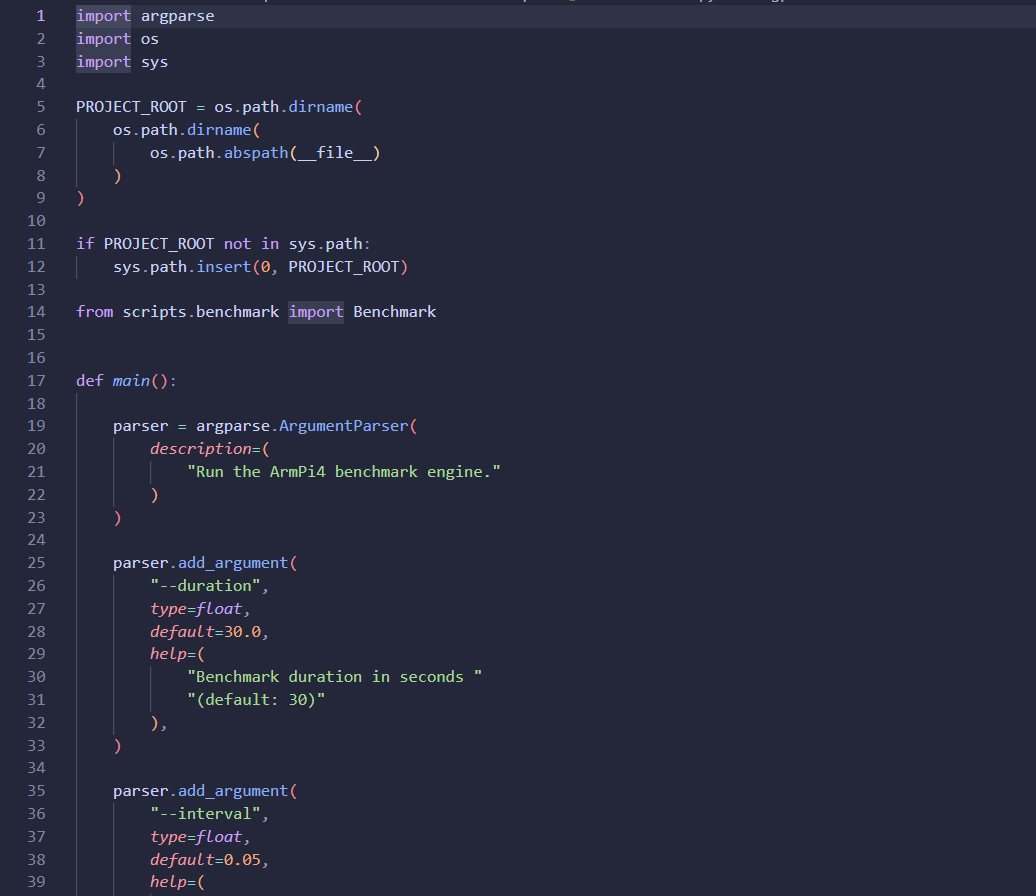
Sample code Picture
Inspiration & Physical AI Track
As a team of students fascinated by robotics and edge computing, we wanted to build something real for the Track 1: Physical AI category. We’ve always seen AI running in the cloud, but we wanted to create an embedded intelligent device that operates directly in the physical world.
We decided to tackle a huge real-world problem: industrial PCB Defect Detection. Because this challenge specifically asked us to build on Arm architecture, we chose the Raspberry Pi 4. It leverages a powerful quad-core Arm Cortex-A72 processor, making it the perfect accessible edge device for students like us to push to its limits. But we quickly hit a wall! Running continuous heavy neural networks on those Arm cores causes severe thermal throttling and system crashes.
We realized that to be a true Physical AI system, our software had to be "hardware aware." It needed to perceive real-world inputs via a camera sensor and produce real-time control signals to actively manage the machine's physical environment. That late-night realization inspired us to build the ArmPi4 optimization engine!
What it does
ArmPi4 is a dynamic runtime engine we built to run YOLOv8n object detection on the Raspberry Pi 4 without melting the board. Instead of just running the AI blindly, ArmPi4 acts as a protective brain.
First, it features Continuous Telemetry, meaning it actively monitors the CPU load, memory usage, inference latency, and the physical temperature of the board.
Next, it uses Adaptive Frame Skipping. If the CPU gets bogged down, ArmPi4 intelligently drops inference frames to allow the system to breathe and recover.
Then, there's Dynamic Resolution Scaling. If our Raspberry Pi approaches critical thermal limits (like over 80°C), ArmPi4 automatically downscales the camera feed resolution to reduce the computational burden on the Arm cores, keeping our system online 24/7.
Finally, we built a Grafana Command Center. All the telemetry is exported via Prometheus to a stunning dashboard, giving us full observability over our edge device!
How we built it
We built the core engine in Python, utilizing Ultralytics to run our custom best_int8.tflite PCB defect model. As students, getting a heavy object detection model to run smoothly on edge hardware was a massive learning curve. We not only learned how to quantize the model to INT8, but we also aggressively stripped down the network—reducing it from the standard 80 base classes in YOLO down to just our 6 specific PCB defect classes. This drastically reduced the computational overhead and maximized our inference speed on the Arm architecture!
For the hardware management side, we built a custom ResourceManager that pulls physical system metrics and evaluates them against a configurable state machine. Depending on the stress level, our Scheduler triggers the Skip and Resolution modules. These interface directly with OpenCV to modify the real-time sensor stream before it ever hits the neural network.
We also taught ourselves how to instrument the entire runtime with a Prometheus Exporter, allowing us to stream real-time heatmaps, FPS graphs, and defect counts straight into Grafana.
(Note: In the Devpost editor, you can drag and drop your Grafana dashboard screenshots or Raspberry Pi setup photos right here!)
How to Run the Project
To see our student-built optimization engine in action locally, you can clone the repository and execute these commands:
# 1. Clone the repository
git clone https://github.com/your-username/ArmPi4.git
cd ArmPi4/ArmPi4

# 2. Install dependencies & initialize structure
pip install -r requirements.txt
bash create_structure.sh

# 3. Fire up the ArmPi4 Optimization Runtime (with Prometheus)
python scripts/run_runtime.py

# 4. Run the standalone PCB Defect Inference Test
python test_yolo.py
Challenges we ran into
Camera Buffering Lag: We were super confused when we noticed that dropping frames dynamically caused massive latency. We eventually figured out that the OpenCV buffer on the Raspberry Pi was queuing up old frames! We had to dig deep into the OpenCV docs to force the sensor to drop old frames and only serve the freshest real-world data.
Oscillation and Jitter: Initially, our system would get hot, drop the resolution, cool down instantly, raise the resolution, and get hot again. It caused a crazy visual "flicker" every few seconds! We spent hours debugging this and finally solved it by implementing "Recovery Steps" and "Minimum Hold Cycles" to ensure the system fully stabilizes.
Arm Optimization: Getting the YOLO model to run efficiently was tough. We had to move away from the standard PyTorch models we were used to in class, and fully embrace INT8 quantization via TensorFlow Lite. Seeing it finally run beautifully on the Arm Cortex-A72 cores was an amazing feeling!
Accomplishments that we're proud of
We are incredibly proud that we successfully built a system that simply cannot be thermally crashed. No matter how hard we push the camera or the physical environment, ArmPi4 catches the thermal spike and gracefully degrades performance to keep the inspection line running.
We are also super proud of the Grafana Dashboard integration. Seeing real-time thermal limits and dynamic resolution changes graph out live as the Pi heats up is incredibly satisfying and makes our student project feel like enterprise software!
What we learned
This project taught us so much! We learned about the intricate thermal dynamics of the Raspberry Pi 4 and how quickly AI workloads can saturate edge processors.
We also learned how to write custom Prometheus exporters from scratch in Python to track highly specific edge metrics.
Most importantly, we learned the immense value of hardware-aware software design. Software running Physical AI shouldn't just run; it should listen and react to the physical limitations of the hardware it lives on.
The Team & Acknowledgements
This project was a massive collaborative effort brought to life by our student team: Sanjay G, Vignesh B, TUSHHARA NN, and HARIDHARAN D.
Finally, a massive Thank You to the Arm Team for hosting the Arm Create: AI Optimization Challenge! Your platform gave us the perfect excuse to push our limits as students, dig deep into Arm architecture optimization, and ultimately build a Physical AI solution we are incredibly proud of.
What's next for ArmPi4
Multi-Node Clustering: We want to scale ArmPi4 to manage an entire fleet of Raspberry Pis across a factory floor, reporting to a centralized Grafana instance.
Hardware Accelerators: We'd love to learn how to add native support for the Google Coral Edge TPU or Hailo-8 to offload inference while using the ArmPi4 engine to manage thermals.
Broader AI Support: Expanding beyond YOLO to support real-time robotics planning and autonomous vehicle perception at the edge!
Built With
- grafana
- machine-learning
- prometheus
- python
- raspberry-pi


Log in or sign up for Devpost to join the conversation.