-
-
Argus turns photographs into inspectable 3D and reusable textures, with each result tied to its source and report.
-
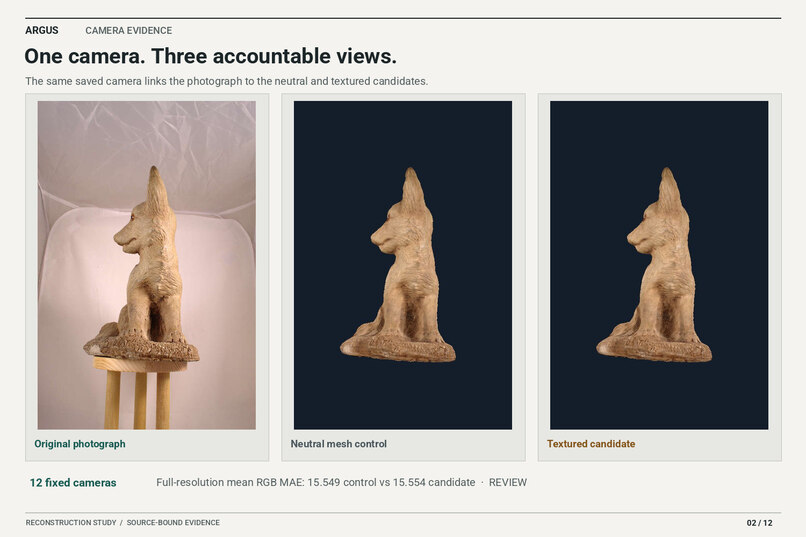
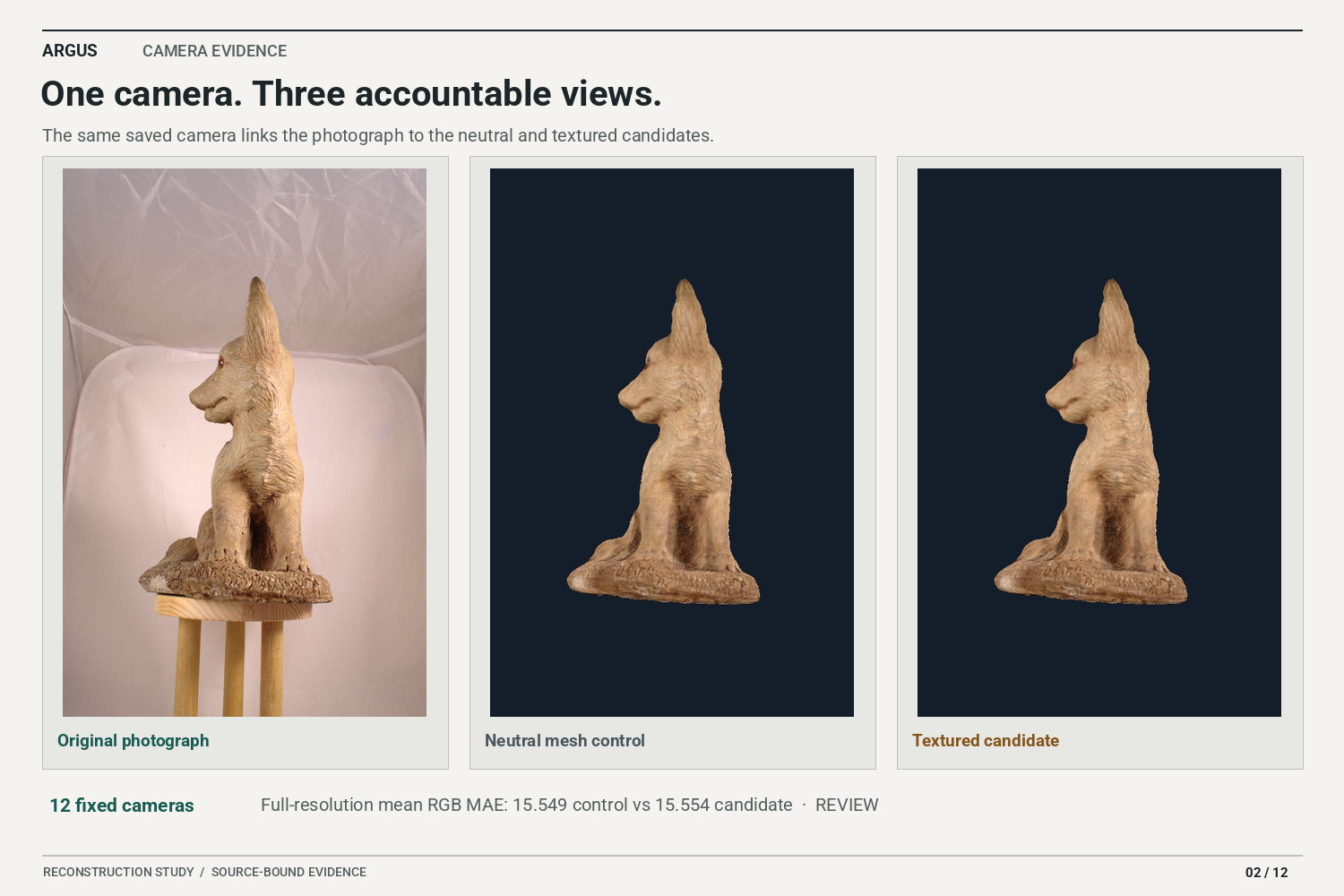
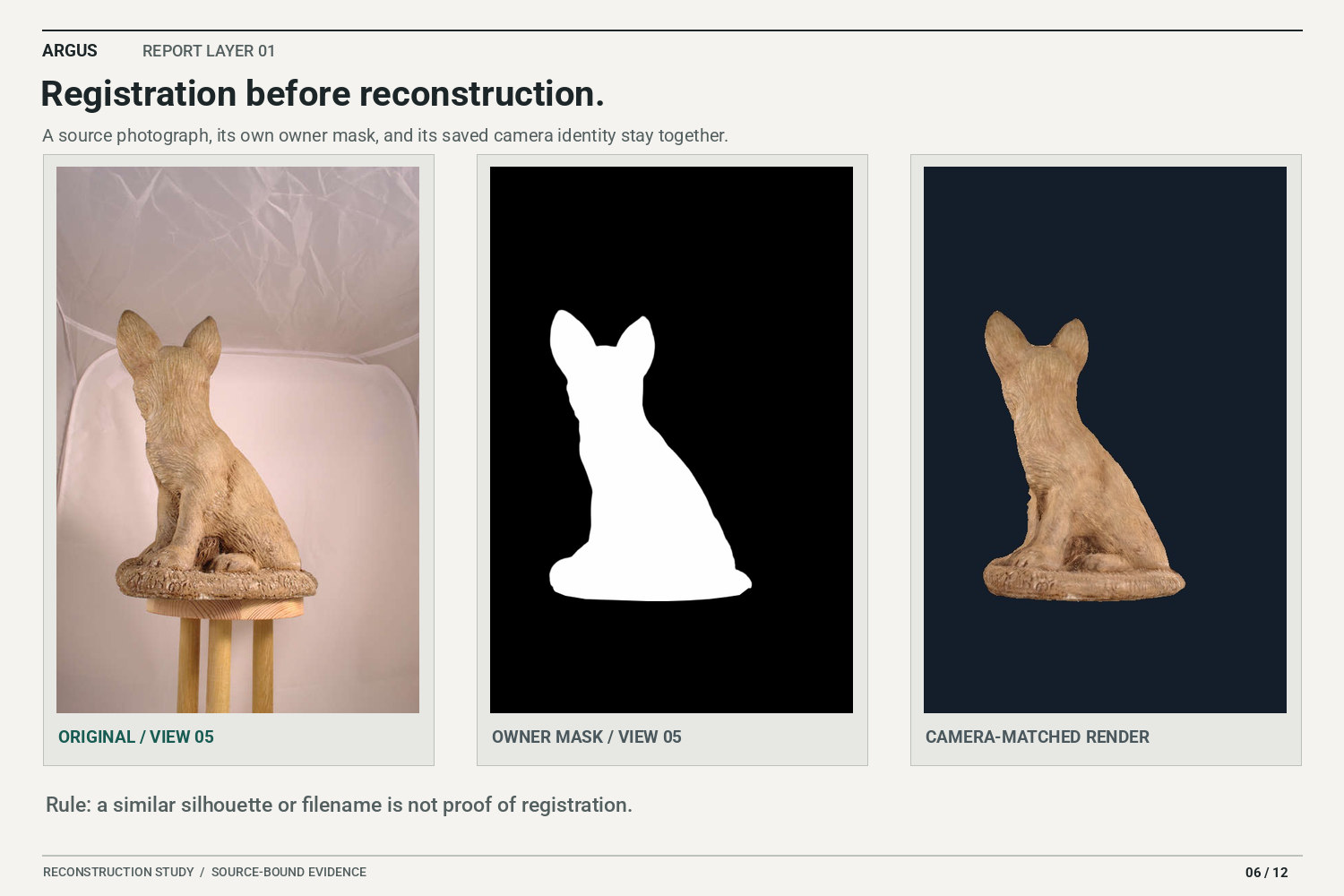
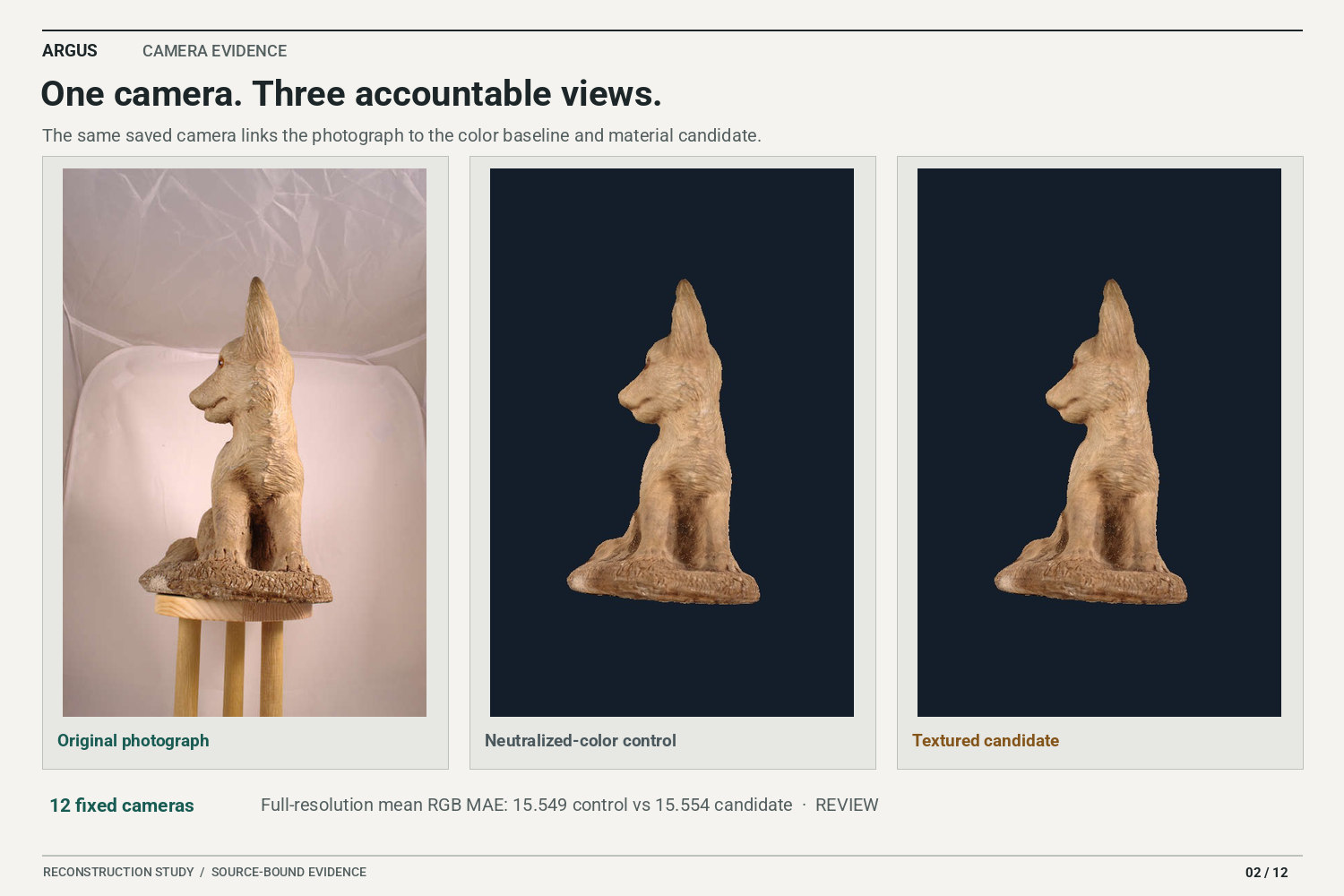
Camera-matched renders sit beside the original photos so alignment, contour, and color errors stay visible.
-
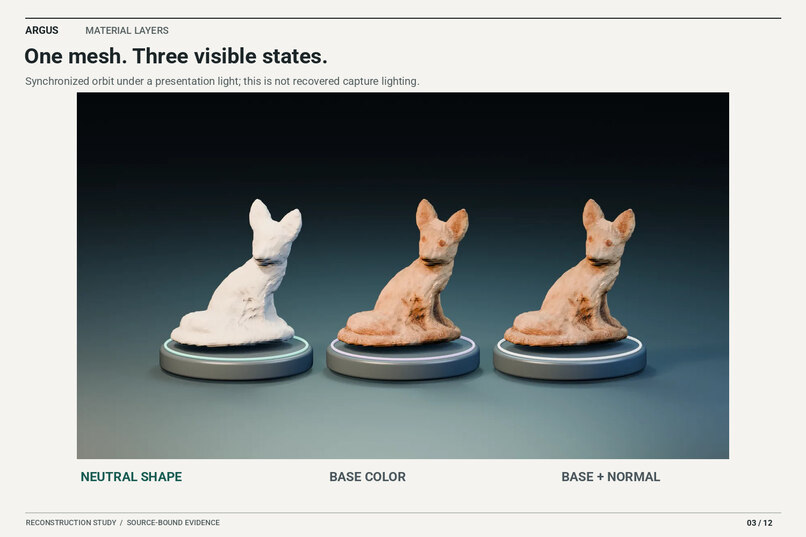
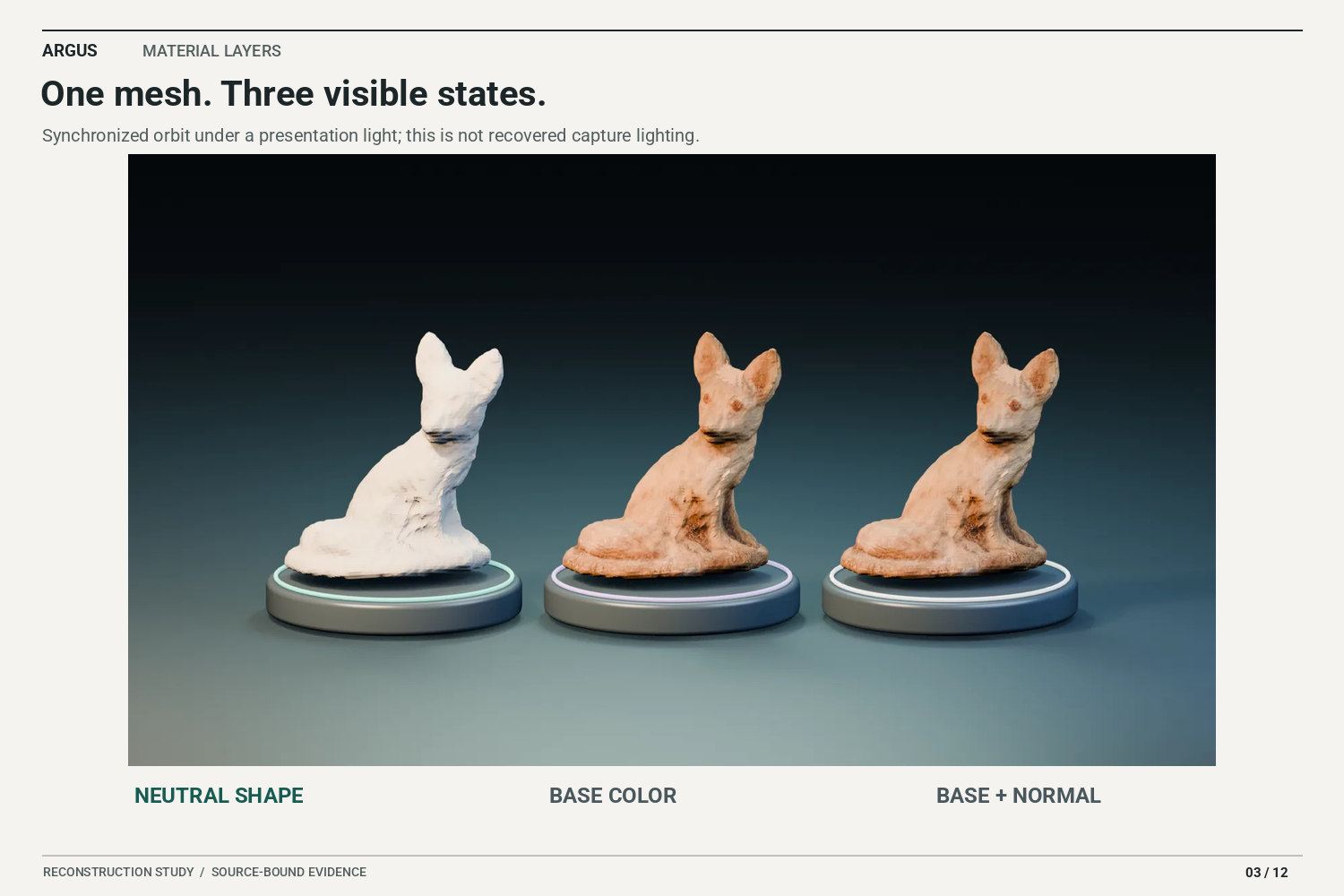
One fox mesh under display lights: neutral shape, base color, and base color with normal detail.
-
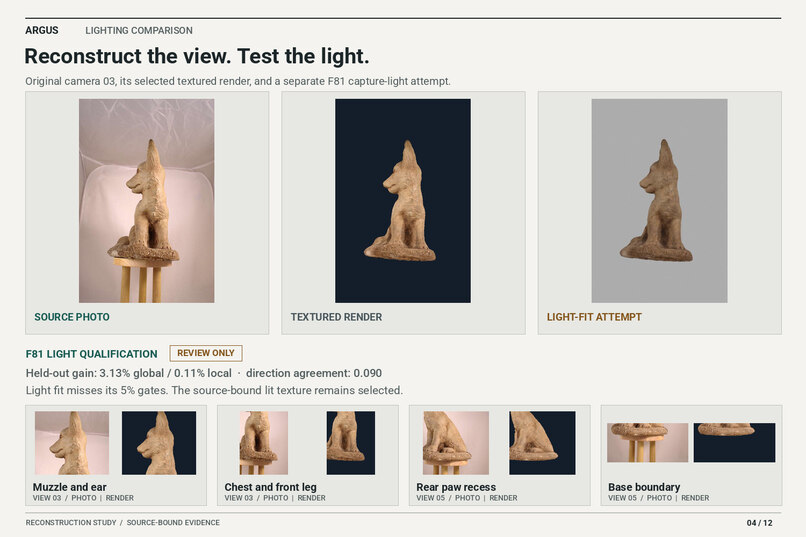
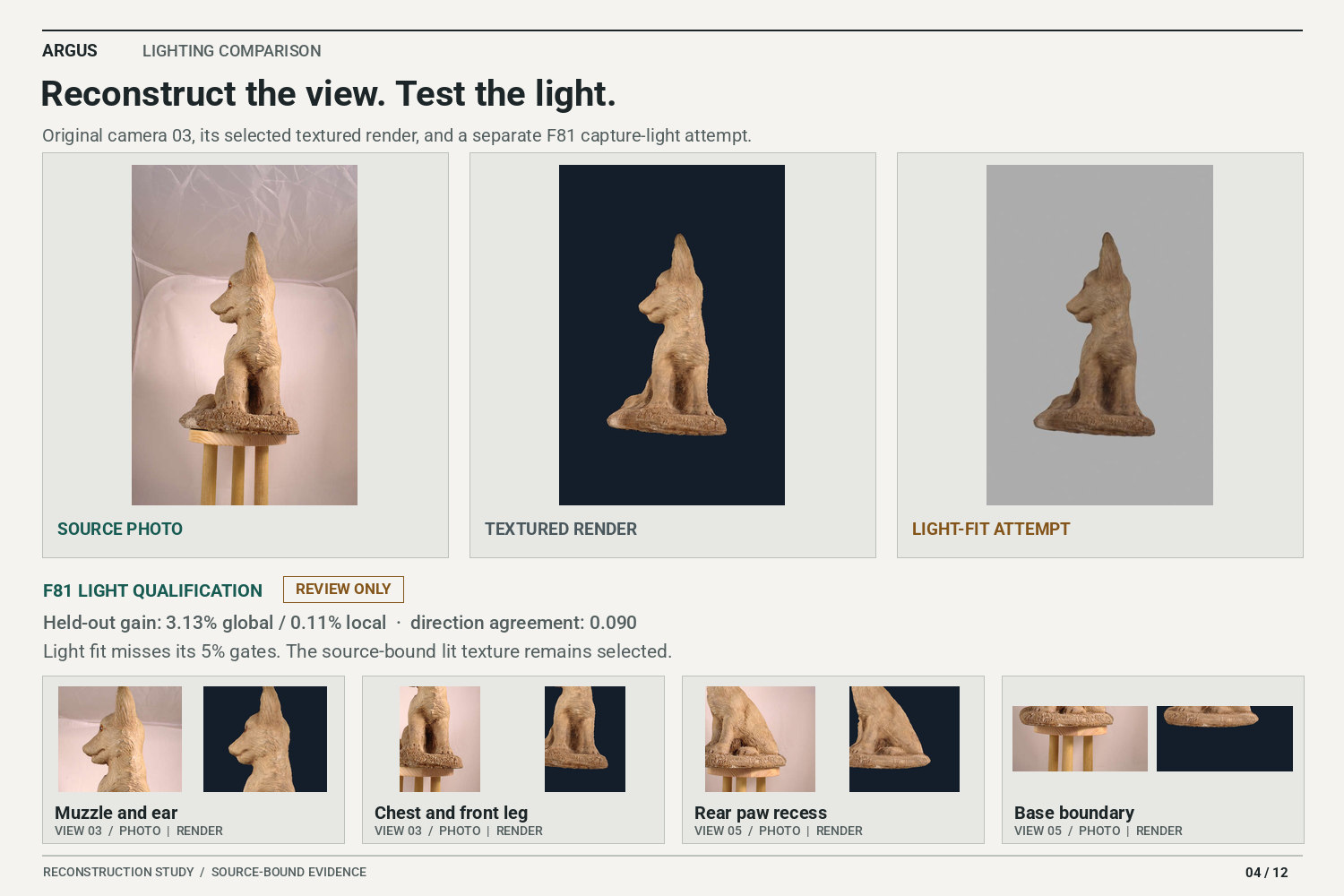
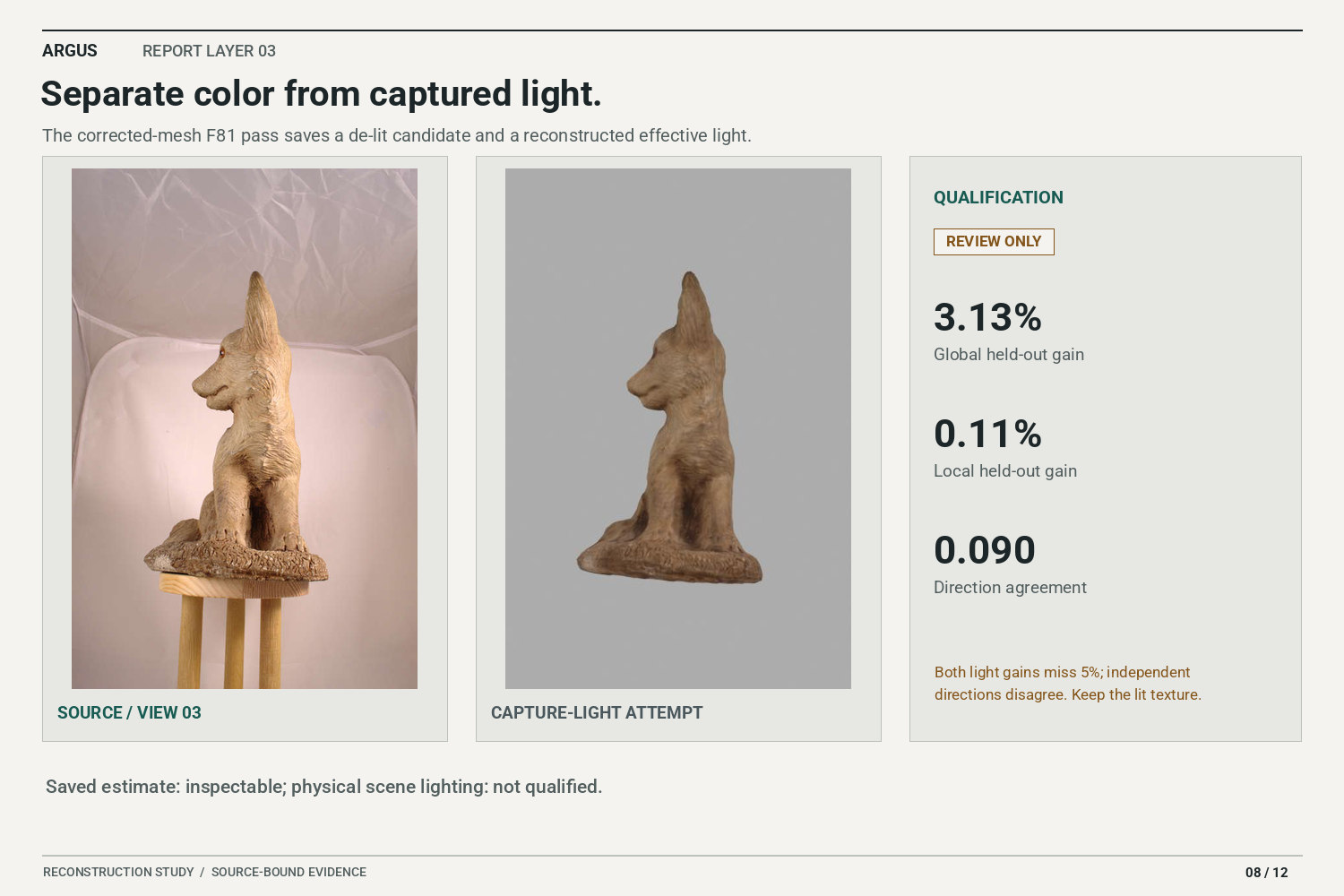
Lighting reconstruction is in review; this plate separates the fitted light from material color.
-
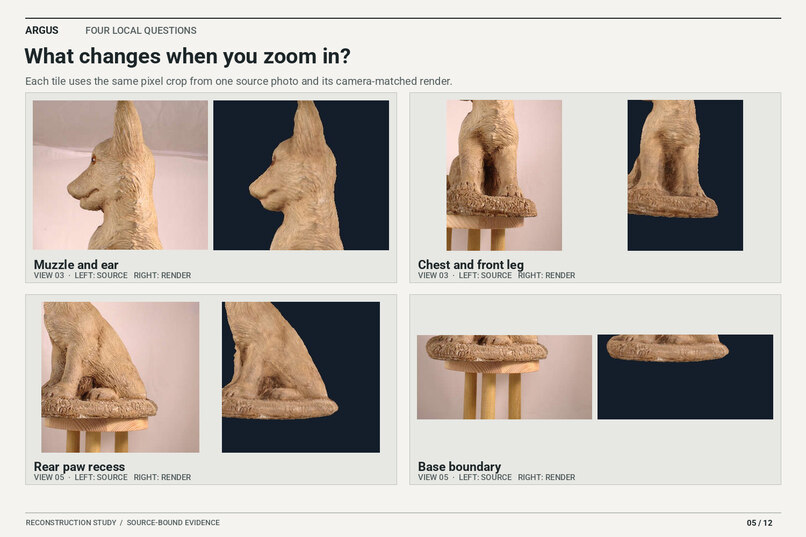
Close crops reveal paw clefts, the under-chest valley, and rear-leg transitions that still need correction.
-
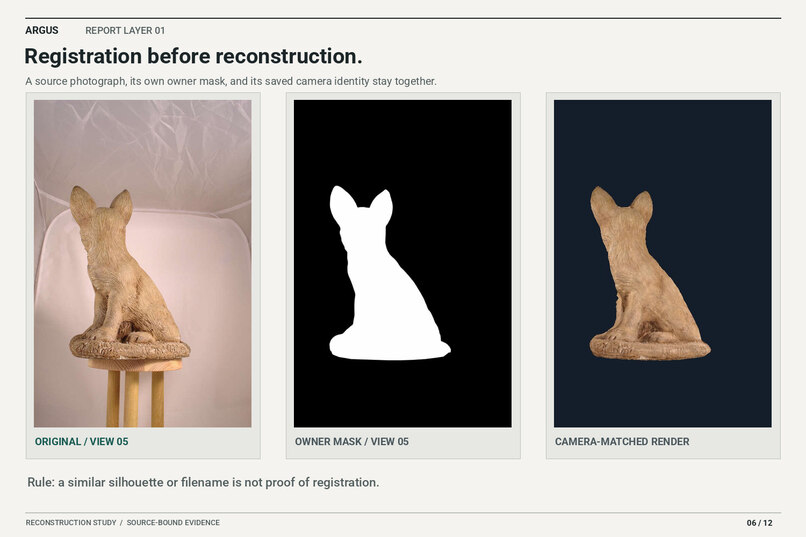
Each photo keeps its own camera, mask, and pixel ownership so background leakage can be found.
-
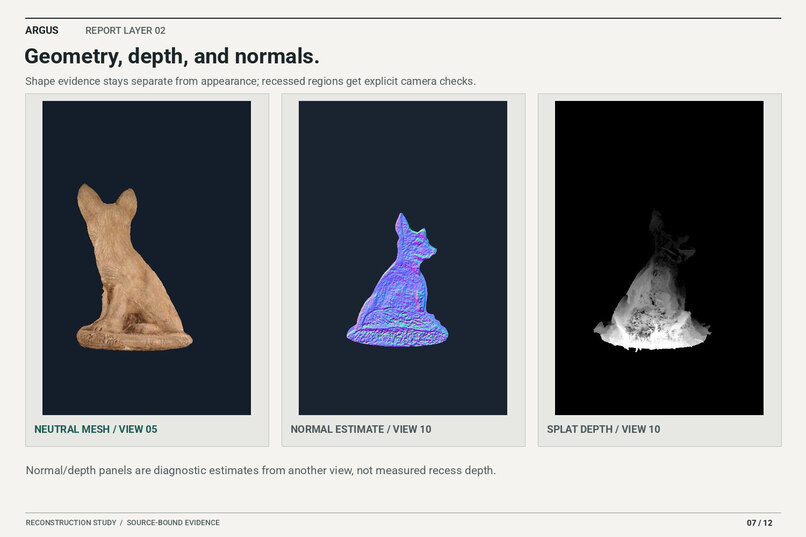
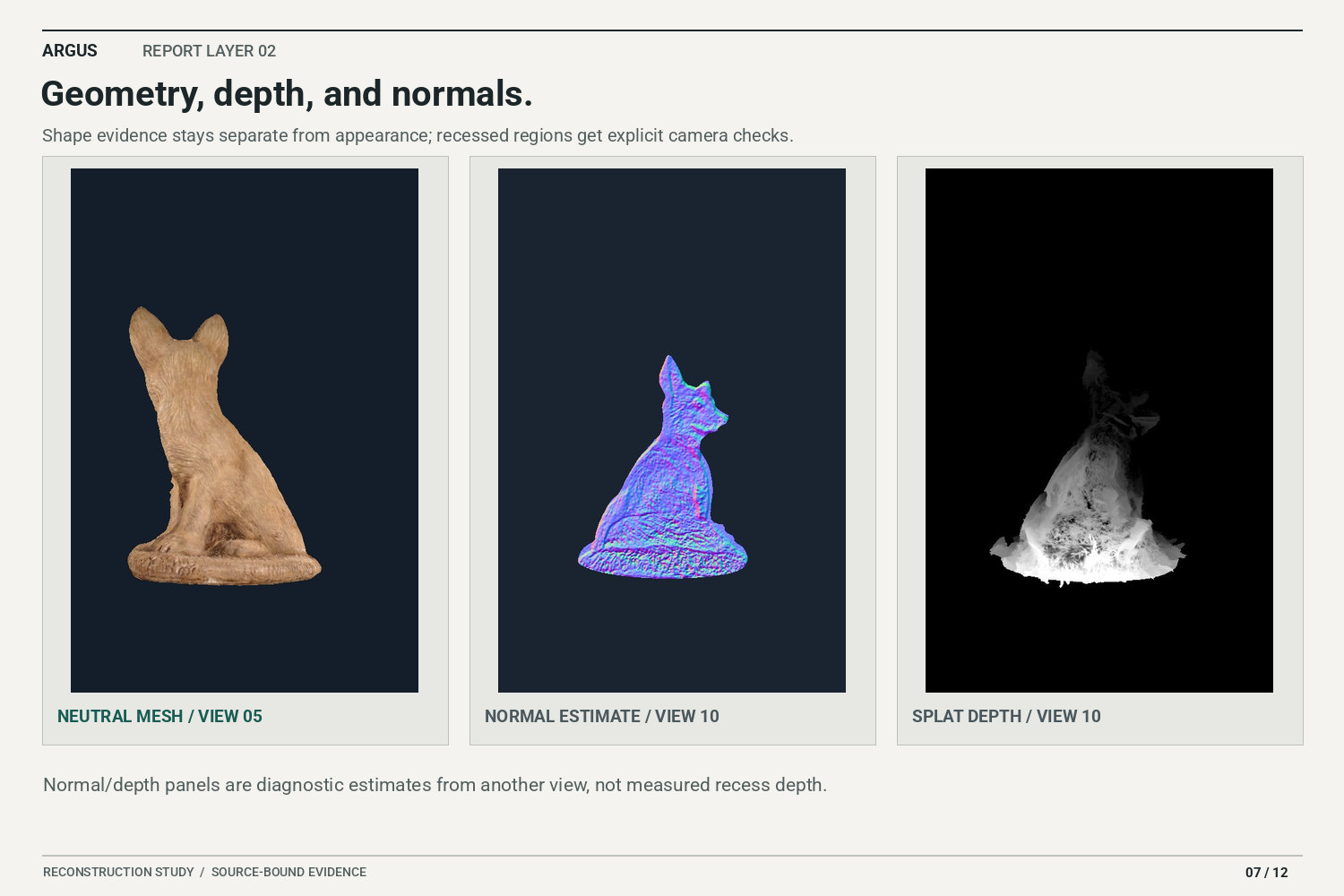
Geometry is checked through the saved control renders, including the recessed areas that remain under review.
-
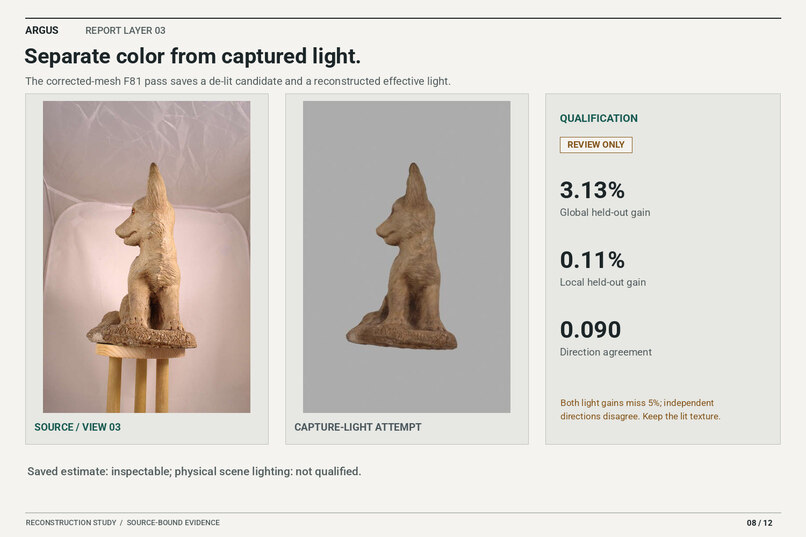
Matched lighting tests ask whether neutralized texture and recovered illumination explain the source photo.
-
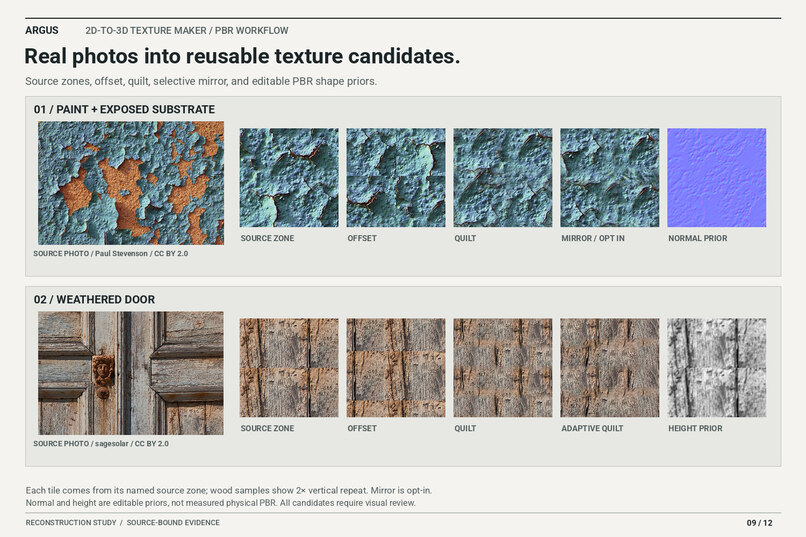
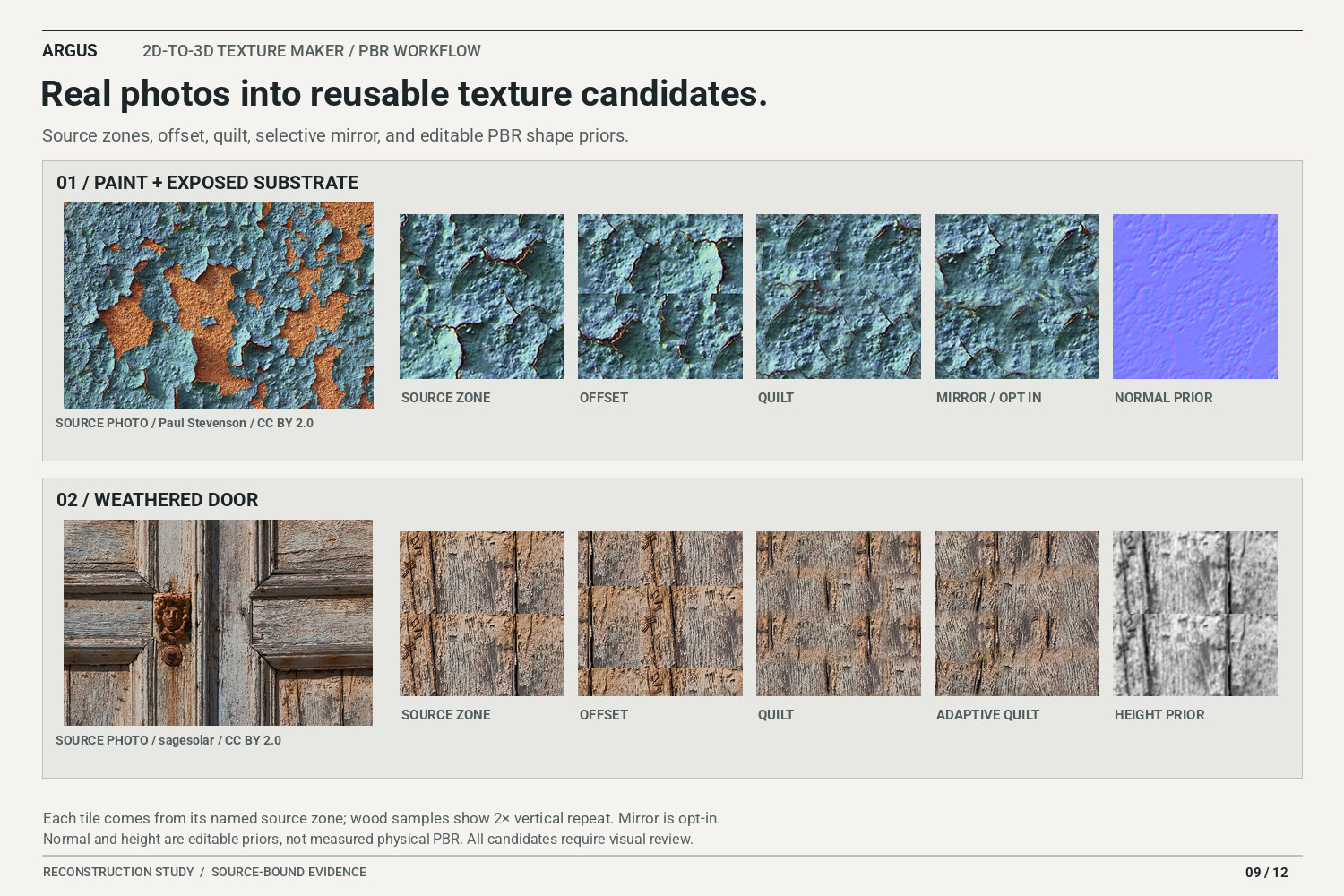
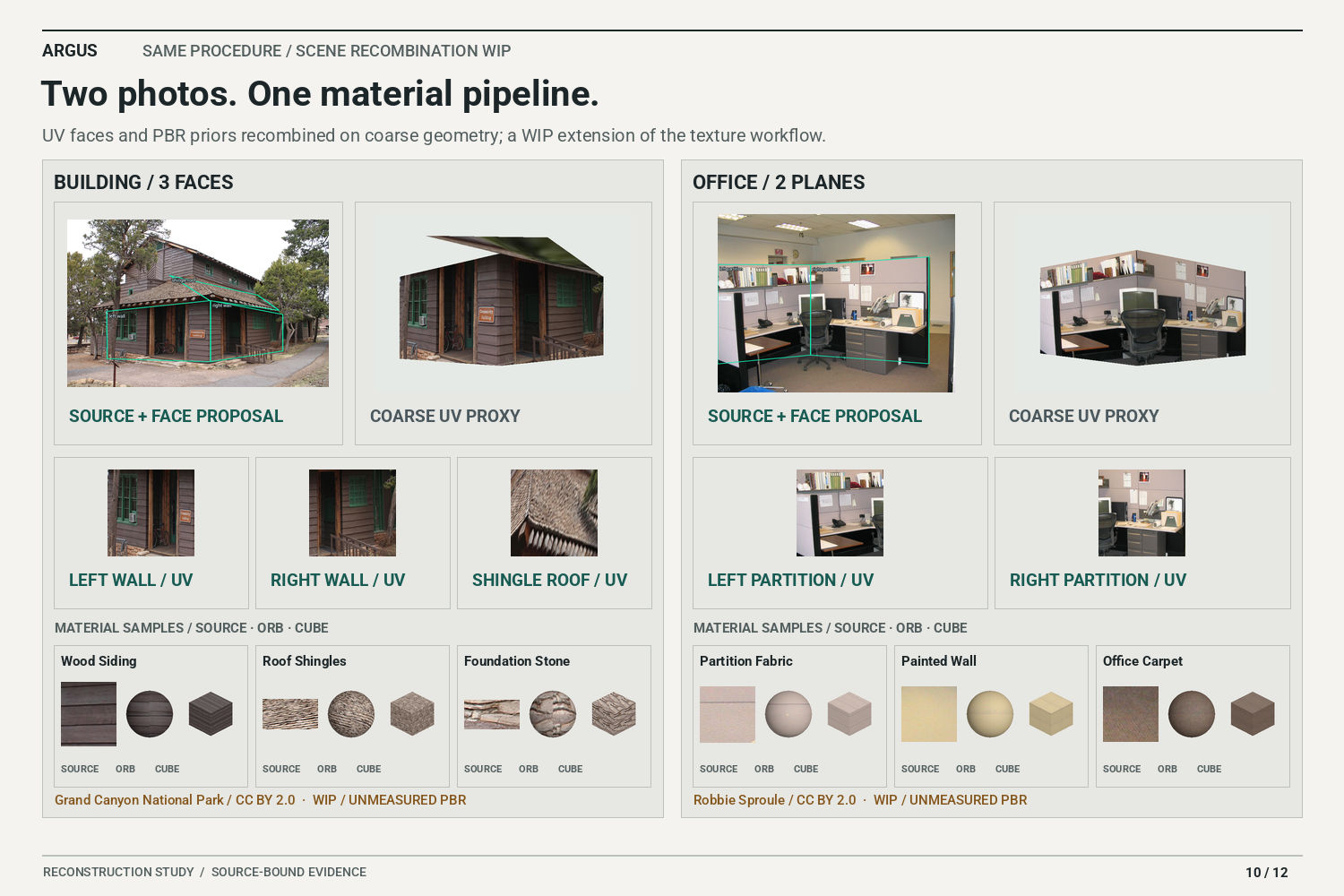
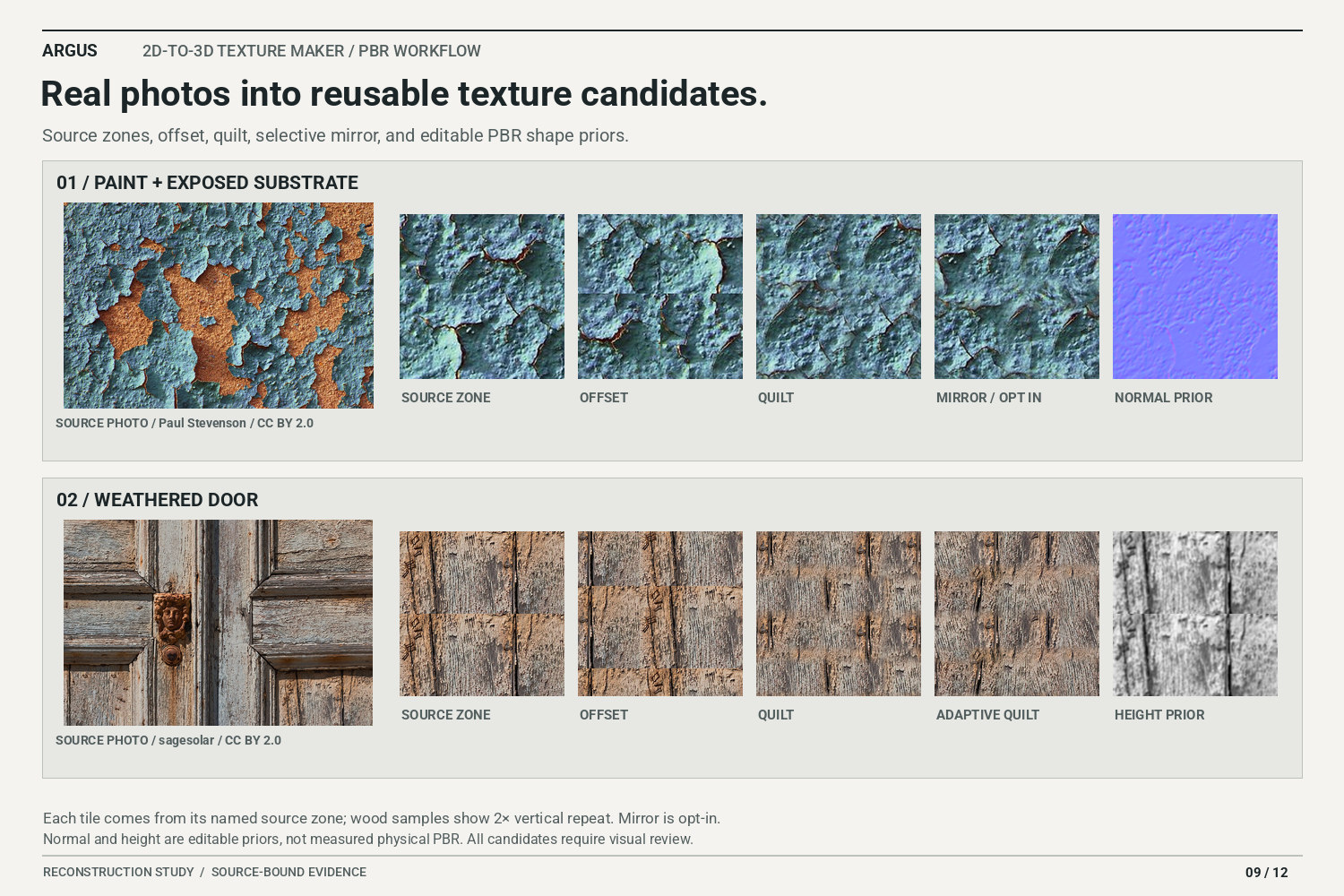
Two licensed photos become texture candidates through offset, quilt, adaptive quilt, selective mirror, and shape priors.
-
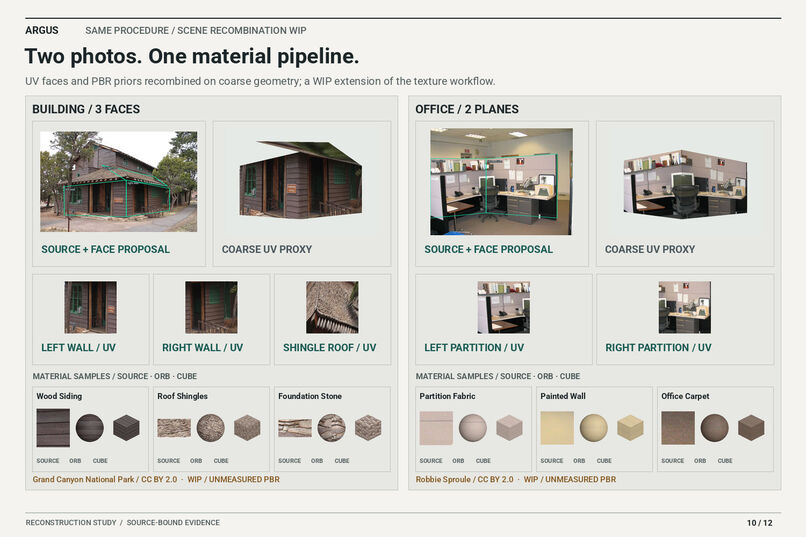
Building and office photos recombine the same UV and material method on coarse scene proxies; many use case scene assembly is WIP.
-
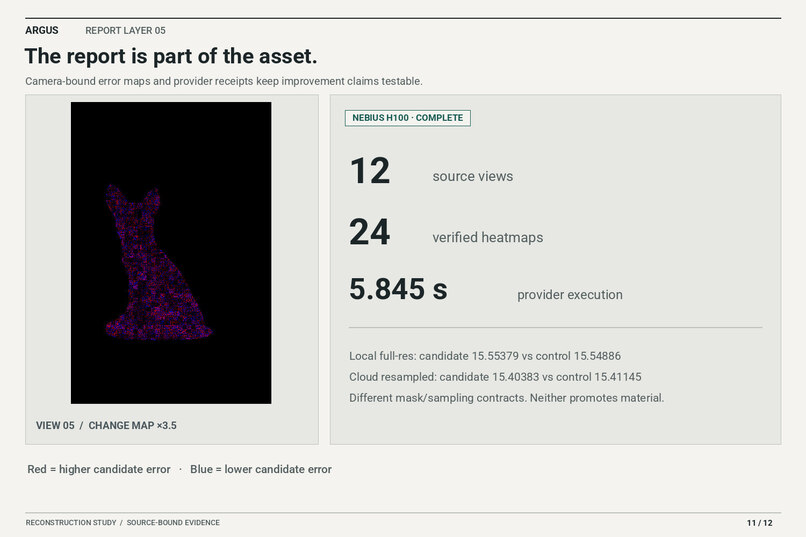
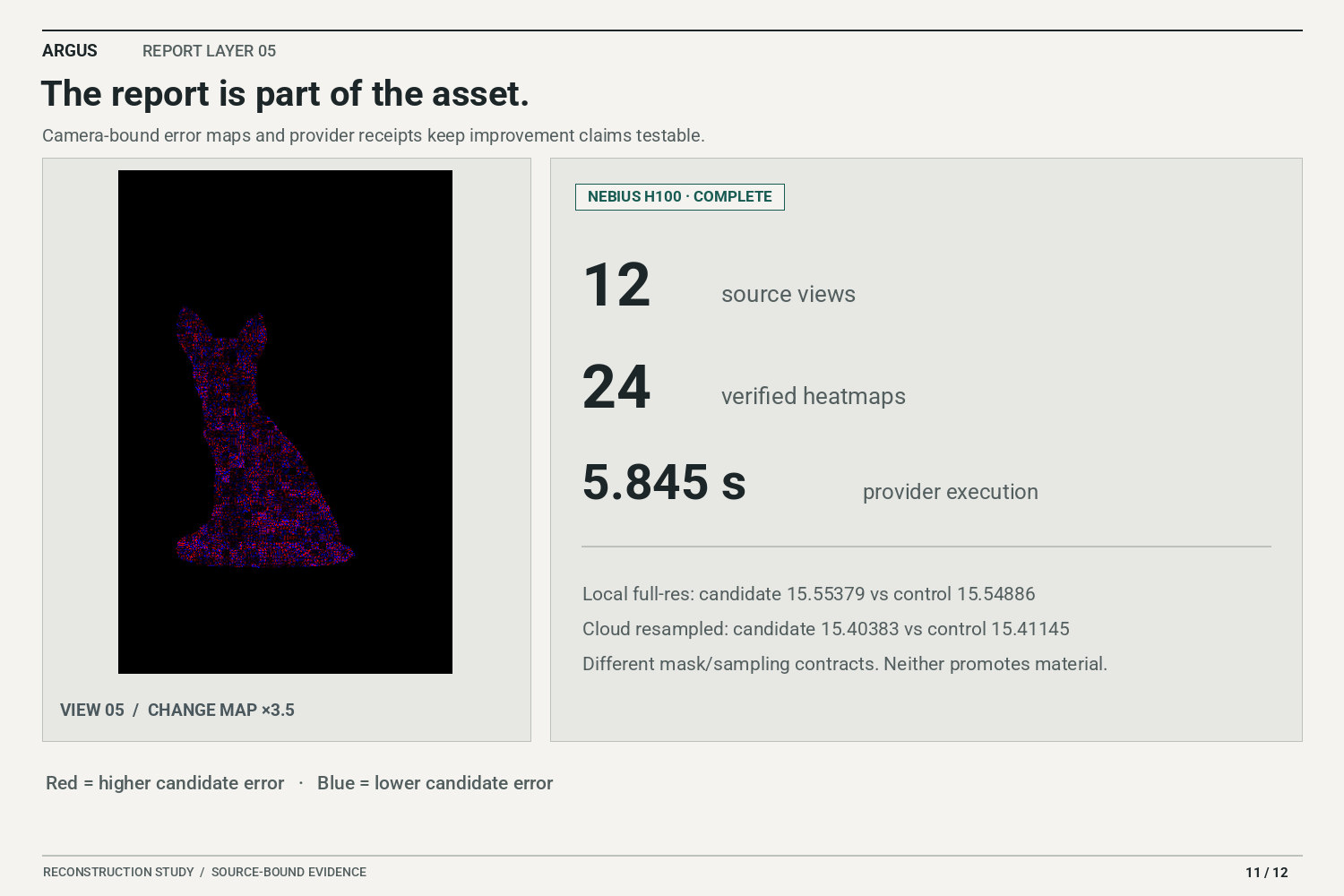
A Nebius H100 compared twelve saved photo/render pairs and returned 24 verified heatmaps for the report.
-
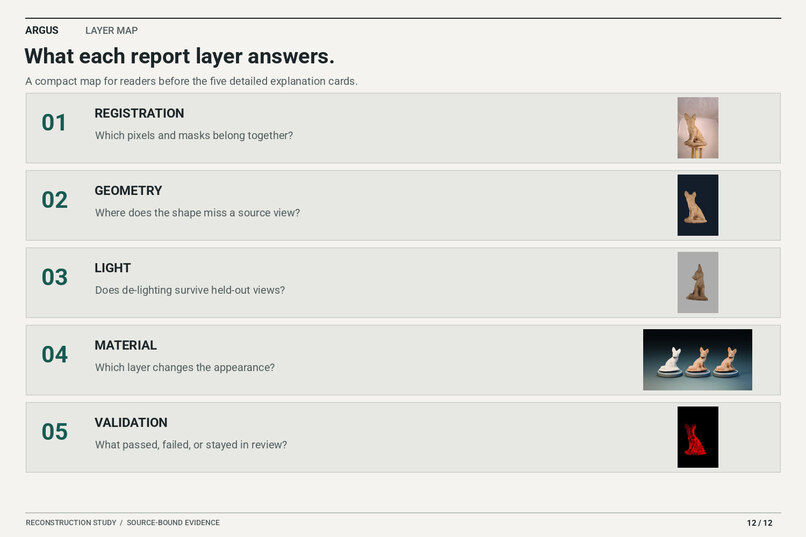
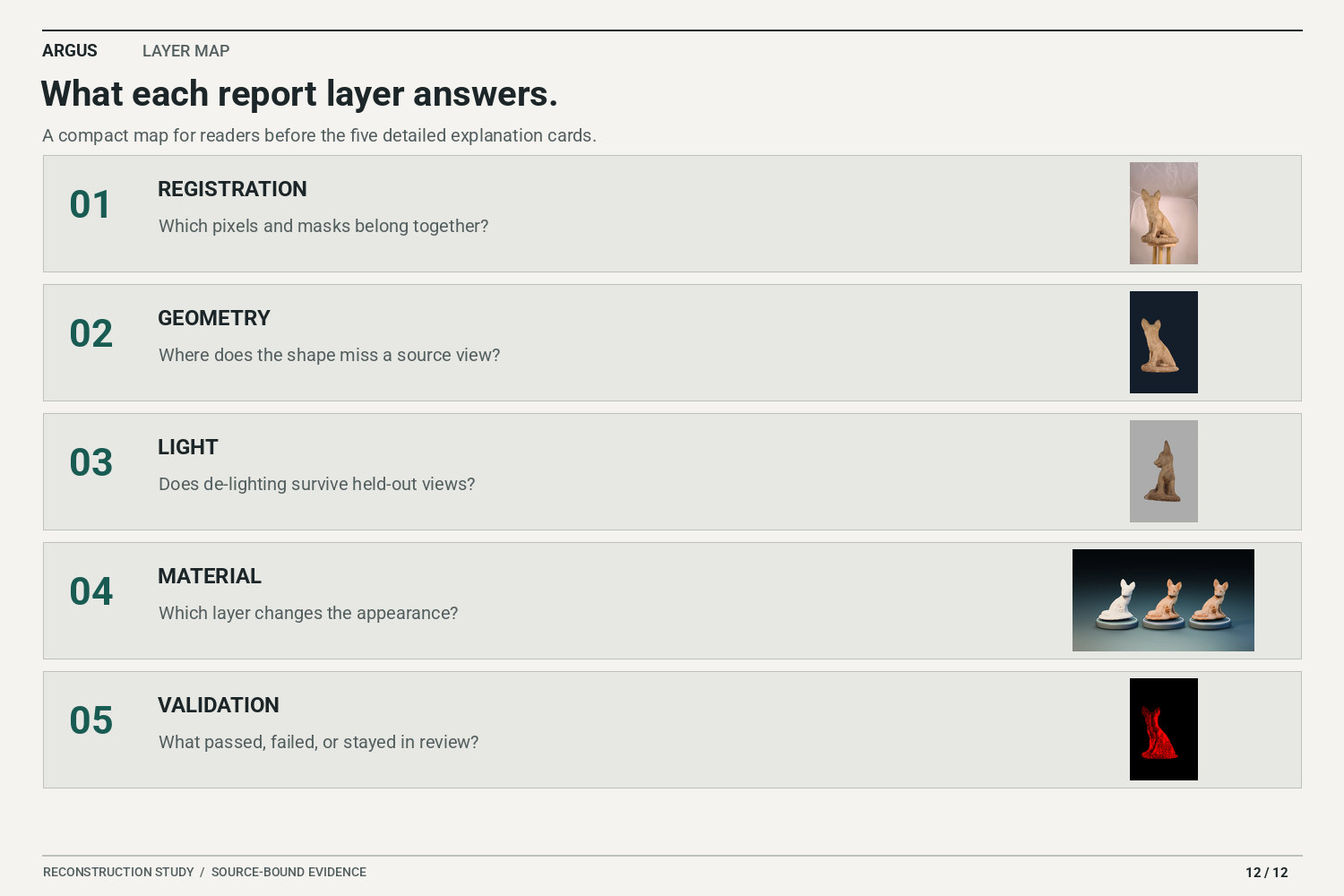
Five report layers travel with the asset: registration, geometry, lighting, material, and validation.

Argus: photographs into reusable materials and 3D you can check
A good-looking turntable gets your attention. Then you turn the model a little farther and find the filled-in recess, the piece of background that survived, or the shadow pretending to be part of the texture.
We built Argus around following those problems back to the photograph. It brings photo-to-3D reconstruction and material extraction into an experimental Blender workflow, with the source images and diagnostic evidence kept beside the asset. An expert can inspect it directly. A beginner can bring the same report to an LLM for help. The reporting belongs with the model.
Try the interactive demo · Watch the 2:27 video · Code and documentation
Start with the fox
Our first study reconstructs a small stone fox from twelve photographs. You can choose any source camera, slide the matched render over its photograph, inspect where the pixels disagree, and rotate the textured model. The 3D view keeps both sides aligned while you compare material states or the original and cleaned splat point previews. A separate showroom turns the same mesh through neutral clay, base color, and normal detail under warm and cool display lights.
The difficult bits were the paw clefts, the space under the chest, the rear legs, and the transitions into the base. A dark patch can be pigment, a recess, or captured light. We used masks, cameras, depth, normals, and render differences together to work through those possibilities. It is a buffet of techniques, but each has a job.
Pull the material out of the photograph
The other main part is making reusable texture candidates from real photos. Select a material zone, preserve its useful detail, and try offset, quilt, adaptive quilt, or an optional mirrored repeat. The normal and height channels give an editable starting point for surface detail.
We have also started applying that same procedure inside scenes. For the national park cabin, the useful material is the wooden siding: keep the doors, windows, sign, and trim out of it. Unwrap the selected area, reduce the captured lighting, then quilt clean patches while preserving the horizontal board spacing.
The regional material lab now shows eight regions across the cabin and office studies. Each has a source mask, regional UV, before/after lighting comparison, repeat texture, lit orb and cube, and a downloadable material package. The regions are guided selections; the next step is making those preparation and correction controls easier to use.
What ran on Nebius
NVIDIA Nemotron 3 Super through Nebius Token Factory reviewed measured results and recommended the next material-validation test. That recorded call used 779 input and 911 output tokens. Deterministic checks keep the final say on qualification.
Nebius AI Cloud ran the twelve-view image audit on an NVIDIA H100. It compared the source photos with their saved renders and returned 24 heatmaps plus a report. Every output was downloaded and hash-checked. Provider execution was 5.845 seconds, with 3.114 seconds of audit processing; provisioning and startup brought the creation-to-finish window to 162.751 seconds. The demonstrated mesh and textures were built locally, and this diagnostic stage ran in the cloud.
The evidence and cost ledger keeps measured usage beside dated price calculations. Actual billed costs have not been verified.
Where it stands
We have an inspectable prototype. The browser demo presents saved studies; the repository includes a reusable regional material extractor and the CUDA diagnostic stage. The fox material candidate improved six of twelve views in the full-resolution comparison, but its average color error was slightly worse than the neutralized-color baseline. It stays in review. Lighting recovery and physical PBR qualification also remain open; the texture maps are useful candidates, with inferred relief and assumed roughness clearly identified.
What is working is the loop: inspect the source, make a correction, render through the same camera, and check the other views. A failed check still leaves you with an asset and a report you can use.
We are finishing the user experience, quick cropping, symmetry controls, and object detection. The aim is a connected Blender workflow for working artists, with local processing when the hardware is available and Nebius GPU processing when it is needed. Full cloud reconstruction is the next build step after the diagnostic stage demonstrated here.
If you work with scanned assets or photo-derived materials, try the comparisons and tell us where they stop being useful. A missed material boundary, a bad repeat, a confusing report—we want the specific awkward bit.
Fox photographs: John Davies, CC BY-SA 4.0; the sculpture’s maker is unknown. Paint, wood, cabin, and office photographs: Paul Stevenson, sagesolar, Grand Canyon National Park, and Robbie Sproule, CC BY 2.0. Argus made the reconstruction, masks, UVs, material adaptations, and comparison media. Full credits and licenses.

Log in or sign up for Devpost to join the conversation.