Inspiration
App developers often spend too much time moving between screenshot tools, design software, and video editors just to show what they built. I wanted that final production step to happen directly on an iPhone or iPad.
What Appodium does
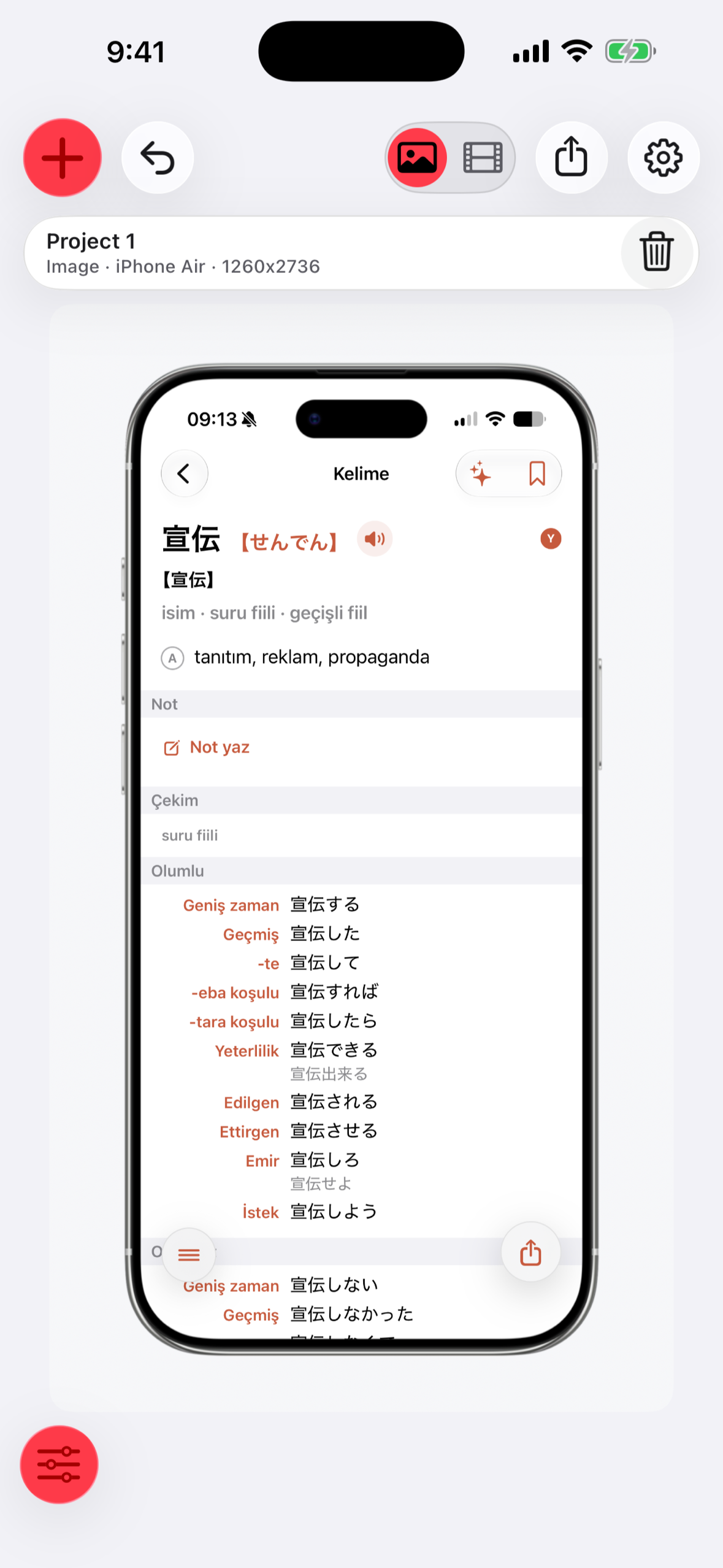
Appodium turns screenshots and screen recordings into device mockups, social images, and short product demos. You can choose iPhone and iPad frames, set backgrounds and aspect ratios, arrange multiple devices, save reusable presets, and export a consistent set of images. Video projects support guided zoom and pan moments and recorded voiceover. Imported media and projects stay on the device.
How I built it
I built Appodium as a native iOS app in Swift. StoreKit 2 verifies the one-time lifetime purchase and controls the unlock. The RevenueCat SDK records the purchase and synchronizes purchase data. Users can make five free exports per day; the lifetime purchase removes that limit.
Challenges and lessons
The hardest part was making precise visual editing feel direct on a small screen while keeping image and video export reliable. I learned to keep the editing controls close to the canvas and let presets carry a visual style across multiple screens.
What is next
I am continuing to refine the editing workflow and expand the range of reusable visual styles
Built With
- avfoundation
- revenuecat
- storekit-2
- swift
- uikit

Log in or sign up for Devpost to join the conversation.