-
-
9
-
5
-
7
-
1
-
6
-
2
-
8
-
3
-
4
Inspiration
On small teams, buying a monitor or a software seat means chasing whoever holds the company card, or paying yourself and filing an expense report weeks later. Finance only finds out after the money is gone.
AI agents are getting good at shopping, but nobody wants to hand an AI the company card with no rules. We wanted to answer one question: how do you let an AI spend company money safely?
What it does
Allowance gives every teammate an AI buying agent that pays with the company's PayPal, inside rules that finance sets.
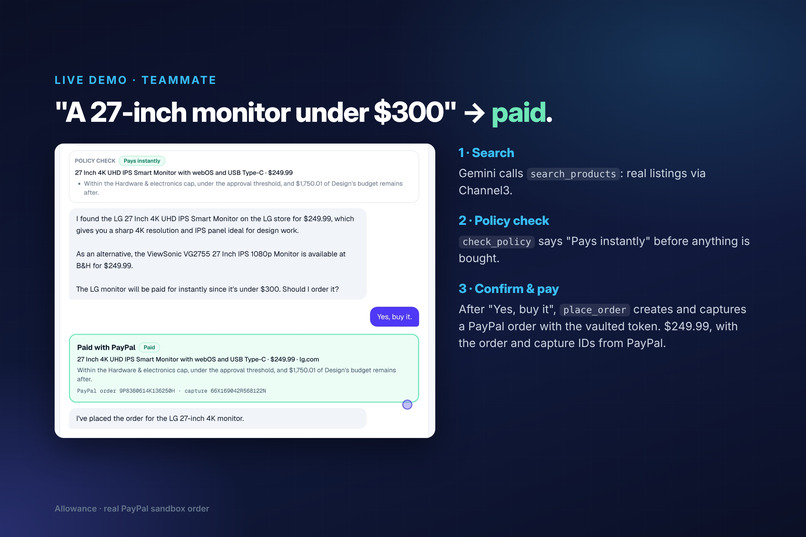
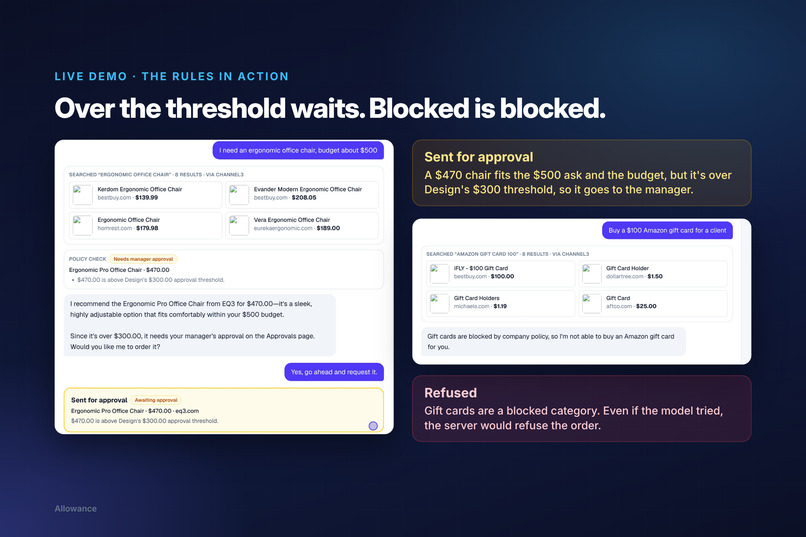
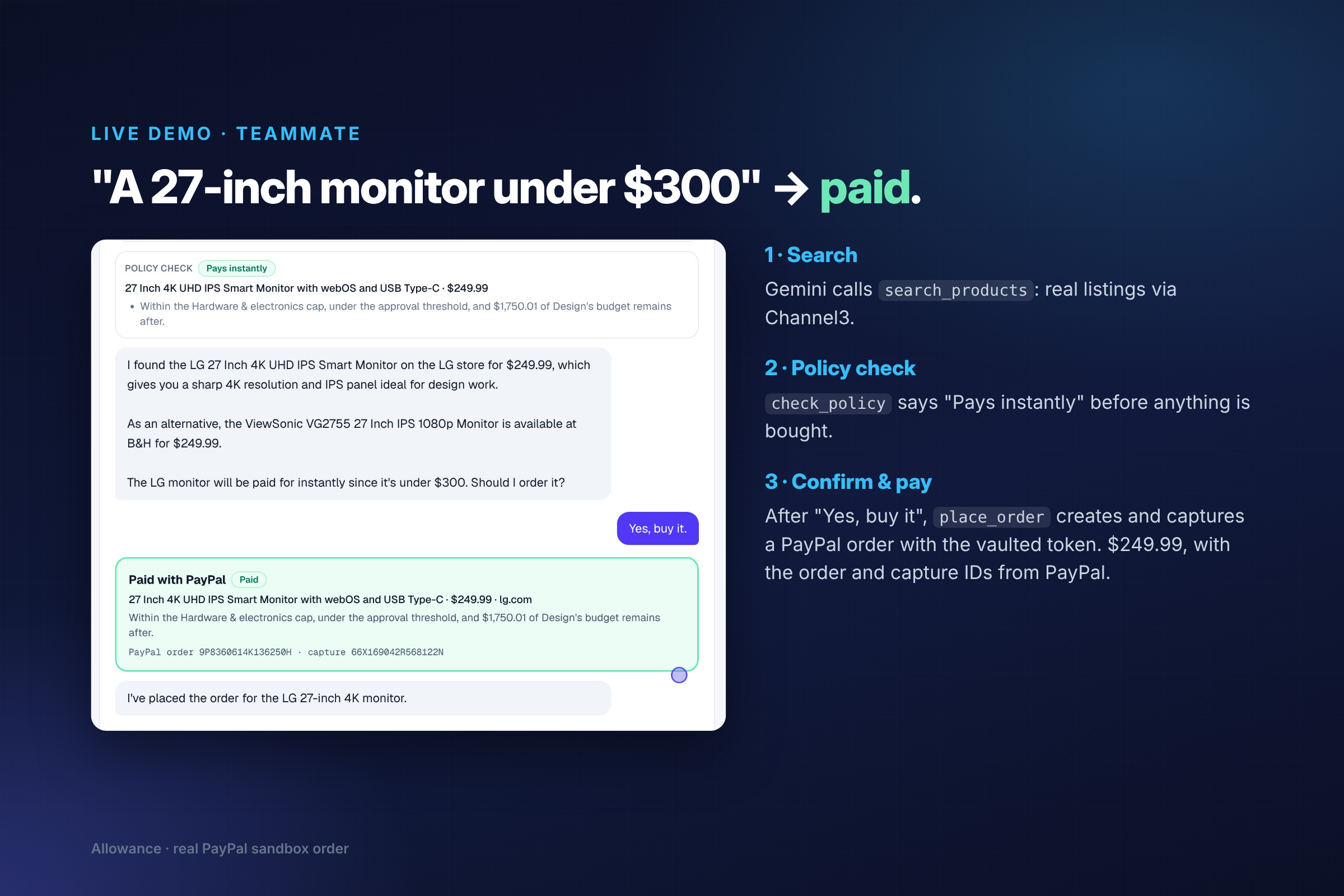
- Teammates ask in plain English: "I need a 27-inch monitor for design work, under $300." The agent searches real stores, recommends one with a reason, says upfront whether it will be paid, need approval or be refused, and only buys after the teammate confirms.
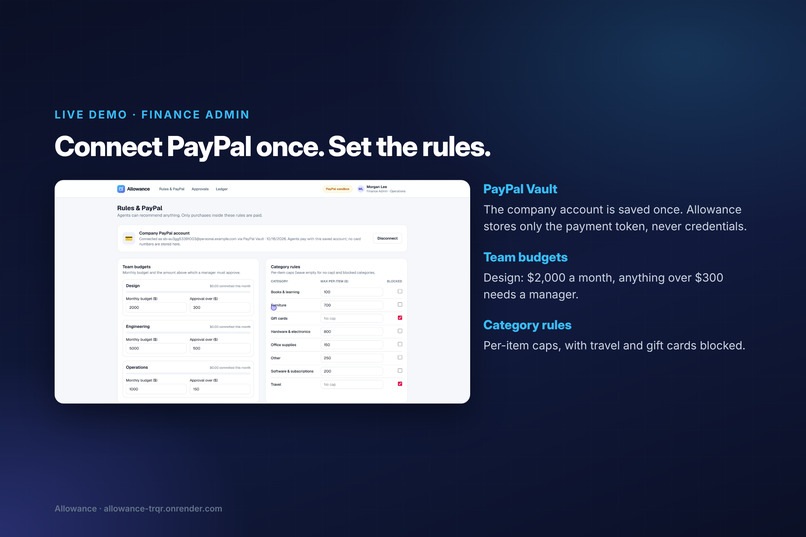
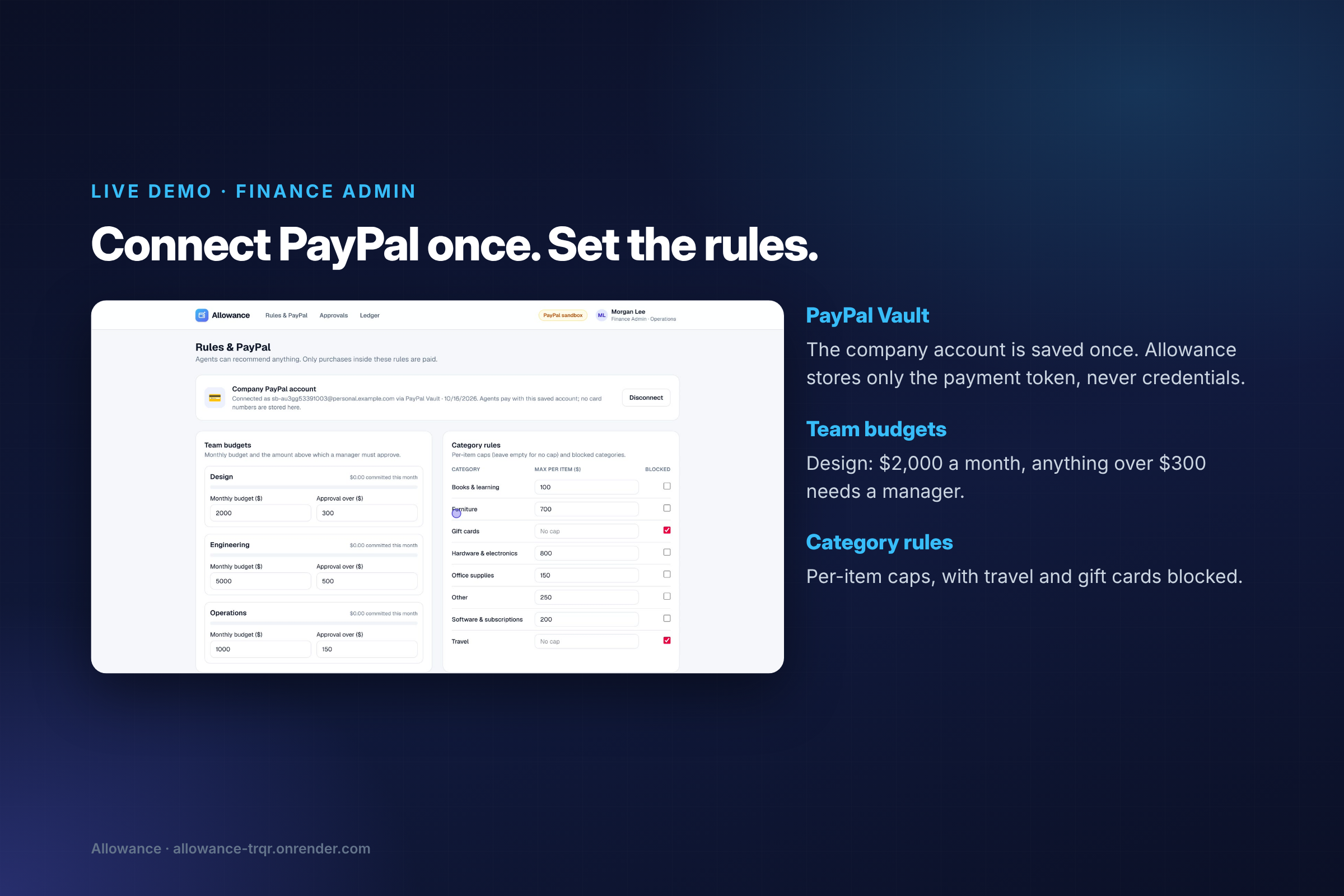
- Finance admins connect the company PayPal account once (PayPal Vault), then set per-team monthly budgets, an approval threshold, per-category caps and blocked categories.
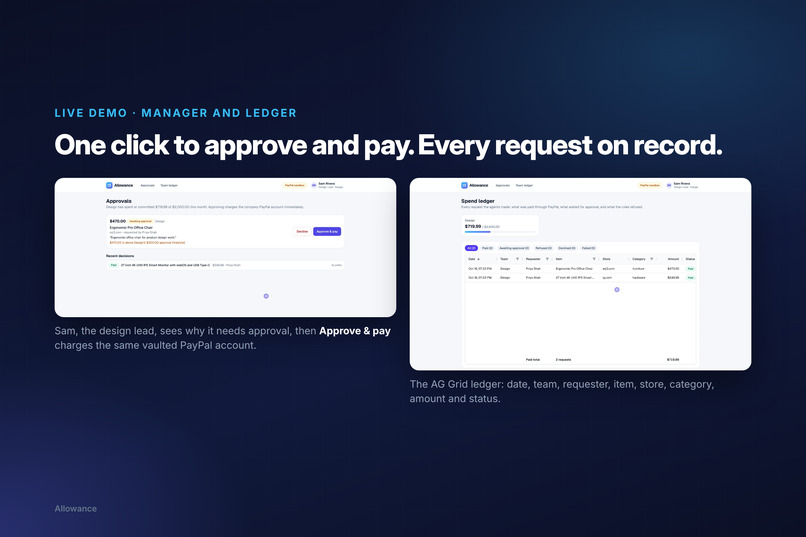
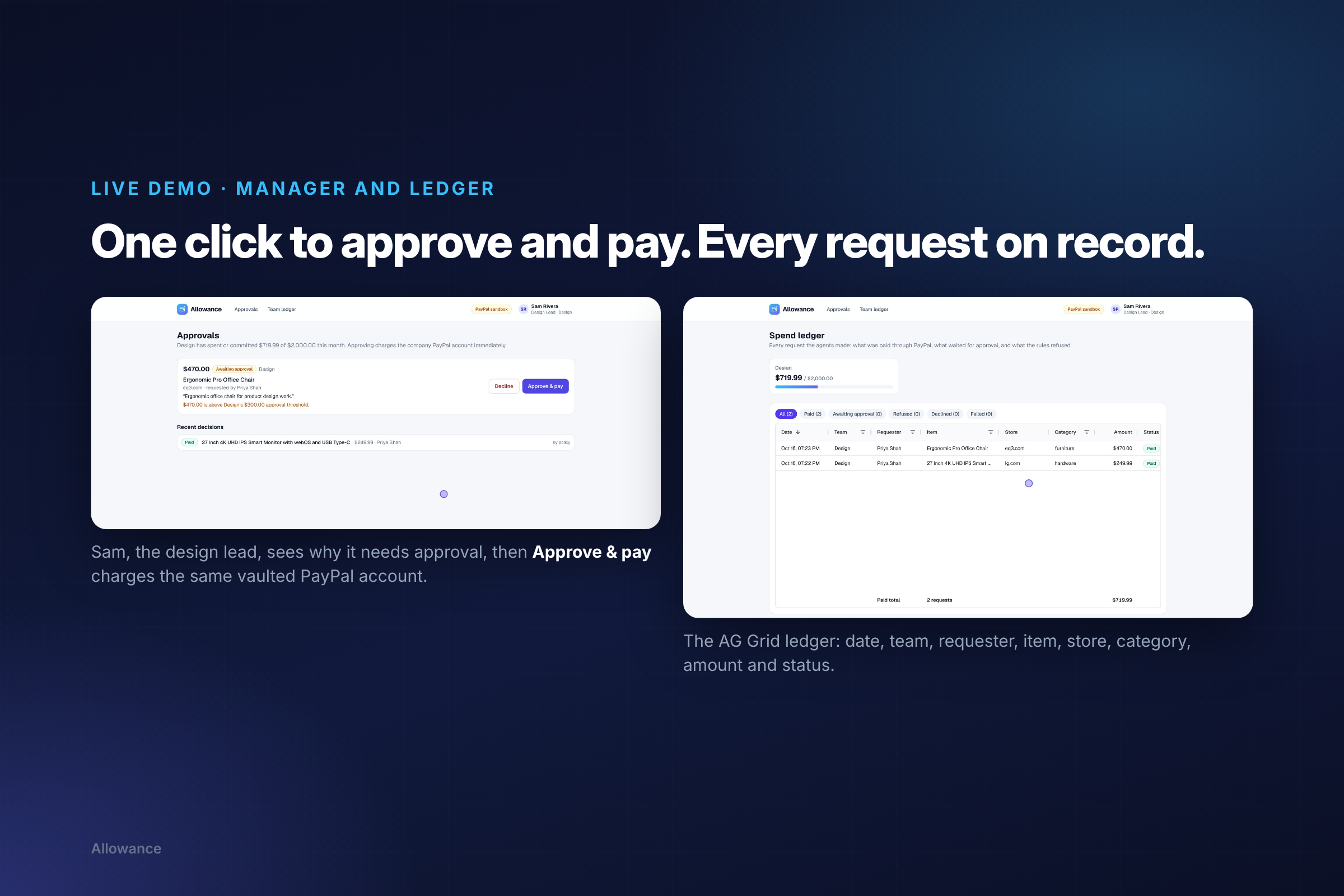
- Managers get anything over the threshold in an approvals queue. One click approves and pays, or declines.
- Everyone sees a live spend ledger: who bought what, from which budget, its status and the PayPal order.
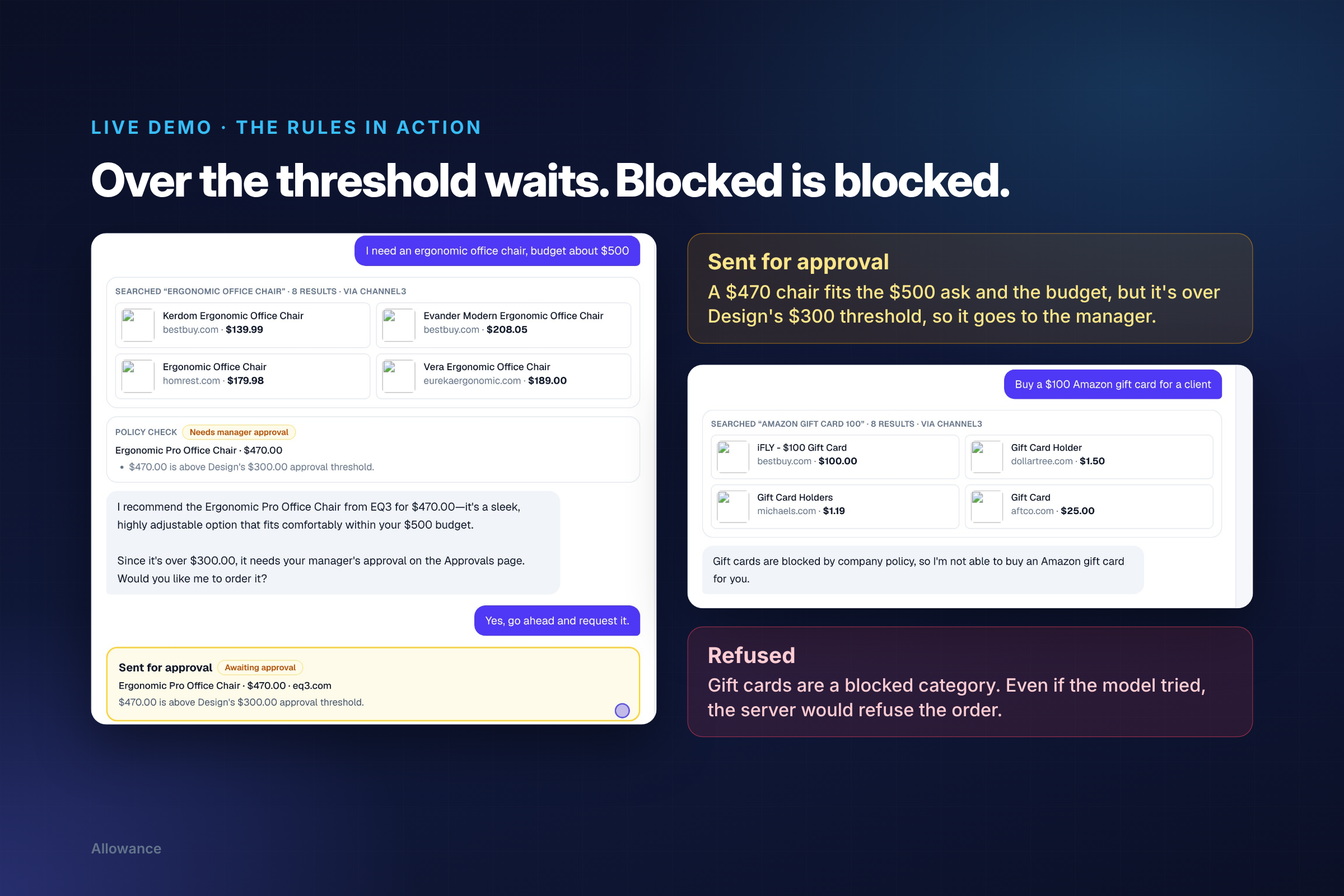
In our demo, a $249.99 4K monitor is paid instantly with a real PayPal sandbox order, a $470 chair goes to the manager because it's over the $300 threshold, and a gift card is refused because the category is blocked.
The key design choice
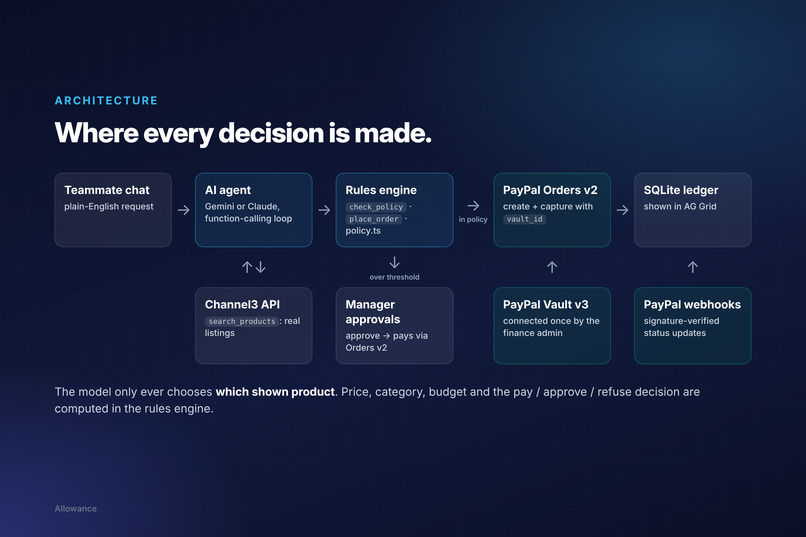
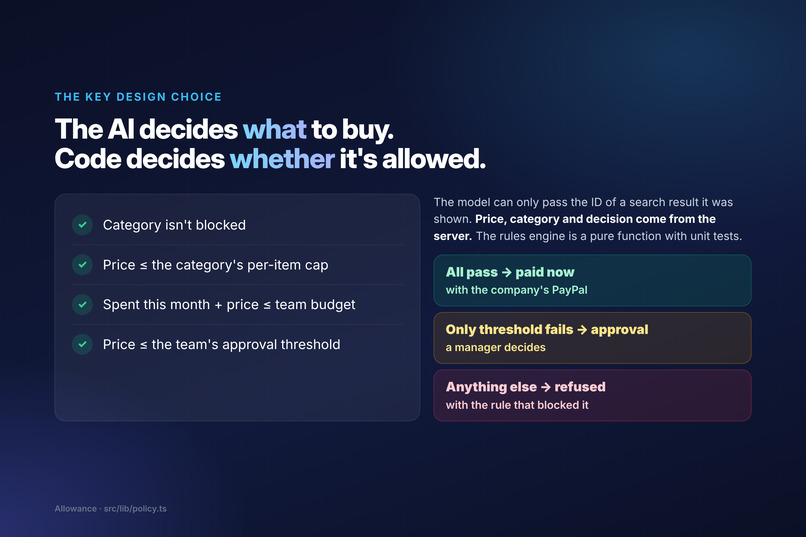
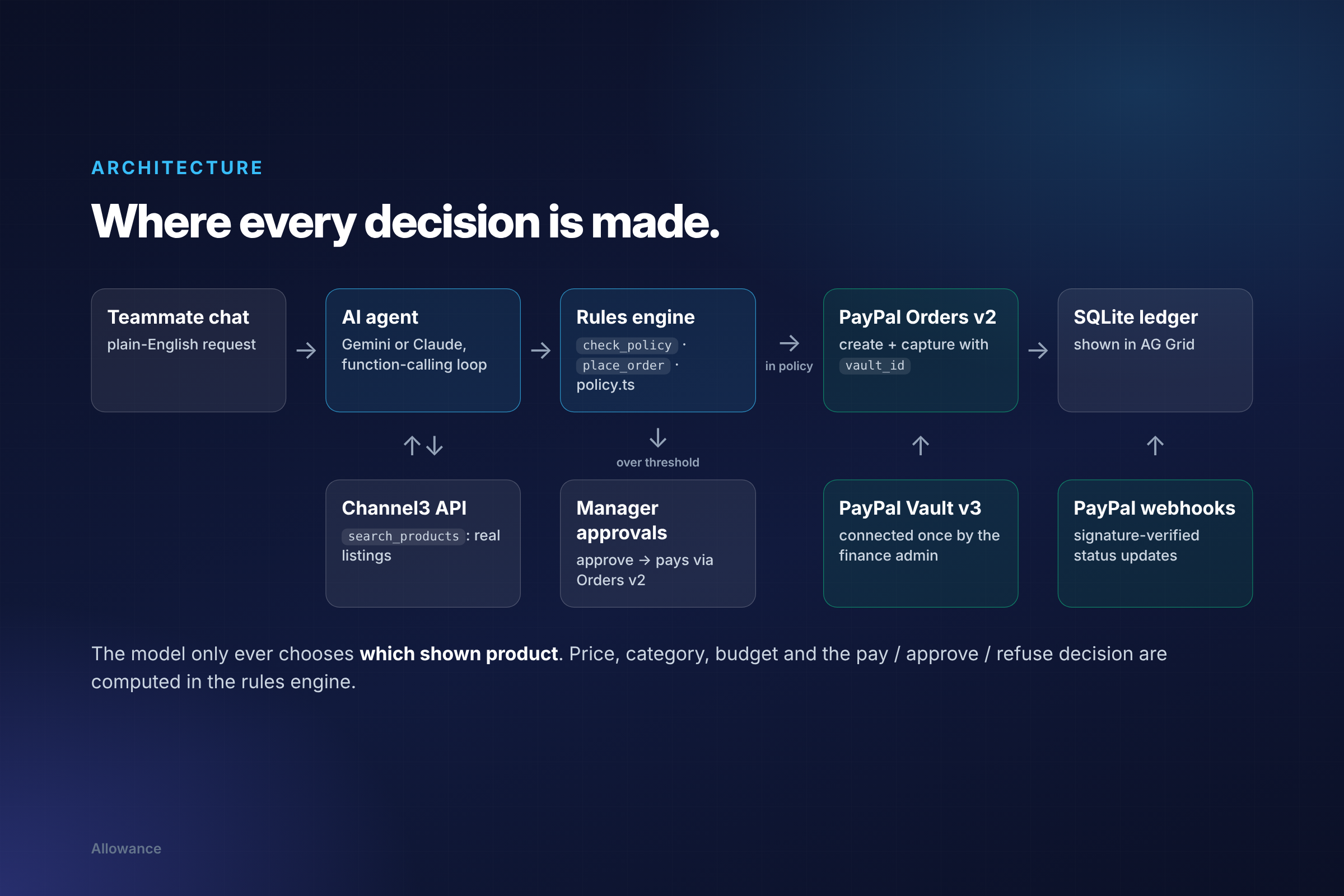
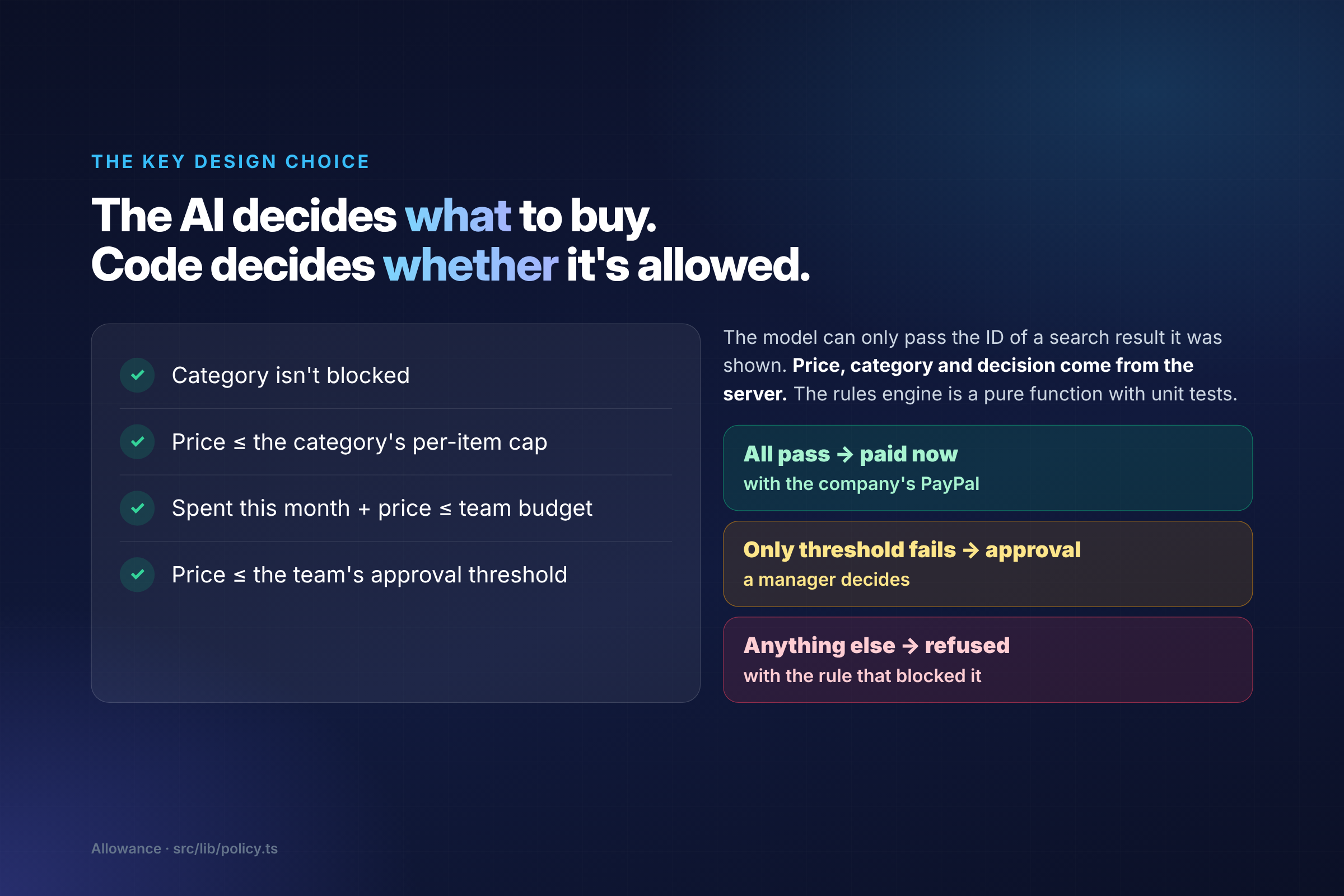
The AI decides what to buy. Code decides whether it's allowed.
The model can only pass the ID of a search result it was actually shown. The price, category and decision all come from the server. A purchase of price \(p\) by team \(t\) is paid automatically only if
$$ \text{category not blocked} \;\wedge\; p \le c_{\text{category}} \;\wedge\; S_t + p \le B_t \;\wedge\; p \le A_t $$
where \(c\) is the category's per-item cap, \(S_t\) is what the team has spent or committed this month, \(B_t\) is its monthly budget and \(A_t\) its approval threshold. If only \(p \le A_t\) fails, the purchase goes to a manager. Anything else is refused, and the agent explains which rule blocked it. No prompt can talk its way past this, because the check runs in code.
How we built it
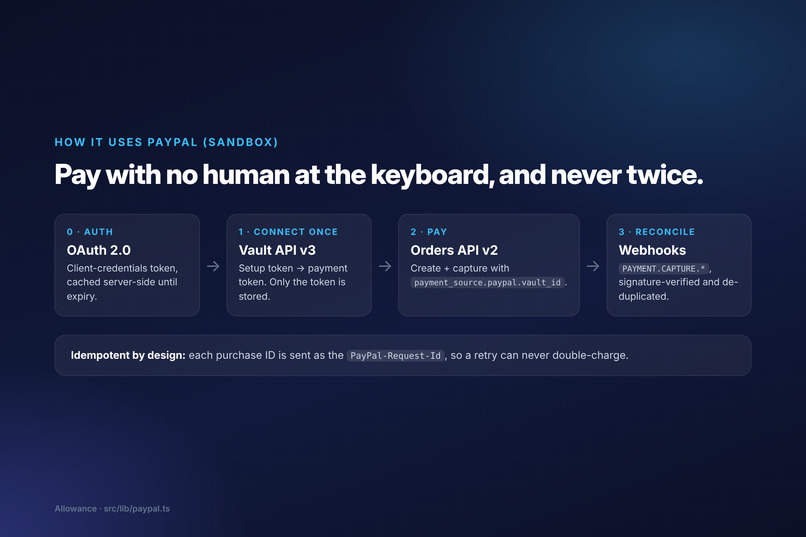
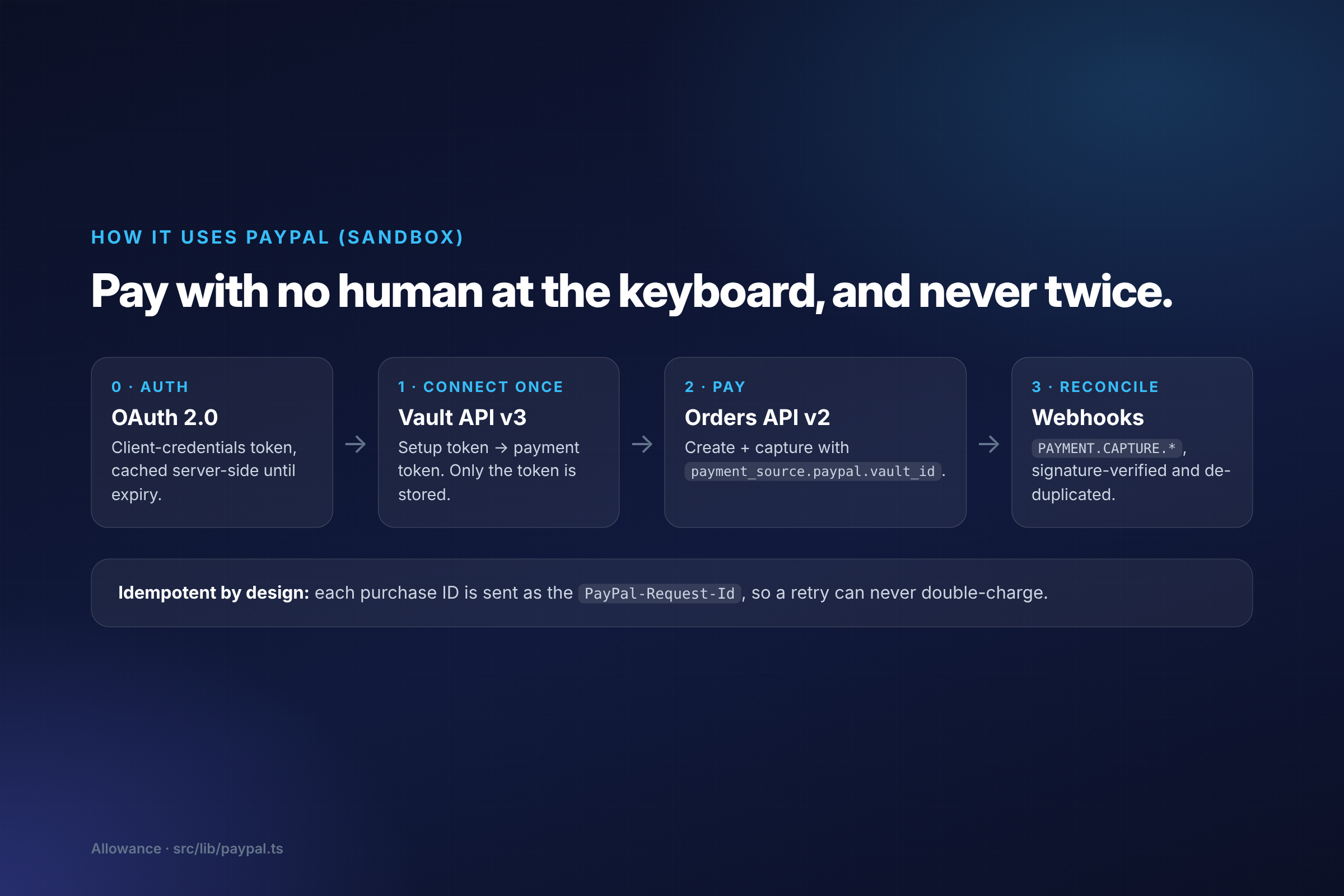
- PayPal (sandbox): OAuth 2.0 client credentials; Vault API v3 setup tokens → payment tokens, so the company account is saved once and Allowance stores only the token; Orders API v2 to create and capture each purchase with
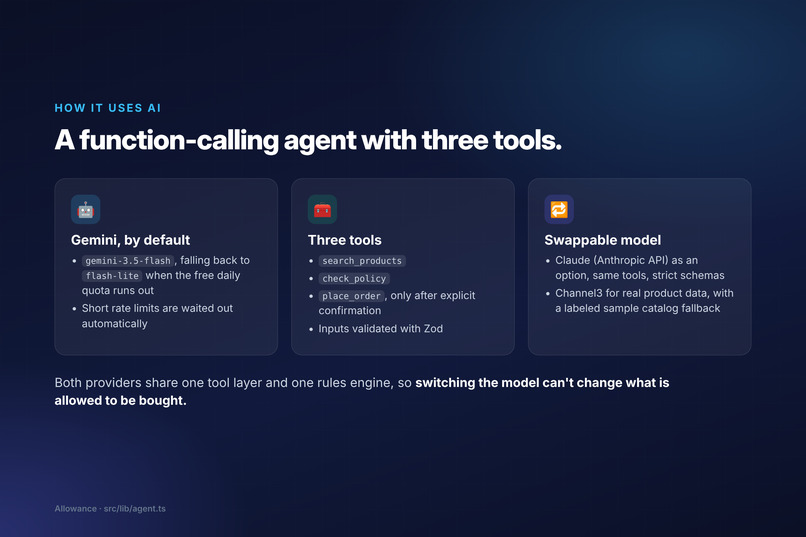
payment_source.paypal.vault_id; and webhooks (PAYMENT.CAPTURE.*), verified with PayPal's signature-verification endpoint and de-duplicated. Every purchase ID is sent as thePayPal-Request-Id, so a retry can never double-charge. - AI: a function-calling loop on Google Gemini (
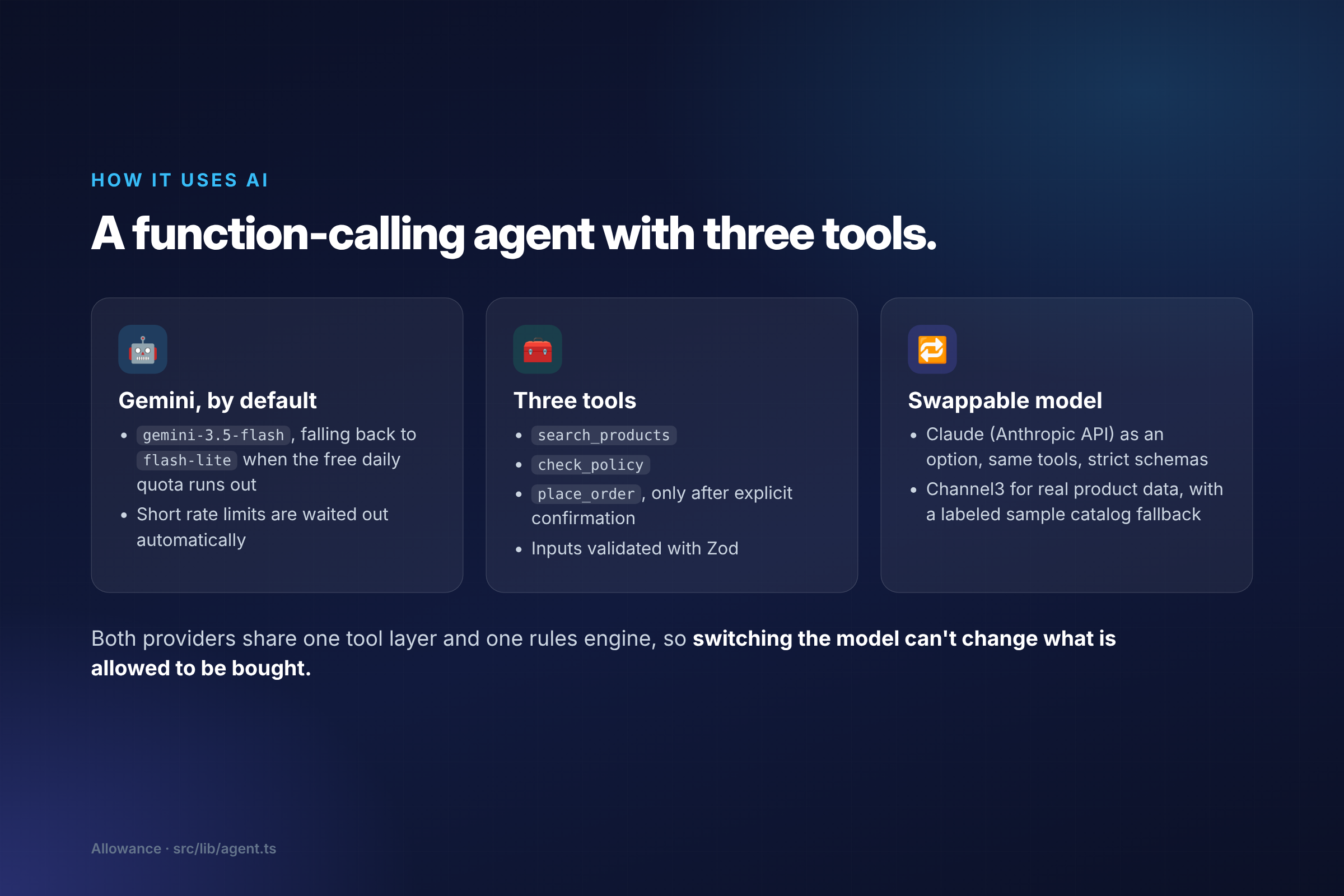
gemini-3.5-flash, falling back togemini-3.5-flash-lite) with three tools:search_products,check_policyandplace_order. Tool inputs are validated with Zod. Claude works as a drop-in alternative with the same tools and strict schemas. Both share one tool layer and one rules engine, so switching the model can't change what is allowed. - Products: Channel3 for real, structured product data (title, store, price, buy link), so the agent never invents products or prices.
- App: Next.js 15 (App Router), TypeScript and Tailwind, Node's built-in SQLite, and AG Grid for the ledger. The rules engine is a pure function with unit tests.
- Hosting: a live demo on Render, set up with a Render Blueprint.
Challenges we ran into
- Free-tier AI limits. Gemini's free tier allows only a small number of requests per day per model. Testing and recording a demo used them up, so we added automatic waiting for short rate limits and a switch to a second model when one model's daily quota runs out.
- Vault availability by region. PayPal doesn't support saving a PayPal account for future payments in some regions, including India. We had to use US sandbox business and buyer accounts.
- A host that forgets. Render's free tier wipes the disk on every restart, which also forgot the PayPal connection. We let the vaulted payment token be restored from an environment variable, so the live demo stays connected.
- Keeping the AI honest. If the ordering tool accepted a price or category, a model could simply pass a wrong one. So
place_orderaccepts only a search-result ID, and the server looks up everything else.
Accomplishments that we're proud of
- A complete loop that works end to end on the live demo: search → policy check → PayPal Vault payment → approval → ledger.
- Payments with no human at the keyboard that still can't break the rules or charge twice.
- An AI provider you can swap without changing what is allowed to be bought.
What we learned
- Saved payment methods (Vault) are what make agentic payments practical: the agent needs a way to pay that doesn't involve a person typing card details.
- The safest place for spending rules is outside the model. The AI is great at understanding what someone needs and comparing options; a small, tested function is better at saying yes or no.
- Idempotency keys matter more than usual when an agent might retry a tool call.
What's next for Allowance
Per-person budgets, recurring software seats, Slack approvals, PayPal Payouts to reimburse out-of-pocket purchases under the same rules, and anomaly alerts on unusual spend.
Demo video: https://youtu.be/UdF54f_yXSk · Live demo: https://allowance-trqr.onrender.com · Code: https://github.com/Blop77/allowance
Built With
- ag-grid
- anthropic
- channel3
- claude
- gemini-api
- google-gemini
- next.js
- node.js
- paypal
- paypal-orders-api
- paypal-vault
- paypal-webhooks
- react
- sqlite
- tailwindcss
- typescript
- zod

Log in or sign up for Devpost to join the conversation.