-
-
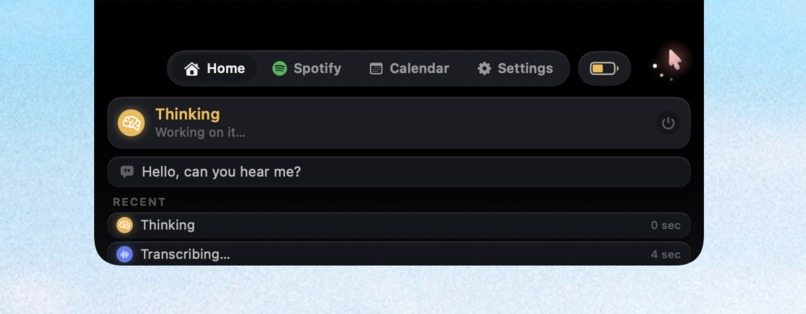
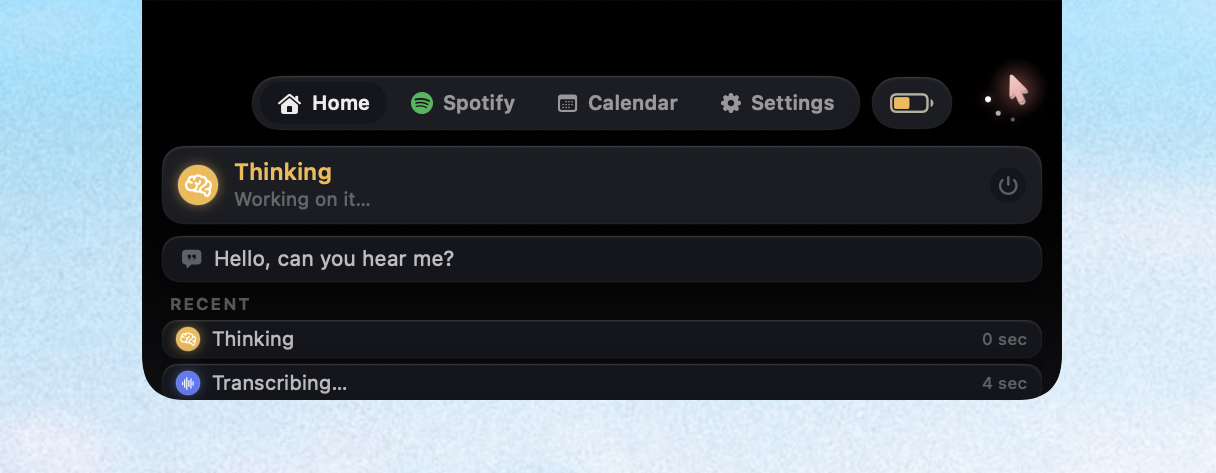
Computer Use Agent Model Home
-
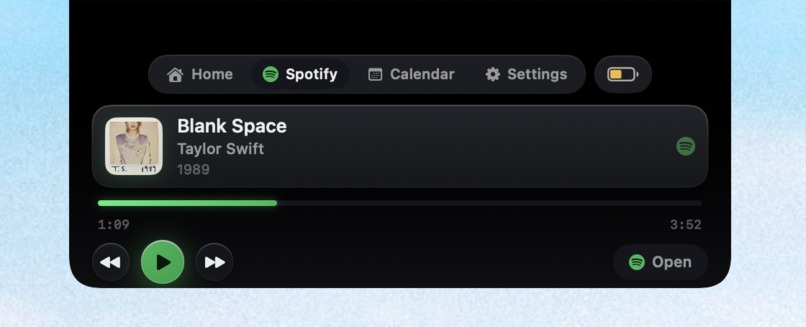
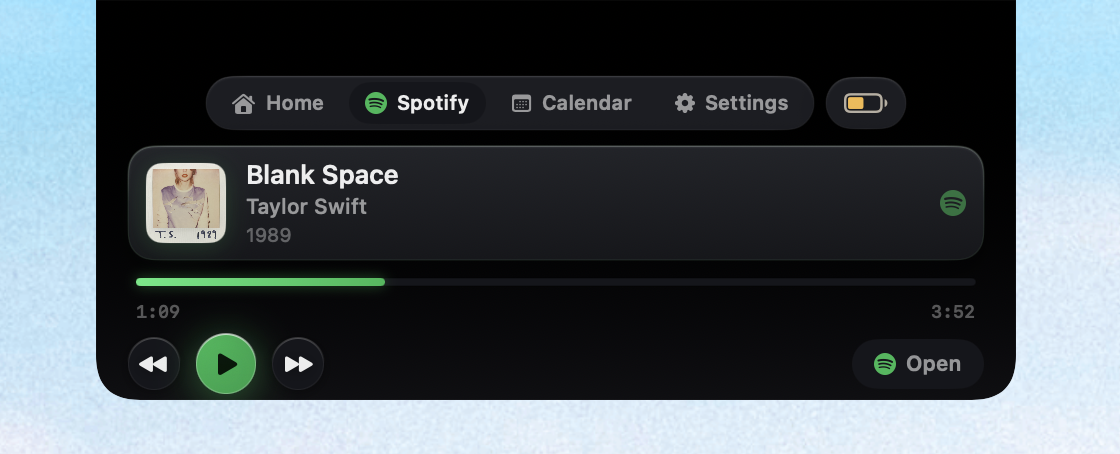
Spotify integration
-
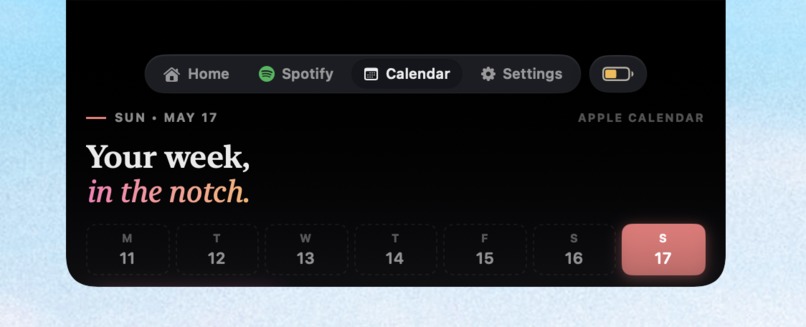
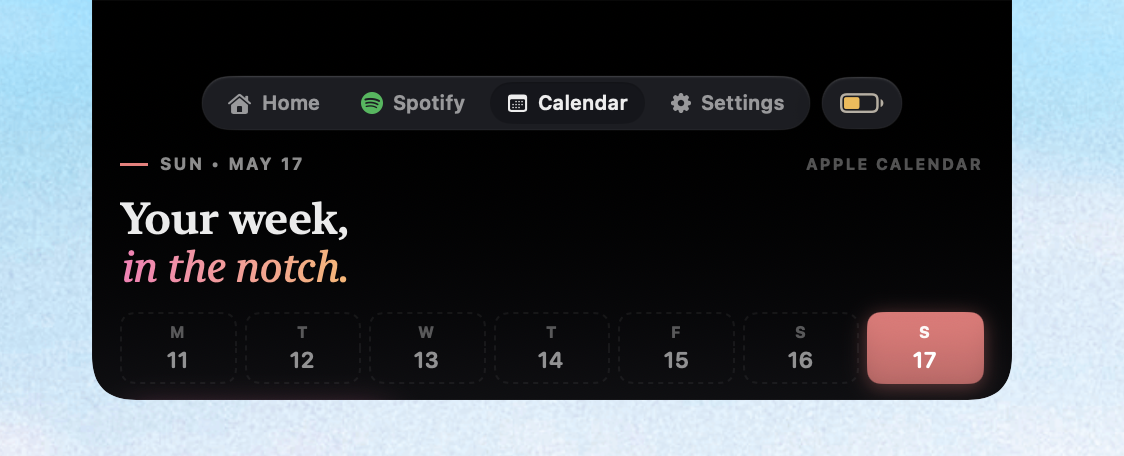
Calendar integration
-
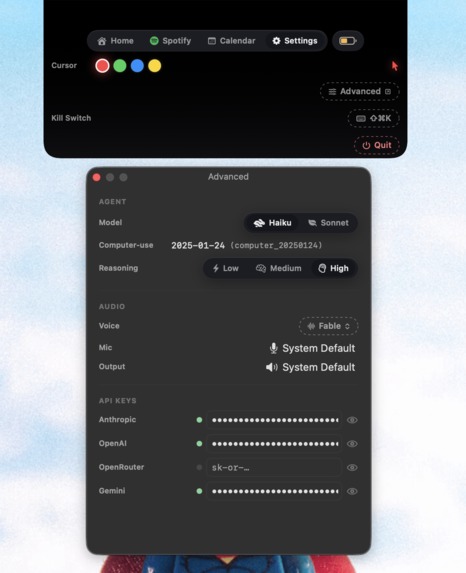
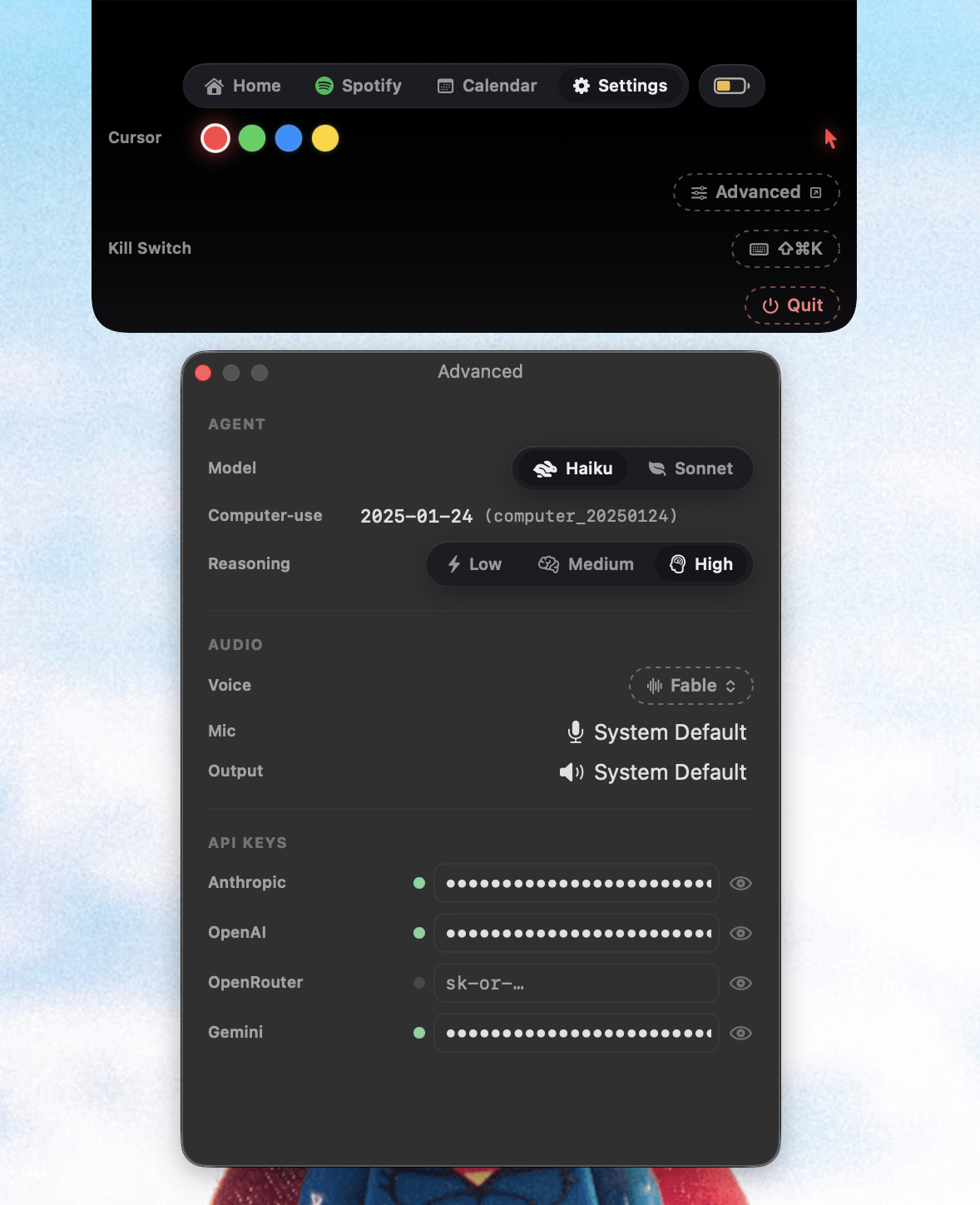
Settings & Advanced Settings
Inspiration
People keep typing prompts into ChatGPT, then alt-tabbing back to the app to do the thing the AI just told them to do. The AI knows the answer. The human still does the labor. That gap is the problem.
The MacBook notch is the most prime real estate on the screen, and Apple uses it for a camera and dead pixels. We wanted the notch to be where your AI actually lives — not a chat window you open, but a pal that is always there, watching the same screen you watch, ready to grab the cursor when you ask.
The theme of the hackathon was connections. We built the connection between human and agent — same desktop, same cursor, same context.
What It Does
AgentNotch is a macOS computer-use agent that lives in two places:
- The notch — its home. Shows live agent state, calendar, Spotify, and settings.
- Your cursor — its body. A sprite follows your real cursor. Long-press the mouse, speak, and the sprite detaches and physically clicks and types for you using human-like motion.
Two parallel brains run under the hood:
A background observer (Gemini Flash Lite) watches the screen on every click and app switch. Over time, it builds a map of every app and surface you touch, so when you ask it to do something, it already knows where the buttons are.
A foreground planner (Mercury 2) assembles a context brief in ~600ms when you long-press, then hands it to Claude Haiku 4.5, which drives the cursor turn-by-turn via the computer-use API.
You talk. It sees. It moves. You watch it work.
How We Built It
Stack
- SwiftUI + AppKit for the notch UI and cursor companion window
- CGEvent + Accessibility API for synthetic input dispatch
- OpenAI Whisper for speech-to-text
- Gemini 3.1 Flash Lite for continuous screen understanding
- Mercury 2 (via OpenRouter) for fast context brief assembly
- Claude Haiku 4.5 for the computer-use loop
- OpenAI TTS streaming PCM16 for voice replies
- Next.js 16 for the landing page
Architecture Highlights
WindMouse physics for cursor motion. The sprite glides between targets with a gravity-pulled, wind-curved path so it looks human, not robotic. Hop duration is Fitts-clamped between 200–400ms.
Three-tier click dispatch
- Accessibility press (zero cursor movement)
CGEventpost-to-PID- Private SkyLight SPI fallback for Chromium web content where AX fails
L2 snapshot in 0.4 seconds On every long-press, a hard 400ms budget captures:
- frontmost app
- window title
- OCR’d screenshot
- AX tree
- selection
- clipboard
- per-app adapter data (browser URL, terminal cwd, IDE project)
Everything runs in parallel with hard deadlines.
Surface memory Gemini observations persist to per-app, per-surface JSON files. After a week of usage, the agent has a UI map of every screen the user touches.
Privacy gate A single chokepoint runs every captured event through an 8-step redaction policy. Apps like 1Password, Bitwarden, and Keychain are never logged. Clipboard taint follows data across paste boundaries.
Prompt caching System prompt and tool lists are cached server-side at Anthropic. Every turn after the first reads prior tool results from cache, saving ~70% of tokens on multi-turn runs.
What We Learned
- SwiftUI — declarative views,
@AppStorage,@ObservedObject, animation modifiers - AppKit interop — transparent
NSPanels, always-on-top windows, customShapeimplementations for notch geometry - macOS Accessibility API —
AXUIElementtrees,AXObservernotifications, focused-element provider patterns, and 1Hz polling fallbacks for apps that do not emit AX events - CGEvent dispatch — coordinate-space conversion between top-left (
CGEvent) and bottom-left (AppKit) origins, event source IDs for self-suppression, andpostToPidprocess targeting - Computer-use agent loops — tool schemas, the
tool_use → tool_resultcycle, prompt caching strategy, and teaching tool preference order through system prompts - Multi-model orchestration — using fast models for context gathering, smart models for planning, and cheap models for persistent background understanding
- Whisper streaming + OpenAI TTS — chunked audio upload and PCM16 playback through
AVAudioPlayerNode - WindMouse algorithm — Benjamin J. Land’s 2007 paper, gravity/wind parameters, and Fitts’ Law movement timing
- Privacy-first design — ingest-time redaction, taint propagation, and never-log app lists
The biggest lesson: fast tools beat smart tools at the right layer. Four different AI models run in a single request flow because each one is optimized for a different latency budget.
Challenges We Ran Into
Two cursors, one user
The hardest bug in the project.
The agent moves the cursor, but the user’s hand is still on the trackpad. Both fight for control. The fix was to detach the sprite from the real cursor during agent runs and route synthetic events through a CGEventSource with a stable stateID, then mark those events so the keystroke monitor self-suppresses.
This required a full rewrite of the dispatch path.
Coordinate-space hell
Claude emits screenshot coordinates in image space (1280px long edge, top-left origin). macOS expects logical points with a bottom-left origin and display scale factor applied.
One off-by-one conversion bug could miss clicks by 40 pixels.
The 400ms L2 budget
OCR alone can take 600ms on a busy screen. Everything had to run in parallel:
- screenshot
- OCR
- AX walk
- clipboard
- app adapters
Each task had hard deadlines and graceful degradation when timeouts occurred.
Chromium web content does not expose AX
Chrome and Arc web pages are largely AX-opaque. Delivering events required bridging to the private SkyLight SLPSPostEventRecordTo SPI for PID-specific event injection.
Apple silicon notch geometry
The notch is not a rectangle. It has a camera island in the middle. The shape had to be custom-drawn pixel-for-pixel to match the real hardware cutout.
xcodegen
Three contributors editing the same .xcodeproj created nonstop pbxproj merge conflicts. Switching to xcodegen — generating the project from Project.yml while gitignoring the .xcodeproj — completely eliminated the issue.
What’s Next
- Local model fallback for offline usage
- iOS companion app for remote control
- Multi-agent support with parallel cursor pals
- Plugin SDK for third-party app adapters
MIT licensed. Fully open source.
Built With
- accessibility-api
- anthropic
- appkit
- applescript
- avfoundation
- bun
- cgevent
- claude
- claude-haiku
- computer-use
- core-graphics
- css
- eventkit
- gemini
- gemini-flash
- git
- github
- google-ai
- html
- iokit
- javascript
- json
- keychain
- macos
- mercury
- nextjs
- node.js
- objective-c
- ocr
- openai
- openai-tts
- openrouter
- prompt-caching
- react
- swift
- swiftui
- tailwind
- typescript
- vercel
- vision-framework
- whisper
- windmouse
- xcode
- xcodegen


Log in or sign up for Devpost to join the conversation.