-
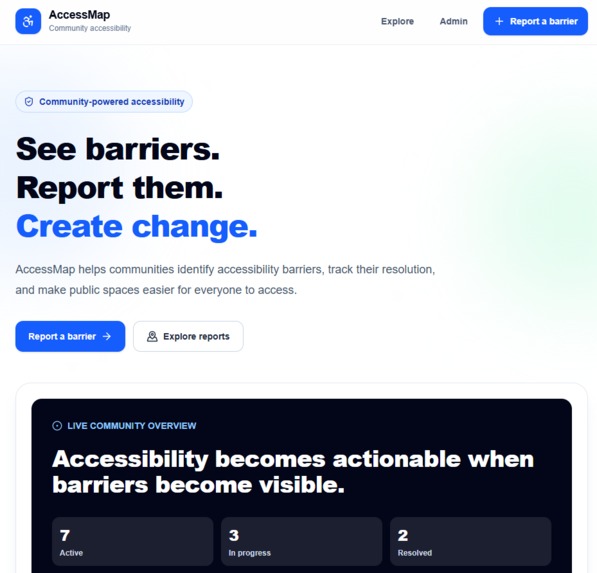
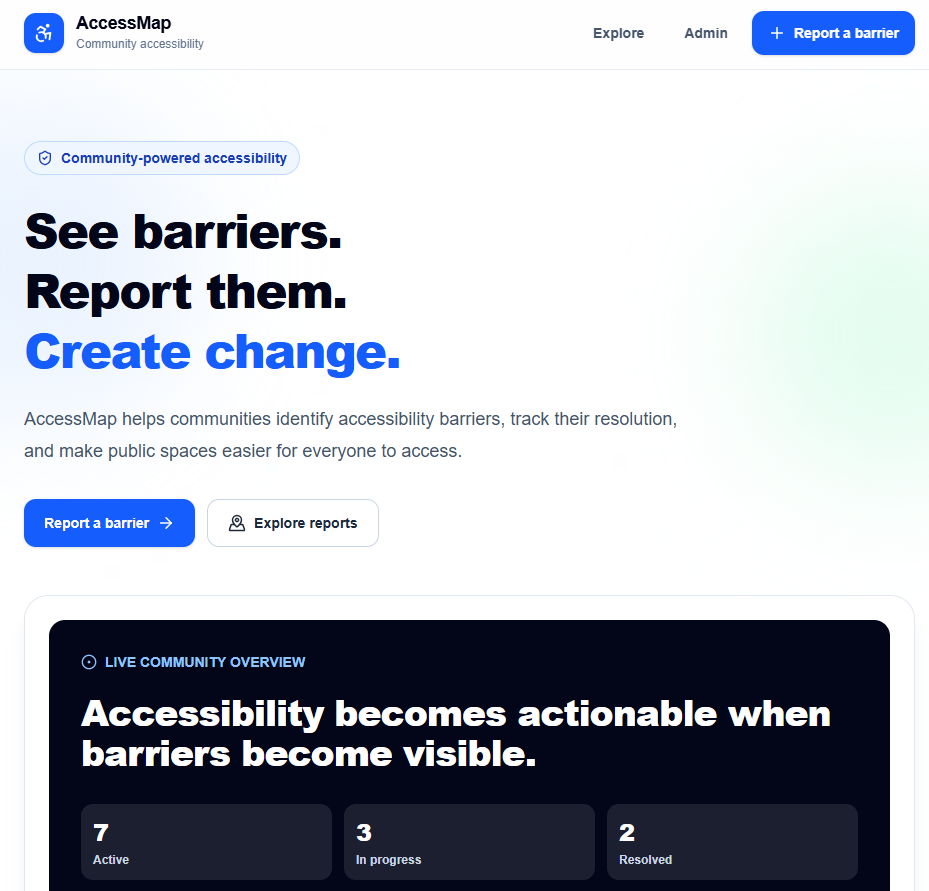
HomePage
-
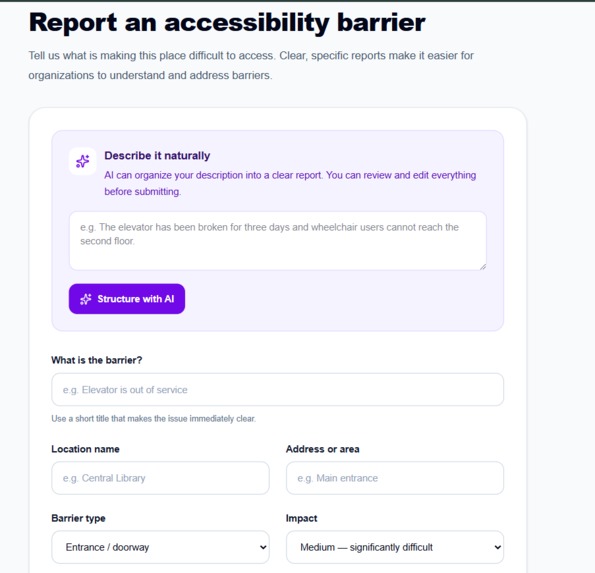
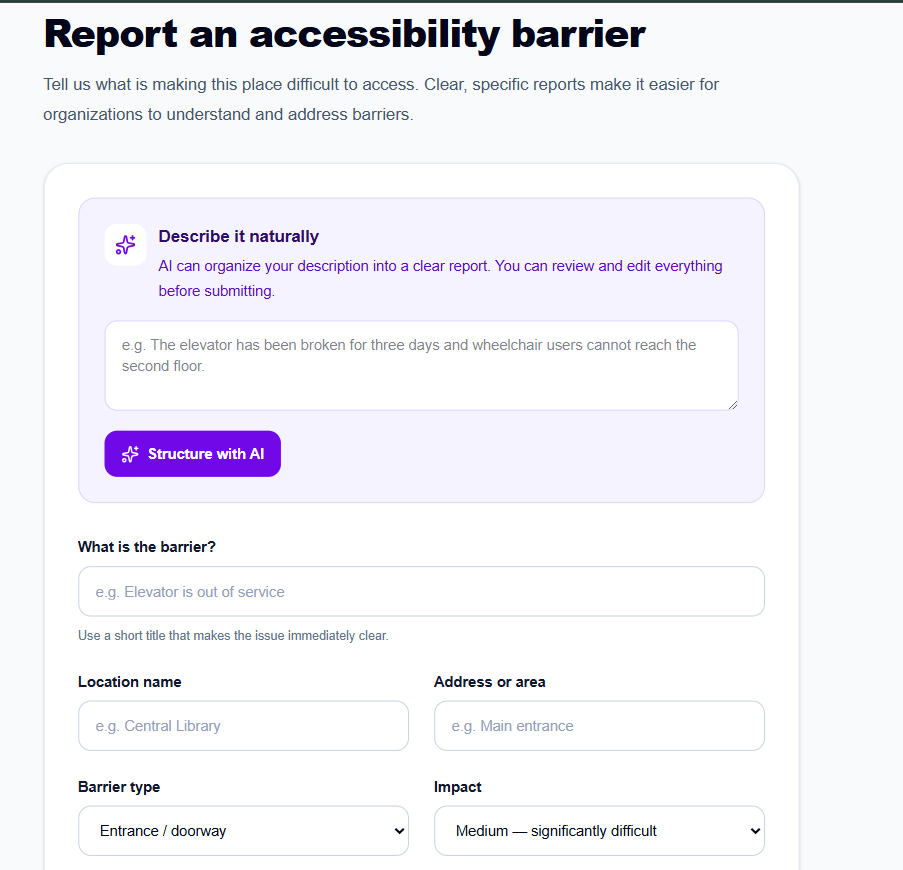
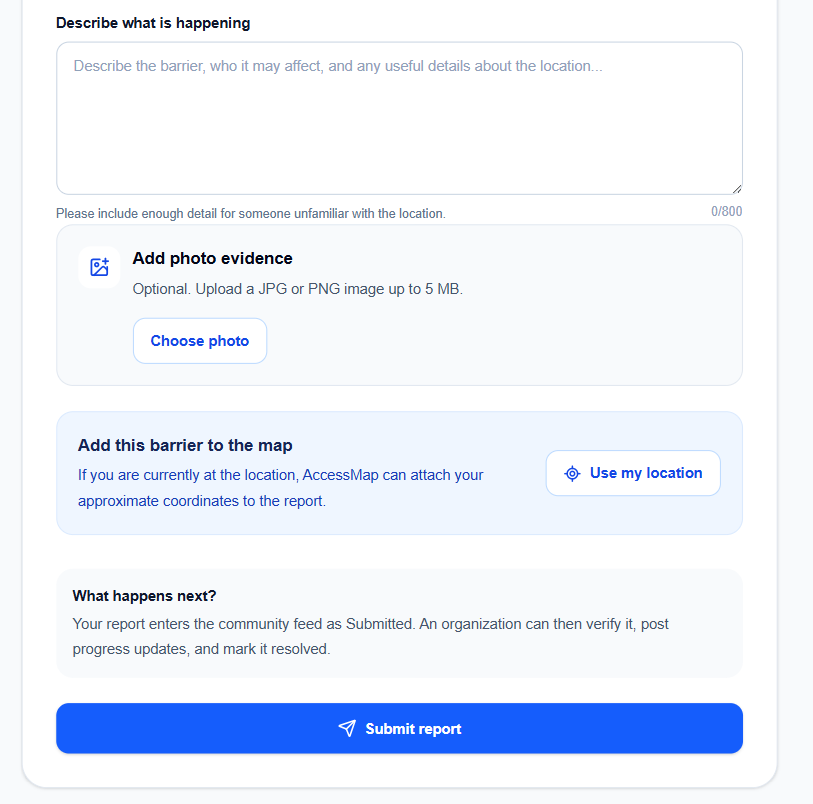
Report form
-
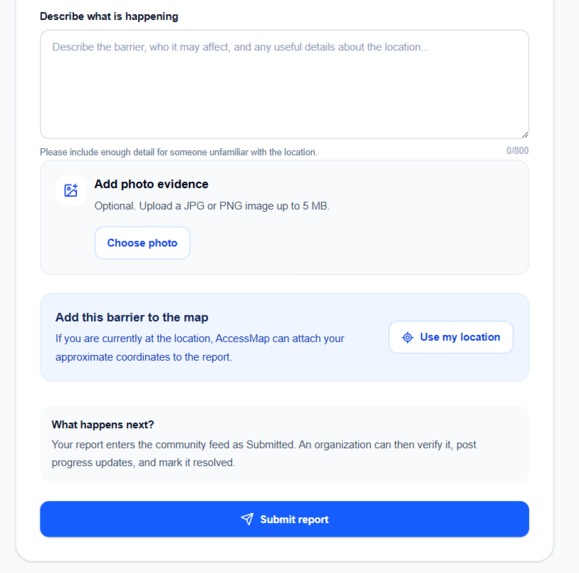
Report form
-
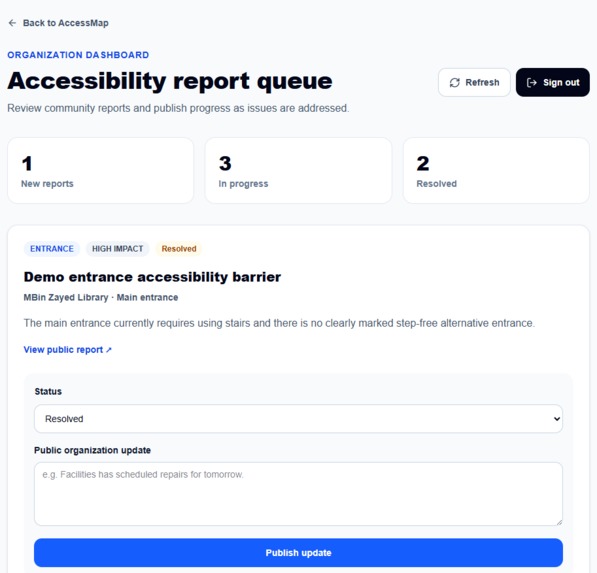
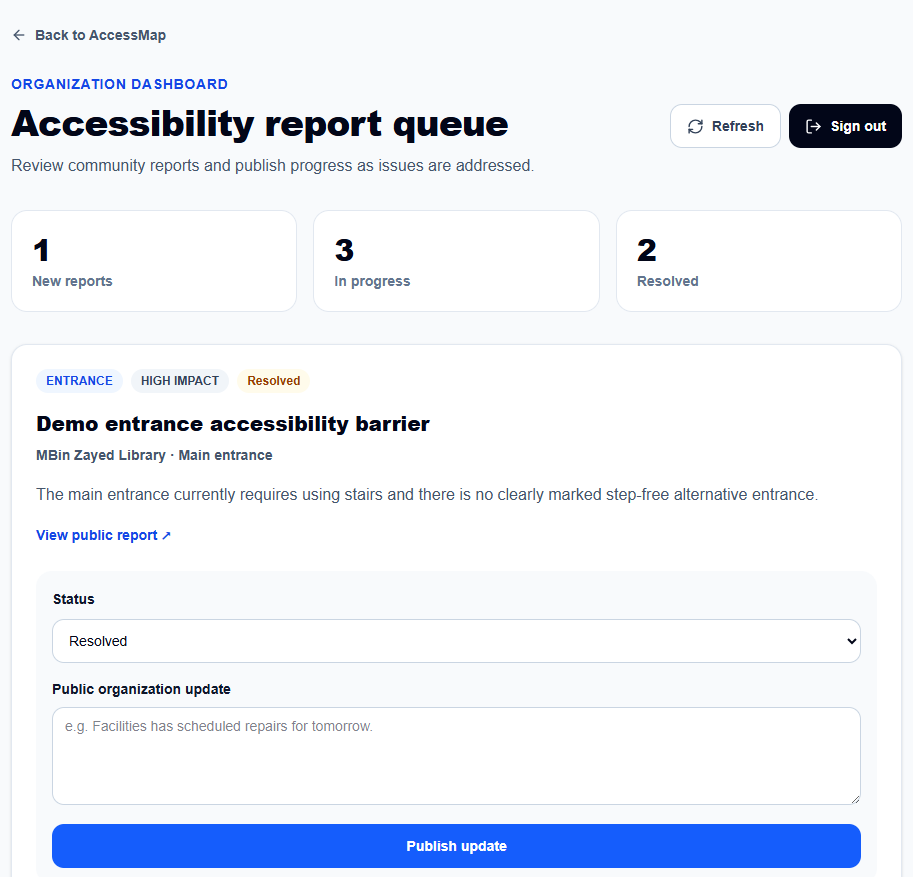
Admin Dashboard
-
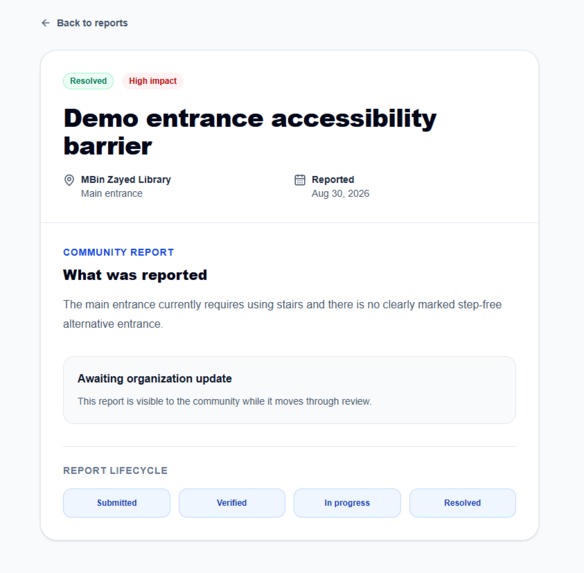
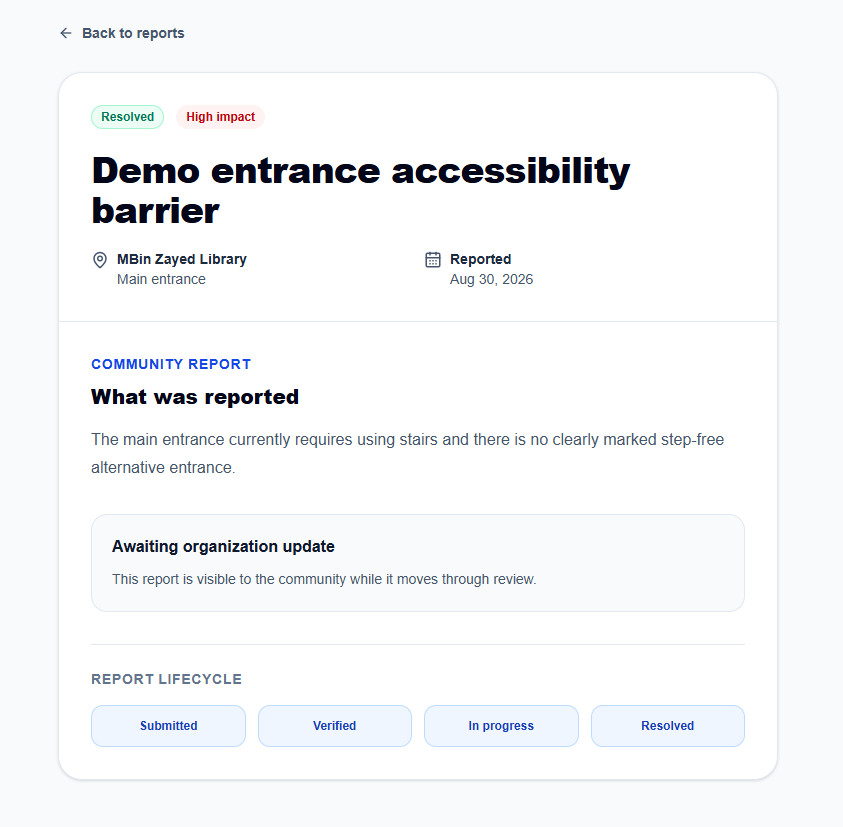
View of individual report
-
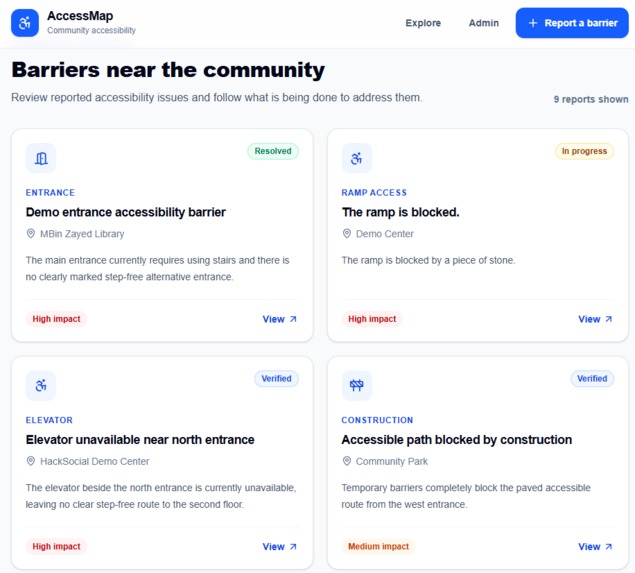
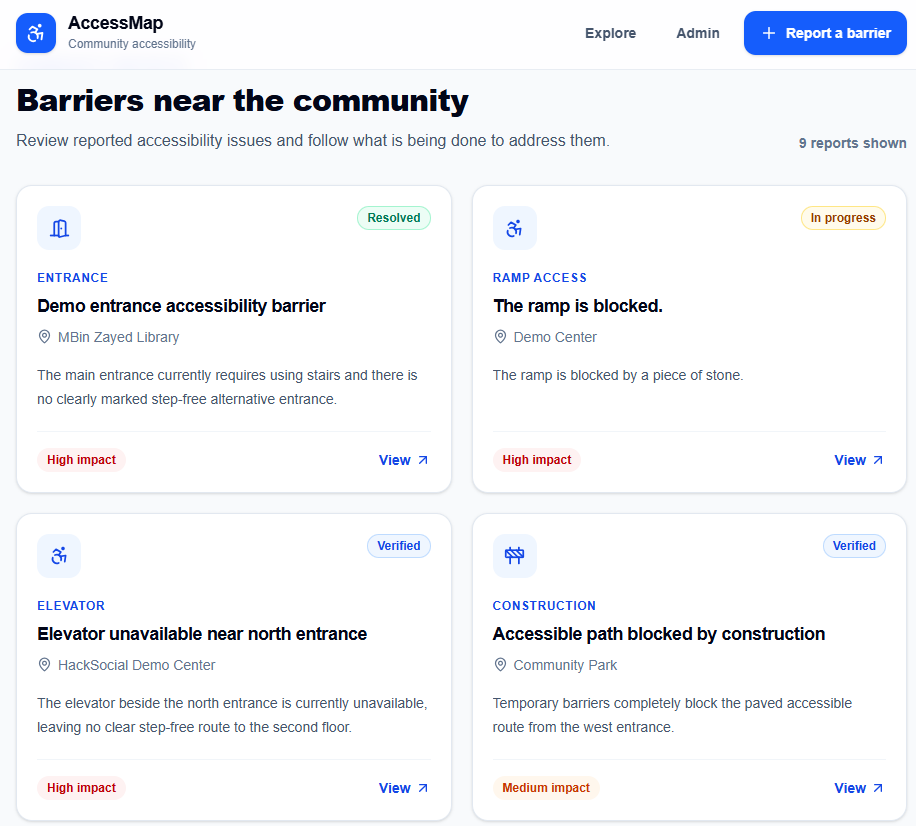
Public view of existing reports
Inspiration
Imagine someone who uses a wheelchair arriving at a building and finding stairs at the entrance, but no ramp. The barrier is obvious, but there is no simple place to report it, make others aware of it, or see whether anyone is doing something about it.
So the problem stays there. People encounter the same inaccessible entrance again and again, while the community has no clear way to report the barrier, track what happens next, and push it toward change.
That inspired AccessMap: a place where anyone can make an accessibility barrier visible.
What it does
AccessMap gives communities a simple way to see, report, and track accessibility barriers.
Community members can report barriers, optionally pin their location, explore issues on an interactive map, and follow their progress.
Community members can also attach photo evidence and location data to make barriers clearer and easier to verify. AccessMap's AI-assisted reporting can turn a natural description of a barrier into a structured title, category, severity, and description for the user to review before submitting.
Organizations get a separate dashboard where they can review reports, publish updates, and move issues through:
Submitted → Verified → In Progress → Resolved
Instead of a report disappearing after submission, the community can see what happens next.
How we built it
I built AccessMap with Next.js, React, TypeScript, and Tailwind CSS for the application and interface.
For the backend, I used Supabase and PostgreSQL for persistent data, Supabase Auth for administrator authentication, and Row Level Security to control who can submit, view, and manage reports.
The interactive map uses Leaflet and OpenStreetMap, and AccessMap is deployed on Vercel.
Challenges we ran into
My biggest challenge was making AccessMap more than a nice-looking reporting form. I wanted the report to actually go somewhere.
That meant building the entire loop:
Community Report → Database → Organization Action → Public Update
I also ran into challenges with database permissions, map integration, and keeping live report data fresh after deployment.
Accomplishments that we're proud of
I'm most proud that AccessMap became a working end-to-end product, not just a prototype UI.
A community member can submit a real report, see it appear publicly, and an authorized organization can review it, change its status, and publish an update that becomes visible to everyone.
What we learned
I learned how the pieces of a full-stack application fit together: frontend development, databases, authentication, authorization, live data, maps, error handling, Git, and production deployment.
But my biggest takeaway was simpler:
Accessibility isn't just about making an interface easier to use. Sometimes it determines whether someone can participate at all.
What's next for AccessMap
I'd love to expand AccessMap with verified organizations, notifications, better location search, and accessible route planning.
Eventually, AccessMap could connect with universities, municipalities, and facilities teams so community reports reach the people who can actually act on them.
The goal remains simple:
See barriers. Report them. Create change.
Built With
- git
- github
- leaftlet
- lucid
- next.js
- openai
- openstreetmap
- postgresql
- react
- supabase
- tailwind
- typescript
- vercel


Log in or sign up for Devpost to join the conversation.