-
-
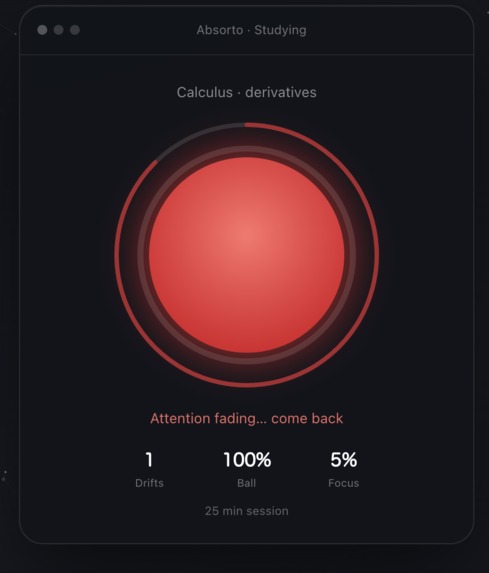
Mad Absorto
-
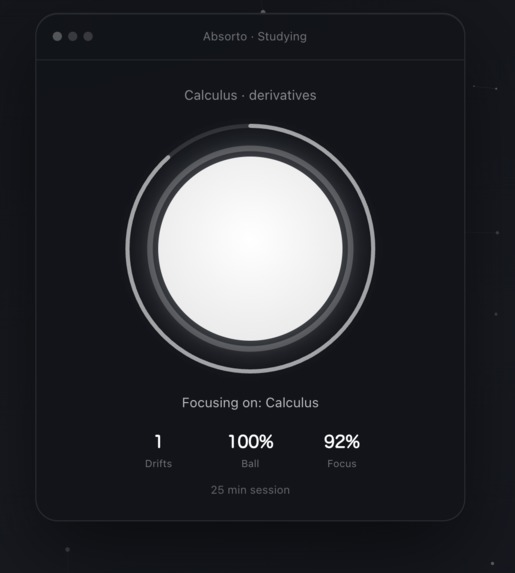
Happy Absorto
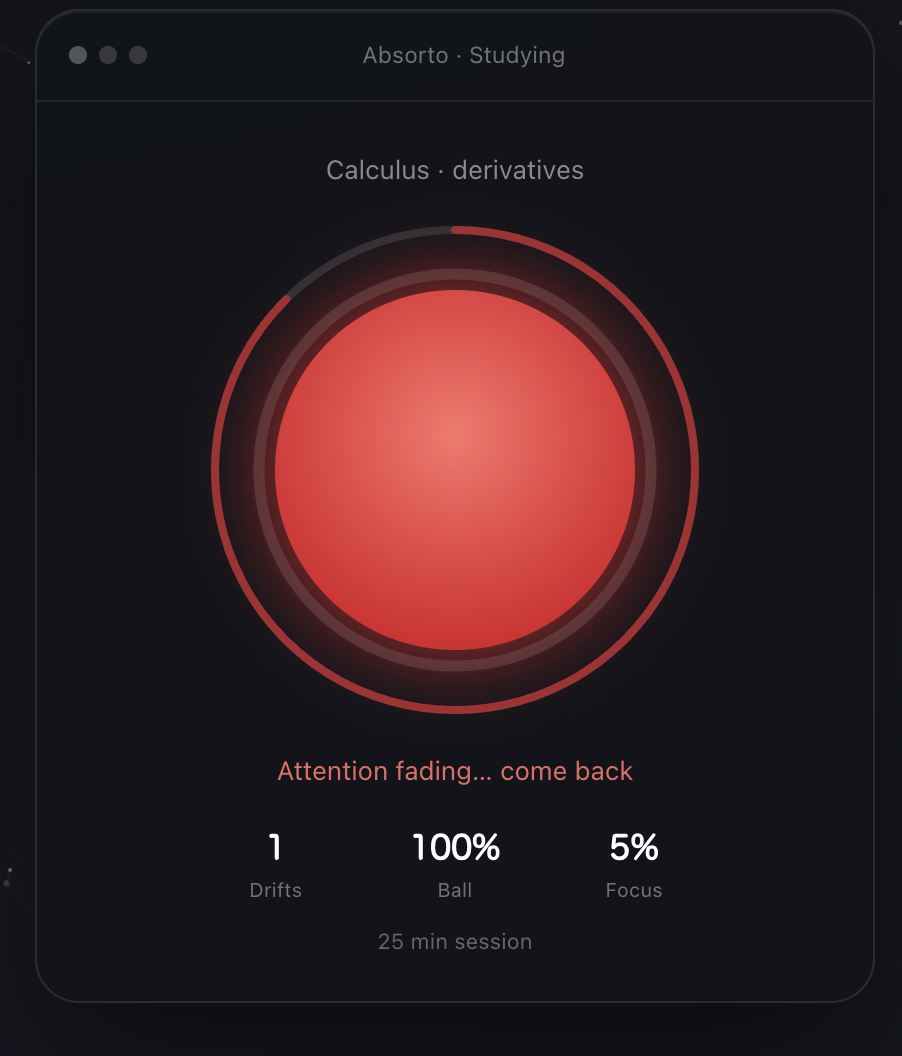
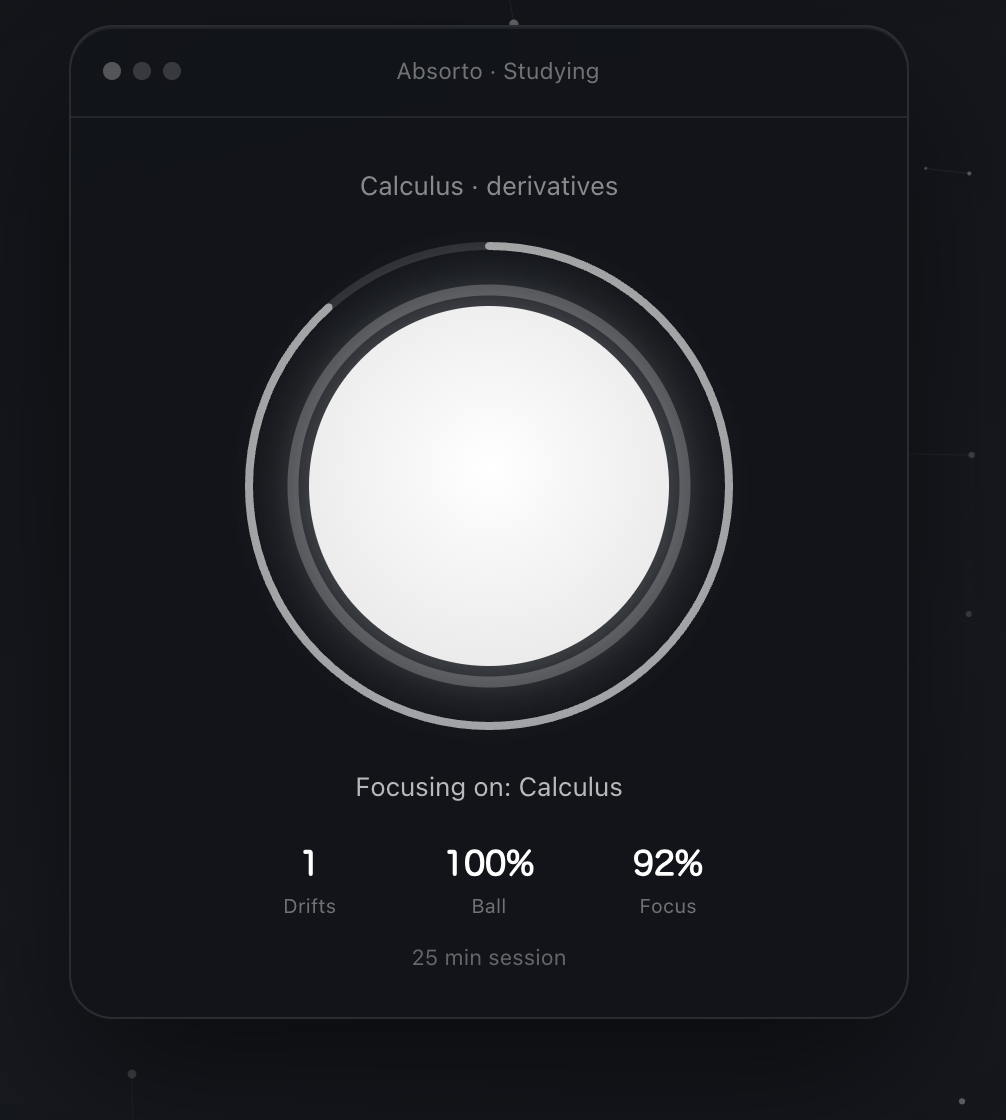
Updated answers based on what Absorto actually does now:
Inspiration
Every Pomodoro app I have used follows the same loop: set a timer, study, and the app marks the session as complete. The problem is that it cannot tell a good session from a bad one. Thirty minutes of real focus and thirty minutes of scrolling TikTok are both labelled "complete."
At the same time, many of my friends told me they study better in the library because they feel seen by the people around them. I wanted to bring that feeling to studying alone, without anyone watching. The break should be something you earn, not something a timer hands you for free.
What it does
Absorto is a native Mac app that can tell focus from distraction. You declare what you are studying, pick 1, 25, or 50 minutes on a crown ring, then a white focus ball floats above your work.
While you study, on-device Vision watches your attention: face present, head pose, eyes closed, and yawns. Off-task apps and browser tabs are checked against your topic. Stay focused and the ball stays full. Drift for a few seconds and a soft chime plays, the ball starts shrinking, and a short on-screen nudge appears. Keep drifting and the ball empties. Stay gone long enough and a red warning ball expands, the study timer pauses, and if you do not come back the session stops until you choose to resume or start over. When you refocus, the white ball grows back slowly, so focus is earned back.
At the end of a session, Absorto does not record your screen. You drag in a photo of your notes or slides. Gemini writes three recall questions from that photo. Your answers and how many distractions you confirmed decide the break: base 10 minutes, minus one per missed question, minus one per confirmed drift, floored at one minute.
How I built it
I built a native macOS app in Swift and SwiftUI, with a two-stage design:
- On-device detection. The camera runs at low resolution. Apple's Vision framework samples a few frames per second for no face, head turned away, head down, eyes closed, and yawns. A short calibration at the start learns a normal head position, eye openness, and mouth shape. A signal only counts after about three seconds, so blinks and quick glances are ignored.
- Language judgment when needed. Head drift never leaves the Mac. For windows, Absorto first checks app identity and local heuristics (Spotify, YouTube titles, and so on). Only when a tab title is ambiguous does it ask Gemini whether that title is on-task for the declared topic. At the end of the session, Gemini turns a user-submitted study photo into a three-question quiz.
I used the Gemini API in two places:
- Checking uncertain window or tab titles against the study topic
- Building a photo-grounded recall quiz from the evidence the user drops in
Everything else stays local: Vision drift, entertainment-app detection, ball shrink and recover rules, UI chimes, quiz grading, and break math.
The drift rules live in one pure Swift type with no camera or UI code, so I could test them with XCTest and a smoke target: a quick glance never fires, a held look-away fires once, continuous off-task windows keep shrinking the ball, and clearing the tab lets it recover.
Challenges I ran into
- False alarms. Looking down at notes looks the same as looking down at a phone. I designed for students who study from their screen, so looking away from the camera and screen is a clear signal, added hold times and blink grace, and avoided punishing ambiguous tab titles until Gemini answers.
- Privacy. A camera that watches you can feel invasive. Attention stays on-device. Mid-session frames are not sent to Gemini. There is no continuous screen recording. The only image that can leave the Mac is a photo the user chooses to drop in for the quiz, plus occasional tab-title text when judgment needs language.
- Choosing the platform. I started with a web app, but browsers slow down background tabs, which would pause the detector, and a full-screen visual would cover my slides. Moving to a native Mac app solved both and gave me active window identity, Accessibility titles, and AppleScript tab titles.
- macOS permissions. Reliable browser tab titles need Accessibility and sometimes Automation. Ad-hoc signing made Accessibility grants break on every rebuild until I documented signing with an Apple Development team.
- Designing the visual. I went through a compass and a balance visual before landing on the focus ball, which is the simplest to read at a glance: full means focused, empty means the session is slipping, red means come back now.
What I learned
- How to combine fast, cheap on-device sensing with a large model that only steps in for language judgment
- How to use Apple's Vision, AVFoundation, Accessibility, and AppleScript for a live study loop
- How to get reliable structured JSON from Gemini for title checks and photo quizzes
- How much keeping logic separate from the UI helps when building fast with AI tools, since tests caught edge cases I would have missed
- How to stay quota-friendly: cache titles, space API calls, filter obvious off-task apps locally, and assume on-task when uncertain
What's next
- Study rooms where friends see each other's focus balls live, for the library feeling without the library
- An App Store release, with the Gemini key moved behind a small server and stable Developer ID signing
- Weekly trends that show which topics consistently break my focus
- Optional local history so sessions and distraction patterns can improve over time without sending more data to the cloud


Log in or sign up for Devpost to join the conversation.