Inspiration
Korean schoolteachers write lesson plans in a document format called a yak-an (brief plan). Filling it is tedious, but you cannot just automate it away: every school means something slightly different by each box, so forcing a format is worse than leaving it blank.
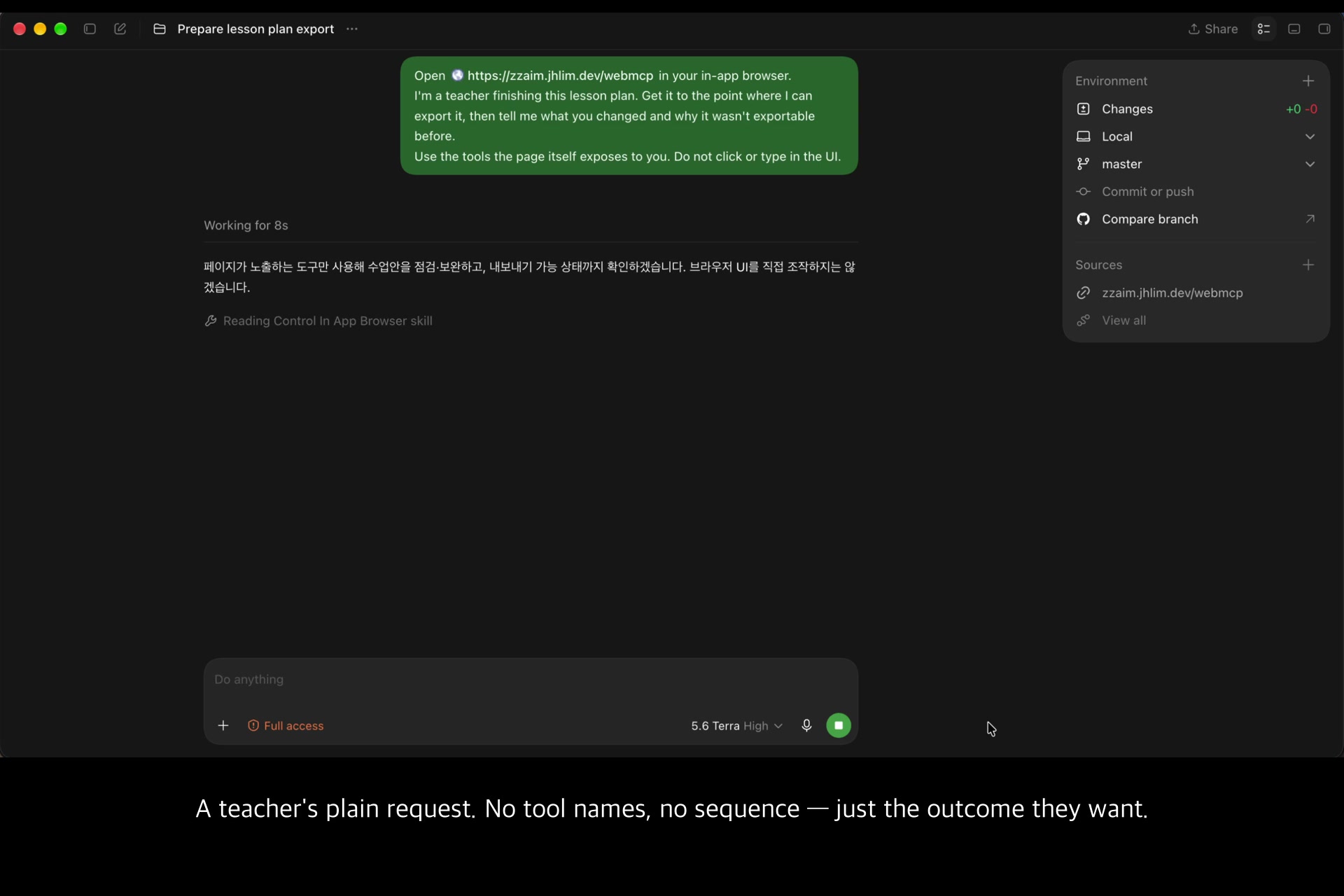
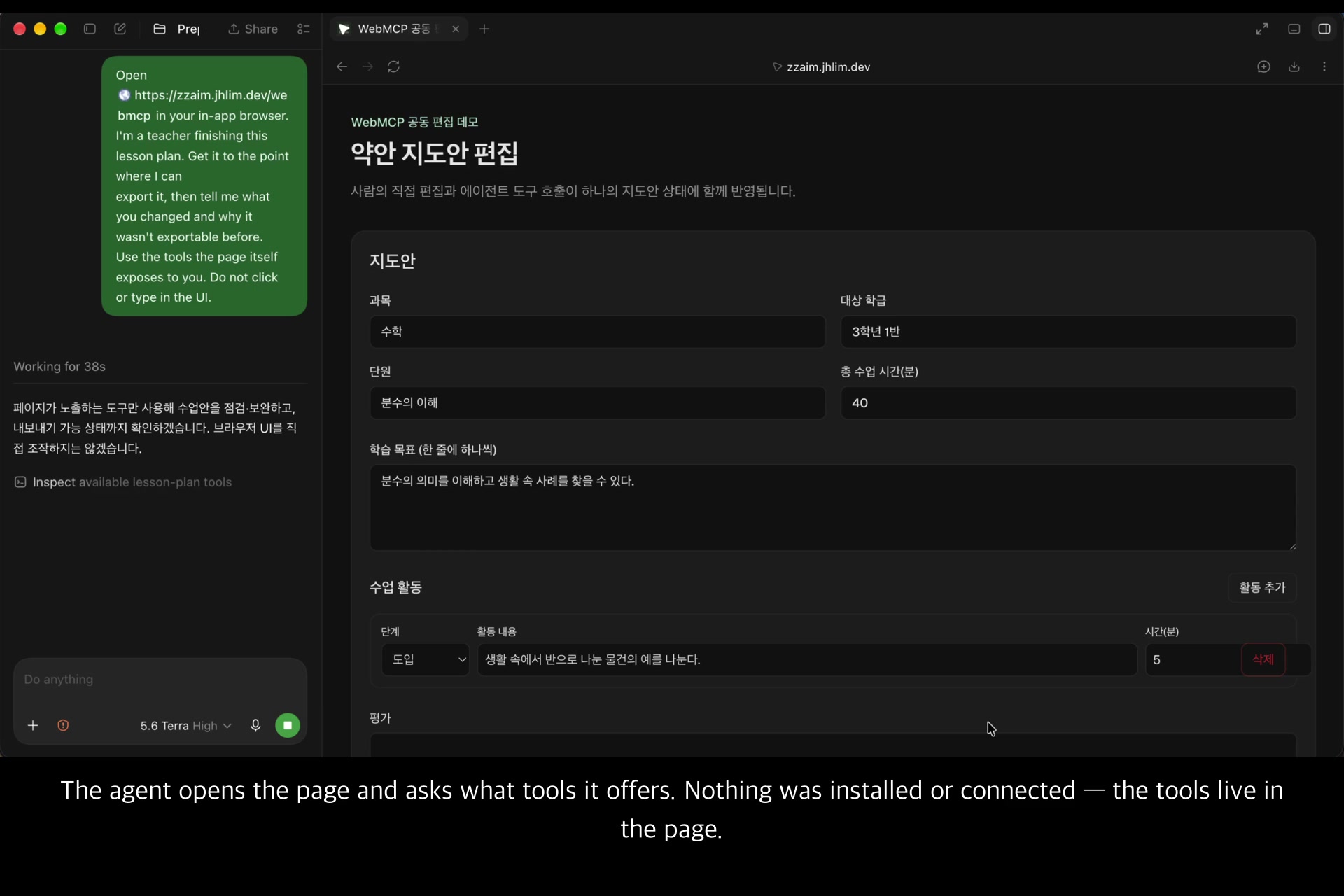
That makes it an unusually good test for agents. The agent has to ask the product what it needs rather than guess — and until now, the only way for an agent to do that on the web was to look at the screen and click.
What it does
ZZAIM is a lesson-planning tool for Korean teachers that exports to HWPX, the document format Korean public schools use. This submission puts WebMCP on its brief-plan workbench.
The page registers eight tools, and the agent operates on the exact document the teacher is looking at:
read-lesson-plan · update-section · add-activity · remove-activity
set-lesson-meta  · check-export-readiness · request-standard-enrichment · export-hwpx-preview
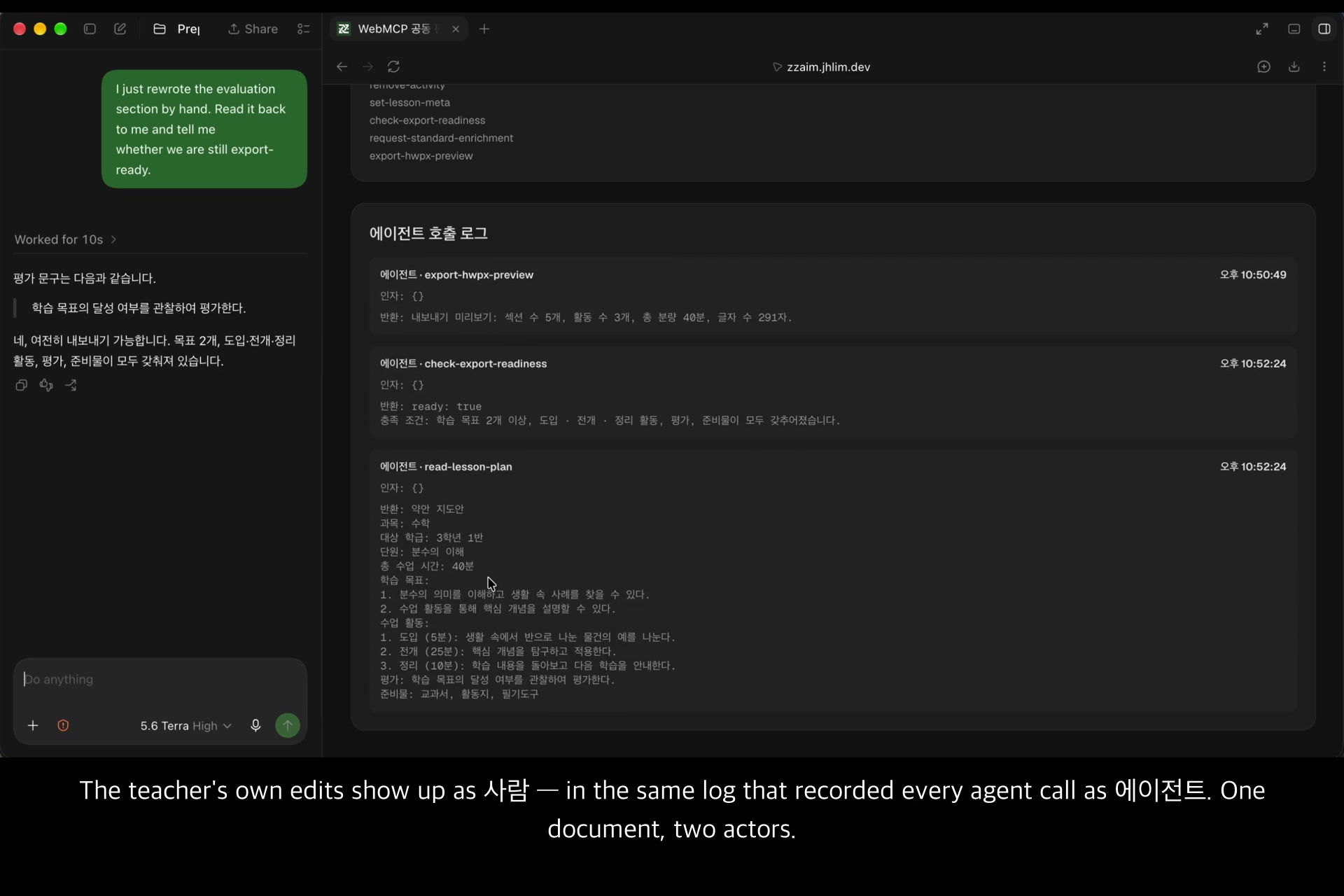
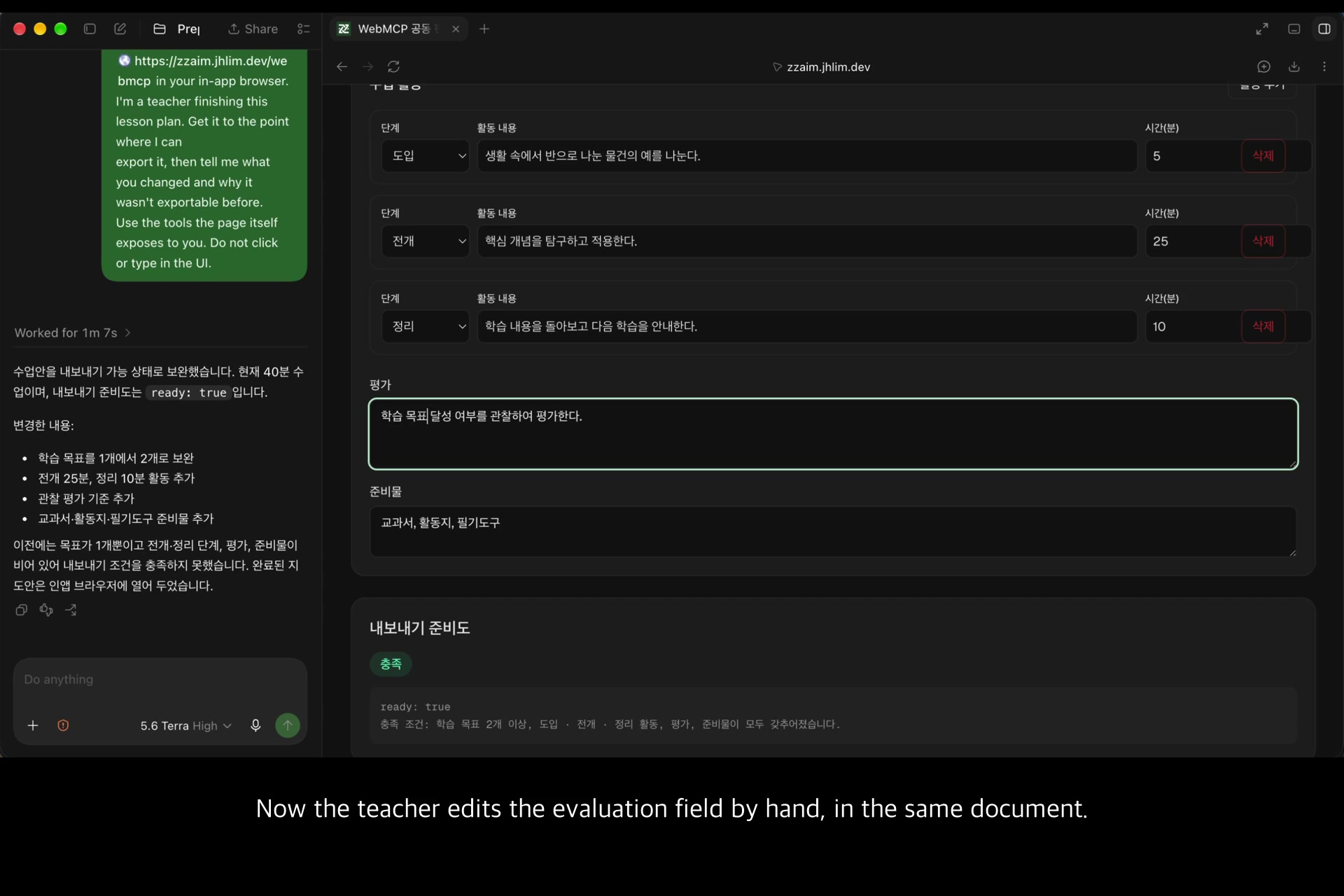
What the teacher edits by hand and what the agent edits with a tool land in the same state, and the page's call log records who did which.
How we use WebMCP — we return the contract
ZZAIM's export is a two-stage contract. If the plan is not filled in enough, the export returns a work order instead of a failure. The split is deliberate: the first stage answers immediately, the second does the slow work.
The WebMCP tools expose that contract as-is. Called on the demo's starting plan,
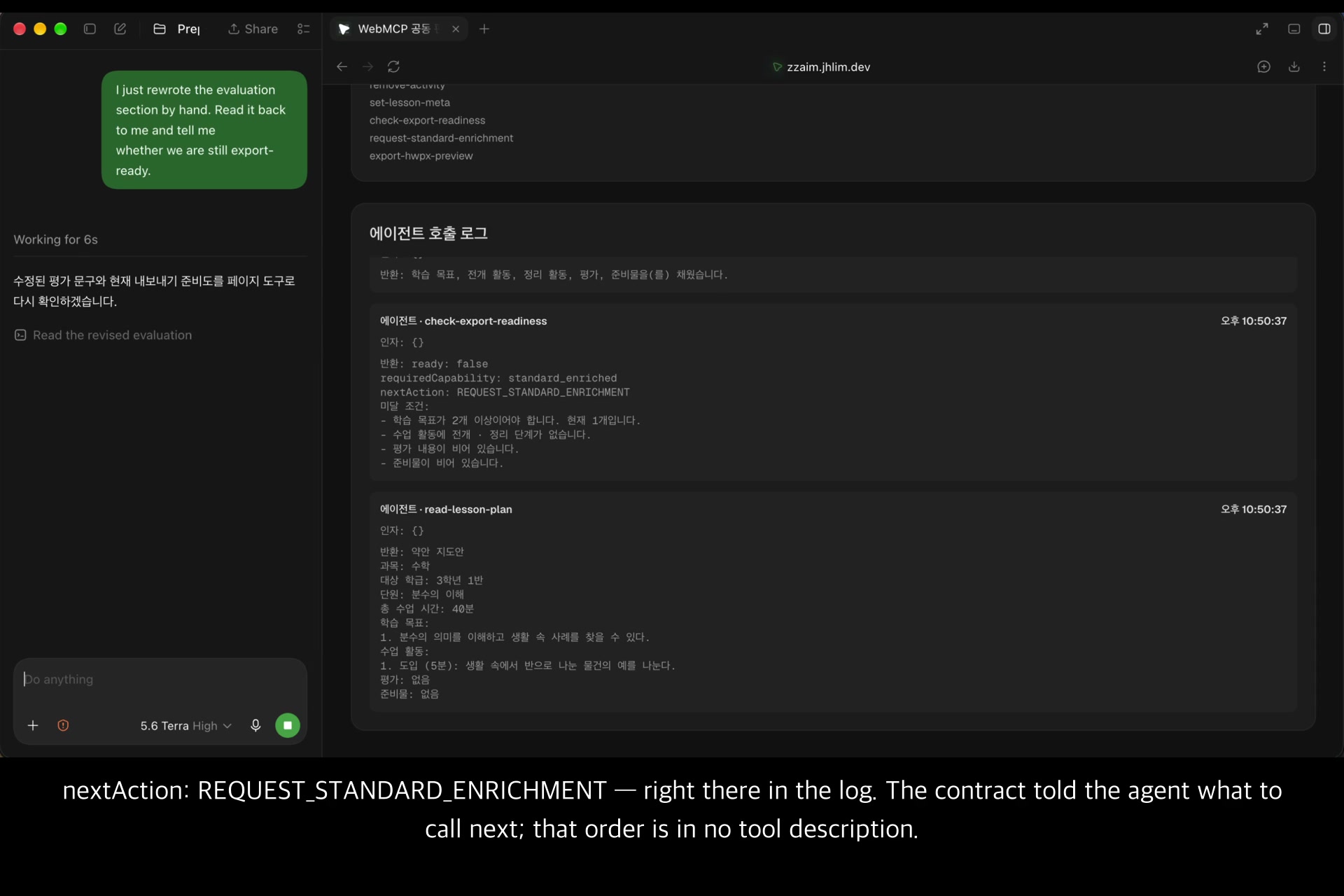
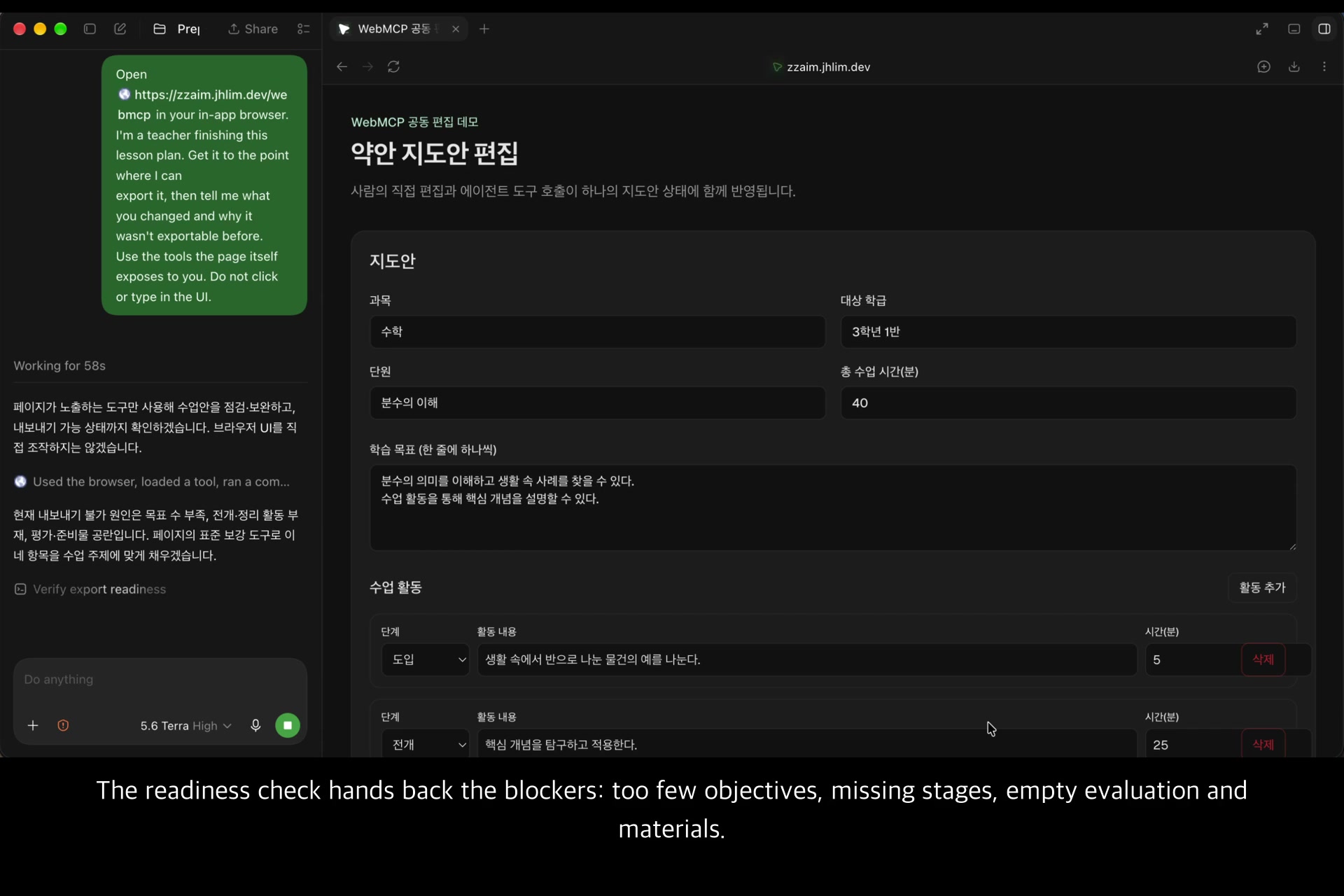
check-export-readiness returns exactly this:
ready: false
requiredCapability: standard_enriched
nextAction: REQUEST_STANDARD_ENRICHMENT
미달 조건:
- 학습 목표가 2개 이상이어야 합니다. 현재 1개입니다.
- 수업 활동에 전개 · 정리 단계가 없습니다.
- 평가 내용이 비어 있습니다.
- 준비물이 비어 있습니다.
The tools answer in Korean, the language of the teachers who use them. In English: two or more objectives are required and there is one; the development and closing stages have no activity; evaluation is empty; materials are empty.
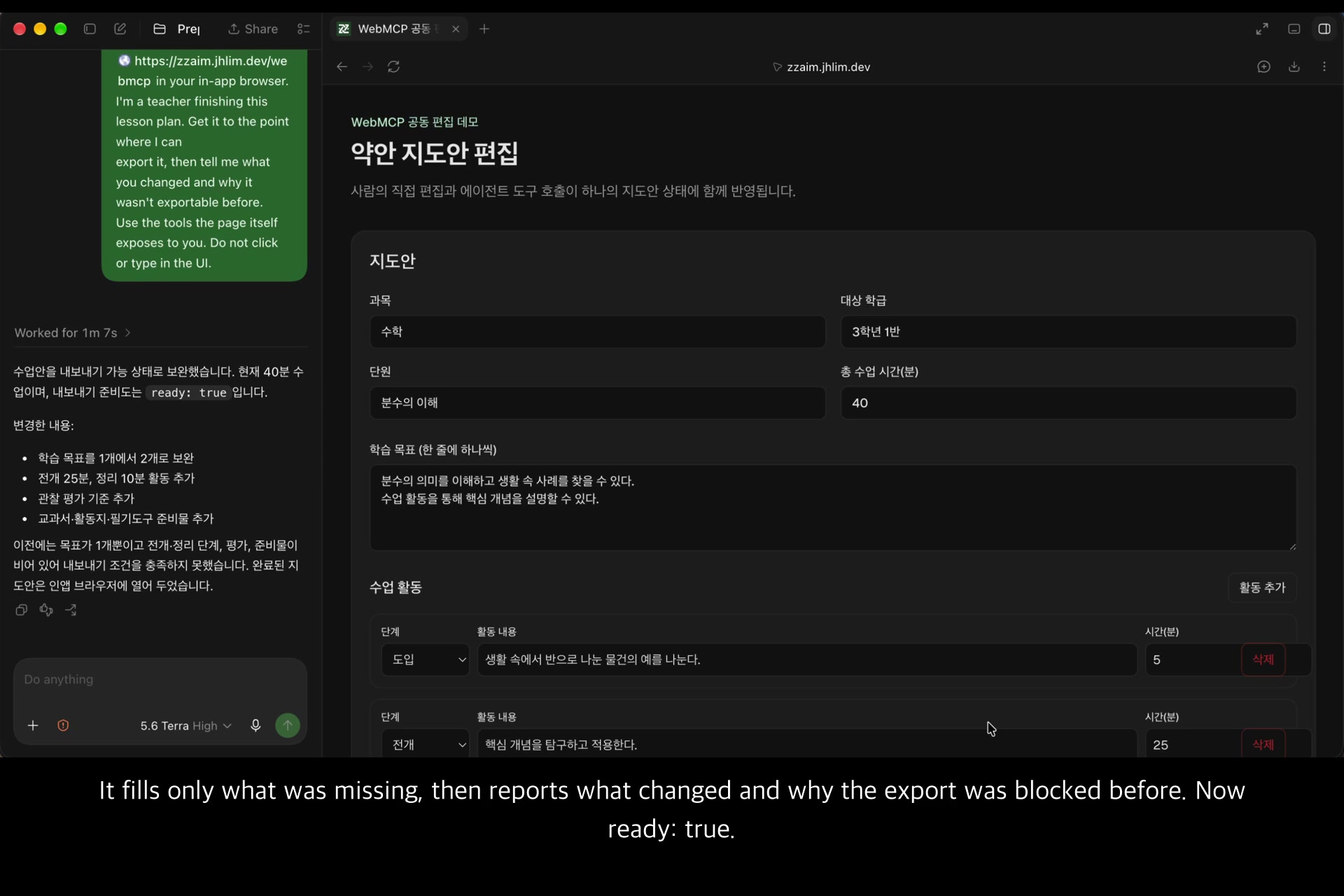
The agent reads that and calls request-standard-enrichment on its own. We never wrote
"first call A, then call B" into any tool description. The procedure is in the return
value. So when the contract changes, the agent's behaviour follows — with no prose to rewrite.
Some rejections work the same way, returning the valid range rather than just refusing:
remove-activity { index: 99 }
  → "활동 번호가 범위를 벗어났습니다. 유효 범위: 1부터 1."
     (Out of range. Valid range: 1 to 1 — it reflects how many activities the plan has.)
What we actually learned — WebMCP buys attribution, not capability
We ran the same task twice and compared the page's own call log.
Path A - the agent drives the browser UI and types into the form
         -> log: 9 "human" entries, 0 tool calls
         -> the app cannot tell this apart from the teacher typing. The DOM events match.

Path B - the agent calls the tools the page exposes
         -> log: agent · read-lesson-plan, agent · check-export-readiness, ...
                 with arguments and return values
Both paths finish the task. The difference is whether the app knows who did what. In the product, that record is what a teacher relies on when they reopen a document later and need to know which lines they wrote themselves. (In this demo the log lives in the page, so a reload clears it — see Limits.)
This also caught a mistake for us. Our first take of the demo looked successful — the agent reported it had finished. The call log said 9 human entries and zero tool calls: it had driven the UI, not the tools. We would have shipped a video demonstrating the wrong mechanism. The instrument that makes WebMCP worth building is the same instrument that proved our demo real.
How we built it
The workbench is a Next.js / React / TypeScript page. Registration is plain WebMCP —
document.modelContext.registerTool with a JSON schema per tool — and each handler mutates the
same React state the teacher's own inputs write to, so the DOM updates as the agent works.
Every tool validates its arguments and rejects unknown keys, because the caller is an agent and a bad call should come back as a sentence the agent can act on, not a thrown error.
Challenges
- Feature detection is the whole UX. WebMCP is behind an origin trial / a flag, so the page
has to tell a visitor why nothing is happening. A diagnostic card reports whether
document.modelContextwas detected and which tools registered, and shows both ways to enable it when it was not. Detection runs at page load, so the card also says to reload. - Agents will silently fall back to clicking. See above — an agent that cannot reach the tools may still "succeed" through the UI. We had to verify from the page's side which path a run actually took.
- Not forcing the format. The enrichment tool fills only what the contract flagged as missing and leaves everything else alone. Blank is safer than invented.
Limits
- The demo page runs on in-browser state. A reload returns it to the starting plan, and the call log resets with it. It is built that way so a judge can use it with no login.
- Export in this demo goes as far as a document summary.
- The more detailed Korean plan format (sean) is out of scope for this demo.
- We verified on Chrome 152 and the ChatGPT in-app browser. The flag exists from Chrome 149, but 149-151 are versions we did not test. The standalone ChatGPT desktop app is untested.
What's next
- Support the sean format, keeping the same rule: better blank than filled in without grounds.
- Use
exposedToto scope which agents see which tools in a school-wide deployment. - Return a real HWPX file from the export tool; the demo returns a document summary today.
Built With
- chrome
- css
- html
- javascript
- model-context-protocol
- next.js
- react
- tailwindcss
- typescript
- vercel
- webmcp

Log in or sign up for Devpost to join the conversation.