ZSUI — A Rust-First, Feature-Gated Native UI Framework
Inspiration
ZSUI began after I finished building ZSClip, a lightweight clipboard and productivity tool written in Rust.
While developing ZSClip, I repeatedly encountered the same low-level desktop problems: native windows, tray icons, global shortcuts, DPI scaling, input routing, text editing, file dialogs, rendering, and resource management. The application worked, but much of that work was tightly coupled to one product and one platform.
I wanted to turn those lessons into a reusable foundation for future Rust desktop applications.
I was also dissatisfied with the usual trade-off between two common approaches:
- Web-based desktop frameworks are productive and have rich ecosystems, but they introduce a browser runtime and higher baseline resource usage.
- Existing native Rust UI frameworks are much more suitable for systems programming, but many prioritize a unified renderer rather than deep integration with each platform's native services.
My goal was not to invent a new state-management pattern. ZSUI uses a familiar typed MVU-style flow:
State → View → Message → Update
How I Built It

I started with the Windows implementation because it was the platform I understood best and because ZSClip had already exposed many real-world Win32 problems.

Instead of designing every abstraction in advance, I built vertical slices:

Create a native window.
Render a typed view tree.
Route pointer and keyboard events into typed messages.
Update application-owned state.
Rebuild or relayout the view.
Connect native desktop services.
Validate the result through a real example application.

Once a Windows capability worked, I extracted a platform-neutral contract and implemented the corresponding AppKit and GTK4 boundaries.

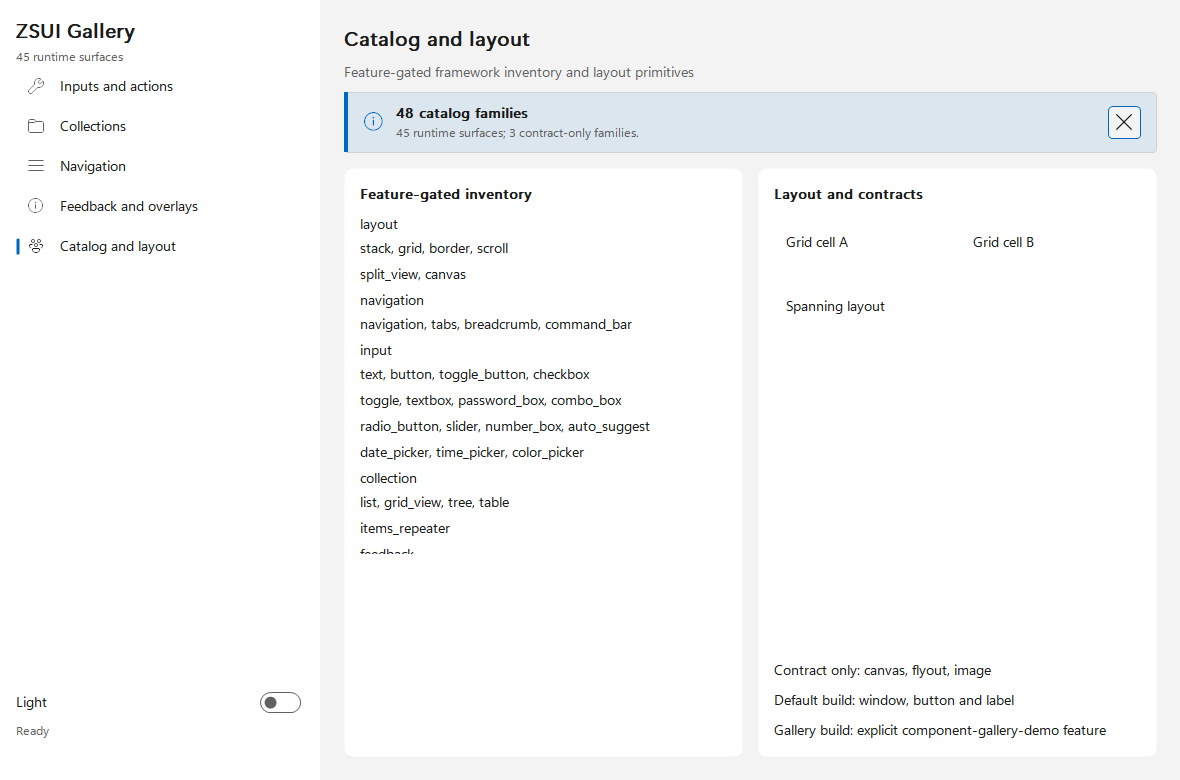
The rendering pipeline converts the shared view tree into a backend-neutral draw plan. Windows currently renders through a buffered GDI/GDI+ path, while AppKit and GTK4 consume the same semantic geometry through their own platform rendering implementations.

Text editing became one of the deepest parts of the project. The shared editor has to handle:

Unicode extended grapheme clusters
Combining characters and joined emoji
Proportional fonts
Bidirectional text
Selection and caret geometry
Soft wrapping
Horizontal and vertical viewports
Page navigation
Drag-selection scrolling
Clipboard commands
IME composition

The native backends use Uniscribe, Core Text, and Pango shaping data while keeping platform objects out of normal application code.

I also added automated checks for:

Minimal and complete feature combinations
Platform-specific compilation
Public API boundaries
WebView dependency exclusion
Component catalog consistency
Native accessibility behavior
Screenshot and smoke-test evidence

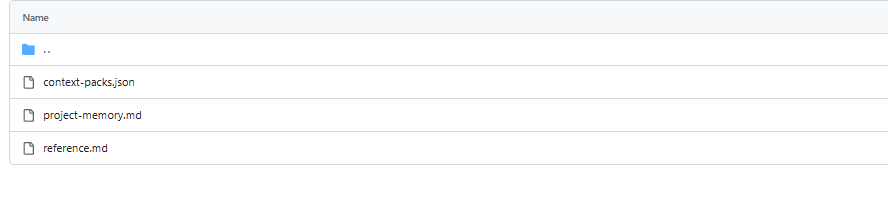
Because the project is developed with extensive AI assistance, I created focused context packs and machine-readable architecture descriptions. These allow an AI coding agent to load only the files and invariants needed for a task instead of repeatedly scanning the entire repository.

Challenges
Cross-Platform Native Behavior

The biggest challenge is that “cross-platform” and “native” are often conflicting goals.

Windows, macOS, and Linux have different event loops, menu conventions, focus behavior, text systems, window lifecycles, icon sources, accessibility APIs, and interaction expectations.

Trying to hide every difference would create a misleading abstraction. ZSUI instead exposes shared application concepts while allowing platform capabilities to be supported, partially supported, or unavailable.

Text Input and Unicode

Drawing a button is relatively easy. Building a reliable text editor is not.

Caret movement cannot simply operate on UTF-8 byte offsets. Emoji sequences, combining marks, bidirectional text, proportional glyph advances, and IME composition all require careful shaping and geometry handling.

I learned that text is not a small widget feature; it is effectively a subsystem of its own.

Maintaining Low Resource Usage

Low memory usage does not come only from compiler optimization or Cargo features. It depends on architectural decisions:

Avoiding a WebView
Avoiding unnecessary GPU initialization
Reusing operating-system services
Bounding caches
Virtualizing large collections
Suspending unnecessary work
Releasing view and rendering resources when resident windows are hidden

Maintaining these properties becomes harder as the framework grows.

Feature Combinations

Fine-grained Cargo features are useful, but they also create a large combination space.

Each optional widget or service must compile correctly with its real dependencies and must not accidentally rely on another feature being enabled through the full profile.

This required a dedicated feature matrix and explicit dependency boundaries.

Avoiding Premature Claims

A backend compiling successfully does not mean it is complete.

I introduced evidence levels for platform functionality: contract, unit tests, compilation, runtime screenshots, and real interaction tests. macOS and Linux already have substantial native host code, but I still consider their full target-machine validation unfinished.

This keeps the project honest, even when it makes progress appear slower.

What I Learned

The most important lesson is that MVU is not the product advantage by itself. Mature frameworks such as Iced already provide an excellent typed MVU architecture.

ZSUI must justify its existence through other strengths:

Deeper native desktop integration
Lower baseline resource usage
Fine-grained build-time composition
Explicit platform capability boundaries
Strong support for lightweight system tools
Predictable Rust ownership and resource lifetimes

I also learned that AI can dramatically increase development speed, especially for platform adapters, tests, documentation, and repetitive implementation work. However, AI does not replace architecture, automated verification, or physical-device testing.

Finally, I learned that building a UI framework is not mainly about adding more controls. The difficult work is in text, input, accessibility, focus, scaling, resource ownership, platform behavior, and long-term API stability.

What's Next

The next milestones are focused on maturity rather than component count:

Complete real macOS and Linux runtime evidence
Validate Linux under Wayland and X11
Promote the most important controls from first-pass to production-ready status
Stabilize the public API for the final 0.2.0 release
Improve asynchronous task and effect handling
Expand accessibility verification
Build a complete medium-sized application with ZSUI
Attract external users, issue reports, and contributors

ZSUI is still an early project, but it has moved beyond a conceptual prototype. It now has a published crate, real native implementations, working applications, measurable resource characteristics, and a clear technical direction.

My long-term goal is not to replace every Rust UI framework. It is to make ZSUI an excellent option for developers who want to build lightweight, deeply integrated native desktop tools in Rust.

Links
Source code: github.com/qiu7824/zsui
Demo video: Watch the ZSUI project demo
Package: ZSUI on crates.io
Documentation: ZSUI on docs.rs
Built With
- accessibility
- ai-assisted
- appkit
- cairo
- cargo
- cargo-features
- core-text
- crates.io
- docs.rs
- fluent-localization
- fluent-system-icons
- gdi+
- github-actions
- gtk4
- ime
- mvu-architecture
- pango
- png
- rust
- serde
- strongly-typed-api
- unicode
- win32
- windows-api
- windows-ui-automation

Log in or sign up for Devpost to join the conversation.