-
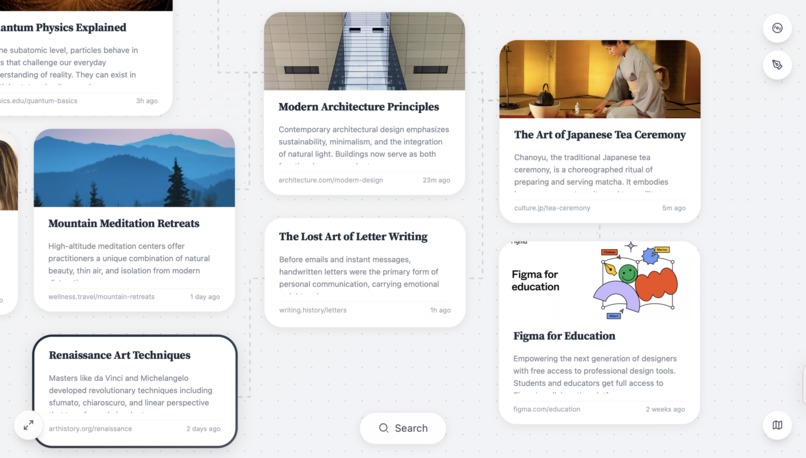
zora home page
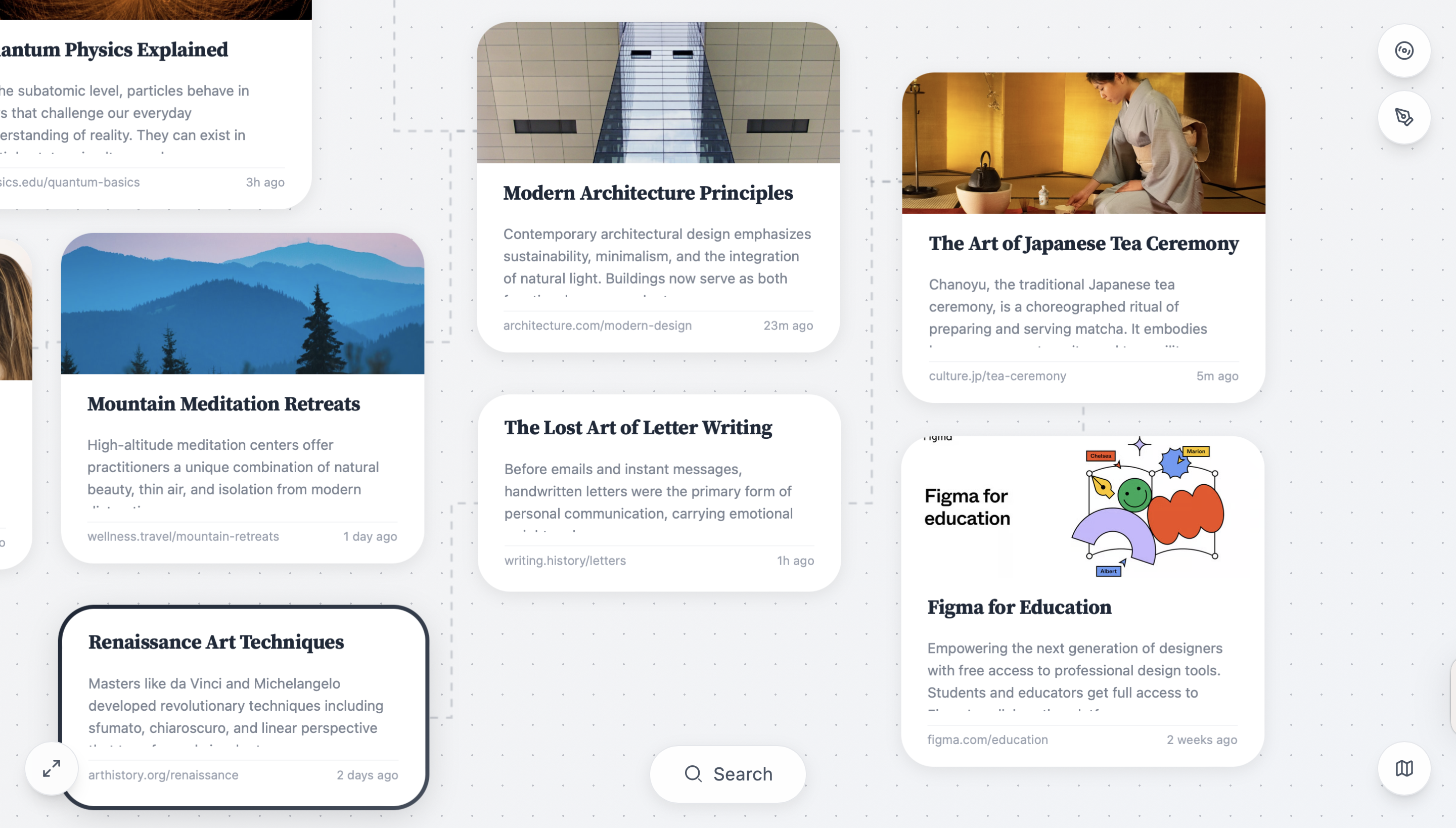
Inspiration
During the Make-a-thon, we noticed a problem everyone silently struggles with: messy, overwhelming browser tabs. When Lily shared her actual Chrome window—50+ tabs deep—we realized this wasn’t “chaos,” but a natural branching process that browsers fail to represent.
The challenge asked us to make a mundane task engaging. We saw an opportunity: what if we could turn tab chaos into something visual, playful, and genuinely enjoyable?
That’s how Zora was born.
What it does
Zora is a browser-like tool that turns your tabs into branches. Instead of flattening pages into a single row of tabs, Zora creates a visual map of your exploration:
- Opening a page → creates a node
- Clicking a link → grows a branch
- Branches can be collapsed, pruned, or reorganized
- Your research stays structured, clear, and engaging
Zora transforms online research from a draining task into a visual, interactive experience.
How we built it
We designed Zora entirely in Figma using Auto Layout, variables, and components to prototype an interactive branching system. Using Figma Make, we brought our design to life by:
- Defining nodes as dynamic components
- Generating branches through interaction logic
- Creating collapsible paths with boolean variables
- Building a lightweight node-relationship structure
- Implementing drag-like behaviors using simulated interactions
- Connecting supabase to allow backend logic: store data + connect apis (brave search apis for web searching and screensohtone api for capturing website thumbnail)
Our focus was to prototype a functional, intuitive system within 24 hours that communicates the core interaction: tabs → branches.
Challenges we ran into
- Representing a branching tree in a tiny screen without overwhelming users
- Designing interaction patterns that feel intuitive without onboarding
- Keeping the prototype performant with many nodes
- Getting Figma Make logic to handle branching behaviors gracefully
- Communicating a brand-new browsing mental model in a simple flow
The biggest challenge was reframing “tab chaos” from a problem into a design opportunity—and crafting interactions that preserve clarity while staying playful.
Accomplishments that we're proud of
- Built a fully interactive branching browsing prototype in under 24 hours
- Created a new mental model for browsing that feels intuitive and engaging
- Successfully leveraged Figma Make for non-linear, dynamic interactions
- Developed a clean, visual system that matches how people naturally explore
- Delivered a storytelling-driven demo that resonated with mentors and users
But most of all: We’re proud that Zora makes research feel fun, not frustrating.
What we learned
- How to structure non-linear interactions inside Figma Make
- How to design for cognitive load and reduce overwhelm visually
- That mundane tasks can become enjoyable through the right mental model
- The importance of thinking in branches, not just screens
- How to rapidly prototype a new user experience under tight constraints
We also learned that tools shape behavior—when the tool changes, the task feels completely different.
What's next for Zora
If we continue Zora, we want to:
- Add AI-assisted auto branching (grouping, summarizing, cleaning paths)
- Introduce searchable nodes and notes within branches
- Build a real browser extension that captures pages as nodes
- Allow export to mind maps, PKM tools, and knowledge graphs
- Add versioning to track how your thinking evolves over time
- Explore real-time collaboration for shared research maps
Our long-term vision is bold: A new way to browse — playful, structured, and built around how humans actually think.
Built With
- bravesearchapi
- figma
- figmamake
- screenshotoneapi
- supabase

Log in or sign up for Devpost to join the conversation.