-
-
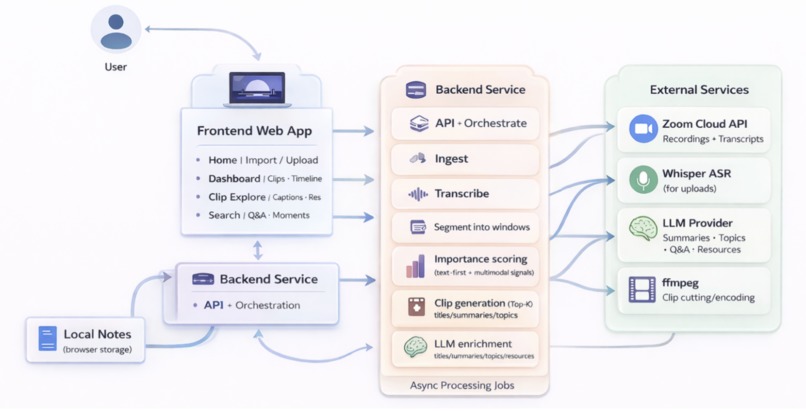
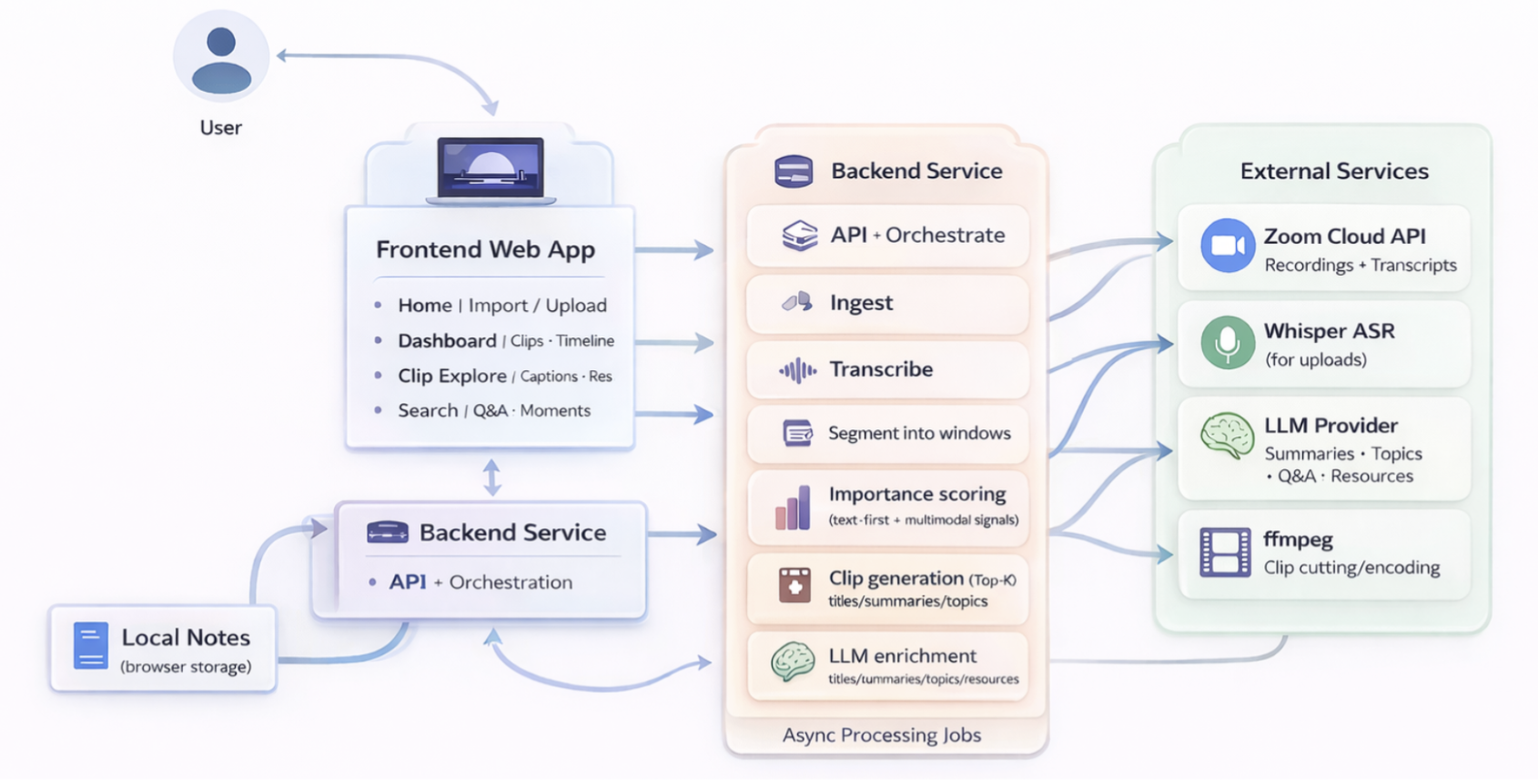
System Architecture Overview
Inspiration
Millions of lectures are recorded every week on platforms like Zoom. While recording has become effortless, navigating is not. Long-form video assumes passive, linear viewing, but students don’t study linearly. They search, revisit, skim, and review. Research consistently shows that: Users prefer condensed and swimmable video formats Highlight extraction improves discoverability and engagement Structured summaries reduced cognitive load and improve retention Foundational benchmarks such as TVSum (CVPR 2015) and SumMe (ECCV 2014) formalized video summarization as a temporal importance-scoring problem. More recently, QVHighlights (NeurIPS 2021) introduced query-conditioned highlight detection, enabling video segments to be ranked based on user intent.
However, much of this work focuses on visual saliency and frame-level features, which are approaches that are less aligned with concept-dense educational content. We extend this paradigm with a transcript-first, LLM-driven approach tailored specifically to recorded lectures. Instead of treating Zoom recordings as raw video streams, we treat them as structured knowledge sources. By leveraging transcription and large language models, we enable semantic search, query-driven highlight extraction, and automatic study-ready reels.
What it does
After a sports game, people watch the highlight reel, not the three hour broadcast. After lecture, students want the same: key concepts and moments that matter. zoomin is a web application that breaks down long form recordings into structured knowledge.
Our workflow starts with our recording upload. zoomin analyzes the entire recording, splitting it into small windows to automatically generate highlight clips. Each clip includes a contextual learning dashboard with recommended Youtube videos and articles. Beyond highlights, our search tool lets users filter by keywords or ask questions to instantly surface relevant clips. When inspiration strikes, students can use our note taking feature to jot down any ideas, questions, and information onto an interactive post-it, stuck directly to the page. In short, zoomin converts passive Zoom recordings into an interactive, searchable, and study-ready knowledge base.
How We Built It
Secure Content Upload
We import Zoom cloud recordings using Service-to-Service (S2S) token flow and also accept upload of MP4s. This allows users to pull recordings directly from Zoom without manual downloads, while keeping access scoped and secure.
Generating Clip Highlights
Non-Zoom audio is transcribed with OpenAI Whisper (ASR), and Zoom recordings use built-in transcript support. Then, we use a multi-modal importance scoring algorithm to identify the most important and useful segments of the videos. Our scoring algorithm takes in video transcripts, chat messages and volume levels, assigns importance scores to segments, and then uses smart coalescing to create highlight clips.
Using ffmpeg, we extract the highlight clips and timestamps from the original video for display on the site. We apply overlap and redundancy controls to ensure highlights are distance and temporally accurate. The result is a curated set of concise, watchable clips from long recordings.
Query-Conditioned Search
Inspired by QVHighlights (NeurIPS 2021), we extend our framework to support search. Scanning the transcript windows, we compute query-text relevance then cut playable clips of the top candidates. We apply LLM semantic compression to produce structured summaries and descriptive titles for each highlight segment.
This effectively transforms unstructured video into a searchable semantic knowledge base.
Recommending Resources
We envision zoomin as a comprehensive, dynamic learning companion that helps students go beyond simply watching recordings. As students, we know how difficult it can be to unpack all the concepts covered in dense lectures and find resources to reinforce or clarify understanding.
In response, we incorporated a resource recommendation feature embedded inside of each highlight clip. When the user expands on a clip, the site displays a dashboard of information with insights about the key moments and topics covered.
Most importantly, the related learning section underneath the clip displays curated YouTube videos as well as informational articles to give the student a clear, actionable starting point for more exploration.
Notes
We save notes in the browser on a per-recording basis, fit with rich formatting features. The persistent floating panel allows users to take notes seamlessly across summaries, clips and search results without interrupting the viewing experience.
Challenges we ran into
Because our app heavily relies on LLM’s to analyze long video transcripts, our biggest challenge we faced was handling rate limits by OpenAI. The video and clip summaries, clip titles, transcripts, and related resources generation features all relied on transforming our data using OpenAI APIs. As a response to severe rate limiting caused by too many requests, we added a minimum 3s gap between chat/completion calls, a delay between title generation, and retries with backoff for the educational-importance scoring. We also introduced a request chunking schema that enforced an 8k token length cap for videos with long transcripts.
Due to the hackathon’s limited time frame, we struggled to prioritize features strategically and efficiently. To guide our development, we selected students as our target demographic, and honed in on making their experience as seamless as possible. Drawing from our personal experiences as current students, we concentrated on features that we wished we had as current students, and knew others would use. We took input from sponsors and other teams to gain a well-rounded understanding of our user pain points, and created a 20 minute demo Zoom lesson to thoroughly test our workflow.
Accomplishments that we're proud of
We shipped something we’d genuinely use ourselves during finals week.
- We made search return nothing when nothing exists, an underrated feature.
- The first time we fed in a 50-minute Zoom podcast with Sam Altman and successfully extracted clips on curing cancer, reallocating human capital, and training GPT-2
- Our AI now knows which parts of a lecture students actually care about (and which parts can safely be skipped).
- We compressed hours of lecture into minutes without losing meaning (helping every procrastinator out there)
- And most importantly: we made 2-hour recordings feel less like punishment and more like productivity.
What we learned
Pipeline correctness often mattered more than model complexity early in the process. In fact, a user-friendly product mostly relies on maintaining consistency across the platform, which requires careful attention to the little details.
In real life, video recordings vary in structure, transcript quality, and metadata availability. Fallback modes and robust defaults are necessary but require careful consideration to maintain reliability and stability.
What's next for zoomin
Our next step is to evolve from a highlight tool into a true video intelligence platform.
On the product side, we plan to support collaborative workflows: shared workspaces, team-level knowledge organization, and persistent cloud-based notes. Imagine a social layer for zoomin, where classmates can share clips they found personally meaningful, help each other answer questions, and build a collective knowledge library.
Longer term, we envision becoming the infrastructure layer for video understanding. As video becomes the dominant form for communication, we see the future belonging to platforms that are structured, searchable and truly understandable.
Because the most important insights only emerge when you zoom in.
Built With
- fastapi
- html
- javascript
- librosa
- openai
- python
- whisper
- zoom

Log in or sign up for Devpost to join the conversation.