-
-
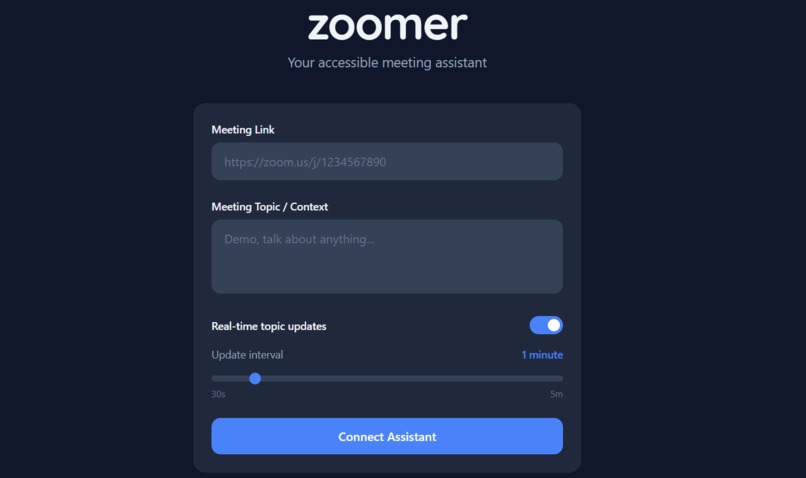
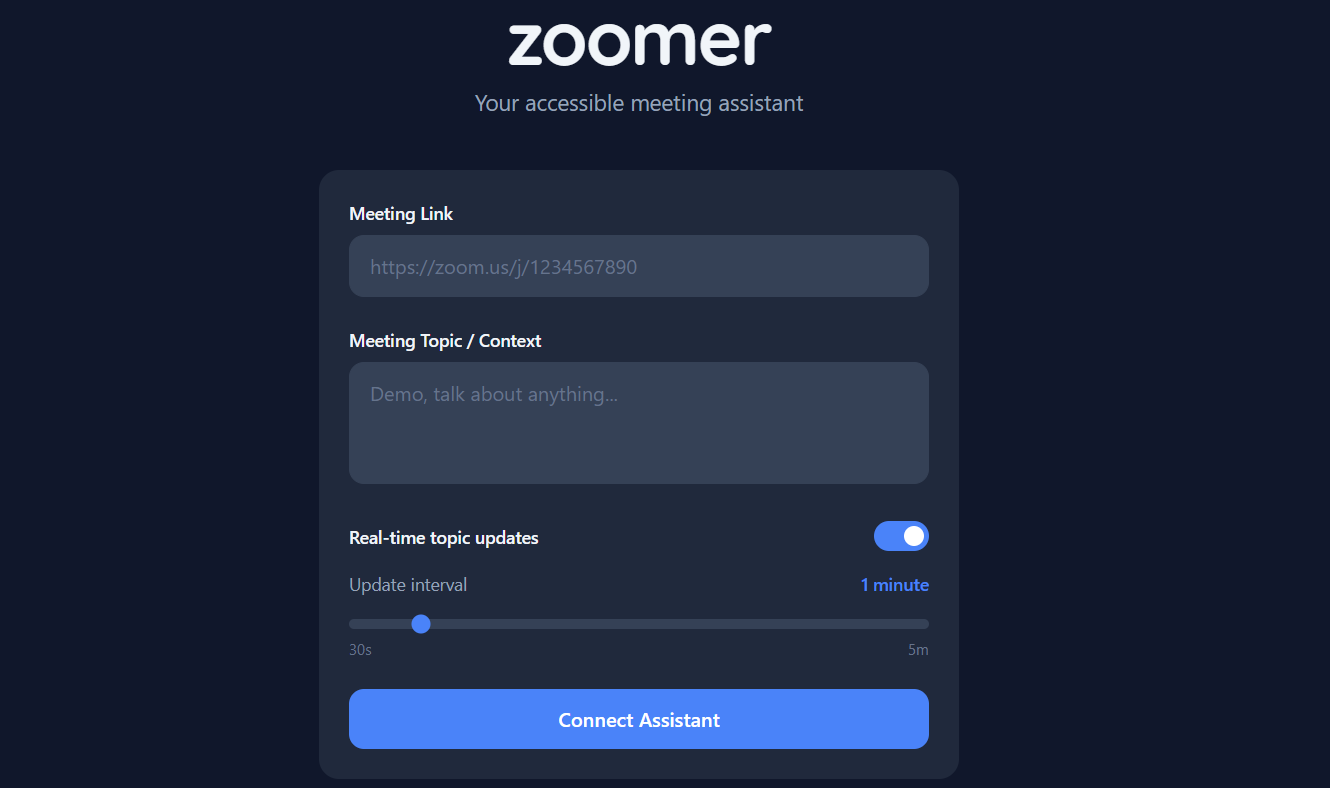
Pre-meeting Landing Page
-
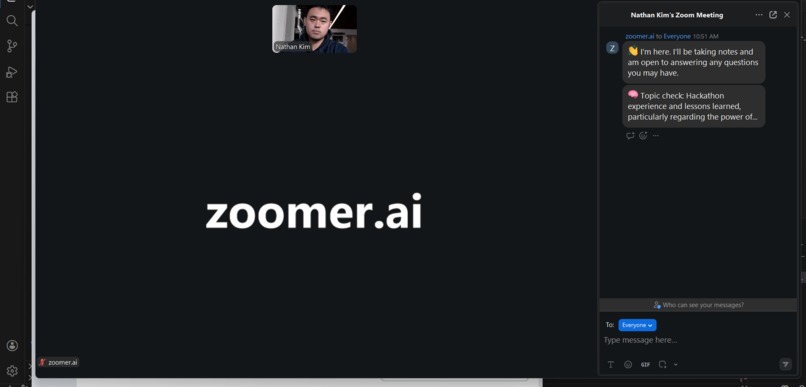
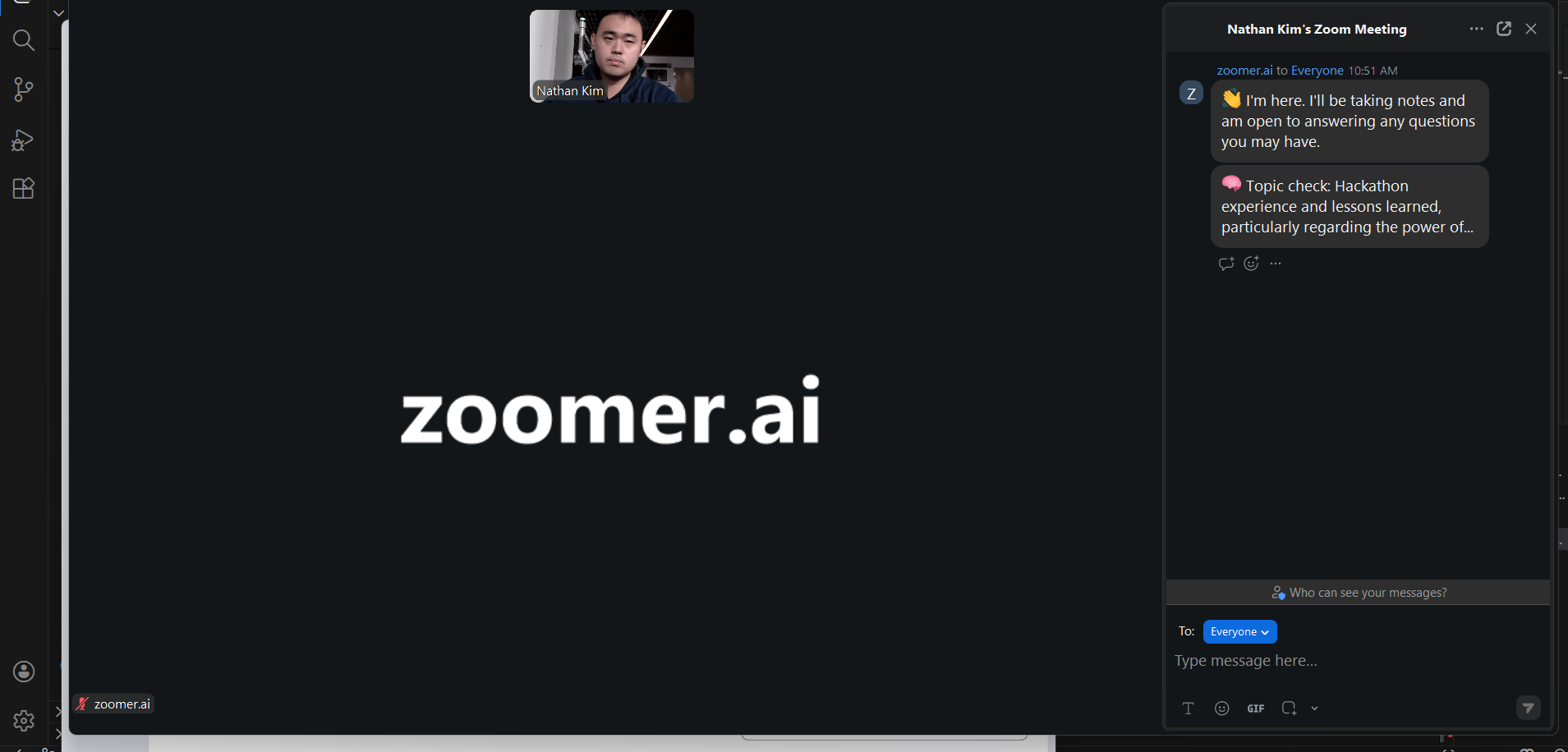
Mid-meeting Bot Joining
-
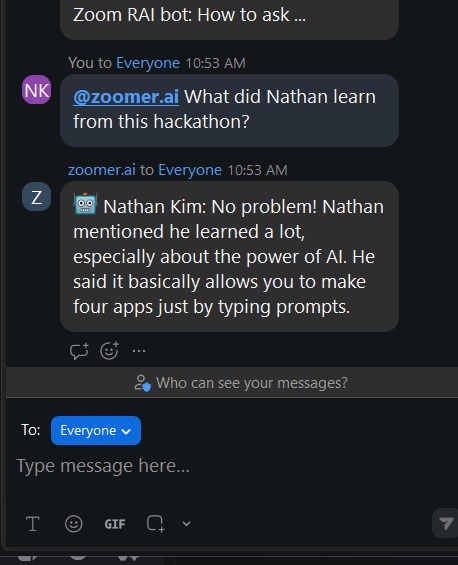
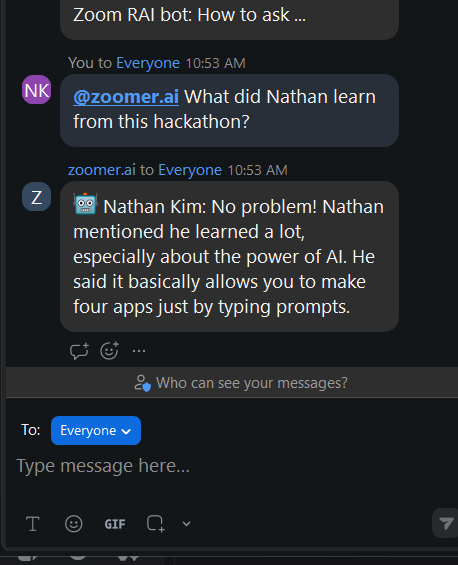
Mid-meeting Q&A
-
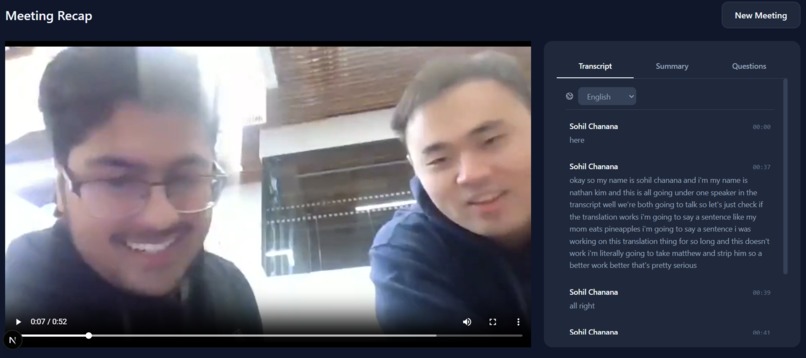
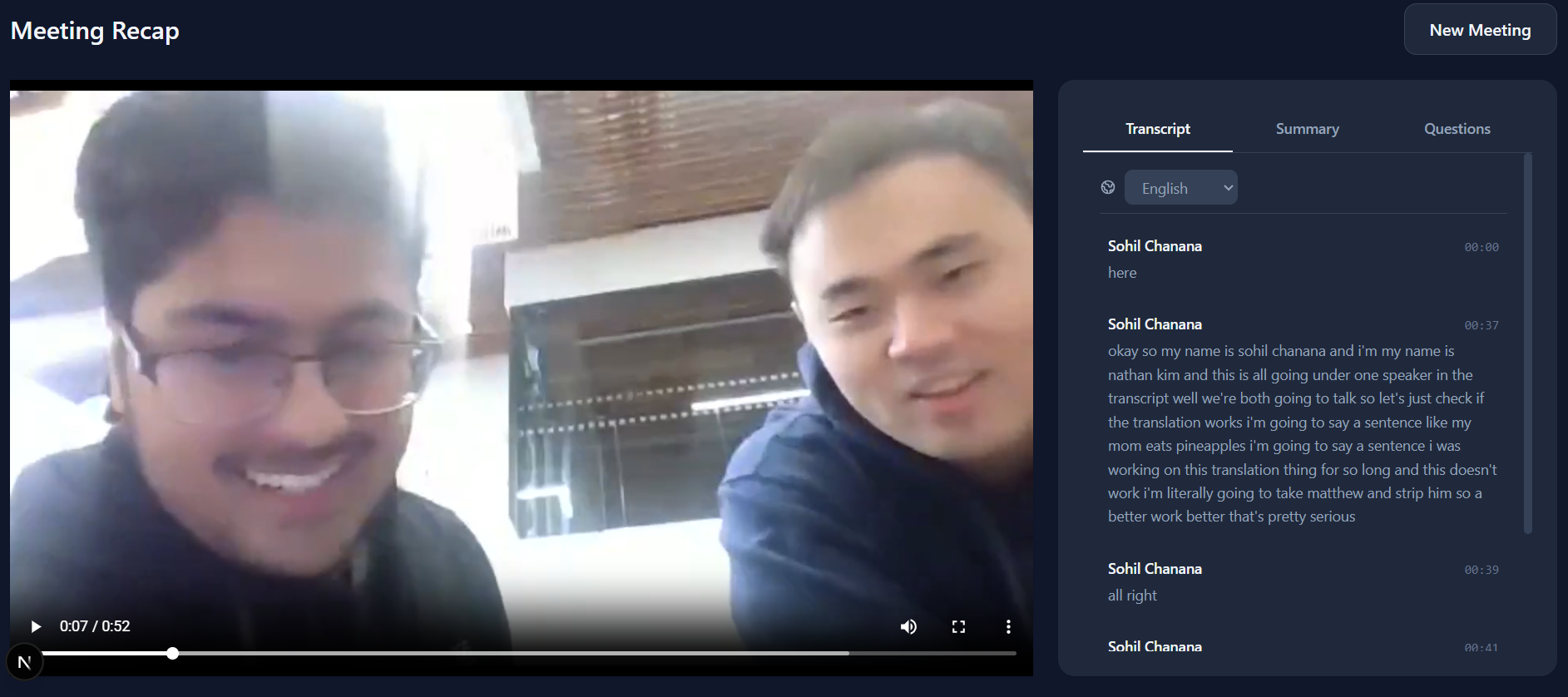
Post-meeting View
-
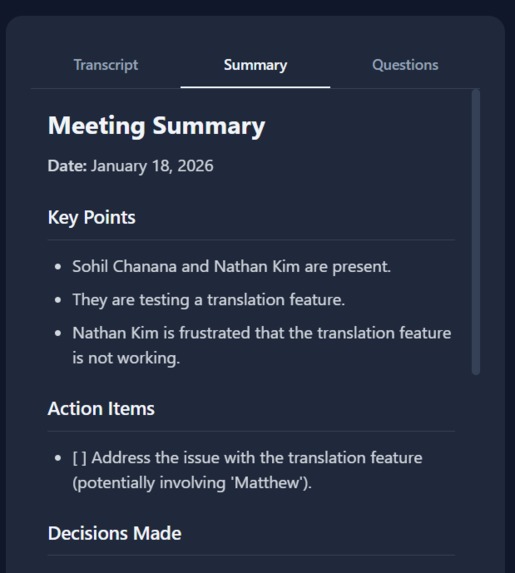
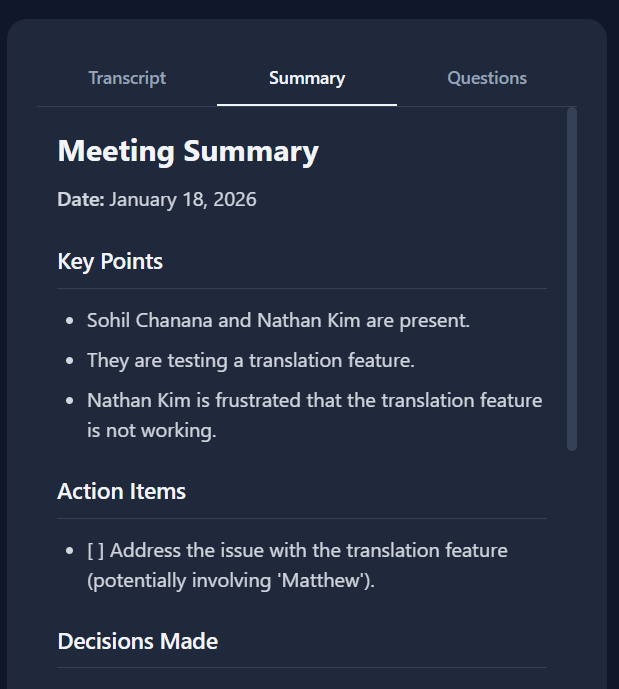
Post-meeting Summary
-
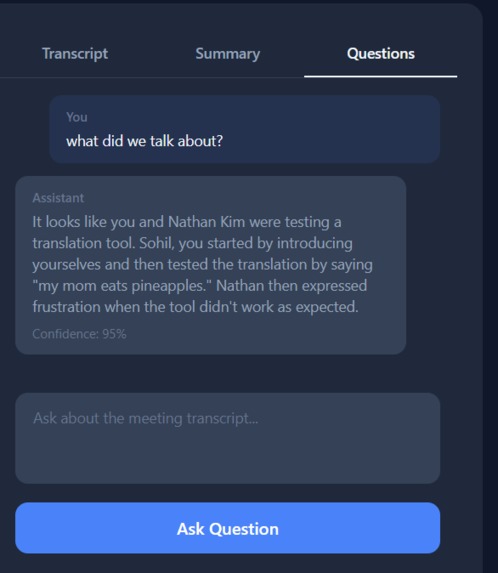
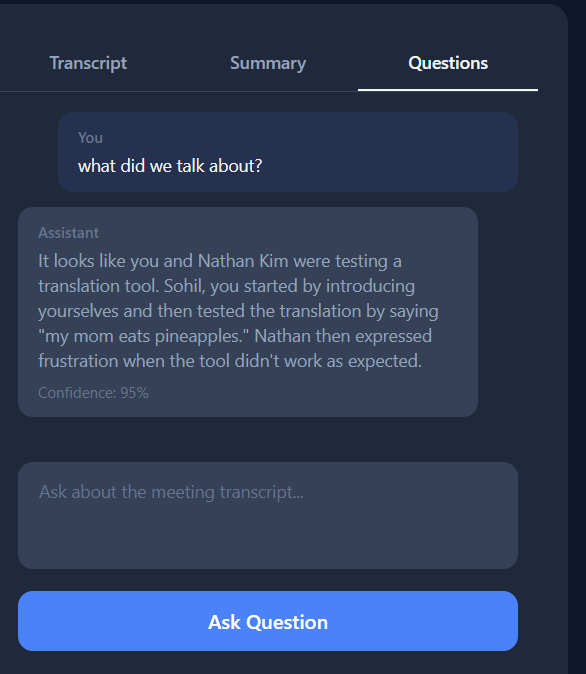
Post-meeting Questions
-
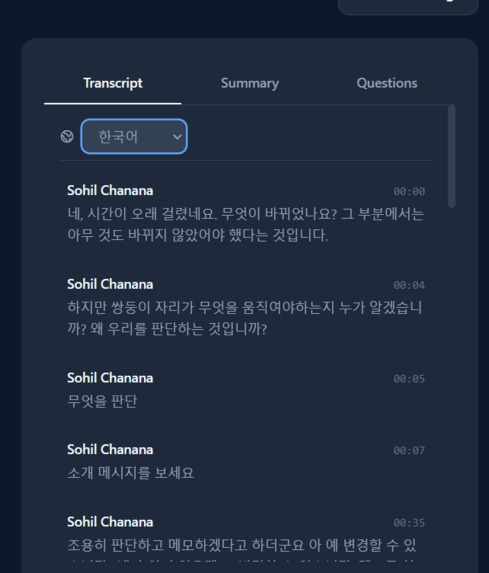
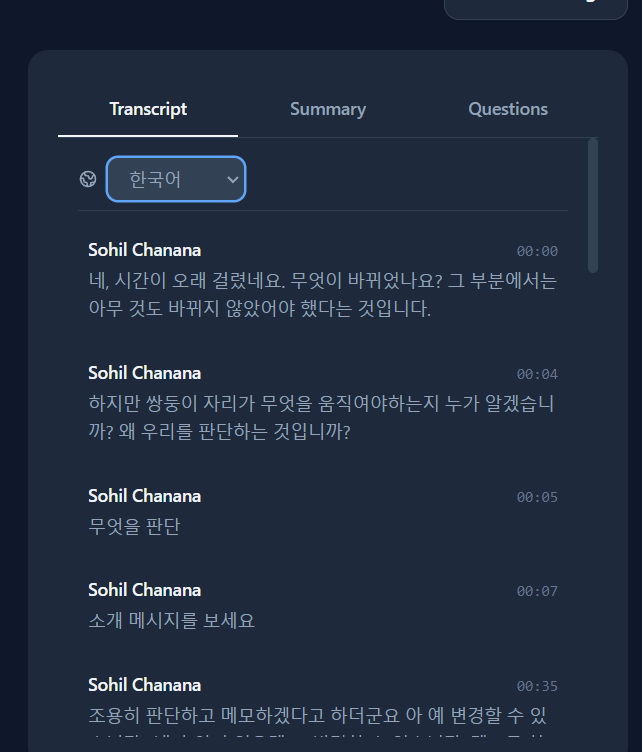
Post-meeting Translation
Inspiration
Approximately 15–20% of the global population is estimated to be neurodivergent, and 40% of students worldwide experience education where the language of instruction doesn’t match their own language skills.
Disability and accessibility issues aren’t always the ones we can see. Across the world, many people face cognitive, communication, or language barriers that make everyday experiences unnecessarily difficult. These challenges often become more pronounced in meeting settings, where outside scenarios can be unsuitable for learning, or just can’t replicate the convenience and accommodation of an in-person experience. Neurodivergence, social anxiety, and language differences can often go unrecognized in these scenarios, yet they can significantly impact someone’s ability to participate, stay engaged, or feel heard.
We were inspired by our own experiences seeing ourselves and peers fall behind in school lectures, office team meetings, or group project discussions; whether its losing focus, feeling uncomfortable speaking up, or struggling to follow discussions in a non-native language, traditional meetings, although convenient for online communication, can leave others feeling excluded.
We wanted to build a tool that acknowledges the individual's struggle and bridges that gap. That's why we made Zoomer, an ai-powered assistant and webapp that helps make meetings more accessible, inclusive, and more convenient for everyone.
What it does
Zoomer adds an accessibility layer to both live and recorded meetings. During a meeting, it joins and listens in on the conversation, taking note of who is saying what, and what's going on. It then leaves periodical “checkpoint messages” in the chat that summarize the topic of discussion so far, giving anyone who may have lost focus an easy way back into the discussion.
Furthermore, if someone missed a detail, or just needed a reminder, Zoomer can answer any question a user may have about the meeting in either the public zoom chat, or Zoomer’s private chat interface if they’re feeling a bit anxious, or just don’t want to interrupt the flow of a meeting.
After the meeting, Zoomer takes it a step further, in addition to the chatbot interface, it provides both a simplified meeting minutes document, as well as a structured and searchable recording and transcript, making it easy for anyone to review the meeting and learn at their own pace. Additionally, if users wish to revisit their old meetings, they can upload the video and transcript for further use. Finally, we add a translation layer for those with english as their second language, so users won’t feel left behind by the language barrier.
Through in-meeting moderation and assistance, and post-meeting recordings and translations, Zoomer helps create a more inclusive, and accessible space for everyone.
How we built it
We built Zoomer using a full-stack architecture that both integrates with live video meetings, as well as provides an interactive and responsive webapp. A meeting bot joins Zoom through the recall.ai api, which records video, logs voice transcripts, and responds to chat questions which are streamed to our Python backend and piped to the Gemini AI API.
Gemini analyzes voice transcripts to find the topic of discussion, responds to questions through given meeting context, and produces a structured and easy-to-understand meeting summary. Finally we take advantage of the Google Translate API to quickly and cleanly process meeting transcripts. To house all of Zoomer’s functionality, we utilize a Next.js frontend, with a FastAPI backend, using ngrok for secure tunneling, and Uvicorn for server orchestration.
Challenges we ran into
Complex API Integration One of our biggest challenges was working with and integrating a variety of unique APIs with different functions and purposes. Creating meeting chatbots, Transcript Translation, and web socket implementation, were tasks that each of our team members had to work through and see to completion.
Frontend and Backend Connection In addition to making these API puzzle pieces work individually, we learned a big lesson on the importance of clean code, simple endpoints, and coding for the future. Once we had made our individual components, connecting the front and back end through multiple different FastAPI calls was a complicated and delicate ordeal that had to be handled with care.
Accessible and Responsive Design Finally, we faced challenges when designing our product for accessibility and ease of use, balancing and implementing useful features while being wary of overcrowding the user interface.
Overall Zoomer was not only a project that we loved building, but it was a learning experience for all of us, teaching us how to use new tools, write clean code, and build with the user experience in mind.
Accomplishments that we're proud of
Overall, we’re extremely proud that we were able to produce a clean and cohesive working product with a lot of potential for future development.
We believe that we finished implementing the heaviest and hardest of Zoomer’s features during our 24 hours, shipping a working meeting chatbot, websocket orchestration, and seamless AI integration. We've laid the foundation to take Zoomer further and add even more features and functions to appeal to an even wider audience.
What we learned
Creating Zoomer was a learning experience through and through. When we started we had a basic understanding of connecting frontend and backend features in the past with 1 or 2 API’s in a project, but we had never done it on the scale and complexity that Zoomer demanded. As a result we learned (the hard way) that creating clean code and endpoints should be a top priority for any developer in any project.
When we began connecting the front and back end, we soon realized how challenging the process would be as we connected the first endpoints to each other and it became our biggest time sink. After that challenge, we made sure that the rest of our endpoint integration was set up for success.
We also learned that “user experience” is not a one size fits all problem, it wasn’t just about making an attractive front end that was easy on the eyes; it was about putting ourselves in the shoes of those who are challenged with accessibility problems or disabilities and making the application easy and convenient for them to use.
Through Zoomer, we learned more about the human side of the user experience as well as the importance of coding with the future in mind.
What's next for zoomer
Zoomer’s greatest strength is its versatility and potential. When it comes to making the world more accessible, there are a variety of features we can add.
1. More Accessibility Features For A Wider Audience For example, some future features we would like to include are text to speech functionality application wide to help those who are visually impaired, as well as colour coding and highlighting of key transcript moments for those who are deaf or hard of hearing.
2. More Platforms Additionally, our project focuses on the zoom platform, but next, we would like to move to other platforms like Teams and Google Meet.
3. Online hosting Finally, at the moment Zoomer works as a localhost application. As a result, our immediate next step is hosting zoomers online for people around the globe to access with ease.
Built With
- deep-translator
- fastapi
- gemini
- next-js
- ngrok
- python
- recall.ai
- typescript
- uvicorn


Log in or sign up for Devpost to join the conversation.