
Zombtoy
A Unity 3D zombie survival game with multiple perspectives and a .NET backend API



📖 Overview
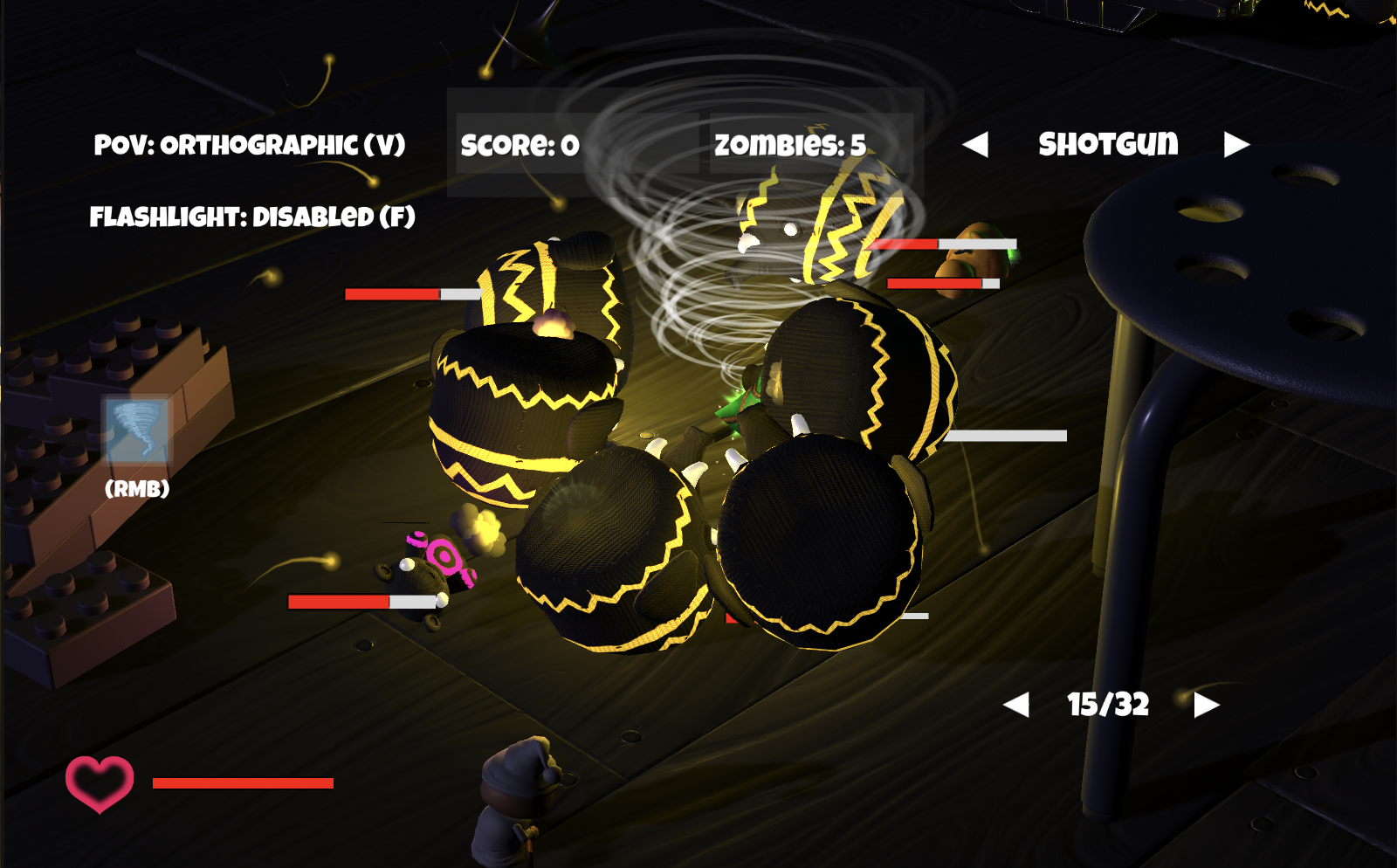
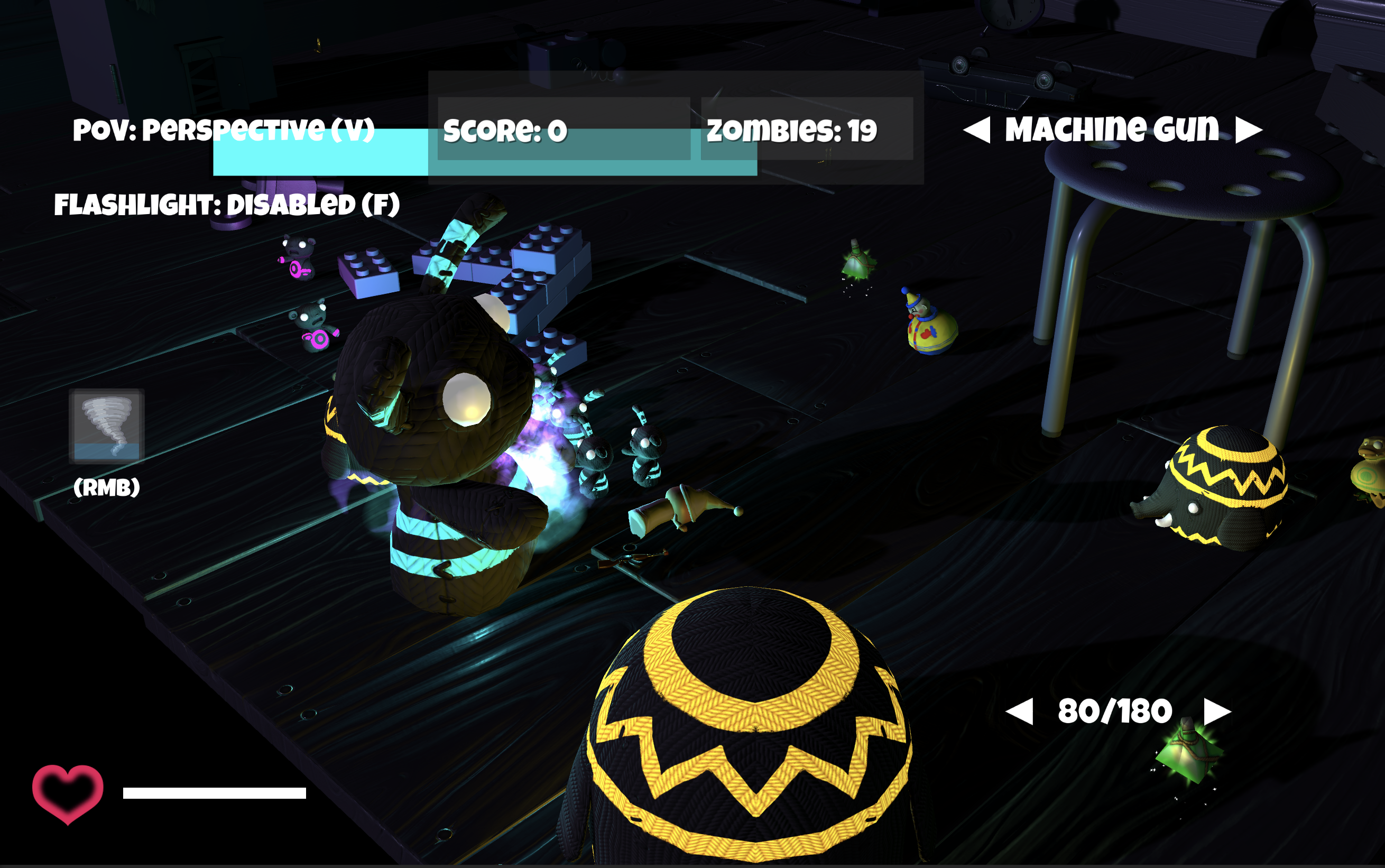
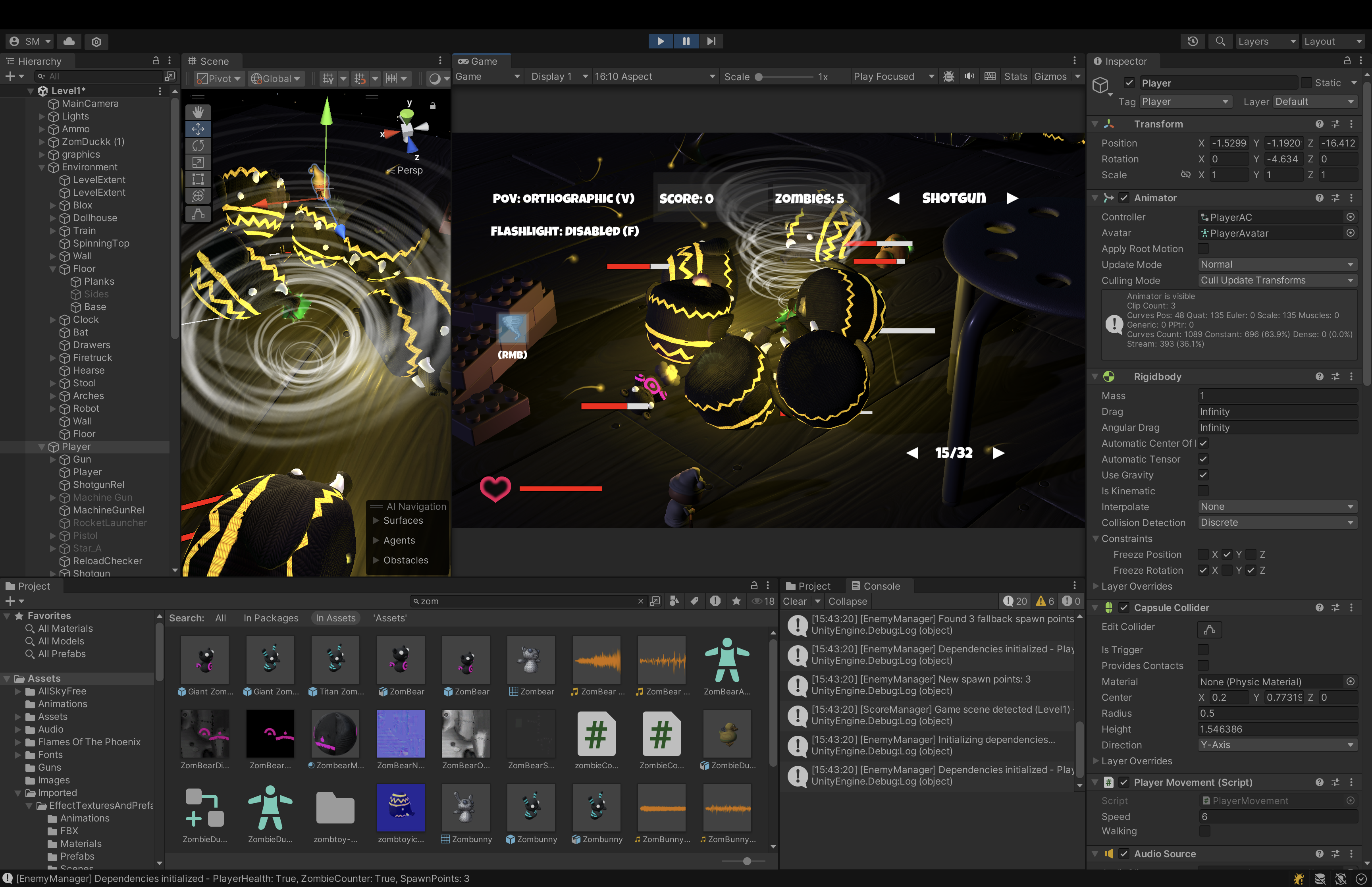
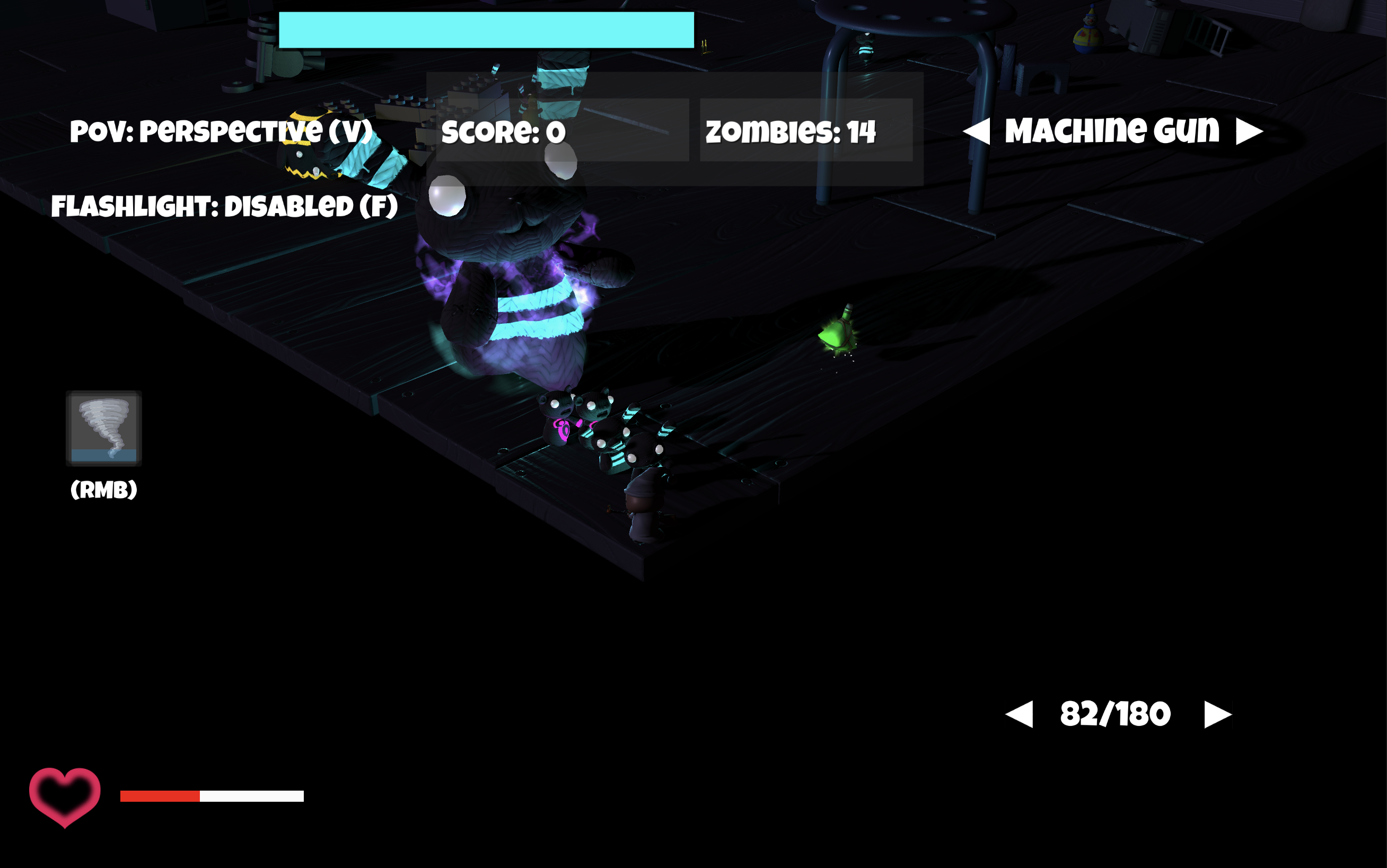
Zombtoy is a zombie survival game built in Unity featuring multiple game modes, weapon systems, and enemy types. Originally created during my high school years as a learning project, it now serves as a comprehensive example of Unity game development with modern architectural patterns and backend integration.
🎮 Key / Planned Features
- Multiple and or Dynamic/Scenic Camera Perspectives: Switch between isometric and first-person views
- Diverse Enemy Types: Fight zom-soldiers, giant/mutant zombtoys, bosses, zomtoys with varying spells / ranged attacks, ect.
- Weapon Arsenal: Firearms, rocket launchers, flamethrowers with different ammunition types
- Health & Stamina System: Complete player vitals management
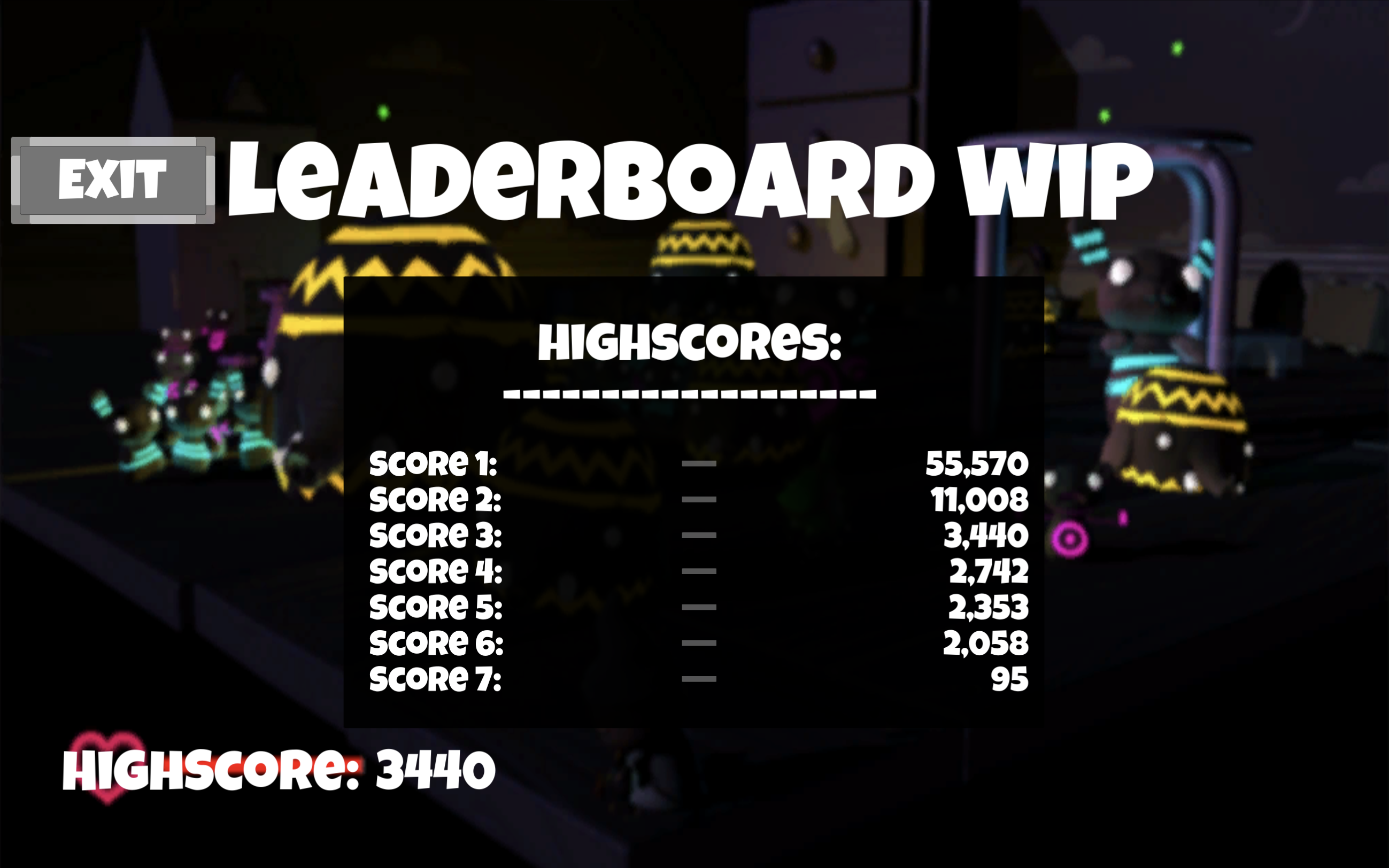
- Backend (current): Local and online high score tracking
- Backend (future): full implementation of a multiplayer / CO-OP system wth user-profiles and a basic anticheat.
- Visual Effects: Particle systems for combat, explosions, and environmental effects
- Sound Design: Comprehensive audio system with SFX and environmental sounds
🏗️ Project Structure
Zombtoy/
├── Assets/                          # Unity project assets
│   ├── Scripts/                     # C# game scripts
│   │   ├── Core/                   # Core architecture (GameEvents, Managers)
│   │   ├── Player/                 # Player systems (Health, Movement, Shooting)
│   │   ├── Enemy/                  # Enemy AI and behavior
│   │   ├── Managers/               # Game state and system managers
│   │   ├── UI/                     # User interface scripts
│   │   ├── Weapons/                # Weapon systems
│   │   └── Server/                 # Backend integration
│   ├── Scenes/                     # Game scenes (menus, levels)
│   ├── Prefabs/                    # Reusable game objects
│   ├── Materials/                  # Visual materials
│   └── Audio/                      # Sound effects and music
├── Backend/                        # .NET Minimal API backend
│   └── ZombtoyBackend/            # Score tracking and multiplayer prep
├── DevTools/                       # Development utilities
│   ├── Diagrams/                   # Architecture diagrams
│   └── GAMEEVENTS_DEBUG_GUIDE.md  # Event system debugging
├── REFACTOR_PLAN.md               # Detailed architectural improvements
└── DOTNET_BACKEND_INTEGRATION_GUIDE.md  # Backend setup guide
🚀 Quick Start
Unity Client Setup
Prerequisites
- Unity 2022.3.37f1 or later
- Git for cloning the repository
Installation
git clone https://github.com/ieatyoursushi/Zombtoy.git
cd Zombtoy
Open in Unity
- Launch Unity Hub
- Click "Open" and select the
Zombtoyfolder - Let Unity import all assets (may take several minutes)
Run the Game
- Open
Assets/Menu.unityscene - Click the Play button in Unity Editor
- Use the menu to navigate to game levels
- Open
Backend API Setup
The game includes a .NET Minimal API for score tracking and multiplayer preparation.
Prerequisites
- .NET 8.0 SDK
Run Backend Locally
cd Backend/ZombtoyBackend
dotnet restore
dotnet run --urls "http://localhost:3000"
-so far is just a primitive highscore rest minimal API (will likely keep using .NET minimal for the context of this project).
API Endpoints
GET /- Health checkPOST /addScore- Submit score (text/plain or JSON)GET /getAllScores- Retrieve all scores
Quick Test
# Add a score
curl -X POST http://localhost:3000/addScore -H 'Content-Type: text/plain' --data '1234'
# Get all scores curl http://localhost:3000/getAllScores
-Websockets coming soon

## 🎯 Game Modes & Scenes

- **Main Menu** (`Menu.unity`) - Primary navigation hub
- **Level 1-2** (`Level1.unity`, `Level2.unity`, `Level3.unity`) -  Game scenes that represent differing versions (will likely transition to a single-scene full manager-dictated system).
- **Isometric View** - Top-down perspective gameplay
- **First Person** - Immersive FPS experience
- **Settings Menu** - Game configuration
- **Leaderboard** - High score display

## 🏛️ Architecture Overview

### Core Systems

- **GameEvents**: Event-driven architecture for decoupled communication
- **Managers**: Centralized system management (Enemy, Score, GameState, etc.)
- **Player Systems**: Modular player functionality (Health, Movement, Shooting)
- **UI Management**: Scene navigation and user interface handling (most WIP, seamless cross compatibility between legacy code needed)

### Key Components

- **PlayerHealth**: Health and stamina management with event integration
- **EnemyManager**: Centralized enemy spawning and lifecycle management
- **ScoreManager**: Score tracking and high score persistence
- **WeaponSystem**: Comprehensive weapon handling and ammunition management
- **ItemManager**: Centralized item spawn-manaement in the game scene.

## 🔧 Development Status

This project is actively being refactored to improve code quality and prepare for multiplayer features.

### Current Focus Areas

- **Event-Driven Architecture**: Migrating from tight coupling to event-based communication
- **Component Separation**: Breaking apart monolithic classes into focused components
- **Memory Management**: Fixing potential memory leaks in event subscriptions
- **Backend Integration**: Preparing for multiplayer and cloud score synchronization

See [`REFACTOR_PLAN.md`](REFACTOR_PLAN.md) for detailed architectural improvements and [`DOTNET_BACKEND_INTEGRATION_GUIDE.md`](DOTNET_BACKEND_INTEGRATION_GUIDE.md) for backend setup details.

## 📋 Controls

### Keyboard Controls
- **WASD** - Movement
- **Mouse** - Look around / Aim
- **Left Click** - Shoot
- **R** - Reload
- **Shift** - Sprint
- **Space** - Jump (first-person mode)
- **F** - Flashlight toggle
- **1-9** - Weapon selection
! Inventory and Keying system needs refactoring asap !

### Menu Navigation
- **Mouse** - Navigate menus
- **ESC** - Pause/Menu

## 🎨 Third-Party Assets

This project includes several third-party Unity assets:

- **WarFX**: Combat effects and particle systems
- **Cartoon FX**: Additional visual effects
- **Sci-Fi Styled Modular Pack**: Environmental models and textures
- **AllSkyFree**: Skybox collection for various environments
--Later conversion to custom made or commercially liscenced assets--

## 📈 Performance Considerations

- **Event System**: Optimized for minimal garbage collection
- **Object Pooling**: Implemented for projectiles and effects
- **LOD System**: Level-of-detail for complex models
- **Texture Compression**: Optimized for various platforms

## 🧪 Testing & Debugging

### Debug Tools Available

1. **GameEvents Debug System** - Monitor event flow and subscriptions
2. **Performance Profilers** - Built-in Unity profiling integration
3. **Visual Architecture Diagrams** - See `DevTools/Diagrams/`

### Running Debug Analysis

```bash
cd DevTools/Diagrams
python3 generate_gameevents_debug.py
This generates detailed reports about event system health and potential issues.
🤝 Contributing
This project welcomes contributions! Areas of focus:
- Code Refactoring: Help implement the architectural improvements outlined in
REFACTOR_PLAN.md - New Features: Add new enemy types, weapons, or game modes
- Performance: Optimize systems for better performance
- Multiplayer/CO-OP: Implement networking features using the prepared backend
- Documentation: Improve code documentation and guides
Development Workflow
- Fork the repository
- Create a feature branch
- Follow the existing code patterns and architecture
- Test your changes thoroughly
- Submit a pull request with a detailed description
📝 Version History
- Current: Refactoring phase - Improving architecture and preparing for multiplayer/complete backend system.
- Original: High school project - Basic zombie survival gameplay implemented
📞 Support
For questions, issues, or contributions:
- Create an issue on GitHub for bugs or feature requests
- Check existing documentation in the repository
- Review the refactoring plans for understanding current development direction
🎓 Educational Value
This project serves as an excellent resource for:
- Unity Game Development: Complete game project structure
- C# Programming: Game programming patterns and practices
- Software Architecture: Event-driven design and refactoring principles
- Backend Integration: Unity-to-API communication and the .NET ecosystem specifically in context to backend-development.
- Performance Optimization: Unity-specific optimization techniques
📄 License
This project is available for educational and development purposes. Third-party assets retain their original licenses.
Built with Unity 2022.3.37f1 • .NET 8.0 • Love for Game Development 🎮
Some project images:

Log in or sign up for Devpost to join the conversation.