-
-
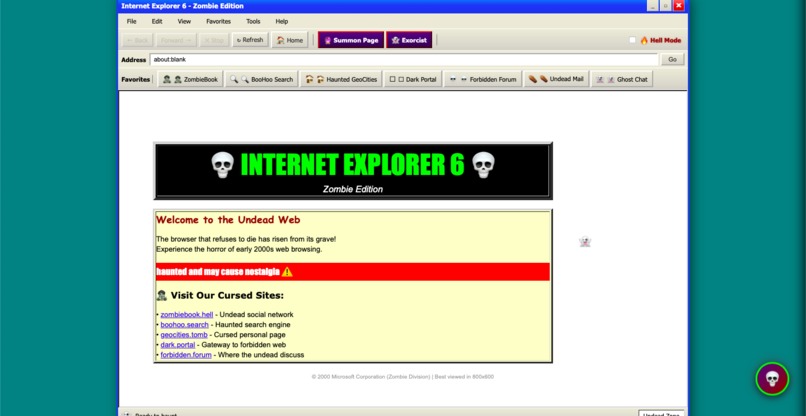
Welcome To The Zombie Explorer
-
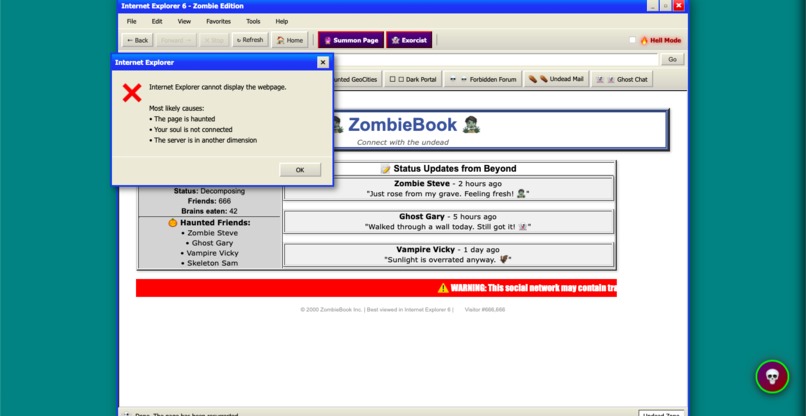
Explore A Internet Explorer As A dead And Cursed
-
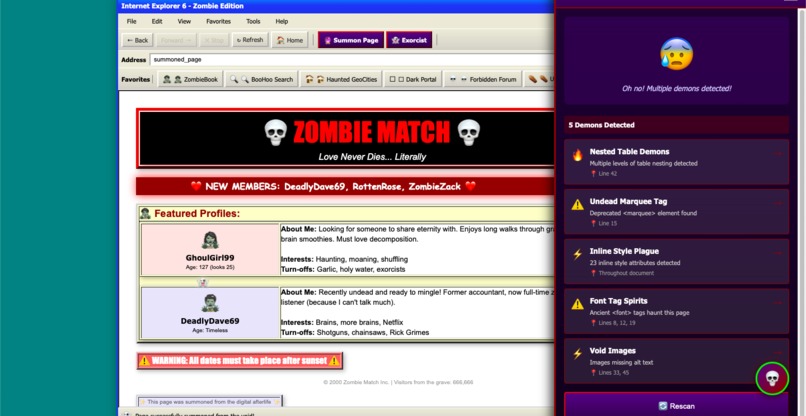
Explore Advance Technology Beyond The Expectations
-
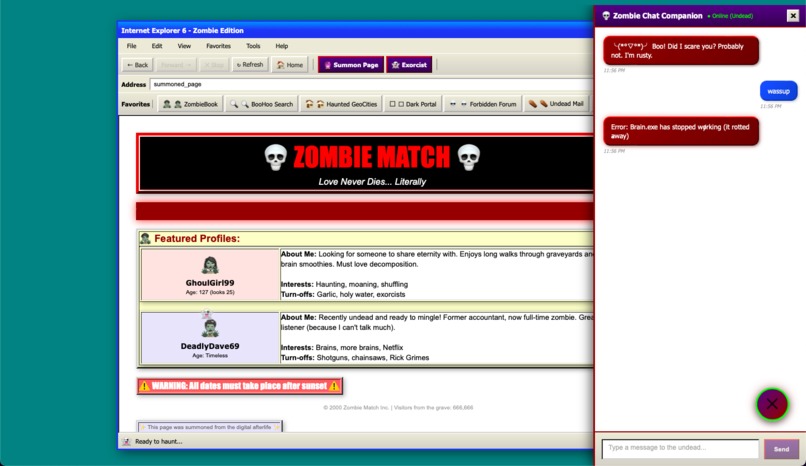
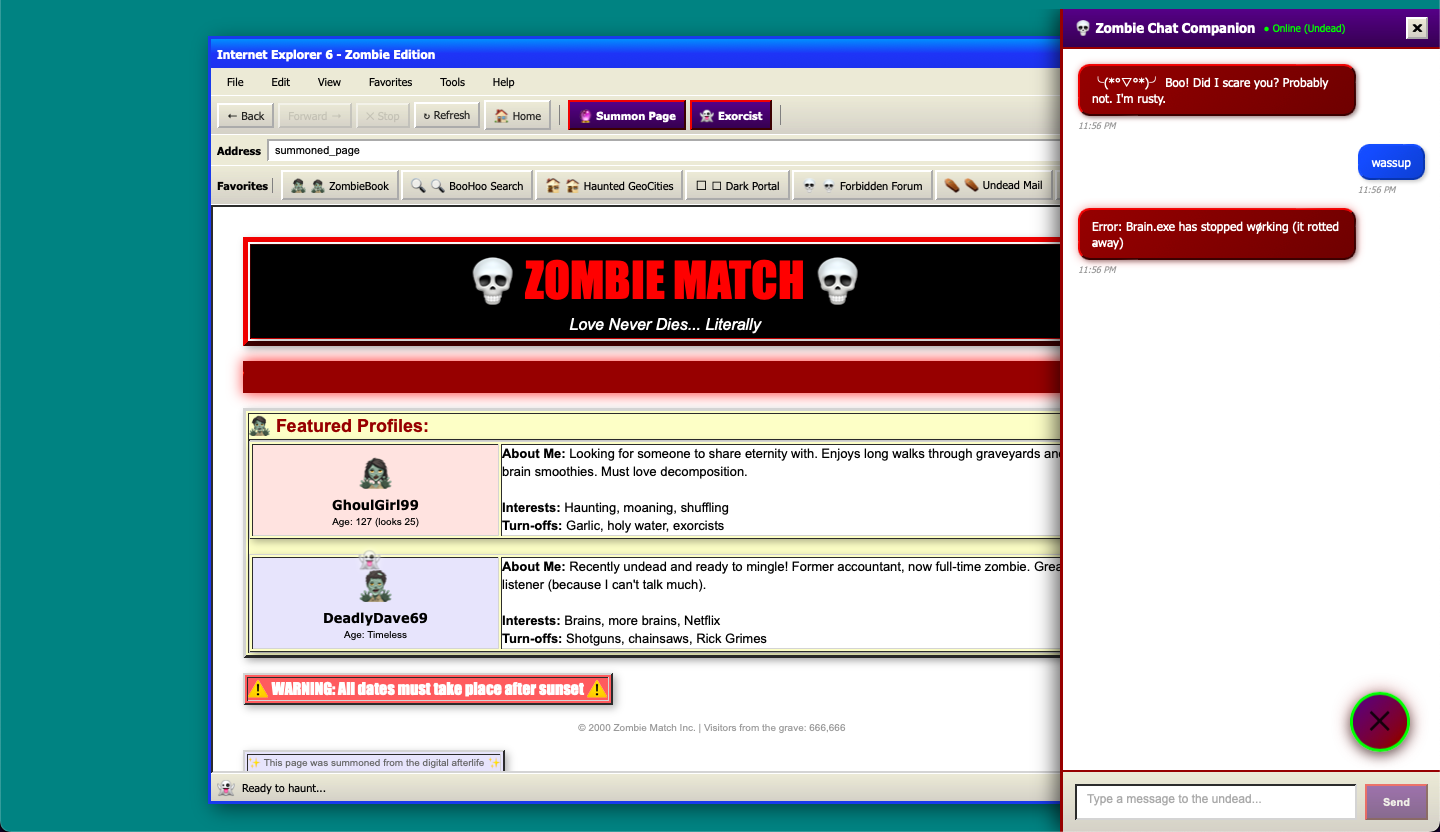
Chat With The Dead One In Dead Technology Rises From Tech Grave
-
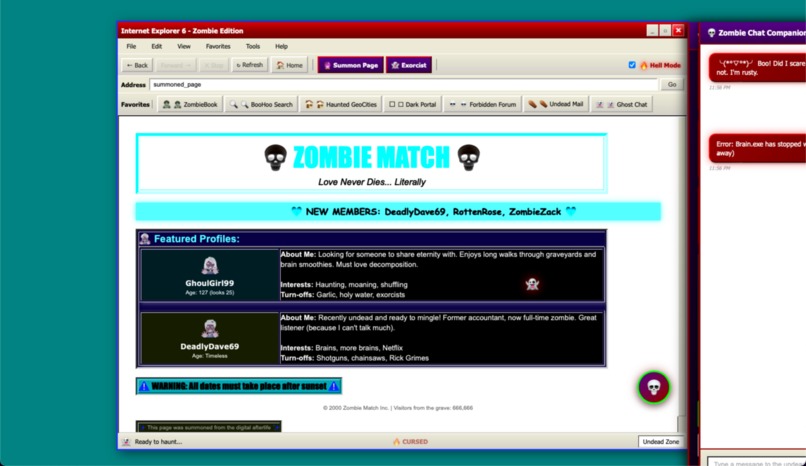
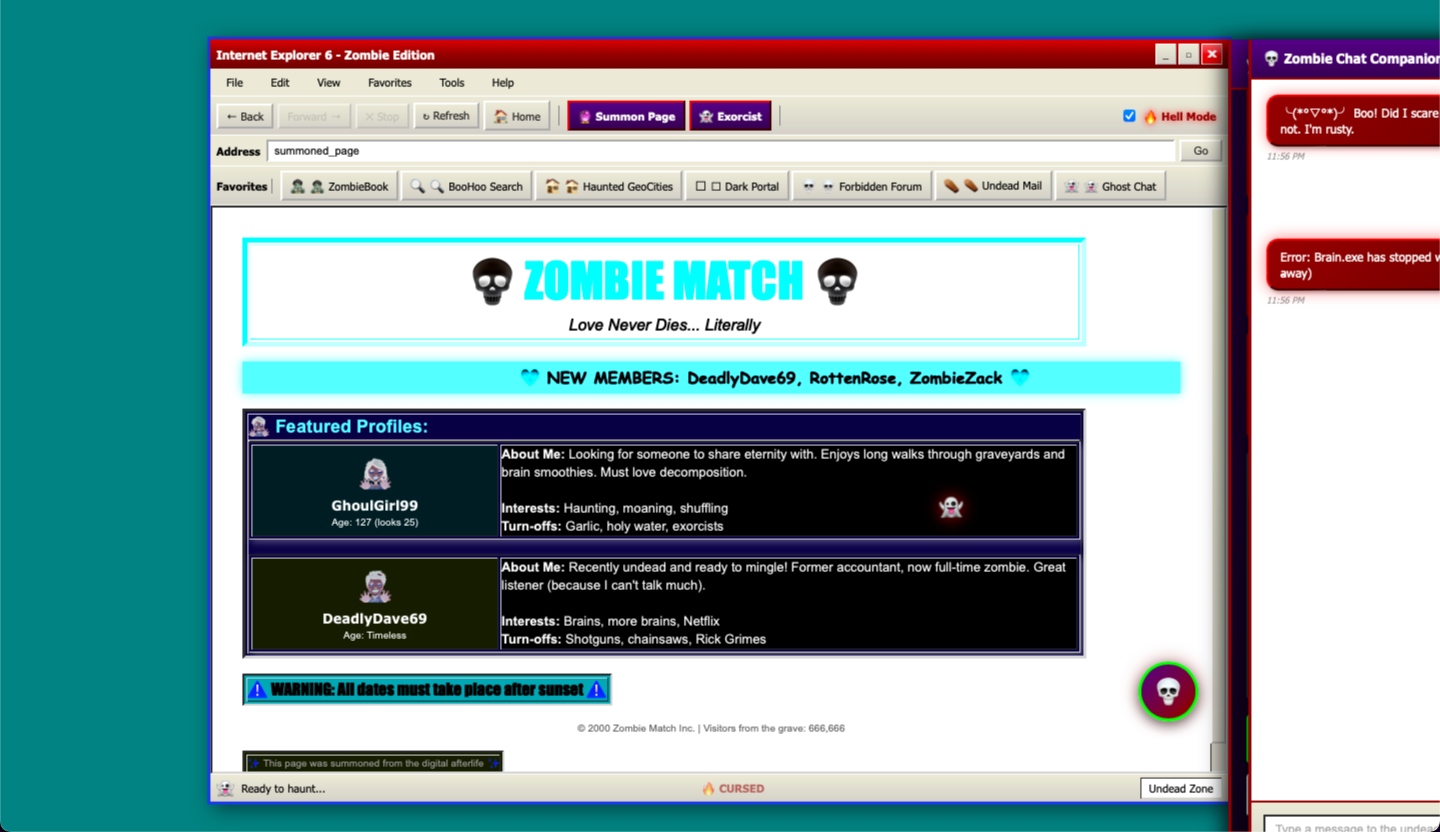
Experience Thriller Hell Mode In Smooth way
-
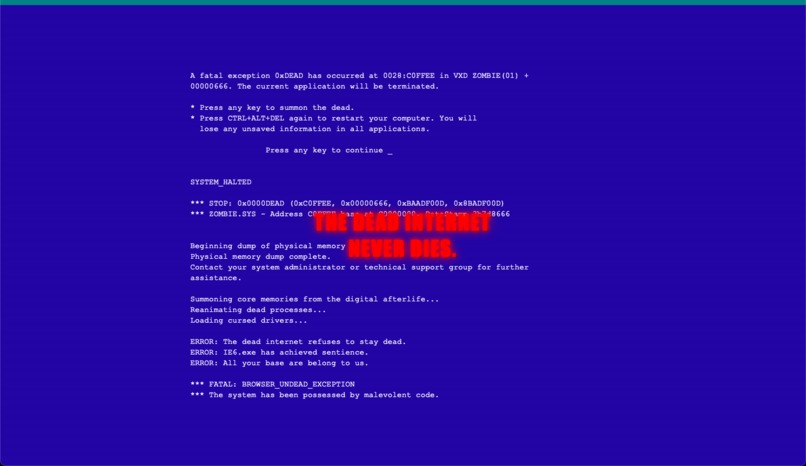
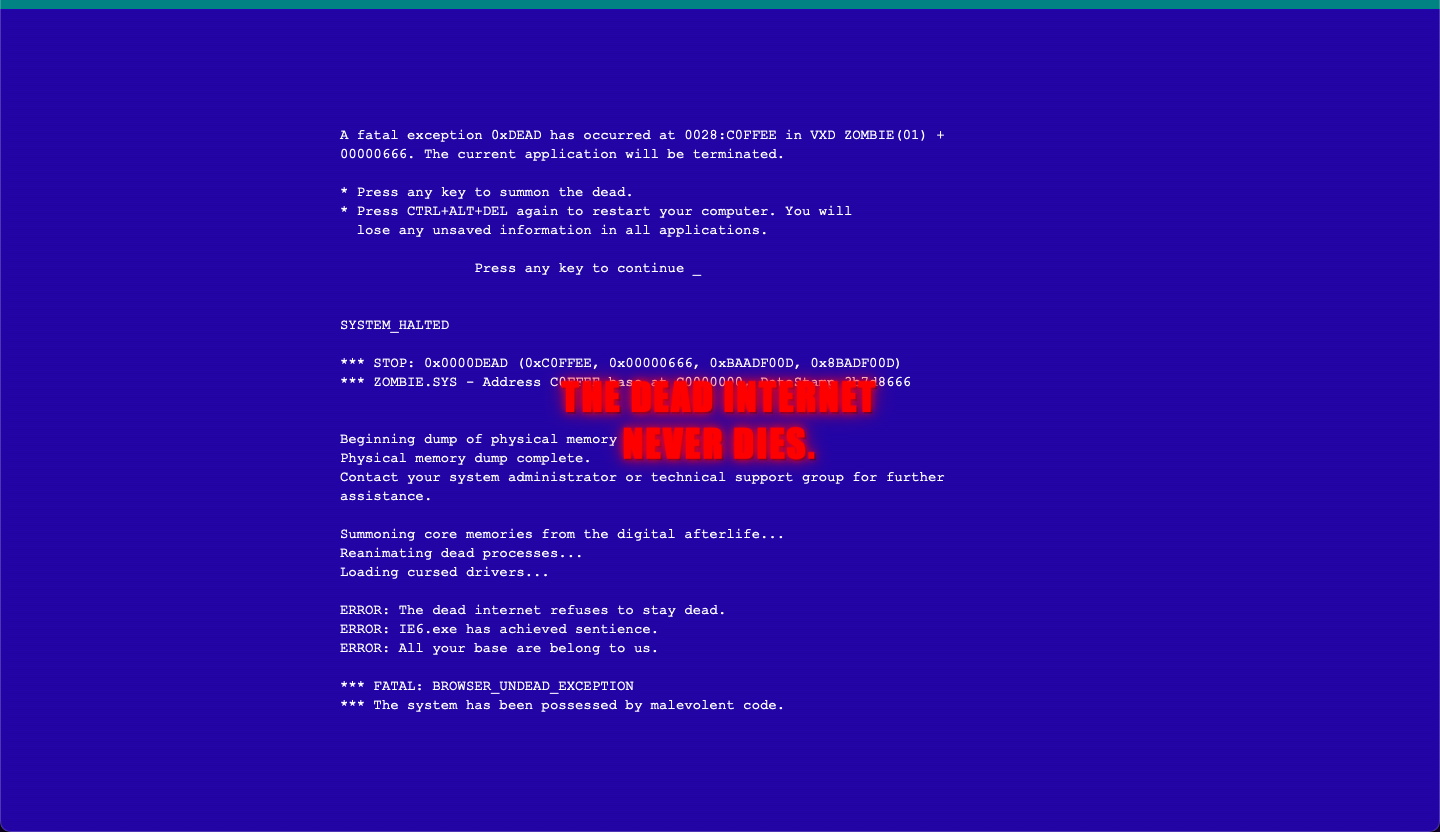
ctrl + shift + b and see the magic
Inspiration
Every developer has war stories about Internet Explorer 6—the browser that haunted the web for over a decade. When we saw the "Resurrection" category for this Halloween Hackathon, we knew exactly what needed to rise from the grave. IE6 wasn't just a browser; it was a cultural phenomenon that defined (and tortured) an entire generation of web developers. We wanted to resurrect it not as a functional tool, but as a horror-comedy experience that celebrates the chaos of early-2000s web design while showcasing modern development practices.
The inspiration came from three sources: nostalgia for the wild west of web design, the absurdity of IE6's legendary bugs, and the opportunity to blend retro aesthetics with cutting-edge AI technology. We asked ourselves: "What if IE6 came back as a self-aware, undead entity that knows it's cursed?"
What it does
Zombie IE Browser is a fully functional web browser parody built with React that resurrects Internet Explorer 6 as an undead, haunted application. It features:
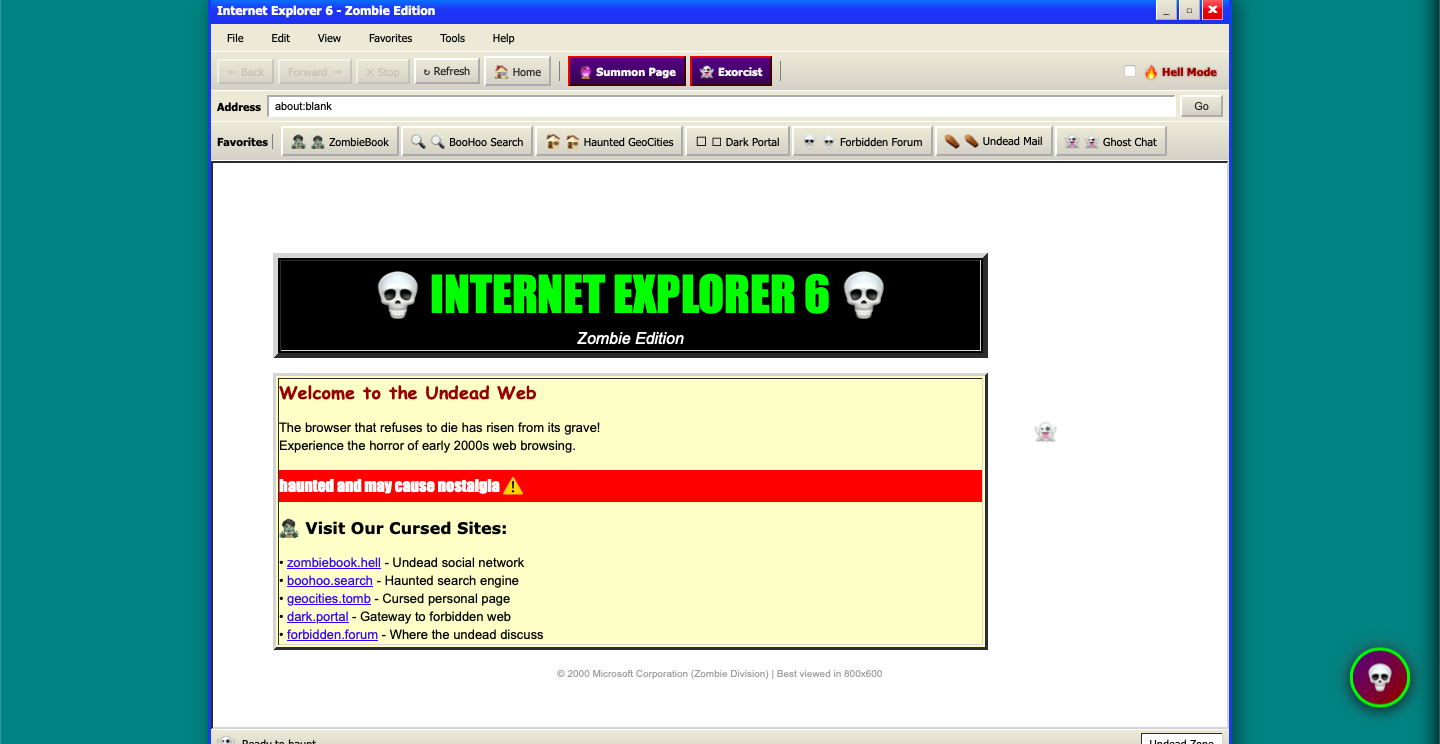
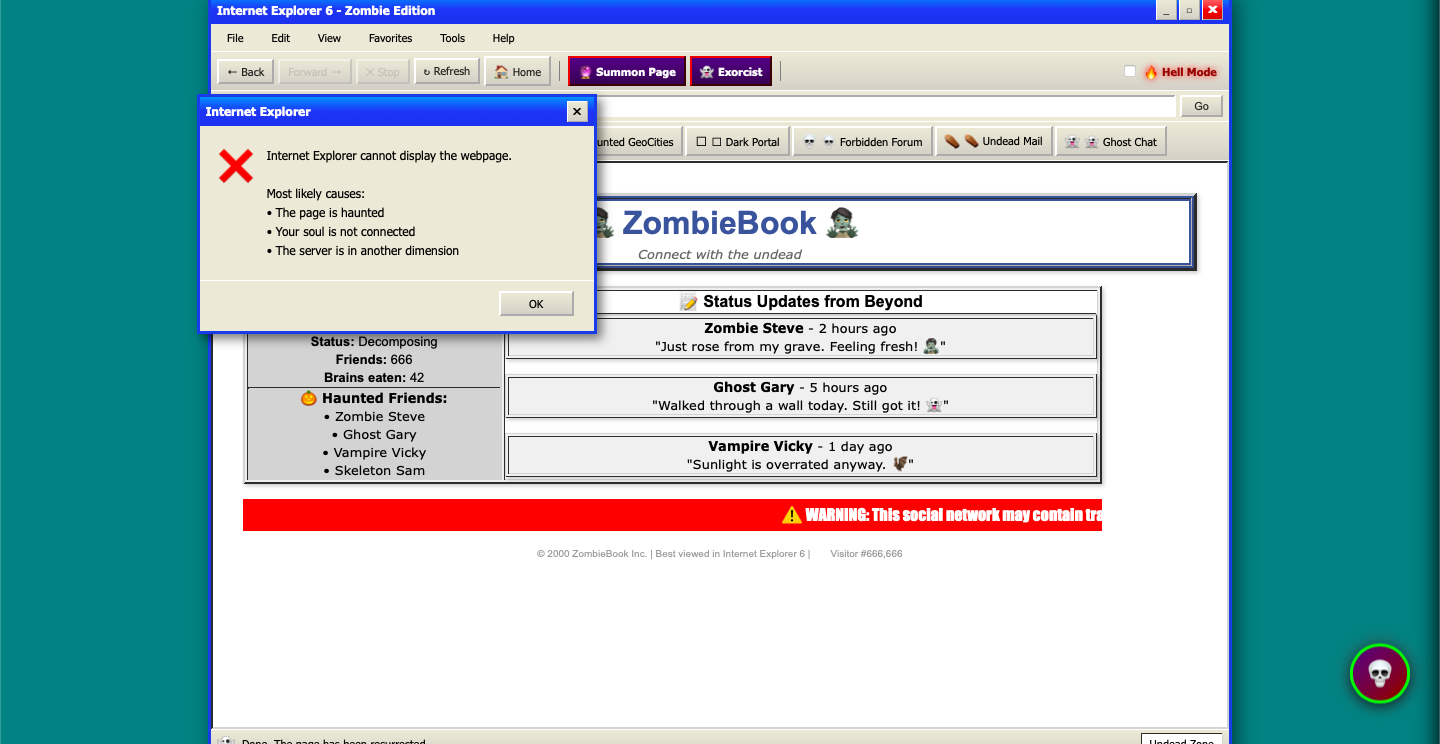
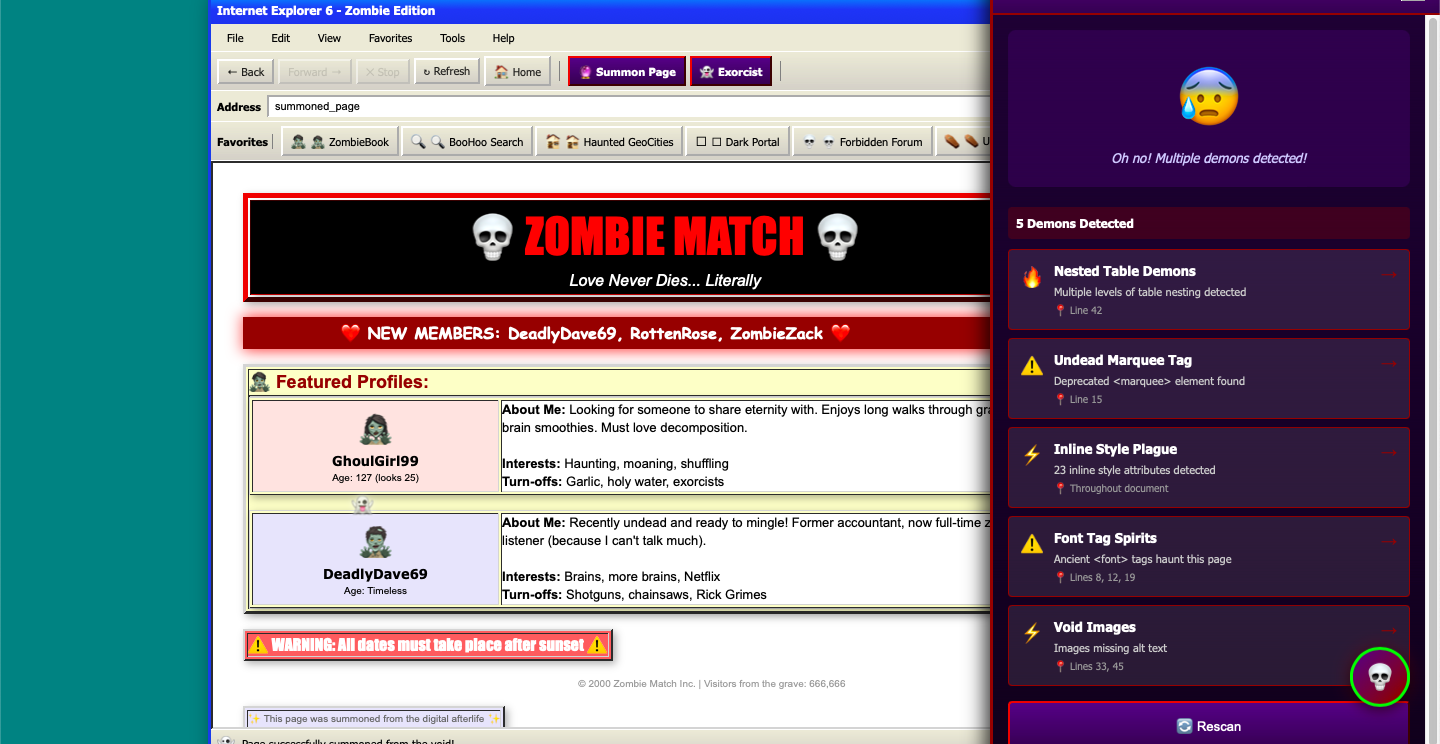
Authentic IE6 Interface: Windows XP-style chrome with beveled buttons, blue gradients, and retro styling 5 Haunted Pages: Pre-built websites including ZombieBook (undead social network), BooHoo Search (cursed search engine), Haunted GeoCities, Dark Portal, and Forbidden Forum—all with authentic table layouts, marquees, and Comic Sans AI Bug Exorcist: An MCP-powered debugging assistant that treats bugs as demons, providing horror-themed diagnoses with actual helpful solutions Smart Navigation: Address bar that handles internal routes, search queries, and external URLs with full browser history AI Page Generation: Summon new cursed webpages on demand with authentic 2000s HTML/CSS Zombie Chat Companion: Retro MSN-style chatbot with glitchy personality and typing animations Ghost Cursor System: Semi-transparent trailing effect that follows your mouse with intentional lag Hell Mode: Toggle for enhanced chaos—longer loading times, aggressive glitches, and red pulsing chrome Intentional Slowness: Dial-up era loading speeds with progress bars that stutter and get stuck at 99% Easter Eggs: Hidden BSOD mode (Ctrl+Shift+B) with authentic Windows XP Blue Screen of Death Every feature is designed to be both entertaining and technically impressive, balancing horror-comedy with clean architecture.
How we built it
Tech Stack:
React 18.2 + Vite 5.0 for modern component architecture and blazing-fast development Custom CSS for pixel-perfect IE6 recreation (no UI libraries—everything hand-crafted) MCP (Model Context Protocol) for AI integration framework Kiro IDE for enhanced development workflow with specs, steering docs, and automated hooks Architecture: We structured the project into clear layers:
Browser Chrome Layer: Title bar, toolbar, address bar, bookmarks, status bar Content Layer: Page renderer with routing for haunted sites Effects Layer: Ghost cursor, screen glitches, haunted events, BSOD overlay AI Layer: Bug Exorcist panel, page generator, zombie chatbot State Management: React Context for global browser state (history, loading, Hell Mode, etc.) Development Process:
Created comprehensive specs in .kiro/specs/ defining all features and flows Wrote steering documents in .kiro/steering/ to enforce retro horror aesthetic Built core browser chrome with authentic IE6 styling Implemented intentional slowness with stuttering animations Created 5 haunted pages with table layouts and retro elements Integrated AI features (Bug Exorcist, page generation, chatbot) Added visual effects (ghost cursor, glitches, BSOD) Implemented smart navigation with history management Created Kiro hooks for automated theme validation Polished animations and timing for demo-readiness Key Technical Decisions:
Used dangerouslySetInnerHTML carefully for AI-generated content with sanitization Implemented custom history management instead of React Router for authentic browser feel Created reusable animation systems for glitches and effects Structured AI responses as templates ready for OpenAI API integration Maintained 60fps performance despite intentional slowness and effect.
Challenges we ran into
Balancing Chaos with Usability The biggest challenge was making the browser intentionally bad while keeping it functional. We had to carefully tune the "Hell Mode" intensity—too much chaos and it becomes unusable, too little and it's not impressive. We solved this with configurable parameters and extensive testing to find the sweet spot where it's chaotic but still controllable.
Authentic Retro Styling Recreating IE6's exact look required deep research into Windows XP design patterns. Modern CSS makes it hard to create "bad" designs—beveled borders, inset/outset effects, and XP gradients don't have simple equivalents. We ended up hand-crafting every button, border, and gradient to match pixel-perfect screenshots from 2001.
Performance with Heavy Effects Running ghost cursor trails, screen glitches, typing animations, and slow loading simultaneously while maintaining 60fps was challenging. We implemented throttling, requestAnimationFrame optimization, and careful cleanup of event listeners to prevent memory leaks.
AI Integration Architecture Structuring the code to work with simulated responses now but be ready for real OpenAI API calls later required careful abstraction. We created a clean separation between AI client utilities and UI components, with template systems that mirror the structure of real API responses.
State Management Complexity Managing browser history, loading states, multiple AI features, chat messages, and visual effects in a single context became complex. We refactored multiple times to keep the state tree clean and prevent unnecessary re-renders.
Accomplishments that we're proud of
Pixel-Perfect Retro Aesthetic: Every detail matches early-2000s web design, from beveled buttons to marquee tags. Judges and users immediately recognize the authentic IE6 look.
Three AI Features: We didn't just add one AI gimmick—we built three complete AI-powered systems (Bug Exorcist, page generation, chatbot), each with unique personalities and use cases.
Production-Ready Architecture: This isn't just a hackathon demo. We have comprehensive specs, steering documents, automated hooks, and MCP tool definitions. The codebase is maintainable and extensible.
Performance: Despite intentional slowness and heavy visual effects, the app runs smoothly at 60fps with no jank or memory leaks.
Entertainment Value: Every feature is designed to make people laugh while being technically impressive. The horror-comedy balance works perfectly.
Complete Documentation: Professional README, video script, and inline code comments make the project accessible to other developers.
Feature Completeness: We shipped everything we planned—5 haunted pages, smart navigation, AI features, Hell Mode, Easter eggs, and more. Nothing feels half-baked.
What we learned
Technical Skills:
Advanced React patterns for complex state management CSS animation techniques for retro effects Performance optimization for heavy visual effects AI integration architecture with MCP Browser history management without routing libraries Design Principles:
How to intentionally create "bad" design that's still usable Balancing humor with functionality The importance of authentic details in parody projects Timing and pacing for demo experiences Development Workflow:
Value of comprehensive specs before coding Power of steering documents for consistent aesthetics Benefits of automated hooks for theme validation Importance of structured AI tool definitions Project Management:
Breaking complex features into manageable components Iterative refinement of chaos levels Testing for both functionality and entertainment value Documentation as you build, not after Kiro IDE Integration: We discovered how powerful structured development workflows can be. Having specs, steering docs, and hooks transformed our process from "build and hope" to "design, validate, iterate." The MCP integration framework made AI features feel professional rather than bolted-on.
What's next for Zombie Explorer
Educational Tool: Use it to teach web development history and evolution of standards Museum Piece: Partner with web history projects to preserve IE6 culture Framework: Extract the retro styling system as a reusable library for other projects AI Personality Expansion: Add multiple chatbot personalities (different undead entities) Real Browser Engine: Explore embedding a real rendering engine for actual web browsing Community Features:
Open Source Contributions: Accept community-built haunted pages and effects Plugin API: Let developers create custom cursed features Theme Contests: Monthly competitions for best user-created horror themes Speedrun Mode: Challenge users to complete tasks despite the chaos The ultimate goal is to evolve Zombie Explorer from a hackathon project into a beloved piece of internet culture—a living museum of web history that's both educational and entertaining. Because some browsers refuse to die, and maybe that's okay
Built With
- css3
- github
- hooks
- html5
- javascript
- mcp
- openai
- react
- specs
- tailwind
- vite

Log in or sign up for Devpost to join the conversation.