Inspiration
You know what you want to do on a website. You just don’t know where to click.
Finding the answer often means searching for tutorials, switching tabs, and following outdated instructions for buttons that have moved or menus that no longer exist. We wanted help that learns from the website as it is today and guides you right where you’re working.
That became Zombie: your AI tutor for the web. It learns first, then teaches you.
What it does
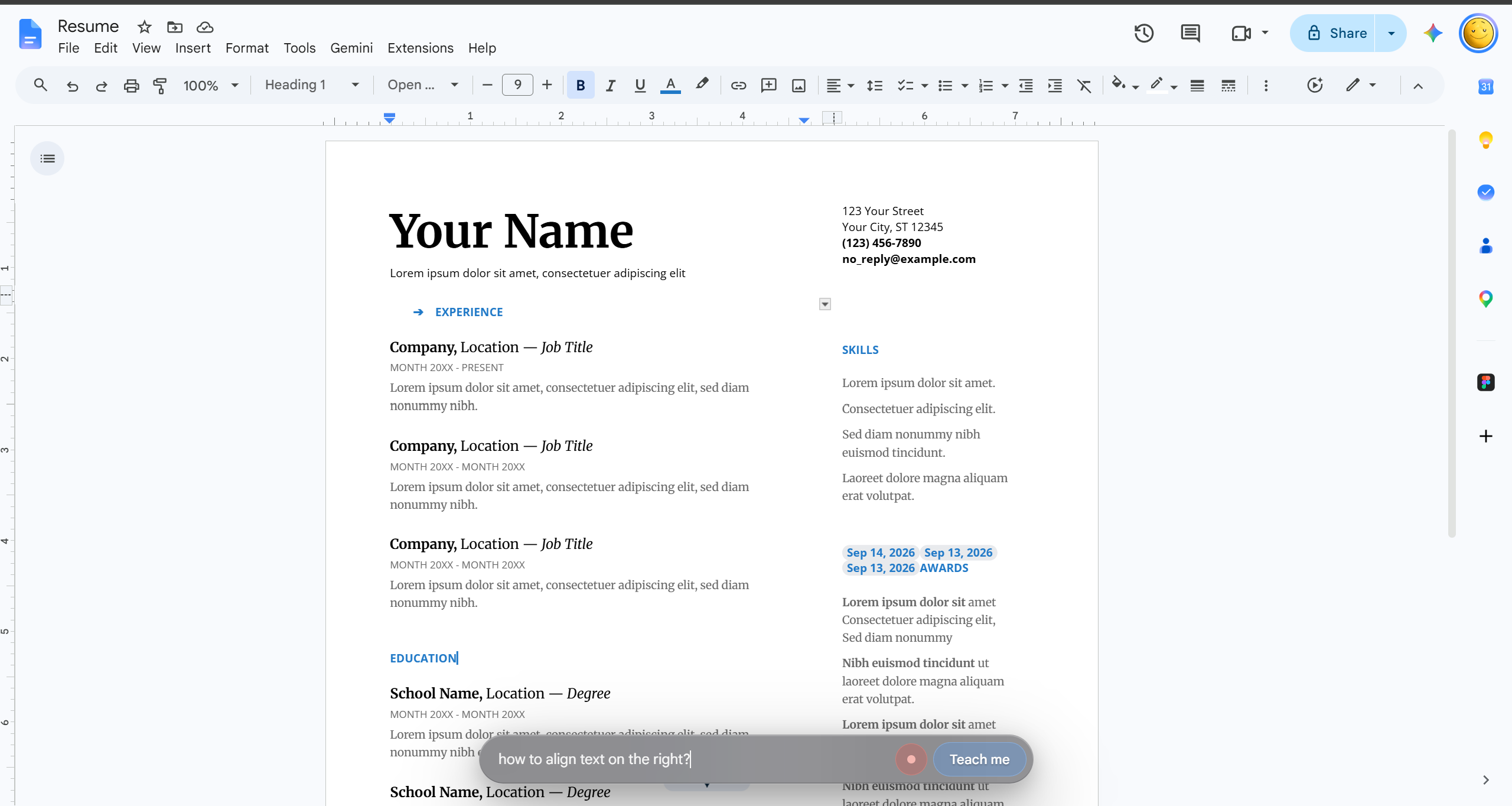
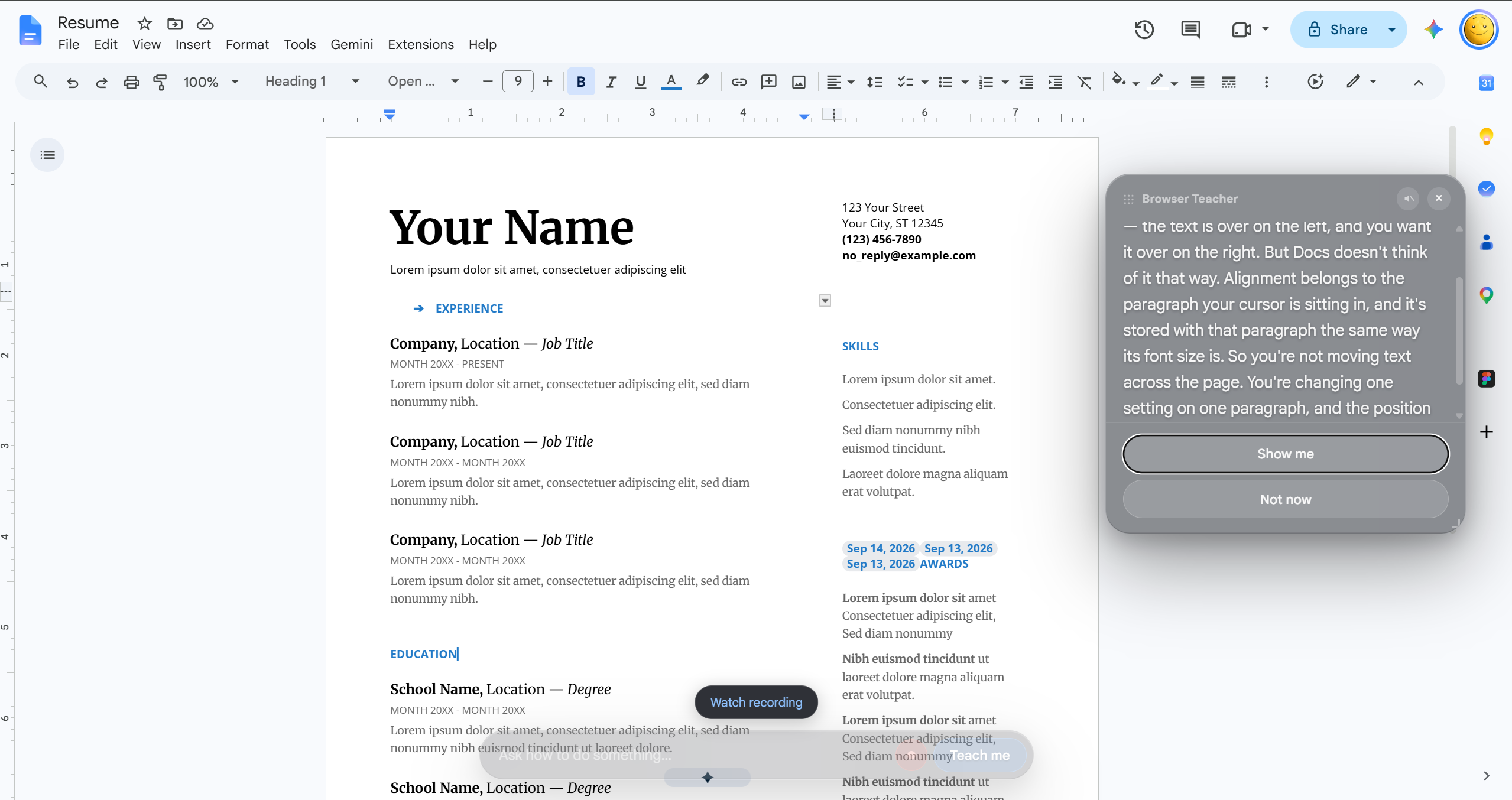
Tell Zombie what you want to learn, like “How do I align this text to the right?”
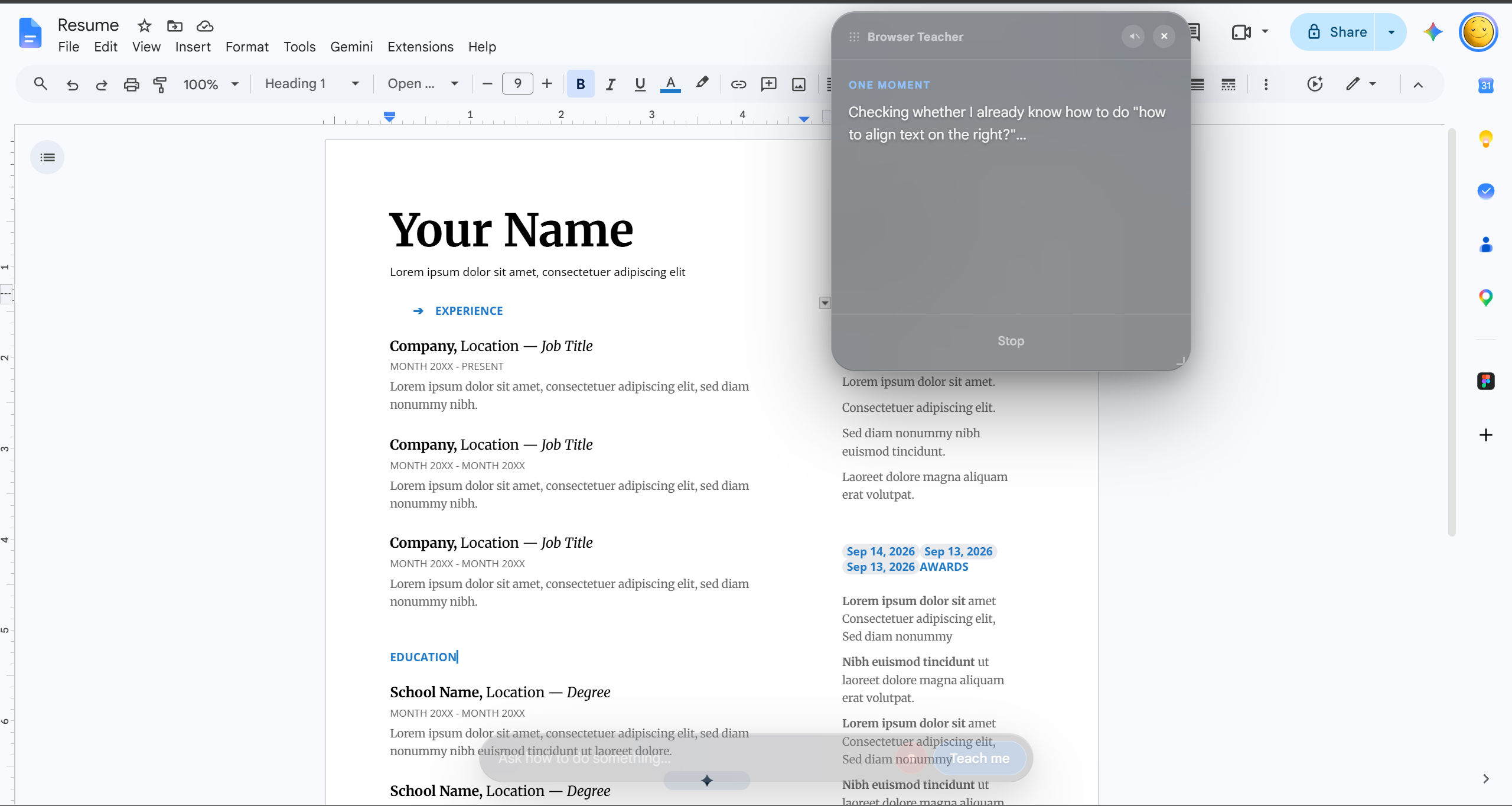
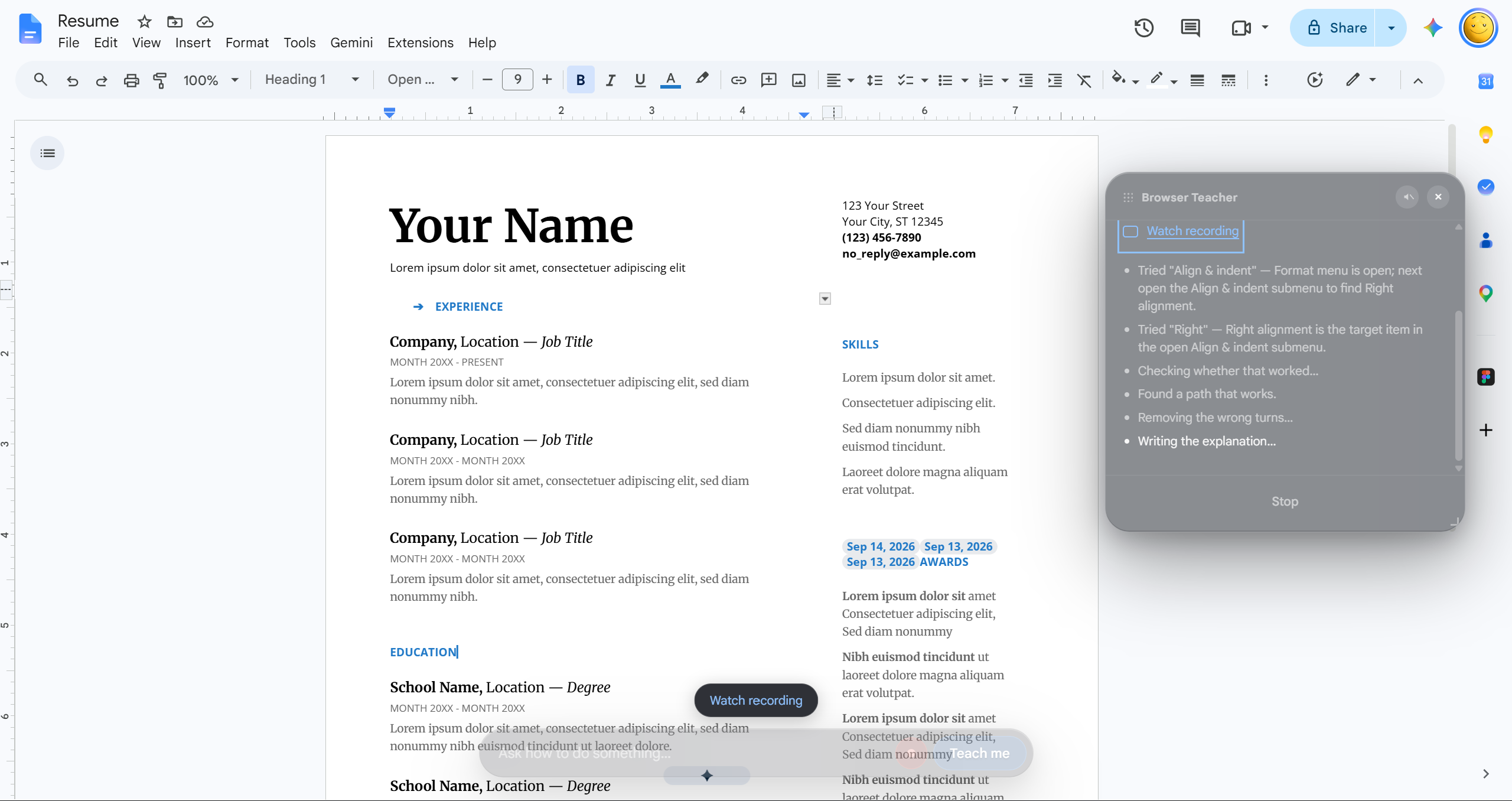
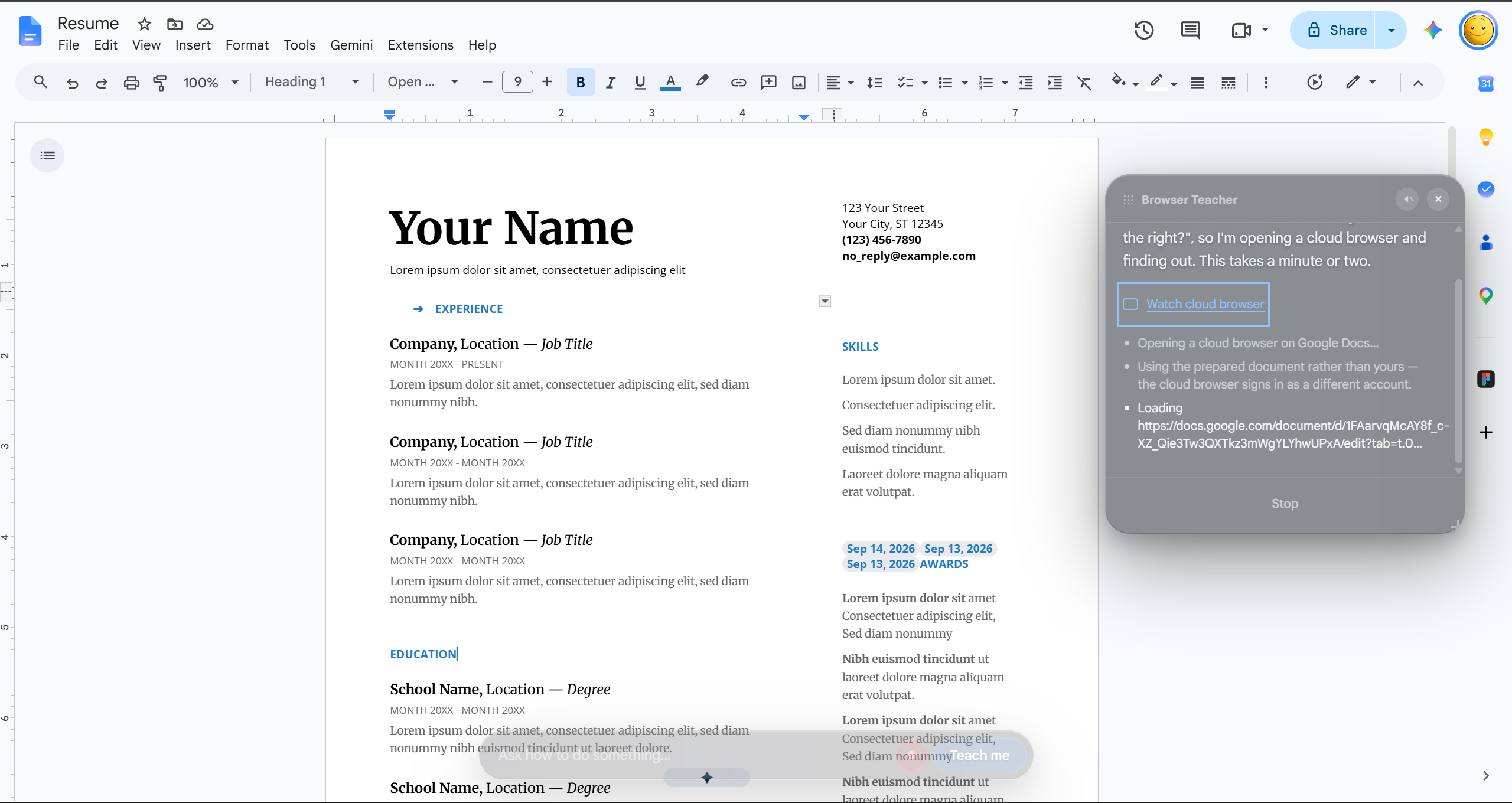
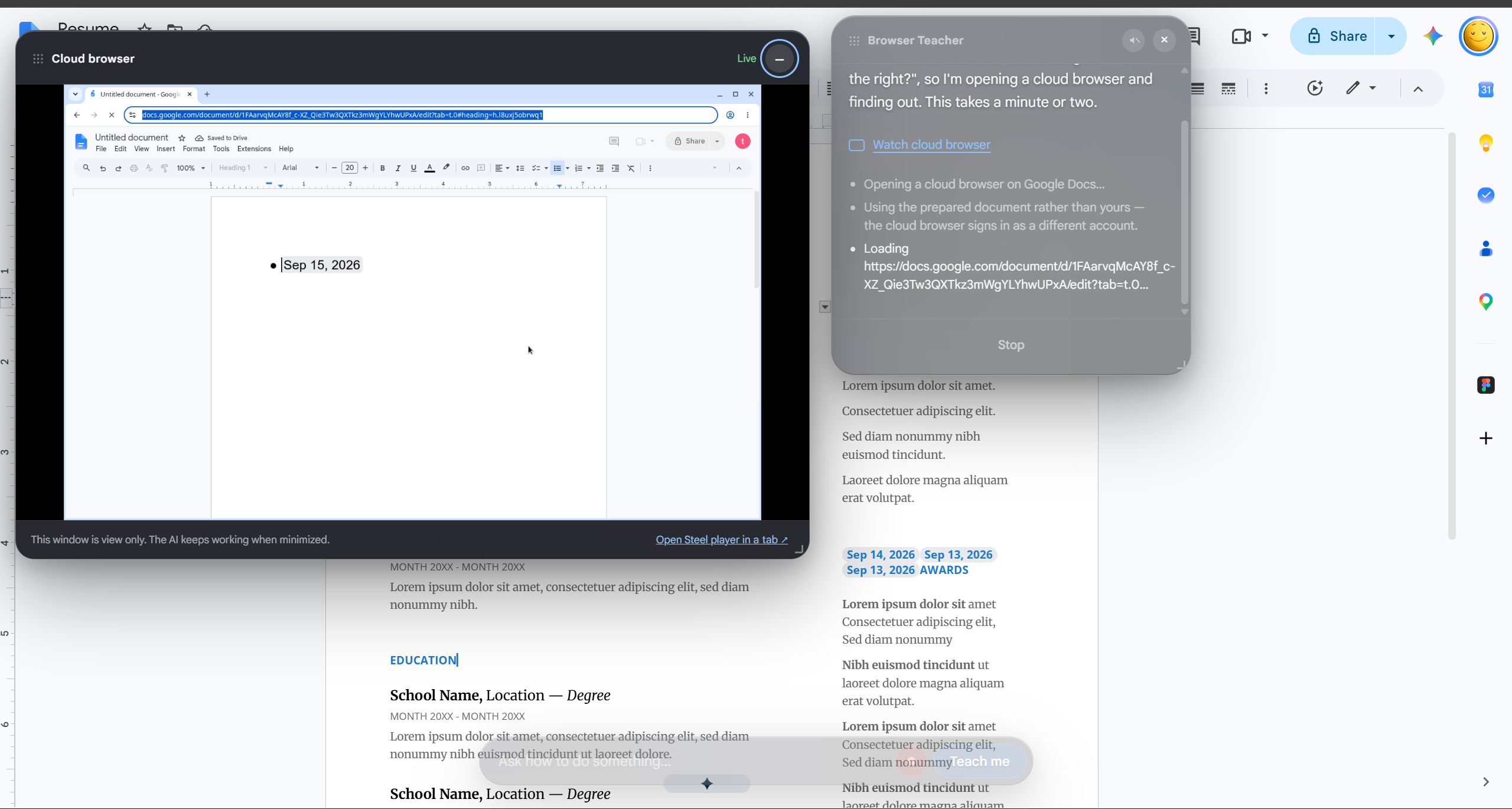
Zombie opens a remote browser and uses AI to figure out the process. You can watch it explore live, including its attempts and retries, and replay the browser session afterward.
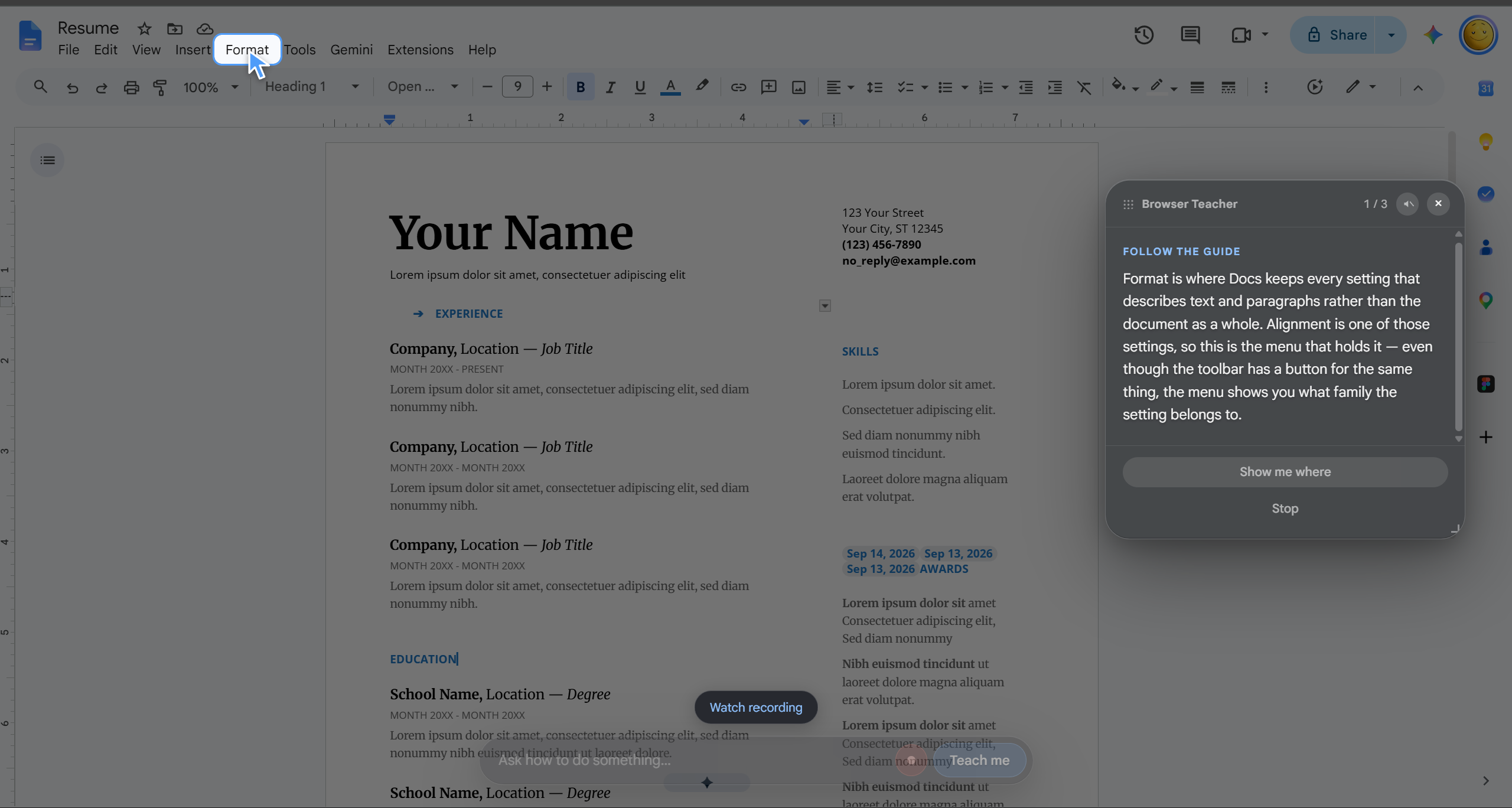
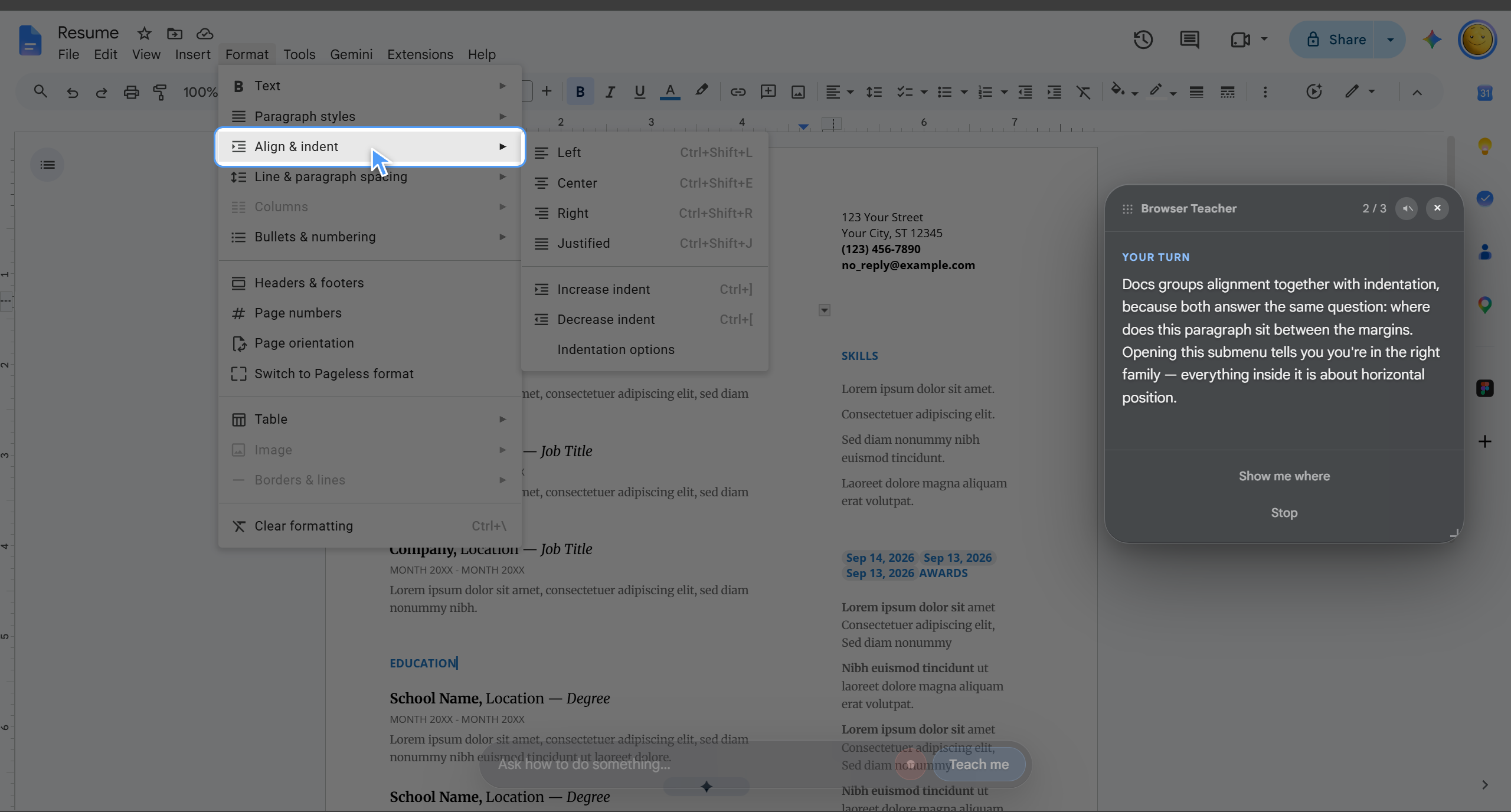
Once it finds a solution, Zombie teaches you directly on your own webpage. It highlights the next control, moves a ghost cursor toward it, and smoothly scrolls the target into view. You make the clicks, and Zombie guides you through the steps.
If a task involves opening a menu or dialog, it walks you through that sequence as you interact. Successful lessons can be saved and reused for future questions.
Watch it figure things out. Then learn by doing.
Google Docs is our demo, but Zombie is designed as a general teaching layer for websites.
How we built it
We built Zombie as a Chrome extension connected to a Node.js backend.
The extension handles questions, lesson selection, and interactive guidance. When a question needs a new lesson, the backend starts a Steel cloud browser. Claude and Playwright explore the website and turn the discovered workflow into a structured lesson.
Each lesson describes its targets using information such as a button’s role, name, and surrounding context. The extension finds those controls on the user’s actual page, allowing the guidance to adapt to differences in layout and window size.
Our teaching interface combines highlights, background dimming, an animated ghost cursor, smooth scrolling, and optional speech. It waits for the user’s actions before advancing.
We also integrated Steel’s live browser viewer and session recordings into a floating window. Users can watch the exploration, minimize the window, switch between attempts, and replay completed sessions.
Challenges we ran into
One major challenge was translating actions from a remote browser into reliable guidance on someone else’s screen. Coordinates alone weren’t enough: controls move, menus appear dynamically, and multiple elements can have similar labels.
Another challenge was keeping the highlights accurate during scrolling, nested interactions, and modal transitions. The visual guidance needed to stay attached to the correct target and disappear when its job was done.
Connecting live exploration to recorded playback also required careful timing. Recordings aren’t always available immediately, and a retry can create a completely new browser session. We added loading retries and session tracking to keep the viewer connected to the right attempt.
Accomplishments that we’re proud of
We connected the complete journey: ask a question, watch the AI explore, receive a lesson, and practice it on your own webpage.
We’re especially proud that users stay involved. Zombie gives them the opportunity to perform each step themselves while seeing how the lesson was discovered.
We also brought the interface, browser exploration, lesson generation, and visual guidance together, with automated checks covering the extension, backend, and playback behavior.
What we learned
Discovering a workflow and teaching it are two different problems.
An AI can find a sequence of actions, but a useful lesson also needs clear instructions, dependable targets, and a way to recognize the user’s progress.
We learned how much seemingly small details matter: smooth scrolling, waiting for a menu to open, clearing a completed highlight, and handling retries all affect whether guidance feels understandable.
What’s next for Zombie
We want to expand coverage across more websites, improve support for authenticated workflows, and make setup easier.
We also want Zombie to recover more gracefully when a website changes and adapt its guidance to how much help someone needs.
The goal is simple: make unfamiliar software something you can learn while using it.
Built With
- anthropic-api
- chrome
- claude
- css
- hls.js
- html
- javascript
- node.js
- playwright
- steel
- web-speech-api
- zod

Log in or sign up for Devpost to join the conversation.