-
-
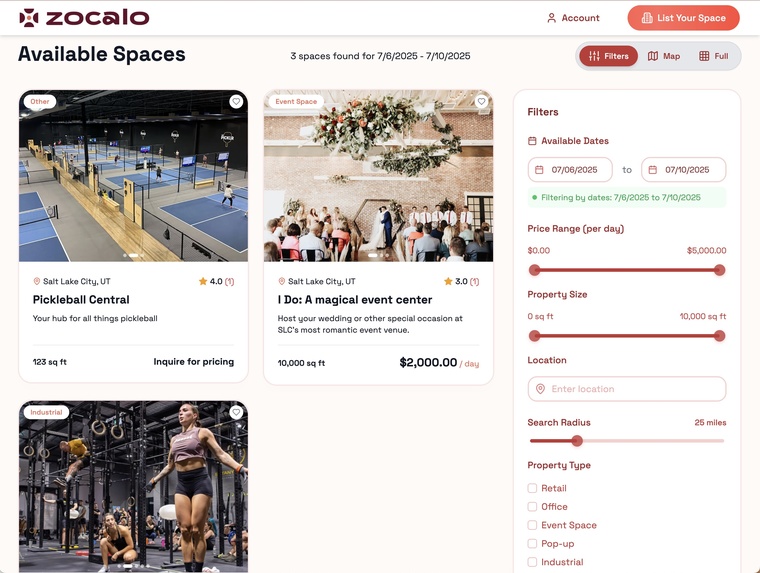
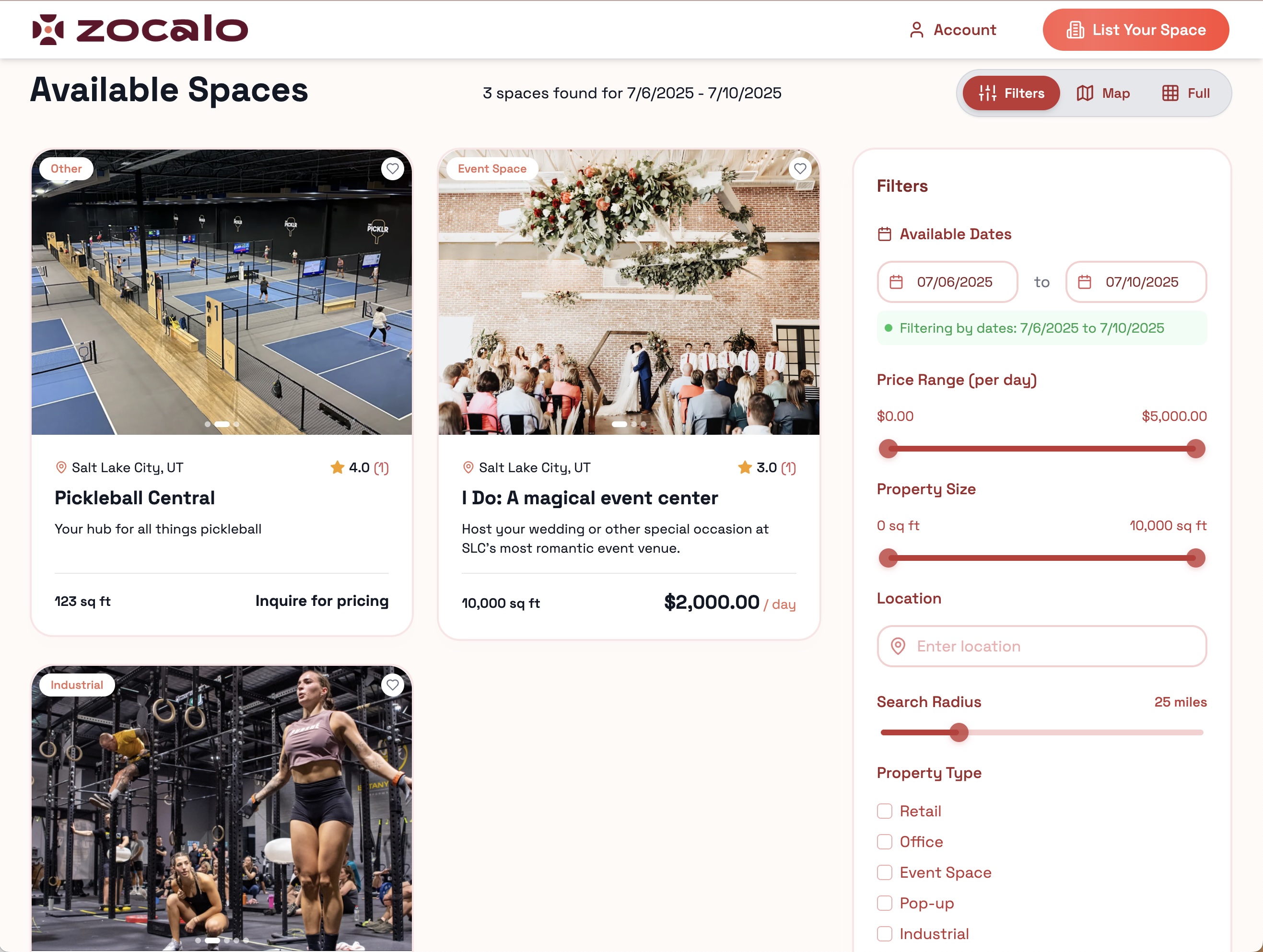
This is the UI for browsing and filtering spaces (by date, price, size, location, features, and amenities.
-
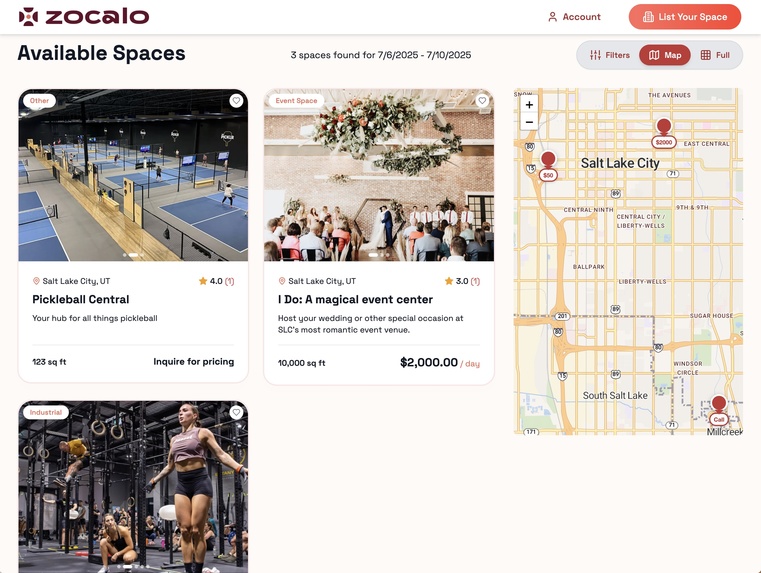
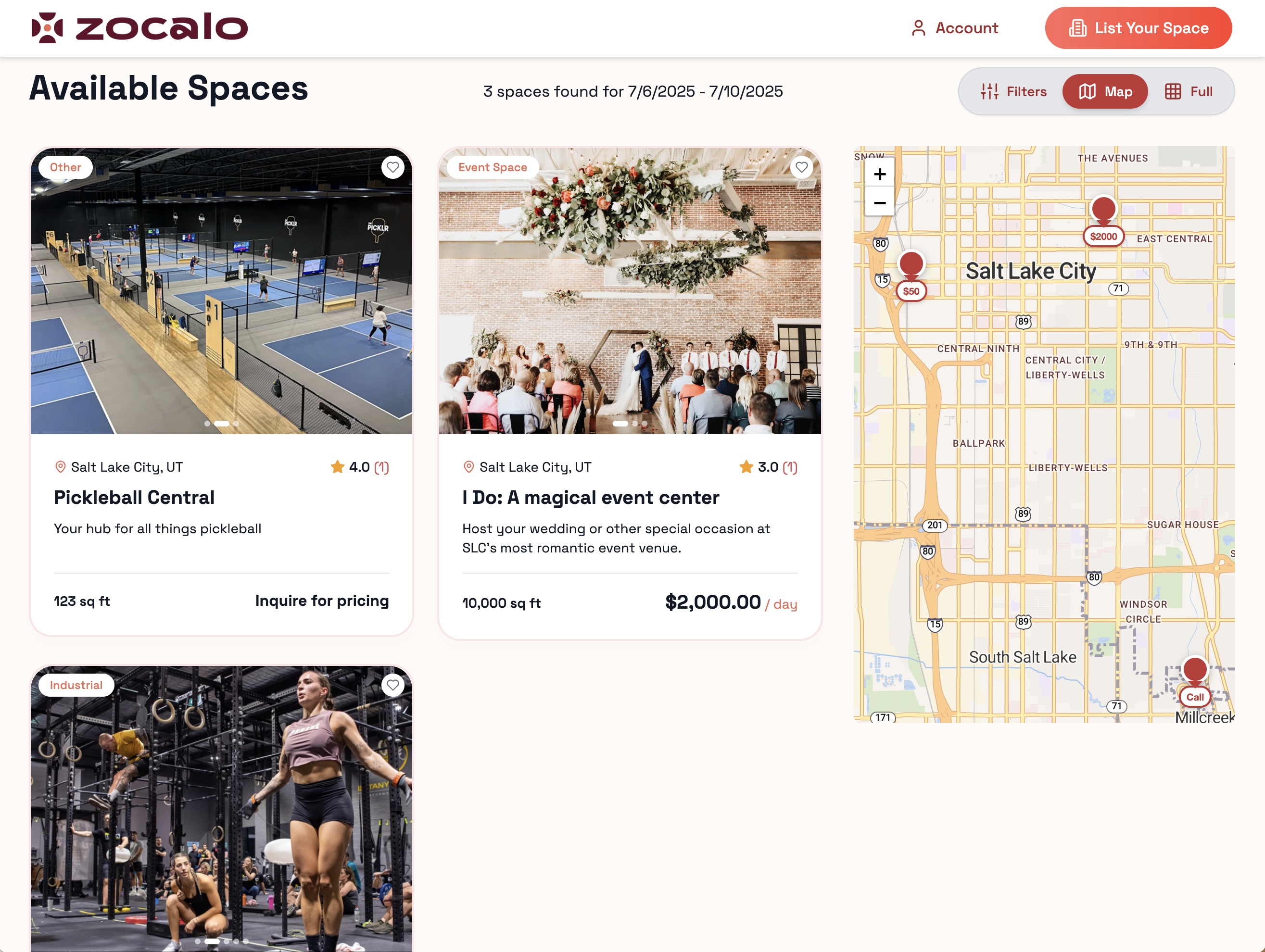
This is the map view. Every listing is geolocated and mapped.
-
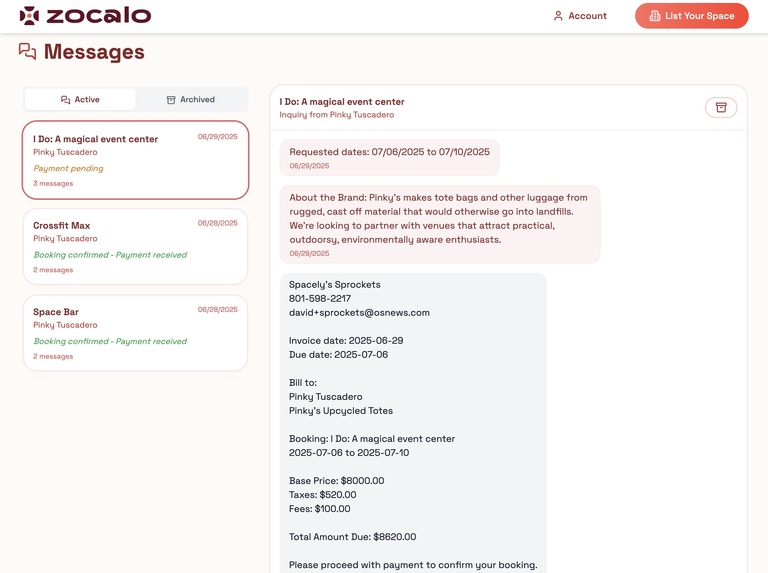
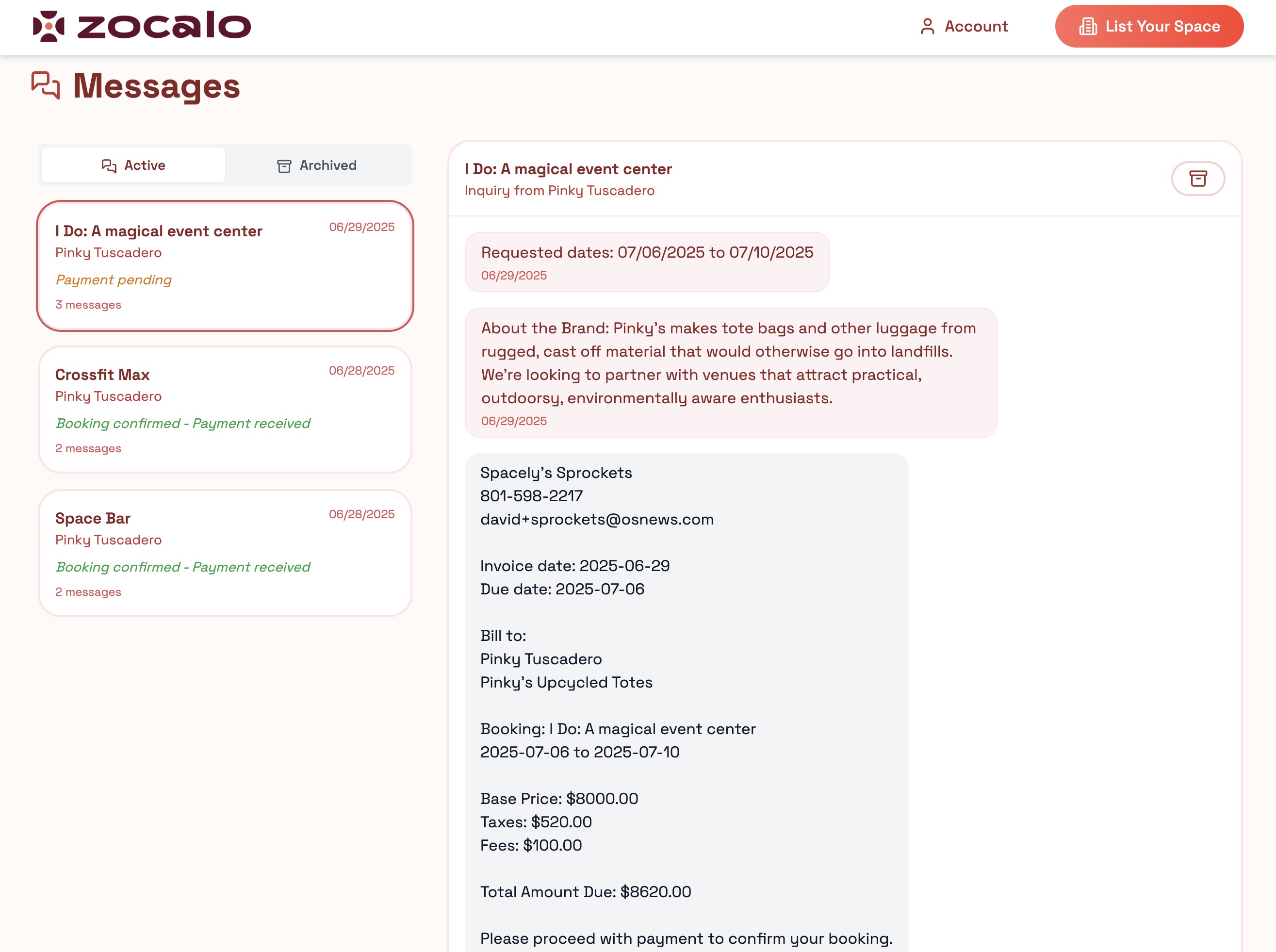
Brands and venues can chat back and forth in our messages UI. Venues can request payment, and brands can finalize bookings and pay.
-
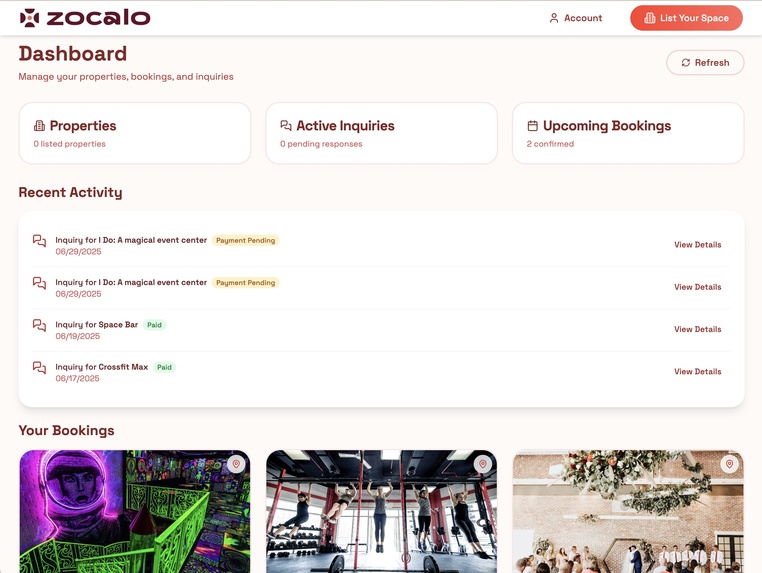
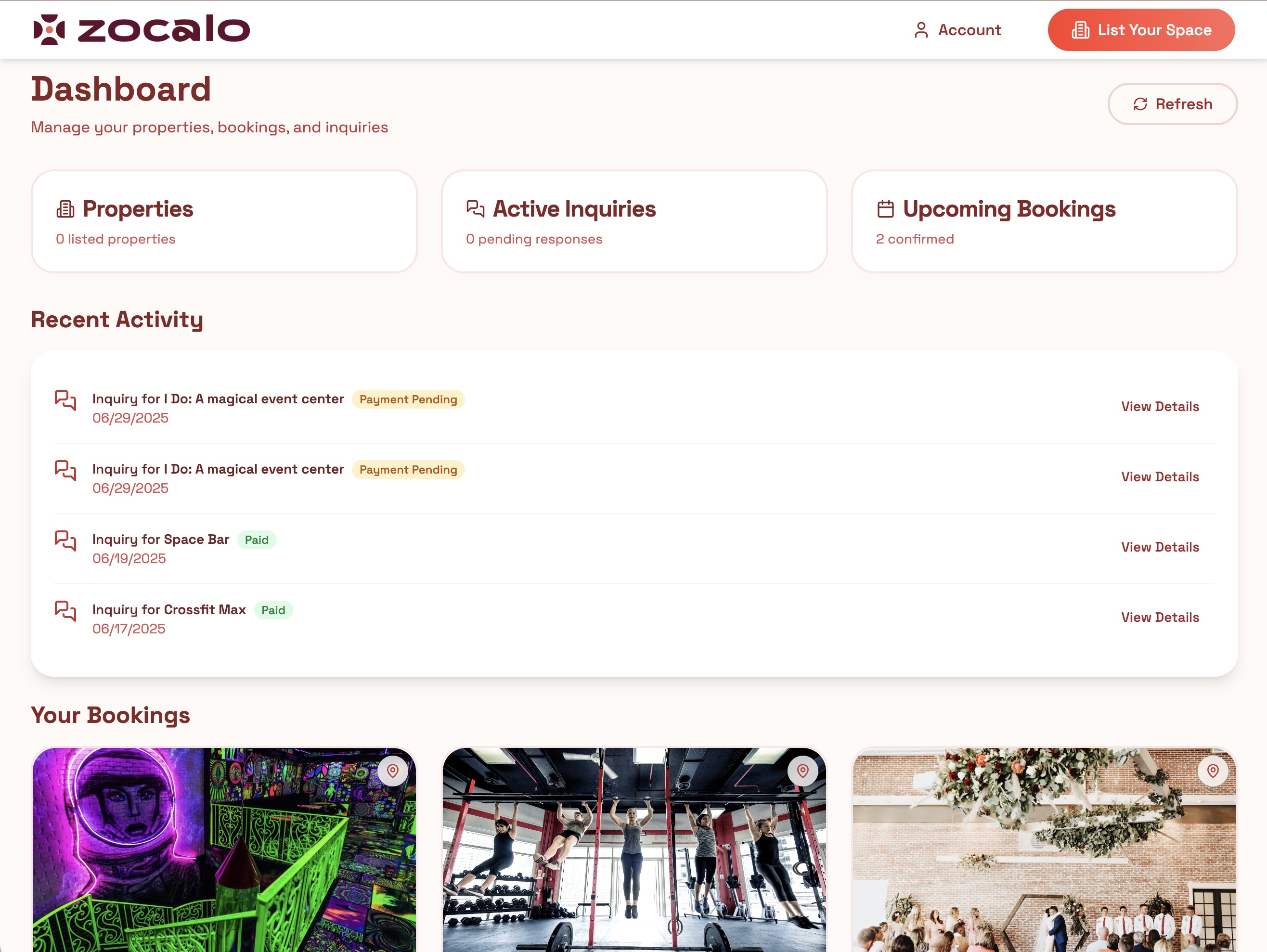
Users have a dashboard where they can see their bookings, inquiries, listings, and other key information.
-
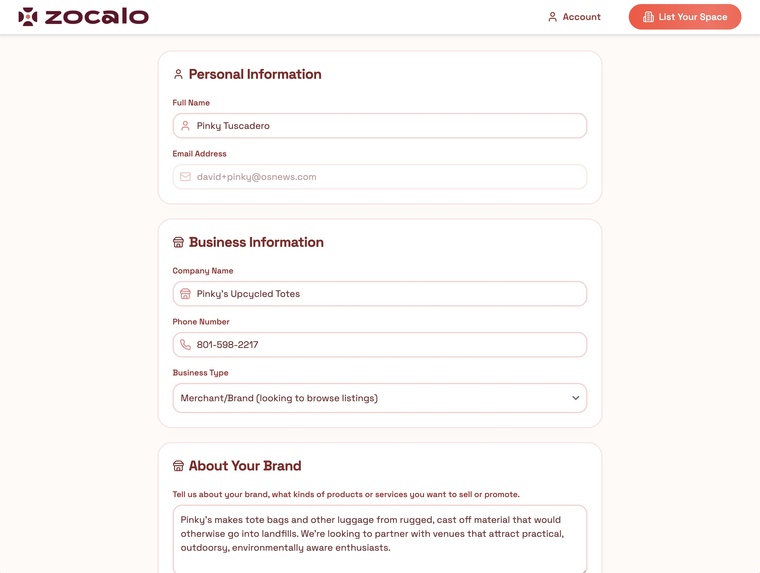
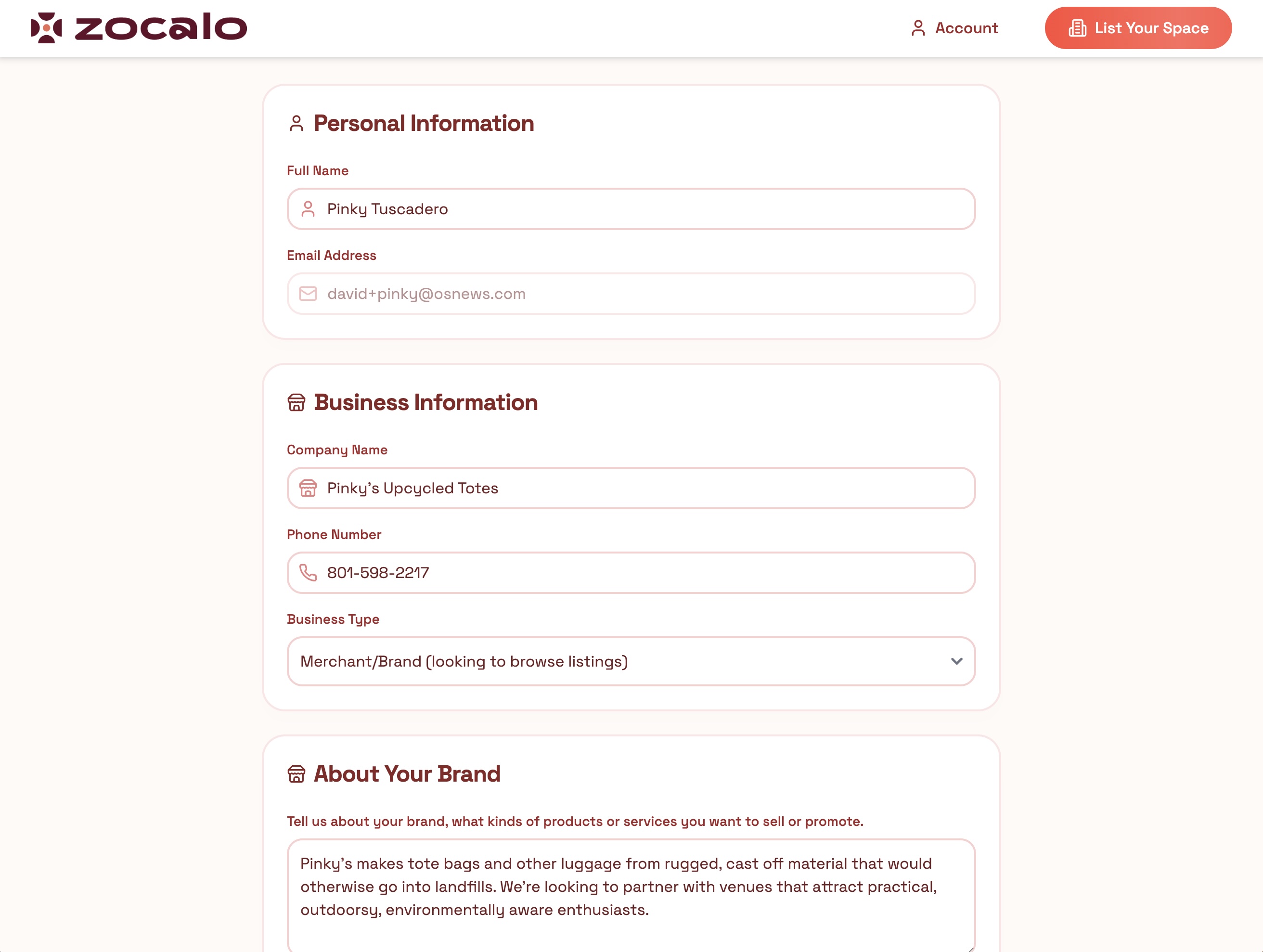
Users can manage their profile
Inspiration
I have worked with a lot of merchants and emerging brands that are having success on platforms like Shopify and Etsy, but want to expand into retail. The problem is that getting on store shelves with major retailers is a huge hurdle, and opening your own retail store is expensive and risky. Many businesses like the idea of a lower-risk popup retail presence. There are already a few online marketplaces for popups, but they tend to focus on entire vacant retail spots in major global metros, and the prices are way out of reach for startup brands.
Our idea is to help brands find commercial businesses that share synergy with their business, that would be willing to rent out a small space to host a popup. For example, if you run a yoga studio, you could allow a local fitness apparel brand to display a rack of their yoga pants.
What it does
Our app is a marketplace where venues can create listings for their spaces, and brands can browse those spaces, make inquiries, and pay for bookings.
Users can search for spaces in a particular location, and filter the results by availability date, price, size, location radius, type, or amenities. They can view their results on a map, and “favorite” the ones they like. Listings display detailed availability day and time information, reviews and ratings. Prospective customers can initiate an inquiry, engage in a back-and-forth correspondence with the venue, and arrive at an agreement. Venue owners may then make a request for payment, which is processed by Stripe Connect. Proceeds from bookings are transferred directly to venues’ Stripe accounts, minus a commission. Users have a dashboard where they can see their inquiries, bookings, and property listings. There’s a messaging UI where users can keep track of all their message threads with other users.
How we built it
The gold standard real estate marketplace is AirBnB, and I’ll admit that from my very first Bolt prompt, I tried to emulate AirBnB’s user experience and aesthetic. I left most of the decisions about architecture up to Bolt, and focused on building out the key features that the supply and demand sides of a retail popup marketplace are going to need. The combination of Bolt, Supabase, and Netlify made it extremely easy to stand up a production ready app.
I started by trying to get the search and browse UX working well, including a good mapping integration. I then moved on to streamlining the process of opening an inquiry and two way messaging, including a transactional email integration. Then I focused on the payment integration via Stripe. Then, I worked on creating an intuitive dashboard to manage all the messaging, inquiries, bookings, and property listings. Finally, I fine-tuned the page layout, interaction design, and visual design.
Challenges we ran into
The biggest challenge was when I would notice some feature shortcoming or bug, describe it to Bolt, and Bolt would go through several rounds of doing things that didn’t work. Bolt would very confidently say it had addressed the issue, when it had seemingly done nothing. Once I did finally get something implemented, it would often break something that had previously worked. In short, working with Bolt was almost exactly like doing software engineering with human developers. I just had to be patient and go through rounds of experimentation, sometimes going back and undoing things when we’d gone down a bad path.
Accomplishments that we're proud of
I initially did a straightforward Stripe integration to enable payment for bookings, but I realized that in order to enable revenue sharing with the venues in our marketplace, I needed to start over and do the much more complex Stripe Connect integration. All along, I’d had some issues getting the webhooks set up properly, so that the app could correctly display the status of each payment.
There were other integrations, such as the geolocation and mapping (Leaflet), Google Calendar and other iCal integrations, transactional emails with Brevo, and Flowbite for UI components like our date pickers and sliders. In every case, Bolt made the initial setup of the integration astoundingly easy. Getting each of these integrations absolutely dialed in, however, involved quite a bit of research and effort on my part. It was a fulfilling experience.
What we learned
I got pretty good at working with Bolt to work through troubleshooting, creating testing environments, or looking at browser console messages and sharing them with Bolt to figure out why things weren’t working. I also had to learn a lot about Supabase, Stripe, Brevo and other key tools we were working with, and doing a lot of work within the administration UIs of those tools to configure them properly, sometimes prompting the Bolt AI to walk me through very specifically what my tasks were.
What's next for Zocalo
We are on our way to being a real business. We are finalising a deal with a big midwestern bank to put all of its over 1000 bank branches in our inventory, for local businesses to display their products, and for those branches’ parking lots to be made available for food trucks and weekend markets. We are going to start in 2-3 midwestern cities, and start trying to fill up our inventory, before really pushing on marketing the demand side.
Built With
- flowbite
- leaflet.js
- lucide
- netlify
- openstreetmap/nominatim
- postgresql
- react.js
- typescript
- vite

Log in or sign up for Devpost to join the conversation.