-
-

Home Page - Zevrith: AI-powered evidence intelligence to investigate claims, explore credible sources, and uncover what the facts support.
-
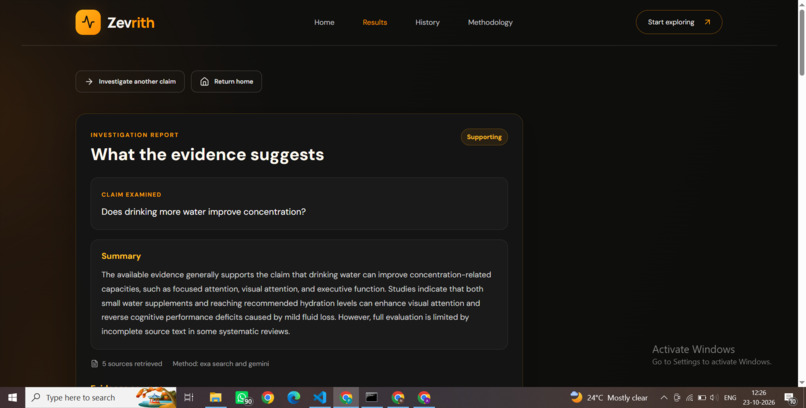
Investigation results-AI-powered claim analysis with research findings,supporting evidence,and source-based insights for informed decisions.
-

Investigation history - Revisit saved investigations, review previous findings, and access past reports without rerunning the analysis.
-
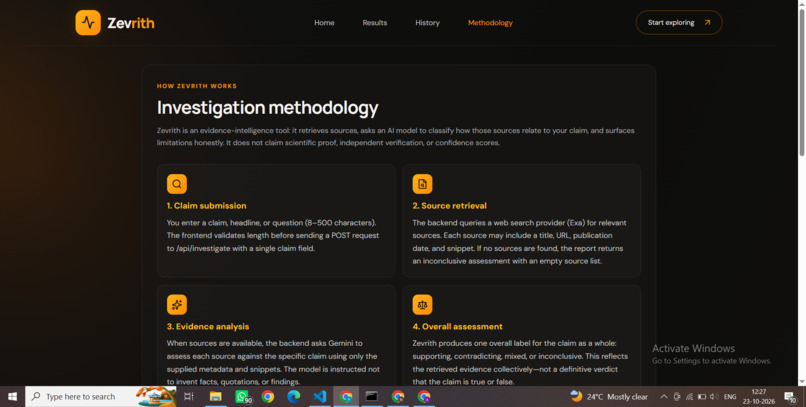
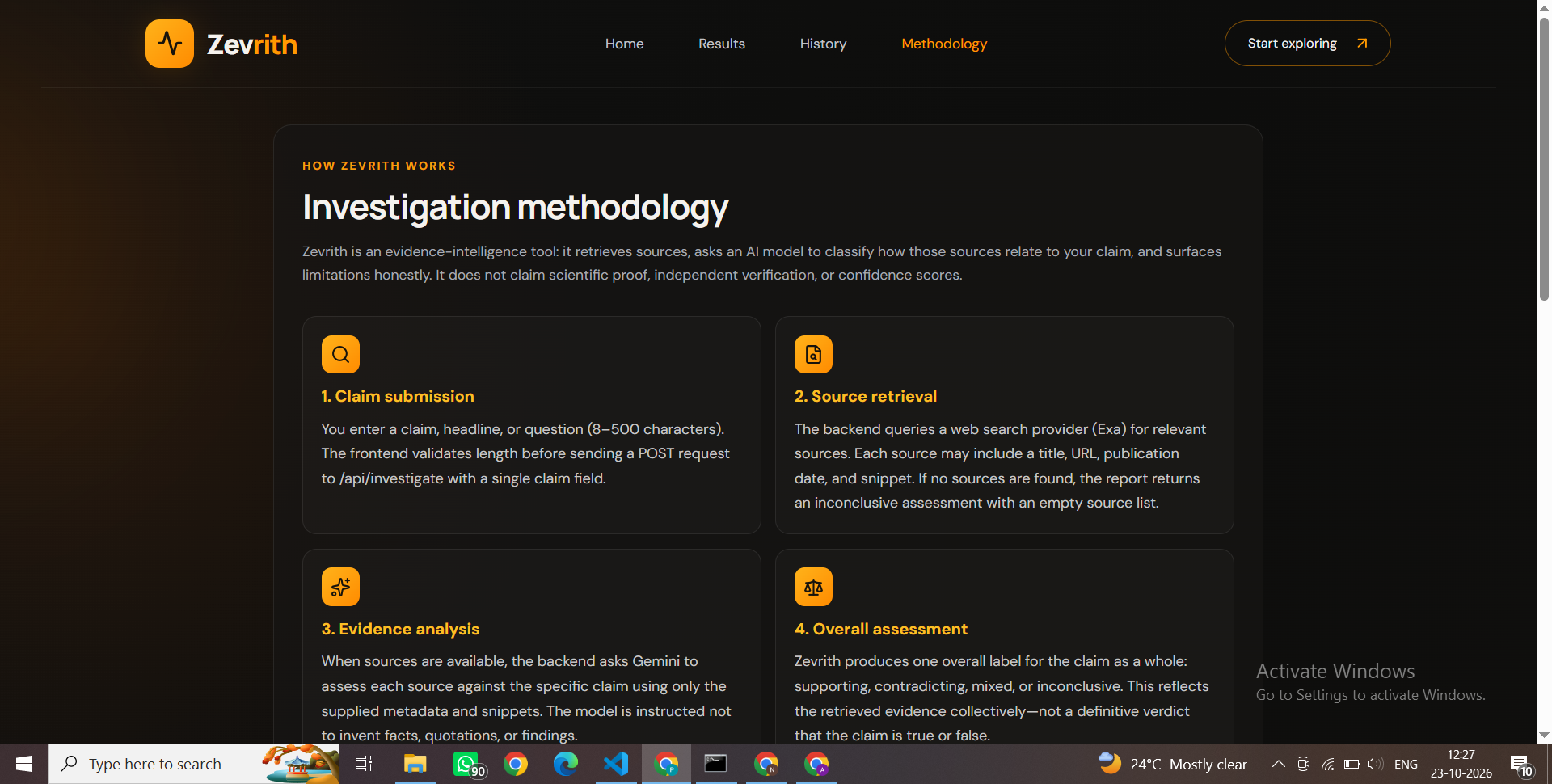
Methodology page - Explore Zevrith's research methodology and learn how AI analysis,source retrieval, and evidence evaluation work together.
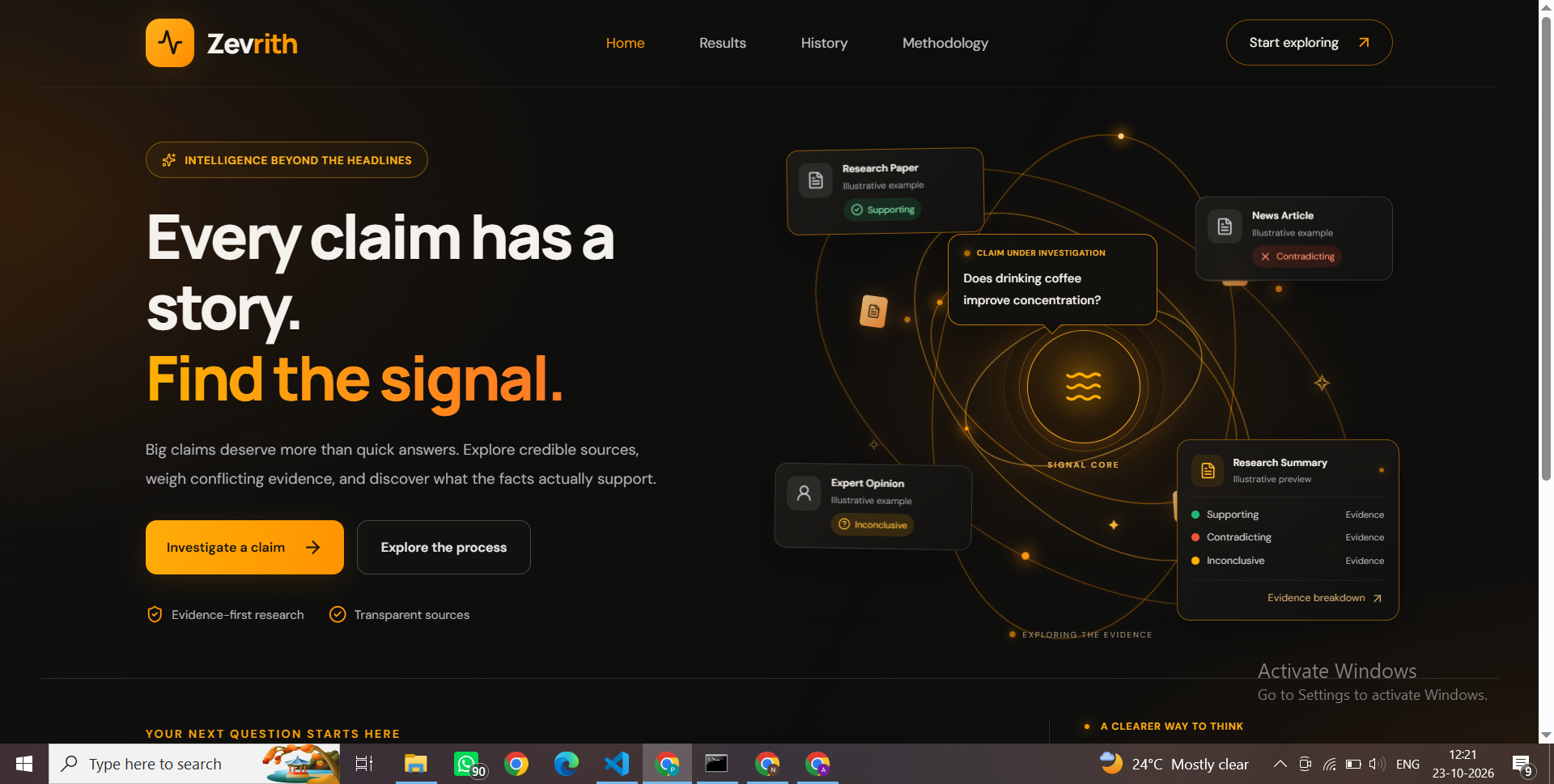
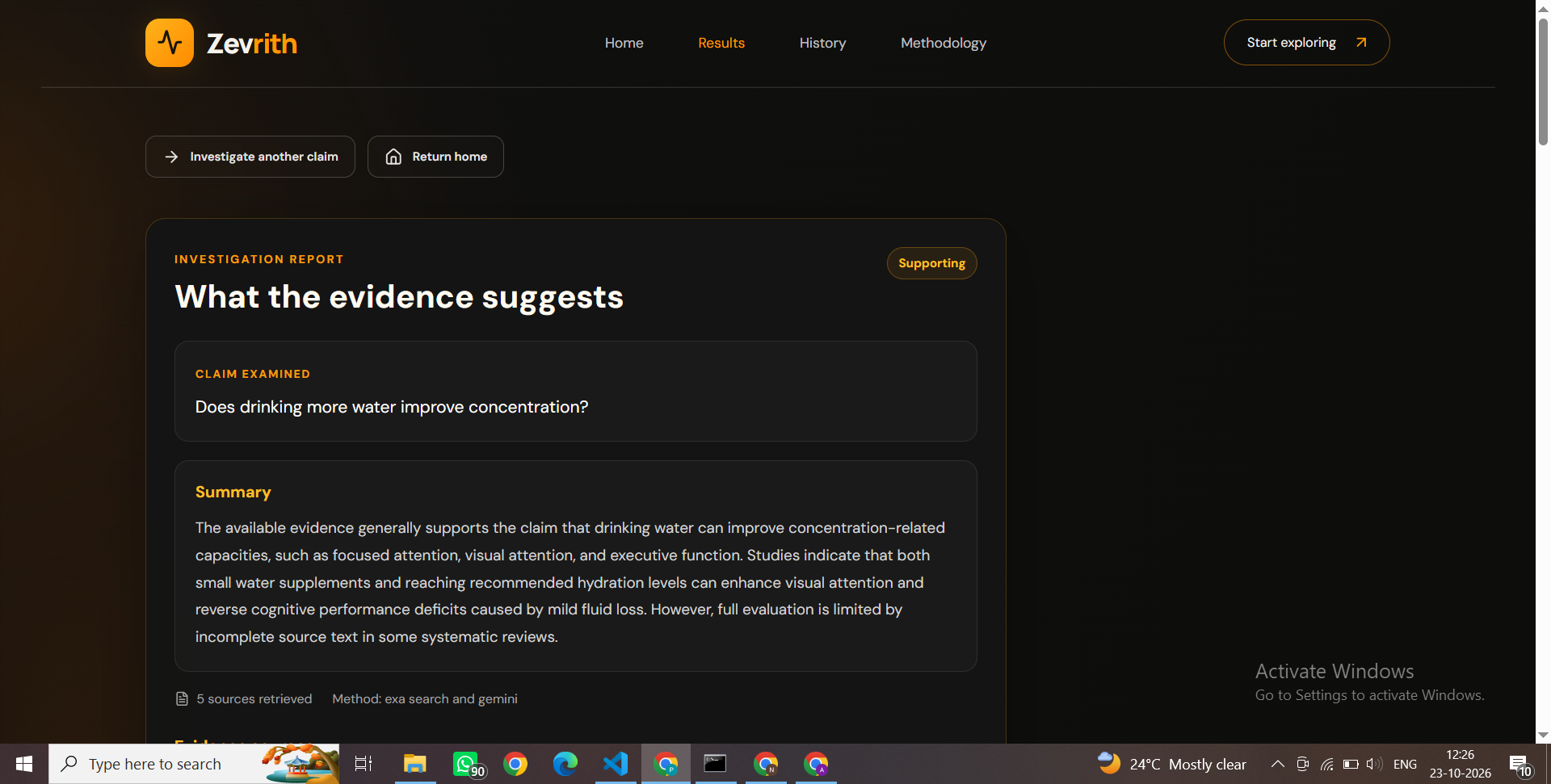

Zevrith — Evidence-Based Claim Investigation
Zevrith is a web application that helps users investigate claims by retrieving relevant web sources and analyzing the available evidence. It uses Exa for web search and Google's Gemini API to assess evidence and generate a balanced summary.
The goal is to help users explore claims, compare supporting and contradicting evidence, and understand the limitations of the available information.
Features
- Claim Investigation: Enter a claim and investigate it using relevant web sources.
- Web Search: Retrieve source information using the Exa search API.
- AI-Powered Analysis: Use Gemini to assess evidence and generate an overall assessment.
- Evidence Labels: Classify sources as supports, contradicts, mixed, or inconclusive.
- Source Transparency: Display source titles, URLs, snippets, and evidence-based reasoning.
- Investigation History: Save and revisit previous investigations.
- PostgreSQL Storage: Persist investigation records in a database.
- Graceful Error Handling: Return an inconclusive result when search or AI analysis is unavailable.
Technology Stack
Frontend
- React
- TypeScript
- Vite
- React Router
- Lucide React
Backend
- Python
- FastAPI
- SQLAlchemy
- Google Gemini API
- Exa Search API
Database
- PostgreSQL
Project Structure
Zevrith/
├── backend/
│   ├── services/
│   │   ├── investigation.py
│   │   └── exa_search.py
│   ├── main.py
│   ├── database.py
│   ├── models.py
│   ├── requirements.txt
│   └── .env
├── frontend/
│   ├── src/
│   ├── public/
│   ├── package.json
│   └── package-lock.json
├── .gitignore
└── README.md
The .env file is for local configuration only and must not be committed to Git.
Prerequisites
Install the following before running Zevrith:
- Python
- Node.js and npm
- PostgreSQL
- An Exa API key
- A Google Gemini API key
Getting Started
1. Clone the Repository
git clone https://github.com/YOUR_USERNAME/YOUR_REPOSITORY.git
cd Zevrith
Replace YOUR_USERNAME and YOUR_REPOSITORY with your GitHub details.
2. Set Up the Backend
Open a terminal in the project root:
cd backend

python -m venv .venv

.\.venv\Scripts\Activate.ps1

pip install -r requirements.txt
If PowerShell does not allow activation, you can run the backend using the virtual environment's Python executable directly.
3. Configure Environment Variables
Create a file named .env inside the backend directory.
Add your local configuration:
GEMINI_API_KEY=your_gemini_api_key
EXA_API_KEY=your_exa_api_key
DATABASE_URL=your_postgresql_connection_string
Replace the example values with your actual credentials and database connection string.
Security: Never commit your .env file or expose API keys and database passwords in public repositories.
4. Configure PostgreSQL
Install and start PostgreSQL, then create a database for Zevrith.
Configure DATABASE_URL in backend/.env to point to that database.
Ensure the configured database user has the required permissions. The application creates its mapped tables when the backend initializes.
5. Start the Backend
From the backend directory, activate the virtual environment and run:
python -m uvicorn main:app
The API will normally be available at:
Interactive API documentation:
6. Start the Frontend
Open a second terminal:
cd frontend

npm install

npm run dev
Vite will display the local frontend URL, normally:
Keep both the backend and frontend terminals running while using the application.
API Endpoints
| Method | Endpoint | Description |
|---|---|---|
| GET | / |
Root endpoint |
| GET | /health |
Health check |
| GET | /api/search |
Search for sources |
| POST | /api/investigate |
Investigate a claim |
| GET | /api/history |
Retrieve investigation history |
| POST | /api/history/import |
Import existing history |
| GET | /api/history/{entry_id} |
Retrieve a history entry |
| DELETE | /api/history/{entry_id} |
Delete a history entry |
| DELETE | /api/history |
Clear investigation history |
Evidence Assessment Labels
Zevrith uses four evidence labels:
- Supports: The available source information supports the claim.
- Contradicts: The available source information challenges the claim.
- Mixed: The source presents mixed or qualified evidence.
- Inconclusive: The available information is insufficient to make a clear assessment.
These labels represent AI-assisted assessments of the retrieved material, not definitive proof of a claim's truth or falsehood.
Limitations
- Assessments depend on the relevance and quality of retrieved sources.
- Source snippets may omit context from the full article.
- AI-generated assessments can contain errors and should be independently verified.
- Gemini may occasionally be unavailable due to temporary service errors or API limits.
- An inconclusive result means that a completed assessment was unavailable or the evidence was insufficient; it does not establish that a claim is true or false.
Security
- Keep API keys and database credentials in environment variables.
- Do not commit
.envfiles, virtual environments, ornode_modules. - Do not publish database passwords, private credentials, or sensitive logs.
- Use appropriate authentication and access controls before deploying the application for multiple users.
Future Improvements
Potential improvements include:
- Retry AI analysis without retrieving sources again.
- Improve source deduplication and verification.
- Add more detailed evidence comparisons.
- Improve automated testing and error monitoring.
- Prepare the application for secure production deployment.
License
No license has been specified yet. Add a license before allowing others to reuse, modify, or distribute the project.
Built With
- css
- exa
- fastapi
- gemini
- postgresql
- python
- react
- sqlalchemy
- typescript
- vite


Log in or sign up for Devpost to join the conversation.