Inspiration
Zeus was born out of the need, especially for people (or hackers in HTN :)) less experienced in hardware and electrical wiring, to help them put together projects in an easy and efficient way. By analyzing the positions of the pins for a particular controller (like Arduino Nano), we convert pin ports to easy to understand visuals that make assembling together the electronics much more simpler.
What it does
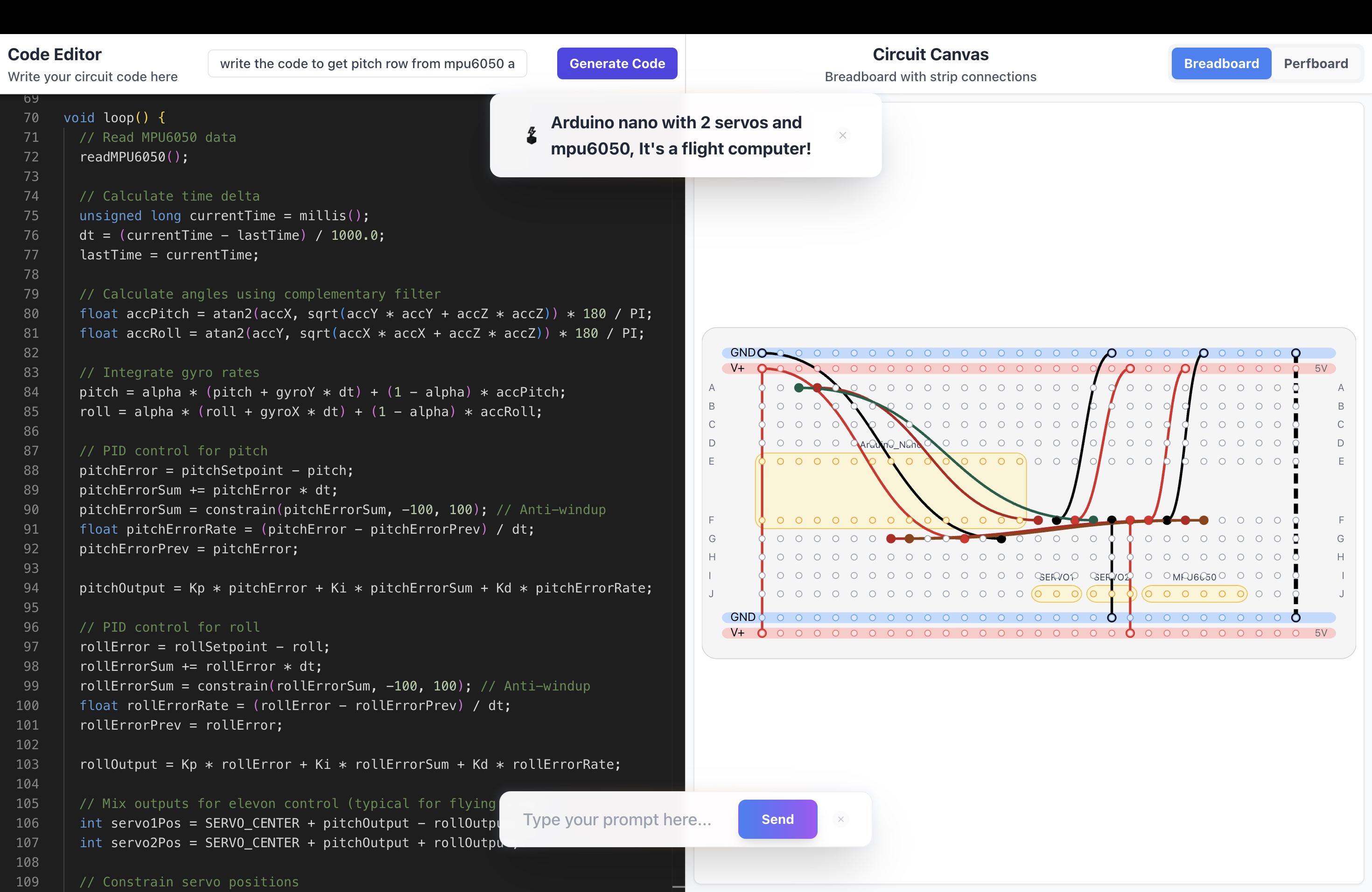
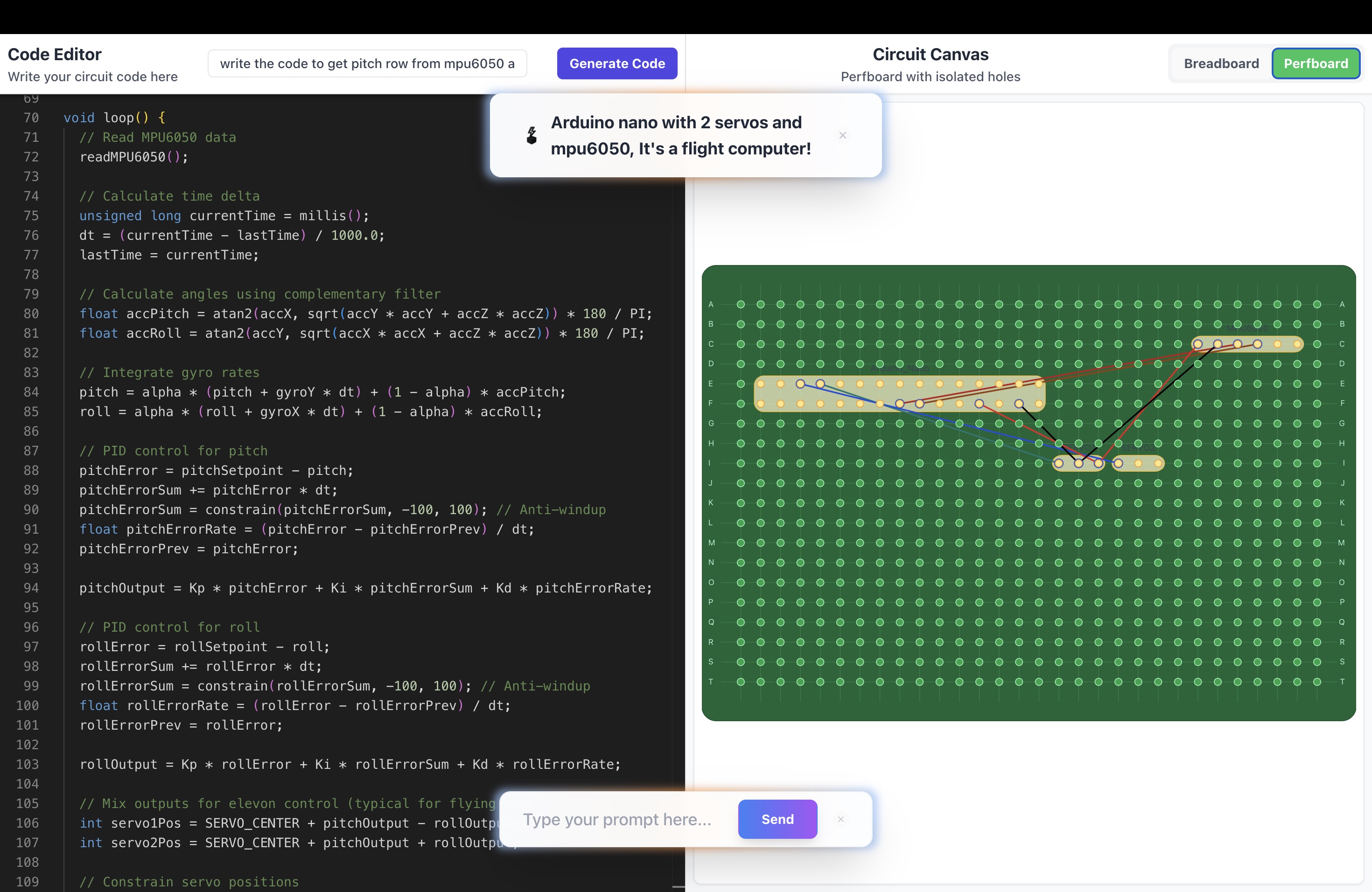
Using a custom implementation we develop of a breadboard and perfboard grid, we take the user's request, pass it through a large language model, and have it decompose the request into subcomponents which will be laid out on the breadboard / perfboard. Instructions to look up information about the component (available pin ports, order of pins) are accurately determined and accounted for in the final wiring diagram generated.
For the code generation, we take the existing wiring plan generated for the breadboard / perfboard and pass it as context to another generation of code that runs these particular components (say enabling two servo motors and an Arduino to drive a rc car). Port information, required controller libraries are determined with no additional hassle needed.
How we built it
We conducted extensive research on solutions we could leverage to deliver the most empowering experience to both amateur and experienced hardware builders. We found that there was a solution developed in TypeScript, named tscircuit, that provided us with a simplified interface to display various parts of an electronic schematic diagram (leds, resistors, controller - with variable width and lengths). In addition, we talked to many people, saw how they appreciated this platform, and learned about what they are looking for in a product like this.
Challenges we ran into
There are no existing react library for visualizing breadboard and perfboard, so we basically code up each of their library from scratch and make all the important decisions on how electronics data are parsed and what is the optimal schema. We also did extensive work to ensure the generated electronics prototype setup on either breadboard and perfboard doesn't lead to short circuit. We think of ways to make the electronics as space-efficient and wire-efficient on the board with intelligent parsing and components auto-placing.
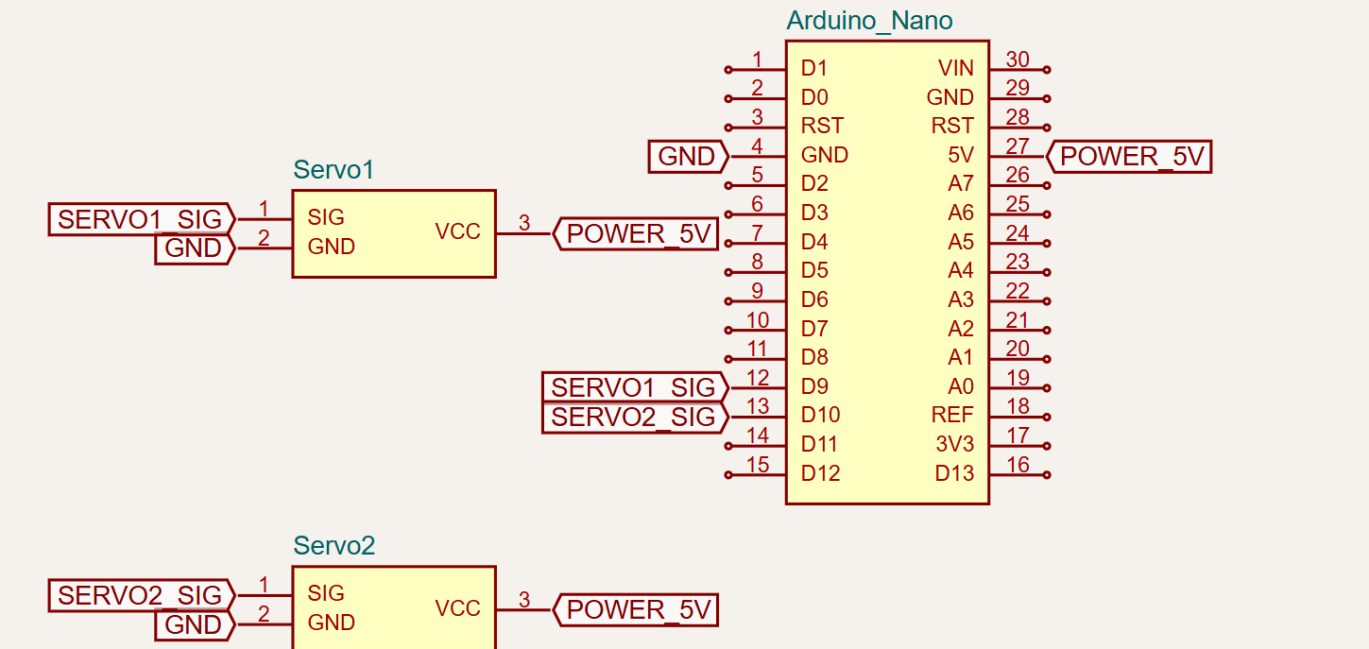
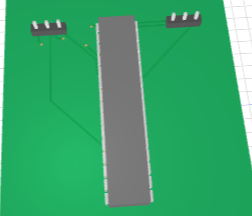
We decided to go above and beyond to tackle generating production-ready PCB schematics, layout and a 3D preview of it, and we have to build pretty fast in order to get that completed in time!
Accomplishments that we're proud of
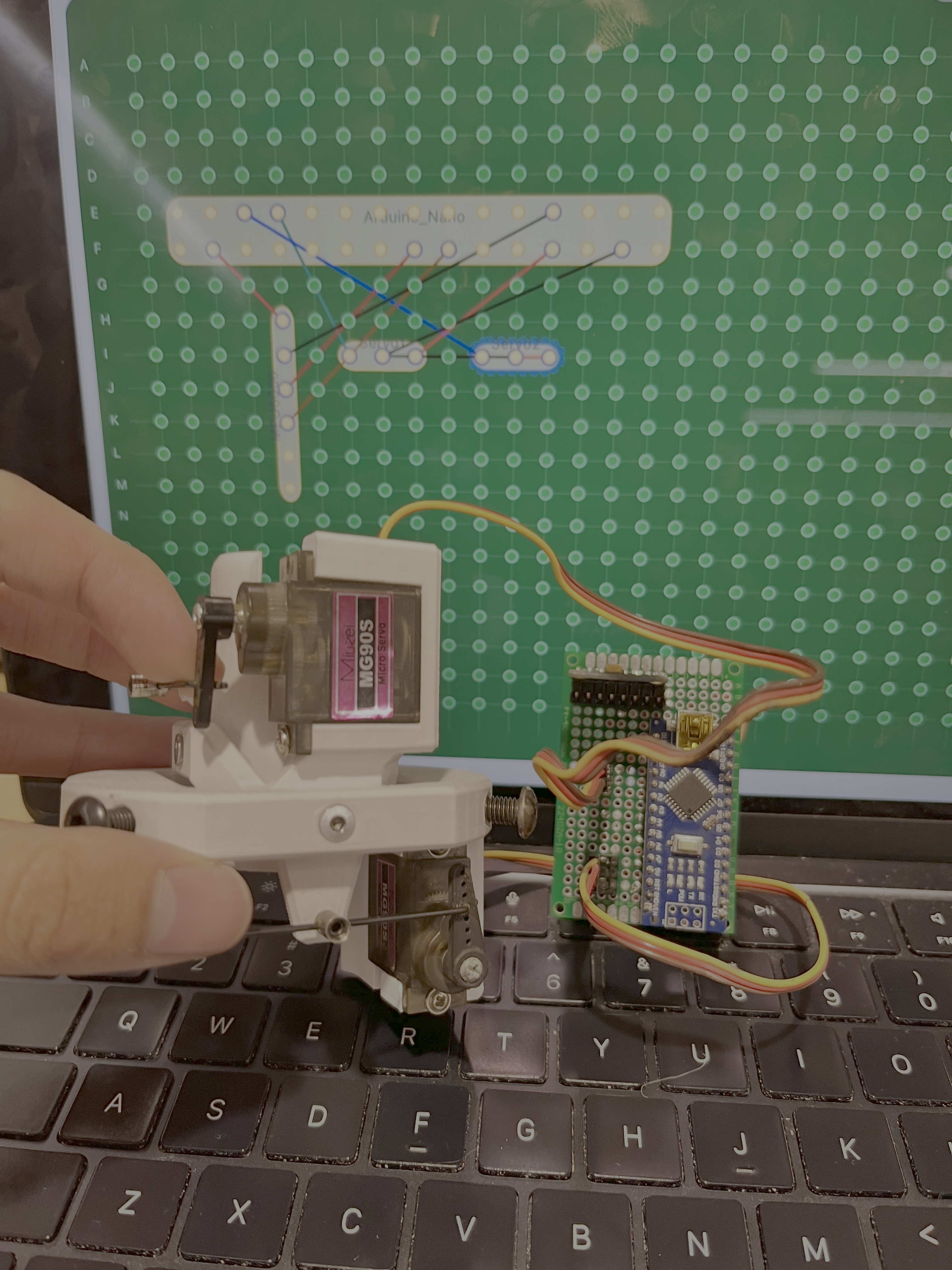
We are able to generate breadboard/perfboard schemetic that actually works and don't lead to short circuit. We are able to demo one of its use case by using it to generating a working flight computer that could sense orientation and deployed control system to control actuators to maintain stability. We are also able to demo it on the other use case of use it to generate breadboard prototype for a 2 DOF robot arm controller
We are also proud that within a weekend, we achieve generating in the follow 5 electronics domain:
- Breadboard Diagram
- Perfboard Diagram
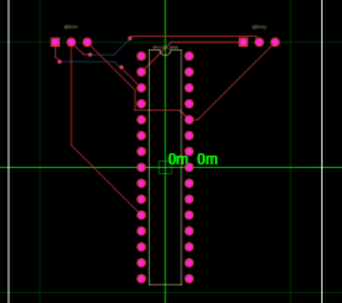
- PCB Electronics Diagram
- PCB Layout Diagram
- PCB preview 3D Render
What we learned
We learn a lot about the workflow of designing electronics prototyping and making electronics production document like PCB schematics!
What's next for Zeus
The PCB Layout Diagram and PCB preview 3D Render could use further development to develop more advanced diagram and to ensure its consistency. There's still a lot of potential room to grow in production-ready PCB generation!
Built With
- claude
- python
- react
- tscircuit
- typescript


Log in or sign up for Devpost to join the conversation.