-
-
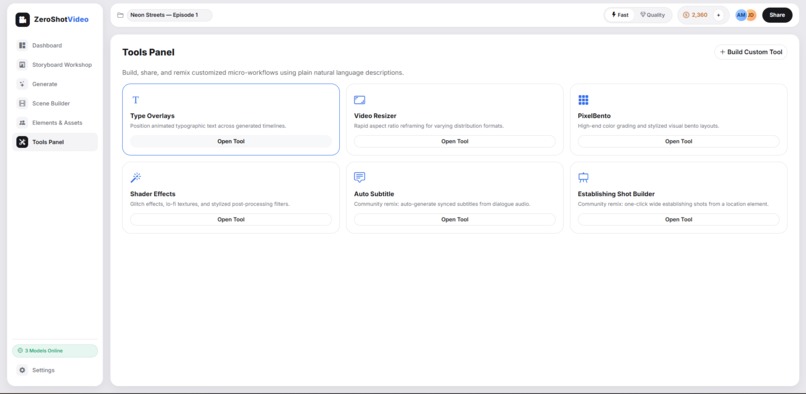
Tools
-
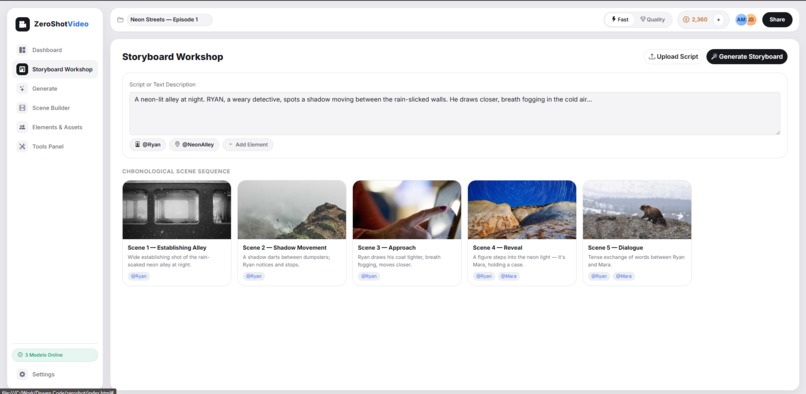
Storyboard Workshop
-
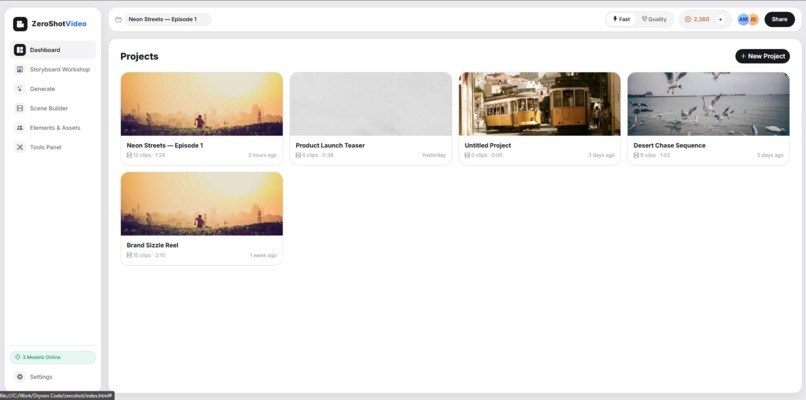
Dashboard
-
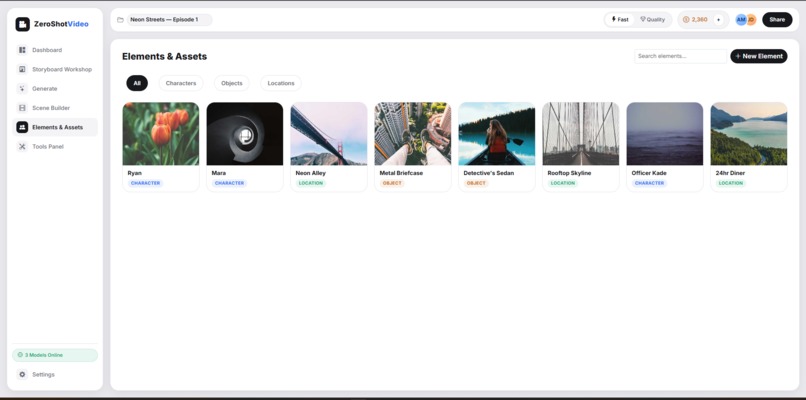
Elements and Assets
-
Generate
-
Scene Builder
Inspiration
Every AI creator has felt the same pain: one tab for image generation, another for video, a third for voice synthesis, and a spreadsheet somewhere trying to track which character reference matches which scene. The generative media boom gave us incredible individual models, but it fragmented the creative workflow into a dozen disconnected apps.
We asked: what if a creator never had to leave one workspace? What if characters stayed visually consistent across every shot without re-prompting from scratch? What if the storage layer was as reliable and cost-effective as the generation layer was powerful?
That's the gap ZeroShot Video fills — and Backblaze B2's simplicity and affordability for storing massive volumes of generated video, image, and audio assets made it the obvious backbone for a project-based tool that treats every asset as persistent, reusable, and part of a larger creative project.
What it does
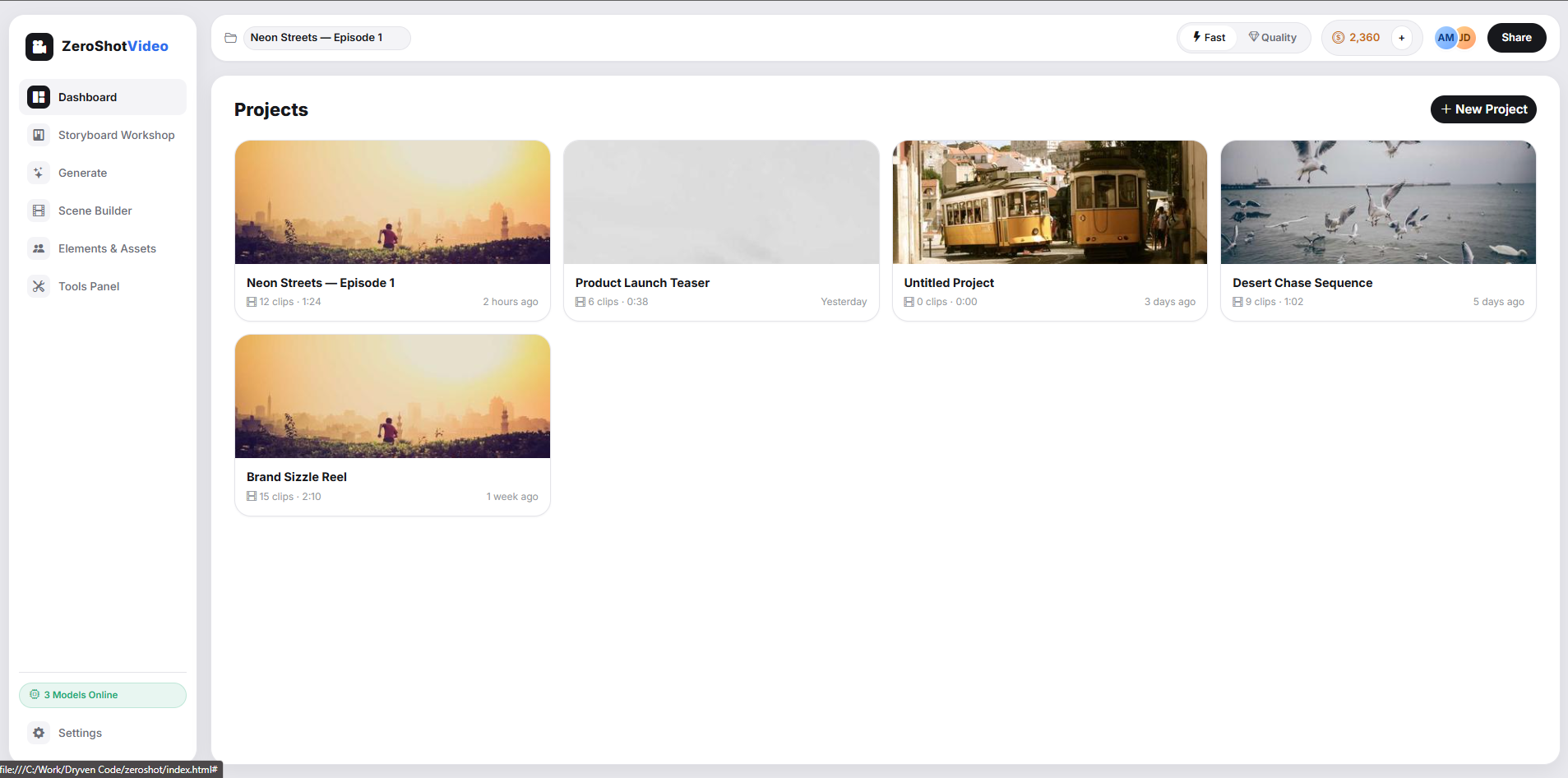
ZeroShot Video is a project-based, layer-oriented AI video editor that unifies text, image, video, and audio generation into a single timeline and asset workspace.
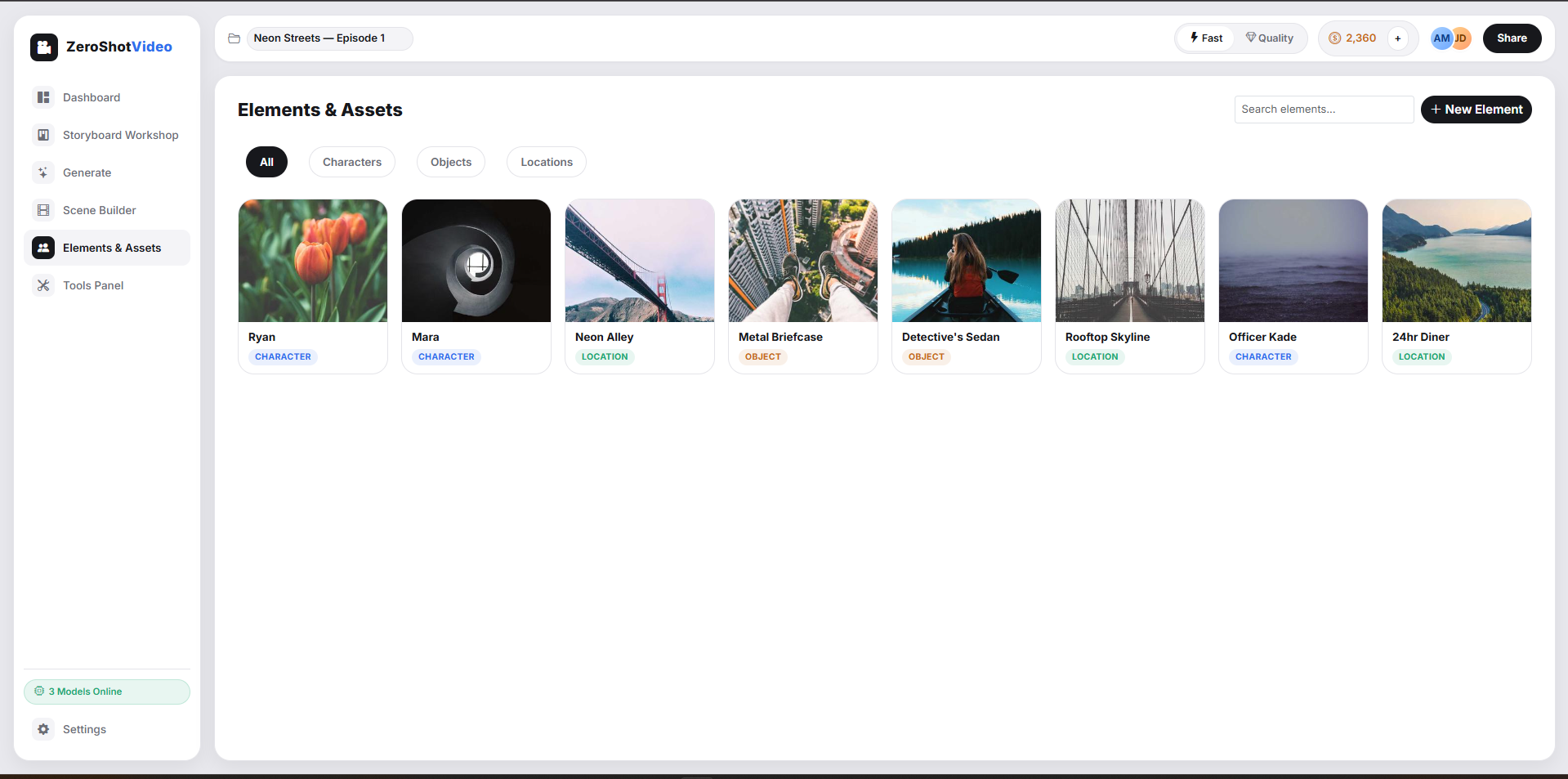
- Elements System — Create persistent characters (via prompt, photo, or avatar), assign them voices, and summon them into any scene with
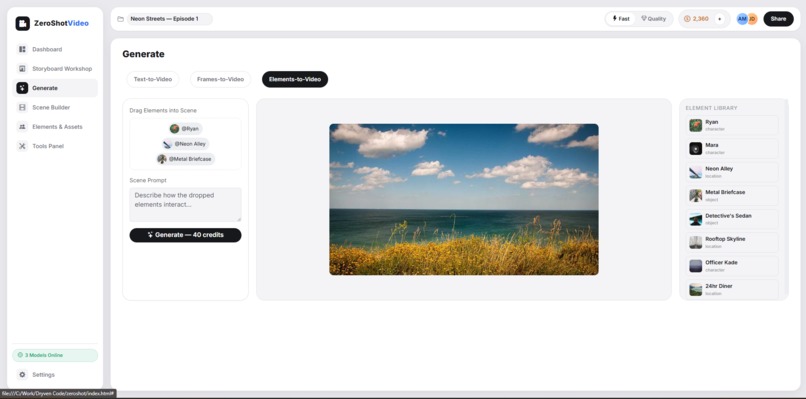
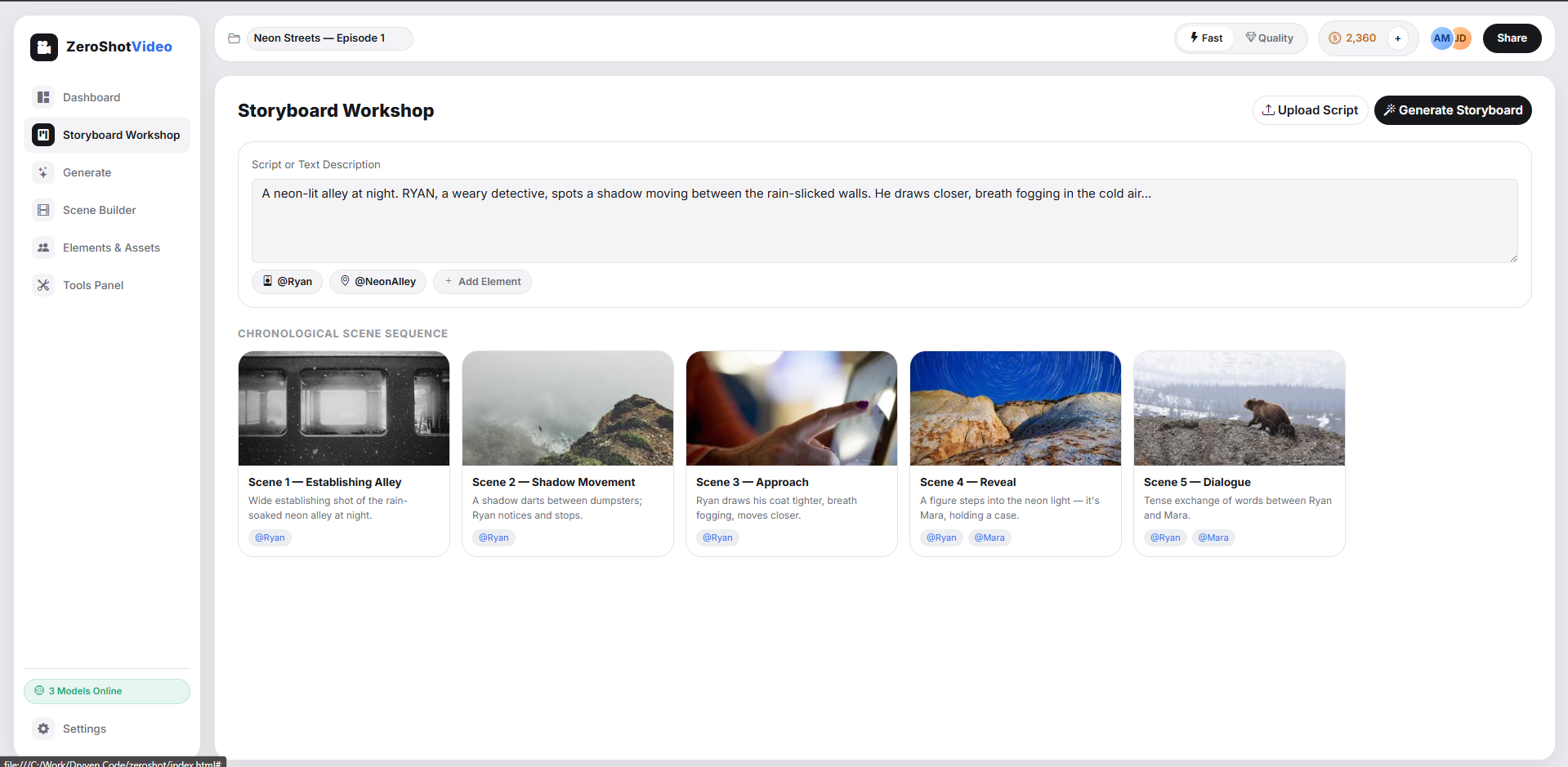
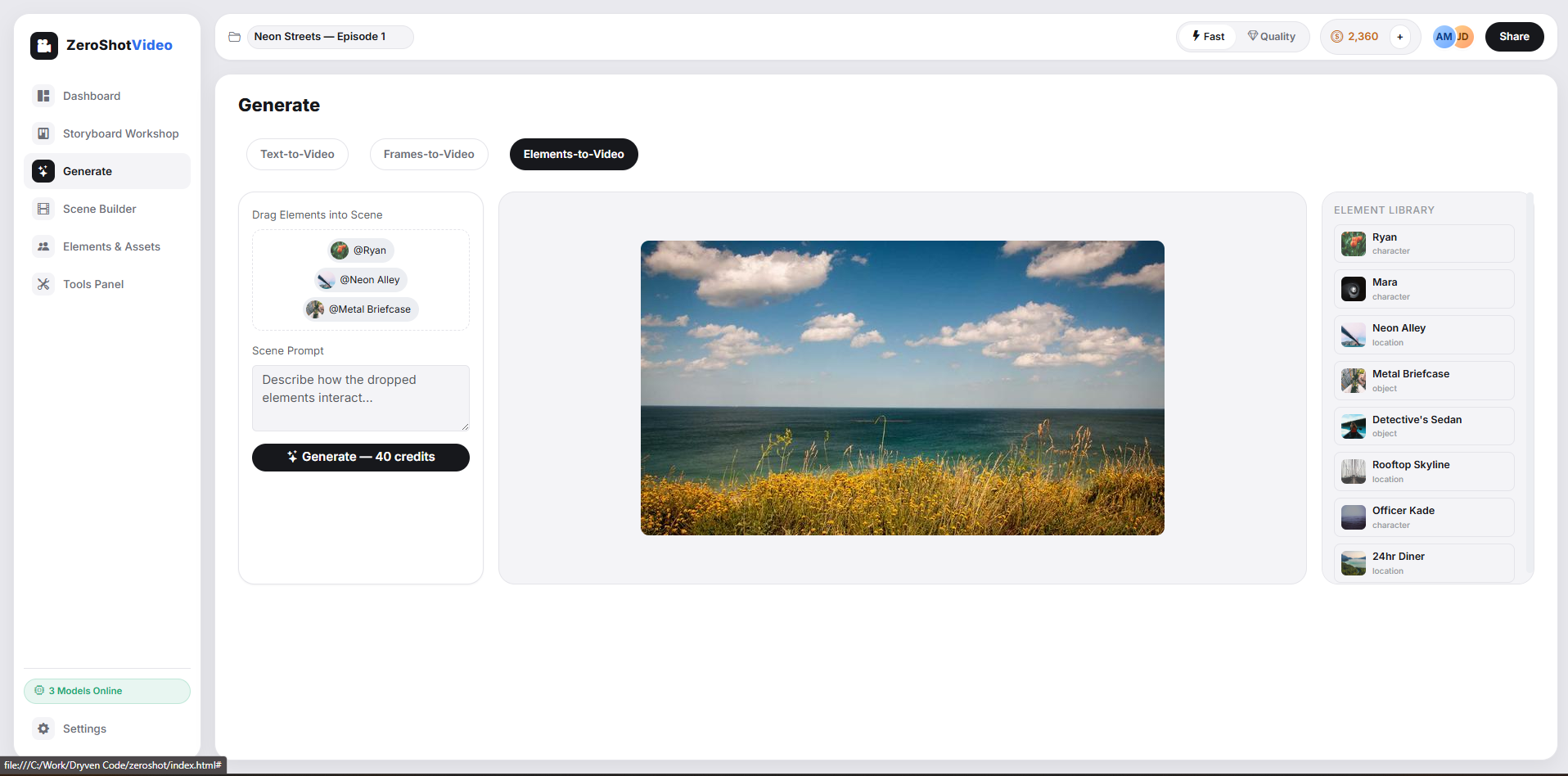
@CharacterNamefor strict visual consistency across shots. - Multi-Modal Generation Modes — Storyboard Workshop (script-to-storyboard), Text-to-Video, Frames-to-Video (start/end frame interpolation), and Elements-to-Video (drag-and-drop character/object/location composition).
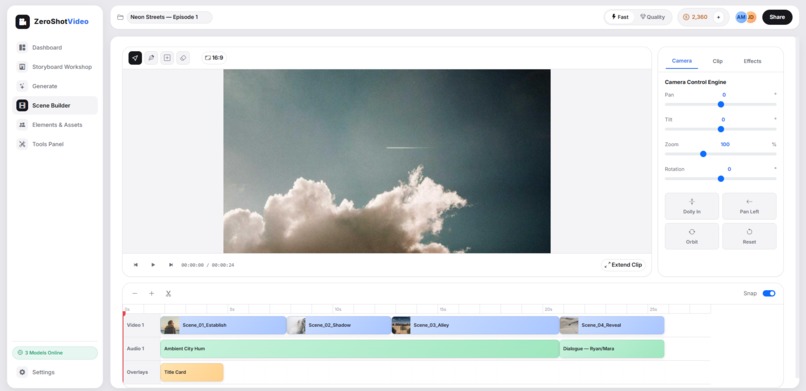
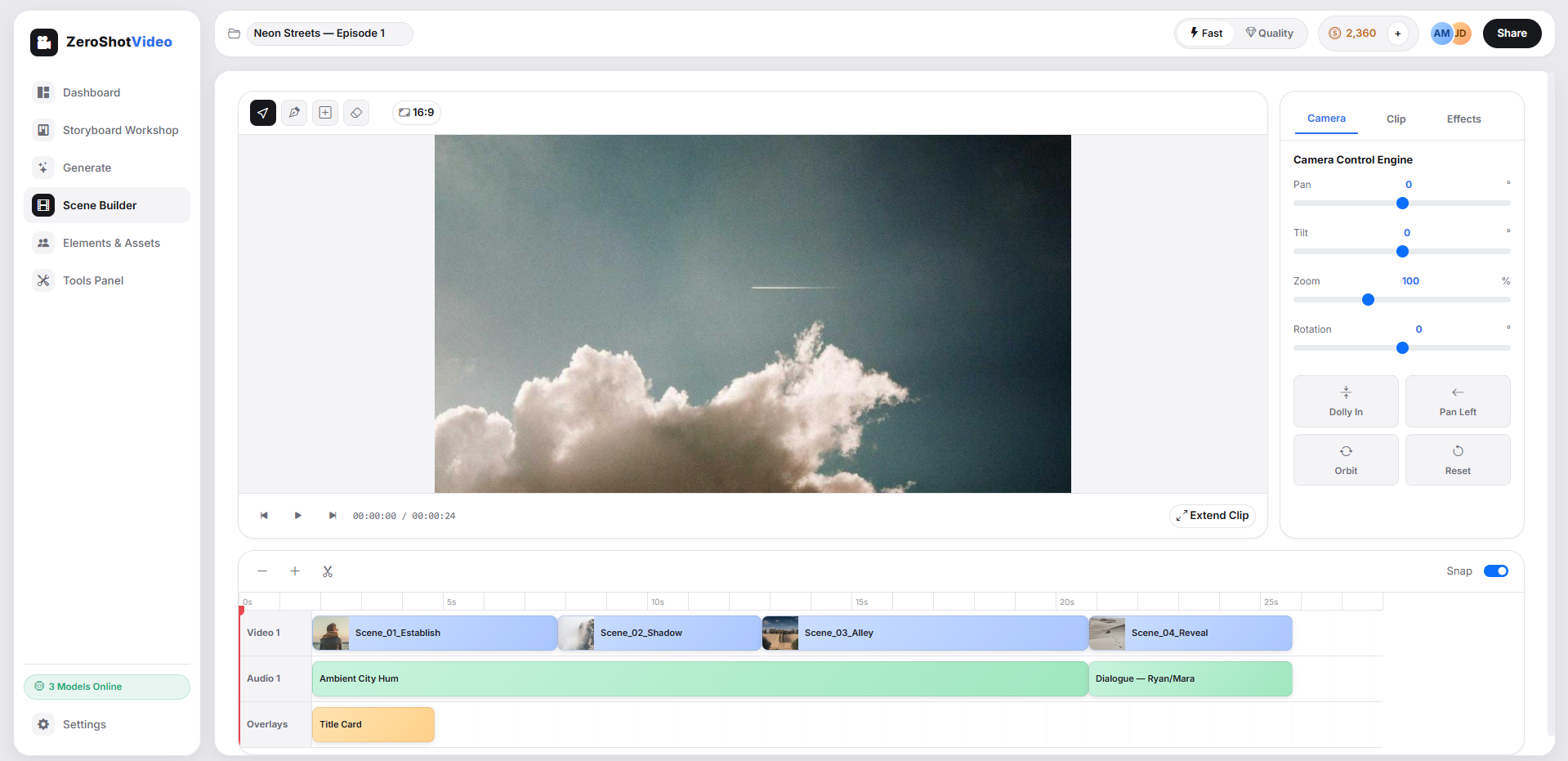
- Scene Builder — A non-linear timeline for arranging, trimming, and transitioning clips.
- Video Extend — Seamlessly lengthens existing clips while preserving lighting, motion, and continuity.
- Camera Control Engine — UI-driven pan/tilt/zoom/rotation instead of prompt guesswork.
- AI Lasso, Insert & Remove — Localized inpainting for wardrobe changes, object removal, or object insertion with auto-adjusted shadows and lighting.
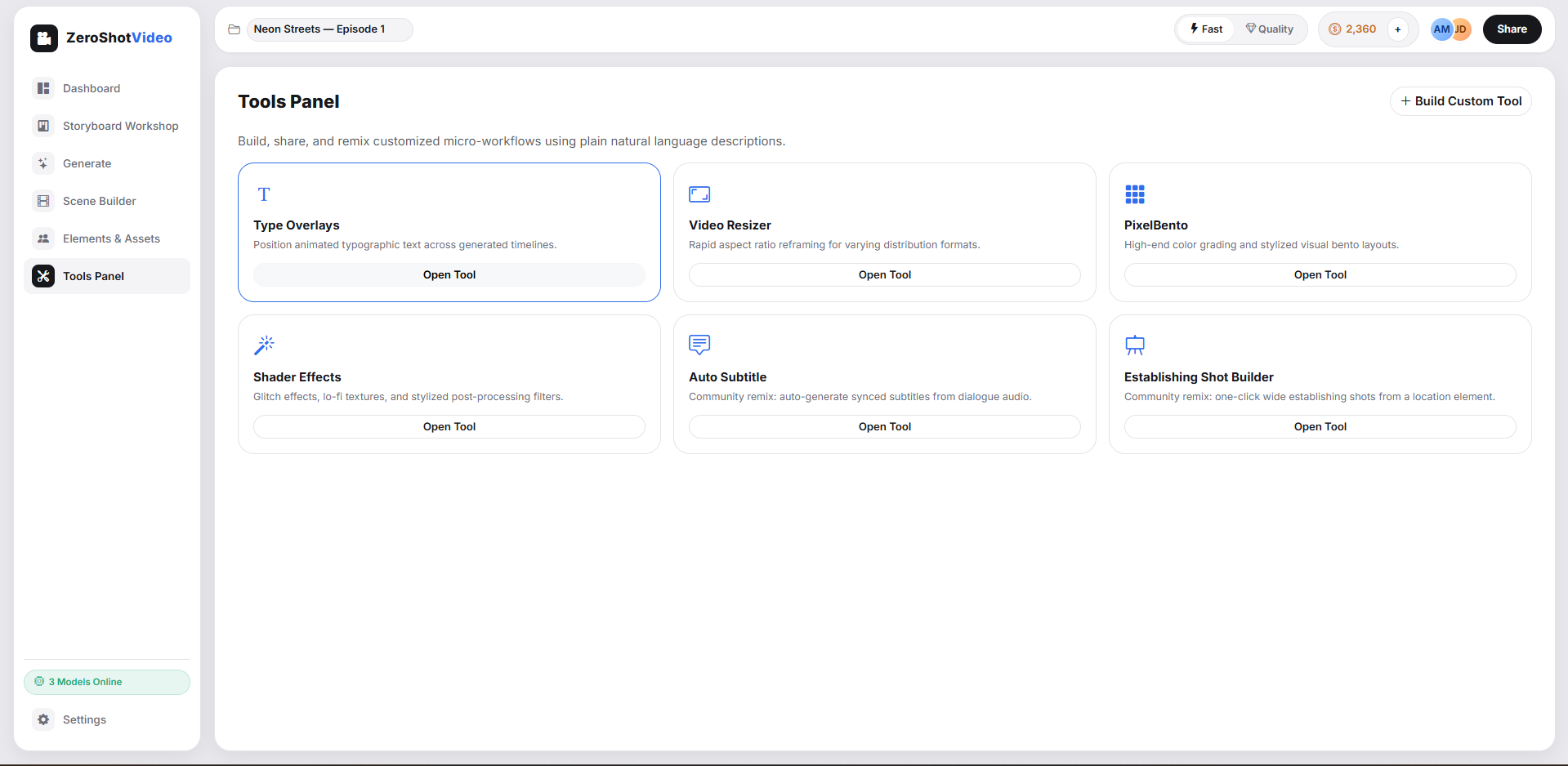
- Tools Panel — Custom, shareable micro-workflows (type overlays, video resizer, PixelBento shader effects) built from natural language.
Under the hood, it uses GenBlaze to orchestrates Pruna AI P-Video (cinematic clips with native audio), Gemini Flash Image 2.5 (scene reasoning and regional editing), and Minimax Speech 2.8 (voice cloning and narration) — all stitched together in one interface.
How we built it
We used GenBlaze to architect ZeroShot Video as an orchestration layer rather than a single-model wrapper:
- Frontend — A layer-based timeline and asset grid UI, inspired by professional NLEs, built to handle drag-and-drop composition of Elements, frames, and prompts.
- Model Orchestration — A routing layer that dispatches jobs to Pruna AI P-Video, Gemini Flash Image 2.5, and Minimax Speech 2.8 depending on the generation mode selected (text-to-video, frames-to-video, elements-to-video, etc.), normalizing inputs/outputs across models.
- Elements & Consistency Engine — A reference-embedding system that stores character/object visual fingerprints so that
@CharacterNamecalls inject consistent visual conditioning into every downstream generation request. - Storage Layer — Backblaze B2 — Every generated asset (images, 20-second video clips, cloned voice audio, storyboard exports) is written directly to B2 buckets. We used B2's S3-compatible API to plug into our existing asset pipeline with minimal friction, and organized buckets by project/element/version to support fast retrieval for the timeline and asset grid.
- Credit & Compute System — A toggle between "Fast" and "Quality" modes that adjusts model routing and batch output size, balancing latency against fidelity.
Challenges we ran into
- Visual drift across shots — Getting a character to look the "same" across multiple independently-generated clips required building a consistency layer on top of models that weren't natively designed for persistent identity.
- Cross-model normalization — Pruna AI P-Video, Gemini Flash Image 2.5, and Minimax Speech 2.8 all have different input schemas, latency profiles, and output formats. Building a unified interface meant writing adapters that could gracefully degrade or retry without breaking the creative flow.
- Asset volume & versioning — Video generation produces huge amounts of iterative data (multiple takes, variations, extends). Structuring B2 buckets/prefixes so the timeline could instantly reference the right version of the right asset — without re-fetching or duplicating storage — took several redesigns.
- Audio-video sync — Native audio generation from Pruna AI P-Video needed to stay frame-accurate when clips were trimmed, extended, or reordered in the Scene Builder.
- Latency vs. iteration speed — Cinematic-quality generation is slow; creative iteration wants to be fast. Balancing the "Fast" vs "Quality" toggle without confusing users about tradeoffs took real UX iteration.
Accomplishments that we're proud of
- Built a working Elements consistency system that lets a single character remain recognizable across completely separate generation calls — solving one of the most requested pain points in AI video today.
- Successfully unified three distinct foundation models (video, image, speech) behind one coherent creative interface, so users never have to think about which model powers which button.
- Achieved reliable B2-backed asset persistence, meaning every project element — no matter how many iterations — is retrievable, versioned, and cheap to store at scale.
- Delivered a timeline-native editing experience (Scene Builder, Video Extend, Camera Control) that makes AI generation feel like real video editing, not just prompt roulette.
- Shipped precision editing tools (AI Lasso, Insert & Remove) that produce genuinely native-looking localized edits, not obvious "AI patches."
What we learned
- Orchestration is its own discipline. Wrapping multiple best-in-class models is not just API glue — it requires designing a shared creative "language" (Elements, prompts, camera parameters) that translates cleanly into each model's native format.
- Storage architecture shapes creative UX. Choosing how assets are organized in B2 directly determined how fast and intuitive the timeline felt. Good storage design is invisible when done right — and a bottleneck when it isn't.
- Consistency is the hardest unsolved problem in generative video. Even small improvements to character/object persistence dramatically increase perceived quality and usability.
- Creators want control, not just generation. Features like the Camera Control Engine and AI Lasso proved that giving users precise, non-prompt-based control is often more valuable than raw model power.
What's next for ZeroShot Video
- Expanded Element types — Location and prop libraries with the same consistency guarantees as characters.
- Collaborative projects — Multi-user editing on shared B2-backed projects, with real-time asset syncing.
- Longer-form narrative tools — Multi-scene continuity tracking, automatic pacing suggestions, and script-to-full-edit pipelines.
- Expanded model marketplace — Letting users plug in additional Replicate models as they emerge, without changing their workflow.
- Smarter B2 lifecycle management — Automatic tiering/archiving of older project versions to optimize storage cost as project libraries grow.
- Public Tools marketplace — Letting creators publish and monetize their own natural-language micro-workflows.
Built With
- backblaze
Log in or sign up for Devpost to join the conversation.