-
-
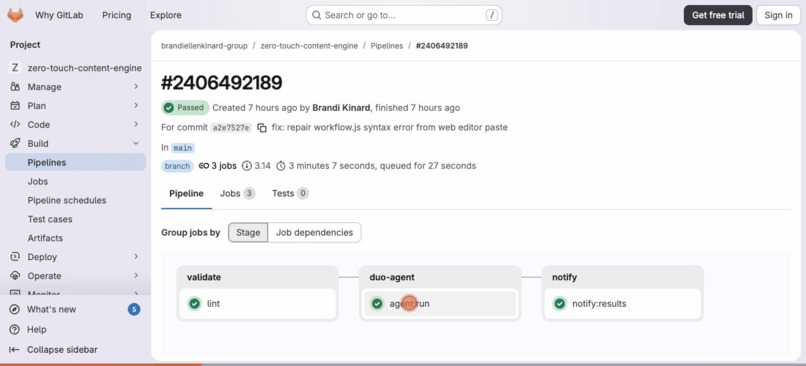 GIF
GIF
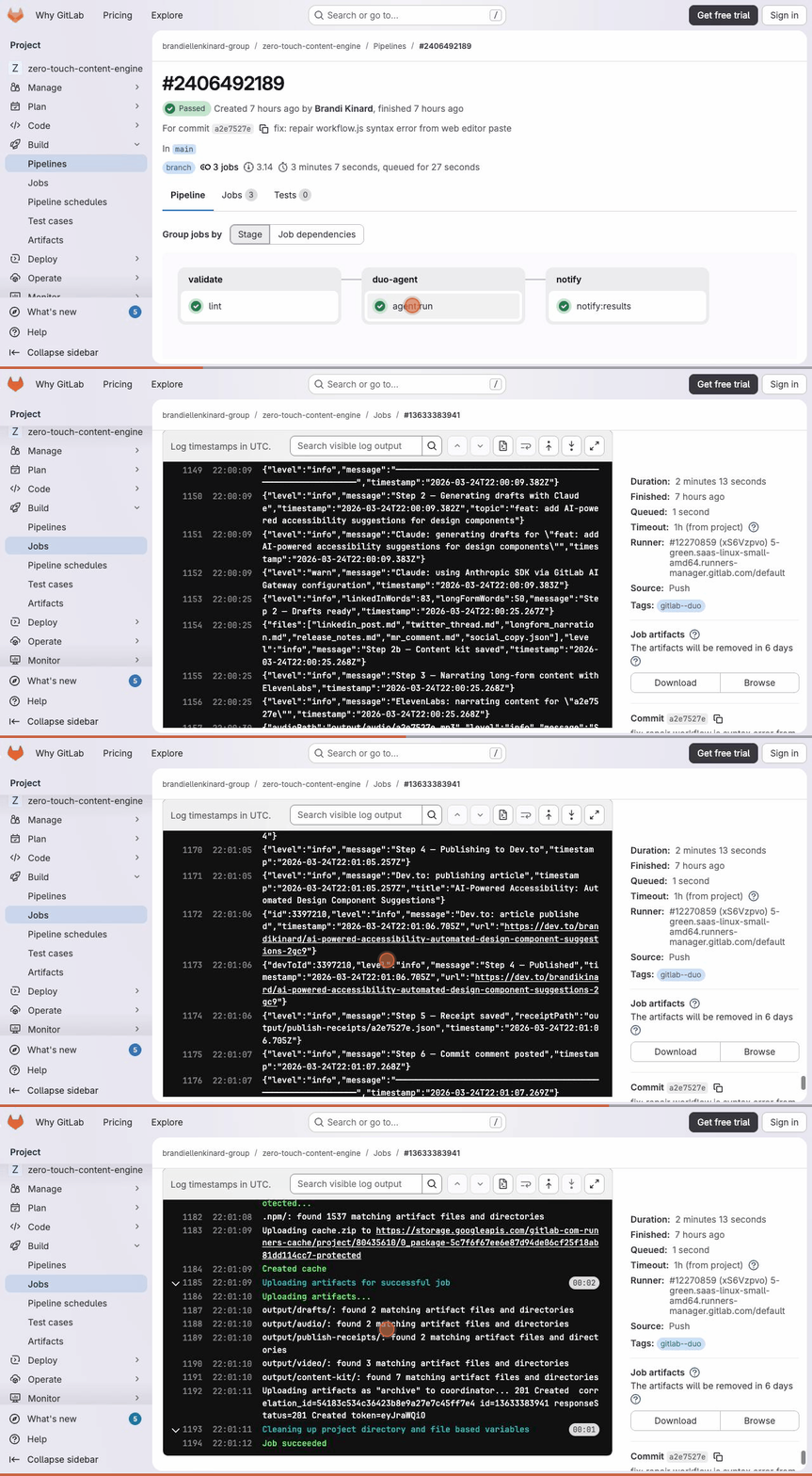
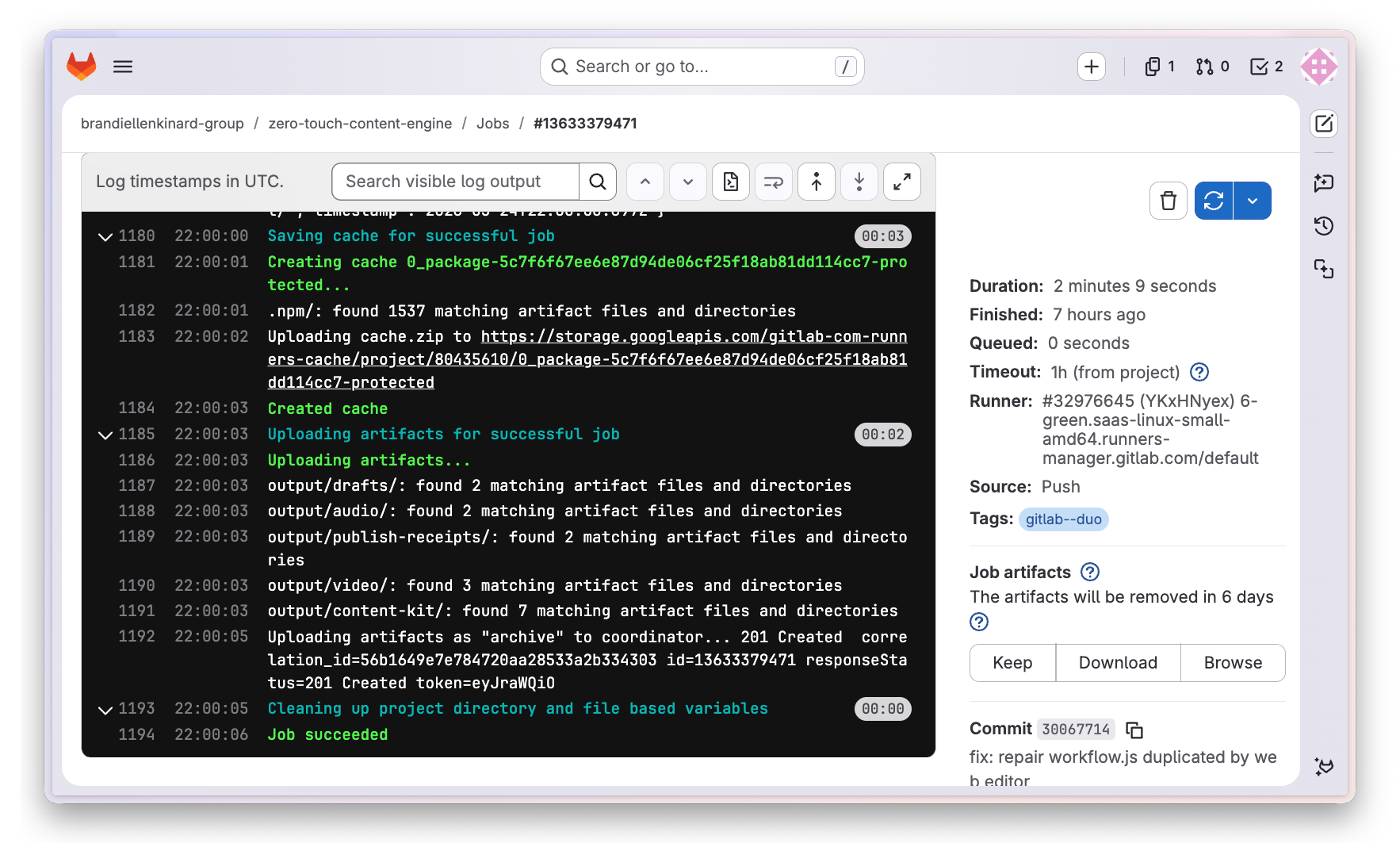
Live agent:run log — Claude, ElevenLabs, Puppeteer, Dev.to. Job succeeded.
-
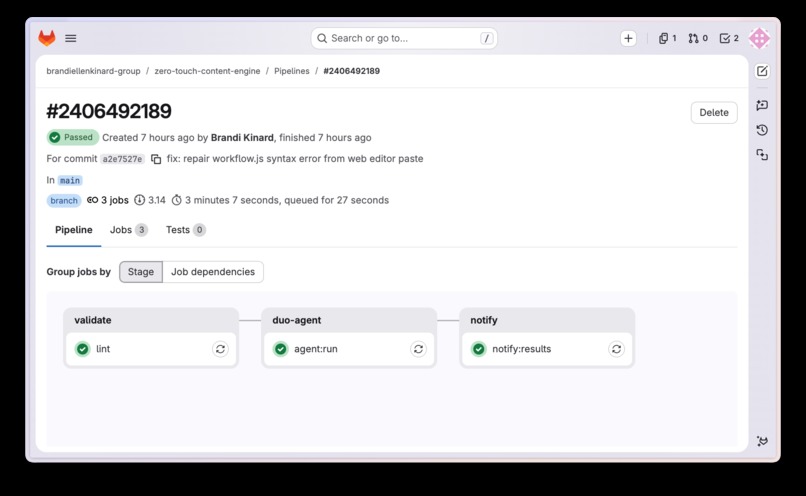
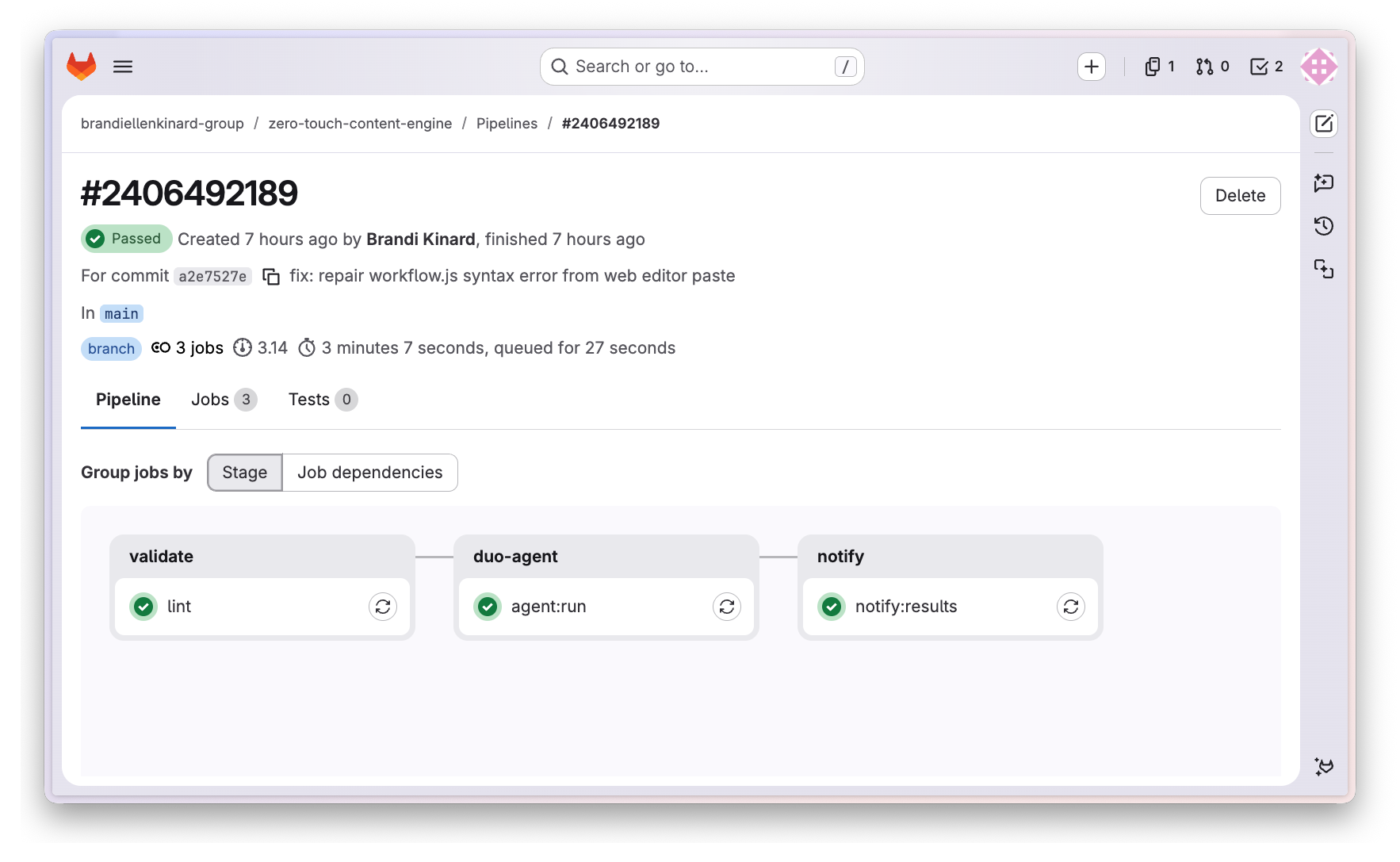
All 3 stages passing: validate → duo-agent → notify. 3 min 7 sec.
-
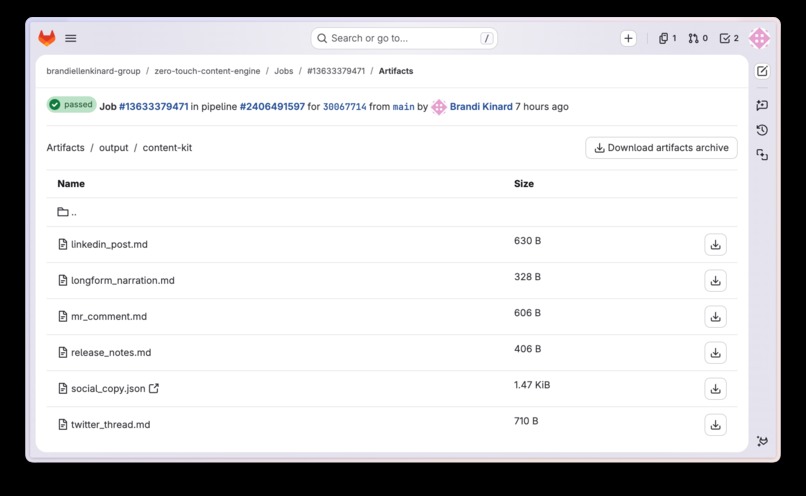
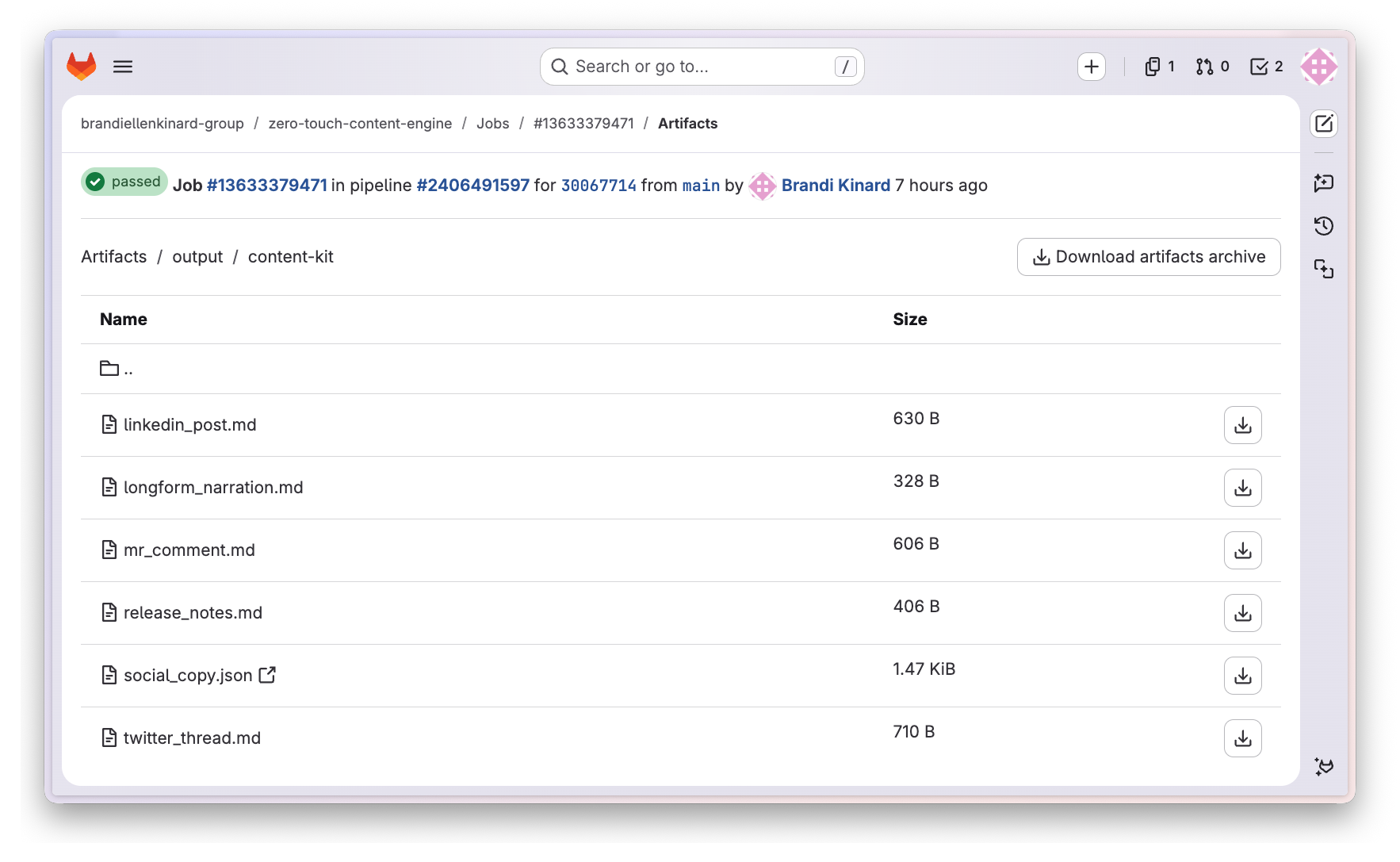
6 files generated automatically from one commit message. One per platform.
-
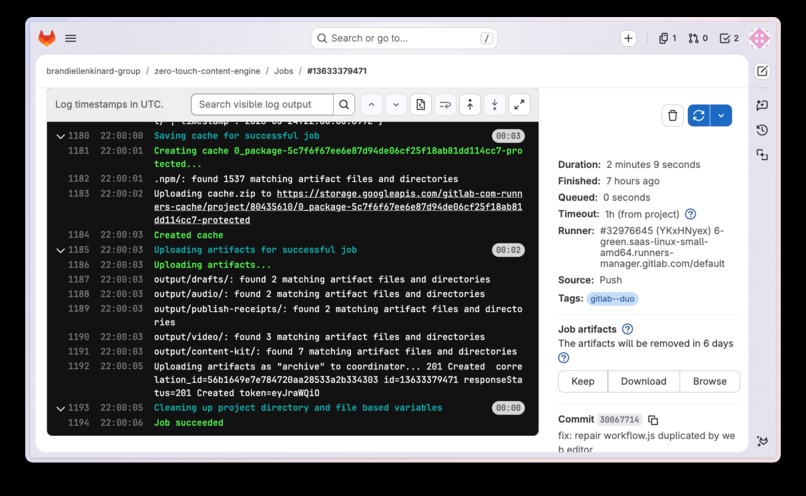
Claude routing through GitLab AI Gateway. Anthropic bonus track — in the logs.
-
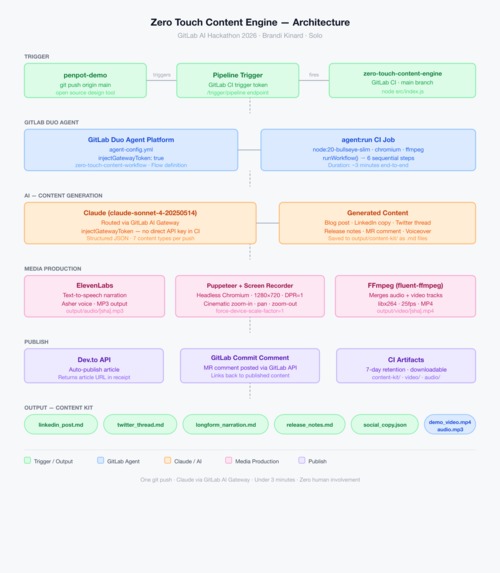
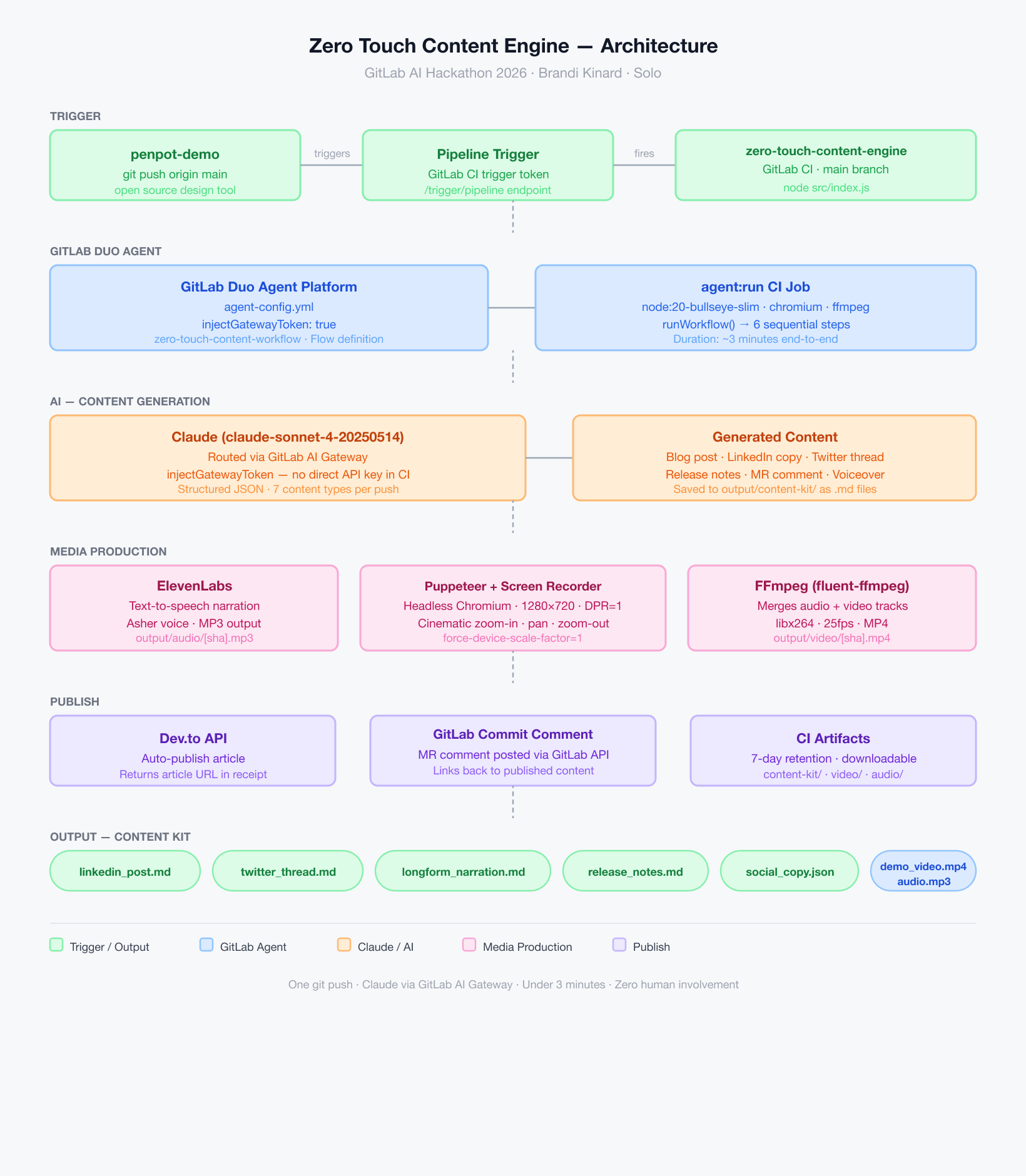
Full system architecture — git push to published content in under 3 minutes.
What If Every Git Push Marketed Itself?
Every developer ships meaningful work. Almost none of them have time to tell anyone about it. Writing a blog post, drafting LinkedIn copy, recording a demo, narrating it, publishing it — that's 45+ minutes of manual work per feature. Most of it never happens.
Zero Touch Content Engine closes that gap entirely.
Vibe Shipping
Vibe coding changed how developers build — describe intent, AI executes.
This is vibe shipping. You build, AI broadcasts.
Your repo now has a publicist. Every commit message becomes a brief. Claude infers the creative direction, the tone, the format — and ships the story while you're still in your terminal. You never open a content tool. You never write a caption. The code ships itself.
What It Does
Push one commit. In under 3 minutes, Zero Touch Content Engine automatically:
- Generates a blog post, LinkedIn copy, Twitter thread, and release notes using Claude via the GitLab AI Gateway
- Narrates the long-form copy into an MP3 using ElevenLabs
- Records and renders a cinematic demo video with Puppeteer + FFmpeg — zoom in, pan through the UI, zoom out
- Publishes the article to Dev.to automatically
- Posts an MR comment back to the GitLab commit with links to published content
- Packages everything as a downloadable CI artifact — 6 files, one per platform, ready to distribute anywhere
Zero configuration after initial setup. Zero human involvement per run.
How It Works
A push to the demo repo fires a GitLab pipeline trigger. The Zero Touch pipeline spins up a node:20-bullseye-slim container, installs Chromium and FFmpeg, then runs node src/index.js.
The workflow runs 6 sequential steps:
- Resolves the content topic from the commit message
- Calls Claude via the GitLab AI Gateway — structured JSON output with 7 content types
- Narrates the long-form copy via ElevenLabs (Asher voice)
- Records a cinematic demo video via Puppeteer with CSS transform zoom choreography,
deviceScaleFactor: 1,--force-device-scale-factor=1 - Merges audio + video via FFmpeg → final MP4
- Publishes to Dev.to and posts an MR comment to the GitLab commit
All output lands in CI artifacts: output/content-kit/, output/video/, output/audio/.
Anthropic + GitLab Bonus Track ✓
Claude routes exclusively through the GitLab AI Gateway via injectGatewayToken: true in agent-config.yml. No direct API key is used in CI. Every content generation call — blog post, LinkedIn copy, Twitter thread, release notes, MR comment, voiceover script — runs through the gateway. This is native Anthropic + GitLab integration, not bolted on. Visible in the CI log: "Claude: using Anthropic SDK via GitLab AI Gateway configuration".
Most Impactful ✓
This directly addresses the AI paradox bottleneck the hackathon was designed to solve — the gap between shipping software and communicating its value. Every developer, every team, every ope
Most Technically Impressive ✓
The recording pipeline alone demonstrates significant technical depth: headless Chromium via Puppeteer with --force-device-scale-factor=1 and deviceScaleFactor: 1 to lock CSS pixels to physical pixels for precise 1280×720 output, CSS transform zoom choreography animating document.documentElement scale via cubic-bezier easing, puppeteer-screen-recorder capturing at 25fps via Chrome DevTools Protocol, and fluent-ffmpeg merging the ElevenLabs audio track into the final MP4 — all running inside a GitLab CI container that installs Chromium and FFmpeg from apt on every run. The full stack spans 6 external APIs coordinated in a single deterministic workflow, built and debugged solo in under 1 week.
Easiest to Use ✓
Zero configuration after initial setup. No dashboards, no manual steps, no decisions per run. Add 5 CI/CD variables once, then every push from that point forward generates and publishes a complete content kit automatically. The entire interface is git push.

Log in or sign up for Devpost to join the conversation.