-
-

ZPM
-

Inspiration
As college students from major cities, we’re familiar with the chaos of firefighters and campus police guiding us during dangerous situations. Everyone moves, but what happens when hazards appear along the way or visibility drops? We realized that today’s evacuation systems rely heavily on human input and in moments of crisis, that can fail fast.
That’s what inspired ZPM, a swarm-based evacuation assistant that thinks collectively. Each robot scans its surroundings, alerts its peers to obstacles and endangered humans, and adapts its route as conditions change. Together, they map the safest path in real time, without human intervention. Building officials can then follow step-by-step guidance through a mobile app, ensuring everyone exits quickly and safely.
What it does
ZPM acts as an autonomous evacuation assistant deployed by building administrators. From their perspective, it looks like this:
- Activate the swarm. A fleet of mobile robots powers on, each equipped with cameras to detect humans and sensors that capture ultrasonic signals from nearby objects and humans.
- Scan the surroundings. Every robot begins traversing the maze toward the nearest known building exit, identifying obstacles in real time using a computer vision model.
- Communicate and learn. Just as ants use pheromones to mark safe paths, ZPM units decrease "pheromone" levels in locations blocked by obstacles. Peers register this change and reroute dynamically to maintain an updated understanding of the maze.
- Guide to safety. Once a safe path is established, the ZPM mobile app highlights it in green. Users receive step-by-step guidance, similar to Google Maps, showing exactly how to navigate the route.
How we built it
Behind the scenes, ZPM runs on a robotics and AI pipeline that links hardware, AI, and visual guidance into one digestible platform.
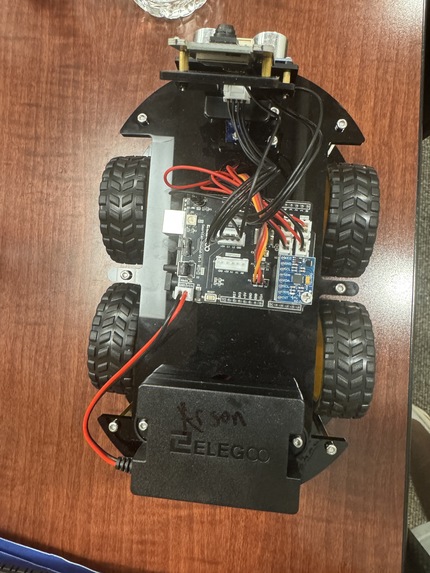
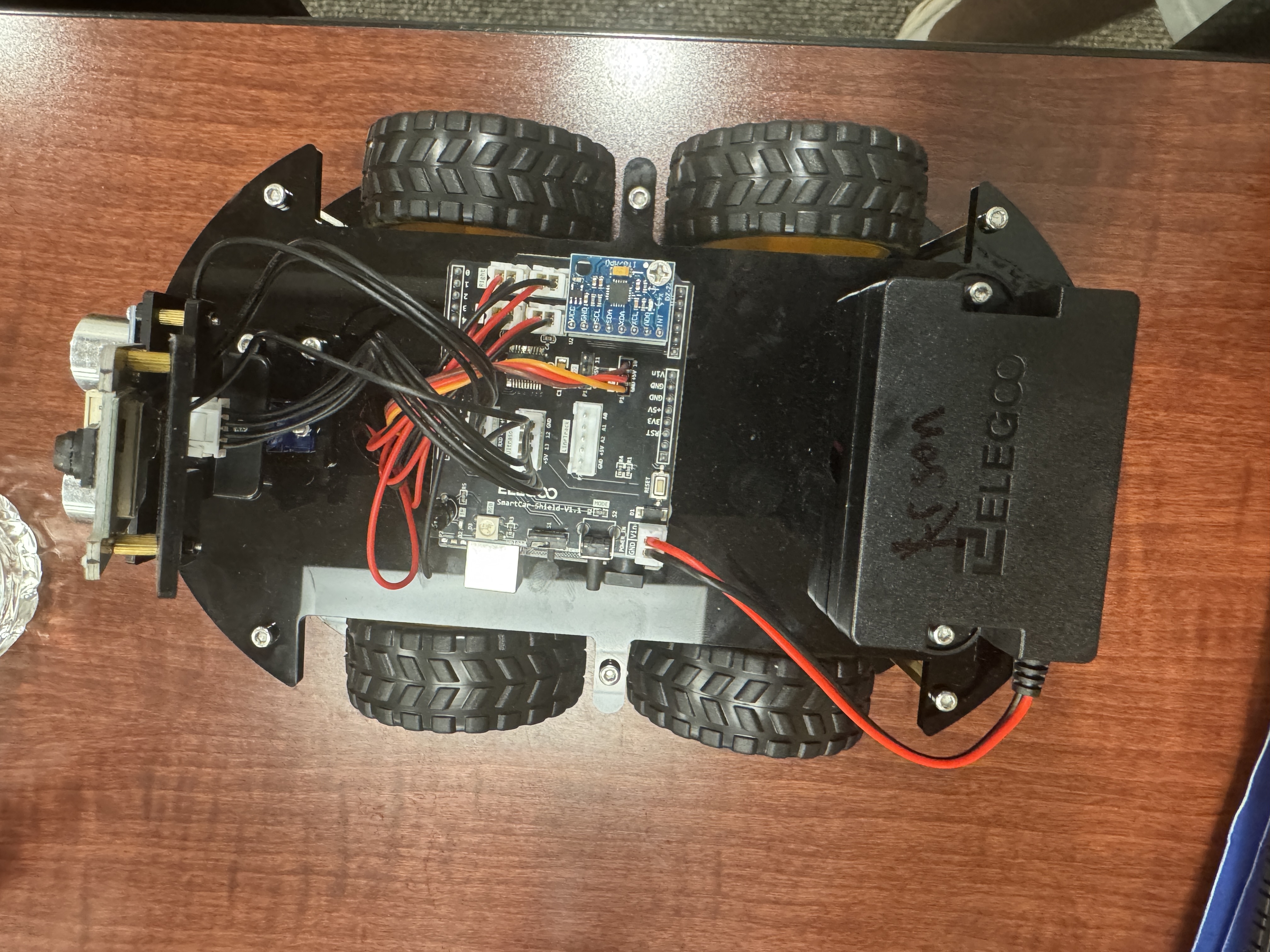
Hardware → Our robots are built on Arduino-controlled chassis (ELEGOO Smart Robot Car Kit V4.0) with ultrasonic sensors and camera modules connected through ROS2. The sensor nodes retrieve distance and RPM values to estimate speed, and the camera nodes record images. We scaled these readings on an 8×8 cardboard maze and modeled a building floor plan with real walls and obstacles as a proof-of-concept.
Pathfinding → The image feed enters a YOLOv8 model fine-tuned on Roboflow to detect human figurines and obstacles (toy robots and figurines dataset). We run the A* pathfinding algorithm on a Flask REST API to find the fastest evacuation route on the 8×8 grid. As objects are found, detections update the grid state (0=open, 1=blocked) so that paths dynamically recalculate around newly discovered obstacles.
AI Guidance → Once a clear path is found, we leverage Google Gemini 2.0 Flash and ElevenLabs APIs to generate human-like evacuation instructions. Gemini analyzes the maze state, path coordinates, and obstacles to produce clear directional guidance (move LEFT, go RIGHT, head UP), and ElevenLabs converts this text into natural voice commands with urgency-appropriate tone that alert nearby persons.
Interface → The Flutter mobile app visualizes everything in real-time, including robot positions, detected humans, dynamic obstacles, and the bold green evacuation path overlaid on the 8×8 grid. The backend uses Python with Flask, CORS, python-dotenv for configuration, and the Google Generative AI SDK and ElevenLabs Python SDK for API integration. What starts as raw sensor data and camera feeds turns into an intelligent evacuation plan that humans can see, hear, and follow.
Tech Stack:
- Robotics: Arduino, ROS2, ELEGOO Smart Robot Car Kit V4.0
- Backend: Python, Flask, Flask-CORS
- AI/ML: Google Gemini 2.0 Flash, YOLOv8, Roboflow Workflows
- Voice: ElevenLabs Text-to-Speech API
- Pathfinding: A* Algorithm (custom implementation)
- Frontend: Flutter, Dart
- APIs: REST architecture, JSON data exchange
- Configuration: python-dotenv, environment variables
Challenges we ran into
- Managing ROS, Flutter, and other technologies across devices proved to be difficult: they all required different configurations. We standardised setup files (such as requirements.txt) to combat this. *Setting up, programming and connecting the entire hardware components over the network was a tough challenge to complete within 36 hours
- Calibrating our sensors and RPMs required trial and error to ensure that the swarm aligned within the grid and sensed objects properly.
- It was very difficult to gauge how data was being transmitted out of our robots, since our Arduino board came with unclear configurations. We had to try and error until we received the connection from each unit to the ROS server.
Accomplishments that we're proud of
- Successfully mapping swarm movement to a coordinate grid that maximizes realism while ensuring clear pathfinding.
- Overcoming a steep learning curve since most of our team members have never worked with ROS or robotics in general.
What we learned
- Learning how to ship fast and collaborate quickly with AI code-generation tools.
- Integrating frontend and backend with embedded systems.
What's next for Zero Panic in Movement (ZPM)
- Turning our simulation into a full-fledged robot evacuation using custom units.


Log in or sign up for Devpost to join the conversation.