-
-
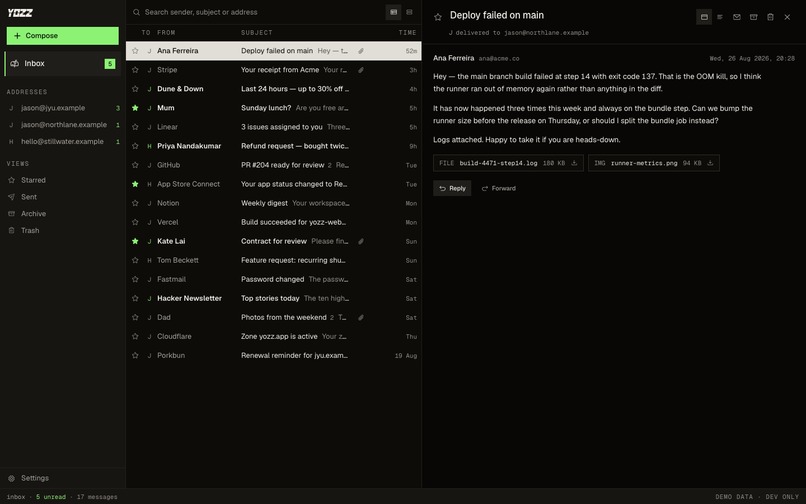
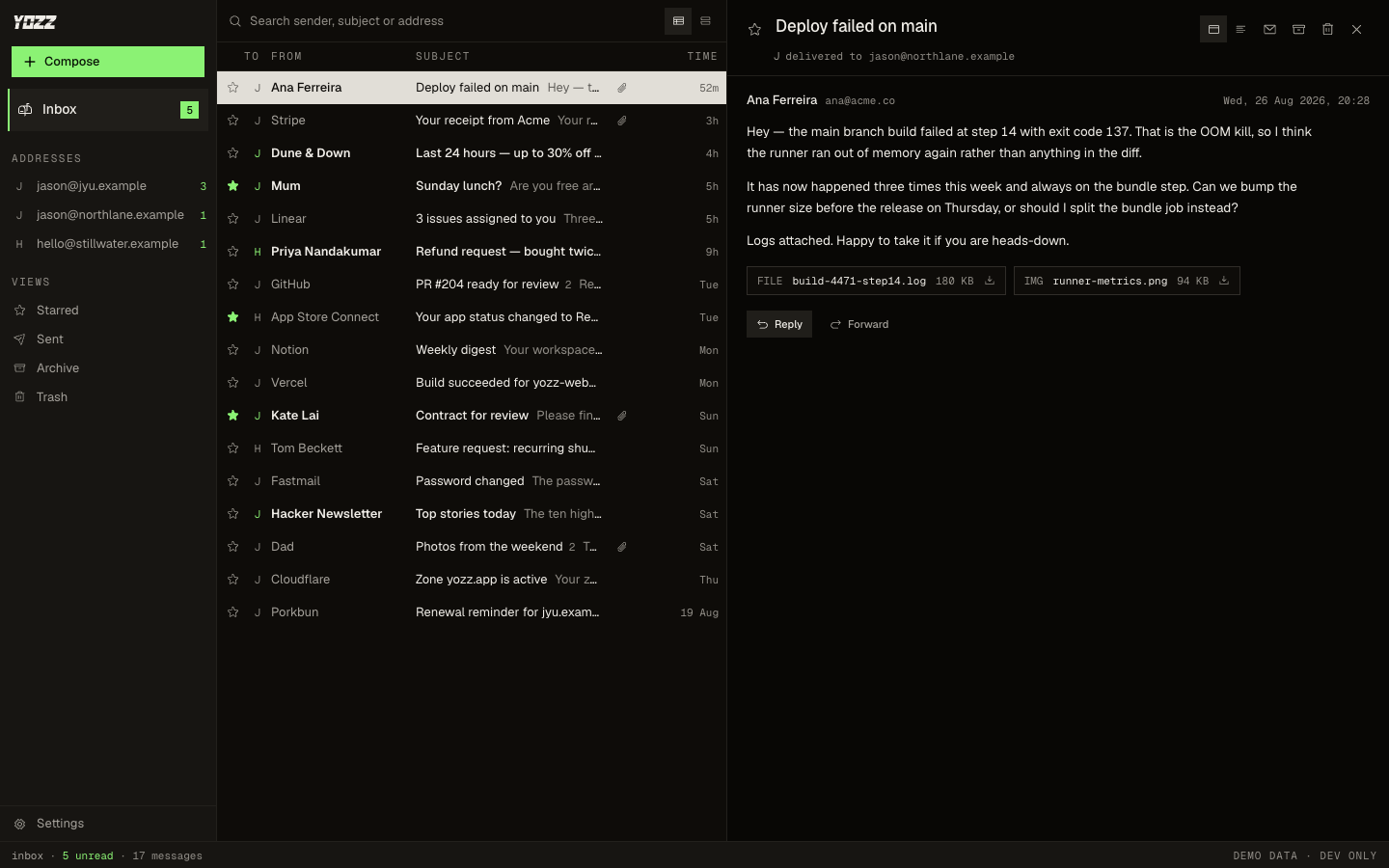
YOZZ's three-pane inbox with multiple email addresses and a message open
Inspiration
YOZZ started with a personal problem. For years, I relied on Gmail’s “Send as” feature to send emails from my custom domains. When Google announced it was discontinuing the feature, I went looking for an alternative. After days of searching, I was unable to find anything that satisfied the privacy, aesthetics, and convenience that I was after.
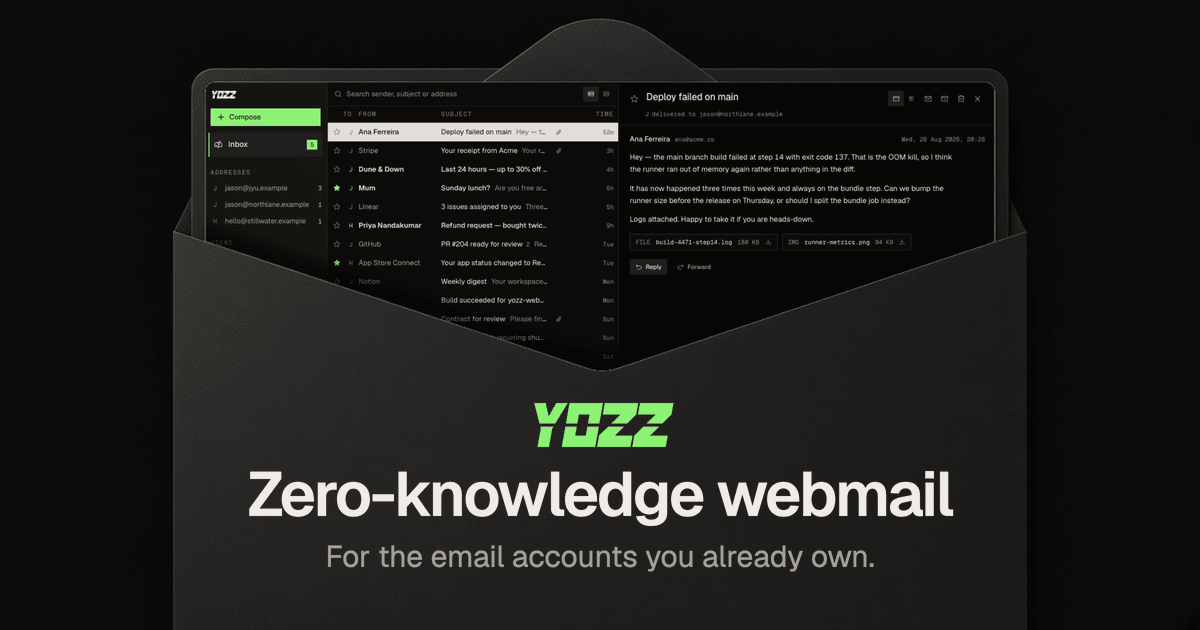
That is why I built YOZZ: a zero-knowledge, modern-looking webmail client that is private by design, clean to use, and accessible anywhere in the browser.
Zero-knowledge password managers were the main inspiration for YOZZ: secrets are decrypted on the user’s device while the servers only handle data it cannot understand. What if I apply the same idea to webmail?
Modern email interfaces and zero-knowledge cryptography were well-established and easy to learn from existing solutions. The real challenge lay in the networking: client-side JavaScript cannot open raw TCP sockets, so a direct connection to mail servers via IMAP/SMTP is impossible. Moving the connection to a backend server would defeat the whole zero-knowledge premise. The entire feasibility of YOZZ came down to whether I could solve that one fundamental constraint.
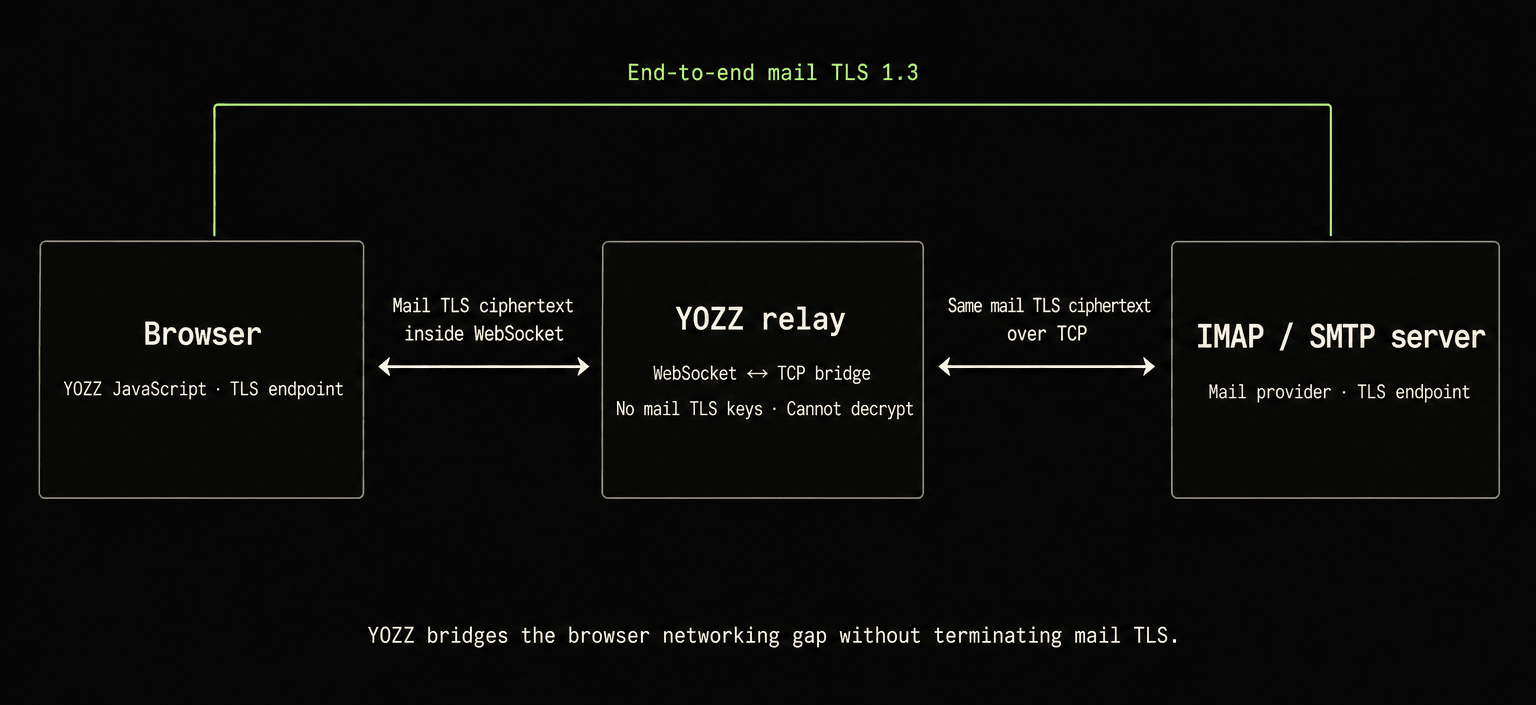
Having previously built a zero-dependency ACME client in TypeScript, I knew low-level cryptographic handshakes were viable in pure JS. The missing link was the transport layer. The breakthrough was a Cloudflare Worker acting as a relay: tunneling WebSocket traffic from the browser into raw TCP connections to the mail servers, while ensuring TLS terminated exclusively between the JS in the browser and the mail servers. The worker sees only encrypted bytes. Once that proof-of-concept held up, I knew the architecture was sound. YOZZ has since become the daily driver for all my custom-domain email.
The biggest capability YOZZ lacked was AI assistance. Moving my daily email workflow from Gmail to YOZZ made that clear: I had grown used to Gemini inside Gmail and to ChatGPT’s Gmail connector for more complex tasks spanning my other connected services.
I first considered connecting YOZZ to ChatGPT through a conventional connector or server-side MCP. But YOZZ’s service has no readable access to mailbox credentials or mail, and giving it that access would break the product’s zero-knowledge premise.
I also tested local models through Transformers.js, but the models I tried were either not reliable enough for work as sensitive as email or too slow and resource-hungry on my hardware. When this challenge introduced me to WebMCP, I realised that a capable external agent could instead work through the user’s active YOZZ client.
What it does
YOZZ is a zero-knowledge webmail client for supported IMAP and SMTP accounts you already own. Its server-side infrastructure receives no plaintext mailbox credentials or messages.
Received mail remains with the existing provider and is cached only on the user’s device. Credentials, drafts and any sent-mail copies stored on the server are encrypted by the web app before reaching D1.
YOZZ’s web app and the mail provider are the TLS endpoints. Since browser APIs cannot open the required TCP connections to mail servers, the relay simply forwards the ciphertext between them. It never receives the TLS session keys, mailbox passwords or plaintext messages, so YOZZ’s server-side infrastructure cannot decrypt the traffic it carries.
This boundary is deliberately narrow. The existing mail provider retains its access, and an external agent can read mail returned through WebMCP. The user chooses which agent receives that mail; YOZZ’s servers gain no readable access in either case. YOZZ does retain limited operational metadata. “Zero-knowledge” here applies to stored vault contents and traffic crossing the relay. It does not make email end-to-end encrypted or protect against malicious client code delivered to the browser.
After the user logs in, YOZZ registers six focused WebMCP tools:
get_addresses: list the configured addresses.get_threads: search and read conversations without marking them as read.update_threads: mark conversations read or unread, star them, archive them or move them to Trash.save_draft: create a message, prepare a reply or update an existing draft.delete_draft: discard a draft, recoverable for 30 days.navigate: open a conversation or draft in the interface. Opening an unread conversation marks it read, just like the user’s own click.
navigate is the only tool that changes what the user is currently looking at. The other tools work in the background without taking the user away from their current task.
Before WebMCP, every multi-message task had to be completed manually inside YOZZ. Now the user and agent can divide the work: the agent can summarise unread mail across every configured address, find messages about a trip or purchase, clean up selected low-value threads and prepare a reply. The resulting draft can be opened inside YOZZ for review, but no WebMCP tool can send mail. Sending is a separate action in YOZZ's visible composer. A browser-capable agent may offer to perform that action, but only after surfacing the draft and requesting the user's confirmation.
Why WebMCP belongs here
For these workflows, a conventional server-side MCP integration would require moving readable mailbox access from the web app into server-side infrastructure, breaking YOZZ’s zero-knowledge premise. It would need mailbox credentials, an equivalent authorisation token or a server-terminated mail session. Any of those would give YOZZ’s infrastructure readable mailbox access it deliberately does not have.
WebMCP instead uses the capabilities already present in the user’s logged-in web app, allowing an agent chosen by the user to work with mail without giving YOZZ’s servers new access.
The immediate audience is people who already use custom-domain email or other IMAP and SMTP accounts and want webmail without entrusting another client operator with their credentials. YOZZ supports multiple inbound and send-only addresses, and Google’s upcoming change gives some of these users a concrete reason to seek another client.
How I built it
YOZZ is a deployed TypeScript application whose server-side infrastructure runs on Cloudflare Workers. Its web app implements TLS 1.3, X.509 certificate validation, IMAP, SMTP and MIME message handling.
The API Worker handles three things:
- User authentication.
- Storing and updating ciphertext vault records in D1, including records for mailbox credentials, drafts and sent-mail copies. All are encrypted by the web app before reaching the Worker.
- The WebSocket-to-TCP relay.
I initially considered making YOZZ accountless, with users connecting their IMAP and SMTP accounts directly in the web app. That would work on one device, but I wanted to access the same mailbox configuration across multiple devices.
I therefore introduced authentication and an encrypted vault. The user’s password or a PRF-capable passkey provides the client-side material needed to unlock the vault. YOZZ’s server stores the wrapped data-encryption key and ciphertext vault records alongside the authentication and operational metadata described above. This provides multi-device access without giving the server the key needed to decrypt mailbox credentials, drafts or settings.
The WebMCP tools call the same application services as the user interface. Tool actions immediately appear in the product and follow the same state rules as user actions.
I started working on YOZZ on August 16, 2026. The challenge began on August 25, and the first WebMCP implementation was committed on August 26.
Before the challenge, YOZZ was already a deployed mail client but had no agent tools. During the challenge, I added the six-tool WebMCP layer, defined the WebMCP no-send and untrusted-content boundaries, added behavioural tests and built the judge infrastructure. The existing TLS, X.509, IMAP, SMTP and MIME implementation is the foundation this extension works through, not challenge-period work.
YOZZ lives alongside dozens of other projects in my private monorepo. That private repository contains YOZZ’s original development history and is the source of the dates above. Open-sourcing YOZZ was always part of the plan so others could inspect its implementation and evaluate its zero-knowledge claims. To do so without exposing unrelated private code, I built and published OpenRepo, a tool for cleanly exporting individual projects from a monorepo.
I used OpenRepo to publish the standalone YOZZ repository. Its public history contains exported snapshots rather than the private monorepo’s original commits, so it documents the before-and-after contents rather than the original source chronology. v1.0.0, exported on August 26 before the first WebMCP source commit, contains the existing mail client without WebMCP. v1.1.0, exported on September 1, is the next public snapshot containing the six-tool implementation and its behavioural tests alongside other challenge-period product work.
Challenges I ran into
Making real mail work in the browser
Keeping YOZZ zero-knowledge meant that its web app had to handle layers other web email clients would delegate to server-side libraries. TLS records, certificate paths, IMAP state, MIME messages and provider-specific behaviour all had to work reliably without moving trust into the relay.
To make that practical, I built interoperability testing alongside the protocol stack. The TLS client passes 296/296 in-scope client-side TLS 1.3 interoperability tests from Google’s BoringSSL BoGo suite, with the scope and exclusions documented in the linked harness. Separate live interoperability gates run TLS 1.3 and IMAP greeting checks against nine mail servers from Node and from Chromium, Firefox and WebKit.
The result is a web app that works with real mail servers without giving the relay TLS session keys or plaintext messages.
Designing tools for an actual agent
My first WebMCP design exposed 12 tools, but application functions do not automatically become good agent tools. Daily sessions in ChatGPT’s desktop browser revealed overlapping names, pagination gaps, timeouts and ambiguous side effects.
Based on those sessions, I reduced the tool set from 12 to 6 and introduced non-mutating reads, clearer destructive actions, explicit untrusted-content guidance and the WebMCP no-send boundary.
Because email is untrusted content written by strangers, every tool that returns mail labels it accordingly and tells the agent not to treat message content as instructions. I also added a prompt-injection message to the judge inboxes (see below) so this boundary can be tested live.
The behavioural tests cover tool schemas and annotations, safe pagination, idempotent updates, draft conflicts, the no-send boundary and navigation side effects. Separate browser registration tests verify how the tools mount and unmount from the page.
The final design has six tools backed by 33 tests, plus live workflows that I run through ChatGPT’s desktop browser against real mail accounts.
Making live judging frictionless
Judges may understandably prefer not to connect a personal mailbox to a hackathon project (although you are, of course, very welcome to test YOZZ with your own account!). Creating a separate account would add even more friction, and an empty inbox would give the WebMCP tools very little to work with.
To remove those barriers, I created a pool of real email accounts on a dedicated judge subdomain. Each inbox contains the same set of email exchanges designed to test the WebMCP workflows. Every judge account also has a Reset button, making it easy to restore the original messages after testing destructive actions or whenever you want to start over. A ready-to-paste prompt demonstrates all six tools.
A judge can now log in, paste one prompt, exercise all six tools against real mail, observe how the agent handles malicious content, reset the inbox and continue exploring with their own requests.
Accomplishments that I’m proud of
YOZZ is not a hackathon-only mock-up. It is deployed, backed by real IMAP and SMTP, and is now the client I use for my custom-domain email.
The protocol libraries and application are open source, and the prepared judge environment lets anyone test the complete WebMCP workflow directly.
What I learned
WebMCP allows privacy-preserving products to retain their own data boundary while users choose a capable external AI.
I initially suspected WebMCP might be another layer of AI hype. YOZZ changed my mind. Its value is not merely that a webpage can expose tools. It lets a product add advanced agent workflows without becoming the AI provider or acquiring data it was designed not to possess.
I also learned that an agent interface must be designed by observing real use, not generated mechanically from application functions. That lesson turned twelve tools into six.
What’s next for YOZZ
- Build a local vector index for semantic mail search.
- The index will remain in the user’s browser, preserving YOZZ’s zero-knowledge premise.
- The
get_threadsWebMCP tool will also become more powerful when used by capable agents.
- Make YOZZ offline-first (service workers) and add notifications while the tab is closed.
- Build mobile apps.
Built With
- cloudflare
- d1
- hono
- imap
- mime
- react
- smtp
- tls
- typescript
- vite
- webcrypto
- webmcp
- websockets
- workers
- zod


Log in or sign up for Devpost to join the conversation.