-
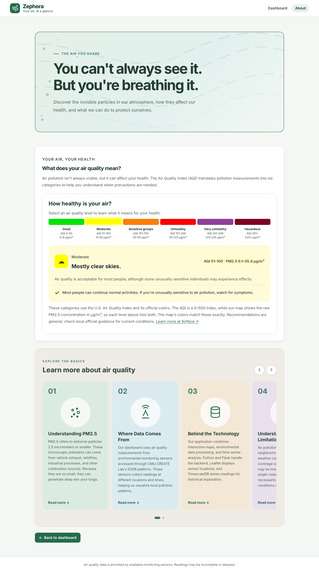
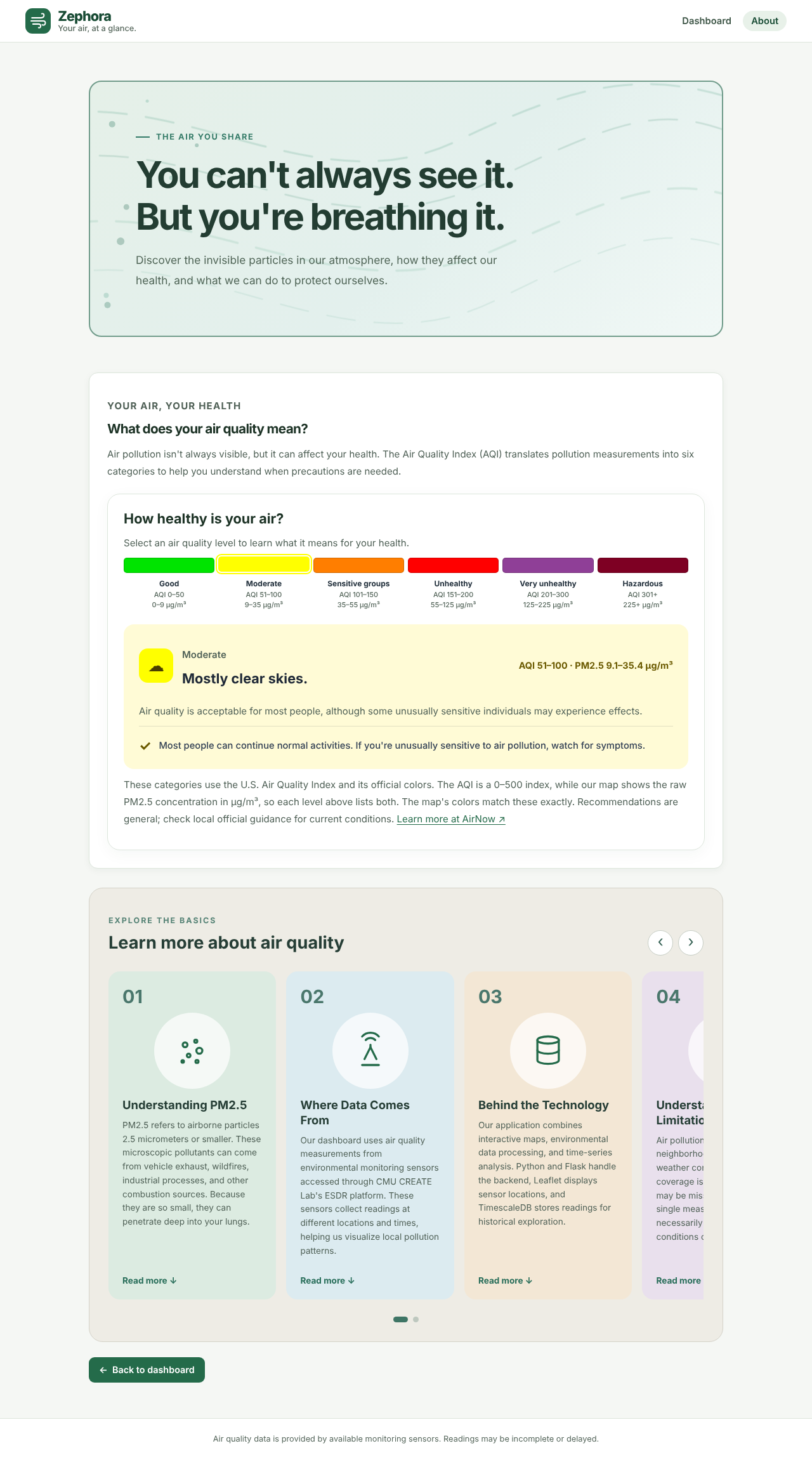
About page for PM2.5 information and sources
-

Dashboard and UI/UX

Inspiration
In recent years, smoke from Canadian wildfires has turned the sky smoky or even orange over Washington, DC pushed the city to reach unhealthy quality of air. A lot of people only found out once they’d already stepped outside and suffered exposure. This has stuck with us, because although these events are memorable, air pollution usually isn’t something you can see. It’s the #2 risk factors for death worldwide (about 8.1 million deaths in 2021, per the State of Global Air report). Here in the US, 44% of people live somewhere with a failing air quality grade (American Lung Association, 2026). Meanwhile, thousands of community air sensors are quietly reporting every couple of minutes. We wanted to turn that data into something you’d actually check: your air, at a glance
What it does
Zephora keeps track of the air in the places you care about. Save your cities (home, school, where your loved ones live) and each one gets a card with its live PM2.5 reading, a sensor map, a full year of history, and an EPA color-coded category. Get an email alert when a city’s air crosses a level you pick, like “Unhealthy for sensitive groups.” You get one email when it crosses, not one every half hour, and every email has an unsubscribe link. Explore the map to see every outdoor sensor in any city, colored by its 24-hour average. Click a dot for its hourly chart, or drag the map and hit “Search this area.” A “right now” card greets you on the homepage with your city’s current air, so you get your answer before you click anything. A Learn page explains what each air quality level means for your health.
How we built it
Data: readings come from Carnegie Mellon CREATE Lab’s Environmental Sensor Data Repository (environmentaldata.org). That includes community PurpleAir sensors and government AirNow monitors. We wrote scripts that find active outdoor PM2.5 sensors in any map area and pull their readings. Database: everything lives in Tiger Cloud (PostgreSQL + TimescaleDB): Hypertables store the raw readings, split into daily chunks. Continuous aggregates pre-compute hourly and daily averages in real-time mode, so charts load without recounting hundreds of thousands of rows. Columnstore compression shrinks data older than 2 days. A single SQL query joins our email subscribers to the hourly aggregate to decide who gets an alert. Backend: Flask serves the API, downloads a city’s year of history in the background, and runs an alert checker every 30 minutes that sends emails through Resend. Frontend: HTML, CSS and JavaScript, with Leaflet for the maps and D3 for the charts. We used the official EPA air quality colors, and we based the layout on usability research, like Nielsen Norman Group’s eye-tracking work on where people look.
Challenges we ran into
Learning PostgreSQL from zero. We had never touched it, so the first hurdle was just getting psql installed and figuring out that we’d accidentally created two separate databases. Messy real-world sensors. Some sensors are dead, some are indoors, some are test units, and a dozen sit at basically the same spot. We filter for active outdoor sensors and use the median across sensors, so one broken sensor can’t make a whole city look unhealthy. Compressed data vs. fresh reloads. Reloading recent data kept running into “tuple decompression limit exceeded” errors. The fix was to only replace the last 2 days, the part that isn’t compressed yet. Where saved cities should go. Our first layout put the app’s main feature, your saved cities, at the very bottom of the page. We dug into UX research and switched to two tabs: returning users land on Your cities, and new users land on Explore map. Making EPA colors readable. Bright yellow text on white is basically invisible, so every category color got a darker text shade and a pale background to pass accessibility contrast standards. Git. Diverging branches, merge conflicts, and a repo rename mid-hackathon.
Accomplishments that we're proud of
It runs on live data. Our first Washington, DC load pulled 96 active sensors and over 367,000 readings from a single week. We checked that our summaries are right. The continuous aggregate’s daily average matched the same calculation from raw readings exactly (82.01 µg/m³ both ways). The page also shows live how fast Tiger Data answered. Every design decision has a reason and a source, and the whole interface passes WCAG contrast standards. We’re upfront about limitations. Uncorrected PurpleAir sensors can read about 40% high (according to an EPA study), so we say so instead of hiding it.
What we learned
Time-series databases are their own thing. Hypertables, continuous aggregates and compression made a huge pile of sensor readings fast to query, without anything fancier than SQL. Real sensor data needs skepticism. The median helps, and so does reading the research on low-cost sensor accuracy. UX research is worth looking up. Knowing where people look on a page, and when tabs help or hurt, changed our layout for the better. Small details make a big difference to trust: official colors, clear error messages, and saying how many sensors a number comes from.
What's next for Zephora
Apply the EPA’s PurpleAir correction, which uses humidity, so our numbers line up with official monitors. Use your location (with permission) instead of defaulting to DC. Run real user tests and publish what we learn. Let users reorder their cities and pick their “home” city for the homepage. Double opt-in for email alerts, and possibly text alerts. A dark mode.
Built With
- agents
- api
- css
- html
- javascript
- postgresql
- python
- resend
- sensor

Log in or sign up for Devpost to join the conversation.