-
-
logo
-
-
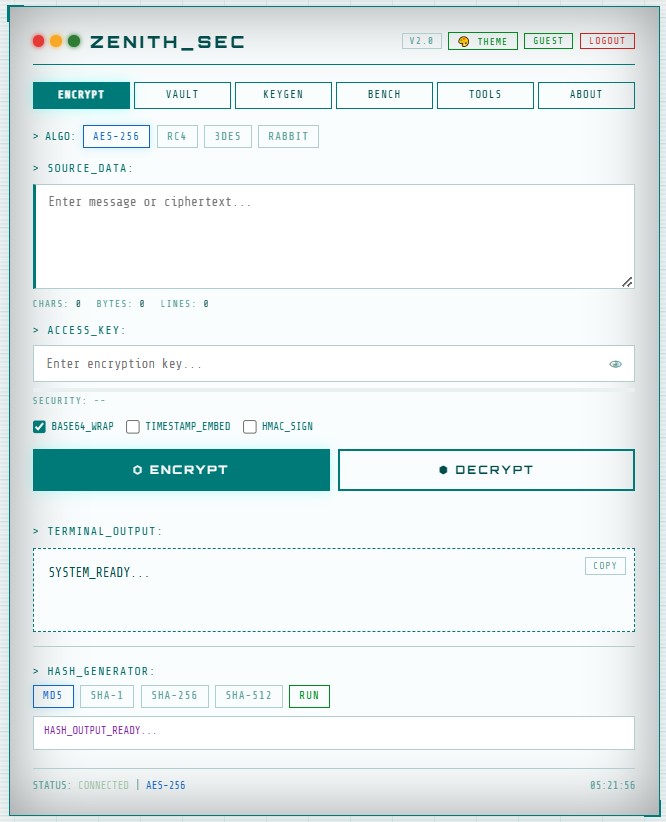
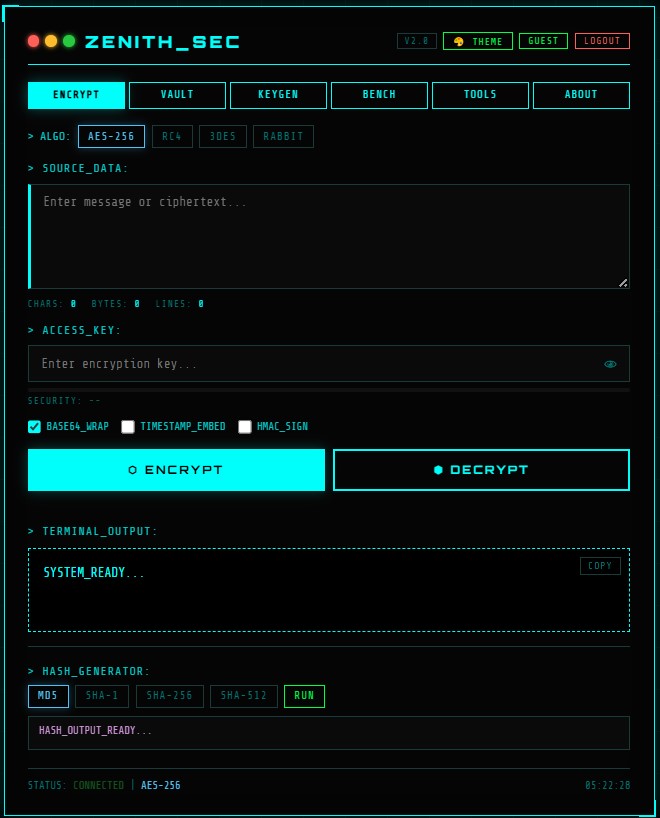
🛡️ ZENITH_SEC | About the Project
Inspiration
In an era of pervasive digital surveillance and frequent data breaches, I wanted to create a tool that puts users in full control of their privacy.
While most messaging platforms claim to be “end-to-end encrypted,” users rarely have direct access to the keys.
ZENITH_SEC was inspired by:
- Numbers Stations – the concept of secure, untraceable communication
- Cyberpunk aesthetics – sleek, hacker-style terminal interface
- The desire to make encryption tangible and interactive, not just abstract code
What it Does
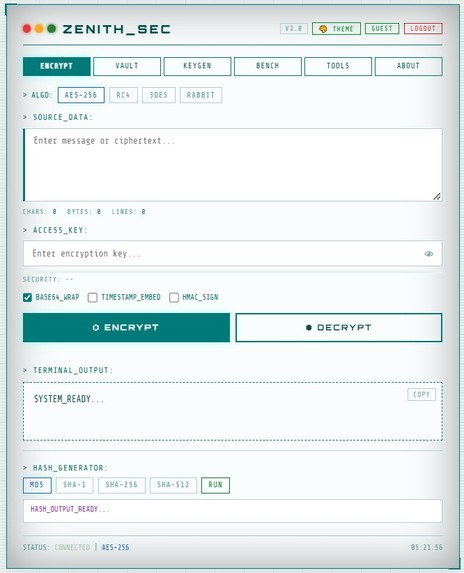
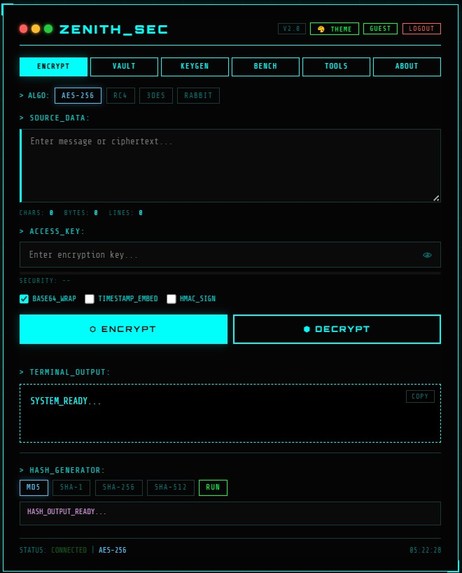
ZENITH_SEC is a web-based encryption terminal that allows users to:
- Encrypt and decrypt messages using AES-256, RC4, Triple-DES, or Rabbit algorithms
- Generate cryptographically secure keys with configurable length and charset
- Compute hashes (MD5, SHA-1, SHA-256, SHA-512)
- Store session activity logs in a vault (exportable to JSON)
- Use a responsive, terminal-style interface on both desktop and mobile
All operations happen client-side; no data is sent to a server, ensuring privacy.
How We Built It
- Frontend: HTML5, CSS3, Vanilla JavaScript
- Encryption Engine: CryptoJS 4.1.1
- QR Codes: QRCode.js 1.0.0
- UI/UX: Terminal-inspired layout, Cyber Cyan theme, dark/light mode, responsive mobile support
- Clipboard Handling: Off-screen textarea fallback for mobile copy/paste issues
Mathematical Foundation
AES-256 uses a 256-bit key, giving a key space of:
[ 2^{256} \approx 1.15 \times 10^{77} ]
This makes brute-force attacks practically impossible with current technology.
Challenges Faced
- Clipboard Security on Mobile: solved using a fallback copy mechanism
- Error Handling: wrong keys could produce gibberish or crash the app → implemented a
try-catchsystem withACCESS_DENIEDfeedback - UI Effects: synchronizing typewriter effect for decrypted text to mimic terminal feel
- Responsive Design: maintaining terminal aesthetics on mobile required careful media queries
What We Learned
- Symmetric Encryption: deep understanding of AES-256 and key management
- Web Security Constraints: offline processing, browser sandbox limits, clipboard policies
- Responsive UI/UX: balancing feature-rich terminal interface with beginner-friendly design
- Error Handling in Cryptography: safely handling incorrect inputs without breaking the app
Next Steps
- Add RSA support for asymmetric encryption
- Steganography: hide encrypted messages in images
- PWA Conversion: installable offline app
Built With
- cryptojs
- css3
- html5
- javascript


Log in or sign up for Devpost to join the conversation.