-
-
-
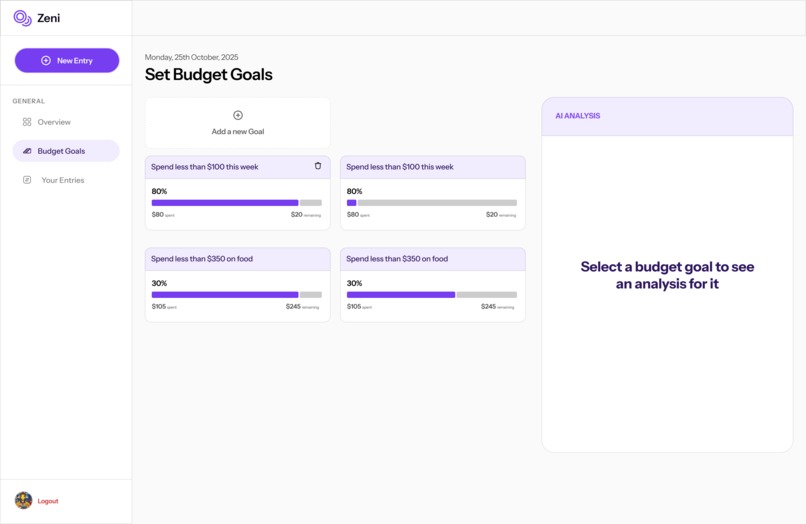
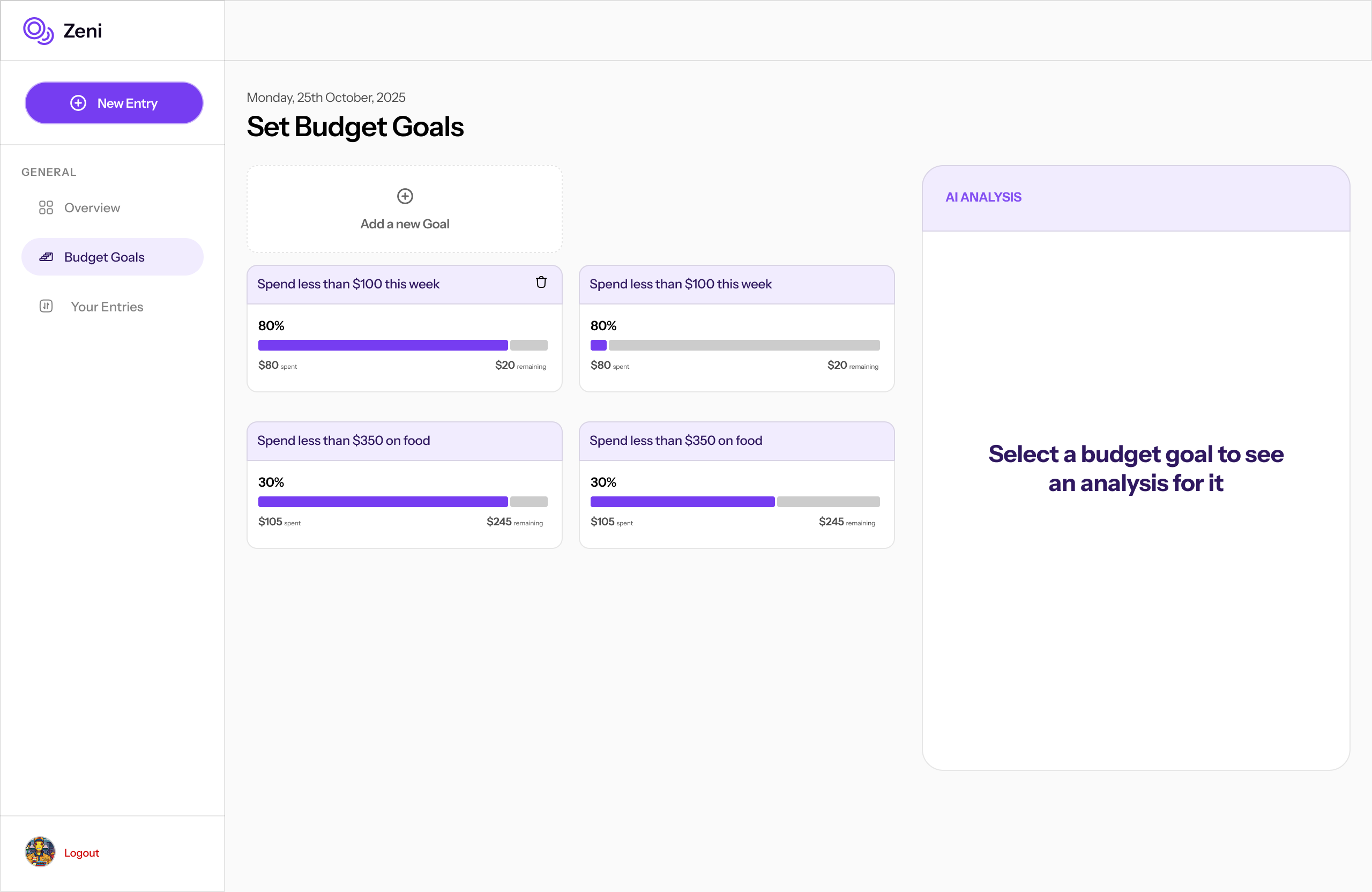
Web app interface
-
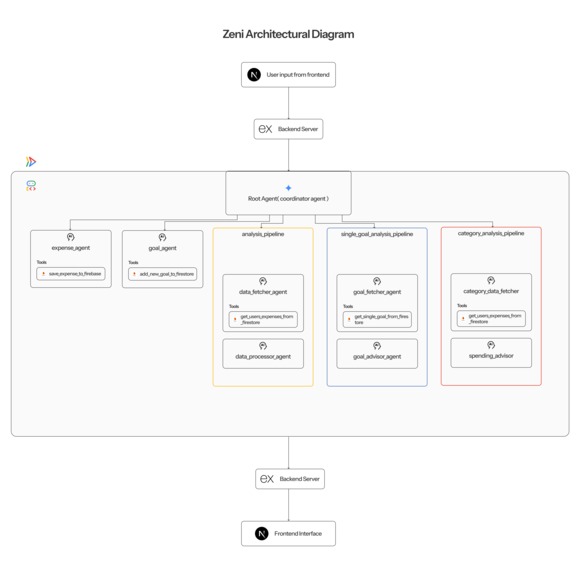
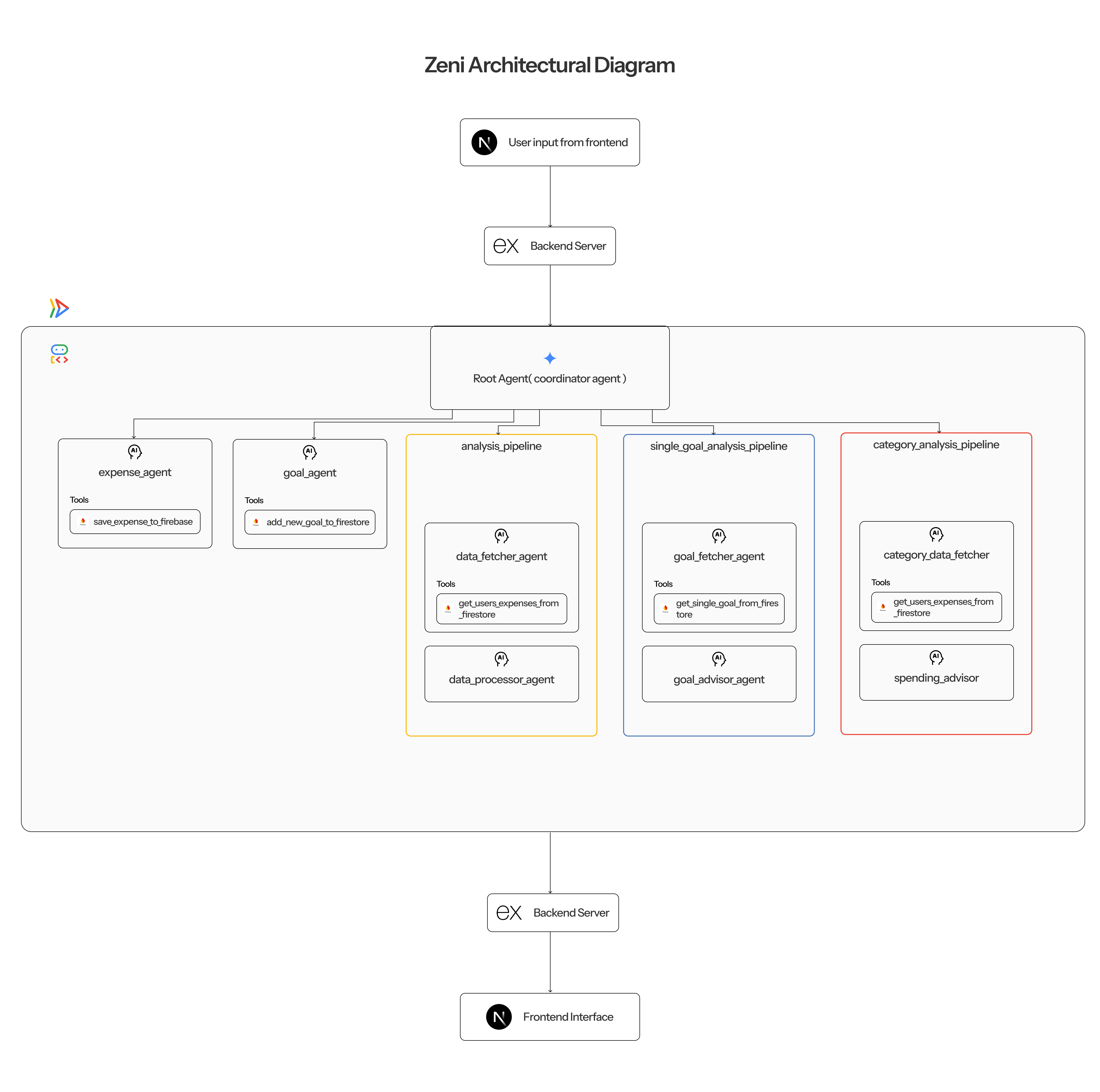
Architectural Diagram
Inspiration
When I was in school, I noticed I was spending a lot of money every day, and I couldn't really pinpoint the exact items that made me spend so much. Because of this, I decided to start tracking my spending using my notes app. For example, I would write, "Spent N200 - 12/11/25," and so on. It helped me track my spending, but analyzing the transactions and gaining meaningful insights from the disorganized notes was extremely difficult.
Due to that experience, I decided to build Zeni, an AI financial agent that helps me track my budget and provides meaningful, actionable insights. It also offers a flexible method of entry; for example, now I can type, "Today I spent N200 on bread," and it fully understands my intent, extracts the necessary information, and logs it directly into my database. It also has a lot of other cool features.
What it does
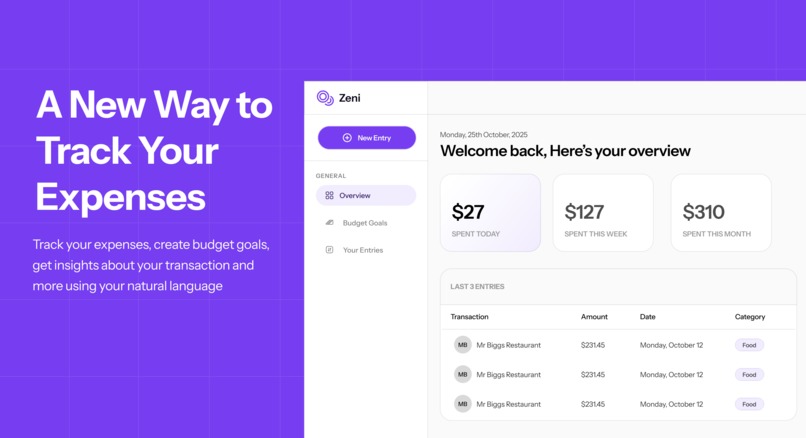
Zeni takes natural language input about a user's spending and saves it in the database( could be text or an image of a purchase receipt ). For example, "Today I bought a movie ticket worth $20" gets saved as a $20 expense categorized under 'Fun'.
Zeni allows users to set budget goals, which are essentially spending limits they impose on certain categories. These limits are set using natural language (e.g., "I want to spend less than $100 on food"). Zeni creates a new budget goal based on that input, and whenever you make a food purchase, the goal automatically updates.
Zeni also acts as a financial advisor, allowing users to ask about their spending habits, expenses, and budget goals, and Zeni will give actionable advice.
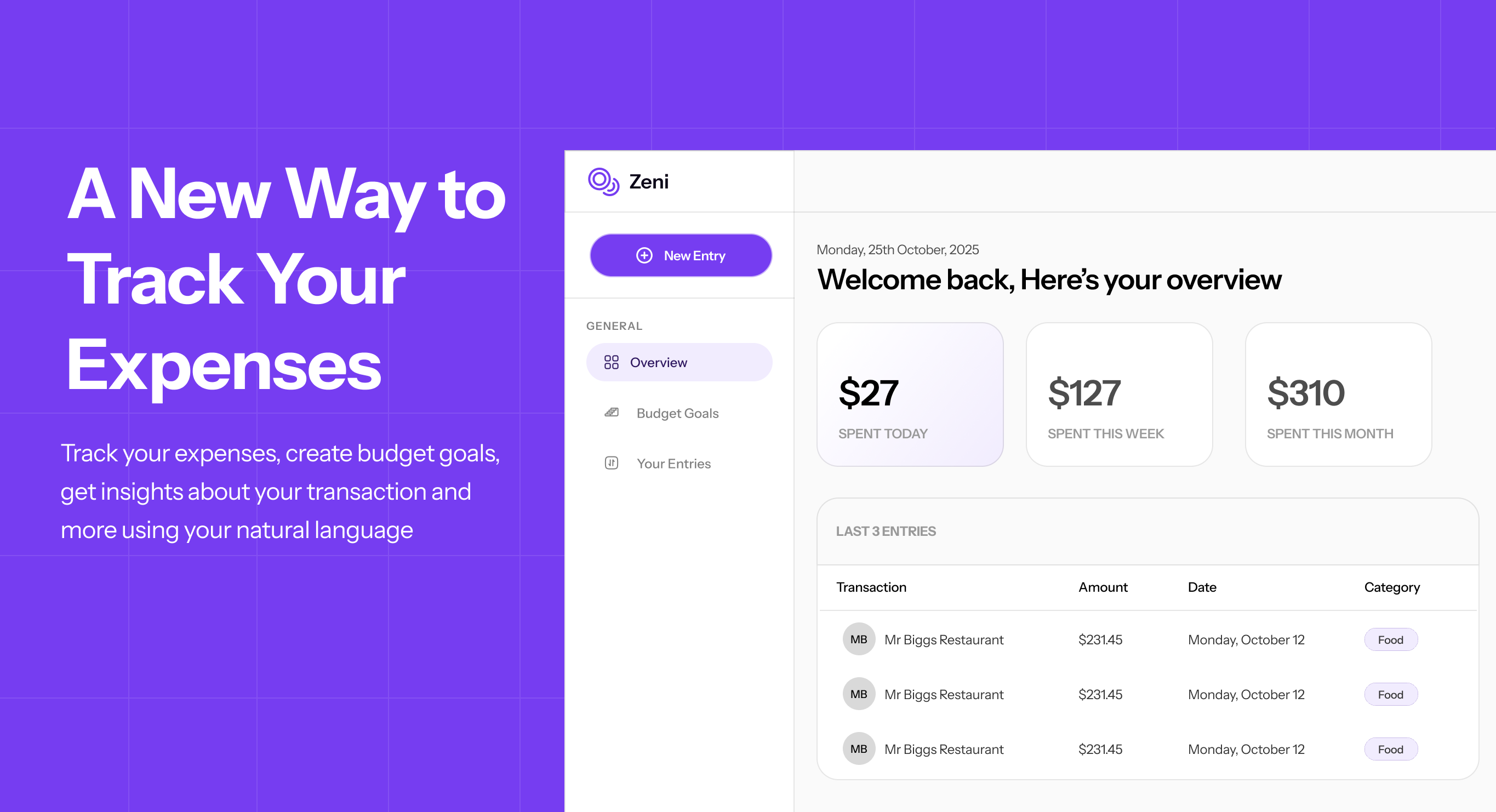
Using the web app, users can perform all the mentioned tasks and access more functionalities, such as viewing their daily, weekly, and monthly spending trends, uploading receipts of their transactions, and seeing a beautiful pie chart categorization of their expenses.
How we built it
Zeni (the AI agent) was built using Google's Agent Development Kit (ADK), written in Python and deployed on Google Cloud Run.
The frontend was built with Next.js, the backend API gateway was built with Node.js (using Express.js), and for authentication and database management, Firebase (Authentication and Firestore) was used.
Challenges we ran into
A major challenge I ran into was during deployment. I initially struggled with structuring my application folders and defining the correct module paths for the ADK server, which led to a lot of frustration. However, I was able to resolve it eventually by switching to a reliable deployment structure.
Accomplishments that we're proud of
I am happy that I was able to successfully build an AI agent. I often see people post their AI agent projects and am always amazed, so building one that works myself was a truly rewarding feeling. When I clicked on a goal and instantly received a personalized financial analysis, I was always so amazed at the product's capability.
What we learned
I learned a great deal about AI agents, including how they are built, how they work, how to structure effective instructions (prompts) for complex tools, and I also gained significant practical experience with Firebase and Google Cloud infrastructure.
What's next for Zeni
I believe Zeni is an amazing product that can still be improved significantly.
More features I would like to add would be: bank account linking and more specialized advice functionalities for the AI agent. For example, the user could ask, "Is there anywhere I could have gotten this product at a cheaper price?" and Zeni would look up the product's prices in the context of the user's location and then provide a clear, cost-saving answer.
Built With
- express.js
- firebase
- gcloud
- google-cloud-run
- nextjs
- node.js

Log in or sign up for Devpost to join the conversation.