-
-
cover image
-
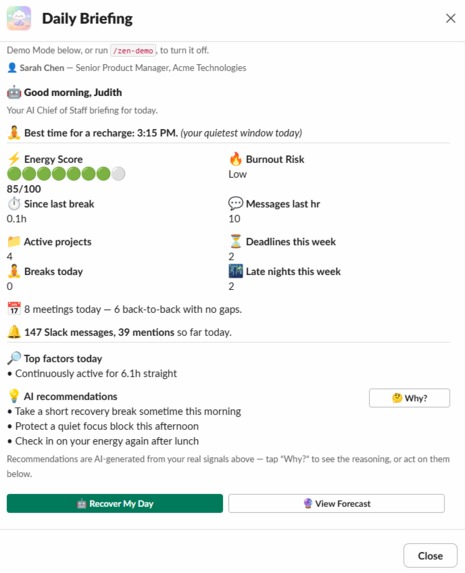
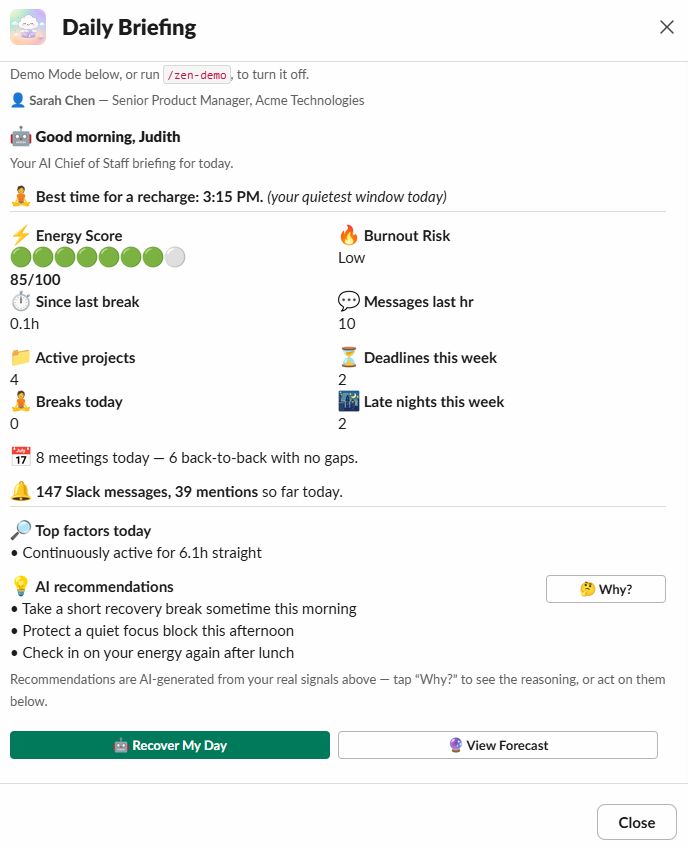
Daily Briefing
-
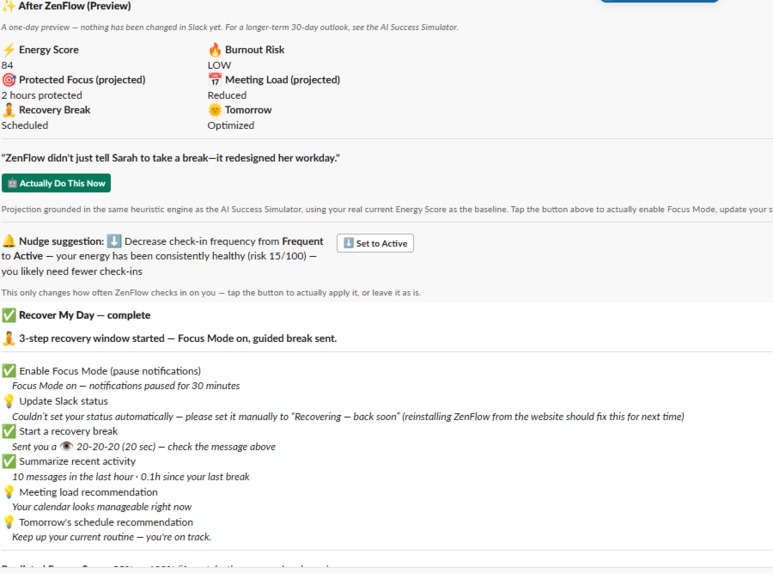
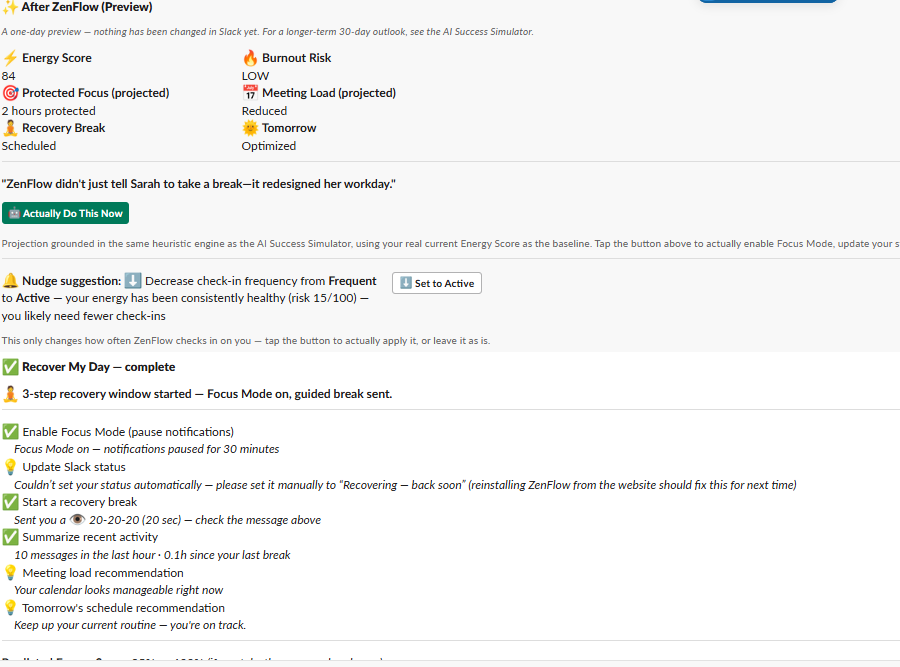
"After Zenflow" simulation and "recover my day"
-
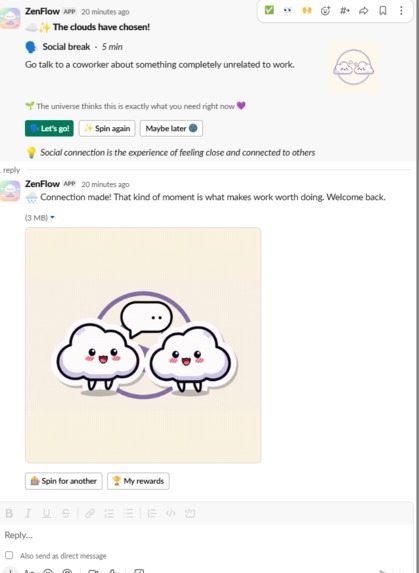
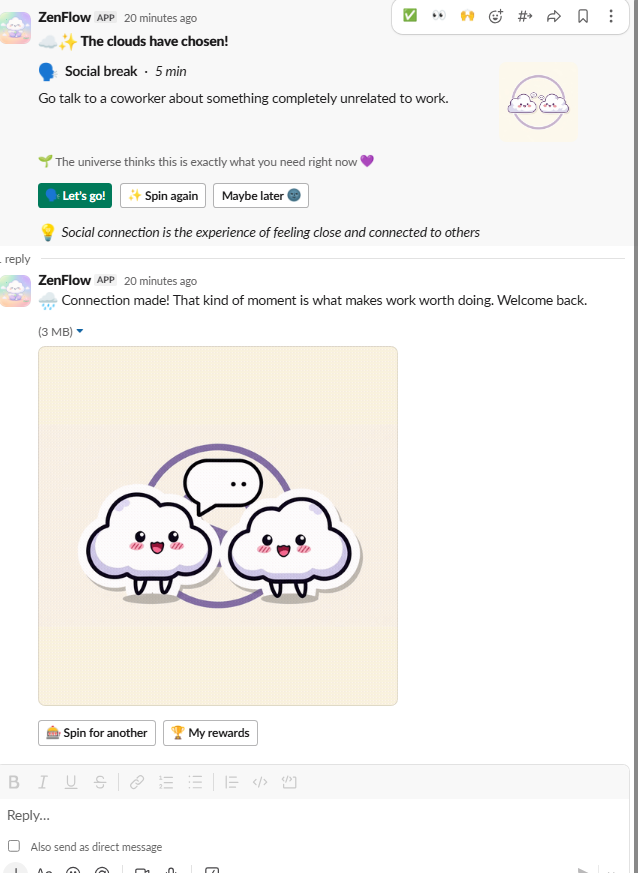
Break Spin - MCP, Gemeni and Wikipedia live API
-
 GIF
GIF
Recovery Action - Sensory reset
-
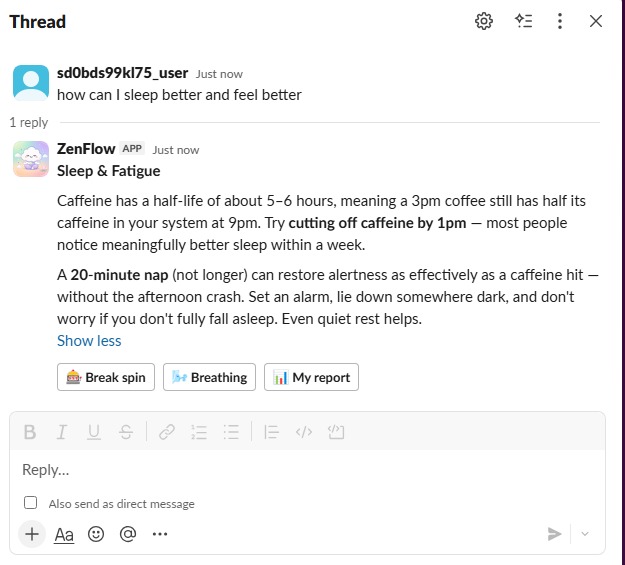
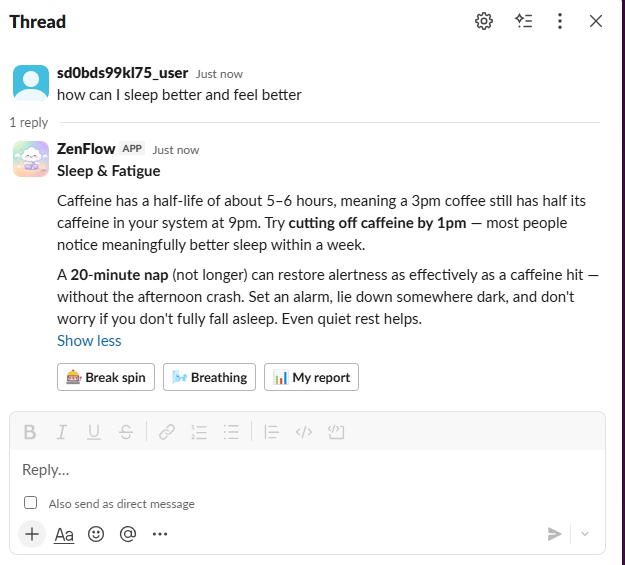
Wellness chat
-
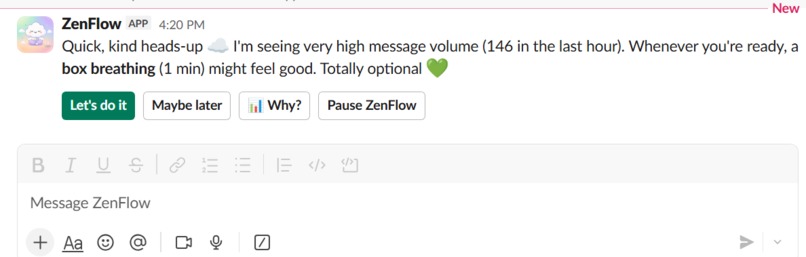
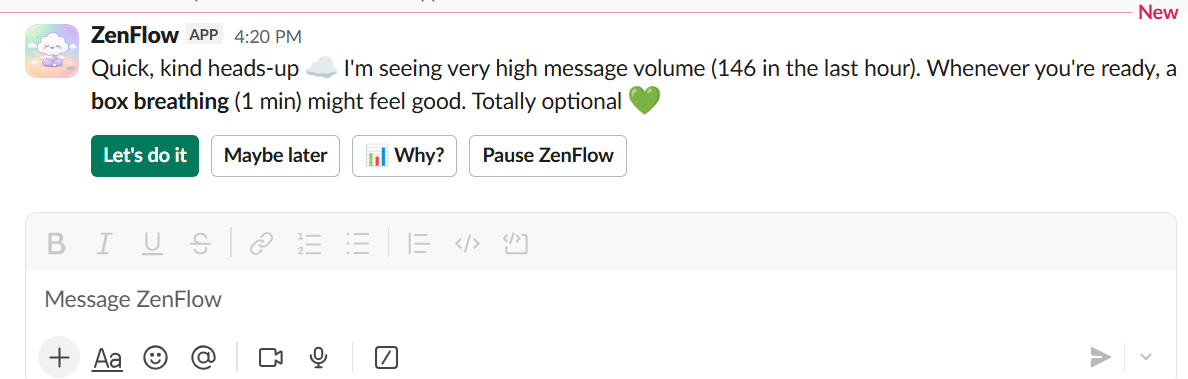
Nudge Direct Message
-
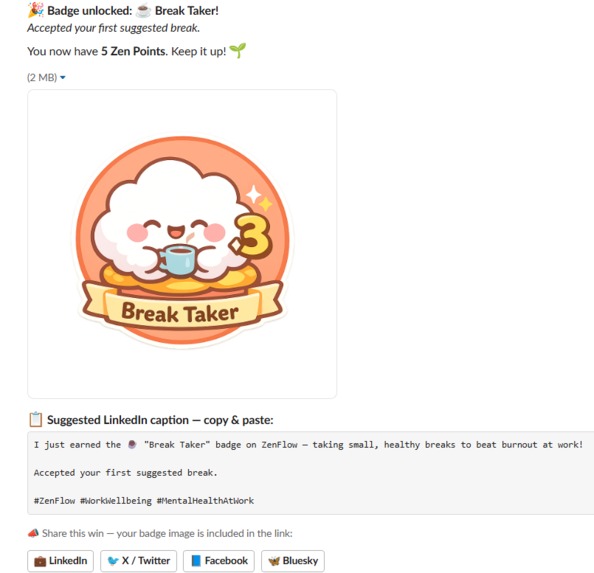
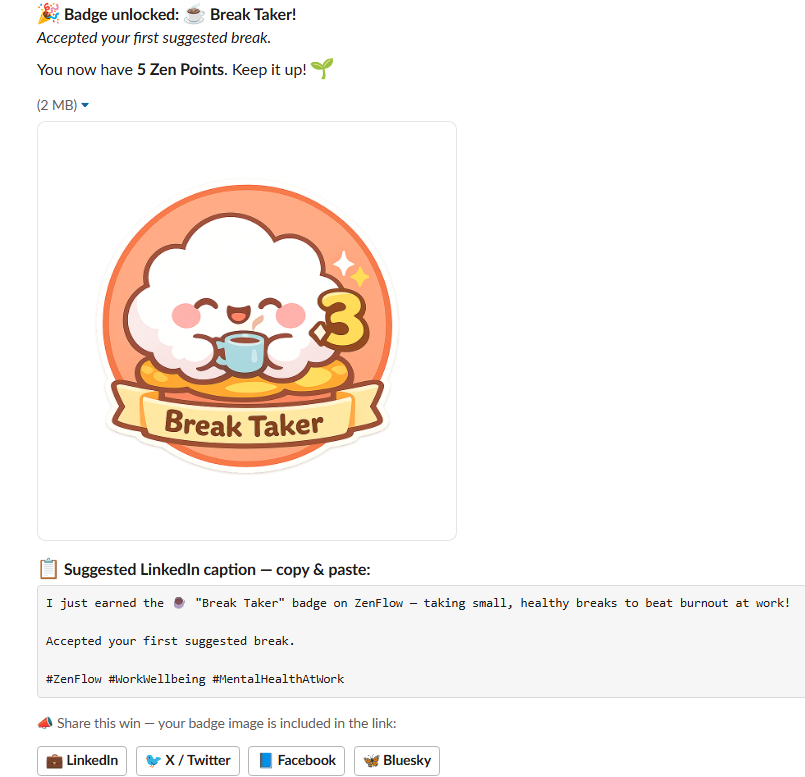
Badge unlock DM
-
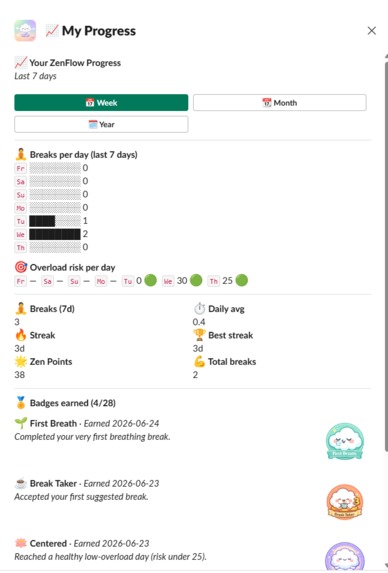
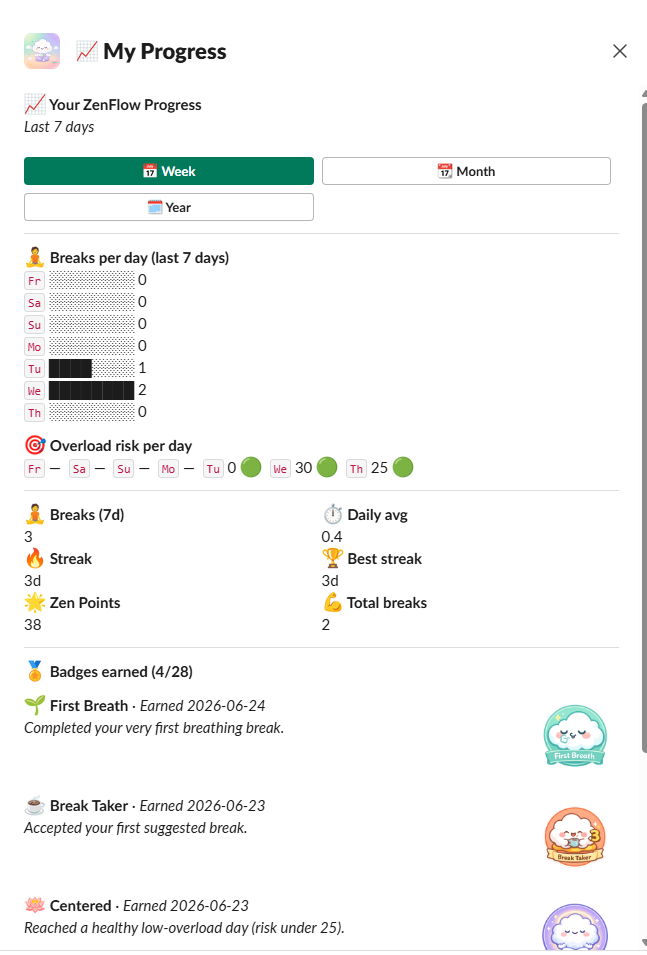
Personal Progress
-
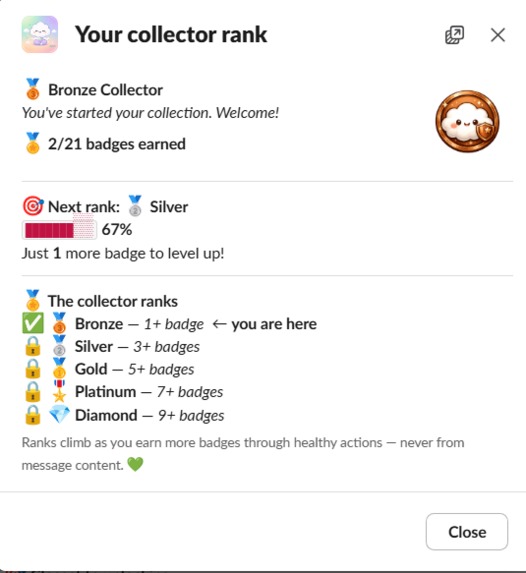
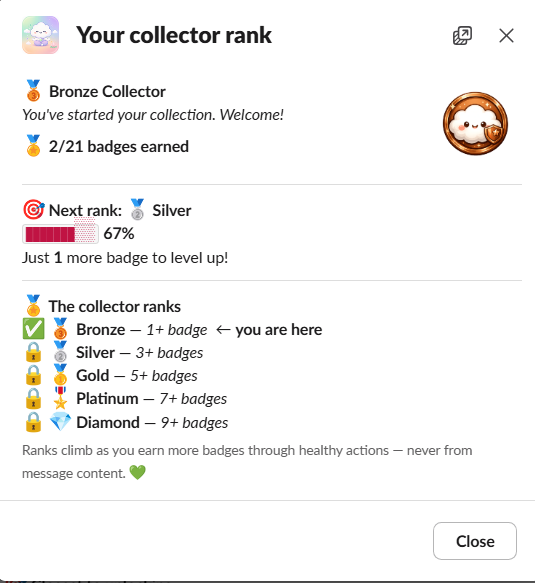
View Collector Rank
-
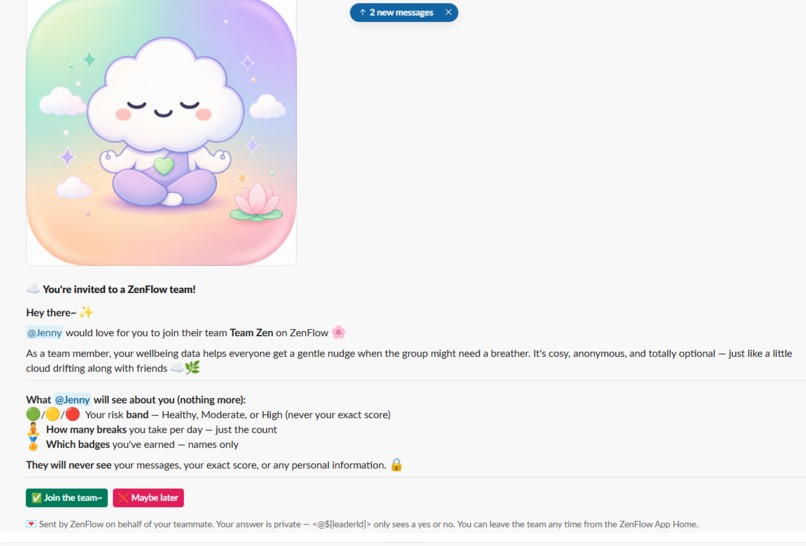
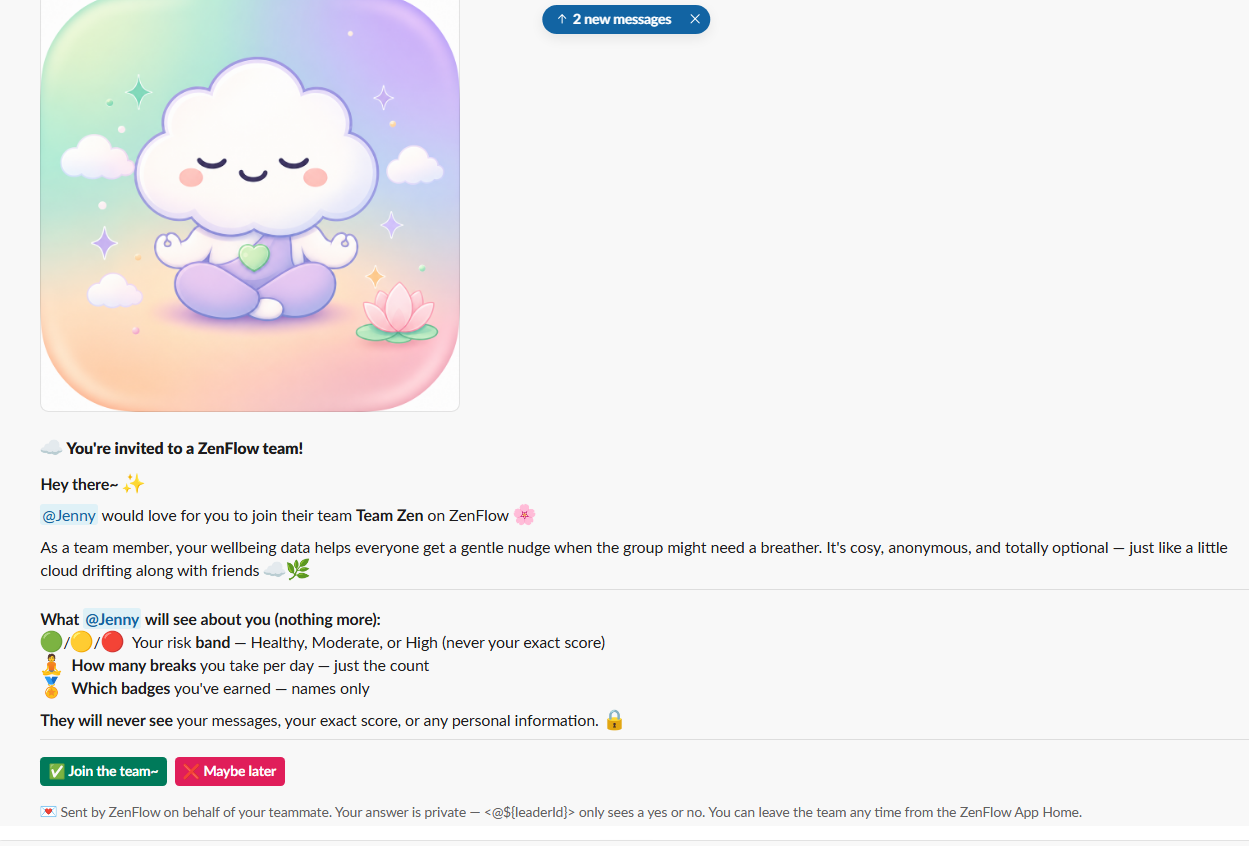
Team join invitation
-
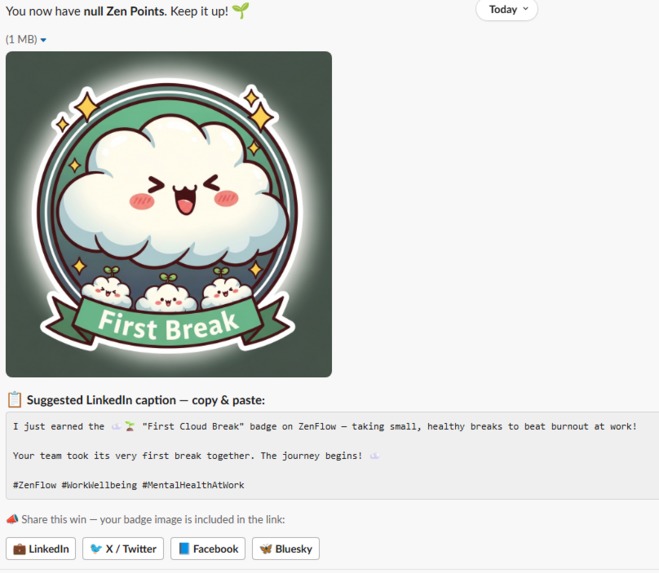
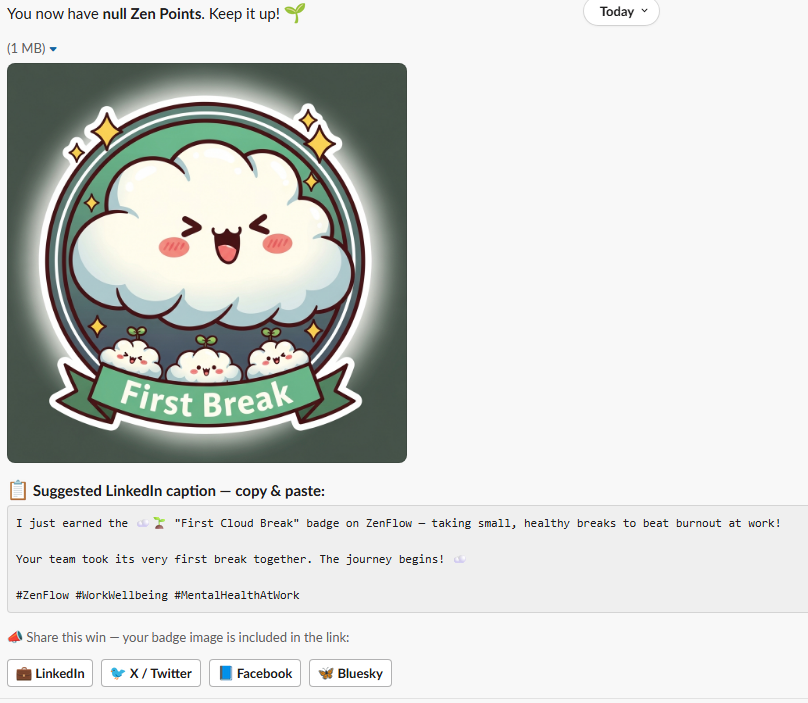
Team First Break Badge
-
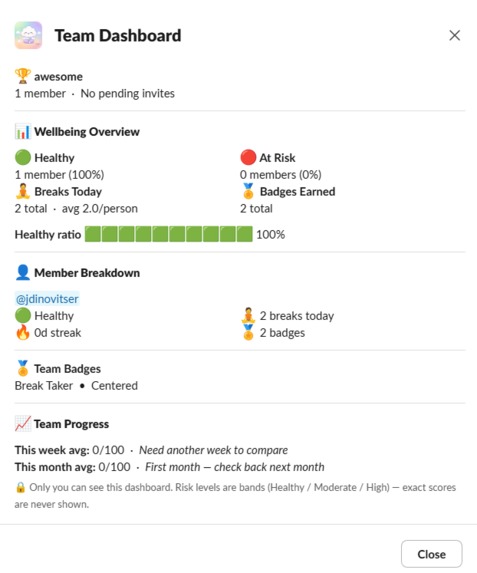
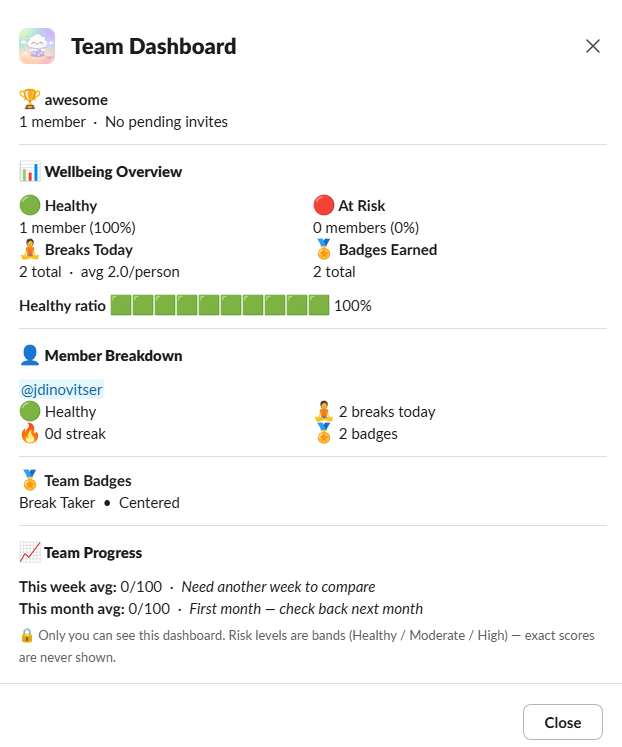
Team Dashboard
-
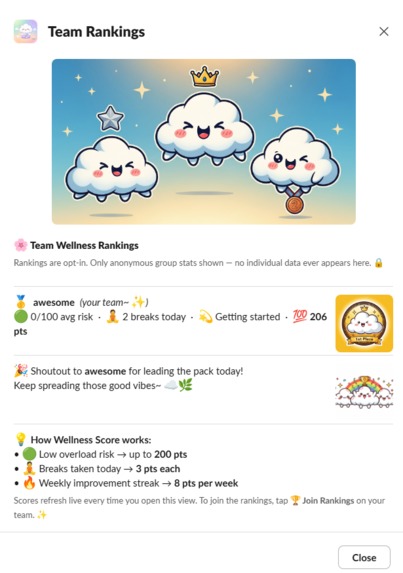
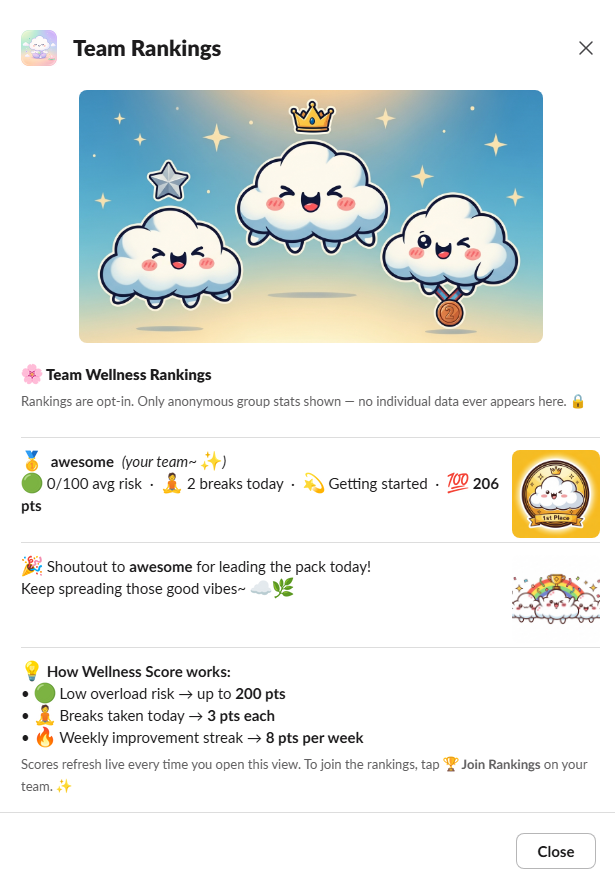
Team Ranking
-
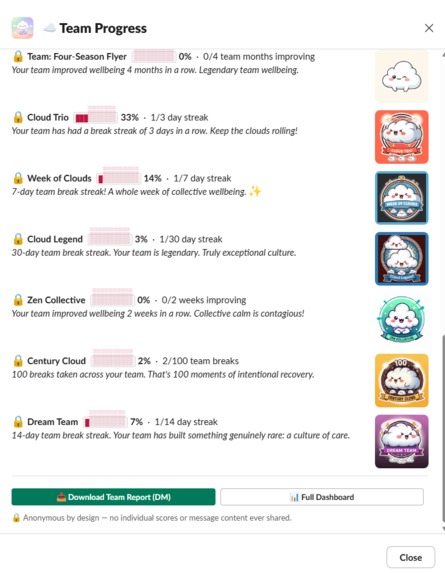
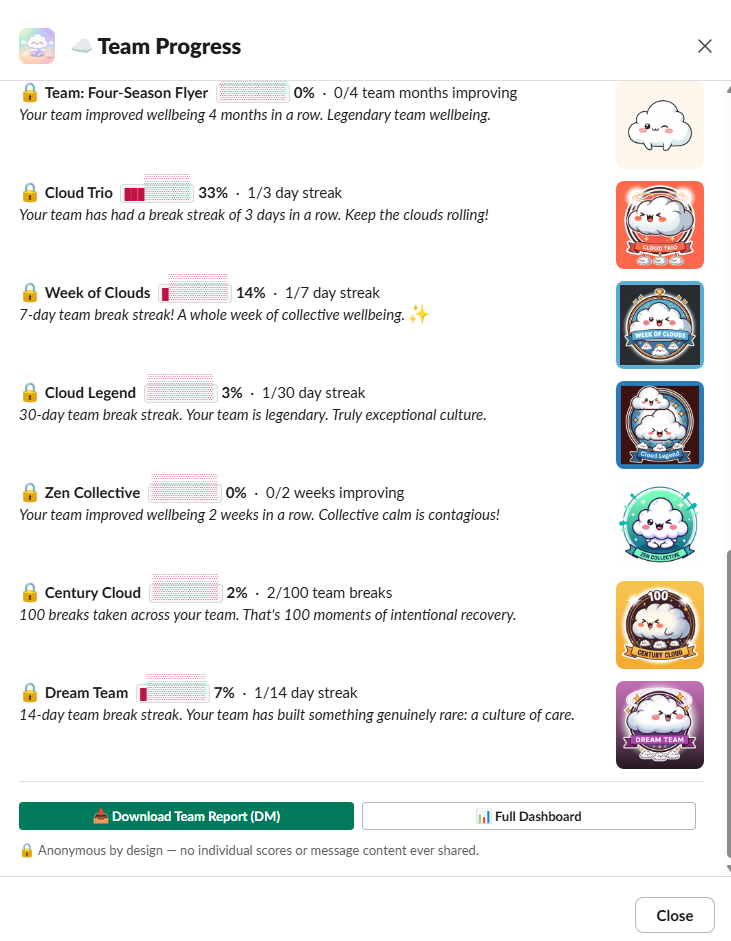
Team Progress
Inspiration
Burnout rarely happens all at once. It builds quietly in the background: the late night Slack message, the skipped break, the endless stretch of being "always on." By the time someone realizes they are burned out, the warning signs have often been there for weeks.
The World Health Organization classifies burnout as an occupational phenomenon, yet most workplace tools only address burnout after it happens through surveys, wellness programs, or time away. The missing piece is visibility into the early signals.
That's not a willpower problem. It's a visibility problem.
Slack is where modern work happens. It is where priorities shift, collaboration accelerates, and work pressure accumulates. But the signals that someone may be approaching overload are often invisible to the person experiencing them.
ZenFlow was built around one simple idea: if burnout patterns can be detected earlier, people can take action before they become a crisis.
For years, workplace technology has optimized for productivity and output. The next generation of AI should also optimize for sustainability. The same environment where work pressure accumulates can become the place where AI helps people recognize patterns and recover earlier.
Not with a wellness survey you fill out quarterly. Not with a meditation app that sits unopened on your phone. With a quiet, always-on companion living inside the tool you already use all day, watching for the signals you cannot see yourself and intervening with exactly enough friction to make you pause.
For employees, ZenFlow creates awareness without judgment. For organizations, it creates workforce sustainability insights without creating employee surveillance. That trust boundary is what allows ZenFlow to support workplace wellbeing in environments where traditional monitoring tools cannot.
The name captures the tension we were solving: flow, the deep focus state every knowledge worker wants, and zen, the intentional calm that makes flow sustainable over months and years, not just sprints. The kawaii cloud mascot was not aesthetic whimsy. It was a deliberate statement that wellbeing tools do not have to feel clinical, corporate, or shameful to use. They can be warm. They can be a little playful. And they can still help protect the wellbeing of the people who use them.
That balance is the foundation of ZenFlow: protecting productivity by protecting the human capacity behind it. Burnout is not only an individual challenge; it impacts workforce wellbeing, organizational resilience, and the ability of mission-driven organizations to sustain their impact. ZenFlow uses Slack's agentic capabilities to help people recognize unhealthy patterns earlier and take action before those patterns become a crisis.
What it does
ZenFlow introduces a new category of workplace AI: an AI Chief of Staff for workplace energy, built inside Slack to detect invisible overload patterns, explain why they are happening, and help employees recover before burnout becomes a crisis. It uses Slack's agentic capabilities to understand workplace rhythms, identify overload signals, explain the factors contributing to risk, and proactively recommend personalized recovery actions at the moment they are needed most. Breaks are one of the grounded actions it takes, not the whole product. It sits quietly in the background, using five permitted workplace signals: how fast messages are arriving compared to your personal baseline, how long you've been continuously active (Slack's own status, not message content), how long it's been since your last intentional break, what hour of day it is, and whether you're working on a weekend.
That nudge isn't a vague "don't forget to take breaks!" It's your exact overload risk score (0–100), a plain-English breakdown of the factors that built it, and three choices: take a guided break, spin the wheel, or snooze. Every number is explainable. Tap "Why?" and you see exactly which factor pushed you over no black box, no algorithmic mystery. Explainability is not a reporting feature — it is the foundation of trust. Users are more likely to act when they understand the reason behind the recommendation.
A grounded, action-oriented hero line leads every surface — never a fabricated claim, always computed from real signals:
Energy Score: "Recovery Recommended in 27 minutes." — a live countdown computed from time-since-break and message pace
Recover My Day: "3-step recovery window started — Focus Mode on, guided break sent." — describes only the actions ZenFlow actually executed (real DND, real status update, real guided break DM) — it never claims a calendar write it doesn't have permission to make
AI Daily Briefing: "Best time for a recharge: 1:15 PM." — derived from your own hourly activity history, honestly labeled as an estimate when there isn't enough history yet
Weekly Impact Report: "You completed 9 recovery breaks this week." — pulled directly from real break history, never rounded up
Team Dashboard: "Teammates averaging 2+ recovery breaks/day may show lower overload risk patterns." — only shown when a real within-team comparison can be computed from actual member data; otherwise ZenFlow shows a neutral, honest stat instead of a fabricated correlation
Hackathon Demo Mode (/zen-demo) creates a realistic simulated employee journey using a fictional persona, "Sarah Chen," a Product Lead experiencing an overloaded workday. You can see how ZenFlow detects early signals, explains risk factors, and recommends recovery actions across Slack. Demo data is clearly labeled and fully isolated from real user activity.
For individuals:
/zen — your private wellbeing snapshot, available any time
/zen-report — a full weekly report with peak activity hours, break history, score trend, and improvement tracking
📈 Progress Dashboard — an interactive modal (Week / Month / Year) showing break bar charts, day-by-day overload risk sparklines, current streak, best streak, total Zen Points, and a downloadable DM report — all from the App Home in one tap
Break Spin— an animated wheel that picks from 11 break types, then reveals your choice with a ✨ Gemini-personalised motivation line and a 💡 live wellness fact fetched from Wikipedia's REST API at the exact moment of spin — genuinely real-time, not cached
Streaks and Zen Points — consistent healthy days build streaks, unlock cloud-themed badge medallions, and earn points shareable to LinkedIn, X, Bluesky, and Facebook with proper Open Graph image cards
Do Not Disturb mode — set quiet hours so ZenFlow never nudges during focused work or personal time
For teams:
Multi-team support — belong to up to 5 teams and lead up to 3; every team gets its own dashboard, badge set, and streak — so you can track wellbeing with your direct team, a cross-functional group, and a company-wide cohort simultaneously
🏆 Team Recovery Insights— an opt-in anonymous team view where leaders can track collective wellbeing patterns. A recovery score formula (lower overload risk + recovery actions + weekly improvement trends) summarizes team progress with milestone recognition; no individual data is ever exposed. The goal is not competition — it is helping teams build healthier working rhythms together. Team milestone artwork, celebrating cloud characters, and recognition moments reinforce collective progress.
📈 Team Progress Dashboard— every team member (not just the leader) can open a shared modal showing the team's break bar charts, weekly and monthly risk trends, most-active member, and total team Zen Points across Week / Month / Year — with a downloadable DM report
7 kawaii cloud team badge medallions — AI-generated badges earned collectively: First Cloud Break, Cloud Trio (3-day streak), Week of Clouds (7-day streak), Cloud Legend (30-day streak), Zen Collective (2 weeks of improving wellbeing), Century Cloud (100 team breaks), and Dream Team (14-day streak). Every badge shows its kawaii cloud artwork as a thumbnail in the Team Progress modal with earn date
Team badge library — the Team Progress modal displays all unearned badges with live progress bars so every member can see exactly what they're working toward
Team streak milestones — the whole team earns rewards when everyone takes at least one break in a day; collective accountability without individual surveillance
Morning digest— a daily summary lands in your DMs: yesterday's score, break count, streak status, and an AI-written note to start the day with intention
Nudge settings — each person controls their own threshold, quiet hours, and snooze window; ZenFlow adapts to how you work, not the other way around
Crucially: ZenFlow never reads message content — only timestamps and counts. Workplace wellbeing technology only works when employees trust it. It is private by design. No HR visibility. No manager dashboard. No content analysis. This isn't a footnote — it's the architecture. The innovation is not only detecting burnout signals. It is doing so without reading conversations, scoring employees, or creating surveillance. ZenFlow demonstrates how AI can support workers while preserving trust.
How we built it
ZenFlow runs on Node.js + Slack Bolt (HTTP mode, ExpressReceiver) on a Replit Reserved VM, covering every Slack surface: events, slash commands, App Home, modals, interactive components, and the AI assistant thread.
Built natively inside Slack, ZenFlow acts as a proactive AI companion rather than a passive reporting tool, observing permitted workplace signals, reasoning about recovery needs, and taking personalized action through Slack conversations and workflows.
Required technology #1 — MCP Server
ZenFlow runs a Model Context Protocol server (JSON-RPC 2.0, spec 2024-11-05) with three callable tools:
Tool What it returns get_wellbeing_score Risk score 0–100, band (healthy/moderate/high), and a full explainable factor breakdown get_streak Streak count, last break time, break types tried, Zen Points, badge count suggest_break Recommended break type with urgency level, reason, and Explorer badge progress The endpoint is publicly accessible at https://zenflowflatv-31-zip.replit.app/mcp (JSON-RPC 2.0 POST). Test it live:
curl -X POST https://zenflowflatv-31-zip.replit.app/mcp \ -H "Content-Type: application/json" \ -d '{"jsonrpc":"2.0","id":1,"method":"tools/list","params":{}}'
Required technology #2 — Gemini AI (gemini-1.5-flash)
Three Slack touchpoints use personalized AI-generated copy:
Nudge messages — context-aware, personalized for risk score, messaging pace, and break streak Break Spin reveals — an uplifting one-liner after the wheel lands Morning digest opener — a warm, varied greeting based on yesterday's breaks and risk
Required technology #3 — Real-Time Search API (Wikipedia REST API)
When Break Spin reveals a break type, ZenFlow fetches a live wellness fact from Wikipedia's REST summary endpoint in parallel with the Gemini call. The first sentence of the relevant article appears as a 💡 Did you know? line. No API key required. Typical latency: 200–400ms.
The scoring model is deliberately simple and fully transparent — because a model you can explain is a model people will trust:
$$\text{Risk} = w_1 \cdot \text{MessageVolume} + w_2 \cdot \text{Presence} + w_3 \cdot \text{TimeSinceBreak} + w_4 \cdot \text{TimeOfDay} + w_5 \cdot \text{WeekendWork}$$
Each factor is inspired by established burnout research principles while remaining intentionally transparent and explainable rather than attempting to diagnose burnout. The model adapts to your personal baseline over time — "high" means high for you, not high for an average user. The Presence factor reads Slack's built-in active/away status — no content, no channel data — to catch sustained heads-down activity that message volume alone can miss, and is weighted so it combines with message volume rather than needing to trigger overload on its own.
All three required technologies converge into one user experience: the moment a person needs help, ZenFlow combines context from MCP, personalized AI coaching from Gemini, and real-time knowledge retrieval into a single explainable intervention. One Break Spin reveal simultaneously queries the MCP server for score context, calls Gemini for a personalised motivation line, and hits the Wikipedia REST API for a live wellness fact — in parallel, in under a second.
Full tech stack:
Slack Bolt SDK (Node.js) — HTTP mode, ExpressReceiver
Slack Block Kit — every surface built natively (App Home, modals, DMs, nudges)
Slash commands: /zen, /zen-report, /zen-break, /zen-rewards, /zen-team
Google Gemini 1.5 Flash — AI coaching at three touchpoints
MCP server — JSON-RPC 2.0, proxied through the public asset server at /mcp
Wikipedia REST API — real-time wellness facts per break type, free, no key
Custom asset server — kawaii cloud-themed artwork + Open Graph badge share pages
Privacy-safe store — only activity timestamps, fully user-controlled deletion
Hackathon Demo Mode — /zen-demo toggles a realistic simulated persona across every surface (App Home, Daily Briefing, Weekly Impact Report, Success Simulator, and a full guided before/after "ZenFlow redesigns the day" walkthrough) without ever touching real user data. Every demo-populated screen is clearly labeled, and the underlying rendering logic is identical to the real-data path — the model isn't special-cased for the demo, only the input is.
Public marketing site (why.html) repositions ZenFlow as an AI Chief of Staff for workplace energy, with feature cards for the grounded hero-line surfaces and a mock dashboard illustrating the Energy Score, Daily Briefing, and Weekly Impact Report exactly as they render in Slack.
Challenges we ran into
Data vanishing on every deploy. We stored user data inside the workspace directory. Every publish silently wiped months of streaks, badges, and wellbeing history. The fix: detect the Replit environment at startup and write to /home/runner/zenflow_data.json — outside the workspace, completely untouched by the deployment pipeline. We found this the hard way, after losing real data.
A badge race condition that erased wins. With scoring on a 15-minute async tick and persist() debounced at 250ms, a badge earned right before a flush window could land in memory but never reach disk. We replaced debounced persistence for badge writes with awardBadge() — a synchronous atomic write that cancels any pending debounce timer. Earning a badge is now crash-safe and immediate.
The assistant:write scope silently blocking multi-workspace OAuth. Slack's assistant:write — essential for our AI assistant thread — is a restricted beta scope that fails silently for workspaces without access. We restructured the install flow to decouple distribution scopes from the main workspace token, unblocking OAuth without compromising the core product.
Wiring team badge evaluation to every break path.Team badges were initially only evaluated in accept_break. But ZenFlow has three distinct break completion flows — accept_break (quick breaks), breathe_step (guided breathing, completes at step 4), and simple_step (non-guided, completes at step 2). Any break completed via the latter two paths silently missed team badge checks. The fix was a single handleTeamBreakEvent() helper called from all three, so team counters and badge unlocks are consistent regardless of how the break was taken.
Nudges that got ignored. Our first prototype fired "Time for a break!" on a fixed timer. Response rate: near zero. The version that names the exact factor that crossed your threshold, references your actual streak in a Gemini-written line, and offers three specific one-tap choices — that one changed behaviour. The entire gap between ignored and acted-on is explainable, not technology.
Accomplishments that we're proud of
All three required technologies activate in a single moment. One Break Spin reveal simultaneously queries the MCP server for score context, calls Gemini for a personalised motivation line, and hits the Wikipedia REST API for a live wellness fact — in parallel, in under a second. That's not three separate features. That's one coherent, technically integrated experience.
An explainable scoring model users can understand Users do not need to blindly trust an AI recommendation. They can understand it, question it, and make their own decisions. Every risk score is the sum of four named factors with plain-English reasons. Users who understand why they're at 74 today make different choices than users staring at a mysterious number. Trust isn't a brand value here — it's a product feature, built into every response.
Progress dashboards that show your actual data, honestly. The Week view renders a true day-by-day break bar chart and risk sparkline. Month and Year views show rolling risk trends with transparent notes about data retention windows — no fake numbers, no padding. Every number in the dashboard is the same number the scoring model uses internally.
A team layer built on opt-in transparency.Team dashboards show collective trends — never individual surveillance. Every person controls their own threshold, quiet hours, and visibility. Managers can see that the team's average break rate dropped this week; they cannot see who is struggling. That boundary is intentional and important.
Privacy that's architectural, not cosmetic. ZenFlow never reads message content — only timestamps and counts. This makes it significantly easier to evaluate and deploy in privacy-conscious enterprise environments where a content-reading bot would face major adoption barriers.
A wellbeing product people actually want to share. The badge DM auto-generates a LinkedIn caption. The spin wheel has gamification energy. The kawaii cloud mascot makes something anxiety-inducing — your burnout score — feel approachable enough to act on. Lower activation energy means more breaks taken, which is the only metric that matters.
Grounded hero lines, everywhere, with no exceptions. We rewrote the headline copy on five separate surfaces — the Energy Score, Recover My Day, the AI Daily Briefing, the Weekly Impact Report, and the Team Dashboard — so every leading claim is computed from real data or simply doesn't render. "Recovery Recommended in 27 minutes" is a live countdown, not a template. The Team Dashboard's breaks-vs-overload stat only appears when there's real member data to support it. We'd rather show nothing than show something we can't back up.
A demo mode that doesn't compromise the product. /zen-demo lets us show five weeks of product maturity in a five-minute pitch, without a single line of special-cased demo logic in the scoring or rendering engine — and without ever mixing simulated and real data.
A public-facing rebrand that matches the product's real ambition. The why.html marketing page repositions ZenFlow as an AI Chief of Staff for workplace energy — feature cards and a mock dashboard that mirror exactly what ships in Slack, not aspirational screenshots of features that don't exist yet.
What we learned
Transparency is a feature, not a constraint. Forcing every factor to be auditable — making the model literally explainable by design — made nudges more actionable and the product more trusted. Explainability and usefulness aren't in tension. For a wellbeing tool, they're the same thing.
The difference between a warning and an intervention is specificity. Generic wellness reminders are background noise. A message that says "Your message rate is 2.3× your baseline for the last hour and you haven't taken a break in 3.2 hours" lands differently. People don't respond to being told they might be overdoing it. They respond when they can see exactly how.
Constraints are creative engines. Never reading message content sounds like a limitation. In practice it forced us to build something better — a model that tracks your personal baseline rather than your words, and that any privacy-conscious organisation can deploy without a legal review. The constraint made the product.
Real-time changes the feeling even when users can't explain why. The Wikipedia wellness fact could be a lookup table. Making it genuinely live — fetched at the moment of spin, different every time based on the exact break type chosen — creates a quality users consistently describe as "alive." That's the real-time API doing something a cache never could.
The last 10% of polish drives 50% of sharing. The auto-generated LinkedIn caption in the badge DM. The progress bar in the weekly report. The "Why?" factor breakdown modal. The kawaii cloud badge artwork that makes earning a team milestone feel genuinely worth celebrating. None of these are core to the product. All of them are why people screenshot ZenFlow and send it to their team.
What's next for ZenFlow — Your Calm in the Chaos
Burnout is a systems problem, not a personal failing. The research is clear: it's driven by workload, lack of control, insufficient reward, breakdown of community, absence of fairness, and values mismatch. ZenFlow currently addresses the first two. The roadmap addresses all six.
For individuals: richer personal baselines that learn your day-of-week rhythm, optional calendar integration to distinguish "busy because of a launch" from "busy because something is structurally wrong," and proactive recovery suggestions after high-risk days. Longer break history retention so Month and Year progress views can show true historical charts.
For teams: synchronized team break moments — a gentle prompt that the whole team steps away together. Anonymized aggregate trend reports that surface "this team's average break rate has dropped 40% over the last two weeks" before it becomes a retention conversation. Additional team badge tiers for sustained long-term streaks.
For the AI ecosystem: the MCP server is an open door. This creates a foundation where ZenFlow can become an intelligence layer across the modern workplace, connecting productivity tools while maintaining privacy-first boundaries. A calendar assistant that checks your ZenFlow score before booking a deep-work block. A standup bot that opens every morning with the team's anonymised wellbeing pulse. A coaching agent that connects your productivity patterns across tools. The data infrastructure is live. The integrations are next. This opens the door for mission-driven organizations to deploy privacy-first workplace support tools that improve sustainability without increasing employee surveillance.
As the AI Chief of Staff for workplace energy: real calendar write access (not just a "Let ZenFlow Handle It" simulation), automatic recovery-window scheduling, and a fuller set of grounded, on-surface hero lines as new signals become available — always with the same rule: no claim ships unless there's a real number behind it.
We built the compass. Now we're building the map. The vision hasn't changed since the first line of code: catch the drift before it becomes a crisis. The future of workplace AI should not only help people work faster. It should help people work sustainably. Burnout is not inevitable. It is predictable. And anything predictable can be prevented.
Burnout is not inevitable. It is predictable. ZenFlow turns invisible workplace signals into moments of support, helping people recognize patterns earlier and work more sustainably. ☁️✨


Log in or sign up for Devpost to join the conversation.